11 Best RFP Software Solutions in 2026 to Win More Bids
Comprehensive buyer's guide to the best RFP software in 2026. Compare 11 tools by AI quality, workflow, and ratings, with zero fluff.

Co-founder & CEO, AutoRFP.ai·Updated ·32 min read
Choosing the best RFP software starts with the work your team handles. A recurring security questionnaire, a detailed technical proposal, and a public-sector tender place different demands on your content, reviewers, and workflow.
This guide compares 11 platforms for organizations responding to RFPs and related requests. It covers their capabilities, suitable use cases, limitations, and pricing, helping you build a shortlist around your requirements.
| Software | Best for | Standout capability | Pricing |
|---|---|---|---|
| AutoRFP.ai | Teams needing governed AI responses across RFPs, security questionnaires, and DDQs | Source-grounded drafting with Trust Scores and visible citations | From $899/month, billed annually; 24 projects/year and unlimited users. |
| Loopio | Structured content management and proposal collaboration | Governed answer libraries, content reuse, and review workflows | Custom quote; Foundations includes 10 seats. |
| Responsive | Complex enterprise response operations | Cross-team workflows, integrations, and reporting | Emerging Edition: From $10,000 |
| Qvidian | Enterprise teams producing standardized, branded proposals | Proposal assembly using approved content, templates, and document automation | Contact sales for a quote. |
| Tribble | Response teams coordinating reviews through Slack and Teams | Sourced drafts with expert routing and shared company knowledge | Custom quote; Respond is priced per project. |
| Arphie | Teams drafting from connected company knowledge | AI-generated answers with source references and confidence scores | Contact sales for pricing. |
| 1up | Sales and presales questionnaire automation | Answers delivered through chat tools and browser extensions | Starter: $300/month; MCP plan: $50/month plus usage. |
| AutogenAI | Teams writing detailed proposals, bids, and grants | Proposal qualification, outlining, drafting, and review | Contact sales for pricing. |
| Tendium | Teams pursuing European public-sector tenders | Tender monitoring, qualification, and bid preparation | Monitoring from €125/month; bidding plans require a quote. |
| DeepRFP | Individual proposal professionals and lean teams | AI proposal drafting, RFP analysis, and compliance matrices | Pro: $89/user/month; annual discounts available. |
| XaitPorter | Large proposals involving multiple authors and reviewers | Concurrent co-authoring, section workflows, and automated formatting | Contact sales for pricing. |
How We Compared the Best RFP Software
In AutoRFP.ai’s 2026 Proposal Win Rate Report, produced with Stargazy, 59% of high-win respondents used content library automation, compared with 36% of low-win respondents.
That finding makes reusable, well-managed knowledge a useful starting point for this comparison. RFP software needs to help teams put their expertise to work across new opportunities, while keeping answers relevant, reviewable, and aligned with the buyer’s requirements.
We used the report’s findings to inform our evaluation criteria, alongside practical requirements for drafting, collaboration, document handling, and cost.
1. Answer Quality and Source Verification
We consider how platforms use approved company knowledge to draft responses and help reviewers check the supporting evidence.
Relevant capabilities include source citations, confidence indicators, handling of unanswered requirements, and controls for tailoring responses to the customer. We also consider whether reviewers can identify unsupported claims and resolve gaps before submission.
2. Content Reuse and Library Management
We look at how teams bring existing answers and documents into the platform, find relevant information, and capture approved knowledge for future responses.
This includes connected content sources, search, ownership, review schedules, and support for identifying outdated or duplicate material. The emphasis is on making trusted knowledge easier to maintain and reuse as products, policies, and customer requirements change.
3. Collaboration and Approval Workflows
The report also found that 65% of high-win respondents reported formal review or governance processes, compared with 42% of low-win respondents.
We therefore consider question assignments, deadlines, comments, permissions, approval stages, and change history. These capabilities help proposal teams involve the right specialists, track outstanding work, and maintain clear responsibility for the final response.
4. Workflow Fit and Total Cost
We distinguish between platforms focused on structured questionnaires, long-form proposal writing, document co-authoring, and tender discovery.
Practical fit includes supported file formats, export fidelity, portal workflows, integrations, security controls, and implementation requirements. Pricing is considered alongside user allowances, project limits, and additional charges, so readers can assess the cost of supporting their actual workload.
The report’s findings are directional associations from a self-selected, self-reported survey, not evidence that a particular tool causes higher win rates. High-win respondents reported win rates of 51% or more; low-win respondents reported 25% or less.
The 4 Main RFP Tools In The Market
These RFP software solutions are among the most recognized in the market. Below is a side-by-side comparison to help you see how each stacks up.


Video transcript
Transcript is auto-generated and may contain minor errors.
Hey, I'm Rob from Auto RFP.ai. We're going to go into the best RFP software in the market. What is RFP software? And jumping into it, looking at some of the different major players, and helping you hopefully decide which ones are worth having a look at. If you are interested in having a look at them, I recommend going to their website. RFP software in the market in 2025, you can break down some of the best players into two main markets or two main camps. You've got your legacy RFP software providers, like Loopio, Responses, Qvidian, which I'm going to go into detail. And then you've got your AI native players, like Auto RFP.ai I'm from. You've got Tribal, HeyRFP, Shift Hub, and and plenty of others as well. So, what are the difference between the two? Your legacy RFP software, they have generally been around since early 2000s. They brought software to the RFP process. RFP software providers
effectively built an ability for a company to store all their documentation and information and kind of questions and answers. So, it's like a question and answer bank. They built these big banks of answers and questions for companies. Then when they would get a new response or new RFP, it would use keyword search to copy and paste from the Q&A bank into that new RFP uh that they just received. So, that's what a legacy RFP software is. Then you have your AI native players who have launched since the huge uptick in AI with ChatGPT in uh what was that? 2021. So, Auto RFP.ai, we actually launched a couple of weeks just before ChatGPT came out. I've been building the product over the last three or four years with hundreds of customers. And effectively, your native AI players don't have all that legacy tech debts. They're built with a basis of being a vector database, which is a specific term with AI. They then use AI semantic
search, which effectively takes in the context of responses. And when you get a blank RFP, it'll pull in not just information from your Q&A bank, but from your website, from your case studies, from your integrations and different knowledge sources, and eventually use that to answer the RFP. So, that's kind of the nuts and bolts of it. You've got your legacy players who some do actually have AI now as well. And then you've got your AI native players. As I mentioned, you have all your content. That is generally your Q&A banks, your past responses, it might be your Google Docs, your SharePoint, Confluence, Notion, all your different information that you think holds relevant content for an RFP response. You upload that to the system or you integrate great and pull it through automatically. Then, when you have an RFP, you upload the RFP, create a new project. The AI, generally speaking, your AI native players, this is how it works.
It's going to automatically start drafting the responses or using a powerful AI semantic search to use to find relevant verbatim responses and effectively draft responses. It's going to allow your team to collaborate, set project deadlines, bring in subject matter experts to help answer that RFP. The really big thing about AI RFP software is it uses reinforcement learning to continually improve. And from your new responses, as you approve them, it gets better and better as time goes by. That's your RFP software in a nutshell. Now, how you can help determine what are the best RFP software. I would really recommend jumping on G2 or Gartner, having a look through actual verified user reviews. They'll have lots of different information regarding the RFP software. You can kind of click into each of those and understand it a bit better, the pros and cons, and so on. The RFP software is a pretty fast-moving
market, so I'd definitely recommend looking at a number of tools. Most of the providers here that you'll that I'll go into, you can book in for, you know, a 30-minute, 45-minute online demo just from their website. Hopefully, they don't have to do too many discovery questions. They jump on that call and they show you through the platform. So, your RFP software, like I said, you've got your Responsive, your Loopio. So, when you're looking at G2, you can look at, you know, the number of responses, but also you want to focus on the quality of responses, so what the actual total score is. And I would say anyone who has more than 50 or so reviews, as you can see, that's kind of how I made the short list today, is generally kind of worth a consideration to have a look at as well. Then you have Gartner. So, Gartner for your best RFP software has all the relevant information in relation to those different providers. Again, the reviews. You can understand more about each of those providers and what people are actually saying about those software. So, we've had a look at the review slides. Let's jump into some of the RFP software market's providers for 2025.
Loopio is an RFP software provider, one of those what you might classify as a legacy provider. They have a lot of really great large logos. They have been in the market for quite a long time now. Effectively, the basis of that product is kind of a question and answer bank using your past responses to then copy and paste when you bring in a new empty RFP. It's kind of the general gist of the product, and you can find out more information about Loopio from their websites. You can book in for a demo to chat to their team to understand more about them, and so on. Under plans, they have some information about their pricing. They don't have public pricing, but you can request a quote and get more information regarding their pricing. I believe their pricing plan has add-ons, so you can take that into account in relation to finding the right package that meets your requirements for what you're looking at. Responsive or responsive.io, they are also acquired a company called RFP360. If someone's referencing RFP360, that also is responsive.io or responsive.
Responsive is an RFP software. Again, one of those legacy providers that have been around for quite a while, have a lot of really large customers, and you can kind of get to know more about their product by going to their website. So, you can see here like I said, you effectively have a question and answer bank of your past responses, and then you can upload documents, your blank RFPs, and it helps answering those and has your different reporting and project management capabilities, and so on. If you want to chat to their team, you can request a demo, get to know them better. Or, in their pricing, the yeah, their pricing isn't available on the website, but you can obviously get a quote from their team, and I believe they also have paid add-ons as well in some ways. There you go, paid add-ons as well to find a plan that meets your your business's requirements as well. So, that's responsive.io. Now, jumping onto the next best RFP software, we have Qvidian. So, Qvidian is part of a much larger
family called Upland. They have a lot of products across their entire suite. Qvidian is one of those legacy RFP software providers that is a Q&A bank and uses your past RFP answers to help answer RFPs. You can, of course, find out more information on their websites. You can request a demo, and so on. What we found is that Qvidian generally has a lot of financial services customers, so those in managed investment funds, and so on. Next you have order rfp.ai. So that's where I'm from. Order RFP, we were one of the first AI native RFP software. So like I mentioned, that means our entire premise of product is based on effectively a vector database which is all your relevant context that might be used to answer an RFP. Then when you have a blank RFP, it comes in and then our system uses AI to generate responses, provide trust scores to see if you can trust the responses, has AI
actions to iterate and improve on the responses as you go and kind of work through your RFP. Then you then export that RFP back into the exact same format, translate it if necessary to different languages and so on. You can of course find out more about order to our team. If you'd like to book a demo with our team across the globe, we have global offices. You can find out more about some of our customers on our website as well. And then in our pricing, we do show our pricing in relation to some of our different plans there as well. So you can kind of see what makes sense for you. Our pricing is based off projects per year. Oh, I didn't mention about Loopio and Responsive. As far as I'm aware, their pricing is based off like seats. So number of team members that you might have used the tool. So you might actually come across different pricing models across some of the RFP software in a list of top best RFP software. You can find out more about order rfp.ai and chat to our team if you'd like. Go Jumping on to next, you've got Hey Iris. So Hey Iris is another AI RFP native
software provider. Again, one of the newer ones. They've got a video there that kind of showcases and goes through parts of their product, some of their customers as well if those are relevant customers to yourself. I don't believe they have pricing on their websites, but if you'd like to get in touch with their team, you can of course book a demo to understand more about them as well. Then you've got another one which I wanted to throw in is Shift Hub. Shift Hub is a little bit different to some of the others where they just focus on security questionnaire automation. Although all the RFP software I mentioned, whether it's Loopio, Auto RFP, Hey Iris, they all can do security automation questionnaire automation. Shift Hub just focus just on that. And you can find out more about their site by going there. And again, similar to Auto RFP and Hey Iris, you know, using AI to help answer those security questionnaires and so on. And you can kind of I don't believe they have pricing on their website, but you can understand more about them by obviously booking a demo and chatting to their team as well.
Next, you have Tribble. So, Tribble or tribble.ai is a little bit different to the other ones as well. Tribble, as far as I'm aware, isn't necessarily a product you log into, but it's a Chrome extension that then works in where you work. So, that might be Google Docs, Google Spreadsheets, you know, kind of completing RFPs in G Suite. It then comes in and answers different questions within those documents for you. So, that's Tribble. Yeah, they they again still integrate with like your knowledge base and support docs and those different information just like Auto RFP does. And you know, pulls in different information to help to help answer that as well. Don't believe they have pricing on the their website, but I'm sure there's some more information here as well so you can understand you can get to know them better. And you of course can book a demo as well and chat to their team if you'd like to learn more. So, that was our comprehensive list of best RFP software for 2025. So, we've got your legacy players, like I mentioned, your Loopio, Responsive, Qvidian. And then you've got your AI
native players or kind of like disruptors in the space, you know, your Auto RFP, Hey Iris, Tribble, Shift Hub, and so on. If you'd like to find out more about Auto RFP, obviously get in touch or any of the others, you can obviously visit their website and book in for a demo. So, that was the best RFP software for 2025. Thank you.
1. AutoRFP.ai: Best for Accurate, Source-Grounded RFP Responses
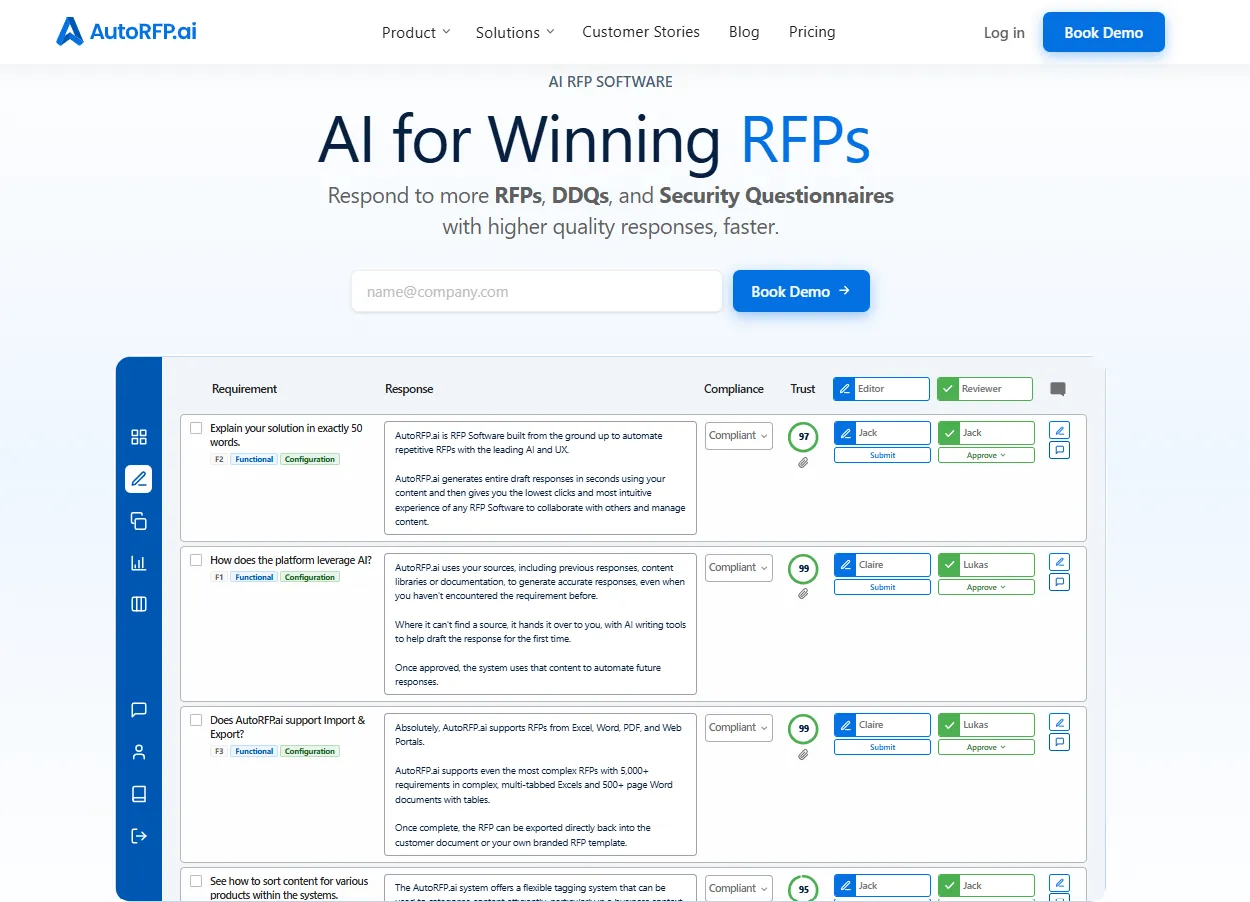
AutoRFP.ai is an accuracy-first, AI-native platform for responding to RFPs, security questionnaires, and DDQs. It drafts from approved company knowledge, makes supporting sources visible, and helps teams review responses while building on the content library they already trust.
Proposal managers, sales engineers, security specialists, and other contributors can coordinate their work through shared assignments, deadlines, and approval workflows. This helps teams reduce repetitive drafting and follow-ups, leaving more time to address complex requirements and tailor submissions to each buyer.
Key Features
1. Source-Grounded Answers With Trust and Feedback Scores
AutoRFP.ai’s Response Engine searches approved answers, company documents, and connected sources, then uses a multi-step AI workflow to draft and check responses. It shows the supporting sources so reviewers can inspect the evidence behind product, security, and commercial claims.
Two separate scores support review: the Trust Score indicates confidence in the source material, while the Feedback Score assesses how fully the response addresses the requirement.
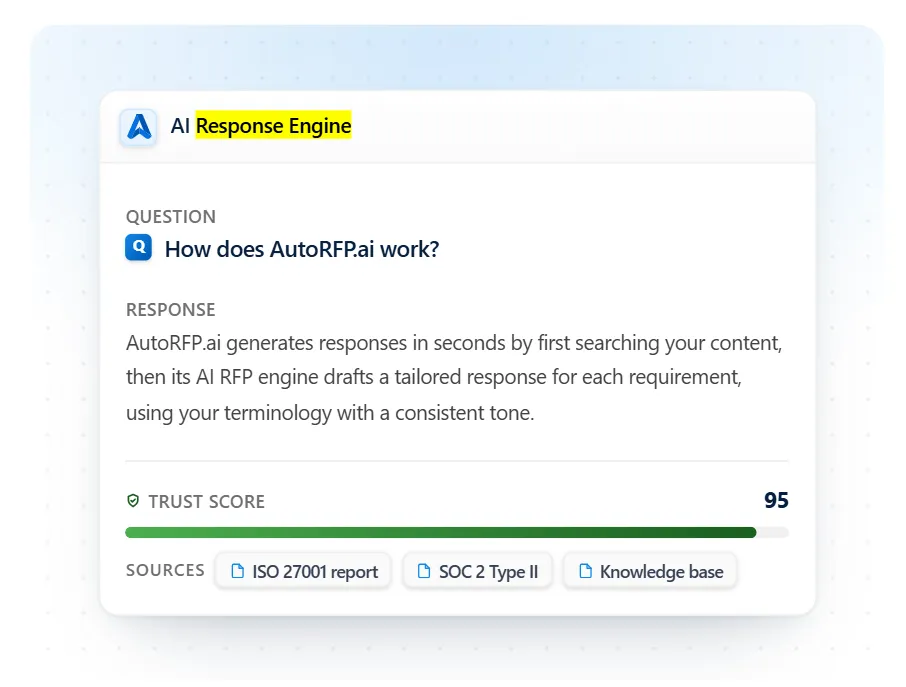
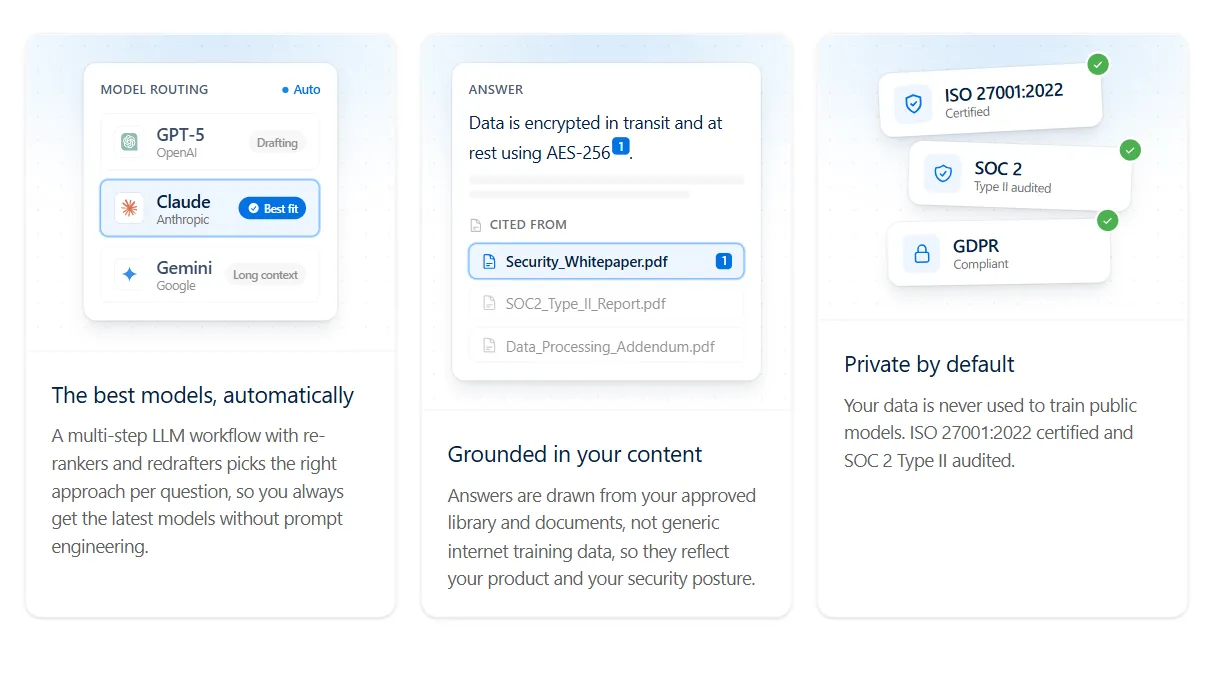
Its Zero hallucination by design approach grounds responses in approved content and withholds unsupported drafts, flagging questions for human input. Your team retains responsibility for final approval.


Video transcript
AutoRFP.ai is like having a team member that never sleeps. We've responded to more than double the number of RFPs after implementing AutoRFP.ai than we did the year before. I'll look back on 2025, we'd saved something like 949 hours. It was mind-blowing. Oh my gosh, this can be done automatically. Being able to answer those consistently and accurately puts us in a position to be a trusted vendor for our clients.
Using AutoRFP.ai has definitely helped me increase my closing ratio. Before, we were using Google Drive to store all of our library content and previous responses. It was a very manual process. If the keyword was there, you would find it. If not, then you wouldn't. I would say 60% of the deals that come through in my market are RFP bids.
But as the team was scaling, it quickly became apparent that this wasn't sustainable. I, of course, looked at tools that we had available to us in-house. Became clear that it worked in some ways, but it wasn't built to respond to complex RFPs with multiple questions and moving parts. So what was different about AutoRFP.ai is that we're able to upload multiple documents in all different formats, PDF, Word, Excel, and it will ingest all of those documents and pull out the requirements, even tables within documents instantly.
The Excel sheets just blew our mind because we hadn't seen this anywhere else. As we work in multiple regions, the ability of AutoRFP.ai to translate into multiple languages is really impressive, and it really felt like it was going to be a partnership rather than a transaction. We spend a lot more time now focusing on the strategy for a bid.
The bids are a lot more tailored and a lot more focused on the prospect in a way that we couldn't do before. The quality of our output is just completely different. Do you feel like it's gonna blow their mind because they're like, "Oh, you've said exactly what we needed to hear." Thinking back to that particular deal in Q3, the deadline was coming up.
Having missed the deadline would have meant for me not hitting my quarter, but I also didn't wanna let down my team. Having a bank of information of answers that I could trust really allowed me to just push everything out as quickly as possible, knowing that what I was saying was accurate and true.
Trusting that when that is submitted, more than 50% of the job is done, and I'm really excited to say that, yes, we did win the deal, made me look like a hero, so thank you. We've been able to respond to 20 to 30% more RFPs quarter on quarter. We've been able to increase the capacity of the team. We've saved 45% of the time it would've taken us to respond to the same number of RFPs.
Our shortlist rate has been outstanding, and it just gets better and better I would say don't wait until volumes spike and quality starts to drop. Every bid that your team submits manually is costing you more than you think, not just in hours, but in quality and consistency There's absolutely no way we would want to go back to the previous way AutoRFP.ai is like having a team member that never sleeps, keeps getting smarter, and allows my team to focus on the stuff that they're really good at
2. A Library That Maintains and Improves Itself
Teams can bring their existing approved answers, categories, and documentation into AutoRFP.ai.
Approved-answer capture makes knowledge from completed response work available for future use, while teams can add selected answers to shared library collections under their configured review controls.
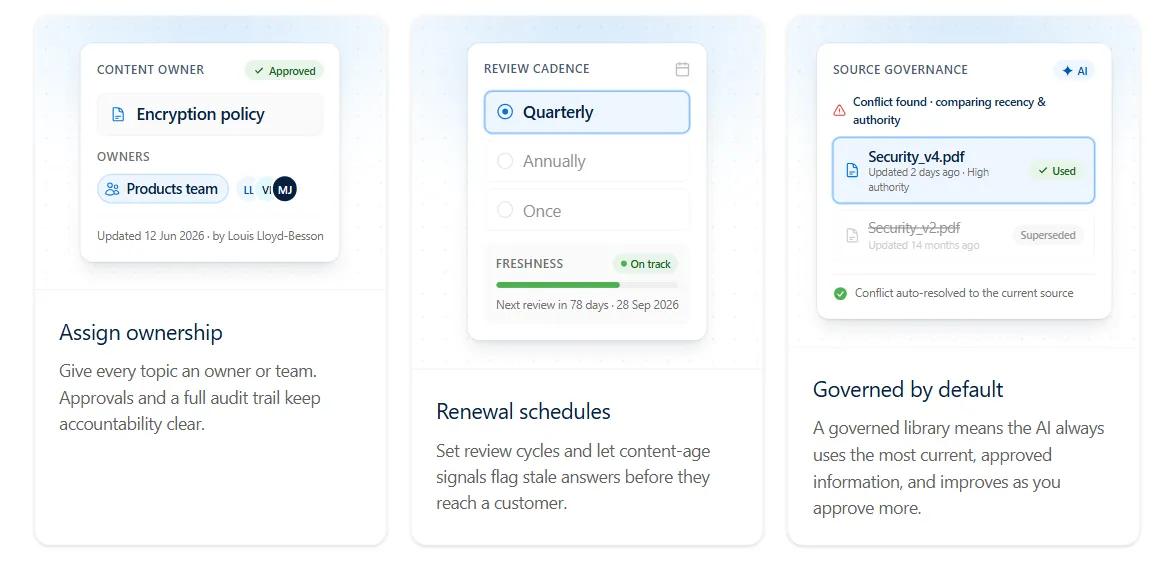
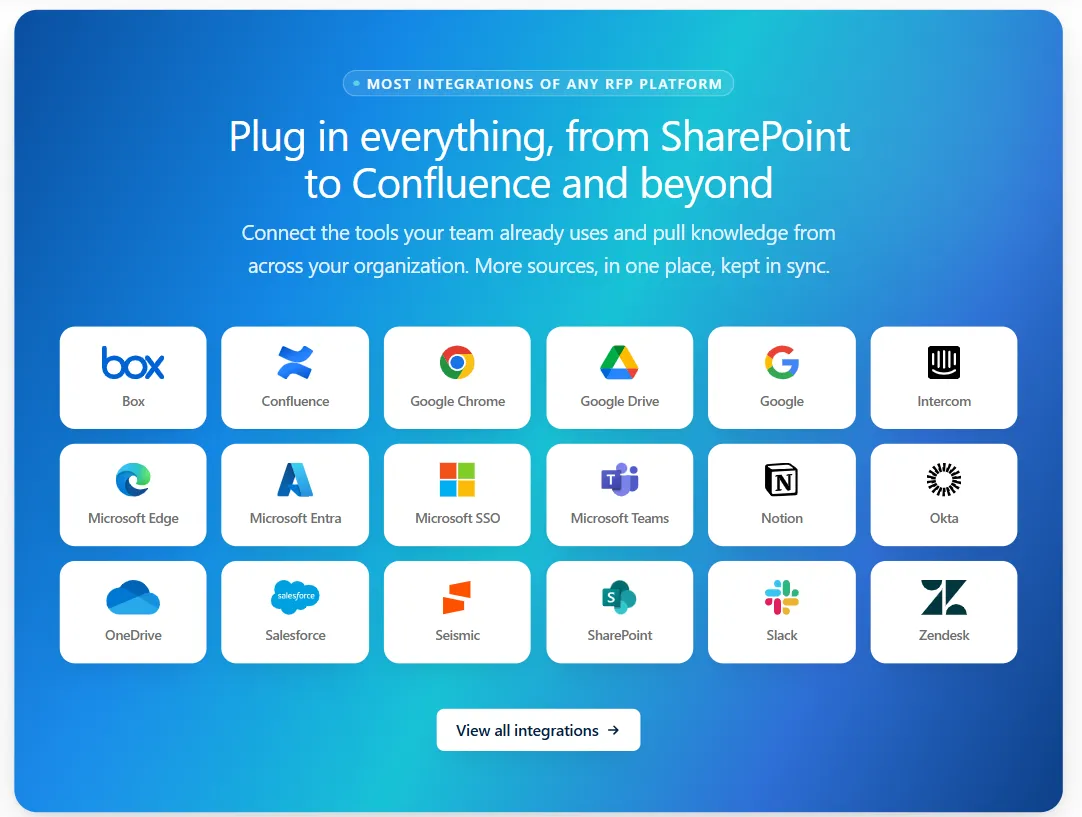
Connected-source syncing brings in updates when enabled, and semantic search helps users find relevant information by meaning. AI-assisted tagging works within the organization’s configured categories.
Content owners continue to manage organization, review schedules, and approvals. The result is a library that grows through everyday work, with routine upkeep supported by automation and important decisions remaining with the team.
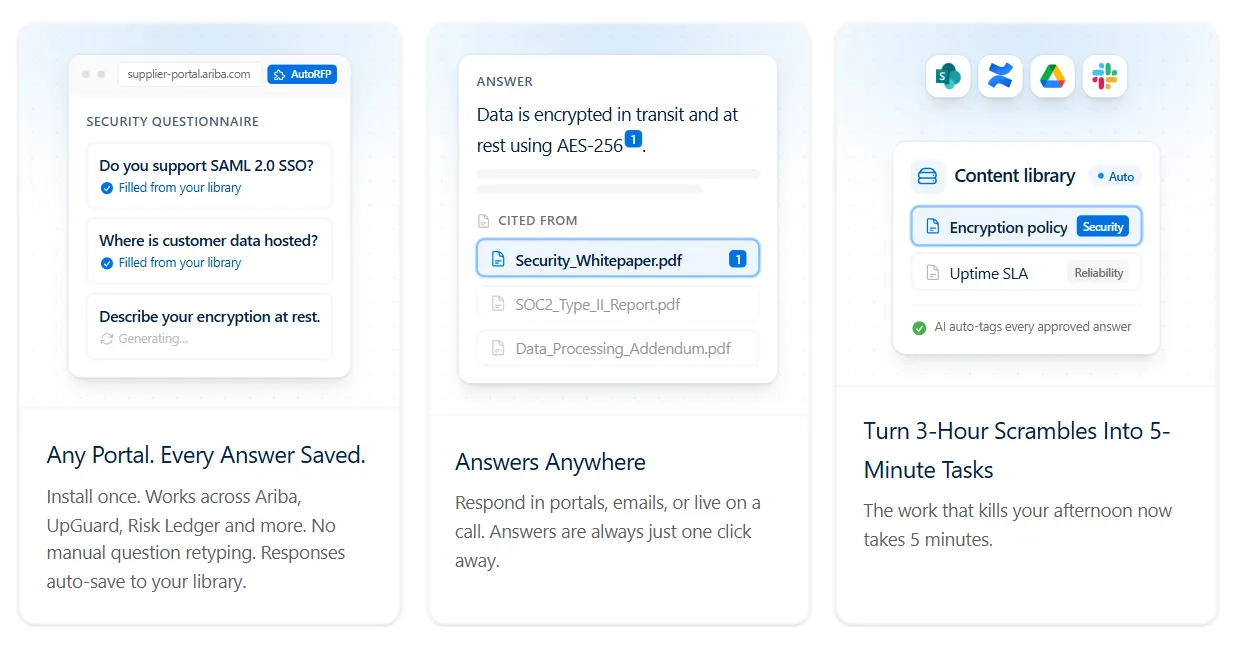
3. Complex Document Import, Original-File Export, and Portal Support
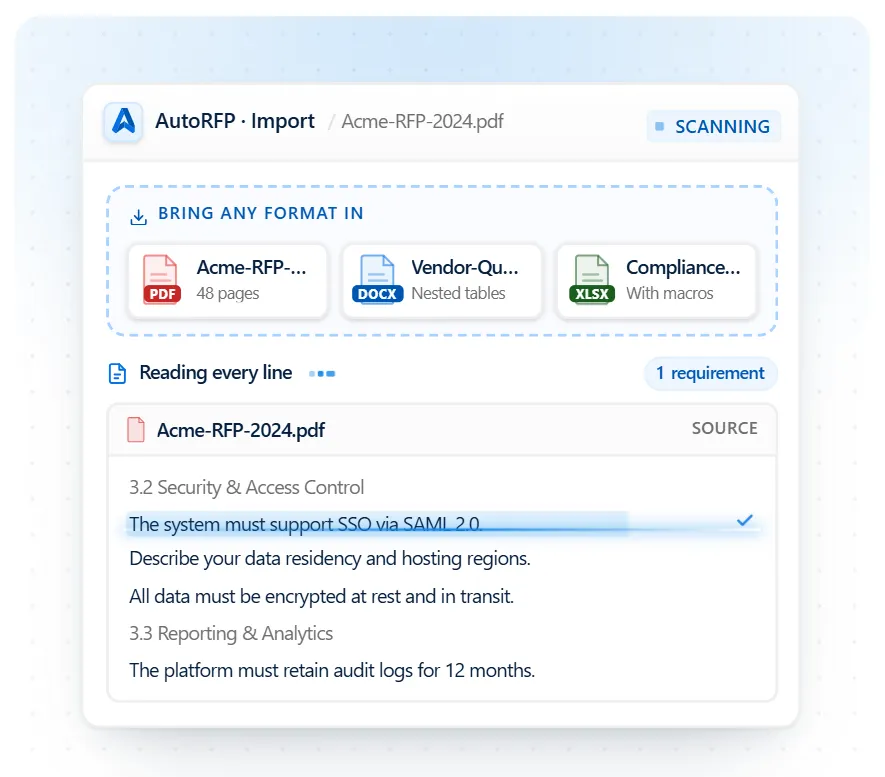
AutoRFP.ai imports Word documents, PDFs, and complex Excel workbooks, including structures such as nested tables, multiple sheets, dropdowns, and validation fields. Teams can review the extracted requirements before completing their responses.
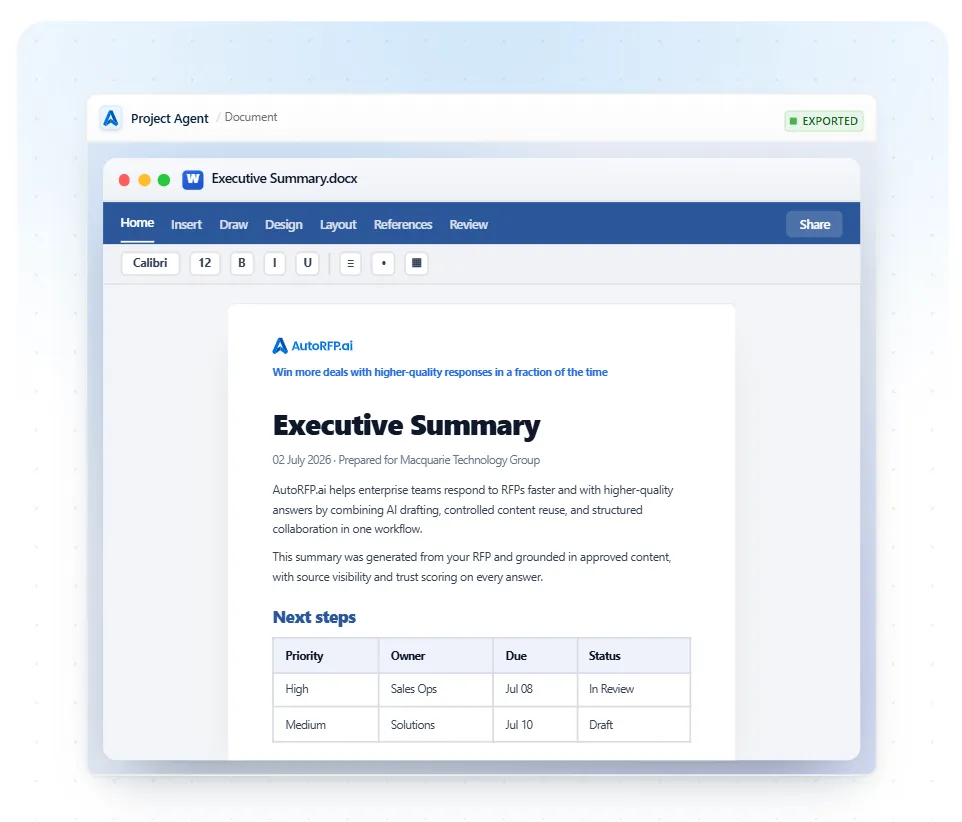
For Excel and Word submissions, approved answers can be exported into the original file while preserving its structure and formatting. PDF questionnaires can be imported and exported as Word documents.
The Portal Agent brings requirements from online procurement and security portals into the response workflow and supports entering answers back into the portal.
4. Collaboration, Sequential Approvals, and Audit Trails
Proposal managers can assign questions, set deadlines, and coordinate sequential reviews across sales, product, security, legal, and other subject matter experts. Comments stay attached to responses, while version history and audit trails record contributions, changes, and approvals.
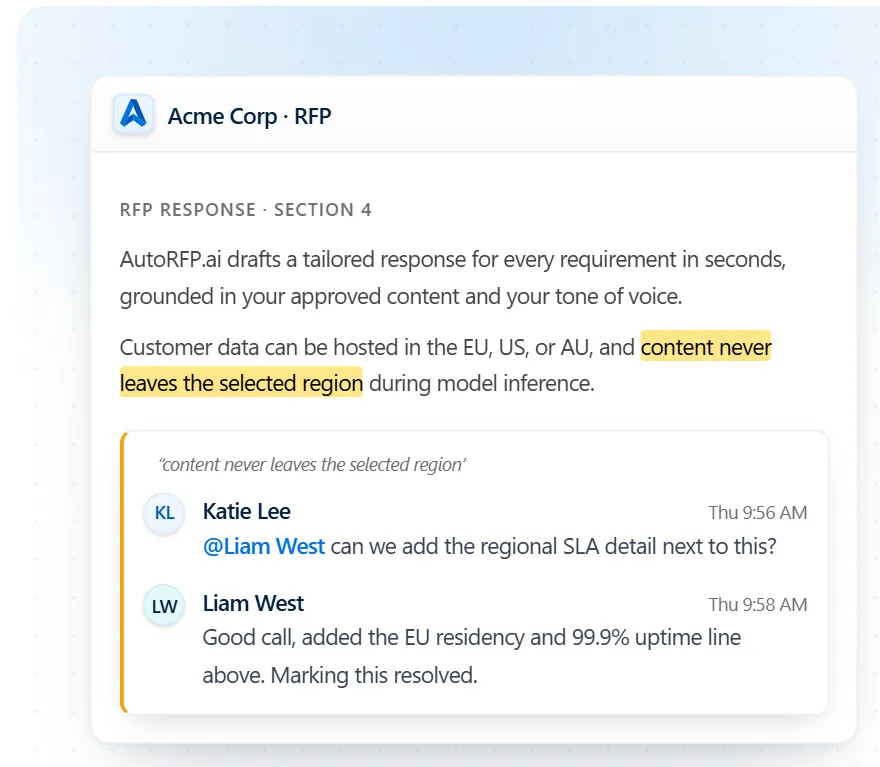
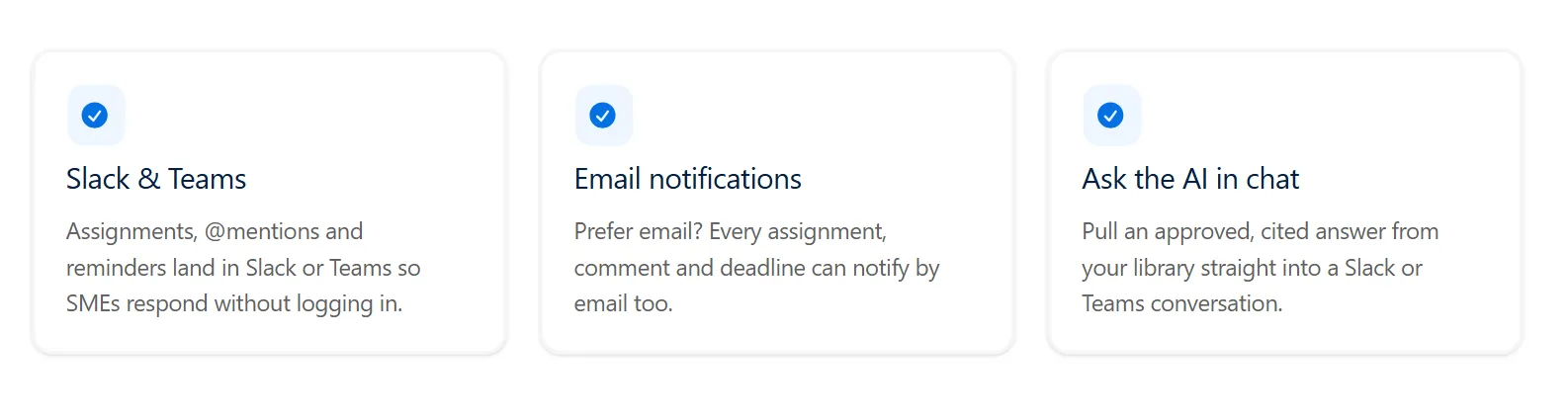
Slack, Microsoft Teams, and email notifications help reviewers act on assignments.
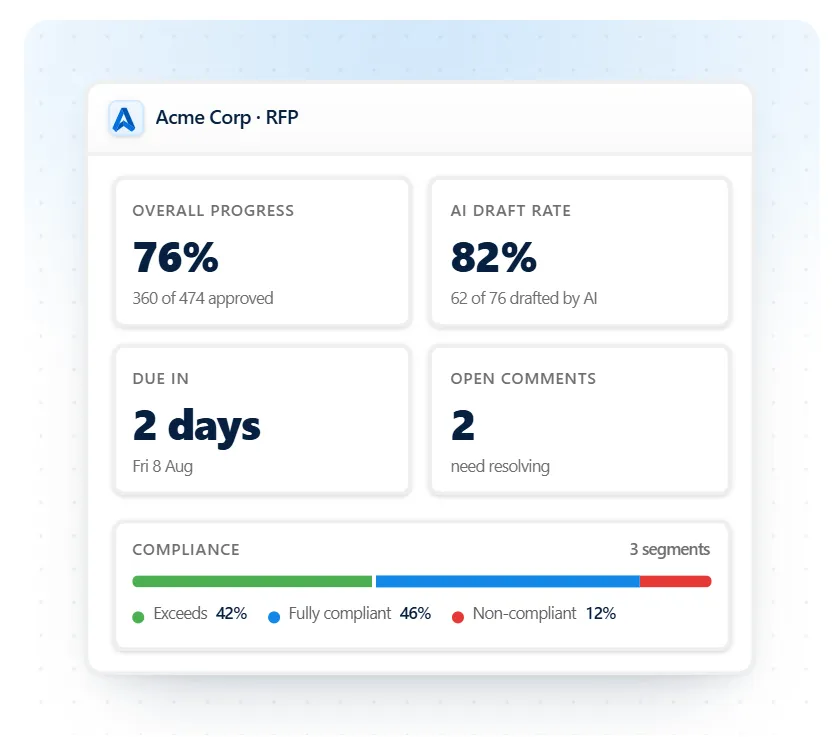
Project dashboards show completion status and outstanding work, giving teams a clearer view of what needs attention before submission.
5. Bid Qualification, Project Editing, and Reporting
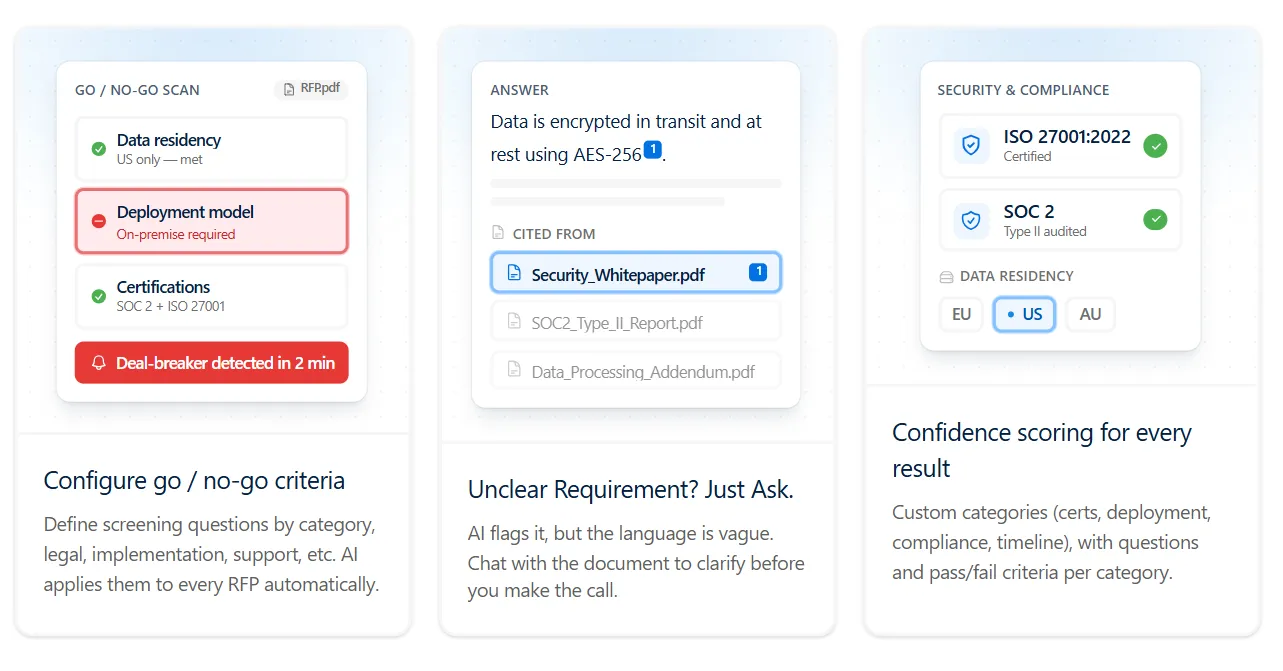
Go/No-Go analysis helps teams assess requirements and potential deal-breakers before committing resources.
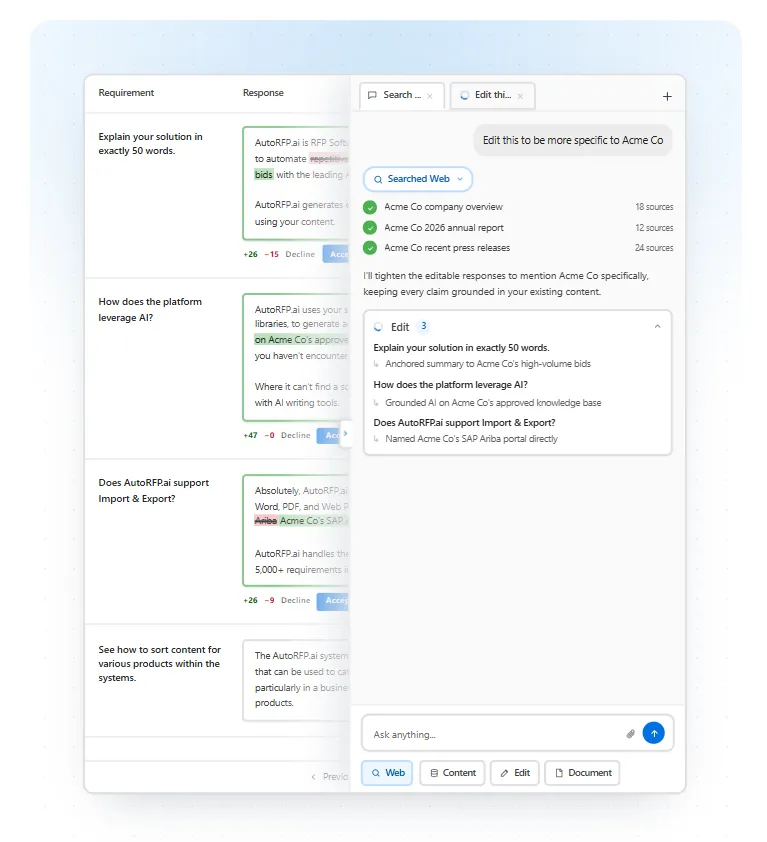
During drafting, the Project Agent can apply instructions such as tone adjustments and win themes across responses, with changes available for review.
Reporting brings together project volume, team capacity, response progress, and win-rate information.
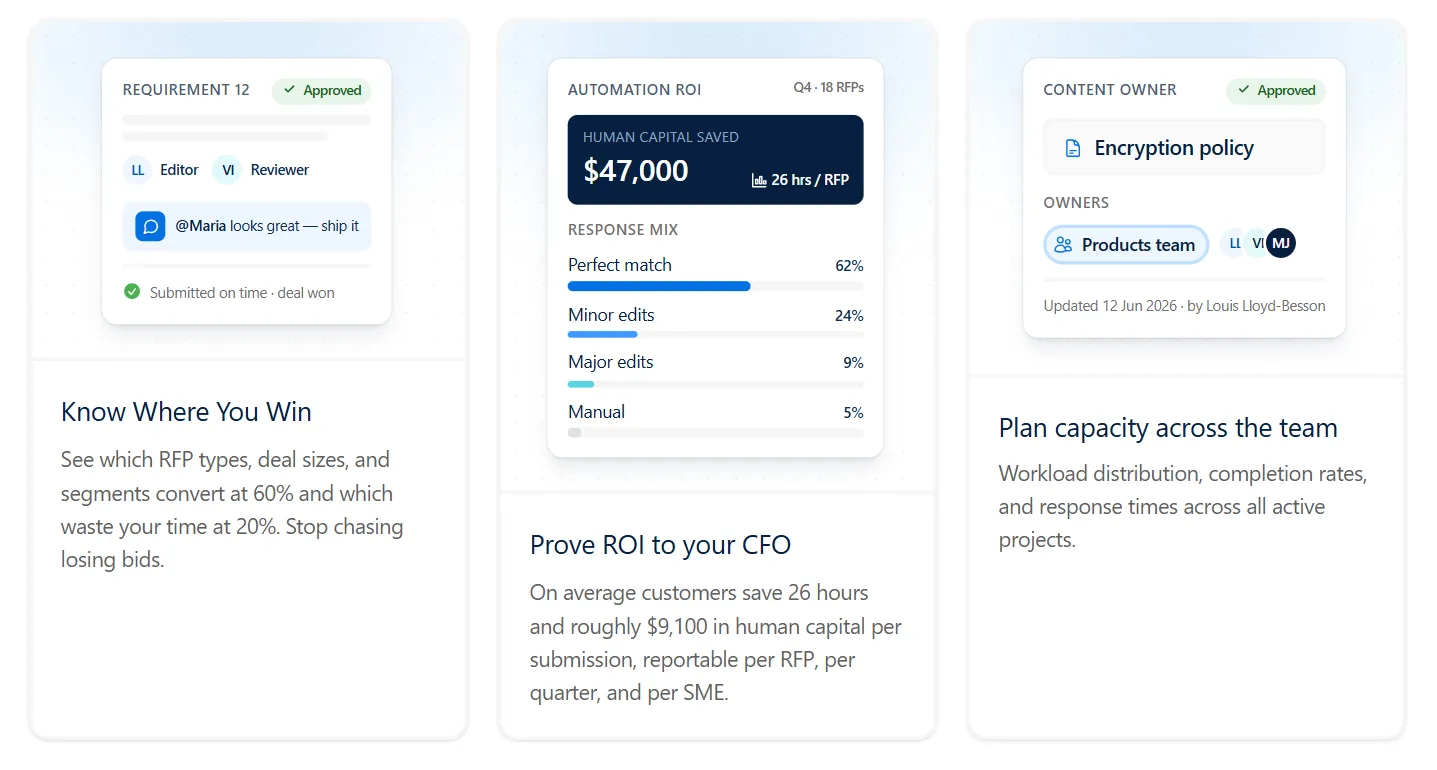
These capabilities help proposal leaders manage the work surrounding a submission as well as the answers themselves.
6. Enterprise Security and Regional Hosting
AutoRFP.ai is ISO 27001:2022 certified and SOC 2 Type II audited. Customer data is not used to train AI models, and access is governed through tenant isolation and role-based permissions.
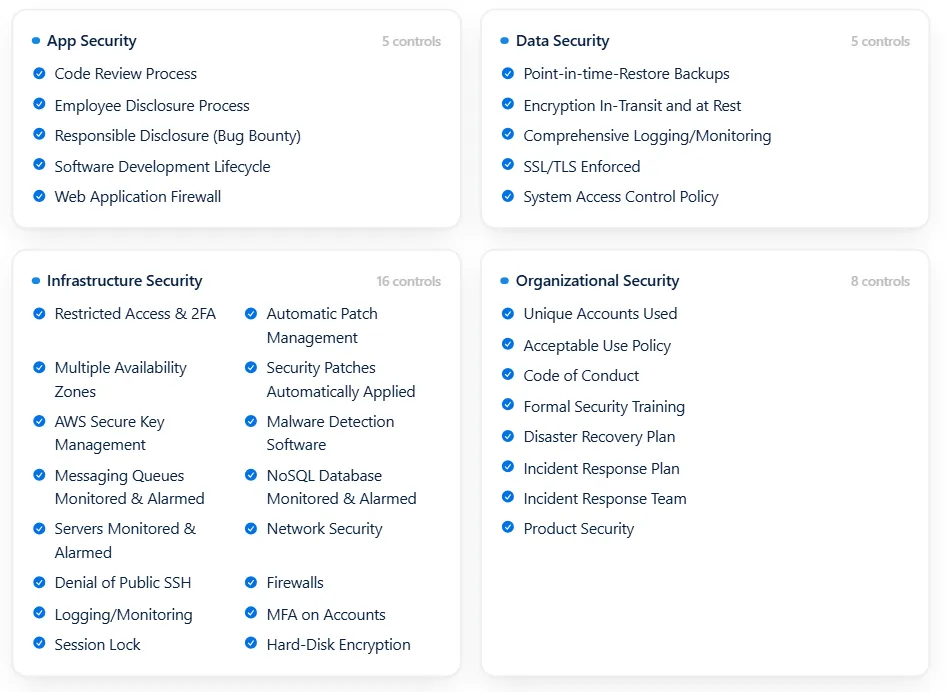
Hosting options are available in the US, EU, and Australia. Its Trust Center provides security and legal information, with reports and certificates available on request under NDA where applicable.
Pricing
AutoRFP.ai prices its plans by annual project volume, with unlimited users.
| Plan | Monthly Cost | Key Inclusions |
|---|---|---|
| Scale | $899 | 24 projects per year, unlimited AI responses, content and users, all features, SSO, 18+ integrations, ISO 27001:2022 and SOC 2, unlimited support and online training |
| Accelerate | $1,299 | 50 projects per year, everything in Scale, advanced analytics and priority support |
| Enterprise | Custom | Scalable projects per year, everything in Accelerate, bespoke implementation, custom integrations, tailored security and compliance, dedicated success support and bespoke terms |
All plans include unlimited AI and content, all features, SSO, integrations, implementation, and support. Enterprise adds bespoke implementation and terms.
A project covers an RFP, DDQ, tender, or security questionnaire, including its requirements, clarifications, and supporting documents.
**Side note: **AutoRFP.ai provides a 30 day money-back guarantee, so you can test out the platform before committing to it.
Where AutoRFP.ai Shines
- Reviewable answers: Sources, Trust Scores, and Feedback Scores help reviewers assess supporting evidence and identify responses that need more work.
- Value from existing knowledge: Teams can retain their approved content and ownership practices while adding automatic knowledge capture and connected-source updates.
- Access for the whole response team: Unlimited users allow proposal writers, occasional specialists, and approvers to participate without additional seat charges.
- Practical submission workflows: Document import, original-file export for Excel and Word, and portal support reduce the manual transfer of questions and answers.
Where AutoRFP.ai Falls Short
- Long-form proposal design: Teams primarily producing highly creative narratives or extensively designed bid documents may need specialist writing and document-design tools.
- Conditional portal questions: Hidden or nested requirements can require manual checking, expanding sections, and rescanning the portal before all questions are captured.
- Buyer-side procurement: AutoRFP.ai serves organizations responding to RFPs and questionnaires. It is not designed for procurement teams issuing RFPs, evaluating suppliers, or managing quote-driven RFQ processes.
Customer Reviews
David F., Head of Sales, said, “I love how it takes a dirty Excel file and magically converts it into highly accurate answers. Before AutoRFP, the RFP process was so, so, so painful. I’m not going to lie, RFPs are still challenging, but AutoRFP has removed a lot of the laborious administrative and formatting work.”
Sam B., Global Bid Manager, said that AutoRFP.ai provides fast search and collaboration across the bid management process, adding, “I love being able to quickly search through our large content library. It genuinely feels like a collaborative tool, especially when I’m combining or improving answers.”
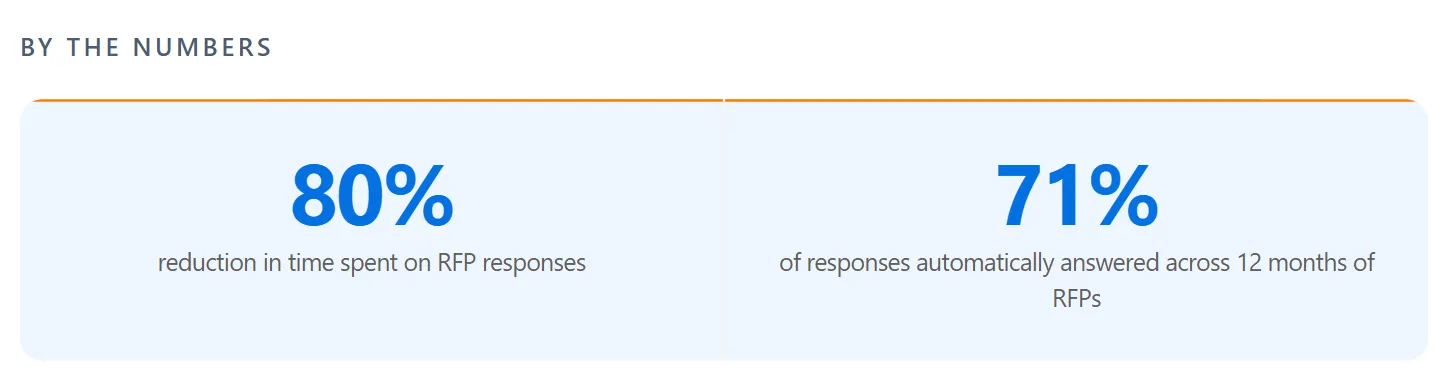
Raphael Schmideg, Chief Operating Officer at IMTC, said, “Reaching the RFP stage with clients is now a smooth process. With a 90% automation rate, we can quickly produce a first draft based upon previous responses, making the RFP process efficient and stress-free.”
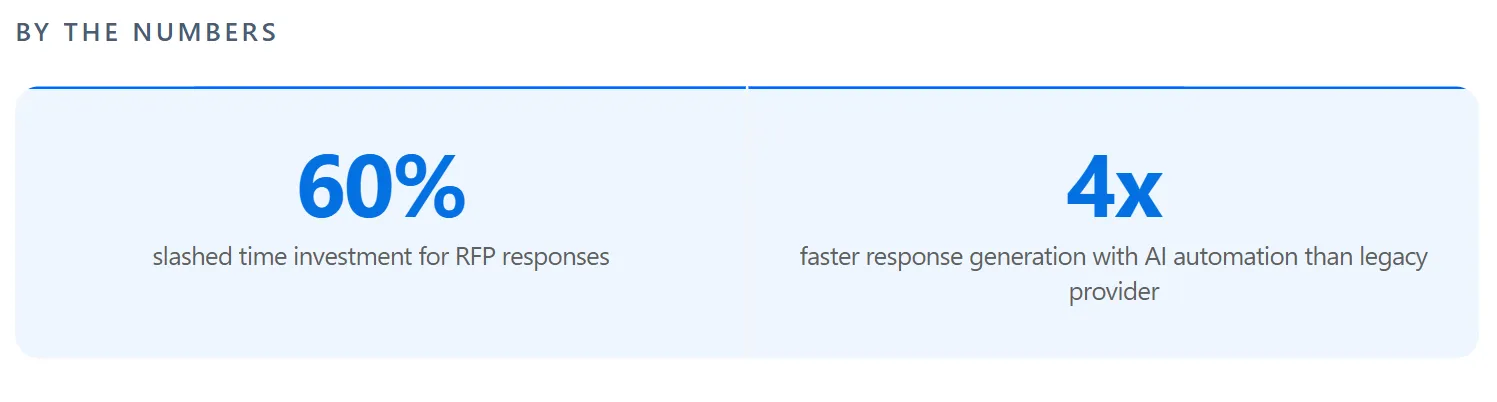
Mihai Popa, Bid Manager at FintechOS, said, “AutoRFP.ai is saving more than 60% of the time allocated before using the tool. The stakeholders involved can allocate this time to more strategic tasks.”
Who AutoRFP.ai Is Best For
- B2B SaaS and technology companies: Teams handling recurring commercial RFPs and security questionnaires that require accurate product and technical information.
- Teams with established content libraries: Organizations wanting to preserve approved answers and content ownership while improving capture, search, freshness, and review.
- Financial services and DDQ teams: Asset managers, private capital firms, insurers, and fintech businesses coordinating evidence-sensitive responses across investment, risk, legal, and compliance functions.
- Cross-functional proposal teams: Organizations involving sales engineers, bid managers, security specialists, product experts, and other reviewers in the same submission.


Video transcript
Did you know the average RFP can take thirty-two hours of manual grueling work? Now, in this video, in under ten minutes, I'm gonna show you how you can use AI RFP automation to drastically reduce the amount of time it takes to get to a first draft for your RFP, DDQ or security questionnaire using AutoRFP.ai. Sick. Let's jump into it. So at AutoRFP, we're an AI RFP software automation platform, across the globe with hundreds of customers using our software every day, battle-tested AI to help you automate RFPs. First, what's the problem? So an RFP or request for proposal or due diligence questionnaire or security questionnaire is a pain felt across all industries, whether it's construction, software, technology, finance, healthcare, anyone selling
to government or private businesses. And these glorified question and answers take hours and hours for people to complete, for them to win new business. It's a crucial part for your business to win enterprise and government contracts, which really help you grow sustainably and quickly. But when you go to bid on one, you are met with the RFP. Average response times are thirty to forty hours, usually involve five to eight people, seventy percent of content is reused but hard to find, and the average win rate across all industries is only forty-three percent. So you're spending hours with uncertainty that you may win, which is where efficiency and writing better responses, leveraging AI helps you win more faster. Now, looking into RFP automation, you have a number of options.
You can pick up a legacy RFP software. They've been around since the late nineties. They brought software to the RFP problem. Effectively, a glorified question and answer bank, like a database. You upload Q&A pairs, and then they try to use keyword matching to find the most relevant to then help you answer questions that you get in your new RFPs and tenders. You can also do AI builds yourself. So you might use ChatGPT or Claude, and you can see our other videos about how you can potentially use them. But effectively, you hit a ceiling where it's hallucinating, it's taking more time now to fix things than it should, and just doesn't have enough context to find the right answer most of the time. Or you can choose an actual AI native leader like AutoRFP.ai. Built from AI from the get go and have built the engine around zero
hallucination, multimodal architecture to leverage the latest models across all your major providers, self-maintaining library approach, so it doesn't take a lot of time to maintain the system, really high automation rates and enterprise security built in from day dot. So why do teams choose AutoRFP.ai? The reason is your knowledge is always current. We integrate with over twenty different systems, and we pull in from all your various file management and different software to make sure that your data is always up to date, and you don't have to maintain it across multiple different places. We're most accurate in the category because we leverage the different models, including specialized re-ranker models, embedding models, search models, and your large language models where they're best. And our team of over fifteen software engineers and AI engineers make sure that this is battle-tested, evals are correct, and it produces the correct answer based off your source context. And it's one platform for every stage of the RFP journey, from intake to new RFP
to AI-powered go/no-go to drafting to reviewing and using agents to review and update your RFP response, translation to collaboration across SMEs and different team members, ensuring that they can easily collaborate in an easy-to-use platform, and then exporting as well. Let's start with the AI native auto library. This is the core of the platform where your different content sources and past projects and up- and web scraping all live in the one place and- Any question that comes up, whether it's in an RFP or a team member asking the question, can be automatically answered with trust-based scores, specific semantic search, and ensures that the correct answer is found and used to then answer and generate an appropriate response. Then effectively, you upload a blank RFP.
The AI-powered response engine then automatically generates responses, translates it and everything to have the correct answers. Then your team can very easily edit, review, integrates with Slack and Teams, and everyone's notified on project deadlines. Now, I've spoken enough. Let's jump into the actual product, and you can see AI RFP automation from the start. We start by creating a project, which is a new RFP. We've got our portal agent that can scrape your requirements from web portals like SAP, Ariba and others, automatically ingesting those answers into your AutoRFP.ai instance, and then automatically drafting responses for you to easily enter back into the portal. Or you can upload a zip that contains a PDF, Excel, Word doc of your RFP and import that into the platform.
First we have our AI go, no-go. This ask different questions of your RFP based on your company context to ensure that should we actually bid on this RFP before we start it. It'll automatically grab out key details and link it to our CRM via our integration with Salesforce and so on. And here it's answered each question, and you can see it has confidence levels, it has trust built in, and you can then look back and see where the original source and what, for instance, table or other information. Our AI importer automatically selects every requirement, child requirements, dropdown pick lists response cells, everything else that's required for that RFP. We can manually change it if needed, but it automatically pulls that in. Then we can choose what content from our library or just choose every content, and our intelligent tagging and hierarchy system will make sure that the most relevant content is used for that response. And then I can create my project.
Next, the AI response engine then automatically starts sourcing the correct content from your auto library, re-ranking and finding the most relevant information, using that to then draft, redraft, and edit responses vi- with AI, and then provide those responses back to you in matter of seconds. And you can see here my thirty or so requirements automatically being filled out across the entire project. It's chosen the relevant pick lists, and each one of these have trust scores that I can understand further where this came from. It also has our AI-powered feedback score, and this is where AutoRFP is different to other systems. We don't wanna just help you source the correct answers. We wanna help you write better responses. And this goes into our feedback loop, where as you use the platform and write better responses, the AutoRFP system learns from those responses, and continually, your responses get better to help you win more faster.
Here we can do inline comments, so I can notify my team and so they can jump in, get notifications. I can submit, approve, add attachments, and everything else I can do in this platform. Finally, we have our project overview, which is our project management HQ for this particular RFP, making sure everyone understands deadlines. You can send reminders out to team members and just know when something needs to be completed by and when completed by and who is completing it, making sure that your RFP response is submitted on time and you're not faced with five PM Friday deadlines, calling someone to make sure you can get the correct answer to the correct question that's our short introduction to AutoRFP.ai. There's a lot more in RFP automation and AI RFP software that you can learn but feel free to reach out to our team. We'd love to provide a detailed demonstration to you so you can understand if this is a good fit for your business Already, AutoRFP.ai is in forty-four-plus countries across the globe with hundreds
of customers across different industries like technology, finance, and healthcare, and our customers are winning more faster. One of our customers like Shana Sweeney from SugarCRM won fifteen of their top twenty-five enterprise customers using AutoRFP.ai. They're using AI RFP automation to win more today, and it's a competitive advantage for their businesses. Our pricing is incredibly transparent. You can find more information on our website, to get in touch with our team, head over to our website, AutoRFP.ai. Book in a demo today and learn more and see if we can help you win more faster.
2. Loopio: Best for Teams With Dedicated Content Managers
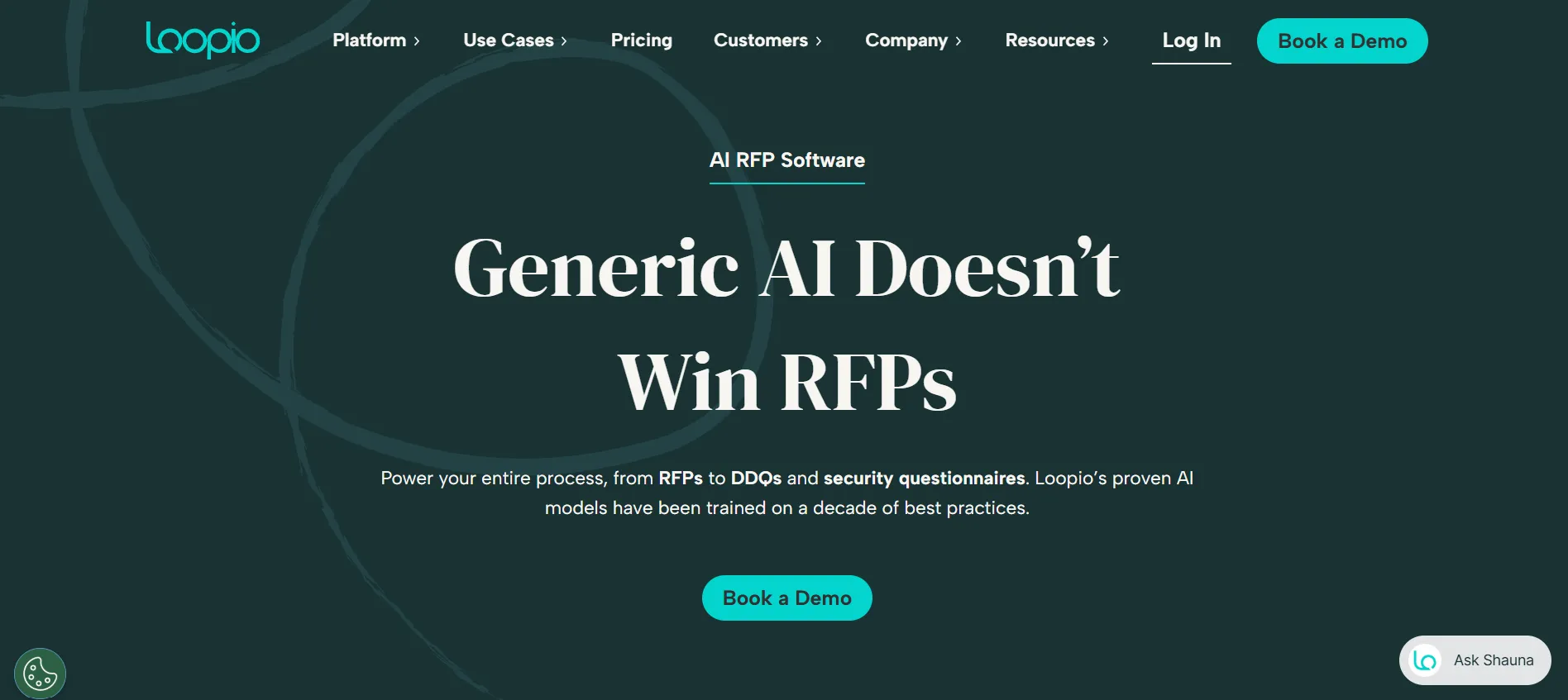
Loopio is an established RFP response management platform that combines a centralized content library, generative AI, and project collaboration tools. It helps proposal teams manage RFPs, security questionnaires, and DDQs while maintaining control over approved company knowledge.
Key Features
- Centralized content library: Loopio organizes approved answers, documents, and company information in a searchable library. Content owners can manage review cycles, update entries, and reuse previous responses.
- Magic recommendations and generative AI: Loopio combines automated answer matching with generative AI to draft responses from trusted library content and connected sources. Users can review suggested answers, view supporting sources, and refine drafts before submission.
- Project management: Loopio supports task assignments, deadlines, progress tracking, and multi-step reviews, giving proposal managers visibility into contributors and ongoing RFP projects.
Pricing
| Plan | Cost |
|---|---|
| Foundations | Contact sales |
| Enhanced | Contact sales |
| Enterprise | Contact sales |
Loopio uses custom subscription pricing based on team size and requirements. Its Foundations plan starts with 10 seats, while Enhanced and Enterprise offer additional collaboration and governance capabilities.
Where Loopio Shines
- Intuitive interface: Loopio’s organized library and straightforward project workflows help teams find approved content and coordinate responses without navigating unnecessarily complicated processes.
- Mature collaboration tools: Task assignments, review workflows, deadline tracking, and contributor permissions make Loopio particularly useful for established proposal operations.
- Reliable customer support: Users frequently highlight Loopio’s responsive support, onboarding assistance, and ongoing product improvements.
Where Loopio Falls Short
- Ongoing content management: Loopio offers review cycles, automated content capture, and connected sources, but maintaining accurate, reusable library content still requires oversight and approval from content owners.
- Subscription considerations: Pricing depends on user requirements, and some capabilities, including certain connectors and translation features, may require additional subscriptions or add-ons.
Customer Reviews
John R., SVP of Worldwide Sales, says, “How simple and intuitive it is. Easy to manage content as well as user access to that content.”
Lisa S., Business Development professional, shares, “The import function can be clunky at times. When uploading a PDF I sometimes see formatting issues.”
Who Loopio Is Best For
Loopio is best for organizations that:
- Have established proposal teams: Mid-sized and enterprise businesses managing recurring RFPs across multiple departments.
- Employ dedicated content managers: Teams with designated owners responsible for maintaining approved answers, reviewing content, and organizing their response library.
- Need structured collaboration: Organizations that rely on task assignments, deadlines, and multi-step approval workflows to manage proposal submissions.
3. Responsive: Best for Complex Enterprise Proposal Operations
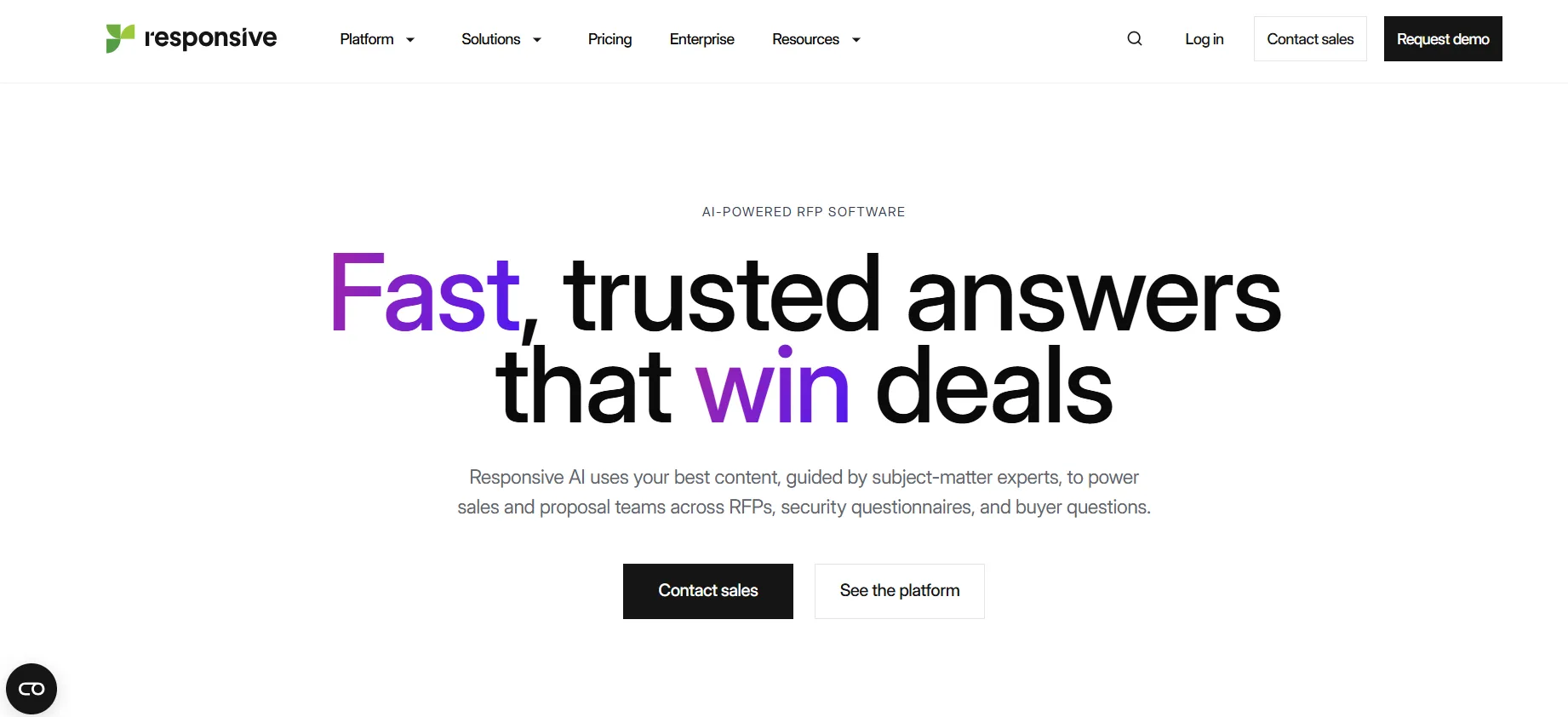
Formerly known as RFPIO, Responsive is a strategic response management platform combining AI-powered drafting, content management, and enterprise collaboration. Its extensive workflow and reporting capabilities help organizations coordinate complex RFPs involving multiple departments and stakeholders.
Key Features
- AI-powered response automation: Responsive uses AI to analyze incoming RFPs, identify requirements, generate first-draft answers from approved content, and support review before submission.
- Centralized knowledge management: Teams can organize approved responses, reuse content, and coordinate updates across departments to maintain consistency in RFPs and questionnaires.
- Enterprise workflow management: Responsive provides project tracking, task assignments, approval workflows, integrations, and reporting capabilities to manage large-scale response operations.
Pricing
| Plan | Monthly Cost |
|---|---|
| Emerging Edition | From $10,000 |
| Growth Edition | Contact sales |
| Enterprise Edition | Contact sales |
Where Responsive Shines
- Advanced project management: Responsive supports complex approval structures, cross-functional assignments, and detailed reporting, making it well suited to enterprise proposal operations.
- Broad workflow coverage: Beyond traditional RFP responses, Responsive supports security questionnaires, DDQs, procurement requests, and related response processes.
- AI-assisted productivity: AI-supported drafting and content reuse help proposal teams reduce repetitive work while retaining human review and control.
Where Responsive Falls Short
- Complex administration: Its extensive configuration options, reporting tools, and content-management features can require additional setup and ongoing administration.
- AI responses require review: Some users report that generated answers may need corrections or additional context, particularly for complex questions and company-specific requirements.
- Pricing complexity: Responsive’s pricing includes platform fees, user licenses, and potentially additional services, making total costs dependent on deployment requirements.
Customer Reviews
Hannah W., Underwriting Analyst, shares, “It automates responses, and aids in seeing past responses. Helps track the progress of bids and sets reminders to meet deadlines.”
Gabriella S., Business Consultant, says, “It was the best experience for me. I will say it is the best tool I have worked on.”
Who Responsive Is Best For
Responsive is best for mid-sized and enterprise organizations that:
- Manage complex RFP workflows: Need structured approvals, task assignments, and oversight across multiple teams.
- Require enterprise governance: Prioritize reporting, access controls, collaboration, and consistent proposal processes.
- Handle diverse response workloads: Manage RFPs, security questionnaires, DDQs, and related requests within a broader response-management system.
4. Qvidian: Best for Document-Heavy Enterprise Proposal Teams
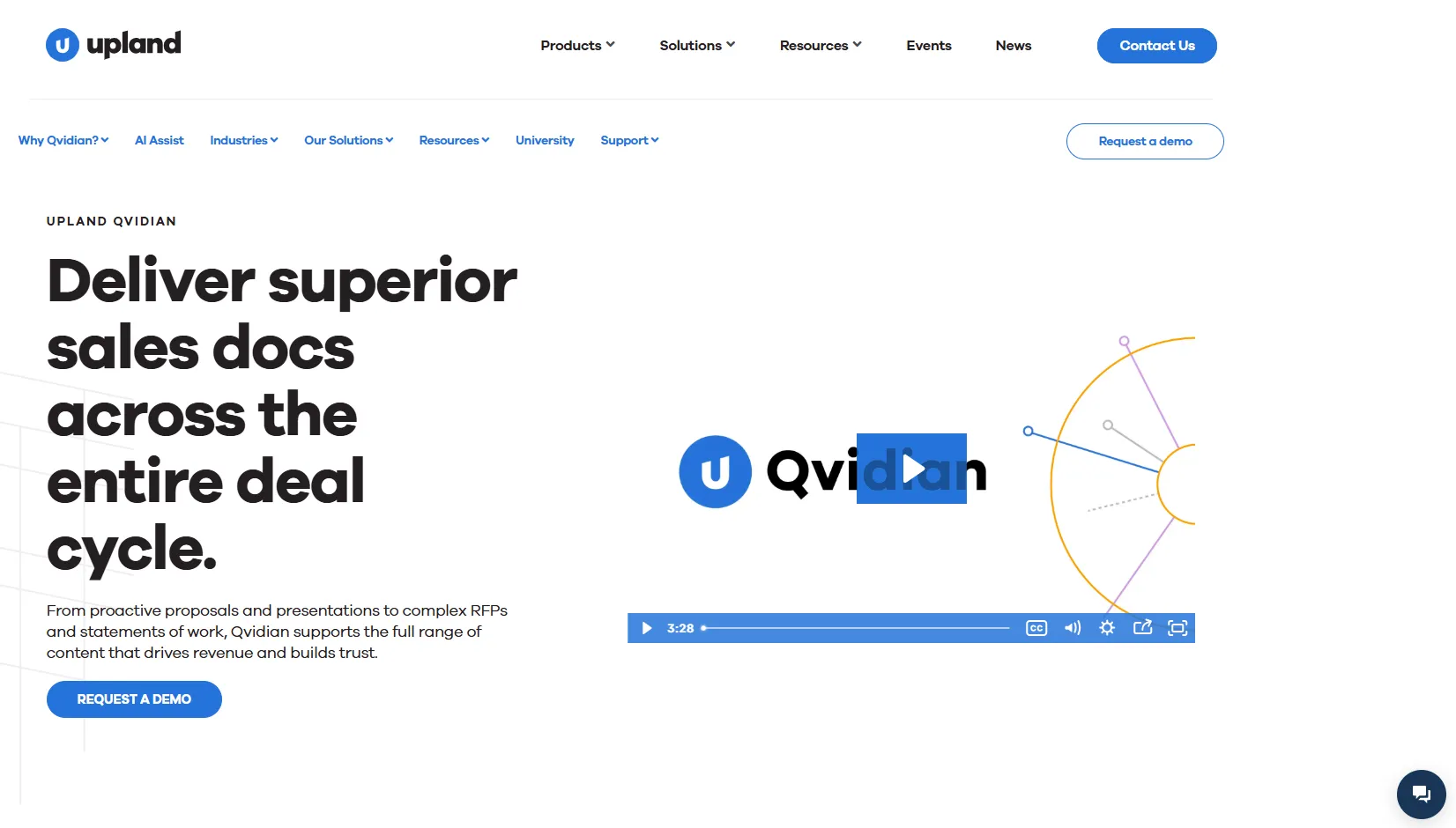
Part of Upland Software, Qvidian is an established RFP and proposal automation platform designed for organizations producing complex, highly formatted sales documents. It combines AI-assisted content generation, centralized knowledge management, and document automation with Microsoft Office workflows.
Key Features
- Content library: Qvidian organizes approved proposal content through customizable folders, metadata, and tagging, allowing teams to find and reuse information across RFPs and sales documents.
- AI Assist: Qvidian uses generative AI to draft and revise responses, analyze documents, and identify key requirements using approved organizational content.
- Document automation and analytics: Qvidian integrates with Microsoft Word, PowerPoint, and Salesforce to assemble branded proposals. Its analytics tools also help teams monitor content usage, project progress, and productivity.
Pricing
Qvidian does not publicly disclose reliable subscription prices. Organizations need to contact Upland Software for a customized quote based on user licenses, required capabilities, and deployment needs.
Where Qvidian Shines
- Document-heavy workflows: Qvidian’s Microsoft Office integration and customizable templates make it useful for teams preparing complex Word proposals, PowerPoint presentations, and branded sales documents.
- Enterprise content governance: Custom permissions, approval workflows, version history, and reporting support organizations with established content-management requirements.
- Established industry experience: Qvidian has a long history in enterprise proposal automation, including use cases across financial services and other document-intensive industries.
Where Qvidian Falls Short
- Steeper learning curve: Its extensive configuration options, document assembly rules, and content-management features can take time for new users and administrators to master.
- Content administration: Teams need to maintain library organization, review existing answers, and manage duplicate information to preserve content quality.
- Search refinement: Some users report that automated search suggestions do not consistently identify the most appropriate answer, requiring additional manual searching and review.
Customer Reviews
Jane B., Proposal Writer, says, “The tool is a wonderful house for all Q&A used when writing proposals. The library setup makes it easy to find anything I’m looking for.”
Barry T., Client Solutions Senior Manager, shares, “Maintaining content is time consuming and difficult. Resolving duplicates/similar responses is a slow process.”
Who Qvidian Is Best For
Qvidian is best for organizations that:
- Produce document-heavy proposals: Enterprise teams creating complex, branded RFP responses and sales documents in Microsoft Word and PowerPoint.
- Need structured content governance: Organizations with established approval processes, reusable content libraries, and strict document consistency requirements.
- Prioritize proposal reporting: Marketing and proposal teams that need visibility into content usage, workflow performance, and document production.
7 More RFP Tools to Consider
While the above are the key players, there are a few emerging tools that stand out for specific use cases.
5. Tribble: Best for Cross-Functional Proposal Teams
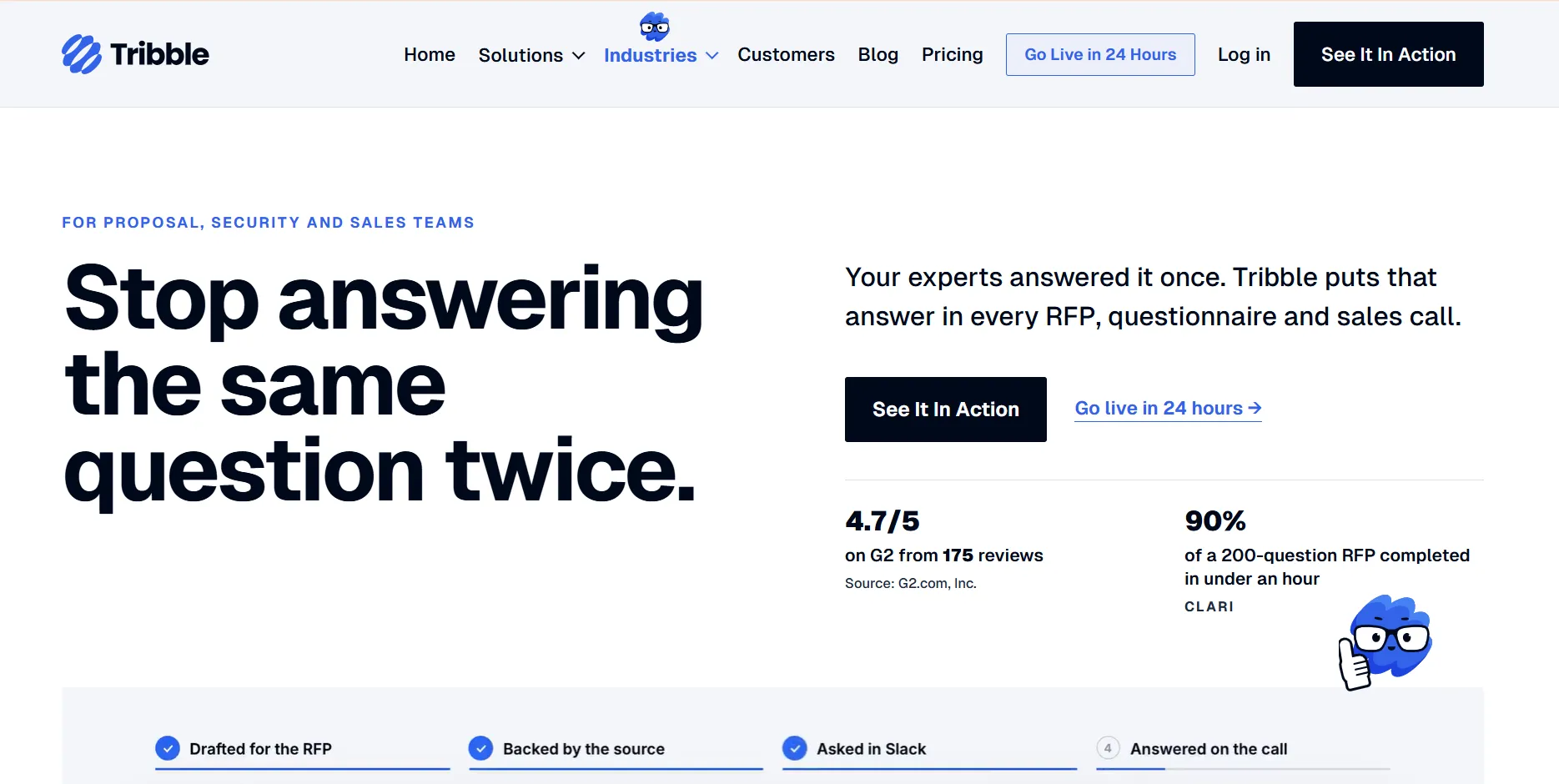
Tribble is an AI-powered response platform that helps proposal teams collaborate on RFPs, DDQs, and security questionnaires. Its shared knowledge system connects approved company information with AI drafting, expert reviews, and sales workflows.
Key Features
- AI response generation: Tribble drafts answers using approved company content, with source citations and confidence information to support review.
- Expert collaboration: Teams can route questions to subject matter experts through Slack or Microsoft Teams and track changes, reviews, and approvals.
- Tribble Brain: A shared knowledge system makes approved answers available across proposal workflows and sales conversations.
Pricing
| Plan Name | Plan Cost |
|---|---|
| Tribble Respond | Contact sales (per-project pricing) |
| Tribble Engage | Contact sales (per-user pricing) |
Tribble Respond charges based on project volume, while Engage uses monthly user-based pricing. Both include access to Tribble Brain.
Where Tribble Shines
- Cross-functional collaboration: Teams can involve reviewers from different departments without purchasing separate Respond seats for every contributor.
- Source-backed responses: Citations and approval records help reviewers verify information before submitting questionnaires.
Where Tribble Falls Short
- Variable project costs: Project-based pricing means organizations need to estimate annual questionnaire volume to budget accurately.
- Different product scopes: Respond focuses on questionnaires, while Engage handles broader sales workflows, so teams needing both must discuss a combined package.
Customer Reviews
Tribble has limited independent customer feedback available across major third-party review platforms. However, its AI-powered response platform offers promising capabilities for streamlining RFPs, DDQs, and security questionnaires through centralized company knowledge, AI-assisted drafting, and collaborative expert reviews.
Who Tribble Is Best For
Tribble is best for organizations that:
- Have distributed proposal teams: Need contributors across departments or locations to collaborate on RFP responses.
- Rely on subject matter experts: Frequently involve security, legal, product, and technical specialists in reviewing answers.
- Need source traceability: Want AI-generated answers supported by citations and structured review records.
6. Arphie: Best for Mid-Market RFP and Questionnaire Teams
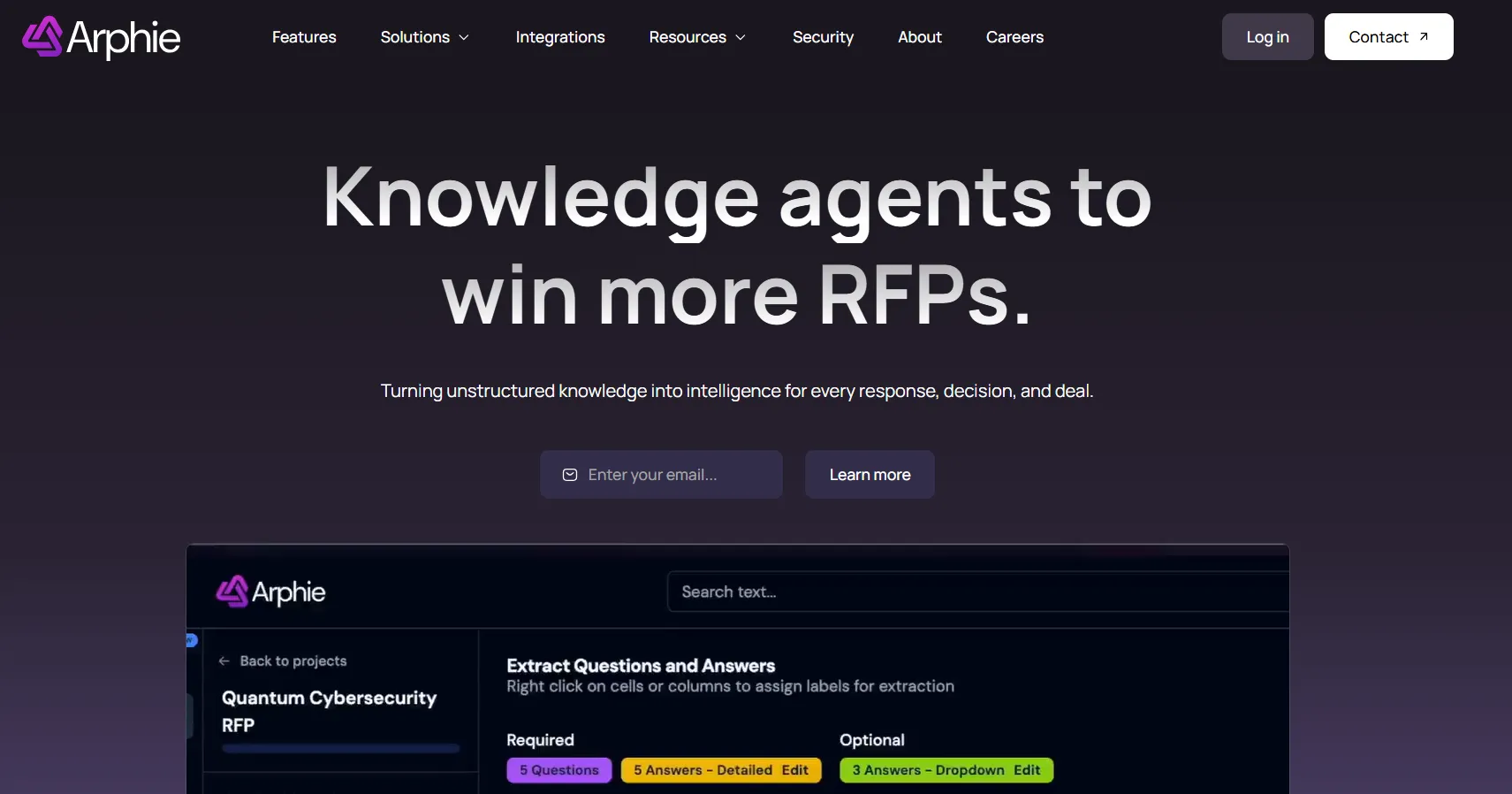
Arphie is an AI-native RFP response platform that helps organizations generate answers using company knowledge. It combines source-backed drafting, content management, and collaboration tools for recurring proposal and questionnaire workloads.
Key Features
- AI response generation: Arphie drafts questionnaire responses using connected company knowledge, with source references and confidence indicators.
- Knowledge integrations: The platform connects with Google Drive, SharePoint, Confluence, and other sources to help teams access current information.
- Content management: Arphie can identify outdated or duplicate content and suggest improvements to reusable knowledge.
Pricing
There is no publicly available pricing tier for Arphie AI. Instead of offering fixed, self-service subscription plans, Arphie uses a quote-based, “contact us” pricing model. This means pricing is tailored to your team’s RFP volume, workflow complexity, and implementation requirements.
Arphie has shared indicative pricing ranges for its services, even though full plans are not publicly listed.
| Annual cost range | Pricing model | Key features | Implementation cost |
|---|---|---|---|
| $36,000-$60,000+ | Concurrent projects | Advanced AI, transparent sourcing, rapid implementation | White-glove included |
Where Arphie Shines
- AI-assisted content management: Connected knowledge sources and content improvement suggestions reduce repetitive library administration.
- Accessible workflows: Its AI drafting and source verification capabilities support teams that want straightforward response automation.
Where Arphie Falls Short
- Limited pricing transparency: Subscription amounts are not publicly disclosed, making direct budget comparisons difficult.
- Smaller public review footprint: Arphie has relatively few Capterra and Gartner reviews, providing less independent feedback for buyers evaluating the platform.
Customer Reviews
A Technical PM, reviewing Arphie on Gartner Peer Insights, shares, “Nice & easy to use product. Helps us saves time with payment questionnaires that often take up a lot of time for our team.”
Loganne Y. on Capterra wrote, “I appreciated Arphie’s tech-savvy approach and its use of artificial intelligence. While I like the idea of using AI to support customer and patient interactions, I still believe human-to-human communication is hard to beat.”
Who Arphie Is Best For
Arphie is best for organizations that:
- Manage recurring questionnaires: Mid-market businesses responding regularly to RFPs, security reviews, and customer questionnaires.
- Want AI-assisted knowledge management: Teams looking to reuse existing information and reduce repetitive content updates.
- Need flexible collaboration: Organizations involving multiple contributors without paying separately for every user.
7. 1up: Best for Sales and Presales Questionnaire Automation
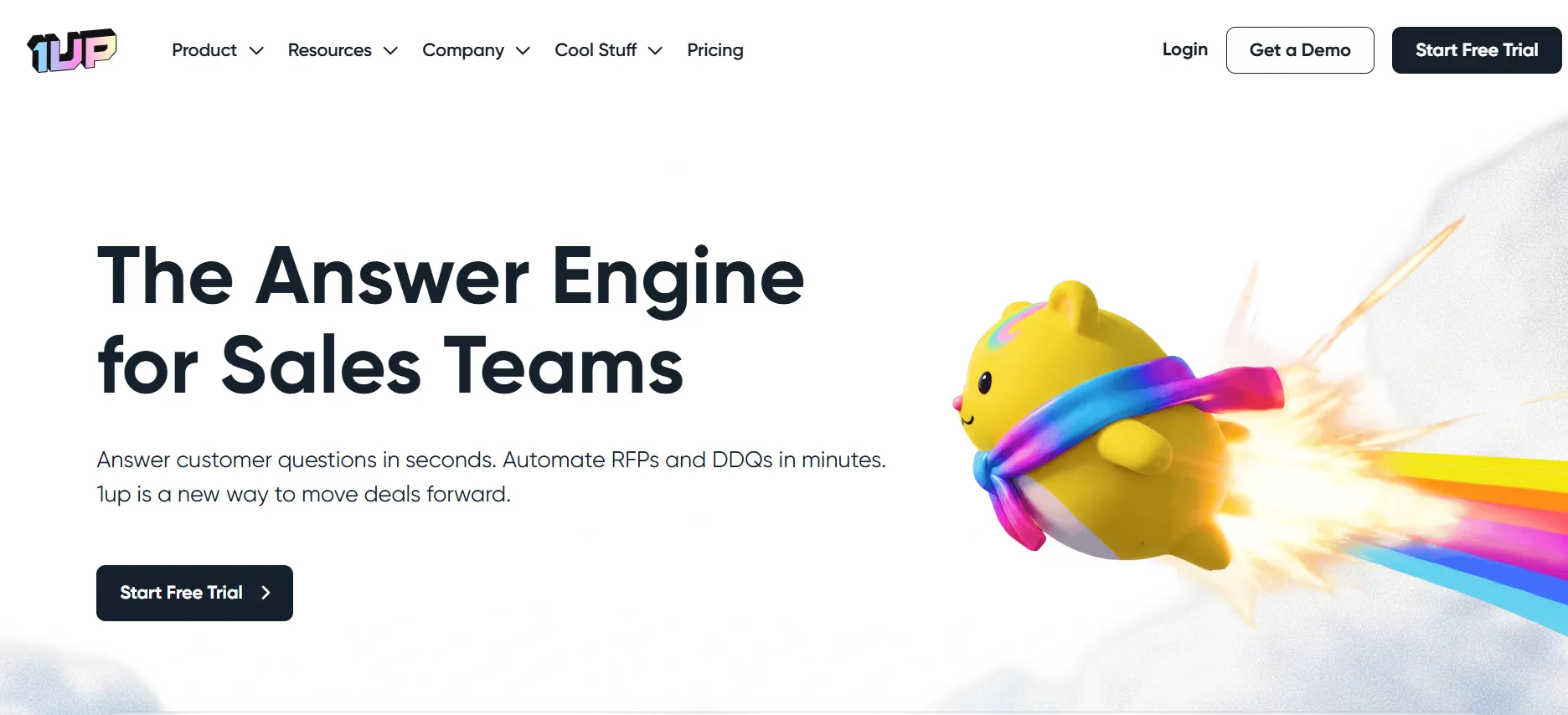
1up is an AI-powered knowledge automation platform designed for sales, presales, and revenue operations teams. It helps employees answer customer questions and complete RFPs, security questionnaires, and DDQs using trusted company information.
Key Features
- AI-powered answers: 1up retrieves information from connected company knowledge to generate responses to RFPs, DDQs, and security questionnaires.
- Knowledge connectors: It connects with company documents, websites, and knowledge systems to keep relevant information accessible.
- Sales workflow integration: Teams can retrieve answers through Slack, Microsoft Teams, Google Chat, browser extensions, and other connected tools.
Pricing
| Plan | Pricing | Notes |
|---|---|---|
| Free | $0 | Includes 1 admin, 50 knowledge uploads, and 50 answers per month. |
| MCP | $50/month plus usage | Includes MCP Server access and pay-as-you-go questionnaire automation. |
| Starter | $300/month | Includes unlimited users and answers, messaging/browser integrations, and 1 questionnaire per month. |
| Plus | $900/month | Adds expanded knowledge capabilities, training, and up to 6 questionnaires per month. |
| Enterprise | Contact sales | Includes additional administration and dedicated success support. |
Starter includes one questionnaire per month, while Plus includes six. The MCP plan supports pay-as-you-go questionnaire automation, and Enterprise offers customized allowances.
Where 1up Shines
- Accessible entry pricing: A free plan and publicly listed subscriptions let smaller teams experiment with knowledge automation.
- Sales-focused integrations: Employees can retrieve answers through the communication tools they already use.
Where 1up Falls Short
- Questionnaire allowances: Starter and Plus include limited monthly questionnaire volumes, requiring higher plans or additional capacity for larger workloads.
- Sales-first product focus: Teams requiring extensive proposal project management, multi-stage approval workflows, and detailed governance may prefer a more specialized response platform.
Customer Reviews
A Sales Manager, says, “We are able to use the platform or Chrome extension to quickly and easily get our questionnaires loaded.”
A Director of International Presales and Bid Management noted*, “1up addresses our needs effectively, and the team is highly responsive to feedback, implements feature requests quickly, and maintains open communication. However, questionnaire processing can sometimes involve minor errors, while workflow and filtering features still have room for improvement.”*
Who 1up Is Best For
1up is best for organizations that:
- Have busy presales teams: Need quick responses to recurring product, security, and technical questions.
- Work across sales channels: Want company knowledge available through Slack, Teams, and browser extensions.
- Have smaller questionnaire workloads: Prefer accessible starting plans with the option to expand usage.
8. AutogenAI: Best for Long-Form AI Proposal Writing
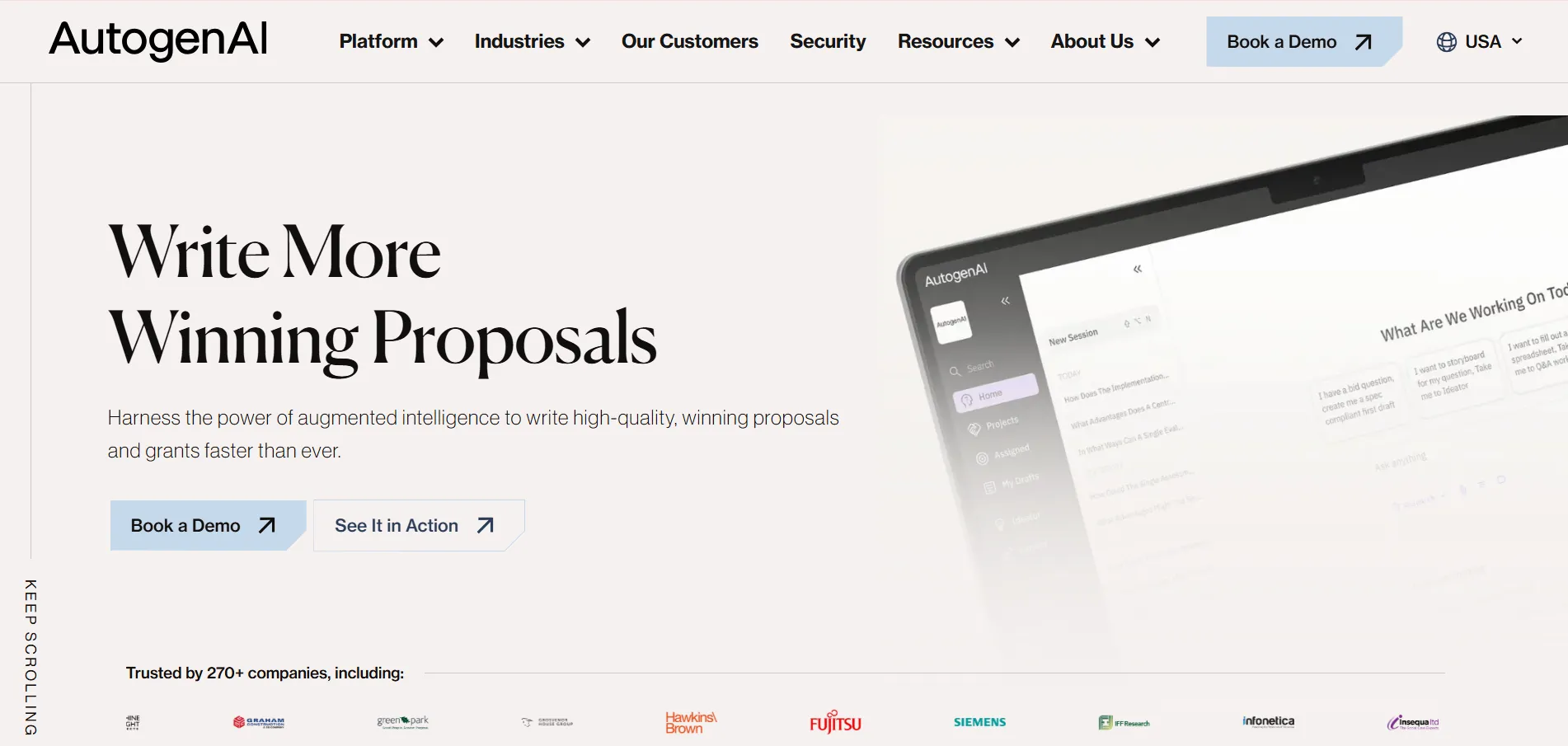
AutogenAI is an AI-powered proposal writing platform for organizations preparing complex bids, government tenders, grants, and other narrative-heavy submissions. It supports the proposal lifecycle from opportunity qualification and research through drafting, review, and submission.
Key Features
- AI proposal drafting: AutogenAI helps teams develop compliant proposal outlines, draft narrative responses, and refine submission content.
- Research and content retrieval: Its writing tools help users find supporting information from approved proposal content and relevant research sources.
- Proposal management: Collaboration, review workflows, and compliance tools help teams coordinate proposal development across departments.
Pricing
| Plan Name | Plan Cost |
|---|---|
| Custom subscription | Contact sales |
AutogenAI does not publicly list standard subscription fees. Pricing depends on organizational requirements, user access, selected capabilities, and implementation needs.
Where AutogenAI Shines
- Long-form proposal writing: Its AI-assisted research and drafting tools support detailed, persuasive proposals requiring substantial narrative content.
- End-to-end bid workflows: Opportunity qualification, writing, reviews, and collaboration can take place within one platform.
Where AutogenAI Falls Short
- Undisclosed pricing: Organizations must request a quote to understand subscription costs and licensing requirements.
- Specialized writing focus: Its strongest fit is narrative-heavy proposals, which may exceed the needs of teams primarily completing structured questionnaires and answer grids.
Customer Reviews
AutogenAI has a limited amount of independent customer feedback across major third-party review platforms. Available online feedback points to benefits such as faster proposal creation and streamlined AI-powered bid workflows, although some users mention a learning curve, occasional usability challenges, and the importance of reviewing AI-generated content for accuracy.
Who AutogenAI Is Best For
AutogenAI is best for organizations that:
- Produce narrative-heavy proposals: Need help writing detailed bids, tenders, grants, and persuasive submissions.
- Compete for complex contracts: Government contractors and professional services firms preparing substantial proposals.
- Need research and writing support: Teams spending significant time developing proposal narratives and reviewing compliance requirements.
9. Tendium: Best for Public-Sector Tender Discovery and Bidding
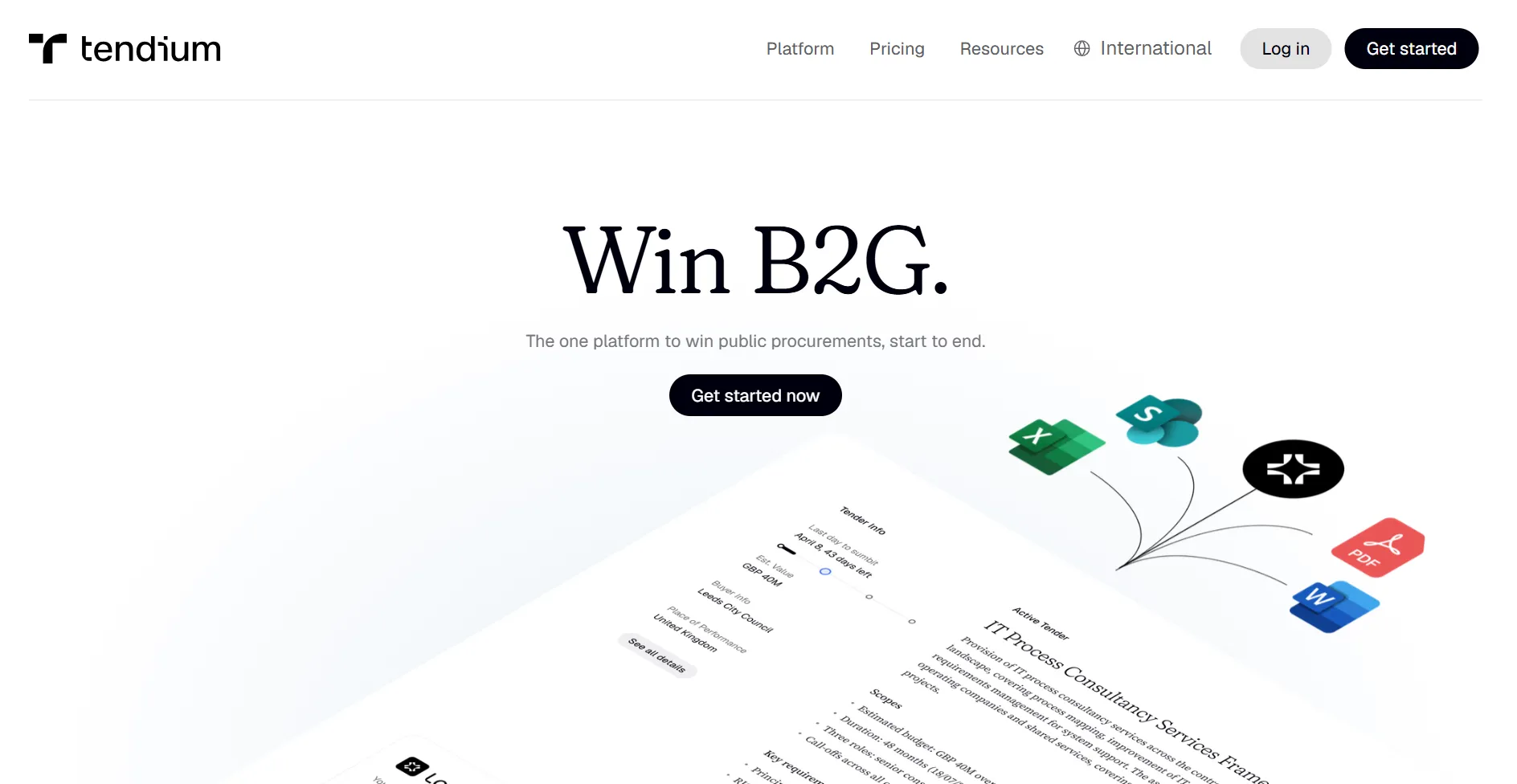
Tendium is an AI-powered public-sector tender management platform that helps businesses discover, qualify, and respond to government contracting opportunities. Its capabilities extend from tender monitoring to bid preparation and collaboration.
Key Features
- Tender discovery: Tendium monitors public procurement opportunities and uses intelligent search filters to identify relevant tenders.
- AI tender analysis: The platform summarizes tender documents and highlights important requirements to support qualification decisions.
- BidFlow: Its bid management workspace supports qualification, content organization, AI-assisted writing, and proposal collaboration.
Pricing
| Plan Name | Plan Cost |
|---|---|
| Light | From €125/month |
| Core | Contact sales |
| Scale | Contact sales |
All plans include unlimited users. Light focuses on tender monitoring, while Core adds BidFlow and AI-assisted bid creation. Scale provides more advanced workflows and administrative controls.
Where Tendium Shines
- Public-sector opportunity discovery: Businesses can identify relevant government contracts before committing resources to a bid.
- Integrated tender workflows: Teams can move from opportunity qualification to bid preparation within the same platform.
Where Tendium Falls Short
- Public-sector specialization: Tendium primarily serves government contracting workflows rather than conventional private-sector RFPs, security questionnaires, or DDQs.
- Bid writing requires higher plans: The entry-level Light plan focuses on tender monitoring, with bid preparation features available through Core and Scale.
Customer Reviews
Tendium has limited independent customer feedback available across major third-party review platforms. Its AI-powered tender management capabilities offer potential benefits such as simplifying tender discovery, streamlining bid preparation, and improving collaboration throughout the bidding process.
Who Tendium Is Best For
Tendium is best for organizations that:
- Sell to government buyers: Need to discover and qualify public-sector tender opportunities.
- Manage recurring public tenders: Want tender monitoring, bid preparation, and collaboration in one workspace.
- Operate in European procurement markets: Particularly businesses targeting Nordic public-sector opportunities.
10. DeepRFP: Best for Lean Proposal Teams and Consultants
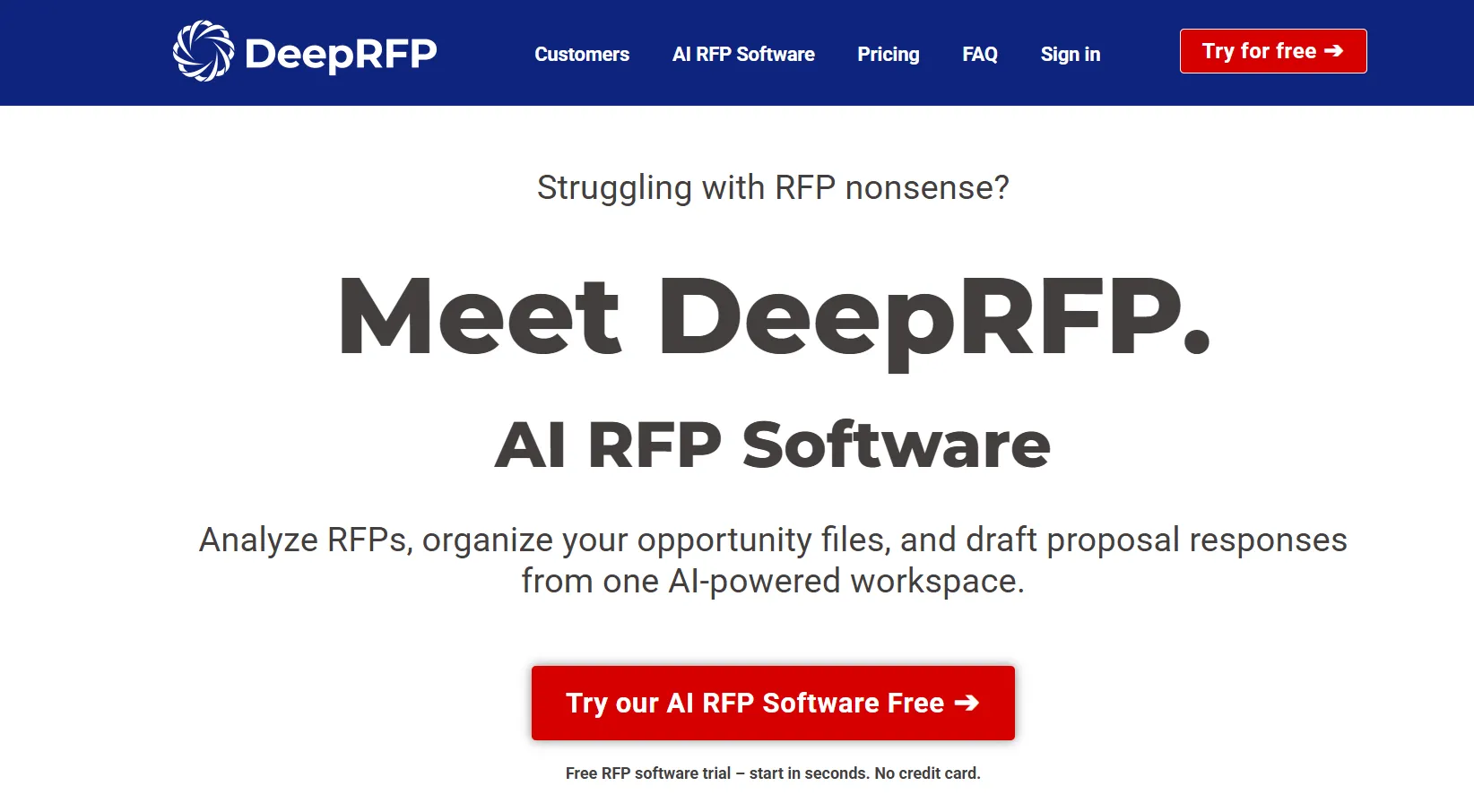
DeepRFP is an AI-powered RFP response and proposal writing platform designed for small businesses, consultants, and lean proposal teams. It combines AI drafting, RFP analysis, and compliance review tools without requiring a large enterprise deployment.
Key Features
- AI proposal writing: DeepRFP creates draft proposal responses using uploaded RFP requirements, company information, and previous proposal content.
- RFP analysis: Its AI tools identify requirements, assess potential risks, and support bid/no-bid decisions.
- Compliance support: Teams can generate compliance matrices, review drafts for missing requirements, and improve proposal content before submission.
Pricing
| Plan Name | Plan Cost |
|---|---|
| Pro | $89/user/month |
| Elite | $149/user/month |
Both plans offer monthly subscriptions with discounted annual billing. DeepRFP also provides a seven-day free trial without requiring a credit card.
Where DeepRFP Shines
- Accessible pricing: Publicly listed monthly plans make it easier for small businesses and consultants to estimate costs.
- Practical proposal tools: RFP analysis, drafting, compliance matrices, and document review are available within one workspace.
Where DeepRFP Falls Short
- Per-user pricing: Subscription costs increase as more proposal writers or contributors require accounts.
- Human review remains necessary: Generated proposals still require factual verification, strategic refinement, and final compliance checks.
Customer Reviews
John S., Business Development Director and Proposal Manager, shares, “The response was on-point and cogent and impressed my colleagues.”
Marlene V., Business Development Services professional, says, “It has changed the way I work, allowing me to focus on adding value with real improvements to my writing for my clients’ needs.”
Who DeepRFP Is Best For
DeepRFP is best for organizations that:
- Have lean proposal teams: Small businesses managing bids without dedicated enterprise proposal departments.
- Work as independent consultants: Proposal writers who need drafting, analysis, and compliance tools at predictable monthly costs.
- Need practical AI assistance: Teams wanting to accelerate proposal preparation while retaining editorial control.
11. XaitPorter: Best for Complex Proposal Co-Authoring
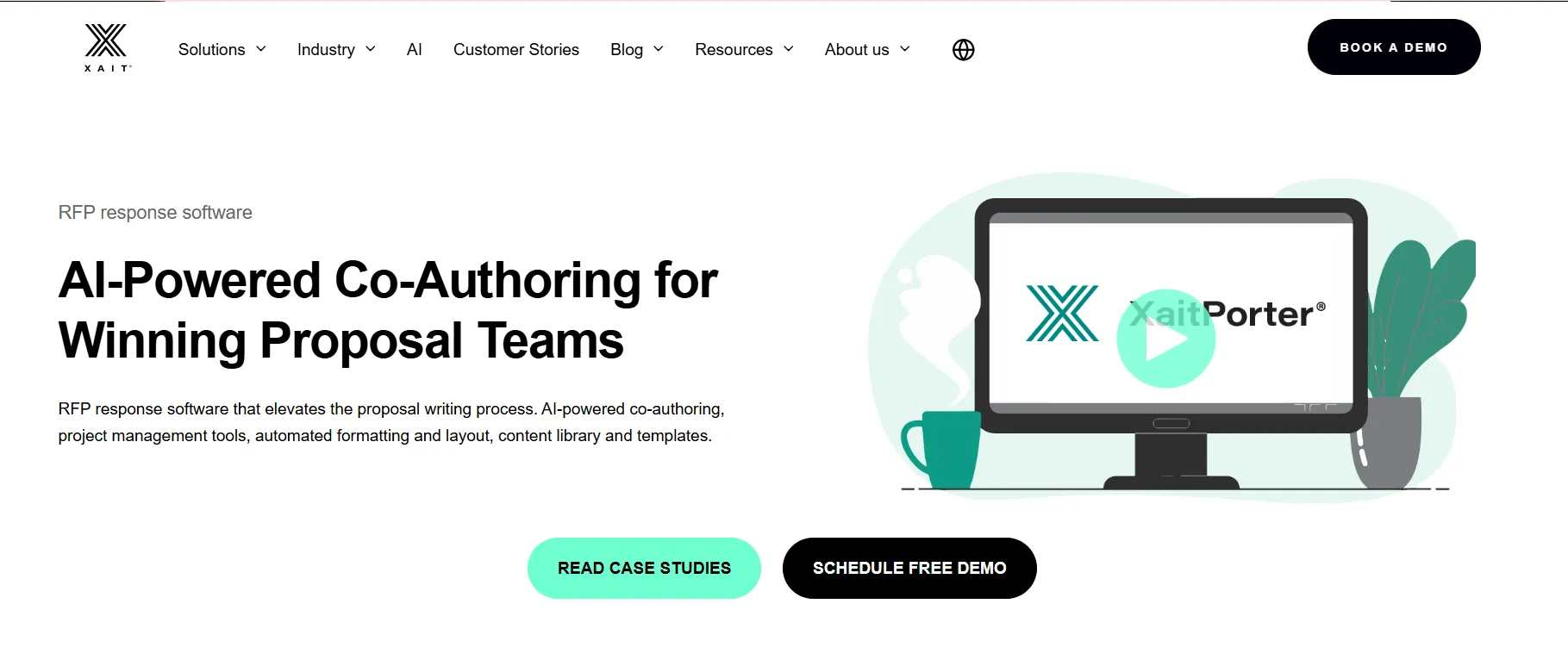
XaitPorter is an enterprise proposal co-authoring and document automation platform designed for teams producing large, complex submissions. It combines structured collaboration, automated formatting, content management, and AI-assisted proposal capabilities.
Key Features
- Real-time co-authoring: Multiple contributors can work on separate sections of a proposal while maintaining document control and visibility.
- Automated formatting: XaitPorter uses templates and structured document creation to keep large proposals consistent with company branding.
- Content and AI support: Centralized knowledge, reusable proposal content, and Xait’s evolving AI capabilities support drafting, requirement analysis, and document workflows.
Pricing
| Plan Name | Plan Cost |
|---|---|
| Custom enterprise subscription | Contact sales |
XaitPorter does not publicly disclose standard subscription prices. Organizations need a customized quote based on team requirements and deployment scope.
Where XaitPorter Shines
- Complex document collaboration: Several contributors can work simultaneously on substantial proposals without managing multiple disconnected document versions.
- Consistent document production: Templates, version control, and automated formatting help maintain professional presentation across large submissions.
Where XaitPorter Falls Short
- Learning curve: Its structured authoring model and permission controls can take time for teams accustomed to simpler document editors.
- Formatting flexibility: Some Capterra users report limitations when adjusting individual sections, images, tables, or document layouts.
Customer Reviews
Robert M., Proposals Manager, says, “I like how efficient it makes the proposal preparation process for our business.”
Kaleem A., Senior Software Engineer, shares, “The platform definitely takes some getting used to at first.”
Who XaitPorter Is Best For
XaitPorter is best for organizations that:
- Produce large, complex proposals: Enterprise teams preparing detailed tenders, technical bids, and multi-section documents.
- Require extensive collaboration: Multiple departments contributing content, reviews, and approvals to the same proposal.
- Prioritize document consistency: Organizations needing controlled templates, automated formatting, and version management.
How to Choose the Right RFP Software
Choose RFP software by testing how well it handles your actual questions, approved content, and review process. A useful evaluation follows a representative RFP from import through final export, showing where the platform helps and how much work your team still needs to complete.
1. Test Answer Quality on a Real RFP
Give each shortlisted platform the same questionnaire and approved source materials. Include recurring questions, requirements that need information from several documents, and a question your content cannot answer. Assess whether the drafts are accurate, complete, and relevant to the buyer.
Open the supporting citations and check whether the source passages substantiate the claims. Pay particular attention to product capabilities, security commitments, and numerical details. When information is missing, look for a clear flag that helps reviewers identify the gap. Record which answers can be approved, which need small changes, and which require substantial rewriting.
To establish a benchmark for strong responses, use AutoRFP.ai’s free Winning RFP Response Examples.
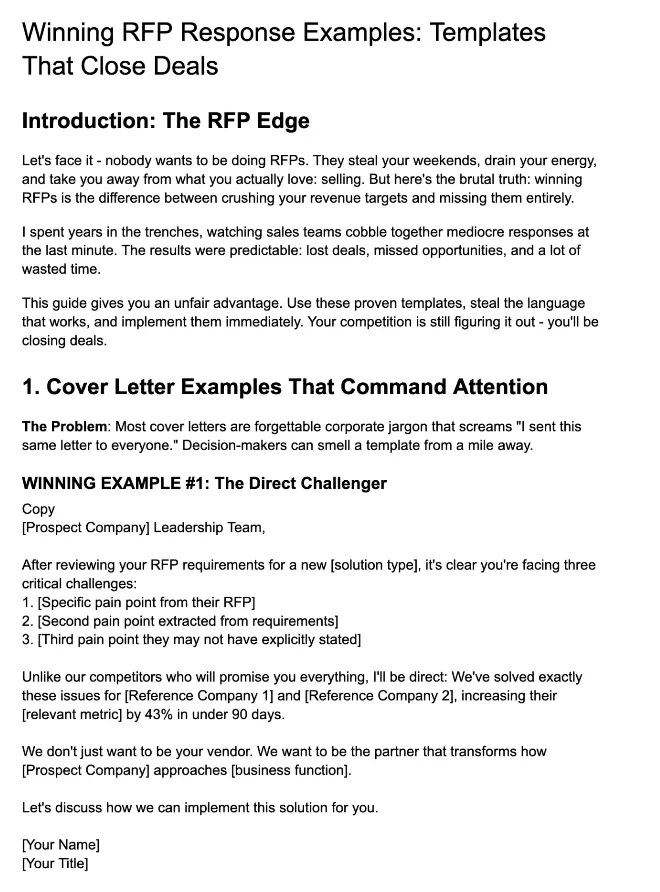
The PDF includes seven winning examples covering cover letters, executive summaries, and Q&A answers, along with practical frameworks for value-based positioning, benefit-led feature descriptions, and customer references.
Use these examples to assess how effectively each platform turns accurate information into persuasive, buyer-focused answers.
2. Check Content Migration and Maintenance
Your existing library represents work your team has already invested in. Ask each vendor to demonstrate how approved answers, categories, metadata, and ownership information move into the platform. Use a sample of your own content to check what transfers successfully and what requires manual setup.
Then examine ongoing upkeep. Where automated answer capture and connected-source syncing are available, confirm what becomes reusable, who can access it, and when review is required.
Check how outdated or conflicting information is flagged and how updates affect previously approved answers. Content owners should retain clear control over organization and approval decisions.
3. Test Your Documents and Collaboration Workflow
Import the formats your team regularly receives, including complex spreadsheets, Word documents, or portal questionnaires. Check that the platform captures every requirement, preserves supporting instructions, and places answers correctly in the exported file. For portals, include questions that reveal additional fields when an answer is selected.
Next, run a small review involving the people who normally contribute. Assign questions, request changes, and move responses through approval.
Check whether contributors can understand their responsibilities and whether the proposal manager can see outstanding work. Include the time needed to repair formatting or transfer answers into the final submission.
4. Verify Integrations and Security Requirements
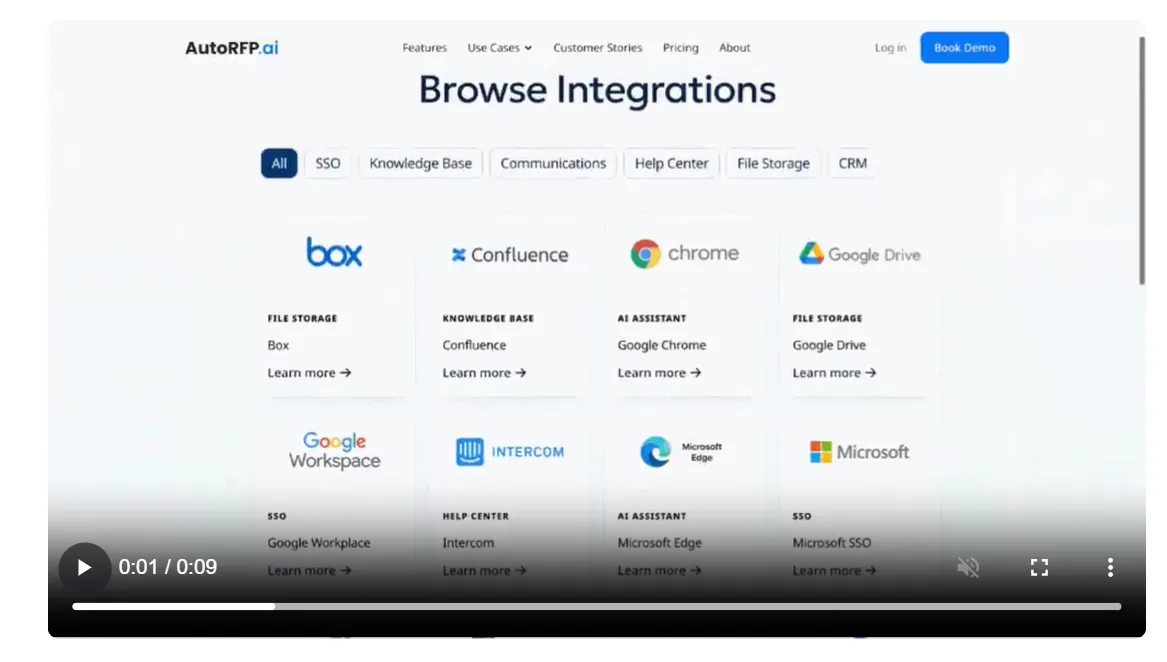
Identify the systems your response process depends on, such as your CRM, document storage, knowledge base, and communication tools. Ask vendors to demonstrate the connections you need, including how permissions and source updates are handled. Confirm whether each integration is included in the proposed plan and what setup it requires.
Bring your security team into the evaluation early. Request current assurance reports and review the vendor’s approach to data access, model training, retention, deletion, and hosting locations. Match those controls to your organization’s requirements and the information you expect to upload.
5. Compare the Full Annual Cost
Ask every vendor to price the same expected workload, including your annual RFP volume and the contributors who need access. Include implementation, training, integrations, support, and any features sold separately. Check whether occasional reviewers require paid seats.
For project-based plans, clarify what counts as a project and how follow-up questionnaires or amendments are treated. For usage-based plans, understand the units consumed and what happens when you exceed an allowance. Compare costs at both your current workload and a realistic growth scenario so you can see how pricing changes as adoption expands.
6. Measure Time Saved Across the Whole Process
Record how long your team currently spends finding information, drafting, reviewing, correcting, and preparing submissions.
During the pilot, measure the same activities using the software. A fast first draft delivers limited value if reviewers spend hours checking unsupported claims or repairing the export.
Agree on success criteria before testing, such as fewer review hours while maintaining answer quality and approval controls. Include the effort required to maintain content after implementation. Track win rates over time alongside opportunity fit, pricing, and competitive conditions, which also influence the result.
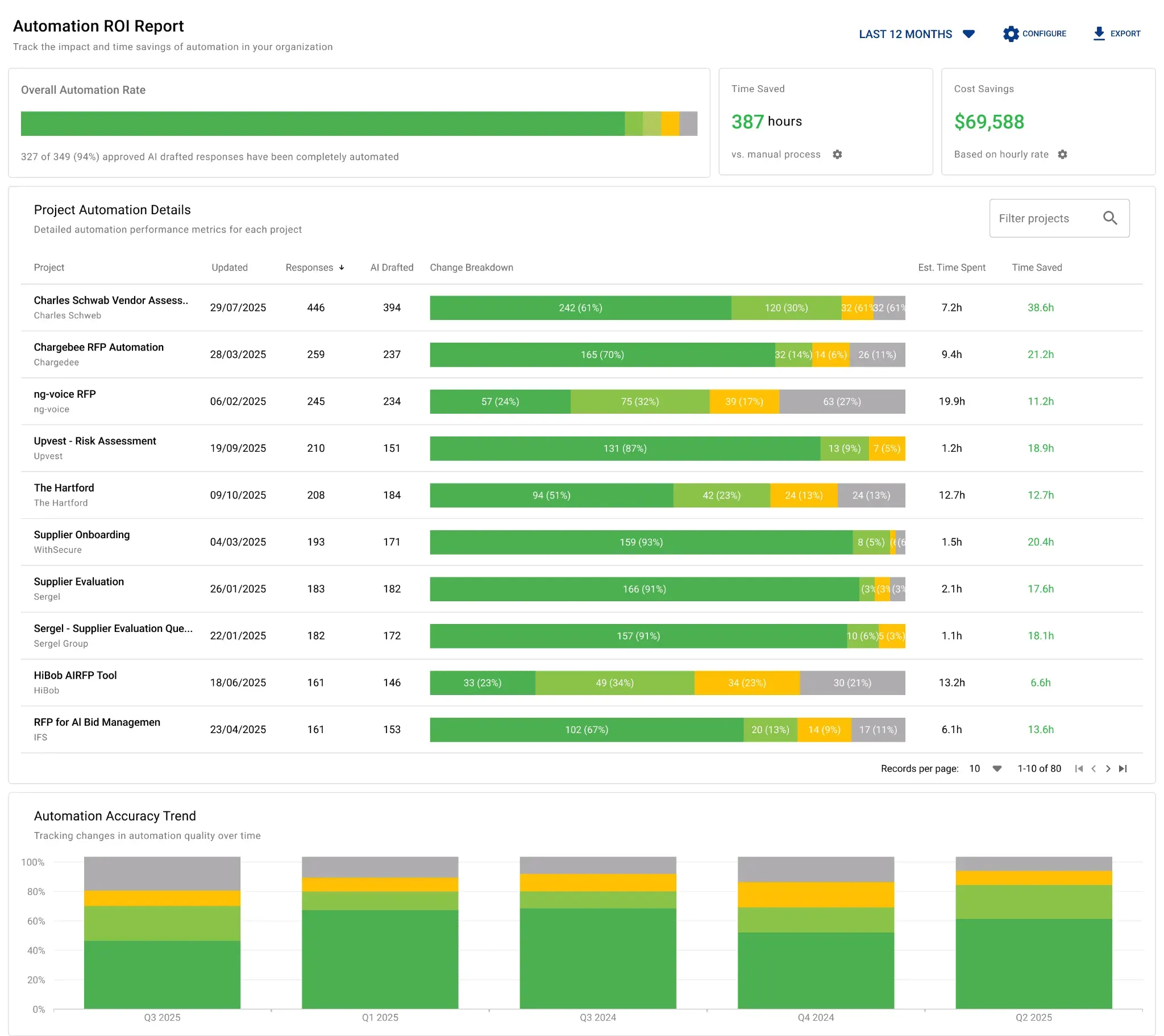
AutoRFP.ai tracks automation rates, cost savings, and team efficiency across completed projects. It helps teams see which projects required the most manual work, how AI supports top writers, and where the software is creating measurable value.
Benefits of Using RFP Software
RFP software can reduce repetitive response work and make reviews easier to coordinate. Its value depends on the quality of your approved content, how well it fits your workflow, and whether your team uses it consistently.
1. More Consistent Responses
A shared library gives contributors access to approved information about your products, services, and company policies. Ownership and review schedules help teams keep that knowledge current. This reduces conflicting answers across submissions and makes it easier to check which information supports a response.
2. Less Repetitive Work
Search, answer reuse, and AI-assisted drafting can reduce the time spent locating information and answering familiar questions. Specialists can review relevant drafts and contribute new knowledge where needed. Capturing that approved expertise for future use helps teams build on the work completed in earlier projects.
3. Clearer Collaboration and Accountability
Assignments, deadlines, comments, and approval stages make the response process easier to follow. Proposal managers can identify outstanding work, while contributors can see which questions need their attention. Keeping these activities together reduces scattered feedback and helps teams resolve delays before the submission deadline.
4. More Time for Qualification and Tailoring
Reducing administrative work gives teams more capacity to assess whether an opportunity is worth pursuing and understand what matters to the buyer. That time can support stronger customer research, clearer win themes, and more relevant answers. Teams can then make better use of their expertise throughout the proposal process.
See How AutoRFP.ai Handles Your Next RFP
AutoRFP.ai combines source-grounded drafting with a library that maintains and improves itself as your team works. It builds on approved company knowledge, makes supporting sources visible, and keeps content owners involved through review and approval controls.
Bring a representative RFP and a sample of your approved content to the evaluation. Check how well the answers address the requirements and how much editing your reviewers need to do. Book a demo to discuss how AutoRFP.ai could fit your team’s response process.
Frequently Asked Questions
1. Who Should Own an RFP Software Rollout?
Assign one accountable owner, usually someone responsible for proposal operations, sales enablement, or the response process. That person should coordinate implementation and adoption, while subject matter experts retain responsibility for their content. Involve IT and security in access and data decisions, and give department leads clear responsibilities for keeping their teams engaged.
2. How Do You Encourage Subject Matter Experts to Use RFP Software?
Start with the tasks specialists already perform, such as checking a security answer or approving a product description. Give them focused assignments, clear deadlines, and short training based on those tasks. Gather feedback during the first few projects and remove unnecessary steps so contributing feels straightforward alongside their regular work.
3. What Happens to Your Content When You Change RFP Software Providers?
Your ability to move content depends on the platform’s export capabilities and your agreement with the vendor. Before buying, request a sample export covering answers, attachments, categories, and ownership information. Ask separately about project history and approval records, which may use different export formats. Confirm the process and timing for retrieving your data when the subscription ends.
4. Can You Use RFP Software if Your Company Restricts Generative AI?
Ask vendors whether content search, approved-answer reuse, collaboration, and exports can operate independently of generative AI. Establish which features process information through AI models and whether administrators can control their use. Your security and policy teams can then assess the specific configuration against your organization’s requirements before employees upload company content.
5. What Should Multilingual Teams Test Before Choosing RFP Software?
Test a complete response in the languages your team and customers use. Check technical terminology, product names, numerical details, and whether reviewers can work in a different language from the final submission. Have a fluent subject matter expert assess the exported answers. Also establish how approved translations are maintained when the original content changes.
About the author

Co-founder & CEO
Co-founder and CEO of AutoRFP.ai. Spent 7 years running global RFPs and personally completed 500+ RFPs before founding the company.
LinkedInFrequently asked questions
Who Should Own an RFP Software Rollout?
Assign one accountable owner, usually someone responsible for proposal operations, sales enablement, or the response process. That person should coordinate implementation and adoption, while subject matter experts retain responsibility for their content. Involve IT and security in access and data decisions, and give department leads clear responsibilities for keeping their teams engaged.
How Do You Encourage Subject Matter Experts to Use RFP Software?
Start with the tasks specialists already perform, such as checking a security answer or approving a product description. Give them focused assignments, clear deadlines, and short training based on those tasks. Gather feedback during the first few projects and remove unnecessary steps so contributing feels straightforward alongside their regular work.
What Happens to Your Content When You Change RFP Software Providers?
Your ability to move content depends on the platform’s export capabilities and your agreement with the vendor. Before buying, request a sample export covering answers, attachments, categories, and ownership information. Ask separately about project history and approval records, which may use different export formats. Confirm the process and timing for retrieving your data when the subscription ends.
Can You Use RFP Software if Your Company Restricts Generative AI?
Ask vendors whether content search, approved-answer reuse, collaboration, and exports can operate independently of generative AI. Establish which features process information through AI models and whether administrators can control their use. Your security and policy teams can then assess the specific configuration against your organization’s requirements before employees upload company content.
What Should Multilingual Teams Test Before Choosing RFP Software?
Test a complete response in the languages your team and customers use. Check technical terminology, product names, numerical details, and whether reviewers can work in a different language from the final submission. Have a fluent subject matter expert assess the exported answers. Also establish how approved translations are maintained when the original content changes.

