Security Questionnaire Automation: 2026 Best Practices
Security questionnaire automation uses AI to draft accurate, source-traceable answers from approved content. See the best tools for SaaS teams in 2026.

Technical Account Manager, AutoRFP.ai·Updated ·14 min read
You’ve got policies, certifications, and years of compliance work behind you. Yet every new questionnaire feels like starting from scratch. Different buyer, different format, same stress. But automation changes that. Instead of chasing scattered answers, you can pull approved responses instantly, link evidence, and keep everything review-ready.
This guide explains how security questionnaire automation works, its key benefits, and how to implement it effectively. You’ll also learn best practices, common mistakes to avoid, and see real-life case studies from companies already transforming their security questionnaire process.
What Is Security Questionnaire Automation?
Security questionnaire automation is the process of using AI to complete security, compliance, and risk assessment questionnaires quickly and accurately.
Instead of juggling endless Excel sheets or chasing answers through email threads, an AI-driven system automatically fills in or generates responses for you.
Whether you’re working with SIG questionnaires, CAIQ, XLS files, or vendor portals, the AI finds approved answers to security question examples across your company’s knowledge base, helping keep responses consistent and up to date.
This means you can complete questionnaires in minutes instead of days while reducing the repetitive work of copying, pasting, and writing answers manually.
How Does Security Questionnaire Automation Work?
Security questionnaire automation follows a clear workflow:
1. Start by Importing Your Questionnaires
You start by uploading security questionnaires in formats like Word, Excel, or PDF into your security questionnaire software.
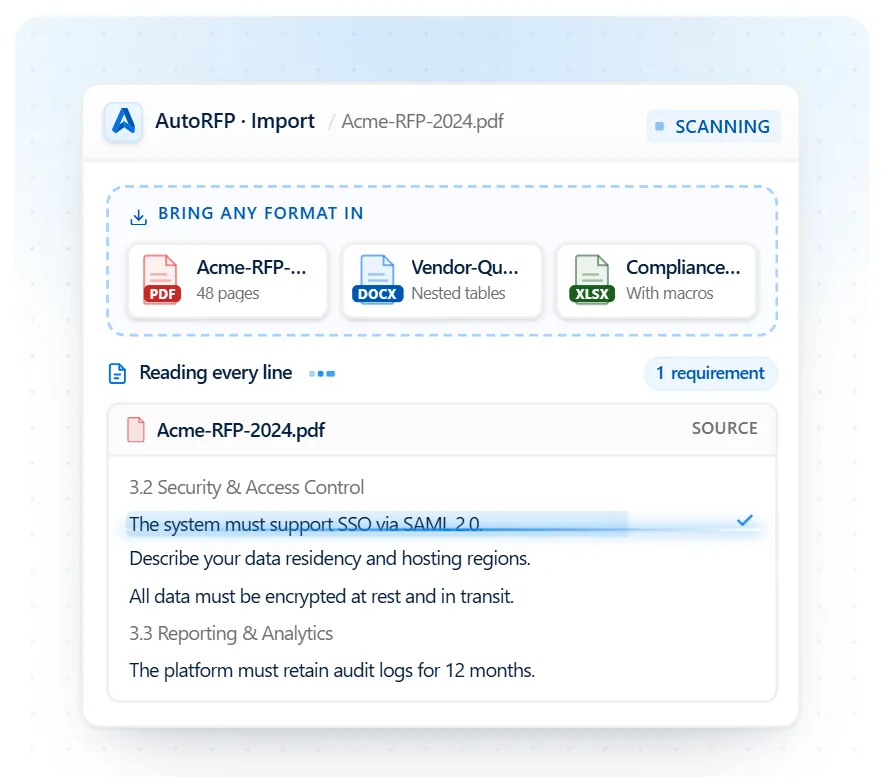
Side note: AutoRFP.ai can import security questionnaires in formats such as Word, Excel, and PDF, including complex spreadsheets with multiple tabs, nested tables, macros, and other formatting, so teams can start responding without manually restructuring the file first.
2. AI Then Generates Accurate Answers for Each Question
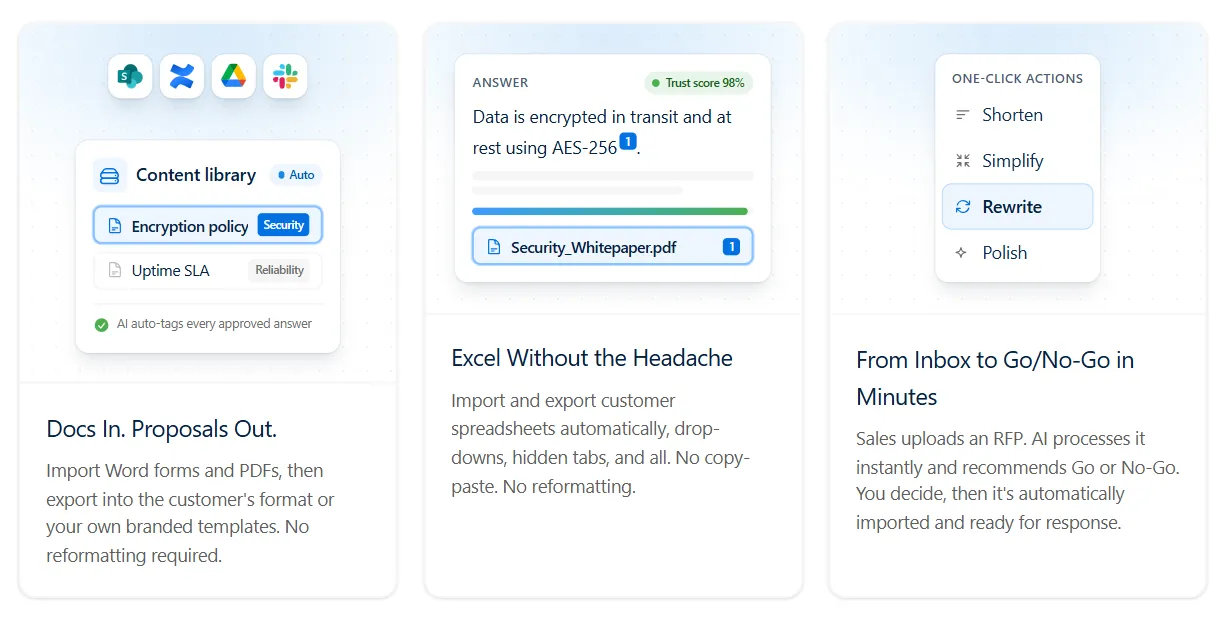
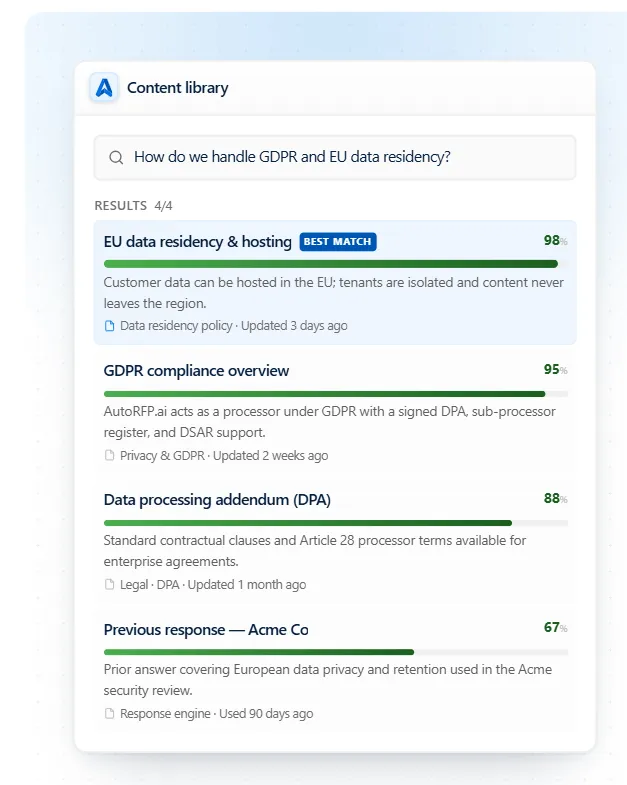
AI algorithms in the tool scan every question and search your company’s internal knowledge base, including security documentation, policies, and previously approved answers to find the most relevant responses.
Side note: Look for AI that searches by meaning rather than keywords alone. AutoRFP.ai generates responses from approved company content and, when it cannot find enough evidence to support an answer, leaves it for human review rather than guessing.

Video transcript
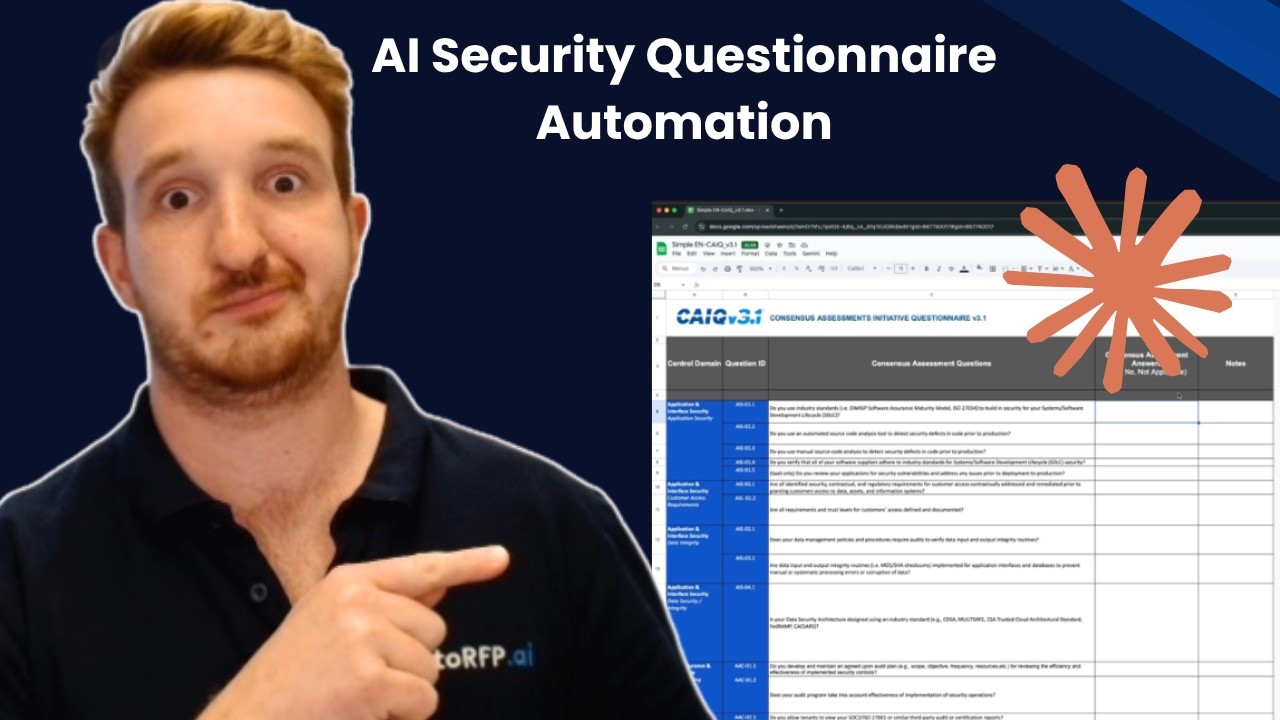
You're just about to win that mega contract. You've gone through procurement, you've been working with your champion, the economic buyer, everyone is hooked in, and then they tell you that timelines are tight and they wanna get it through this quarter. You've got a month left, and what do you get is 1,000-question security questionnaire from their IT department. You're scrambling, you're looking for context. Where did Jimmy put the last security questionnaire responses? You're looping in your engineers, your CTO your customer success team, and you're trying to answer this questionnaire. at I'm gonna show you in 15 minutes or less, how you can use Claude Cowork to automate your security questionnaire process. The questionnaire you just got is the CAIQ or Cloud Alliance in- questionnaire. This is a really common one, otherwise you might also get the SIG questionnaire, and it's great to have a couple of these actually already filled out and
ready to go based off your content and your company in case it comes up, and you can use them as grounds to answer future questionnaires. But let's look into the CAIQ and how we can automate that with Claude Cowork. So here I have it in front of me. It's a pretty common one. You can see there's quite a few questions. What do we have? About 314 questions all about my company, whether we meet it or not, different criteria, requirements regarding our security posture, regarding data sovereignty, privacy risk. And that's what it boils down to is risk. That's what the security team are attempting to do, is understand your business and whether it meets into their requirements and their guidelines for their business. And it's an important step. You can't mess it up, and you have to go through it, and the security team are doing their job, giving you this questionnaire, which is good. But it doesn't have to be a headache, and that's where AI can help you.
So I'm gonna jump into Claude Cowork. I've already created a mock company, Talent Flow, HR software. The kind of document I have in my Claude Cowork project are my project instructions, which you're gonna be able to download in the link below, and then you've also have my past RFP and past example documents that are all on my- that are all in my-- And then you have all your past project and context, and anything that you would have in a content library or Google Drive or Microsoft SharePoint folder with all the content that you would normally look at when answering a security questionnaire, have that ready and in your project file. Hey, there's actually something really important I didn't mention here. You wanna make sure using paid Claude subscription and AI data training is turned off before you're ever putting your company documents and documentation into Claude. You don't wanna be sharing all that information into the kind
of training AI models that is proprietary to your company. And yeah, it's really important to make sure that is safe and secure So you put that on your computer, have Claude Cowork access it. Great thing about Claude Cowork in this example is you can also share it with your team, so then they can use your project as well, and then have it answer their questionnaires that they get throughout their sales process. Great. So now jumping into this, I'm gonna grab my CAIQ questionnaire 'cause I have so much information already in the project, my prompt can actually be really simple. Please fill out this CAIQ in the original format and provide to me in X-XLSX. So it's gonna go through and start answering that questionnaire. It has the necessary context in my project. It has the project instructions. You can even create skills, which I have a few of, which you can see in future videos on this channel. And using those skills, using that project context and everything, and information about my company, it's then going to be answering this CAIQ questionnaire for me.
You can see Claude is going to work, looking at the resulting files, because that's in the project instructions. I have a lot of prompting in my project instructions around making sure to not hallucinate or not make up information. If it's not sure and here, Claude Cowork, when it's trying to automate this security questionnaire, is gonna ask me questions. Yeah, full draft, one process. So here it's asking whether the questions should be strict, so absolutely. Wanna make sure it's correct. And shall prioritize previously completed? Yes, of course. So it's got-- it's already found a previously completed CAIQ questionnaire, and it can use that as the basis for this CAIQ questionnaire. Isn't that great? It's got this one from a new customer, and it's gonna go through and answer that based off its prior context. And even, I've even told it what prior context to prioritize, which is incredibly important when you're building out a content library. In this case my past questionnaires, my policies, my BCP plan, and everything that's answering the security questionnaires. And as it's running, I actually wanna touch on that, and that's where a lot
of security questionnaire automation tools go wrong, is they only focus on things like your policies. So your BCP plan, your disaster recovery plan, your ISMS framework that you have for your ISO27001 certificate, or that you have for your SOC 2 as well, or SOC 2 Type II, and so on. Where they go wrong is they only rely on those policies to answer questionnaires, and it doesn't take into account your tone of voice your other relevant information. That could be tools like, Vanta, Drata, and those kinda like trust portal software. The important thing of using your AI for your security questionnaire automation, not just based off your policies, but using your past answers, is that just takes in so much more context and will pick up on things like tone of voice and how you reply and how you would normally structure these responses in how you would normally structure these responses for that security questionnaire, helping further automate more of that with AI. I wanted to point out something that's really cool what Claude Cowork does
when you provide it something with a structure, and that is it uses sub-agents to create a task list. So now, when I look at the progress of Claude Cowork, I can see what it's working on and how it's going to progress through the prompt or the task that I assigned it, and as it's working through, I can see how it progresses, and I can of course look at the task list and make notes, be like, "Hey, I would actually tackle it by doing this or that," instead of how you've planned to approach the problem. And that's one of the great things about Claude Cowork and other kind of agentic frameworks that are built on top of the large language model is it's not... you're not merely chatting to the API or the large language model. It's actually using sub-agents and agentic framework to get better results, in this case, better results for our security questionnaire automation. And here's something interesting. So as it's working through, it's actually using some of my skills, my RFP AI skills, which you can also download in the link below, and using my contradiction checker skill. And why that's important is because you can see here that my North Park
SIG Lite, which is a past SIG that I've completed and provided to Claude in my project, it's now looking and vetting those answers to its known context based off other information it has. And one of the issues there is With AI is often figuring out what is the most relevant answer. Our platform, AutoRFP.ai, we use a bunch of different things built into our trust score around recency bias, around the freshness of and the usage of content when it was last reviewed, does it have an owner, and what type of content it is, as well as tagging and hierarchy and categorization of content. Now, all of that you can't necessarily do in Claude Cowork, but you can give it tools and smarts to help it check for inconsistencies and give it guardrails when to choose the appropriate answer based on that information, which is what the contradictor skill does. Okay, so it did take a while. I paused the video, but it took about fifteen to twenty
minutes to that run through. And as you can see, it's also gone past my plan usage. So now I'm using additional usage and kinda chewed through a lot of my daily limit of Claude Cowork that I have on, the twenty dollar a month plan. And that's probably one of the trickier things is Claude Cowork does have limitations in security questionnaire automation. For instance, the time it took I would actually say it's quite slow. Taking twenty minutes to answer three hundred questions, I know that's a lot faster than a human but for AI security questionnaire automation, that's actually quite slow. And then, just the additional usage and kind of the inefficiencies that it has. There's a lot more efficient ways to do this by grabbing like a actual AI RFP software or AI security questionnaire automation software and so on. But overall, it did quite well. So seventy one percent is a yes, one, one no, and then eighteen N/A, so it understands my company enough to mark when something is not applicable. For instance, IAS and hypervisor questions, that's not really applicable to a SaaS offering, which is what my fake company is in this example.
And then twenty-two point three it's a gap, so it didn't have an answer. And that was how I set up the settings. I didn't want to try to fake things, because that's half the problem with AI and security questionnaire automation, is it gives an answer, and if it's not the right answer, it actually takes more time to go back, check it did it get it right or wrong? Did it just guess something? Did it provide an overly generic response that actually doesn't help you win the deal? And therefore it just takes more time. So I prefer when it's not confident on a response, just give no response which is what it's did here. So overall, about a, I don't know, a seventy-six percent or seventy-eight percent kind of automation rate, which is pretty cool for my security questionnaire automation here. And then it talks about the different questions and gap classes and who to talk about and so on. It's just trying to provide additional information, which isn't super useful. But I can look at my completed CAIQ. Here it is. It's actually used its XLS Python skill, which is an inbuilt thing within Claude Cowork, to then enter back that information in the Excel questionnaire for me. So I can go through... And I guess my workflow from here would be what's
tricky is I can't get other team members to collaborate directly in here, so they can't necessarily see my prior prompting and Claude's information. But I guess I would upload this to Google Sheets or SharePoint, and then I would tag in people in to come help me out a-and so on. So it's done pretty good. It's made some annoying things like source Blue Ridge cake. Yeah, so it's gone a little bit off, like telling me exactly the source in the text, so there's obviously a couple of little things to clean up. Overall, I think it's done pretty well. It's selected the-- It's put a yes there where required. And overall, for the CAIQ questionnaire yeah, it's done pretty well in answering those questions, and it's definitely a big time saver. So all up, that took, what? Thirty minutes to talk to Claude, get the response back, do three hundred and forty questions. . Overall pre-pretty, pretty good for security questionnaire automation. So recapping, what we did and what we looked into was how to use Claude Cowork for your security questionnaire automation. I have in the link below the some useful materials to help
you go further with this. So I'll include the project instructions that I have. So what you wanna do is set up your Claude project. You wanna make sure that you have your correct instructions and upload all relevant kind of past projects your help technical documentation, different like URLs and links and contexts, everything that's relevant to... And your policies, of course, that are relevant to answer the questionnaire Then yeah, you can give it a go uploading blank questionnaires. Yeah, if you wanna give it a g- if you wanna test it out download the kind of free template for Cake. You can find it from their website. Have a look or if you have any other kinda past security questionnaires that you wanna try out with it. Where this falls short, which is such a common one, is vendor portals. As in if you have a security questionnaire in a portal and you can't export out, the questions, this, you could, of course, just copy and paste, but that would take a long time. And I actually have tried Claude kinda browser on it, and it doesn't work at all. So that's definitely a big gap, is those kind of vendor questions.
AutoRFP.ai we're an AI RFP and security questionnaire automation software. We have a portal agent that is purpose-built for those kind of questionnaires, like for instance, SAP, Ariba, OneTrust, UpGuard all the kinda major ones, as well as it works on any of them 'cause it uses like an agentic computer vision framework to find the requirements for the portal questionnaires. But yeah, that's really useful. That's what we use, and I actually use day-to-day. I don't use Claude CoWork for security questionnaires day-to-day. But yeah, that's what I use there, and that can be, yeah, incredibly valuable. So that's probably the, one of the other gaps. So overall, I hope you found that useful. Yeah, if you're keen to learn more about AI and RFP and security questionnaire, have a look at some of the other videos on this channel or subscribe for more. All right. Thanks. See ya.
3. Each Answer Comes With a Confidence or Trust Score
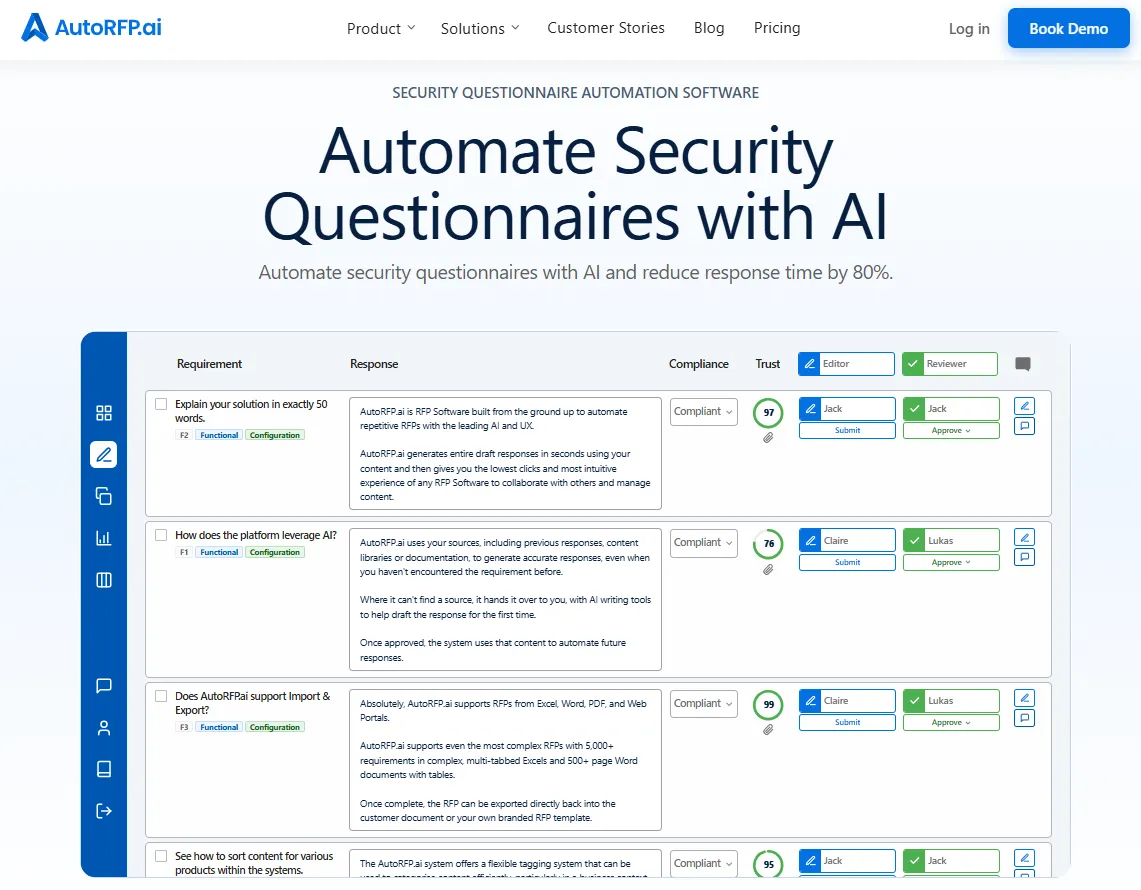
Each AI-generated answer is tagged with a confidence level or “trust score.” This helps reviewers quickly spot which answers need attention.
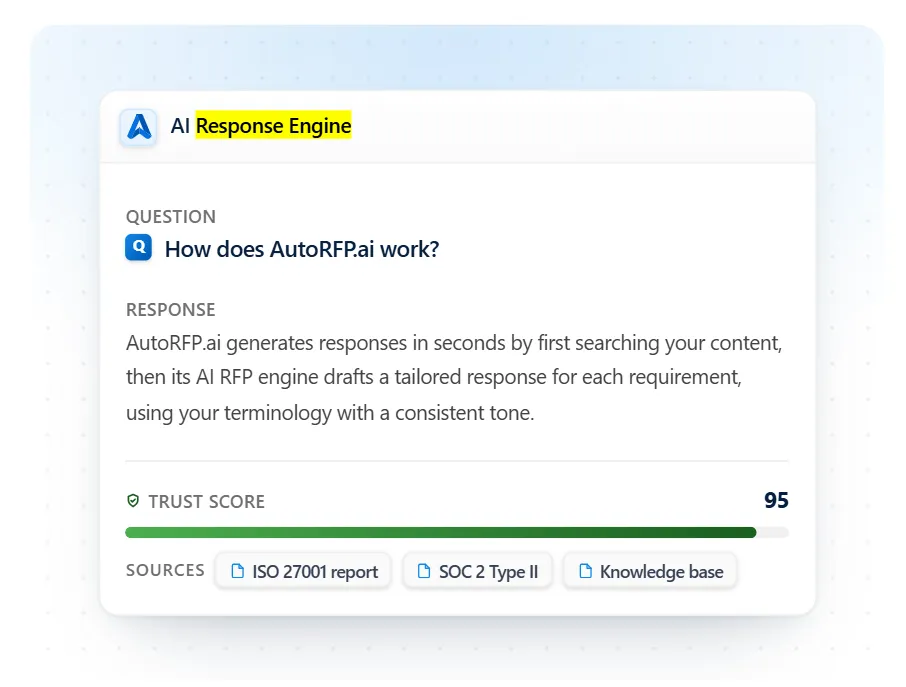
Side note: AutoRFP.ai gives each response a Trust Score and shows the approved sources behind it.
4. Human Reviewers Refine and Approve the Responses
Your infosec or compliance team reviews the AI-generated answers, makes necessary edits, and approves them. The system tracks the progress of each question for visibility.
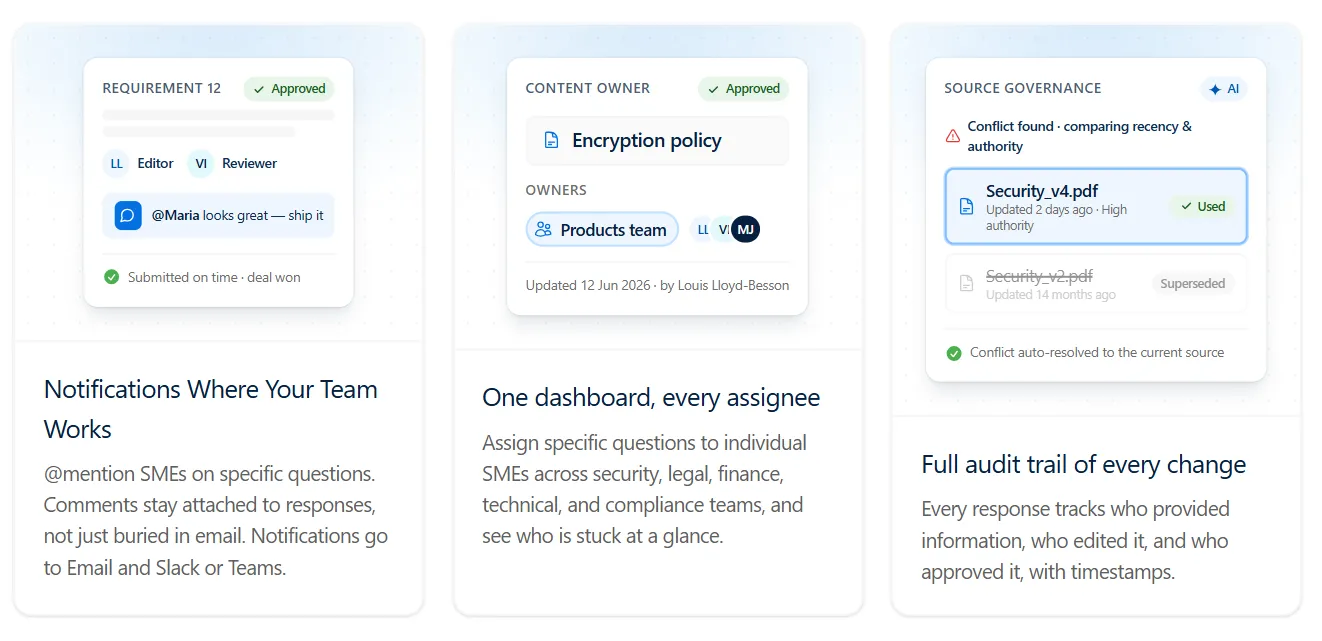
Pro tip: If multiple subject matter experts (SMEs) are involved, look for software with assignments, approval workflows, comments, and a full audit trail. AutoRFP.ai supports unlimited users and can send assignments and review notifications through Slack, Microsoft Teams, and email.
Winning RFP response examples
Download 7 winning RFP response examples : cover letters, executive summaries, and Q&A responses that close deals.
5. Finally, the Completed Questionnaire Is Exported for Submission
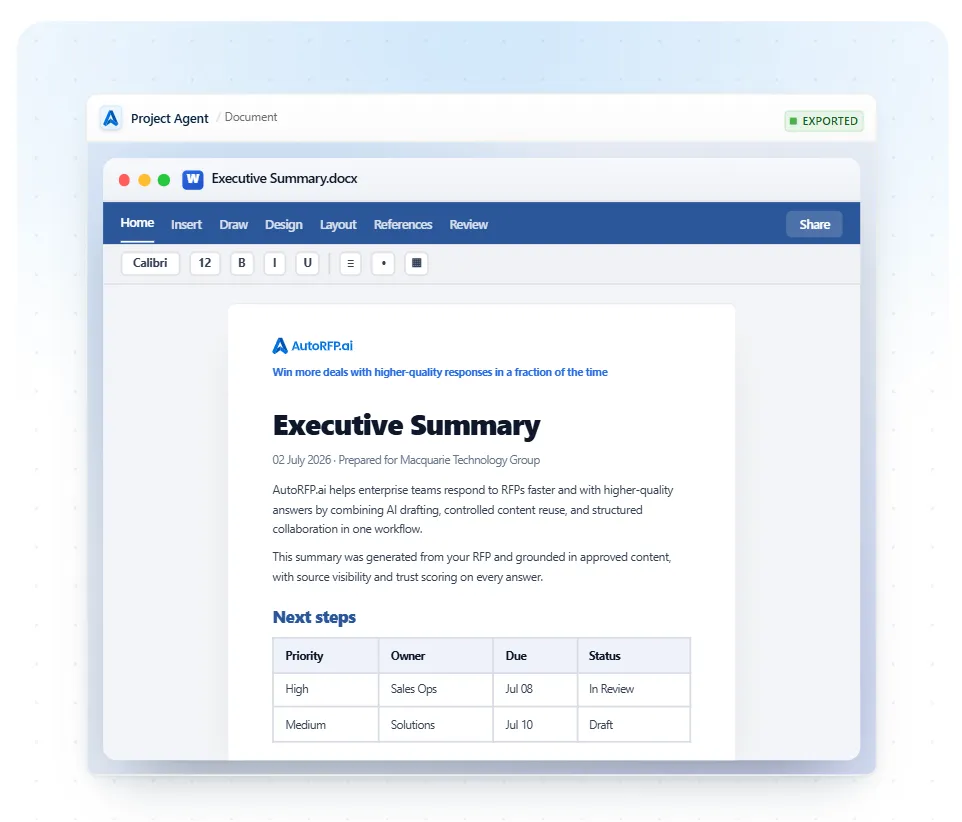
Once everything is reviewed and approved, you can export the completed security questionnaire in its original format, ready for client submission.
Side note: AutoRFP.ai can write approved responses back into the customer’s original Excel or Word file, preserving complex formatting such as tabs, formulas, macros, and templates so teams do not have to rebuild the questionnaire before submission.
What Are the Benefits of Automating Security Questionnaires?
Let’s take a closer look at why it’s worth considering security questionnaire automation and how it can make a real difference for your team:
1. Ensures Accuracy
Automation draws from centralized, approved company knowledge, helping keep responses accurate, consistent, and current. It also reduces the inconsistencies that can appear when multiple people contribute to the same questionnaire.
For SaaS vendors answering enterprise security reviews, this is critical because claims about data handling, security controls, compliance, and infrastructure need to be defensible.
With source-grounded automation, your team can spend more time reviewing exceptions and refining responses instead of checking every answer from scratch.
2. Faster Completion Times
Manually answering security questionnaires drags out response cycles and eats into productivity. Automation reduces repetitive searching, copying, pasting, and drafting, freeing your team to focus on higher-value work.
For SaaS vendors responding to enterprise buyers, faster completion helps keep security reviews moving without sacrificing the accuracy those buyers expect.
The real benefit is not simply generating answers faster. It is producing reliable first drafts quickly enough that reviewers can focus their time where human judgment is actually needed.


Video transcript
AutoRFP.ai is like having a team member that never sleeps. We've responded to more than double the number of RFPs after implementing AutoRFP.ai than we did the year before. I'll look back on 2025, we'd saved something like 949 hours. It was mind-blowing. Oh my gosh, this can be done automatically. Being able to answer those consistently and accurately puts us in a position to be a trusted vendor for our clients.
Using AutoRFP.ai has definitely helped me increase my closing ratio. Before, we were using Google Drive to store all of our library content and previous responses. It was a very manual process. If the keyword was there, you would find it. If not, then you wouldn't. I would say 60% of the deals that come through in my market are RFP bids.
But as the team was scaling, it quickly became apparent that this wasn't sustainable. I, of course, looked at tools that we had available to us in-house. Became clear that it worked in some ways, but it wasn't built to respond to complex RFPs with multiple questions and moving parts. So what was different about AutoRFP.ai is that we're able to upload multiple documents in all different formats, PDF, Word, Excel, and it will ingest all of those documents and pull out the requirements, even tables within documents instantly.
The Excel sheets just blew our mind because we hadn't seen this anywhere else. As we work in multiple regions, the ability of AutoRFP.ai to translate into multiple languages is really impressive, and it really felt like it was going to be a partnership rather than a transaction. We spend a lot more time now focusing on the strategy for a bid.
The bids are a lot more tailored and a lot more focused on the prospect in a way that we couldn't do before. The quality of our output is just completely different. Do you feel like it's gonna blow their mind because they're like, "Oh, you've said exactly what we needed to hear." Thinking back to that particular deal in Q3, the deadline was coming up.
Having missed the deadline would have meant for me not hitting my quarter, but I also didn't wanna let down my team. Having a bank of information of answers that I could trust really allowed me to just push everything out as quickly as possible, knowing that what I was saying was accurate and true.
Trusting that when that is submitted, more than 50% of the job is done, and I'm really excited to say that, yes, we did win the deal, made me look like a hero, so thank you. We've been able to respond to 20 to 30% more RFPs quarter on quarter. We've been able to increase the capacity of the team. We've saved 45% of the time it would've taken us to respond to the same number of RFPs.
Our shortlist rate has been outstanding, and it just gets better and better I would say don't wait until volumes spike and quality starts to drop. Every bid that your team submits manually is costing you more than you think, not just in hours, but in quality and consistency There's absolutely no way we would want to go back to the previous way AutoRFP.ai is like having a team member that never sleeps, keeps getting smarter, and allows my team to focus on the stuff that they're really good at
3. Scales With Your Growth
As your company grows and more clients request detailed security information, manual work simply can’t keep up. Automation helps your team handle higher volumes of security questionnaires without adding extra headcount while maintaining consistency and quality at scale.
For growing SaaS vendors, that means InfoSec, sales engineers, and other subject matter experts can support more enterprise evaluations without becoming a bottleneck.
AutoRFP.ai’s Proposal Win Rate Report also found that automation works best when combined with mature, governed processes.
High-performing teams were more likely to use content automation and AI proposal technology, reinforcing the value of using automation to protect team capacity rather than simply increase output.
4. Accelerates Sales Cycles
Security questionnaires often sit directly in the path of an enterprise deal. Completing them accurately and efficiently helps remove friction from the evaluation process and keeps opportunities moving.
For SaaS vendors selling into larger organizations, reducing delays during security review can prevent compliance work from becoming a bottleneck in the sales cycle.
Integrating these tools into your broader RevOps tech stack also helps connect security-response work with the rest of the commercial process.
Best Security Questionnaire Automation Tools for SaaS Companies
The best security questionnaire automation tool depends on how your team works. For SaaS vendors answering high-stakes questionnaires inside enterprise deals, an AI-native, accuracy-first platform like AutoRFP.ai fits best because responses stay source-grounded, citable, and reviewable. Teams already operating inside a compliance platform, or those that mainly need a buyer-facing Trust Center, have credible alternatives.
| Tool | Best for | What stands out | Not ideal for |
|---|---|---|---|
| AutoRFP.ai | SaaS vendors handling high-stakes security questionnaires alongside RFPs and DDQs | Approved-source grounding, per-answer citations and Trust Scores, unsupported-answer escalation, portal handling, original-format export, and zero library maintenance | Teams primarily looking for buyer-side vendor risk management |
| Conveyor | InfoSec and customer-trust teams with security questionnaires as their main bottleneck | Security-focused questionnaire automation, cited answers, confidence scoring, portal completion, and an Agentic Trust Center | SaaS teams that want one platform to manage broader RFP, security questionnaire, and DDQ workloads |
| Vanta | SaaS companies already running their compliance and trust program in Vanta | Questionnaire Automation can draw from Vanta policies, security evidence, past responses, and its Trust Center, with support for files and buyer portals | Teams mainly looking for full RFP and DDQ response management beyond security reviews |
| Drata | Security and GRC teams that want questionnaires tied closely to their existing compliance and assurance data | Generates responses from approved Trust Center, Knowledge Base, and compliance sources, with SME assignment and structured review workflows | Proposal teams that need broader commercial RFP, bid-management, and DDQ capabilities |
| HyperComply | Lean security and compliance teams that want questionnaire automation plus customer-facing evidence sharing | AI-assisted questionnaire completion with human review, portal support, and a Trust Page for proactively sharing security information | Larger cross-functional proposal teams that need deeper RFP project management, bid workflows, and whole-response governance |
How to Implement Security Questionnaire Automation: Step by Step
Here’s a practical roadmap your team can follow to implement automation successfully and get measurable results from day one:
Step 1: Gather and Centralize Documentation
Collect all relevant materials that the AI will rely on, such as:
- Completed security questionnaires from past clients
- Security policies and compliance reports (e.g., SOC 2, ISO 27001)
- Audit logs, product documentation, and certifications This provides the system with a verified and reliable foundation to generate responses from.
Step 2: Build a Living Answer Library
Develop a searchable repository of pre-approved, standardized answers linked to supporting documents. Involve SMEs from IT, compliance, and security to validate and approve the content.
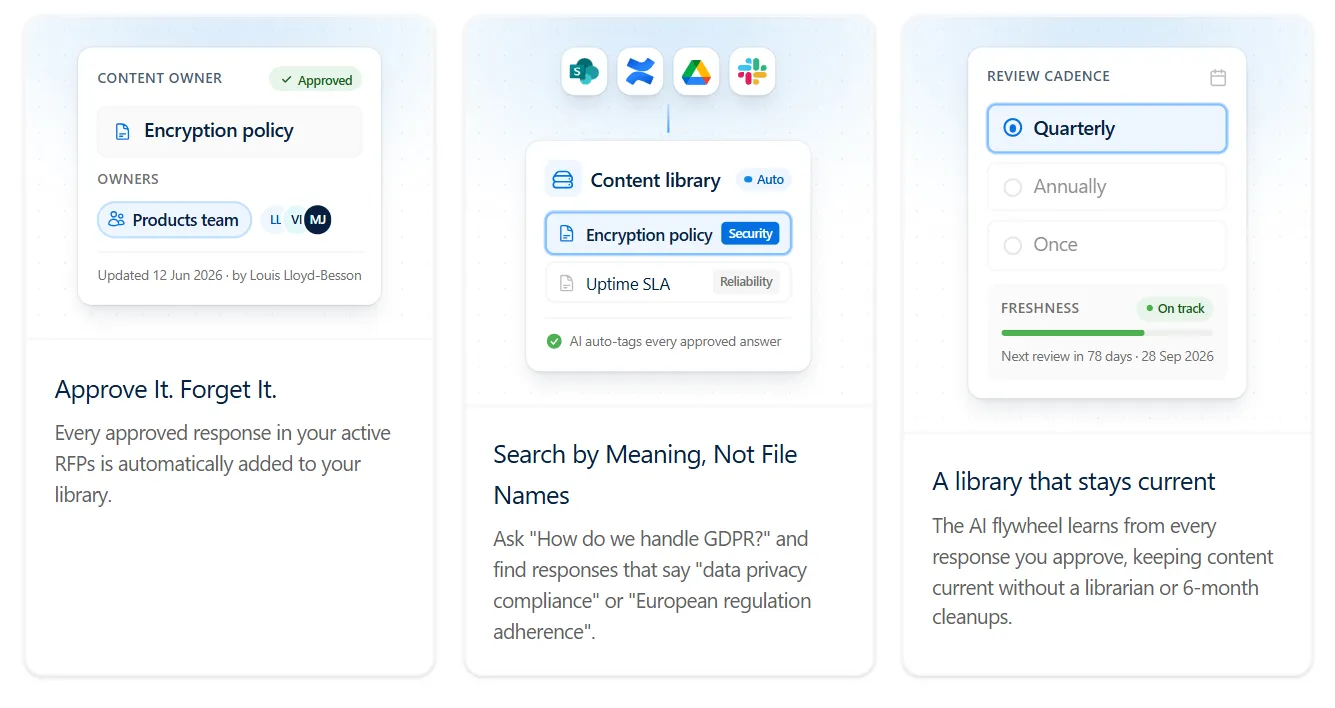
Modern platforms can reduce the maintenance required here. AutoRFP.ai, for example, automatically adds approved responses back into its content library and categorizes them, helping create a self-building knowledge base without constant manual tagging or library cleanup.
Step 3: Select the Right Automation Platform
Choose a tool that fits your goals. Look for:
- AI-powered response generation
- Customizable workflows and approval paths
- Integrations with your security and compliance stack
- Support for SIG, CAIQ, or custom frameworks
- Strong access controls and audit trails
- Source citations and confidence scoring for generated answers
Step 4: Assess Vendor Reputation and ROI
Partner with a vendor that understands security questionnaires and offers solid training and support. Review its track record and customer feedback. Conduct a cost-benefit analysis that considers reduced response cycles, lower labor costs, and faster turnaround times.
For AI platforms, also test the software using your own security questionnaires and company content rather than relying only on a sales demo.
Step 5: Ground the AI in Your Content and Run a Pilot
Connect your approved documents, policies, and previous responses so the AI can generate answers grounded in your organization’s actual security posture and terminology.
Start with a small pilot or proof of concept using real security questionnaires to test answer quality, source accuracy, unsupported-question handling, and reviewer feedback before full rollout.
Step 6: Configure Roles and Workflows
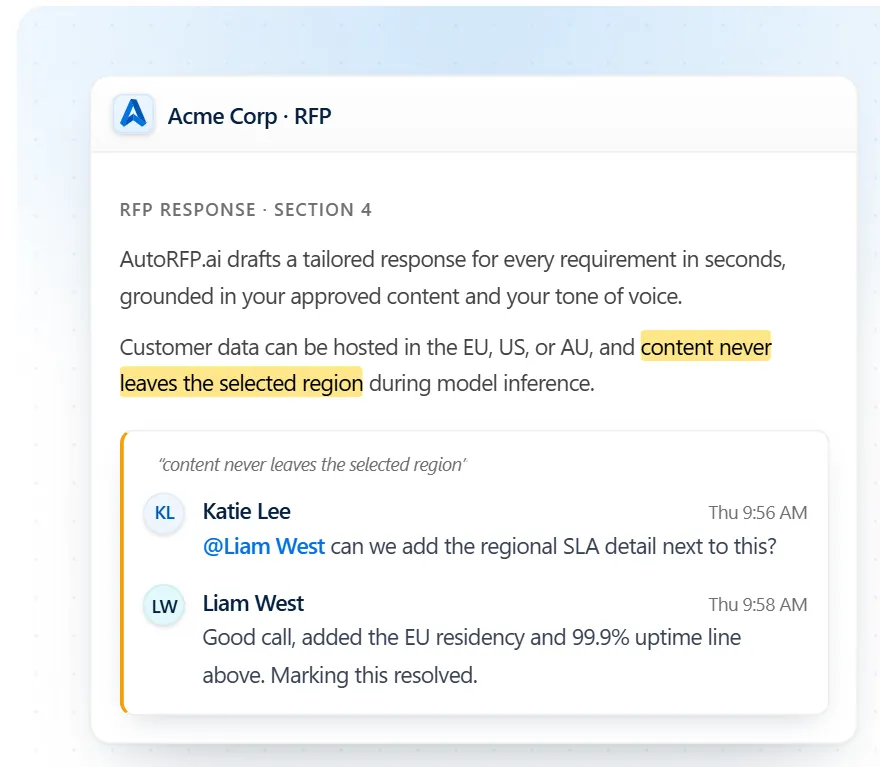
Define who reviews and approves responses. Assign SMEs by expertise, set up multi-tier approvals for sensitive topics, and enable automated notifications to keep reviews moving efficiently.
Step 7: Automate, Measure, and Scale
Use AI to generate first drafts, then have SMEs review and finalize them.
Track metrics like:
- Average response time
- Win rate improvements on deals requiring security reviews
- Hours saved
- Response quality or edit rates
- Automation percentage
- Trust or confidence scores As more responses are approved, use them to improve future questionnaire answers while maintaining appropriate review cycles and governance. Then expand automation to more complex assessments and higher questionnaire volumes.
Security Questionnaire Automation Best Practices
Here are the best practices to ensure a smooth, compliant, and efficient security questionnaire automation process:
1. Use Automation Software
Automation tools streamline repetitive tasks, centralize documentation, and ensure every response stays current and compliant.
They help teams:
- Auto-fill answers from verified content.
- Maintain a single knowledge base.
- Collaborate in real time across security, legal, and compliance functions. The result is a faster turnaround, fewer errors, and consistent messaging.
Side note: AutoRFP.ai enhances this process through its AI Response Engine, which generates source-traceable responses from approved content and provides a Trust Score and Feedback Scores on every answer so reviewers can verify the evidence behind it.
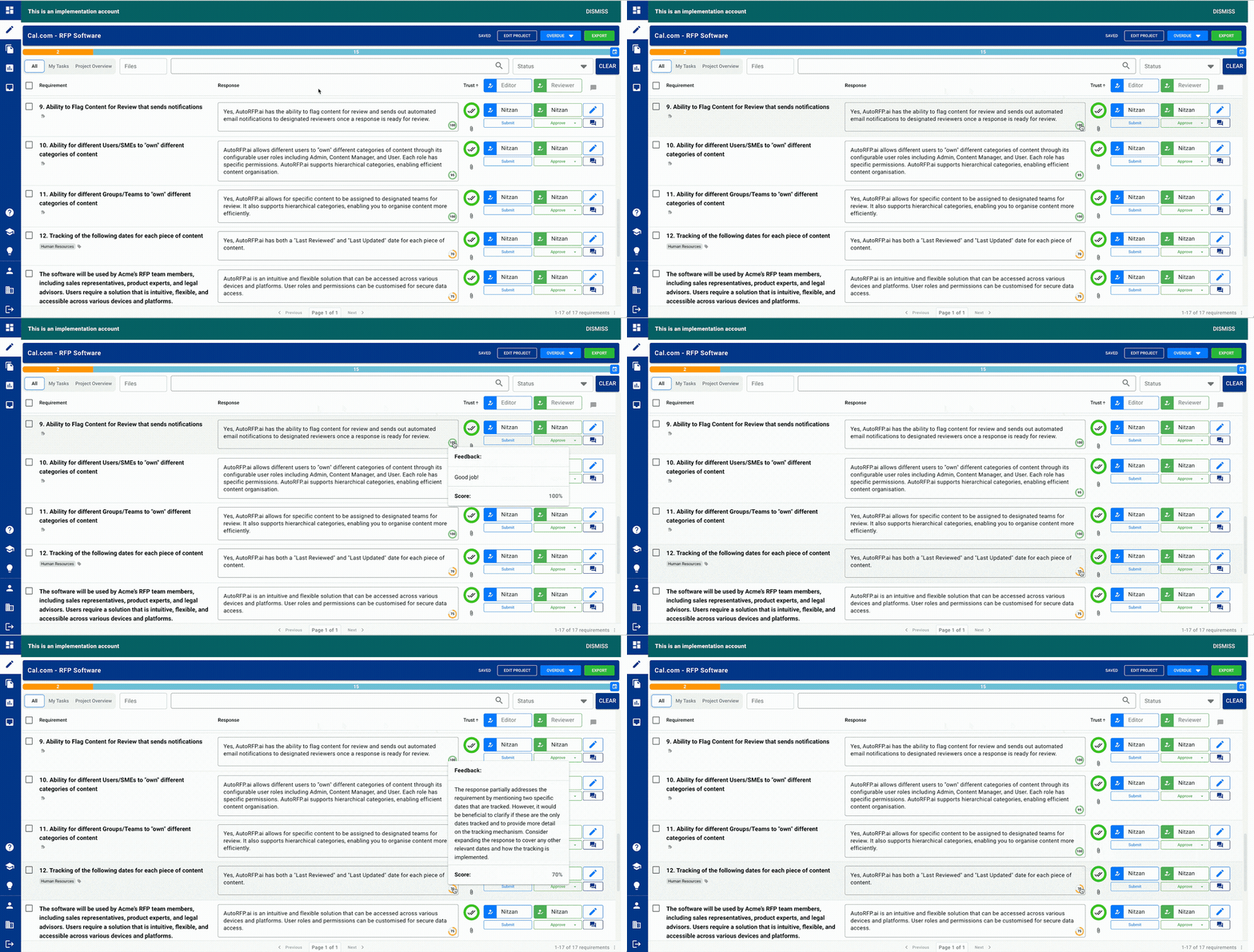
Beyond automating clients’ security questionnaires, AutoRFP.ai can also handle internal security questions, making it a unified knowledge hub for your team.
2. Keep Your Source Content Current
Your approved source content is the backbone of automation accuracy.
You should:
- Keep documentation such as SOC reports, penetration-test results, privacy statements, and security policies current.
- Make sure changes in products, policies, certifications, or your security posture are reflected in your approved source material.
- Maintain clear ownership and review cycles for sensitive or frequently changing information. Outdated information can still lead to inconsistent responses and erode customer trust, so the underlying evidence must remain current.
3. Standardize and Document the Process
Establish a security questionnaire SOP defining owners, approval flows, and evidence-update schedules. Assign clear SME roles for each control area, such as IT, compliance, and privacy.
Keep approved source documentation aligned with current policies and certifications so automation references reliable information.
This ensures every submission remains audit-ready and aligned with your organization’s security posture.
4. Customize and Review Every Submission
Even automated responses need human judgment. Before submission, review AI-generated answers for accuracy, clarity, and customer relevance.
Tailor responses to each buyer’s risk framework. Add supporting evidence if needed to reinforce credibility.
5. Leverage the Portal Agent for Buyer Portals
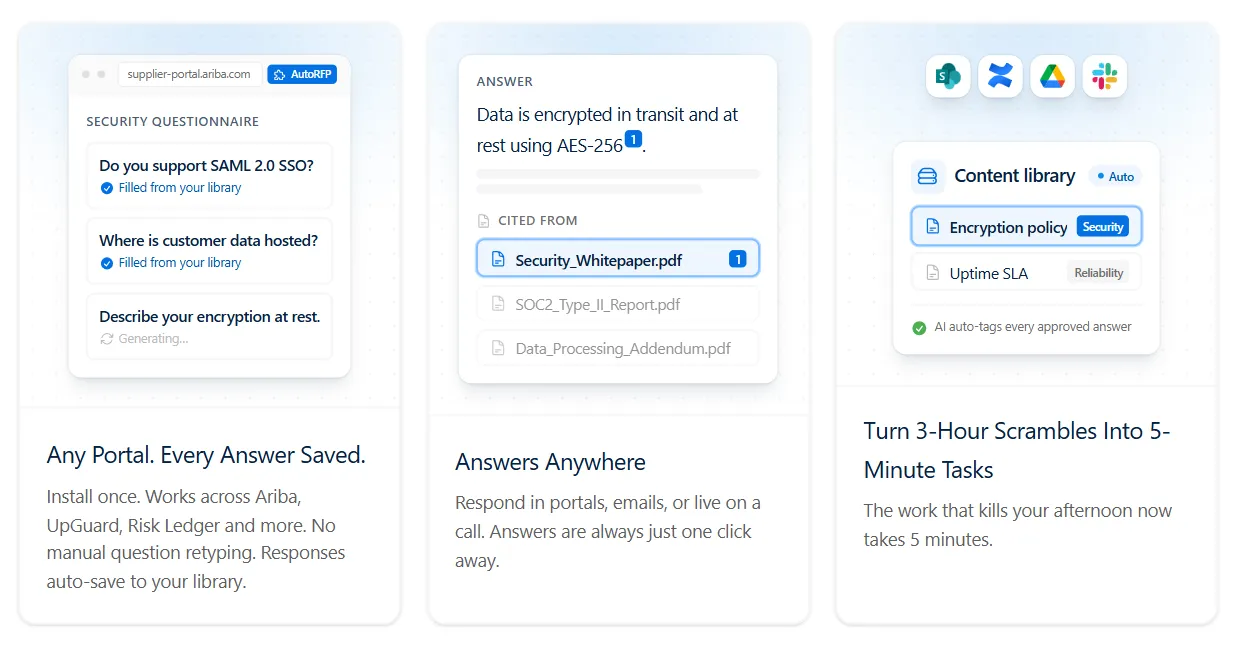
Use a Portal Agent to pull questionnaire requirements directly from buyer portals, generate responses from approved content, and place them back into the portal without repetitive copy-paste work.
AutoRFP.ai’s Portal Agent supports workflows in portals such as SAP Ariba and OneTrust, helping SMEs review and validate responses while keeping portal-based questionnaires connected to the same governed response process.
Common Mistakes to Avoid When Automating Security Questionnaires
Let’s look at the common mistakes teams make when automating security questionnaires and how to steer clear of them:
1. Lack of Human Oversight
Teams sometimes trust AI-generated answers too much, skipping SME review entirely. This can lead to inaccurate, incomplete, or non-compliant responses.
Pro tip: Always have security or compliance SMEs review security questionnaire responses for context and nuance before submission. Use approval workflows, source citations, and confidence signals to focus reviewers on answers that need the most attention.
Ultimate RFP Cover Letter template
Download our free RFP cover letter template and learn the framework top sales teams use to win more deals.
2. Using Outdated Information
Even source-grounded automation can produce the wrong response if the underlying policy, certification, or security document is outdated.
Pro tip: Keep your approved source documentation current and use tools that expose source age and help identify conflicting or superseded information. AutoRFP.ai can compare sources based on factors such as recency and authority, reducing the risk of an outdated document being treated as the best evidence.
3. Ignoring Internal Workflow
Automating without a defined process for collaboration, review, and approval can create bottlenecks and confusion among teams.
Pro tip: Define roles early. Assign SMEs by control area and use automated routing, notifications, and approval stages so each question reaches the right reviewer without slowing the entire questionnaire.
4. Failing to Manage Expectations
Expecting automation to replace all human involvement leads to disappointment and poor adoption.
Pro tip: Start with a pilot or proof of concept using real questionnaires and your own approved content. Measure response time, edit rates, reviewer effort, and answer quality before expanding automation across more security reviews.
Case Studies of SaaS Companies Automating Their Security Questionnaire
These real-world examples show how SaaS companies reduce security questionnaire response times, decrease SME workload, and improve compliance accuracy with automation.
1. SugarAI: Scaling Security Questionnaire Responses Globally
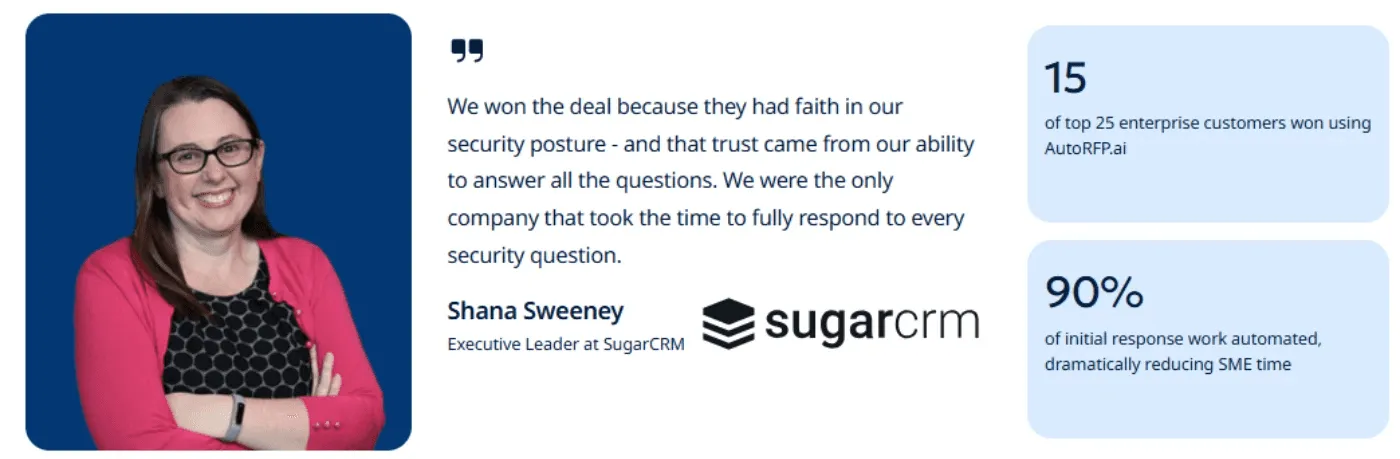
SugarAI (formerly SugarCRM) faced thousands of complex security questions, consuming valuable SME hours and slowing RFP turnaround.
The team adopted AutoRFP.ai, an AI-native security questionnaire automation tool that uses AI pattern recognition to centralize answers and automate repetitive responses.
Result: Security questionnaires that once required multiple specialists were handled by just one FTE. The company secured 60% of its top 25 deals and completed 100% of a 2,000-question security questionnaire , leading to a $2 million ARR client, while saving hundreds of engineering hours.
Shana Sweeney, Executive Leader at SugarAI, said, “A lot of the security questionnaires we get can contain 500 - 2,000 questions. These sometimes take several hours to complete. There were always 15 - 20 questions that required our Subject Matter Experts, using up their valuable time.”
2. Cubiko: Cutting Security Questionnaire Time by 85%
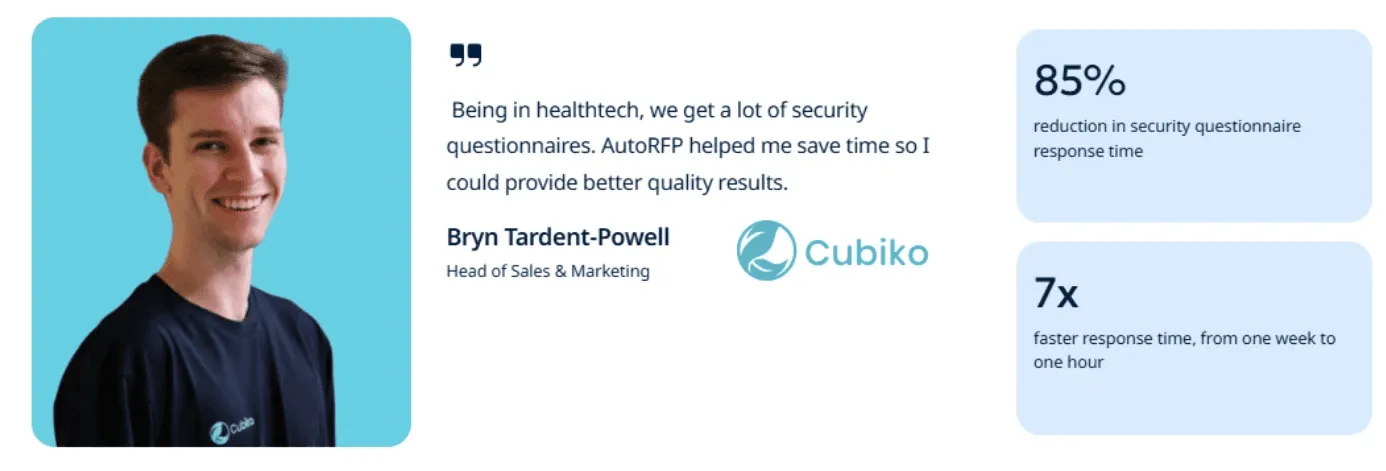
Healthcare SaaS provider Cubiko struggled with week-long security questionnaire cycles that diverted leadership from growth priorities.
Using AutoRFP.ai, they built a centralized repository of validated responses and automated repetitive compliance answers.
Result: Turnaround time decreased from one week to one hour, representing an 85% reduction in security questionnaire responses time.
Bryn Tardent-Powell, Head of Sales & Marketing, said, “One December, I had two 500+ security questionnaires come across my desk. The first one took our team a week to do. After that, I knew there had to be a better way. When I found AutoRFP.ai, I was set up within 48 hours, and the second only took me a matter of hours. The response engine was outstanding. I can’t imagine completing security questionnaires without automation.”
3. Fiddler AI: Achieving 87% Time Savings with Automation
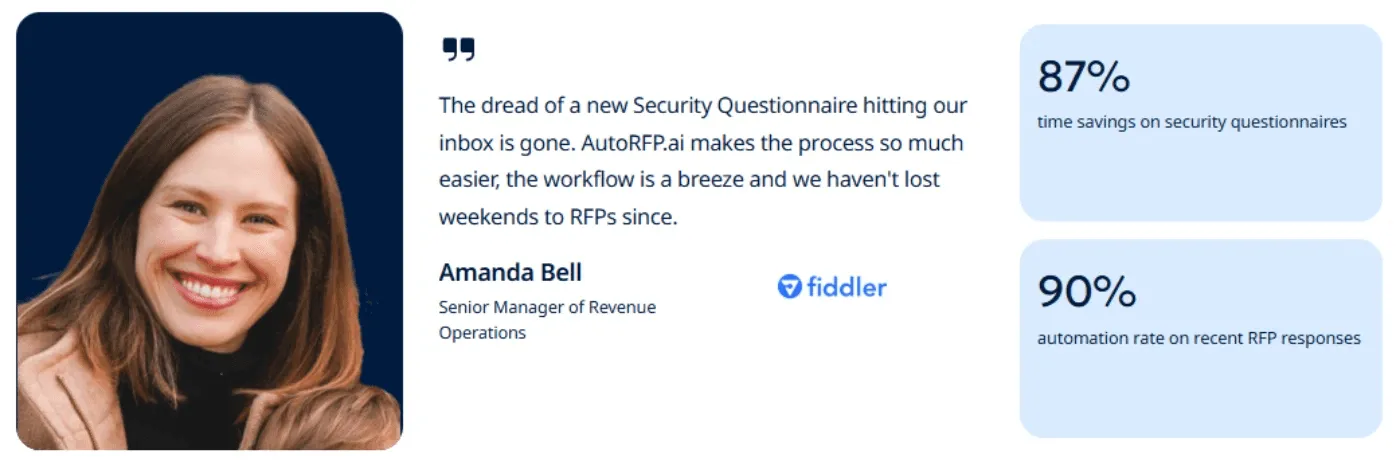
Fiddler AI’s teams spent 30+ hours on multi-tab security assessments using unreliable legacy tools.
After switching to AutoRFP.ai, they leveraged AI-generated drafts and automated task routing with Slack integration.
Result: Security questionnaire time fell by 87%, and 99% of answers required minimal edits. The platform became their go-to solution for accuracy, collaboration, and speed.
Amanda Bell, Senior Manager of Revenue Operations, said, “The dread of a new security questionnaire hitting our inbox is gone. AutoRFP.ai makes the process so much easier, the workflow is a breeze, and we haven’t lost weekends to RFPs since.”

Video transcript
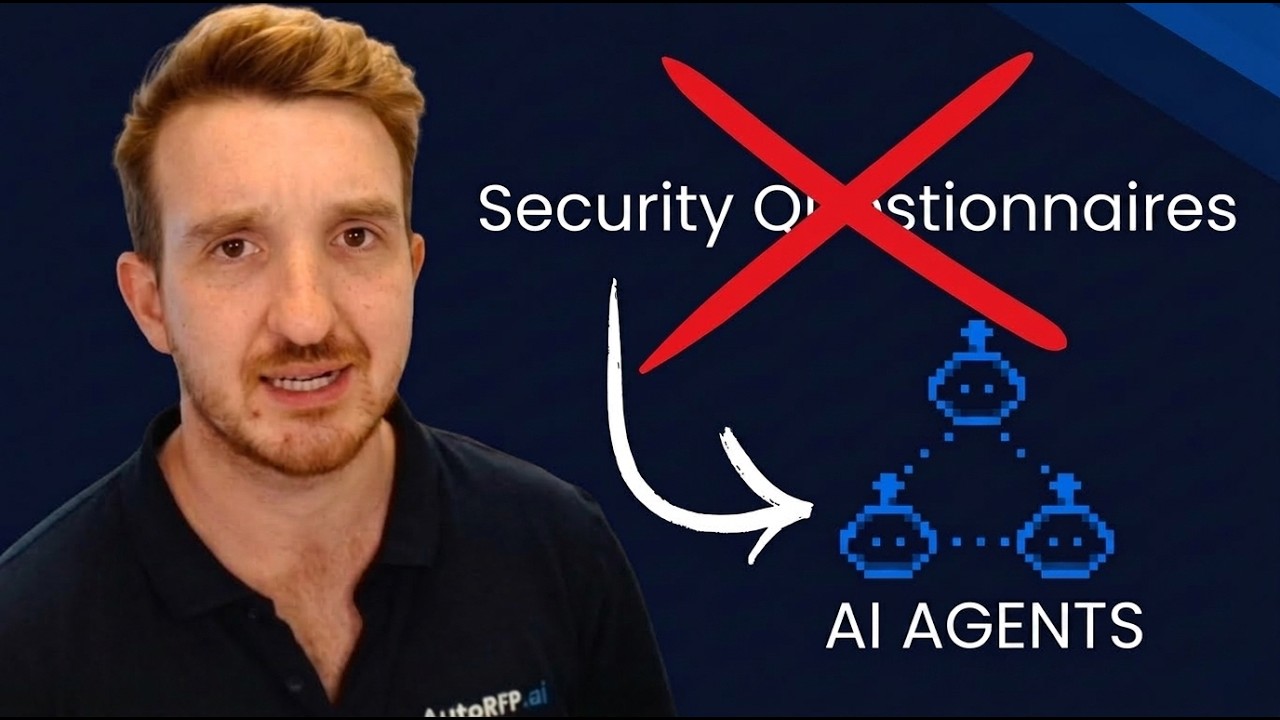
Okay, I just got a portal that I have to jump into, complete a security questionnaire, pretty stock standard. I help out all our team at AutoRFP.ai completing security questionnaires and so on. It's kinda like the same old questions. Luckily, I got our tool, I'm gonna show you how to use an agent to automatically answer and extract all the different kinda security questionnaires from this portal. So in my example, I'm using UpGuard. There's heaps of different portals out there. Good thing about this agent, it actually works in any portal. It uses AI computer vision to automatically scan the page and then to pull in all the information.. So you can see it now working across this portal. It's looking at the page, and it's using effectively an agentic workflow to figure out the HTML and page structure of the page, and that's how it can work in any single portal. Then it looks and tries to understand and learn the page structure, and then once it has the page structure, you'll see it interacting with the page.
It's effectively taken over my browser, and that's one of the cool things about kind of browser agents, and that's what this is. This is AutoRFP.ai's portal agent that works via Chrome extension in your web browser. You've got other agents out there Claude's Chrome extension, ChatGPT's Chrome extension, and so on or the ChatGPT browser. Where I find they really fall down for security questionnaires, and I have tried them, is they're very slow. They actually just try to kinda move around their mouse very slowly, constantly taking screenshots, and it just doesn't actually do the thing. Whereas this portal agent is purposely built for web portals that have questionnaires in them. So that could be, like, SAP Ariba vendor port-- that could be, like, SAP Ariba, Unimarket UpGuard, RiskLedger any web portal that has that. It could be DDQ portals like Deseti, Diligence Vault, and so on. And effectively, it's built for that, and still using its AI computer vision,
it then scrapes the portal automatically and pulls in all the information. Let's see. So it actually completed that very quickly while I was talking. It's grabbed the questionnaires, understood the page structure, and then gone through, and for this one, there was one hundred and forty-one requirements. You can see them all here, and it's pulled that, all that information in. And that's the first step. Let's automatically grab all of the different requirements that's in my portal. But then I wanna go further. I wanna use AI to start automatically answering my security questionnaires. So looking at my imported questions, I can see they work. Then I can view that in my project. So here is AutoRFP.ai. AutoRFP.ai is used across the globe in forty-four plus different countries by hundreds and hundreds of businesses everyone from SaaS, unicorns in Silicon Valley to startups to India's largest law firm use us for security questionnaires and automating that tedious response. And here are my requirements.
AI has actually automatically answered all of the requirements here while I was talking and pulled that information in. You can see it couldn't find the answers for some of them. It's provided our AI trust score. Why you need a trust score when you're looking at AI content, especially something just as important as security questionnaires, is you need to know is, can I trust this response? Looking at this is scope stored. I can jump in here, and I can understand specifically what information is being used, like past responses and which it used to answer that requirement I can look further. I can add attachments, which is really common here. So I can add our data processing agreement, and then that will be included in the export. And then I can just look through in response. I can easily select a bunch of responses. So if I wanna go to everything in the section for application security take those two requirements, they haven't been filled out yet, assign them to the solutions team, and they are gonna be the editor, and I'll tick myself, keep myself as the approver in the security team, and then I can easily
wait for them to answer those questions. They'll get like a Slack or Microsoft Teams notification to answer that, and then they'll come back in and fill it out. then I have my project overview, so I can see everyone who's involved in the response for the security portal, what they have left to submit, and what attachments and what the AI draft rate and everything else was. And then once I complete it, I can just kinda jump back into the portal, look at the answers, easily grab this answer, and just chuck it back in there and easily answer as needed with my examples and so on. That was a really short overview of AutoRFP.ai and the portal agent and how you can use agents to automatically respond to your security questionnaires that you get. The really great thing about AutoRFP.ai is it is a purpose-built RFP software. We're not a GRC platform. We're not trying to do a hundred different things. It's built for things like security questionnaires, RFPs. That way, it's not just using policies to answer questions and your certifications. It's actually looking at past responses.
It continually learns from your work as you use it. It has the full collaboration suite, and it has a really robust importer. Look at my next video and you can see how I import a SIG questionnaire automatically in a matter of seconds with AutoRFP.ai that I've received from a prospect, and the AI automatically detects requirements and every answer block and response cell that I need to respond to and automatically starts generating those responses. If you're keen to learn more about AutoRFP.ai and how we can help you automate security questionnaires via the portal agent, then what you want to do is jump to our website AutoRFP.ai. Jump to Book a demo, and you'll be able to grab a time with our team where they can help tailor the solution to your specific use cases. So jump online, book a demo if you're keen to understand how the portal agent can be used to automate your security questionnaires. Thanks.
AI-Powered Security Questionnaire Automation with AutoRFP.ai
AutoRFP.ai is built for B2B SaaS teams answering security questionnaires, RFPs, and DDQs as part of enterprise deals.
It helps you automate security questionnaires using approved company content, with a Trust Score on every answer and source-traceable responses reviewers can verify. When the system cannot find enough approved evidence, it leaves the answer blank for human review rather than making it up.
Get started with us in just 48 hours. Book Demo today!
The Proposal Win Rate Report
Benchmark your win rate against the latest industry data in our 2026 report.
About the author

Technical Account Manager
Technical Account Manager at AutoRFP.ai. Writes about DDQs and security questionnaire response.
LinkedInFrequently asked questions
Will AutoRFP.ai Learn From My Security Data?
AutoRFP.ai does not use your security data to train AI models. Instead, it uses your approved content at runtime to generate source-grounded responses, while approved answers can strengthen your organization’s knowledge base for future questionnaires.
Is AutoRFP.ai Secure for Handling Security Questionnaires?
Yes. AutoRFP.ai is ISO 27001:2022 certified and SOC 2 Type II audited. It also supports regional data hosting and does not use customer content to train AI models, helping SaaS teams handle sensitive questionnaire data securely.
Will AutoRFP.ai Work for My Organization? How Do I Get Started?
AutoRFP.ai is designed for teams responding to RFPs, security questionnaires, and DDQs. You can book a demo and test the platform against your own documents and questionnaires to see how well it fits your existing response workflow.
What Is the Best Security Questionnaire Automation for SaaS Companies?
The best security questionnaire automation for SaaS companies depends on the workflow. AutoRFP.ai is a strong fit for B2B SaaS vendors handling high-stakes enterprise reviews because it provides source-grounded answers, citations, Trust Scores, and human escalation when approved evidence is missing.
How Much Time Does Security Questionnaire Automation Save?
Time savings depend on questionnaire complexity and review requirements, but automation can significantly reduce repetitive work. For example, AutoRFP.ai customer Cubiko cut its security questionnaire turnaround time by 85%, while Fiddler AI reduced response time by 87%.

