Google Workplace Integration
Your team logs in with their Google account. No new passwords. No extra credentials to manage.
Built for Large Teams selling Multiple Products



How it works
Connect AutoRFP.ai to your Google Workspace and let your team sign in with the same credentials they use for Gmail and Drive. One click, they're in. IT stays in control of access, and your team never creates another password.
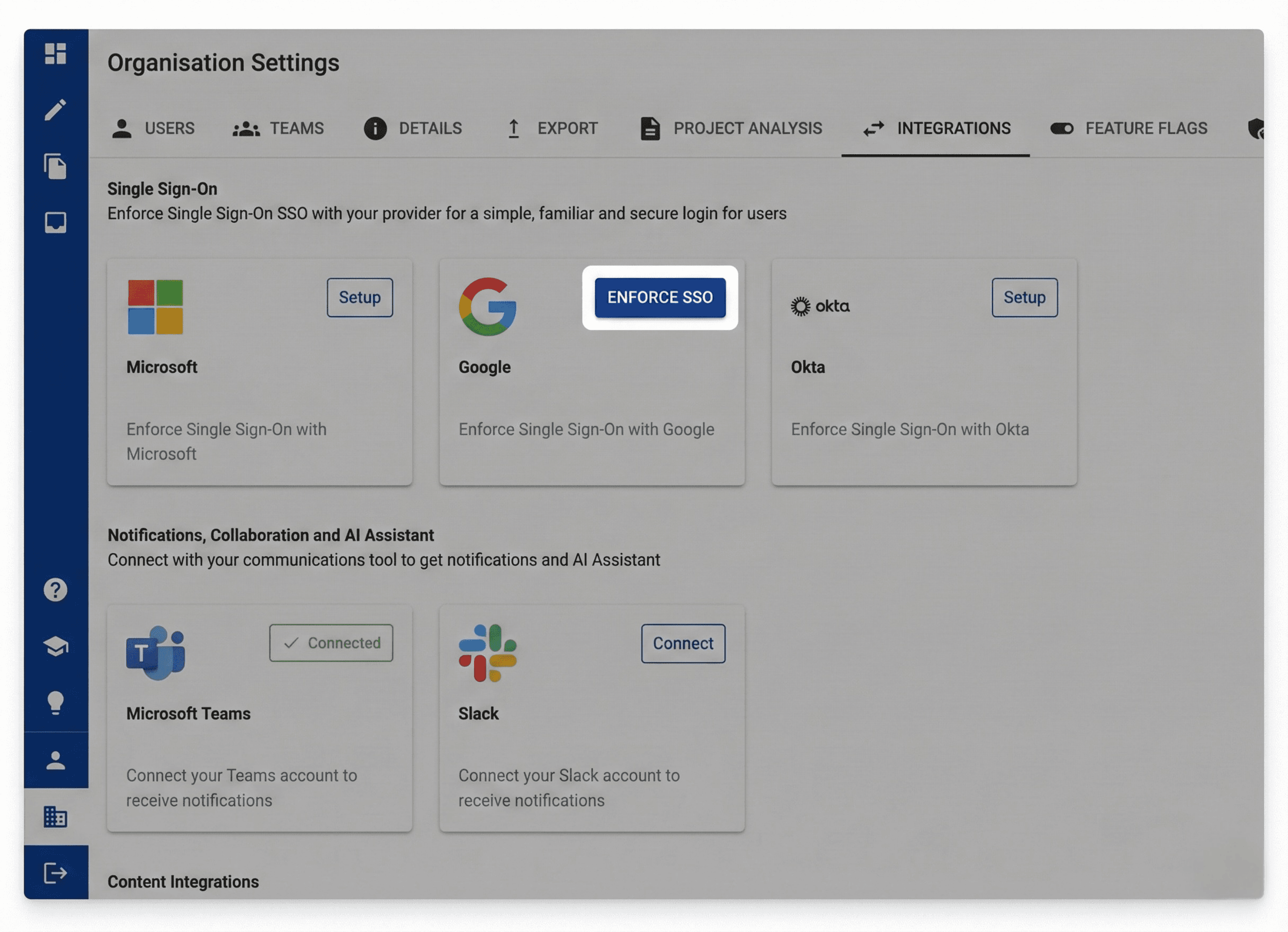
Enable in Organization Settings
Navigate to Organization Settings and select Google as your identity provider. Click Setup and authorize the connection. If your organization uses Google Workspace, your team can start signing in with their work Google accounts immediately.
Match email addresses
Ensure each team member's AutoRFP.ai account uses the same email as their Google Workspace profile. Mismatched emails block authentication. Once aligned, users click "Sign in with Google" and land directly in the platform.
Stay compliant, stay secure
Your Google Workspace security policies apply automatically. MFA requirements, session controls, access revocation. When someone leaves the company, disable their Google account and AutoRFP.ai access ends instantly. No orphaned accounts, no manual cleanup, no gaps in your vendor security posture.