
Responsive (Previously RFPIO) Pricing: Is It Worth It & Alternatives
See Responsive pricing explained. We break down costs, tiers, hidden fees, who it's best for, and compare top alternatives like AutoRFP.

Co-founder & CEO, AutoRFP.ai·Updated ·10 min read
If you’re considering Responsive (previously RFPIO), you’re probably already sold on automating RFPs, but the real question is whether the pricing makes sense for your team. It’s a serious investment, and the value depends heavily on how you work.
In this guide, we’ll walk through Responsive’s pricing, what’s included in each tier, potential hidden costs, the tool’s key strengths and weaknesses, who tends to get the most from it, and the strongest alternative if it’s not the right fit. For a head-to-head with AutogenAI rather than a pricing-only view, read which RFP software fits better between Responsive and AutogenAI.
How Much Does Responsive Cost?
Responsive doesn’t publish hard pricing numbers on its website or marketplaces. Instead, it works on a custom pricing model tailored to each organization’s size, use case, and tech stack. Opaque quotes show up elsewhere too; what Iris charges per active user is another example of sales-led RFP pricing.
You’ll see four Editions listed on the pricing page, such as Lite, Emerging, Growth, and Enterprise, but none of them show a dollar amount. This lack of transparency is common in the industry; for example, you can see how Inventive AI pricing compares in terms of structure and hidden fees in our detailed breakdown, how AutoRFP.ai vs Inventive AI treats a public floor versus a usage quote, or how it stacks up against another legacy player in our Responsive vs Qvidian comparison.
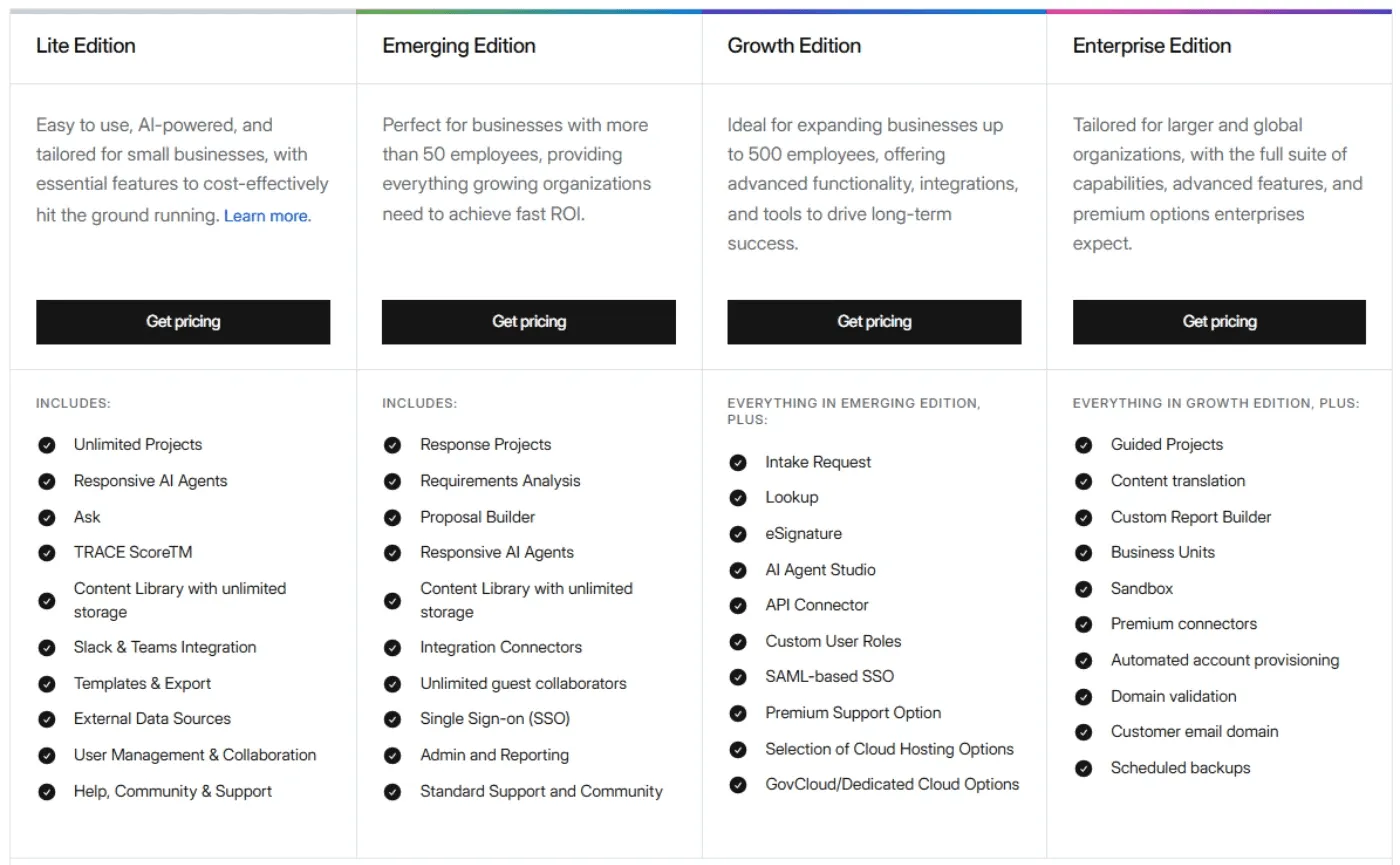
While Responsive’s exact pricing isn’t public, third-party procurement data gives a rough idea of what teams actually pay.
| Pricing factor | Details (based on data from Vendr and Responsive) |
|---|---|
| Monthly cost (Lowest tier) | Estimated $499/user/month, tiered enterprise pricing with sales quotes required |
| Median annual price | Between $6,500 and $28,000 per year |
| Pricing model | Per-user, per-month subscription; costs climb as you add users, advanced AI, and premium integrations |
AutoRFP.ai: An Alternative
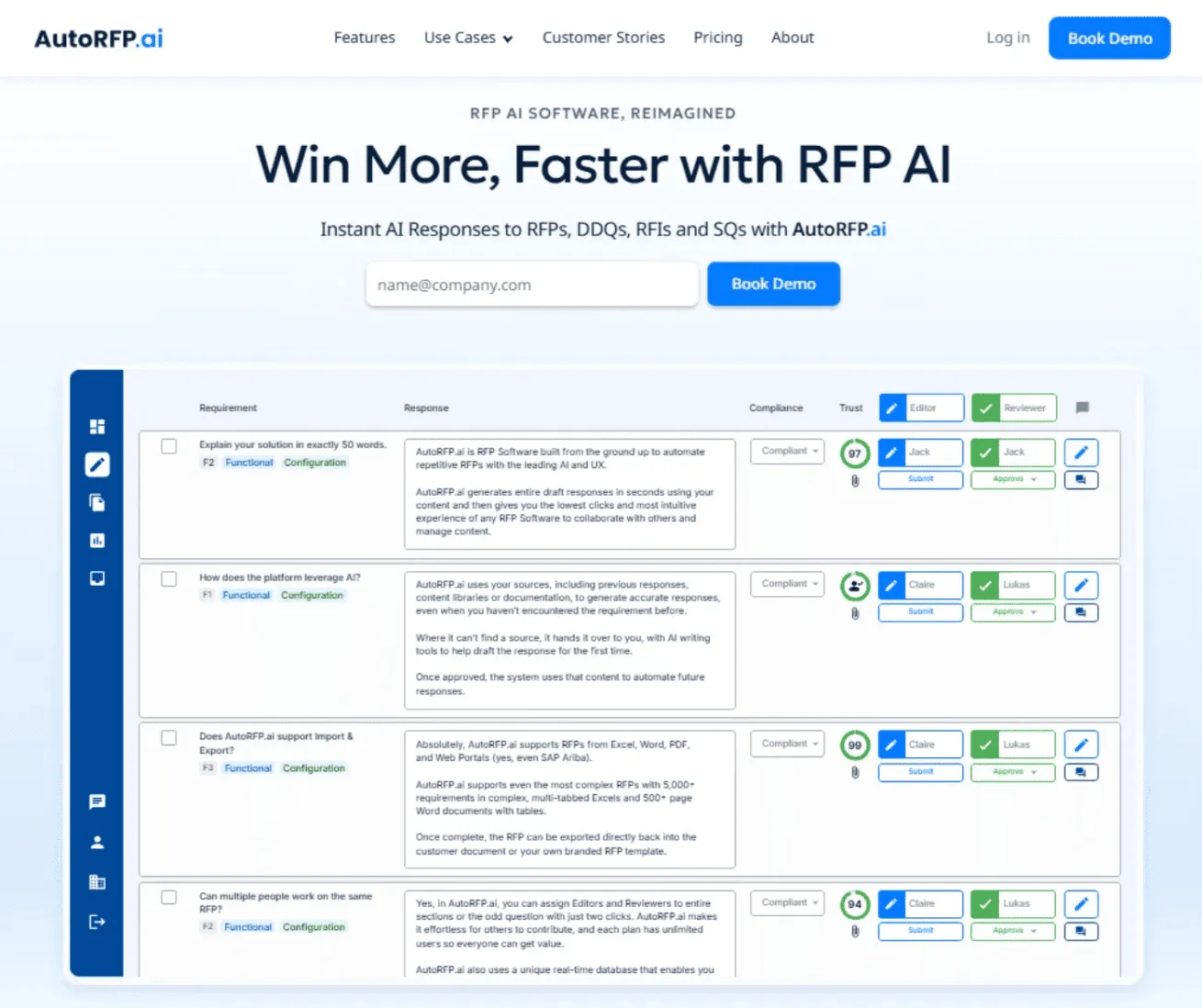
If you want predictable costs, AutoRFP.ai takes a very different approach from Responsive’s opaque, seat-based pricing.
AutoRFP.ai uses transparent, flat monthly pricing based on the number of projects you run per year, not the number of users. All plans are publicly listed, so you know exactly what you’ll pay before you ever speak to sales.
Unlike Responsive, you don’t have to worry about your bill creeping up every time you add a new team member or turn on an advanced feature. Every public AutoRFP.ai plan includes:
Unlimited users
Unlimited AI usage
Unlimited content library
All features are included with zero paid add-ons
SSO, 18+ integrations, ISO 27001 & SOC 2
Implementation, support, and a 30-day money-back guarantee
In practice, that means:
With Responsive, your bill grows every time you add a user or an advanced feature.
With AutoRFP.ai, you can invite as many users as you like and still pay the same flat price for that plan level.
For less than the cost of two estimated Responsive seats (~US$998/month), you can get AutoRFP.ai’s Scale plan at US$899/month with unlimited users included.
| Plan | Price (Billed Yearly) | Features |
|---|---|---|
| Scale | $899/month | 24 projects, unlimited users, AI, content, all features, SSO, 18+ integrations, ISO 27001 & SOC 2, support & online training |
| Accelerate | $1,299/month | 50 projects, Everything in Scale, just with more projects per year (same unlimited users/features stack) |
| Enterprise | Custom | Scalable projects, unlimited users, AI & features, plus bespoke implementation and terms |
*A “project” is any RFP, DDQ, tender, or security questionnaire you work on, regardless of length or number of documents.
Responsive Pricing Plans: A Breakdown
Here’s a clear breakdown of each feature so you can understand what you’re paying for.
1. Core AI & Response Management
All the essentials to import questionnaires, draft answers with AI, and reuse a shared content library.
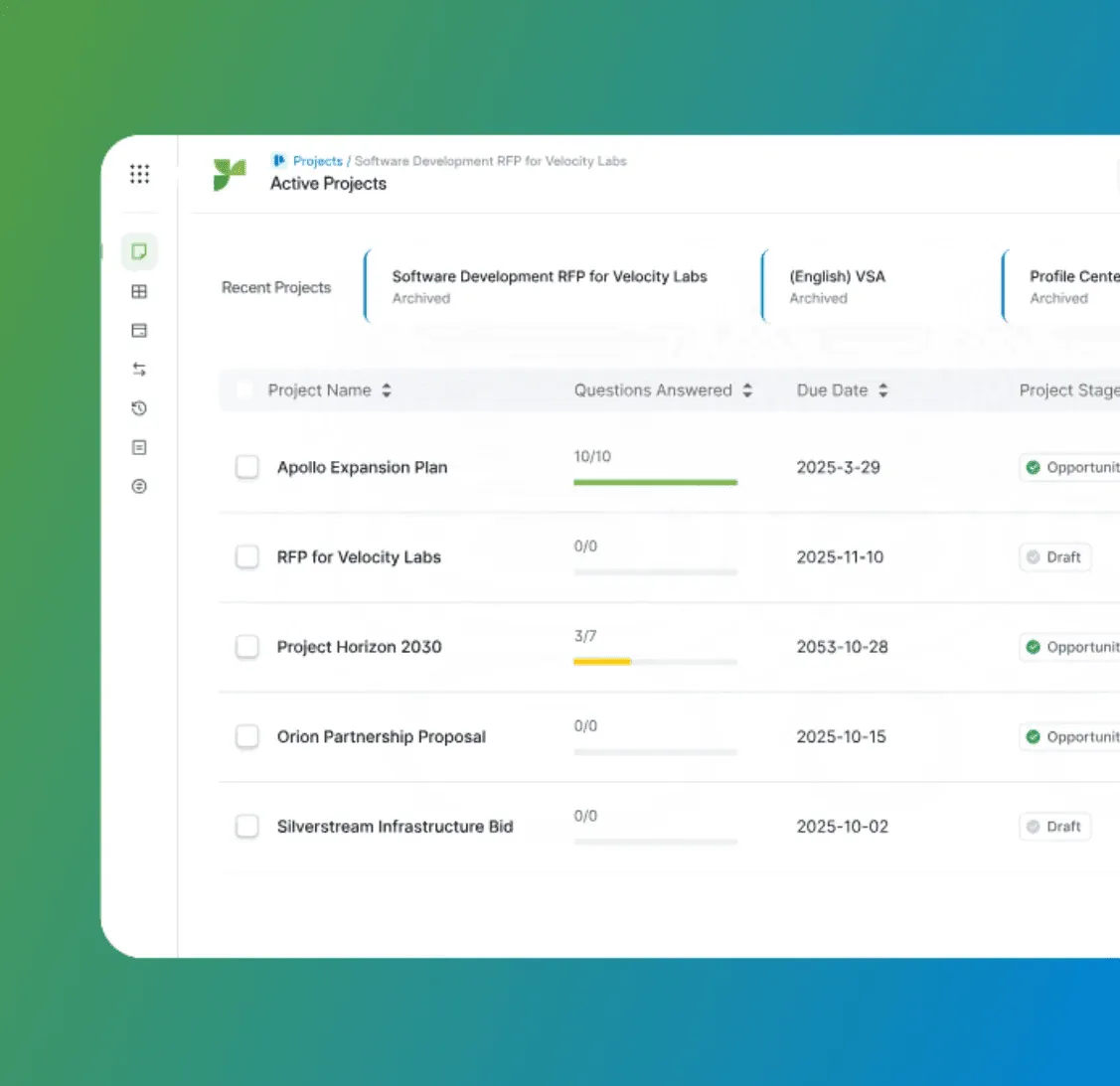
| Plan | What you get |
|---|---|
| Lite | Responsive AI Agents, Ask, and a Content Library backed by external data sources (e.g., Google Drive, SharePoint, public websites). |
| Emerging | Full Response Projects, Requirements Analysis, and Proposal Builder on top of the AI engine, templates, reports, and library. |
| Growth | Same as Emerging, but positioned for larger teams. You’re paying more to unlock additional workflow, integrations, and governance |
| Enterprise | Everything in Growth, plus advanced governance (business units, premium connectors, sandbox, translation) for global or multi-BU orgs |
2. Advanced AI Features
Responsive bundles all core AI into every plan, but the level of automation you get depends on which edition you’re on.
| Plan | What you get |
|---|---|
| Lite | AI-powered content generation, editing, TRACE Score™, and the basic Responsive AI Agents |
| Emerging | Everything in Lite plus Smart Search and collaborator recommendations |
| Growth | Full automation layer: AI Agent Studio, Analysis Agent, Fit Analysis Agent, Executive Summary Agent, Omnichannel Answering Agent, and 10 customizable agents |
| Enterprise | Everything in Growth, plus 20+ custom AI agents, advanced controls, and support for your own OpenAI/Azure account for enterprise-grade governance. |
3. Integrations, API & “Work Where You Work”
It covers the Responsive’s connector layer (CRM, cloud storage, collaboration, sales enablement, support tools), plus the API connector and LookUp, which bring library answers into other apps.
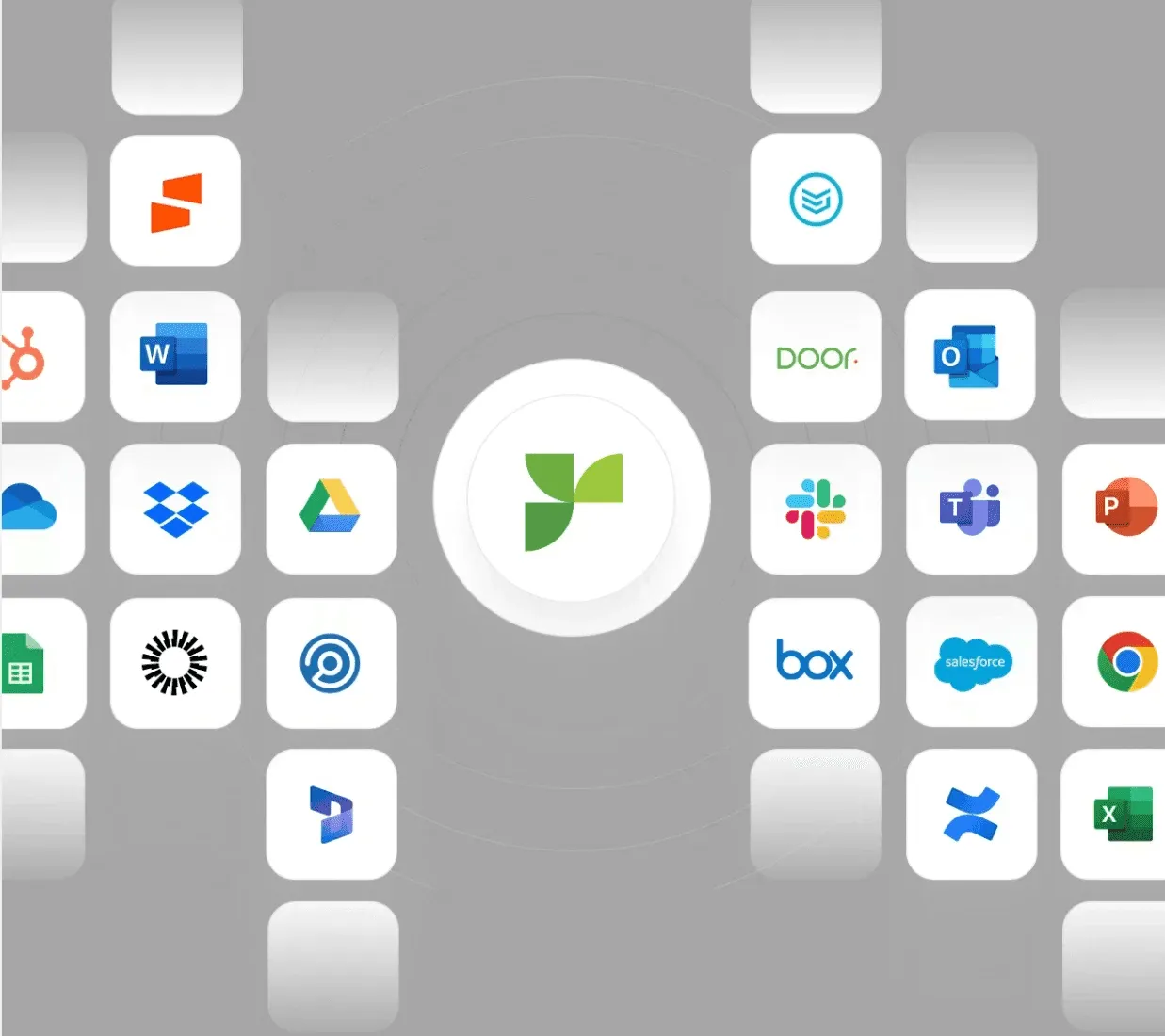
| Plan | What you get |
|---|---|
| Lite | Basic collaboration integrations (Slack/Teams) and export/templates |
| Emerging | Core CRM, cloud storage, collaboration, sales enablement, and developer connectors. |
| Growth | API Connector, LookUp (answer-in-context from the library inside apps like Office), plus more robust integration options. |
| Enterprise | Everything in Growth plus “premium” connectors like Whistic and Door is included |
4. Governance, Scale & “Big-Company” Features
Everything that appeals to large or regulated orgs: custom roles, business units, sandbox environments, advanced reporting, and translation/globalization.
| Plan | What you get |
|---|---|
| Lite | Core admin and support only |
| Emerging | Standard admin center, SSO, data-retention policies, and standard reports. Custom Report Builder, Content Translation |
| Growth | Adds Custom Roles out of the box and lets you buy Business Units and Sandbox as add-ons to split content by BU and safely test changes |
| Enterprise | Business Unit and Sandbox, Content Translation, connectors, and Custom Report Builder, with dedicated or GovCloud hosting |
Responsive Hidden Costs
Responsive’s pricing isn’t transparent, so teams often only discover extra fees after speaking with sales. Here are the main areas where hidden costs can appear:
1. Business Units & Sandbox Environments
If your company operates across multiple teams, brands, or regions, you may need Business Units and Sandbox instances, both of which typically require Enterprise-level pricing or additional fees.
2. Governance, Reporting & Global Content
Business Units, Sandbox environments, Content Translation, and Custom Report Builder aren’t included in most plans. These upgrades are required for multi-region teams or anyone who needs deeper reporting and controlled content segmentation.
3. High-Security Deployment Options
GovCloud and Dedicated Cloud hosting are not available on lower tiers. Even higher plans don’t include them by default; these come with additional fees.
4. Professional Services & Support
Standard Data Migration, Premium Onboarding, and Premium Support Packages are not bundled into the subscription. Teams pay extra for help migrating content, configuring workflows, or accessing higher-priority support.
Responsive Pros & Cons
Here’s a quick look at where Responsive performs well and where it still needs improvement.
Pros
Strong enterprise-grade RFP automation with reliable AI drafting and content reuse.
Robust collaboration tools for coordinating SMEs, approvals, and multi-team workflows.
Wide integration ecosystem connecting to CRMs, cloud storage, and security platforms.
Cons
No transparent pricing, making it hard for teams to estimate real costs upfront.
Steep learning curve, with an interface many users find unintuitive.
Navigation issues, where moving between projects, library items, or workflows feels slower than expected.
Inaccurate AI recommendations are causing challenges when managing or trusting Q&A content.
Inefficient search functionality often fails to surface exact phrases or relevant answers.
Implementation-heavy, requiring time and support to set up content libraries and workflows properly.
Responsive is often evaluated as an Arphie alternative, especially by organizations that prioritize large-team collaboration, detailed governance, and advanced AI features
Who is Responsive best for?
If you’re unsure whether Responsive matches your needs, here’s who it’s built for.
1. Enterprise & Upper Mid-Market B2B Vendors
Large organizations selling complex products or services to enterprise or government typically handle high volumes of RFPs, RFIs, DDQs, and security questionnaires.
What they care about
Managing dozens or hundreds of questionnaires efficiently
Reducing turnaround time without sacrificing accuracy
Strong governance, controls, and compliance features
Keeping content consistent across global teams
How Responsive Fits
Centralizes all responses, templates, and content for consistency and reuse
Provides workflow controls, approvals, and role-based access for large teams
Helps reduce manual work and standardize outputs at scale
2. Dedicated Bid, Proposal & RFP Teams
Teams responsible for writing, coordinating, and submitting high-stakes proposals often work across departments and with subject-matter experts.
What they care about
Avoiding version-control chaos and duplicated work
Faster collaboration with SMEs and reviewers
Meeting deadlines while producing high-quality responses
Having one reliable source of approved answers
How Responsive Fits
Offers a unified workspace for assignments, comments, deadlines, and approvals
Reuses vetted content through the answer library to speed up drafting
Provides dashboards that help track progress across multiple concurrent bids
3. InfoSec, Security & Compliance Teams
Teams responsible for managing security questionnaires, DDQs, compliance forms, third-party risk requests, and vendor due diligence documentation.
What they care about
Responding quickly to repetitive, high-volume questionnaires
Ensuring answers stay accurate, compliant, and up to date
Reducing time spent chasing SMEs for the same information
Centralizing security content for consistency across submissions
How Responsive Fits
Stores vetted security responses in a structured library for easy reuse
Profile Center and Requirements Analysis help complete DDQs faster
Ensures accuracy and auditability across all compliance submissions
Responsive Customer Reviews
Here’s what users really think about using Responsive:
Positives
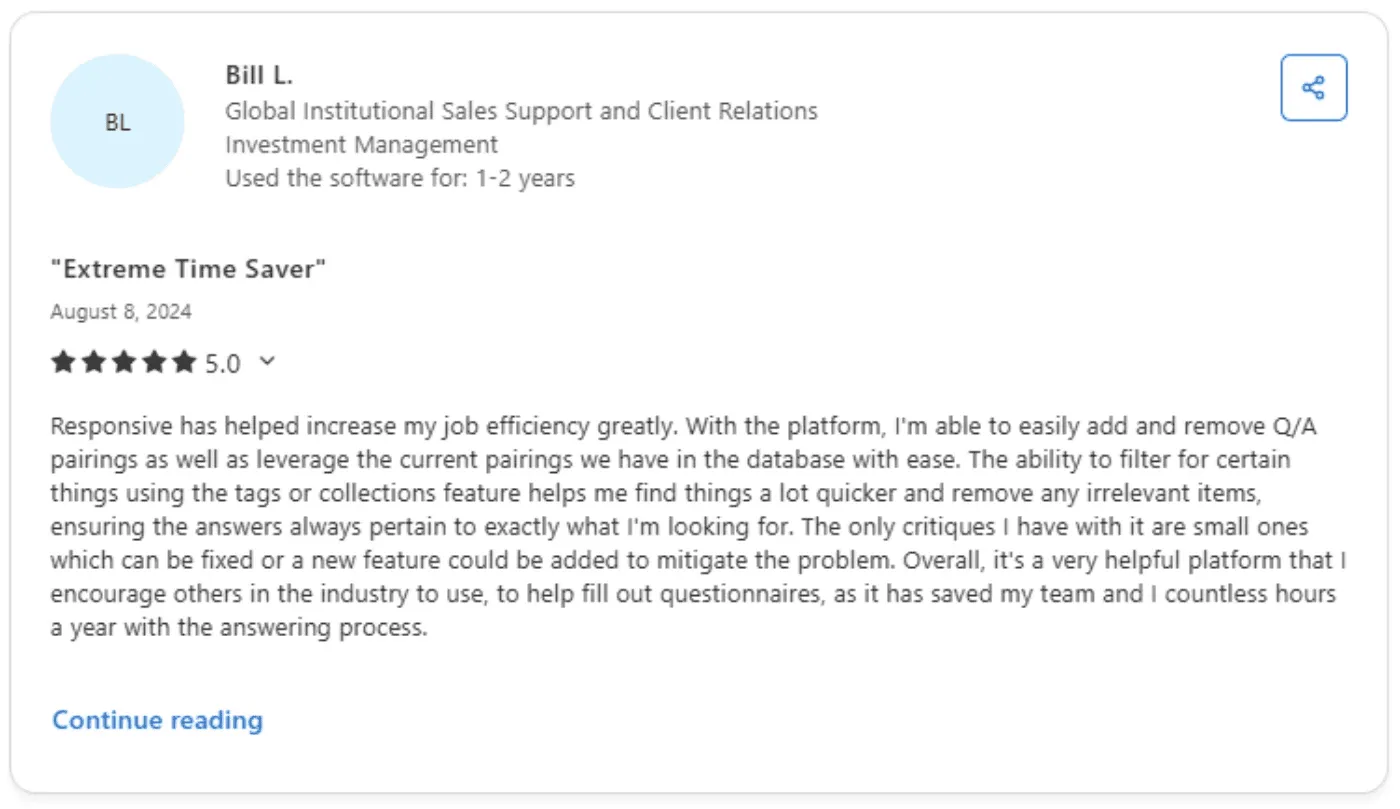
- Bill L., Investment Management Manager, wrote that Responsive streamlines Q/A management, helps him find answers quickly, and saves his team countless hours. Aside from a few minor issues, he says the platform is highly effective and worth recommending.
Complaints
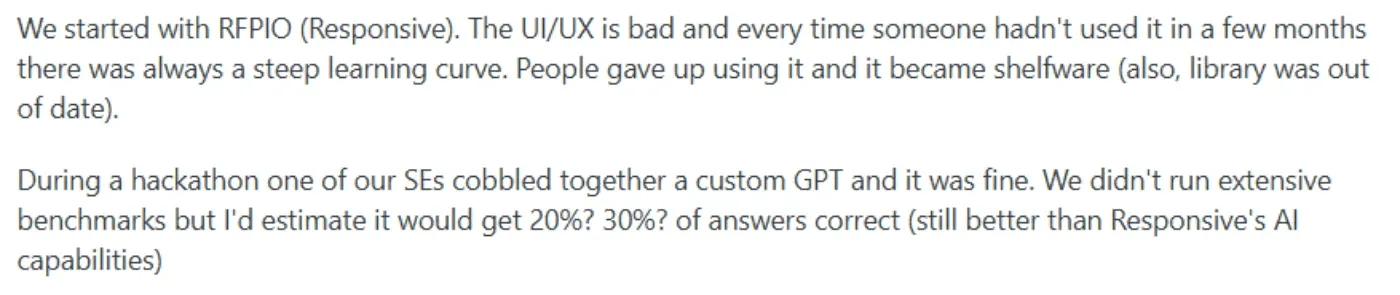
- One Reddit user stated that their team stopped using Responsive because of its poor UI/UX and steep relearning curve. After a few months away, users couldn’t navigate it, the content library fell out of date, and the tool ultimately became shelfware.
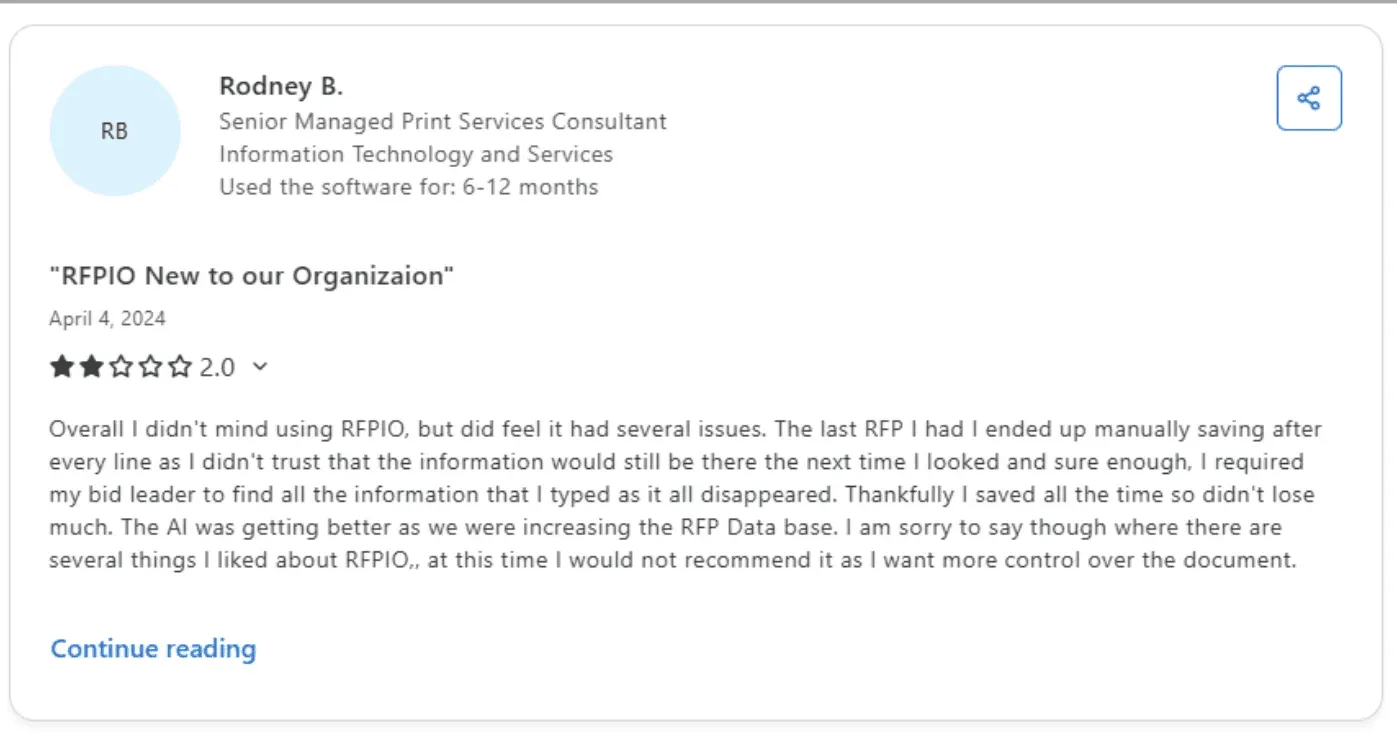
- A user from the IT industry mentioned that Responsive’s reliability issues forced them to manually save everything, as content sometimes disappeared. Although the AI improved over time, they still wouldn’t recommend the tool due to limited document control.
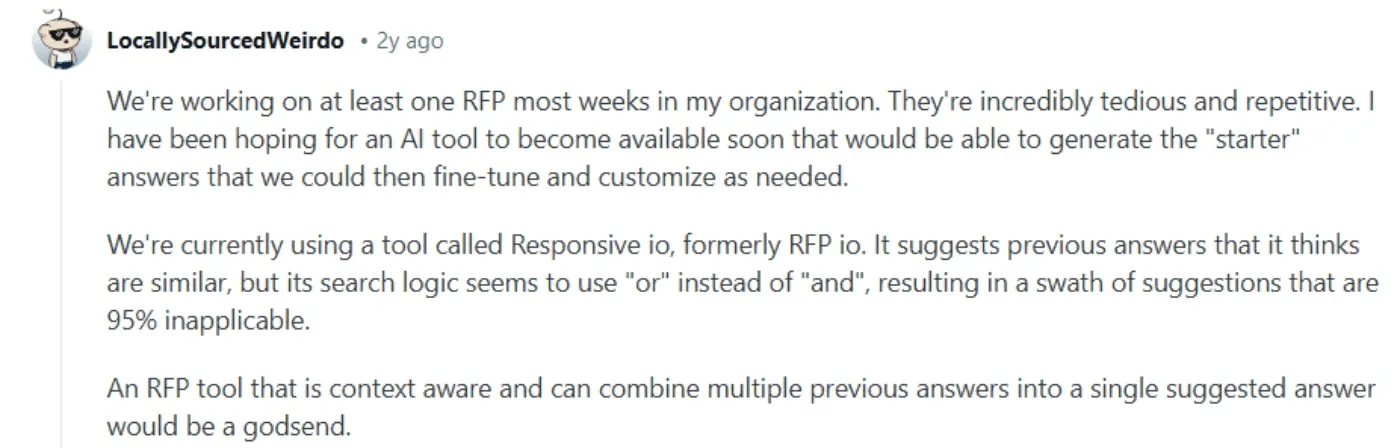
- A frustrated Reddit user said that Responsive’s answer suggestions are largely unhelpful because its search logic behaves like an “OR” search, resulting in recommendations that are mostly irrelevant.
Alternative To Responsive: AutoRFP.ai
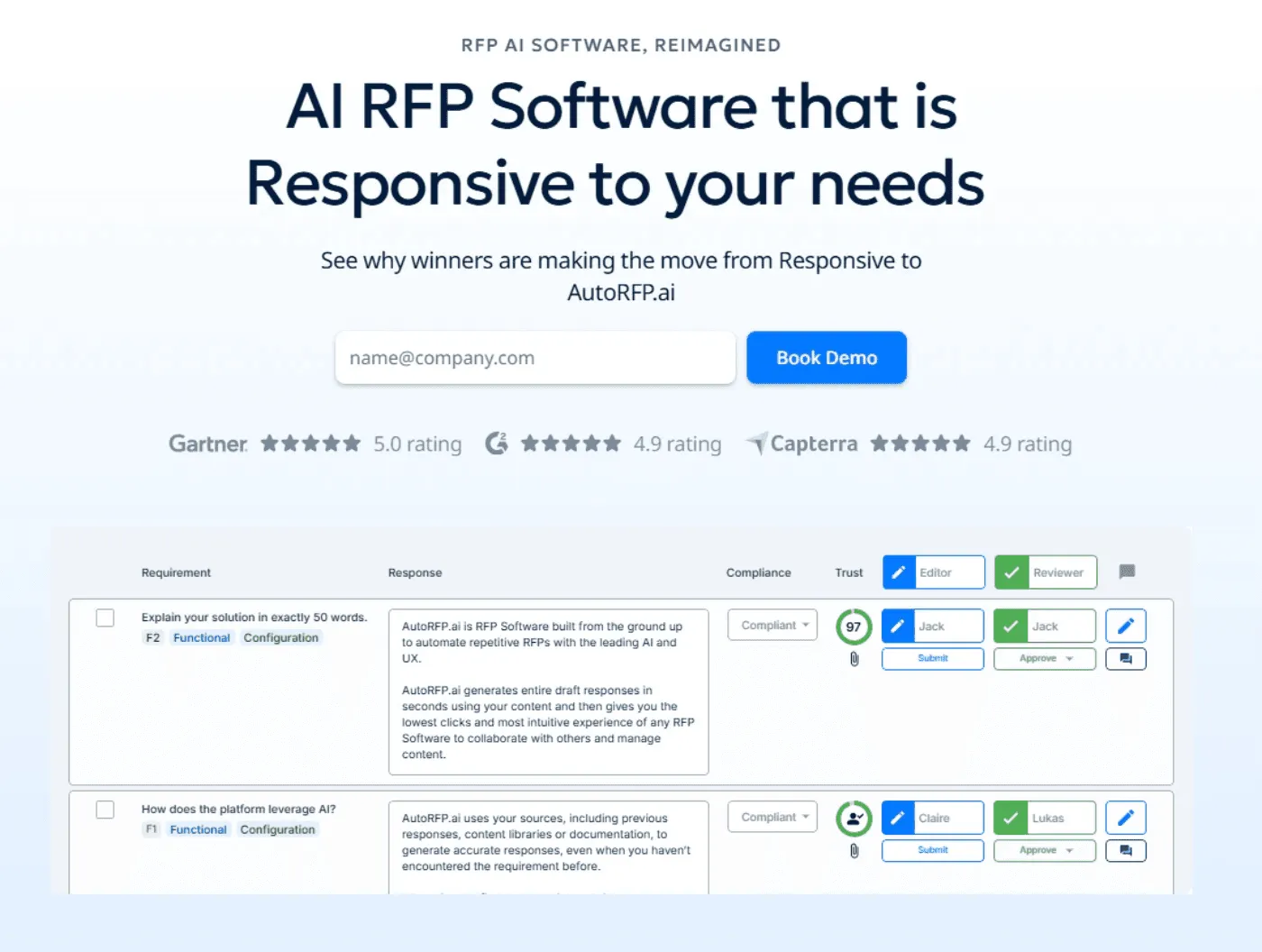
Why AutoRFP.ai Is a Stronger Alternative to Responsive
AutoRFP.ai isn’t just cheaper; it fixes the core pain points teams face with Responsive. For fast-moving or scaling teams carrying too much routine library upkeep, it builds on their existing content with more automation and customer-controlled review.
1. Transparent, Predictable Pricing
Responsive uses custom quotes that increase with each new user or feature.
AutoRFP.ai: Transparent, flat monthly pricing published publicly.
Unlimited users on every plan
All features included with no paid add-ons, no hidden tiers
Grow your team without growing your bill
Invite editors, reviewers, and SMEs with one click
| Plan Name | Plan Cost |
|---|---|
| Scale | $899/month |
| Accelerate | $1,299/month |
| Enterprise | Contact sales |
Result: You never get penalized for collaborating with a bigger team.
2. Keyword Search vs. Semantic Search
Responsive depends on keyword matching, so you only find content if you use the exact tags your team applied.
AutoRFP.ai: Semantic Understanding
Understands meaning, not just keywords
Search “GDPR compliance” → returns every relevant privacy, data protection, and EU regulatory answer.
Automatically discovers relationships between responses
Finds relevant content even when wording or tags differ
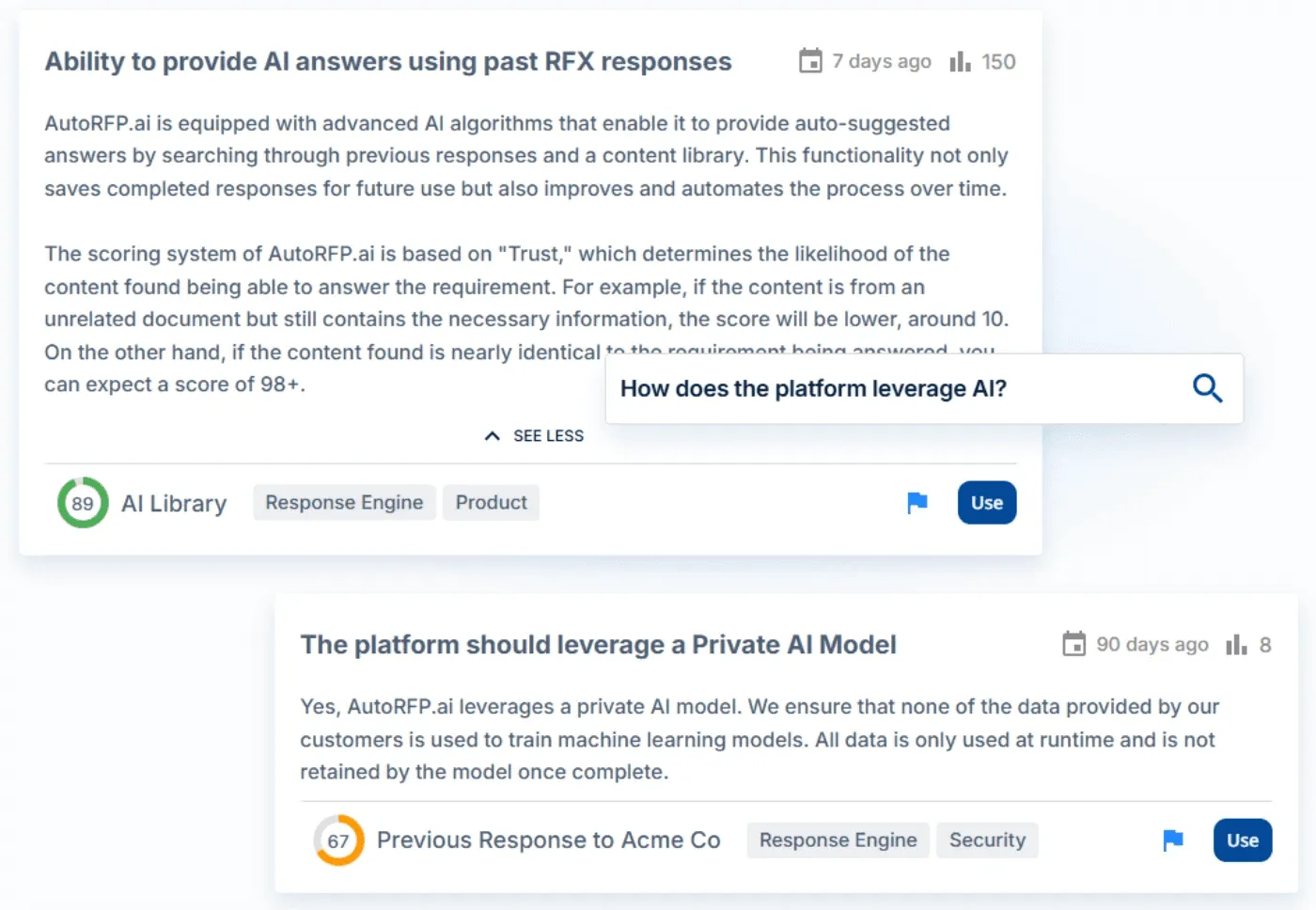
Result: You get the right answer immediately, even if your team labeled it differently.
3. Existing Library, Less Routine Upkeep
Responsive requires building and maintaining a manual content library that quickly becomes outdated.
AutoRFP.ai: A Library That Maintains and Improves Itself
Bring your existing library across with answers, categories, and metadata preserved
Approved RFP answers are captured automatically for future reuse
Connected-source updates help the library stay current as the business changes
Content owners keep control of tags, curation, review, and approval
Result: Teams keep the library and working practices they trust, while automation removes more of the routine upkeep.
Key Features of AutoRFP.ai
Here are the key features that make AutoRFP.ai a stronger, faster, and more scalable alternative to Responsive:
AI Answer Engine That Learns From You
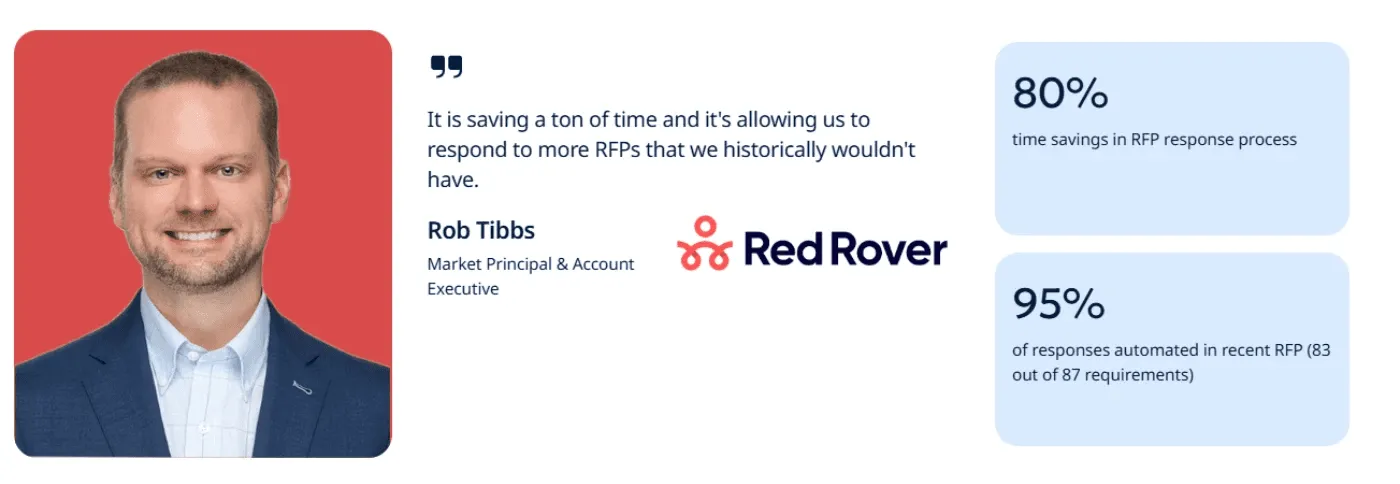
AutoRFP.ai generates accurate first-draft answers in seconds by learning from your approved responses, documents, and knowledge base.
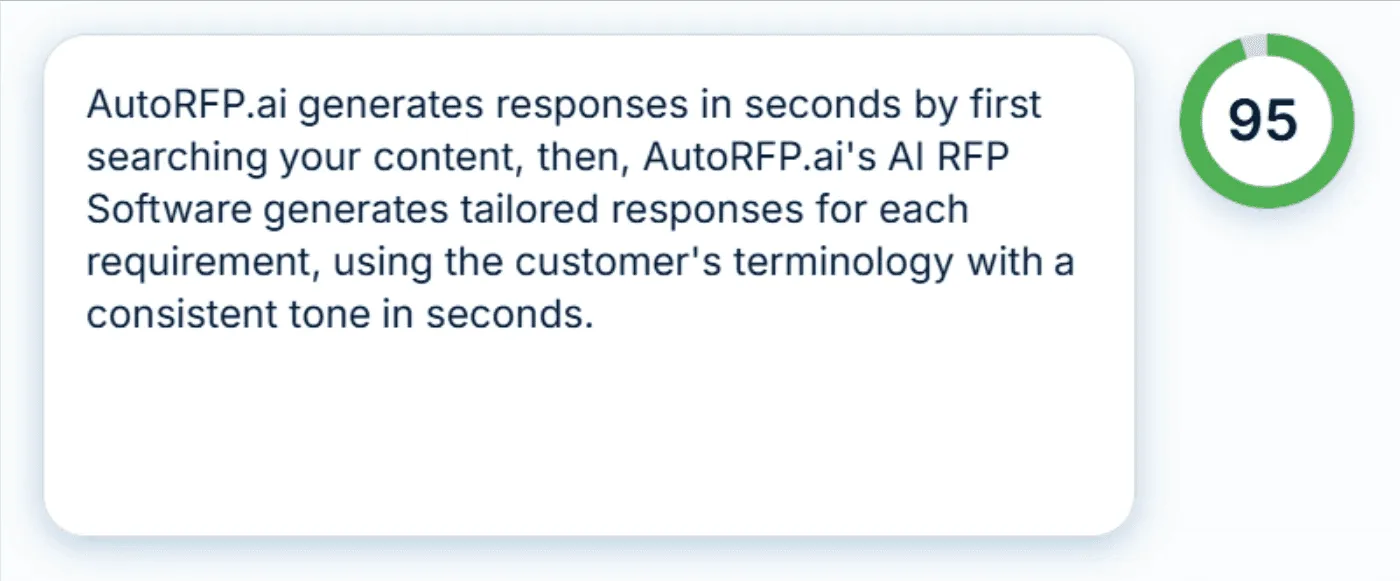
Teams report 80% time savings in the RFP response process, resulting in hours of manual writing saved.
Unlimited Users With Real-Time Collaboration
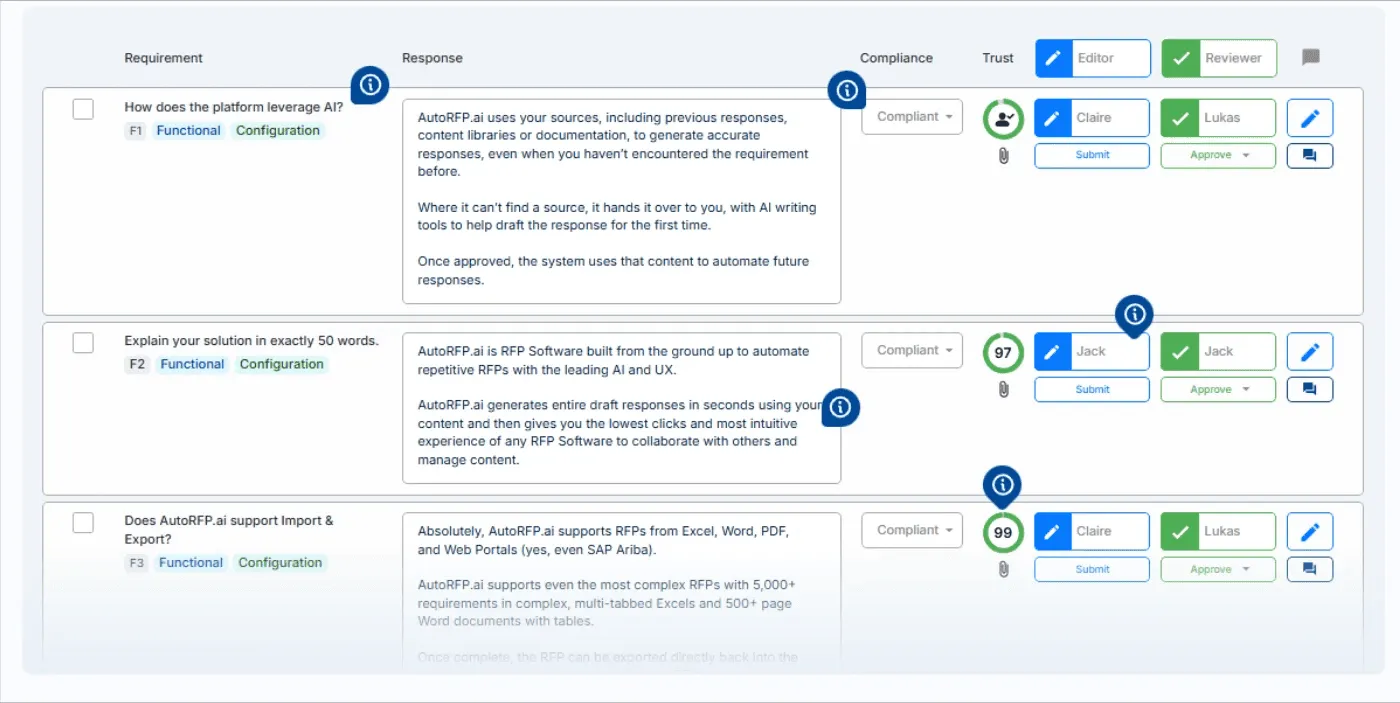
Invite as many users as you need, editors, reviewers, SMEs, or sales representatives, all without increasing your bill. Assign roles in one click, collaborate in real time, and ensure every answer stays consistent with shared content and approval workflows.
Integrations That Keep Everything in Sync
Connect AutoRFP.ai with tools like Salesforce, Slack, and Microsoft Teams to centralize content, streamline notifications, and keep your knowledge base continuously updated across your workflow.

Does Responsive pricing fit your budget?
Responsive can pay off if you’re a large, process-heavy team that lives in RFPs and needs deep governance.
For everyone else, the opaque, seat-based pricing is hard to justify. If you want transparent costs, unlimited users, and faster answers out of the box, AutoRFP.ai will likely be a better fit.
Book Demo now.
About the author

Co-founder & CEO
Co-founder and CEO of AutoRFP.ai. Spent 7 years running global RFPs and personally completed 500+ RFPs before founding the company.
LinkedIn
