
2026 Sales Enablement Automation: Benefits, Solutions & More
Discover how sales enablement automation removes manual sales friction, improves productivity, and scales revenue teams using modern workflows and AI tools.

Ops Lead, AutoRFP.ai··10 min read
Most sales enablement programs don’t fail on day one. They fail slowly as headcount grows, product lines expand, and content gets scattered across drives, wikis, and old Slack threads.
Reps cannot find what they need, ops is buried in manual tasks, and leadership wonders why “enablement” isn’t moving the revenue. Sales enablement automation turns that mess into workflows that run every day, not one-off campaigns, which is a core part of AI sales enablement.
In this guide, we’ll define sales enablement automation, explain why enablement breaks as revenue teams scale, and show what automation looks like in practice.
We’ll also walk through how to set it up, the business impact you should expect, and the best sales enablement automation solutions to evaluate for 2026.
What Is Sales Enablement Automation?
Sales enablement automation is the use of software and workflows to automate the repeatable work that helps sales teams sell consistently, so reps spend less time searching, formatting, and chasing approvals, and more time having high-quality customer conversations.
It typically automates things like:
Content delivery: Surfaces the right assets for each deal.
Single-source-of-truth content: Updates once**;** pulls the latest approved answers.
Guided selling: Provides playbooks and next steps for consistent responses.
Follow-ups and sequences: Speeds replies and reduces repetitive questions.
Training and coaching support: Assigns learning, tracks completion, and reinforces messaging.
Pipeline visibility and handoffs: Standardizes ownership and removes “who’s doing what?” meetings.
Usage and impact tracking: Shows what content gets used, what buyers engage with, and what correlates with wins.
“Gone are the days when revenue enablement was all about pushing content and training onto your sales team. With the rise of AI, specifically large language models (LLMs), everything has changed.” – Mike Fetters, CEO of Formidable Minds
Why Does Sales Enablement Break as Revenue Teams Scale?
Here’s why sales enablement breaks as revenue teams scale, and how it shows up day to day.
| Why does it break at scale | How it shows up |
|---|---|
| Capacity cliffs | Proposal and deal support quality drops, approvals pile up, and cycle times stretch as volume outpaces the enablement engine. |
| Ownership gets diffuse | Handoffs get messy, accountability blurs, and teams spend time debating who owns each section and the next step. |
| Personalization breaks | Outreach turns generic because reps cannot tailor messaging fast enough across segments, which hurts conversion rates. |
| Knowledge silos and content overload | Reps waste time searching, reuse outdated answers, and ship inconsistent messaging because the right content is hard to find. |
| Cross-team misalignment | Marketing content goes unused, and customer success struggles to deliver on sales promises, creating a fragmented buyer journey. |
| Heroics replace process | Results depend on a few top performers, so performance varies wildly, and scaling becomes fragile and exhausting. |
| Tech stack sprawl | Too many disconnected tools create constant context switching, duplicate data entry, and more admin than selling. |
What Sales Enablement Automation Looks Like In Practice
In practice, sales enablement automation looks like workflows that trigger at the right moment, keeping execution consistent and timely. Let’s look at some examples.
1. Automated Content Management and Personalization
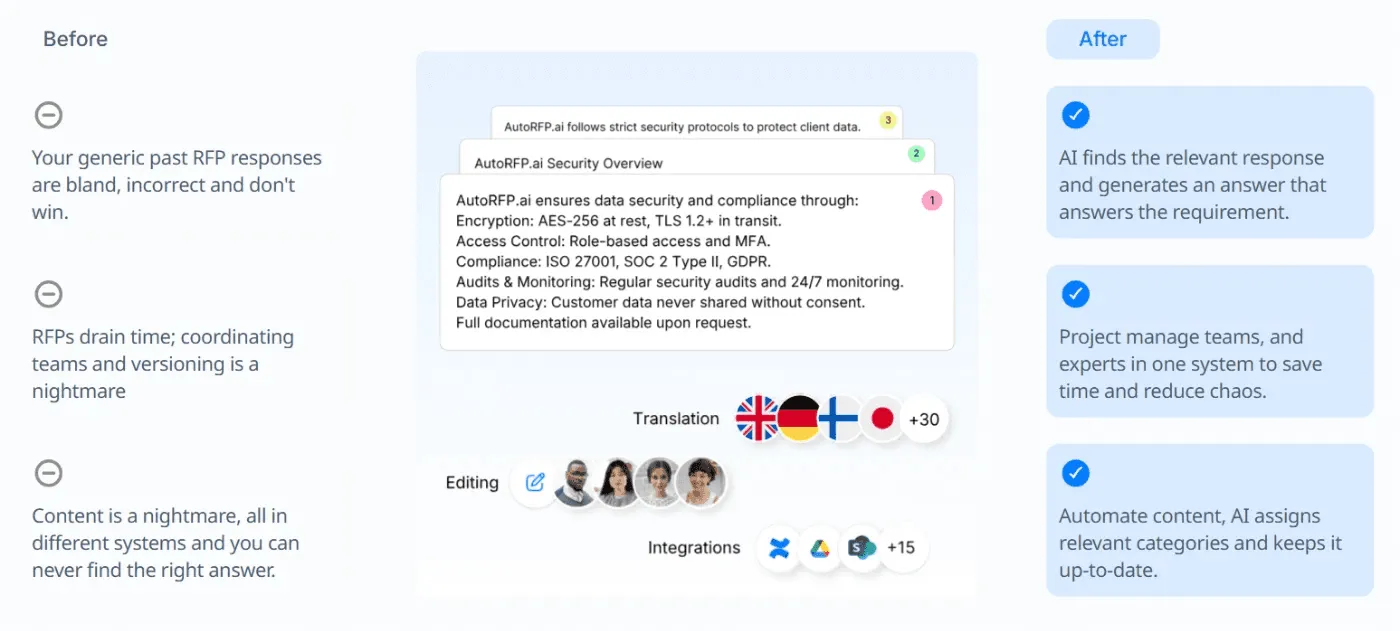
Sales teams stop hunting through shared drives and start pulling the right, compliant assets from a single source of truth. When product updates ship, you update the source once, and every linked deck, one-pager, and template stays current automatically.
How this workflow runs:
Reps search once and pull the latest approved assets instantly.
Deal stage changes trigger recommended next assets like decks and security docs.
Content bundles are personalized by industry and persona using CRM fields.
Updates to the source refresh every linked asset automatically.
Example
- When the product team has new features, sales proposal automation updates the source once, and every downstream asset refreshes automatically.
Side note: For RFPs, DDQs, SQs, and tenders, you can keep your content library current with an AI RFP tool like AutoRFP.ai, reuse them consistently, and get responses in seconds.
2. On-Brand Response Standardization
AI trained on approved messaging standardizes how reps describe features, pricing, competitors, and security claims across every sales touchpoint.
3. New Rep Onboarding That Actually Sticks
Onboarding works best when it is role-based, automated, and reinforced in the flow of work, not treated as a one-time bootcamp.
How this workflow runs:
Trigger onboarding the moment a rep is added to the CRM.
Auto-assign modules by segment, product line, and region.
Require proof of readiness, like quizzes, call shadow sign-offs, and talk track recordings.
Notify the manager when milestones slip and propose a catch-up plan.
4. Workflow Automation for Productivity
This workflow offloads repetitive tasks, so reps spend more time selling and less time doing admin work.
Common automations:
Email sequences that trigger based on prospect actions.
CRM auto-logging for emails, calls, and meeting notes.
Meeting scheduling links that remove back-and-forth.
5. Data-Driven Insights for Content Impact Tracking and Optimization
This workflow connects content changes to deal outcomes so you can see what improved, what stalled, and what still needs rewrites.
What this workflow tracks:
Win rates before and after content updates.
Cycle time and stage conversion shifts after messaging changes.
Content usage and where reps still rewrite heavily.
Content ROI by tying asset usage to pipeline outcomes.
How To Set Up Sales Enablement Automation
Here’s how to build sales enablement automation that stays current, gets used, and drives measurable deal impact.
Step 1: Set Clear Goals And Success Metrics
Decide what “better” means so you only automate what moves revenue.
Pick 2 to 3 outcomes like faster ramp, higher conversion, shorter cycle time.
Choose sales enablement KPIs like deal velocity, stage conversion, win rate, and content usage.
Set a baseline so you can prove improvement after rollout.
Step 2: Map Your Sales Process To The Buyer Journey
Document how deals actually move so automations trigger at the right moment.
List stages with entry and exit criteria, plus top buyer questions per stage.
Map the right assets, snippets, and talk tracks to each stage and persona.
Define required handoffs and approvals for high-risk steps.
Step 3: Build A Single Source Of Truth For Content
Centralize approved messaging so reps can send the right thing every time.
Store decks, one-pagers, battlecards, templates, and approved answer snippets.
Add owners, expiry dates, permissions, and version control.
Standardize naming so search and recommendations work.
Step 4: Clean CRM Data And Define Trigger Fields
Automation only works when your fields are consistent and trusted.
Standardize key fields like stage, persona, industry, region, and product line.
Align lifecycle definitions so routing and reporting match reality.
Reduce free-text fields where possible to avoid messy segmentation.
Step 5: Integrate Your Core Systems
Connect your RevOps tech stack so content, activity, and outcomes are measurable end to end.
Integrate CRM, content hub, email, calendar, chat, and file storage.
Ensure content usage is tracked and tied to opportunities.
Set access controls so reps only see compliant assets.
Step 6: Launch Two High-Impact Workflows First
Start small with workflows that remove daily friction and drive adoption fast.
Stage change triggers recommended content bundles and next best actions.
Automated follow-ups and CRM auto-logging reduce admin work.
Standardized answers handle repetitive questions with approved language.
Pilot with one team, then roll out once data quality is stable.
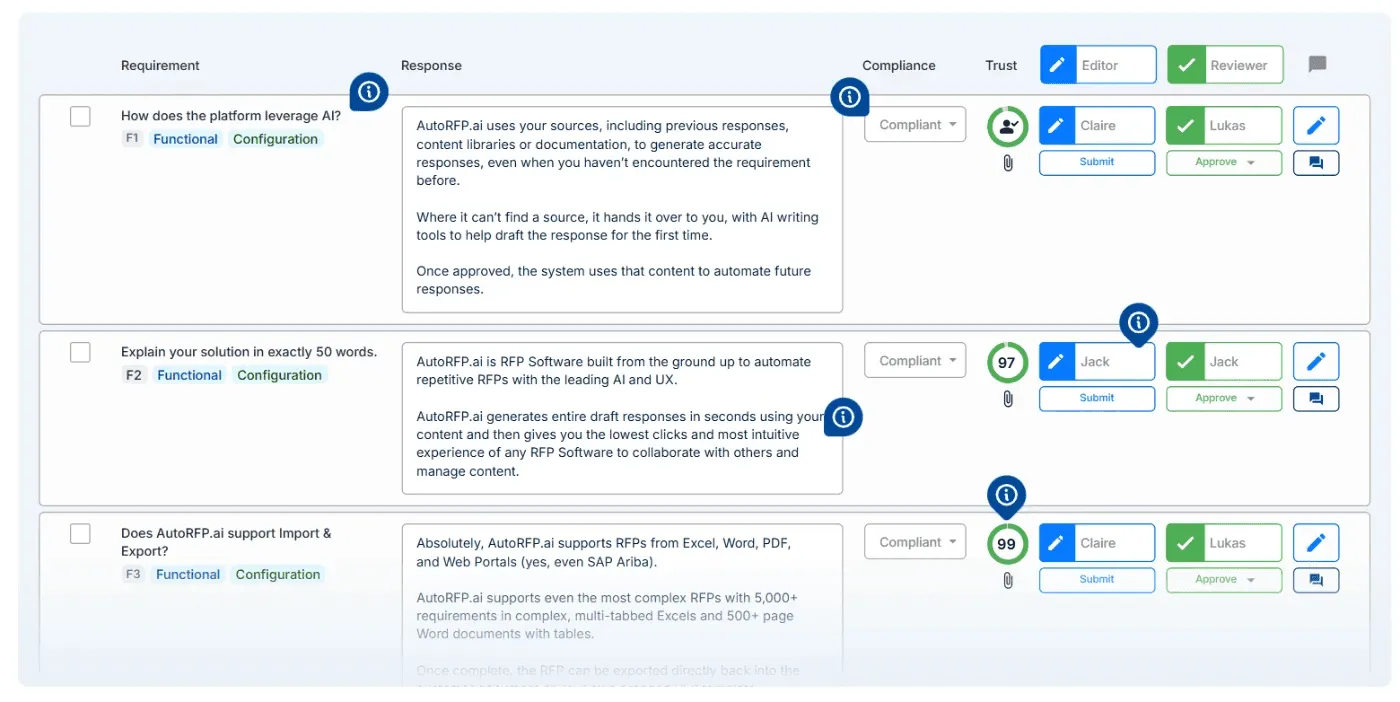
Pro tip: If RFPs are a major deal stage for your team, AutoRFP.ai automates first drafts and keeps responses consistent across reps.
Step 7: Measure, Coach, And Optimize Continuously
Use performance signals to refine content, workflows, and training over time.
Track win rates, cycle time, stage conversion, and content usage weekly.
Compare win rates before and after content updates to prove impact.
Use call recording and coaching prompts to reinforce messaging in the flow of work.
The Positive Business Impacts of Sales Enablement Automations
Let’s look at the business results teams typically evaluate once sales enablement automation is in place.
| Business impact | What it improves for the business |
|---|---|
| More content reuse and less rework | Automated libraries drive real reuse, so teams spend less time rewriting and fixing repeated issues. 59% of high-win teams use content library automation |
| Higher deal values | Structural enablement can increase deal size by 14%, and some teams even double the average selling price. |
| Higher win rates and forecast accuracy | Organizations with enablement report a 49% win rate on forecasted deals, which improves predictability |
| Higher customer retention | Companies that execute sales enablement well report up to 60% higher retention |
| Improved sales productivity | With about 64.8% of a rep’s time historically spent on non-selling work, automation can give back hours each week for actual selling. |
| Better quota attainment | Best-in-class enablement is associated with 84% quota achievement, which stabilizes revenue outcomes. |
Best Sales Enablement Automation Solutions
Not every “enablement tool” automates the work, and here are the sales enablement automation solutions worth evaluating, along with the criteria that matter most.
If you are building your infrastructure from scratch, you can also explore our breakdown of the foundational sales enablement tech stack requirements
1. AutoRFP.ai
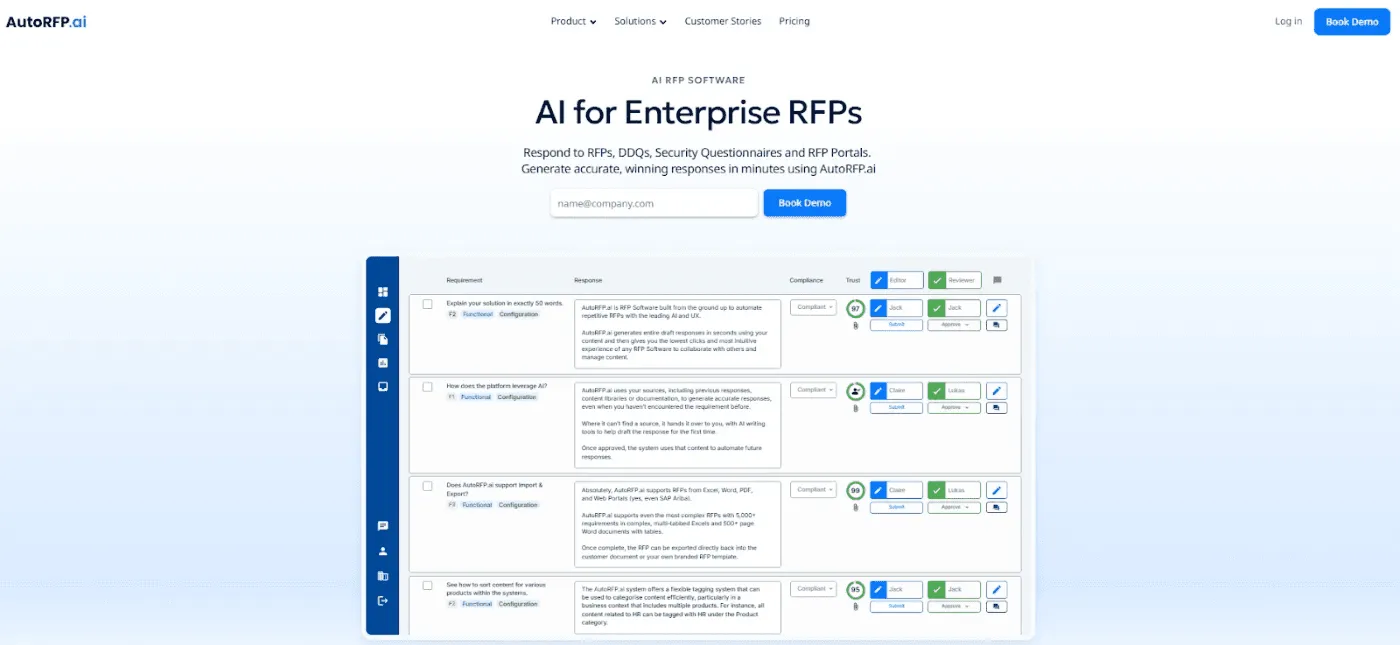
AutoRFP.ai is an AI RFP software used by proposal and sales enablement teams to keep deal execution moving. It automates first-draft RFP, DDQ, and security questionnaire responses using your organizational context and prior submissions, reducing bottlenecks and improving throughput.
Key Features
These are the features of AutoRFP.ai that make it an excellent AI RFP software for sales enablement teams.
1. Scale Response Quality Without Adding Headcount
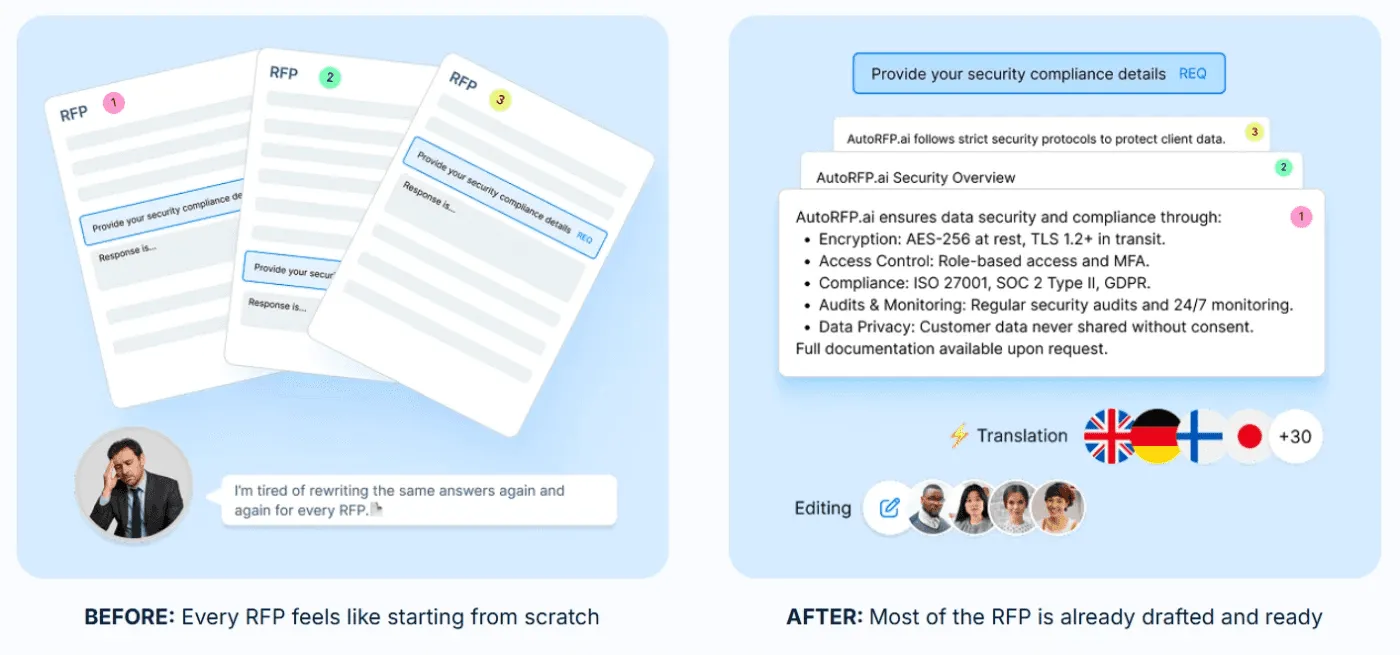
Automate on-message first drafts so every rep answers consistently, and your positioning stays tight across every RFP.
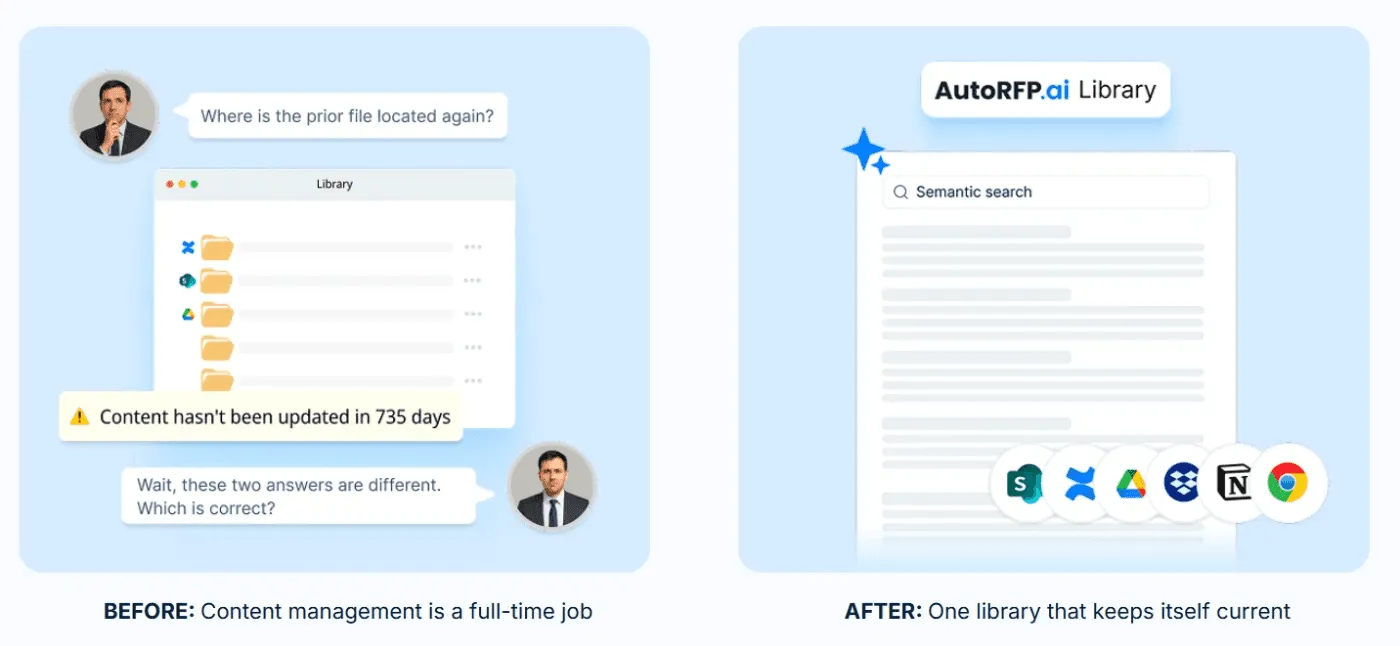
2. One Source, Always Current
Pull the latest approved messaging from source docs automatically, so outdated specs and old slides never slip into proposals.
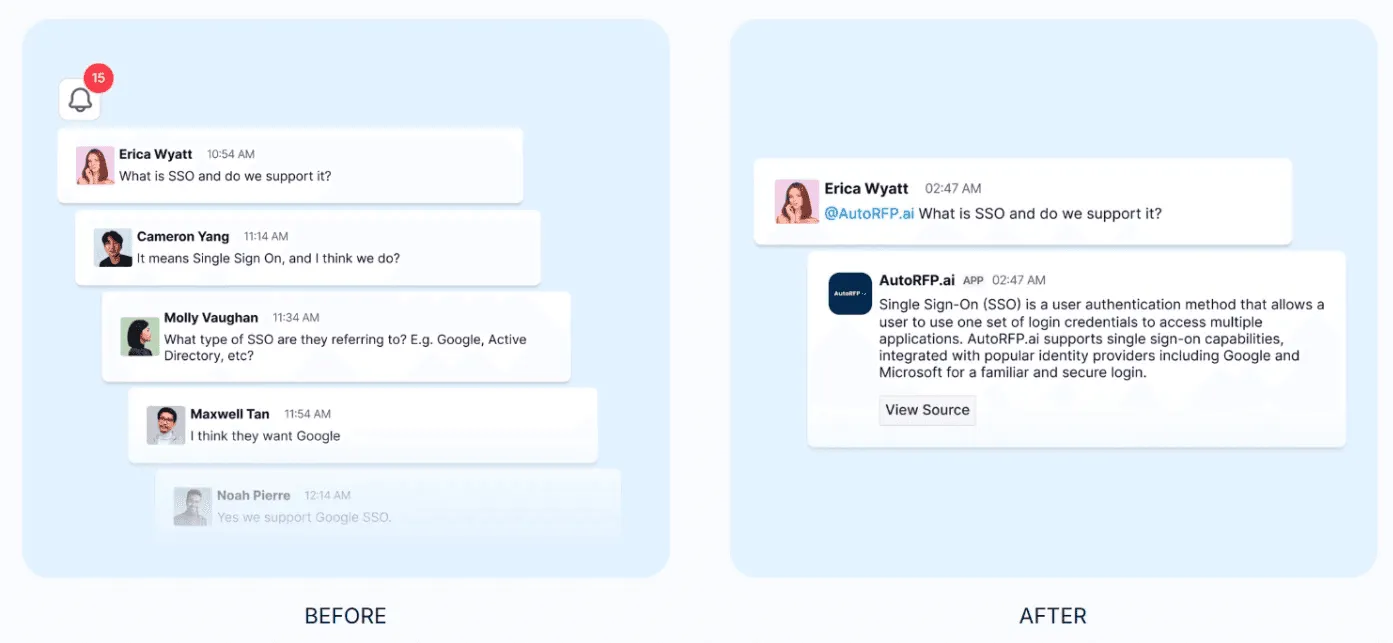
3. Scale Expert Knowledge
Give reps instant, approved answers in Slack and Teams, so SMEs stop getting interrupted and deals keep moving.
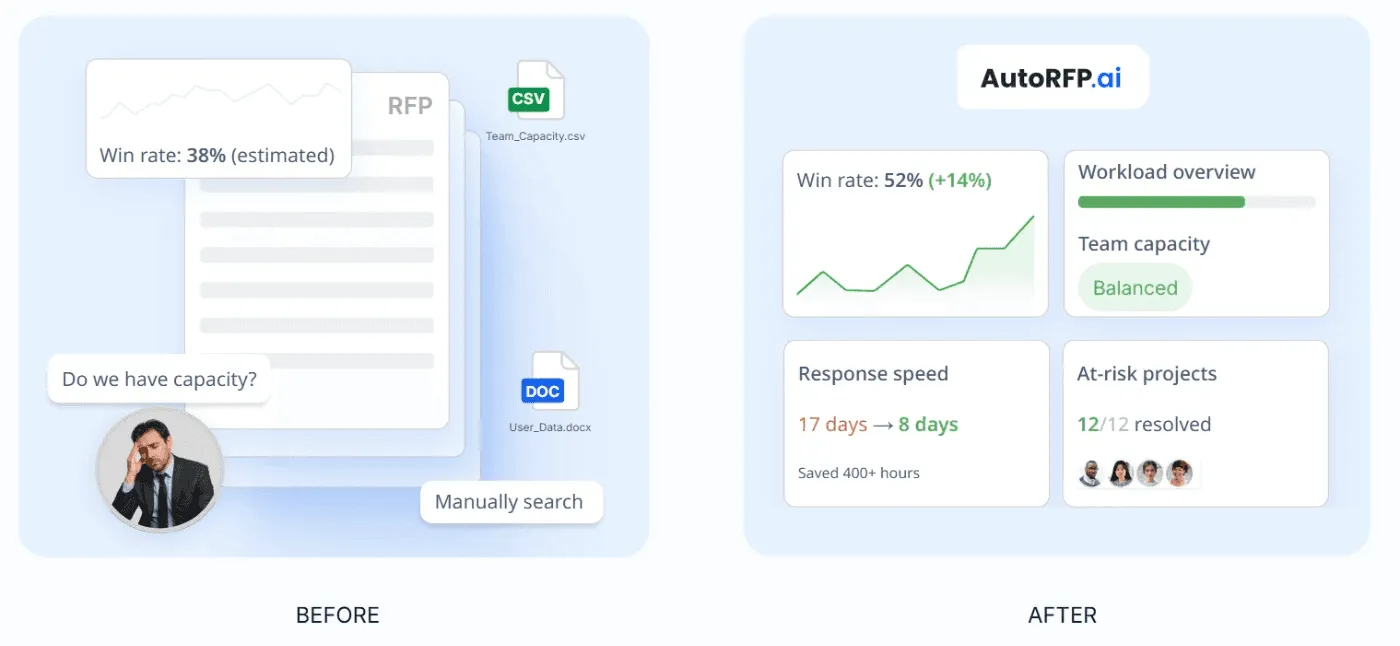
4. See Which Content Updates Actually Improve Win Rates
Tie content changes to win rate, quality, and time-to-submit, so you can prove which updates actually move the needle.
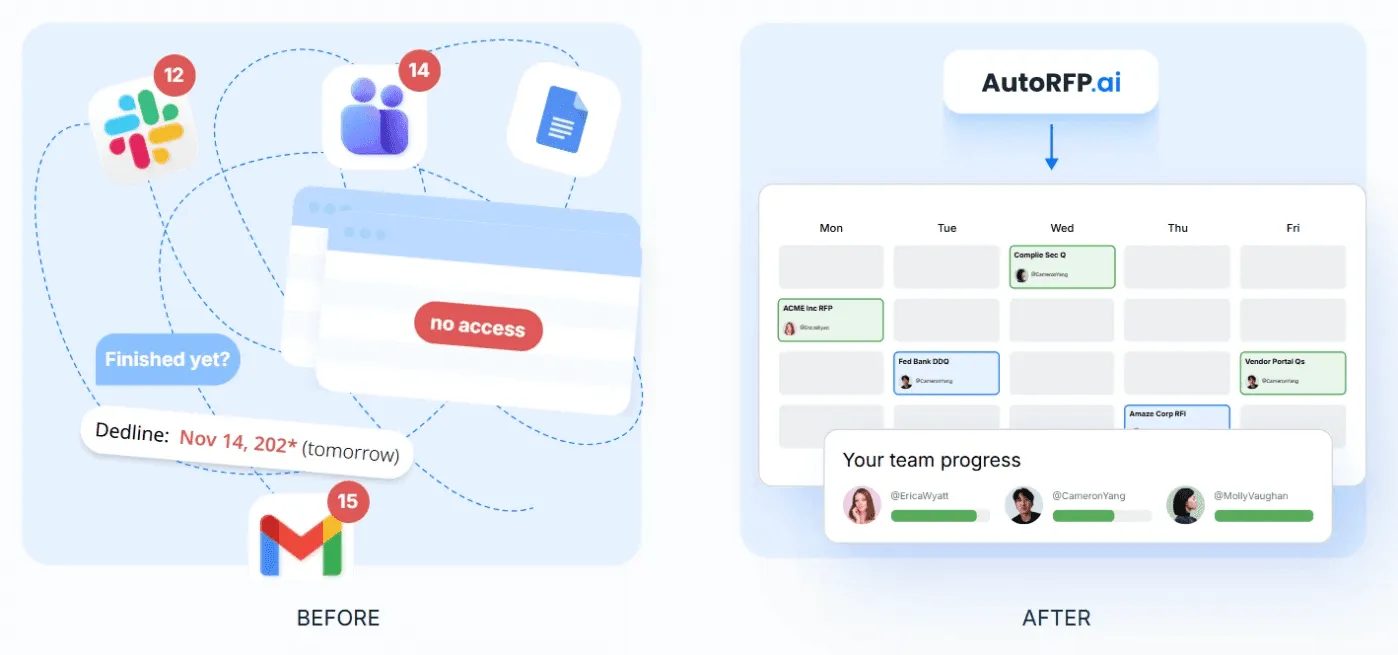
5. Enable Faster Response Cycles
Standardize intake, ownership, and status visibility, so fewer handoff meetings happen, and response timelines stay predictable.
Pros
Answers repeated solution engineer questions instantly from approved content, so they can focus on demos and solution design. For the wider SE toolkit around demos and deal support, see common sales engineer software options.
Extracts every RFP requirement from Word, Excel, and PDFs automatically, eliminating manual intake.
Automates go/no-go screening with standardized questions, keeping qualification consistent across all reps.
Integrates with CRM and SSO, so enablement stays aligned with sales workflows and governance.
Cons
- Not ideal for AEC, US GovCon, and defense, custom software development, or highly bespoke services where every response is unique.
Best For
- Mid-to-large B2B SaaS: Enterprise RFPs, DDQs, and security questionnaires that need fast, consistent first drafts.
2. Highspot
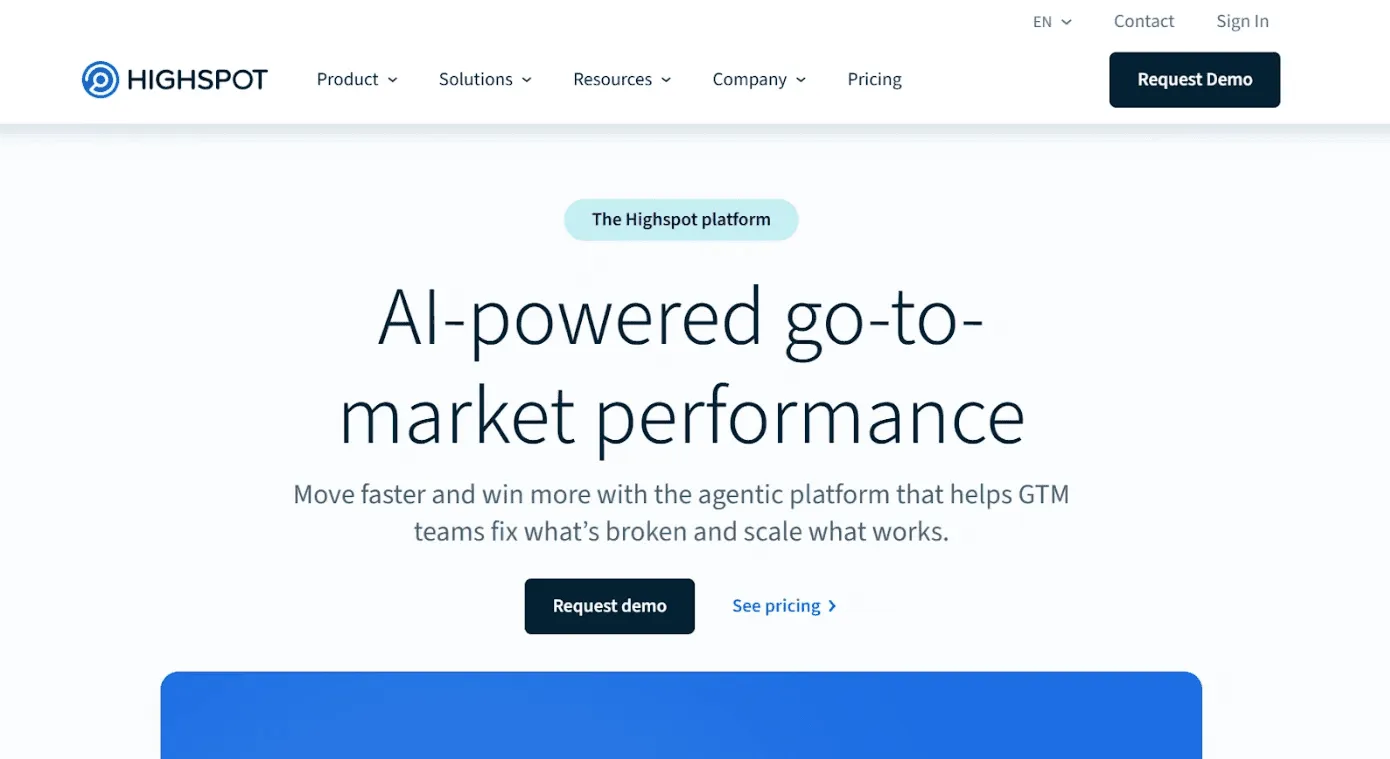
Highspot is an AI-powered sales enablement platform that unifies content, training, coaching, guidance, and analytics for GTM teams.
Key Features
Centralized sales content management with buyer engagement tracking
AI-powered training and coaching with skill assessments
Pros
Integrations across Salesforce, Microsoft, and Slack
Links content and training engagement to outcomes with analytics.
Cons
Customization can be limited for some teams’ preferred workflows and experiences.
Can feel overwhelming at first due to feature depth
Some users report usability friction, like navigation confusion or update issues.
Best For
- Enterprise revenue organizations: Enablement teams running content, training, coaching, and analytics at scale.
3. Seismic

Seismic is an AI-powered revenue enablement platform for sales content, training, coaching, guidance, and analytics.
Key Features
AI guidance and recommendations across the Enablement Cloud with Seismic Aura and Aura Copilot.
Deep workflow integrations with Salesforce and Slack.
Pros
· Built to manage content chaos and improve findability, personalization, and usage at scale.
Cons
Can feel hard to navigate when libraries get large, making specific assets harder to find.
The learning curve can be steep during rollout because the platform is broad.
Set up and governance often take time to get right.
Best For
- Large enterprise GTM teams: Need content, training, coaching, and analytics in one enablement system.
For a broader view across categories like CRM, conversation intelligence, and training, see our roundup of the best sales enablement tools in 2026.
Optimize Your Sales Enablement Strategy With AutoRFP.ai
When enablement is automated, your best messaging stops living in random docs and starts showing up exactly when reps need it. AutoRFP.ai helps you standardize answers, speed up RFPs and security questionnaires, and keep every response on-brand as you scale.
About the author

Ops Lead
Ops Lead at AutoRFP.ai. Designs the pipeline, content, and handoff systems bid teams use to run RFPs end-to-end, and co-hosts live sessions on winning workflows.
LinkedInFrequently asked questions
How is sales enablement automation different from sales automation?
Sales enablement automation improves seller effectiveness by using technology to deliver the right content, training, and resources at the right time in the sales cycle. Sales automation improves efficiency by streamlining repetitive selling tasks like data entry, lead logging, follow-ups, and CRM updates.
How does AI improve sales enablement automation?
AI recommends the right content, personalizes training and coaching, and speeds creation of enablement materials at scale.
What are the biggest challenges companies face when adopting sales enablement automation?
Low rep adoption, messy content governance, and hard integrations across CRM, chat, and file systems.
What metrics should be tracked to measure sales enablement automation success?
Track win rate, quota attainment, sales cycle length, and content usage tied to opportunities and revenue outcomes.
