
2026 RevOps Tech Stack: Essential Tools and How to Build One
Learn what a RevOps tech stack includes, which tools matter most, and how to build a scalable stack that improves pipeline visibility and revenue efficiency.

Ops Lead, AutoRFP.ai··10 min read
What is a RevOps Tech Stack and Why is it Important?
A RevOps tech stack is the group of tools that helps sales, marketing, customer success, and operations work from the same data, processes, and workflows.
It’s important because it:
Aligns teams: Keeps everyone working from the same data.
Improves handoffs: Reduces gaps between teams.
Cuts manual work: Automates repetitive tasks.
Supports decisions: Gives clearer revenue insights.
Improves forecasting: Makes pipeline planning more reliable.
Supports scaling: Supports growth with less friction.
“Tools are the complete set of enablers that allow your team to execute. If done right, your GTM will be stacked.” - Jeff Ignacio, Fractional VP and consultant, Founder at RevOps Impact
How AI Has Changed the Traditional RevOps Tech Stack
AI has made the RevOps tech stack more than a system of record. It now helps teams:
Automate admin: Reduces data entry, updates, and follow-ups.
Find insights faster: Flag risks, trends, and next steps.
Speed up workflows: Support content, summaries, and search.
Improves consistency: Reuses approved answers at scale.
Automate proposal responses: Help teams handle RFPs, RFQs, DDQs, and security questionnaires faster.
Create more strategic time: Let teams focus on decisions, not repeated answers.
“AI is taking the chains off builders, leaders, and thinkers. The people who actually understand the business, not just the spreadsheets.” - Allen AJ Jennings, VP Revenue Operations at Later
Core Components of a Modern RevOps Tech Stack
Here are the core components that make up a modern RevOps tech stack.
| Core component | What it covers |
|---|---|
| CRM and customer data layer | The central system for accounts, contacts, opportunities, and revenue data. |
| Marketing automation layer | Tools that manage lead capture, nurturing, scoring, and campaign workflows. |
| Sales execution layer | Platforms that support outreach, rep activity, and day-to-day sales workflows. |
| Forecasting and analytics layer | Tools that track pipeline health, revenue trends, and performance reporting. |
| CPQ and the deal management layer | Systems that support pricing, quote creation, approvals, and deal structure. |
| Customer success layer | Tools that support onboarding, renewals, expansion, and account health monitoring. |
| Automation and integration layer | The workflow layer that connects systems and reduces manual work across teams. |
| Enterprise deal desk layer | Specialized tools that support complex workflows like RFPs, RFQs, DDQs, security questionnaires, approvals, and controlled drafting. |
Essential RevOps Tools You Should Have in Your Tech Stack
This tech stack includes the tool categories that solve the biggest operational gaps as your revenue process gets more complex.
1. Enterprise Deal Desk and Proposal Automation Tools
For teams selling into larger accounts, this type of tool helps manage the operational drag that appears later in the deal cycle.
What it solves: Supports RFPs, RFQs, DDQs, security questionnaires automation, controlled drafting, review workflows, approvals, and content reuse.
When it matters: Once enterprise deals repeatedly pull SMEs into manual deal desk steps and slow execution.
Caution: If this work lives in email threads and folders, cycle time, ownership, and forecast visibility usually suffer.
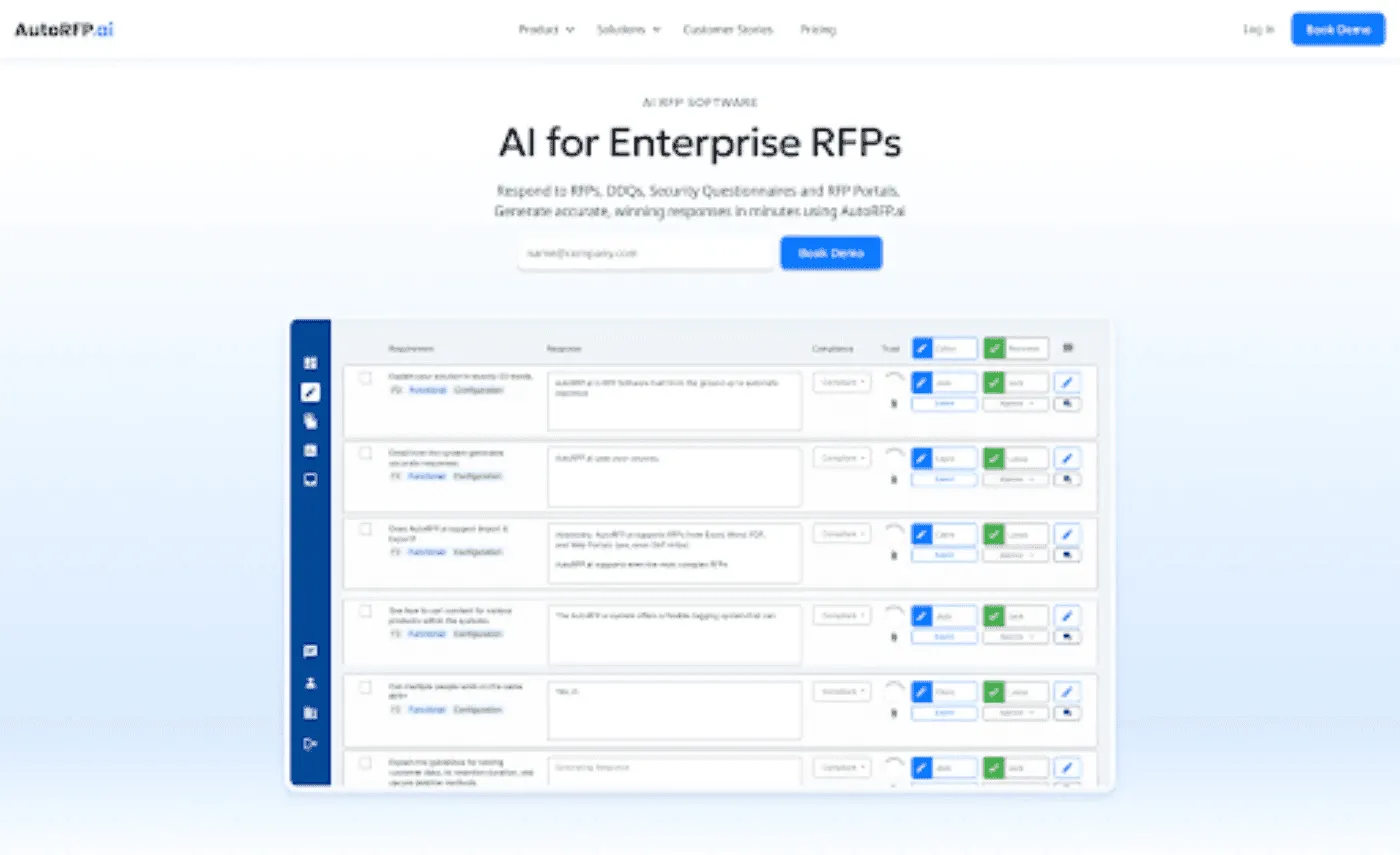
Example: In RFP-heavy motions, AutoRFP.ai can help streamline drafting, clarify SME ownership, and keep progress visible and trackable
2. CRM Tools
A CRM is the system most RevOps teams build around because it keeps pipeline, account, and customer data in one place.
What it solves: Creates shared visibility across marketing, sales, and customer success.
When it matters: Once multiple teams need to work from the same account and opportunity data.
Examples: Salesforce, HubSpot, and Microsoft Dynamics.
3. Marketing Automation Tools
Marketing automation tools become important when lead nurturing and campaign follow-up can no longer be managed manually.
When it matters: Once lead volume grows and marketing needs a more consistent handoff to sales.
Examples: HubSpot and Marketo.
Pro tip: Choose a platform that connects cleanly with your CRM, or you will create new data gaps while trying to fix old ones.
4. Sales Engagement Tools
Sales engagement tools help reps manage outreach at scale without losing consistency.
When it matters: Once reps are juggling high outreach volume or more structured sales motions.
Examples: Outreach, Salesloft, and Chili Piper.
In practice: These tools are especially useful when response speed and rep productivity directly affect pipeline creation.
5. Data Enrichment and Intelligence Tools
Data enrichment and intelligence tools help teams improve data quality and target the right accounts more confidently.
What it solves: Fills data gaps, improves account quality, and supports ICP-based targeting.
When it matters: Once teams start seeing poor conversion from incomplete, outdated, or low-fit records.
Examples: ZoomInfo, Clearbit, and CloseFactor.
Side note: More data is not always better. The real value comes from cleaner, more usable data that helps teams prioritize well.
6. Revenue and Conversation Intelligence Tools
These tools become more valuable when leadership needs better visibility into deal quality, pipeline risk, and rep performance.
What it solves: Turns calls, meetings, and pipeline activity into forecasting and coaching insights.
When it matters: Once revenue leaders need more than static dashboards to understand what is happening in deals.
Examples: Gong and Clari.
7. Business Intelligence and Analytics Tools
BI and analytics tools help RevOps teams make sense of data across multiple systems.
What it solves: Supports deeper reporting, trend analysis, and multi-source revenue visibility.
When it matters: Once native dashboards inside core tools are no longer enough.
Examples: Tableau, Looker, and Power BI.
Pro tip: Do not build complex dashboards before agreeing on definitions for pipeline stages, attribution, and revenue metrics.
8. Integration and Data Flow Tools
Integration connects systems, automates workflows, and improves cross-platform data flow so teams do not waste time moving data manually.
When it matters: Once teams are working across siloed tools that do not update each other reliably.
Examples: Zapier, n8n, Workato, Tray.io, Census, and Hightouch.
9. Customer Success and Contract Management Tools
As deals move beyond the sale, these tools help teams manage renewals, account health, and final-stage execution more consistently.
When it matters: Once retention, expansion, or contract turnaround starts affecting revenue performance.
Examples: Gainsight for customer success, and PandaDoc, DocuSign, or Ironclad for contract management.
Side note: This is often where revenue operations extends beyond the pipeline into long-term customer value.
How to Build and Manage a RevOps Tech Stack (Step-by-Step)
These steps help you build a RevOps tech stack that is easier to manage, easier to scale, and better aligned with how revenue teams actually work.
Step 1: Map Your Revenue Process First
Start by defining how work moves across marketing, sales, and customer success before choosing more tools.
Focus: Document lifecycle stages, handoffs, approvals, ownership, and the points where work usually slows down. Laying this groundwork is what separates effective RevOps strategies from collections of disconnected tools.
Why it matters: A stack built before the process is clear usually creates overlap, weak adoption, and inconsistent reporting.
What to capture: Stage definitions, required fields, SLAs, and the operational gaps that need support.
Pro tip: Fix the workflow before you automate it, or you will only scale confusion faster.
Step 2: Build Around a Strong CRM
Make the CRM the center of the stack, so teams have one place to manage accounts, opportunities, and pipeline activity.
Priority: Choose this before layering in surrounding tools.
What it supports: Shared visibility, cleaner handoffs, stronger reporting, and better forecasting.
Management rule: Keep field design, ownership, and stage definitions tight from the start.
Step 2: Build Around a Strong CRM
Make the CRM the center of the stack, so teams have one place to manage accounts, opportunities, and pipeline activity.
Priority: Choose this before layering in surrounding tools.
What it supports: Shared visibility, cleaner handoffs, stronger reporting, and better forecasting.
Management rule: Keep field design, ownership, and stage definitions tight from the start.
Pro tip: Limit custom fields to what teams will actually use, or data quality drops fast.
Step 3: Add Tools That Support Daily Execution
Next, add the categories that help teams execute work faster and more consistently across the revenue cycle.
Marketing automation: Supports lead nurturing, segmentation, scoring, and campaign follow-up when manual execution no longer scales.
Sales engagement: Improves outreach, sequencing, scheduling, and rep follow-up when pipeline creation depends on speed and consistency.
Customer success: Helps teams manage onboarding, renewals, expansion, and account health once retention becomes a measurable revenue priority.
Proposal and RFP automation: For companies selling into enterprise accounts, tools like AutoRFP.ai can help teams respond faster to complex buying-cycle requirements such as RFPs, DDQs, and security questionnaires, while reusing approved content and keeping response work more structured and trackable.
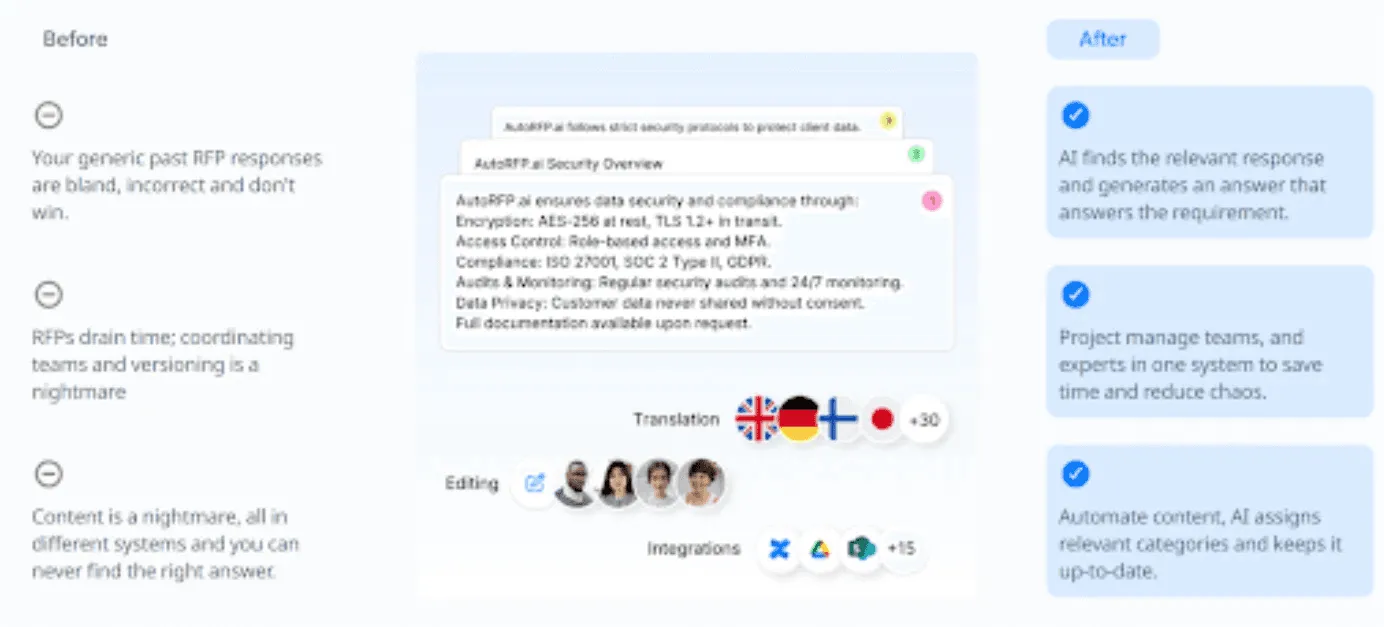
“Reaching the RFP stage with clients is now a smooth process. With a 90% automation rate, we can quickly produce a first draft based upon previous responses, making the RFP process efficient and stress-free.” – Raphael Schmideg, Chief Operating Officer at IMTC.
Step 4: Fix Data Quality and Data Flow Early
Clean data and reliable system connections matter as much as the tools themselves.
Data quality: Standardize fields, naming conventions, and ownership so teams can trust what they see.
Data flow: Connect systems so information does not need to be moved by hand across the stack.
Reporting readiness: Align metric definitions early so dashboards reflect the same version of the truth.
Pro tip: Keep your data standards strict from the start, because consistency is what makes automation and reporting reliable.
Step 5: Review Performance Regularly
A RevOps stack should be reviewed based on how well it performs, not just whether the tools are live.
What to review: Adoption, response times, pipeline visibility, forecast accuracy, and the amount of manual work still happening.
Why it matters: A live stack can still underperform if workflows are slow, fragmented, or poorly used.
What to look for: Duplicate work, underused tools, weak handoffs, and reports no one trusts.
Step 6: Govern The Stack as It Grows
Once the stack is live, manage it like an operating system with clear ownership and regular maintenance.
Review regularly: Audit workflows, dashboards, automations, and fields to keep the stack aligned with the business.
Watch for drift: Remove duplicate tools, broken handoffs, outdated logic, and processes that have moved back into spreadsheets or inboxes.
Ensure data integrity: Maintain strict data standards so teams work from consistent and accurate information.
Train for adoption: Make sure teams know how to use the stack correctly, not just that the tools exist.
Pro tip: Define automation rules early for lead routing, field updates, and handoff logic, then review them regularly as workflows change.
Common Challenges in Building Your RevOps Tech Stack
Learn these challenges early so you can build a RevOps tech stack that stays useful as your process grows.
| Common challenge | Why it matters |
|---|---|
| Tool overlap | Adding tools before fixing the process creates duplicate functionality, extra cost, and lower adoption. RevOps works better when tools support clear workflows and ownership. |
| Poor data accuracy | Bad data weakens routing, reporting, and forecasting. For proposal work, use tools that surface only approved content, such as AutoRFP.ai, so answers stay accurate and consistent. |
| Weak integrations | When systems do not connect well, teams fall back on spreadsheets, manual updates, and duplicate work. |
| Low adoption | A good stack still fails if teams do not use it consistently. |
| Unclear ownership | Without governance, workflows and fields drift over time. |
| Untrusted reporting | Inconsistent definitions make dashboards harder to trust and act on. |
Build a Scalable RevOps Tech Stack with AutoRFP.ai
A scalable RevOps tech stack should do more than store data. It should also reduce repetitive work that slows teams down. If enterprise deals keep pulling your team into RFPs, DDQs, and security questionnaires, AutoRFP.ai can help you respond faster with approved content, clearer ownership, and more consistent workflows. See how it fits into your RevOps stack and book a demo.
About the author

Ops Lead
Ops Lead at AutoRFP.ai. Designs the pipeline, content, and handoff systems bid teams use to run RFPs end-to-end, and co-hosts live sessions on winning workflows.
LinkedInFrequently asked questions
How does a RevOps tech stack differ from a sales or marketing stack?
A RevOps tech stack connects marketing, sales, customer success, and operations across the full revenue cycle. A sales stack usually supports prospecting and pipeline management, while a marketing stack focuses on lead generation and campaigns. RevOps brings these functions together to improve handoffs, data consistency, and revenue visibility.
Can you start building a RevOps tech stack on a small budget?
Yes, you can start small by focusing on the tools that support your most important revenue processes first. Usually, that means a CRM, basic automation, and simple reporting. As your process becomes more complex, you can add specialized tools for forecasting, integrations, analytics, customer success, or proposal automation.
How do RevOps tech stacks evolve as companies scale
As companies grow, RevOps tech stacks usually become more connected and specialized. Early teams may only need a CRM and basic automation. As complexity increases, they often add tools for sales engagement, forecasting, analytics, integrations, customer success, and data enrichment. Enterprise sales teams may also add proposal automation support.
What are the main benefits of proposal automation in a RevOps tech stack?
Proposal automation helps revenue teams respond faster without sacrificing quality. It improves efficiency by reducing time spent chasing SMEs for answers, supports consistency by reusing approved content across responses, and increases scalability by helping teams handle more RFPs, DDQs, and security questionnaires without adding headcount.
