
8 Best RevOps tools & Software for 2026: Features, Pricing & Reviews
Compare the top RevOps tools to align sales, marketing, and CS—plus the best RFP automation platform to streamline responses and win more deals in 2026.

Ops Lead, AutoRFP.ai·Updated ·10 min read
RevOps tools connect strategy, data, and automation. When they are set up properly, they give sales, marketing, and customer success a shared view of pipeline, revenue, and risk, instead of each team running its own reports in isolation.
That shared visibility is what lets RevOps spot bottlenecks early and fix them before they hit your number.
In this article, we will walk through 8 of the best RevOps tools and software, breaking down their key features, pricing, pros and cons, what customers are saying, who they are best for, and how to choose the best one for your needs.
| Tool | Best for | Standout feature | Starting price |
|---|---|---|---|
| AutoRFP.ai | RevOps teams that want faster, more predictable RFP-driven pipeline movement | Governed AI first response drafts with trust scores, plus SME ownership and blocker tracking in one dashboard | $899/month (Scale) |
| Clay | Data enrichment and outbound workflows | Waterfall enrichment checks multiple providers to find the best match for each data point | $134/month |
| Gong | Revenue intelligence and deal coaching | Conversation intelligence turns calls into searchable insights and deal-risk signals | Contact sales |
| HubSpot | All-in-one CRM for marketing, sales, and service | Smart CRM unifies marketing, sales, and service data in one system | $1,170/month |
| Apollo.io | Prospecting and sales engagement for outbound teams | Built-in lead database plus sequences help representatives go from list to outreach fast | Contact sales |
| Qwilr | Proposals and quotes that need faster buyer momentum | Interactive, web-based experiences with dynamic content and deep analytics | $35/month |
| Salesforce | CRM and RevOps foundation (single source of truth) | Custom reports and dashboards keep pipeline data consistent across teams | $250/month - Revenue Intelligence |
| ZoomInfo | Agentic-native interface for go-to-market. | Track “new vendor search” mentions in transcripts and news. | Contact ZoomInfo |
AutoRFP.ai: Best for RevOps Pipeline Velocity in RFP Deals
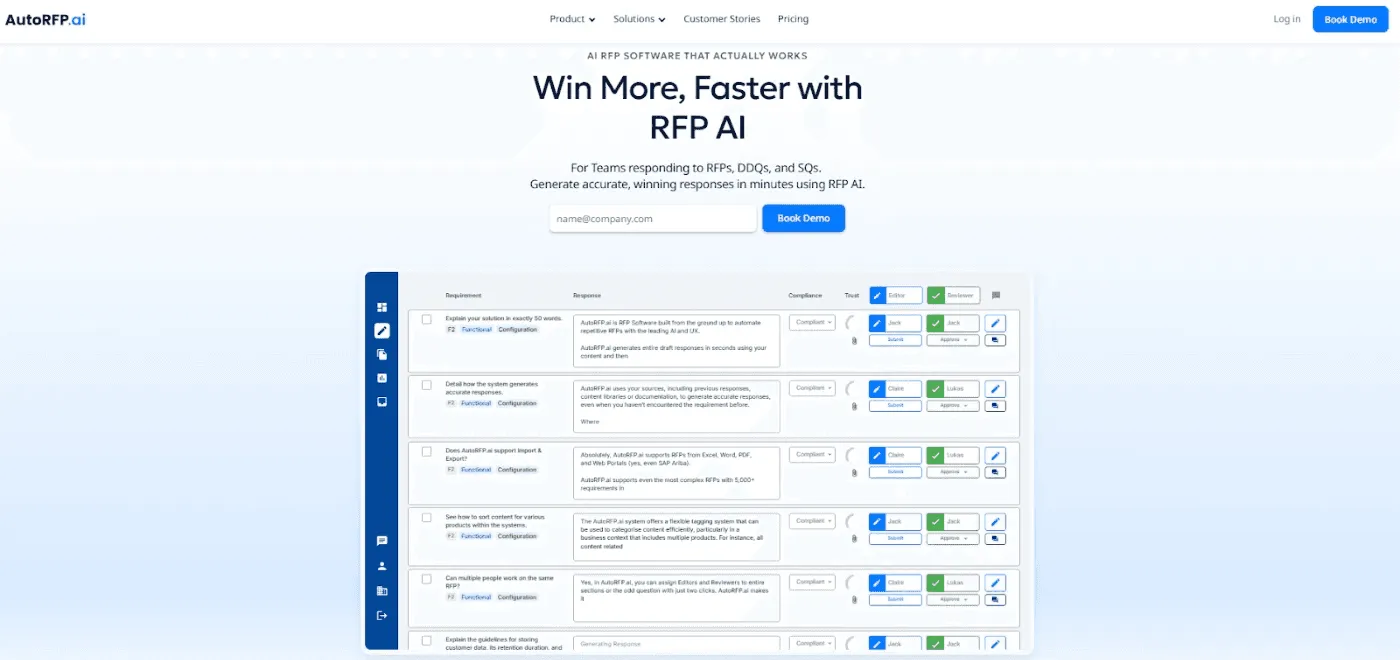
AutoRFP.ai helps RevOps and sales teams streamline the most cross-functional part of enterprise selling: Request for Proposals (RFPs), security questionnaires, and tenders.
It’s an AI-native platform that automates first drafts in minutes, standardizes a messy workflow across Sales, Solutions, Security, and Legal, and keeps answers accurate, approved, and consistent. So, you avoid “random” claims and reduce risk.
With integrations to Salesforce, SharePoint, Confluence, and more, it automatically pulls deal context, keeping responses relevant and on-message.
The result is faster, more predictable pipeline movement, clearer visibility into where deals stall, and actionable insight into why they stall and how to fix them.
Key Features
These are the AutoRFP.ai features most relevant for RevOps teams handling RFP-driven deals.
1. First Drafts in Seconds, With Proof
AutoRFP.ai generates on-brand first drafts in seconds using your past winning responses and approved documentation, so teams stop rewriting the same answers.
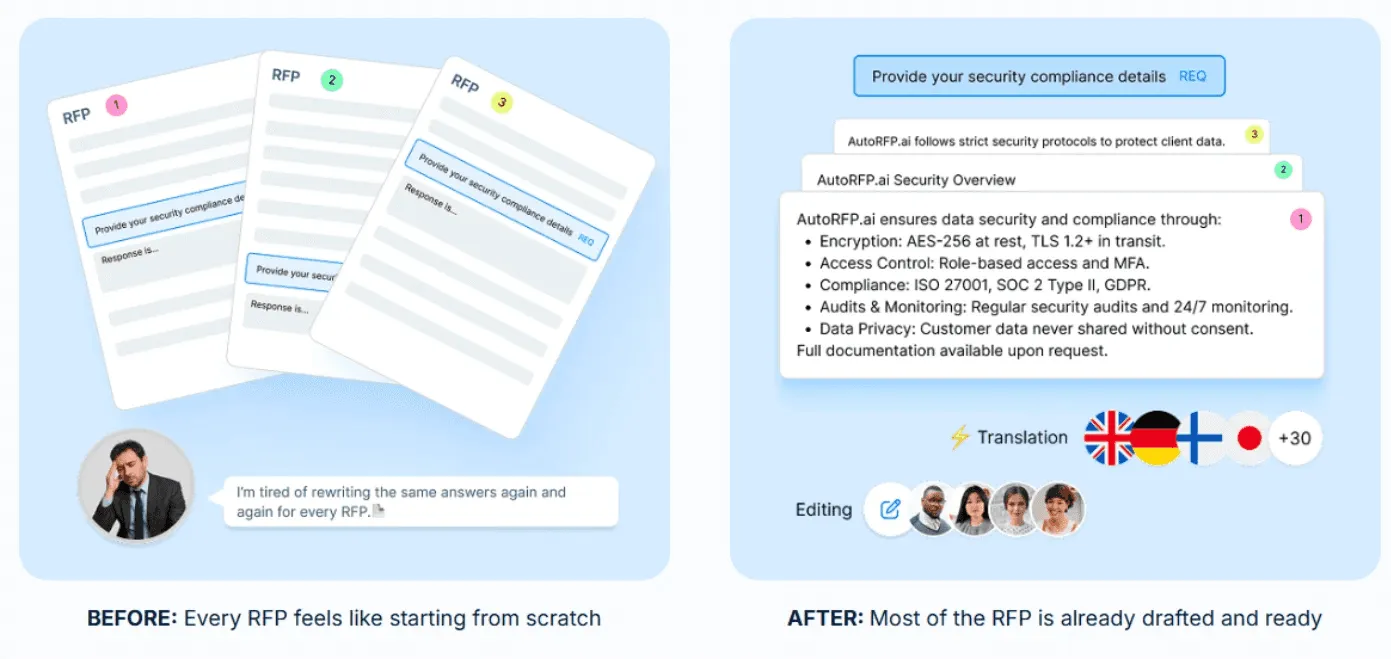
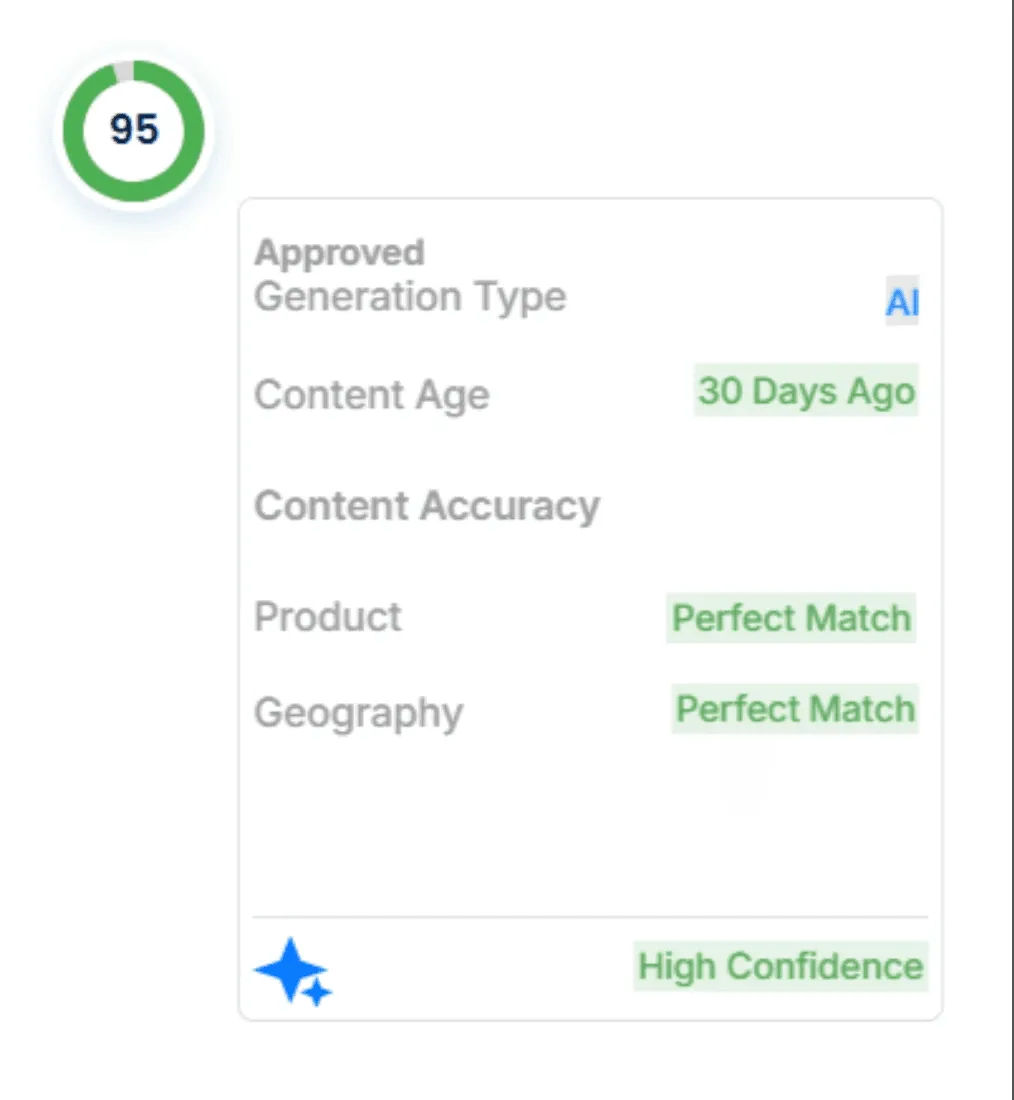
Every response includes sources, content age, and a trust score, so RevOps team can keep answers governed and reduce risk from “random” claims.
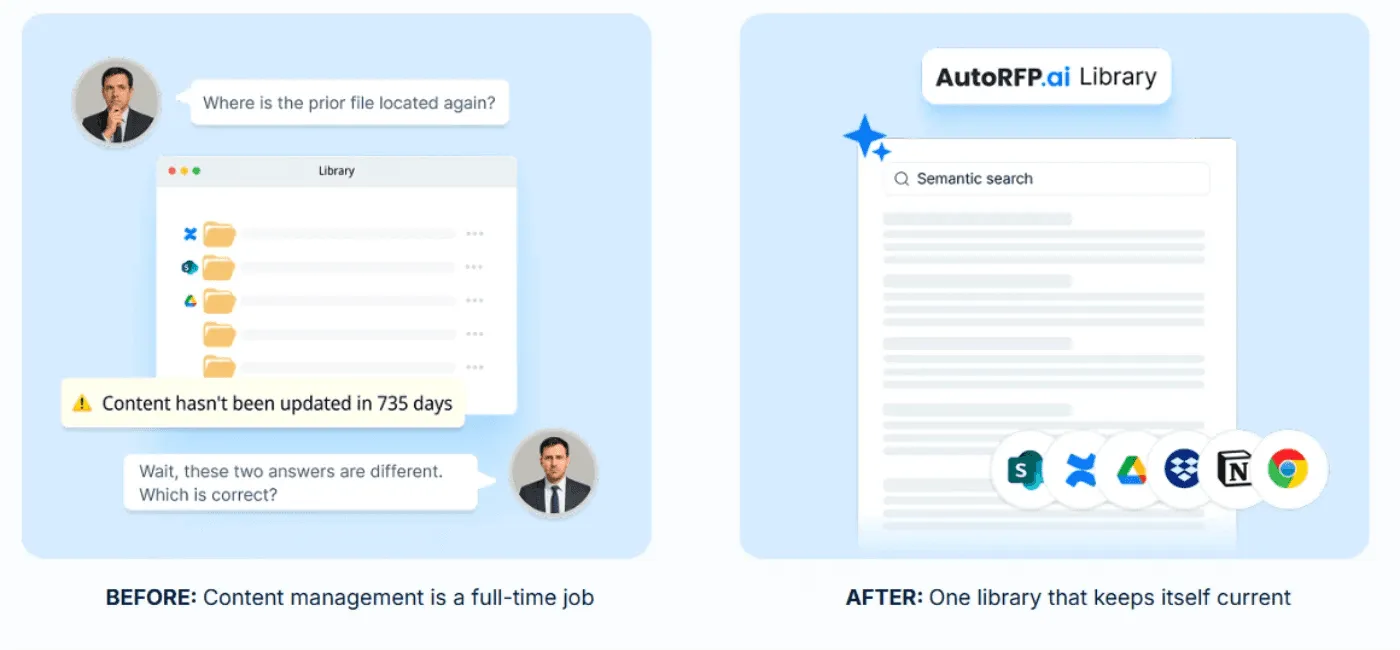
2. Semantic, Governed Content Suggestions
AutoRFP.ai uses semantic understanding (not keywords) to surface the right approved content even when wording changes, then auto-suggests answers from past responses and source documents.
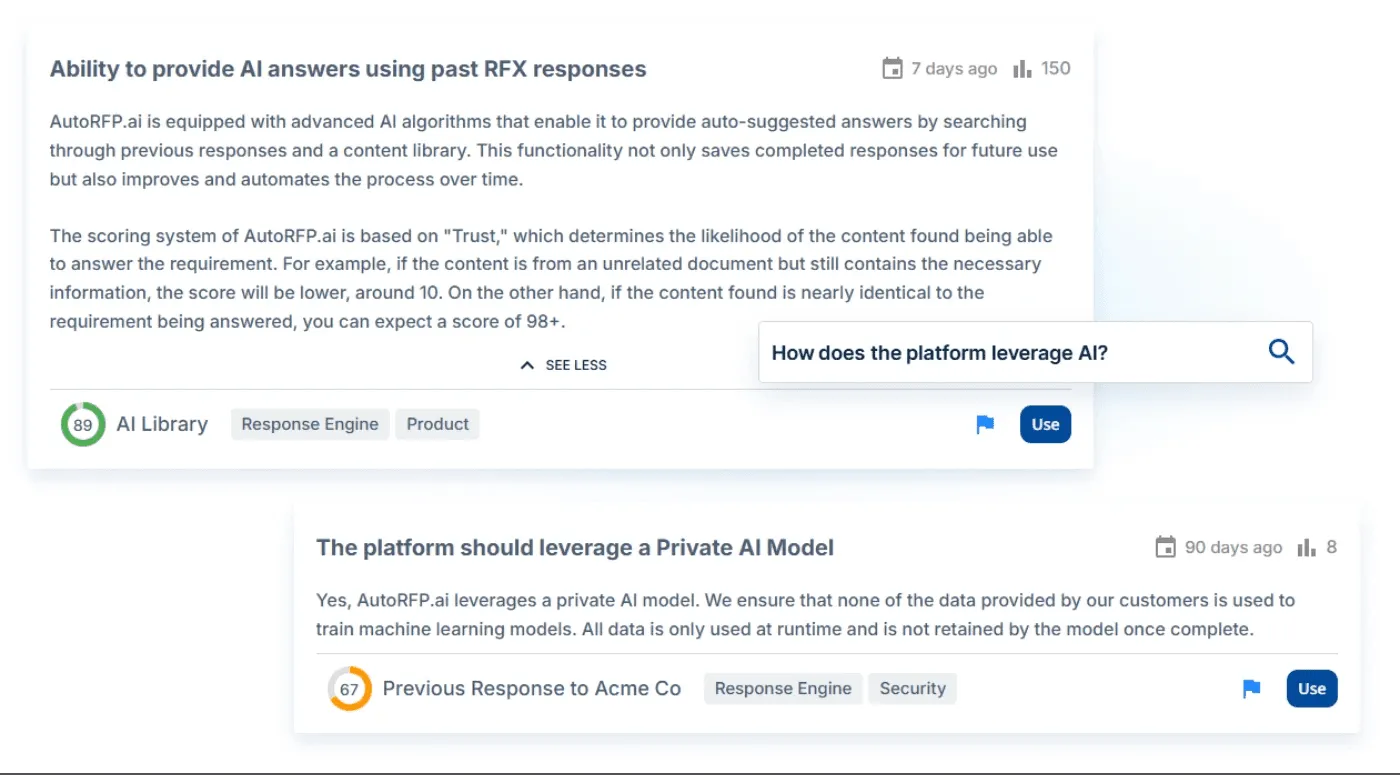
Each suggestion is ranked with a trust score, giving RevOps team faster reuse with less library upkeep and fewer unreliable answers.
3. Collaboration That Removes Bottlenecks
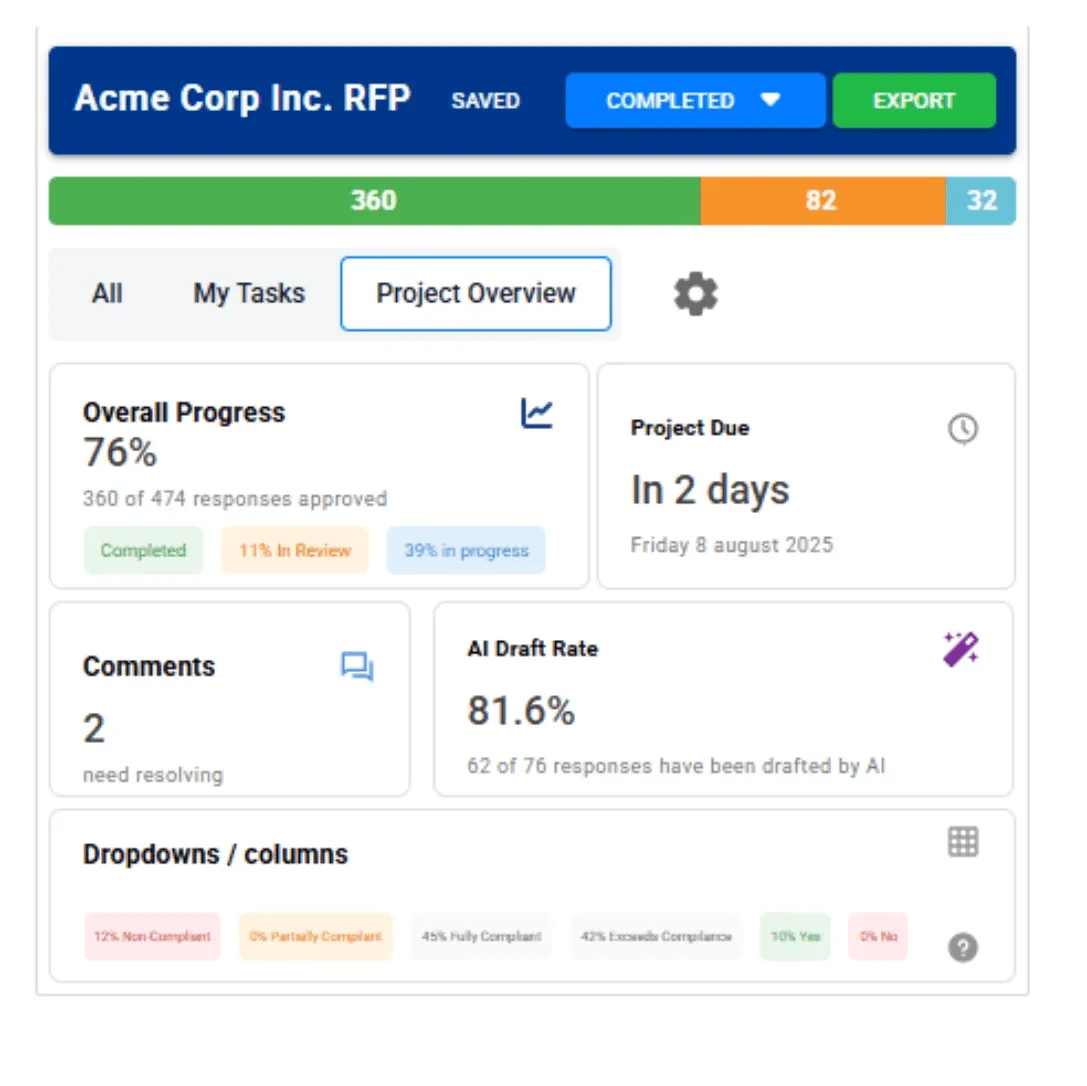
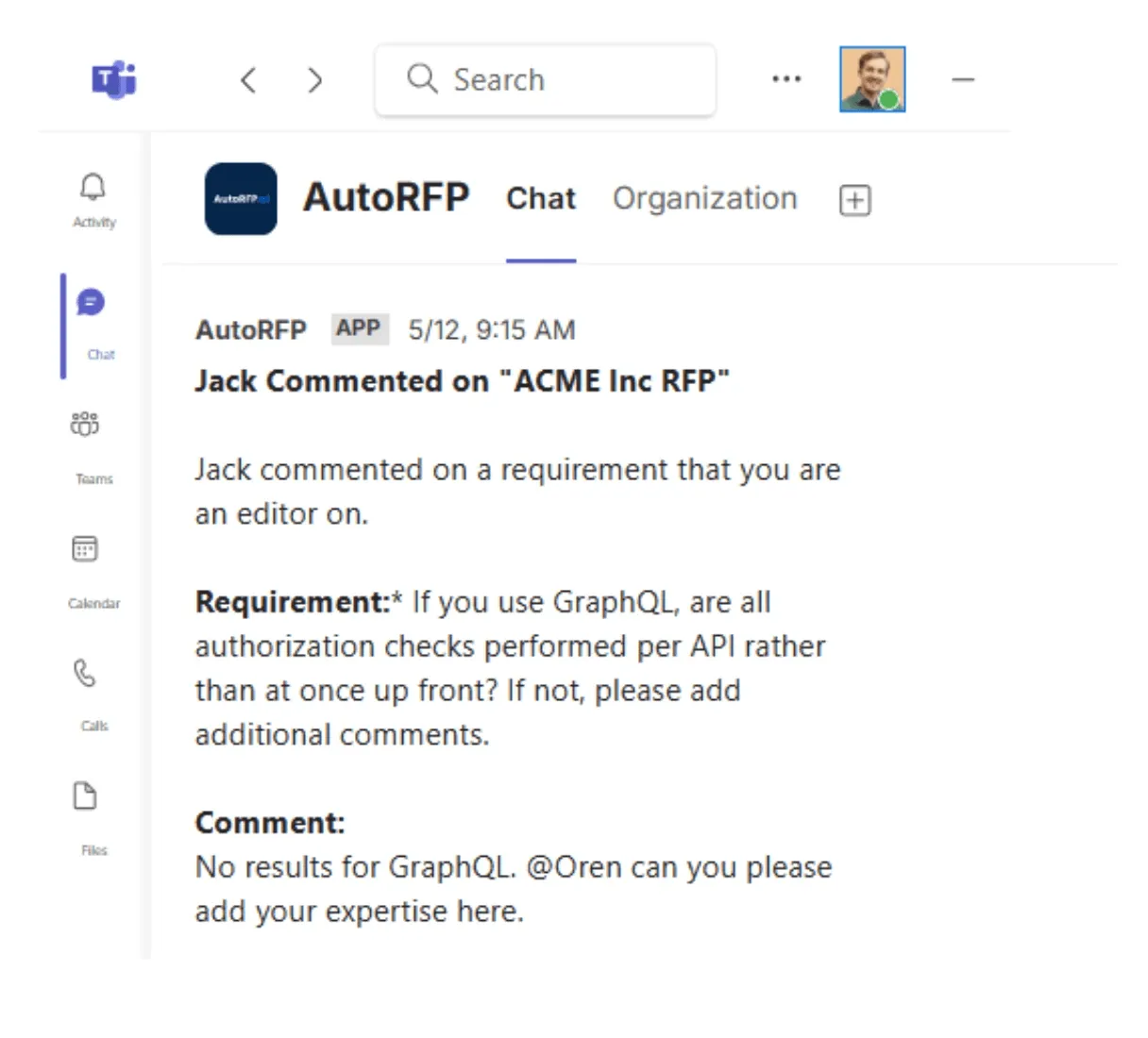
Assign subject matter experts (SMEs) to each question, keep comments attached to the exact response, and track progress by owner and section in a single dashboard.
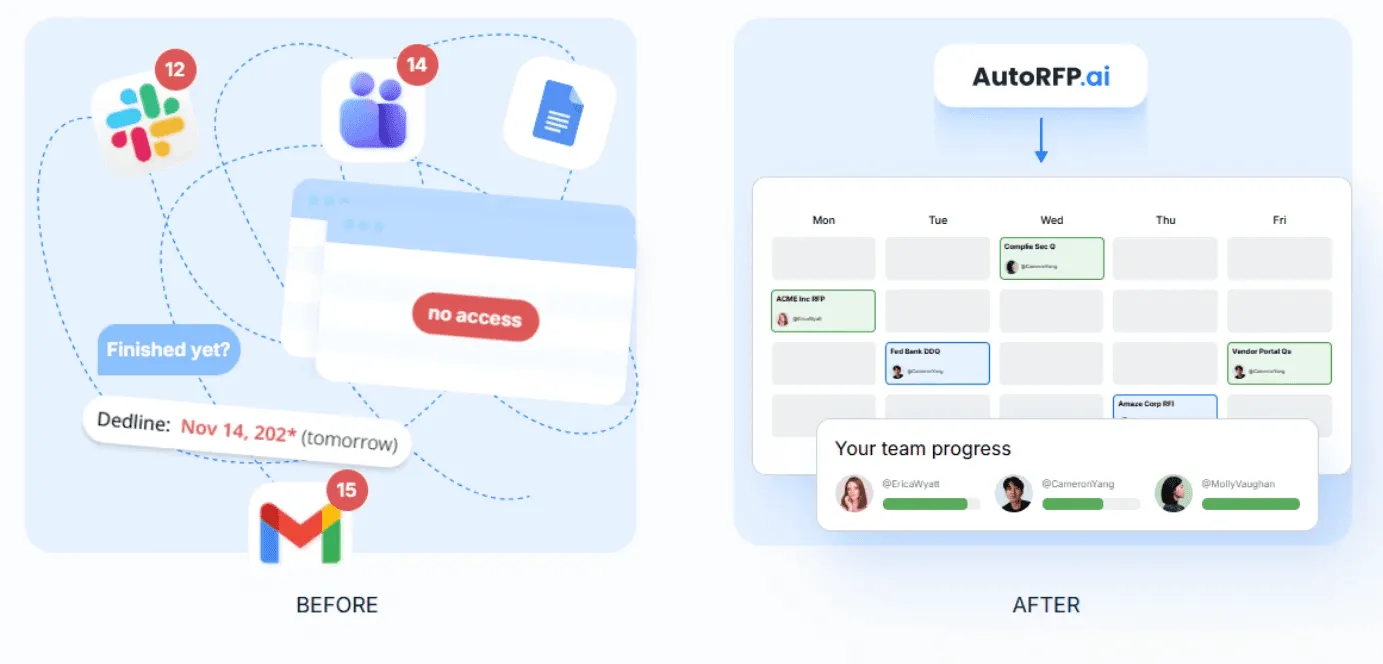
Automated RevOps can spot blockers early, send reminders, and keep work moving without spreadsheet trackers or status emails. Adhering to proven RevOps best practices around cross-functional collaboration helps teams eliminate these communication silos entirely.
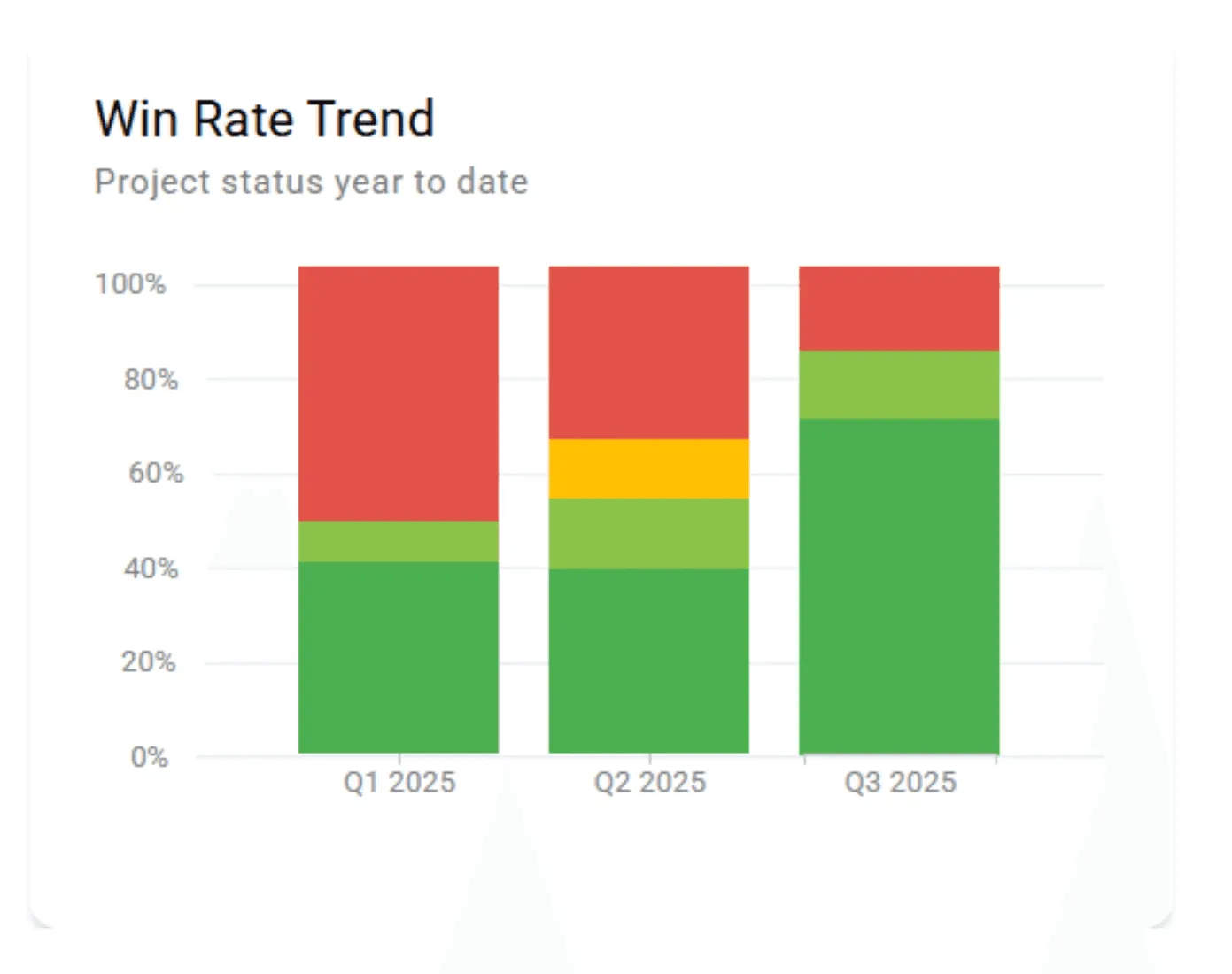
4. Capacity & Win Rate Reporting for Leadership
AutoRFP.ai shows win rate, capacity, volume, and velocity in one view across RFPs, Due Diligence Questionnaires (DDQs), security questionnaires, and bids, including who owns what and what’s due.
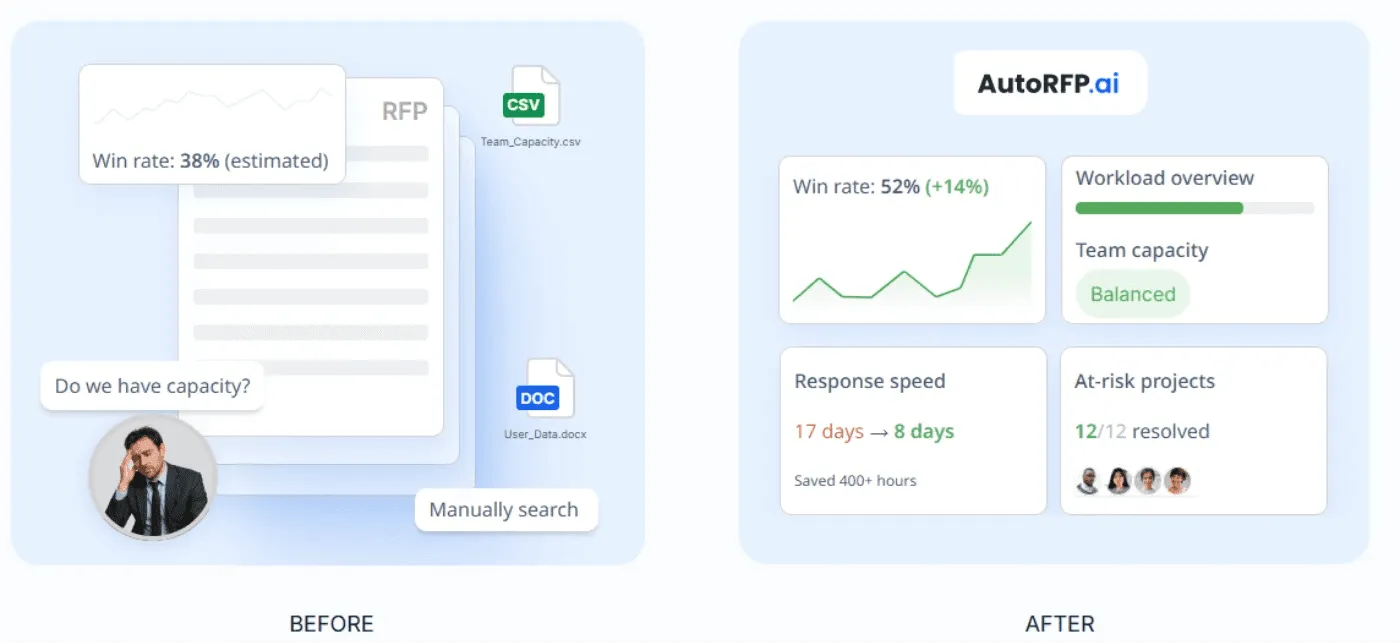
The RevOps team can forecast whether the team can take on more work next quarter and prioritize the RFP types, deal sizes, and segments that convert best.
5. ROI Reporting That Proves Business Impact
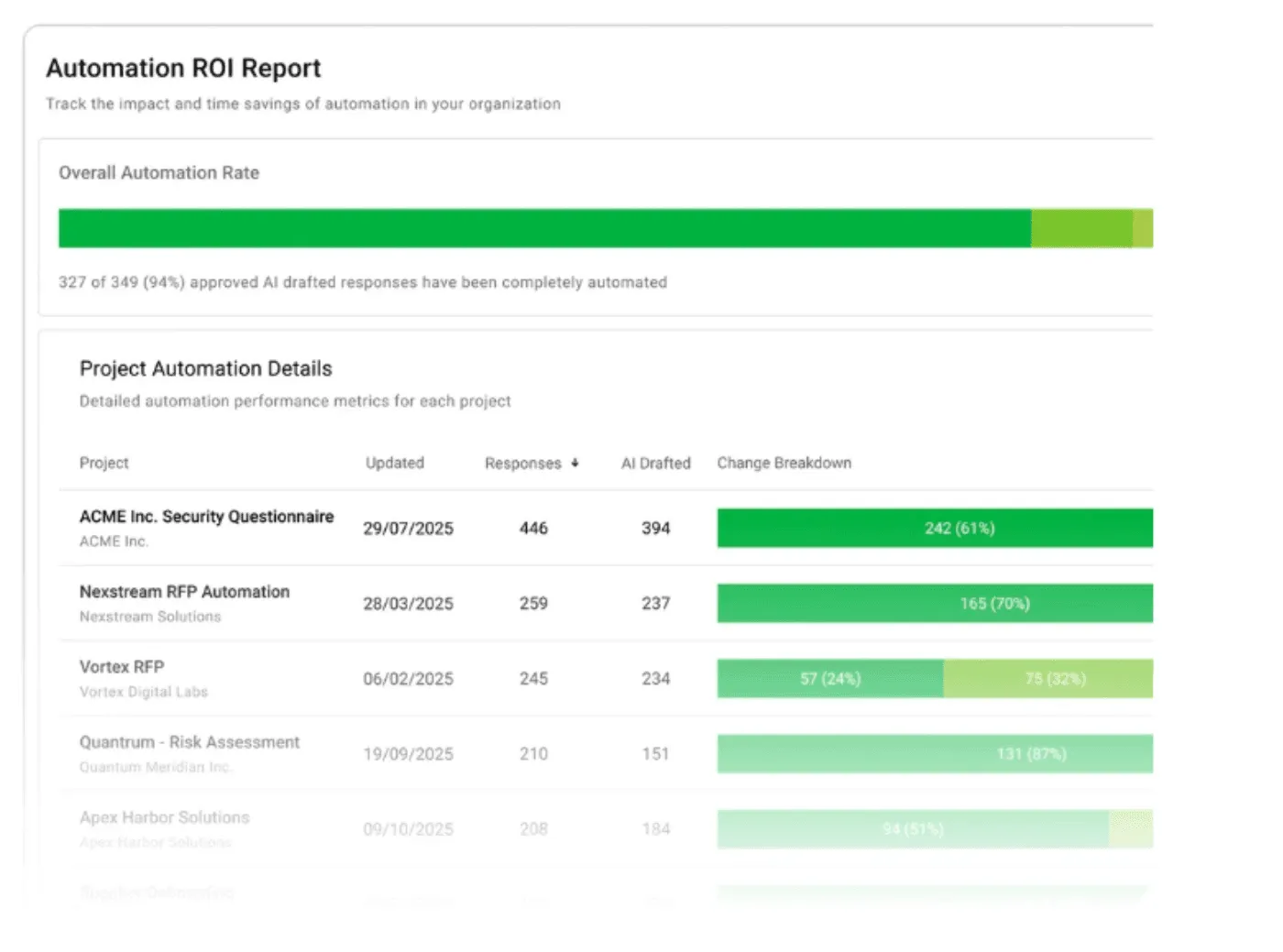
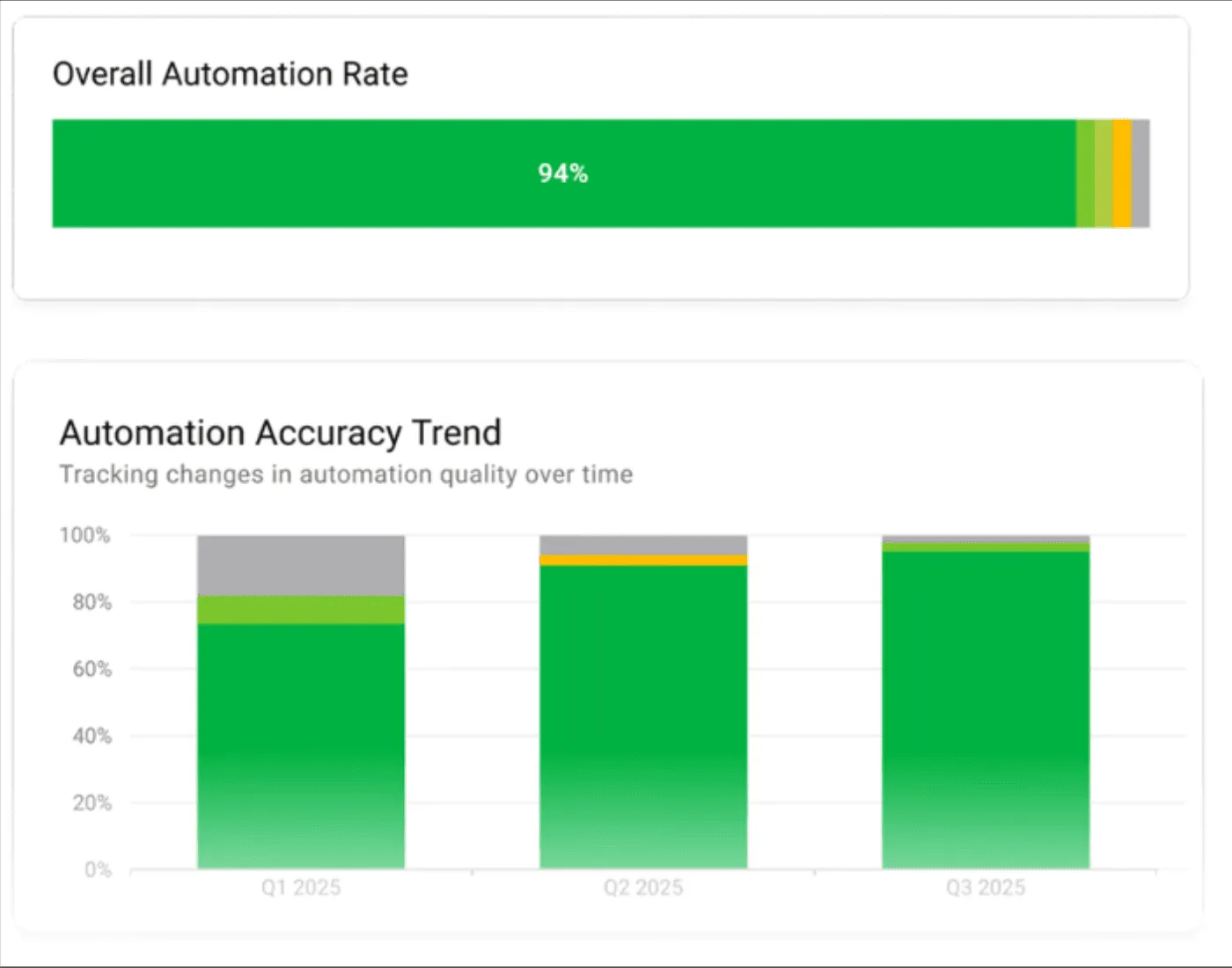
AutoRFP.ai tracks automation rate, effort, and efficiency per project to quantify time and cost savings.
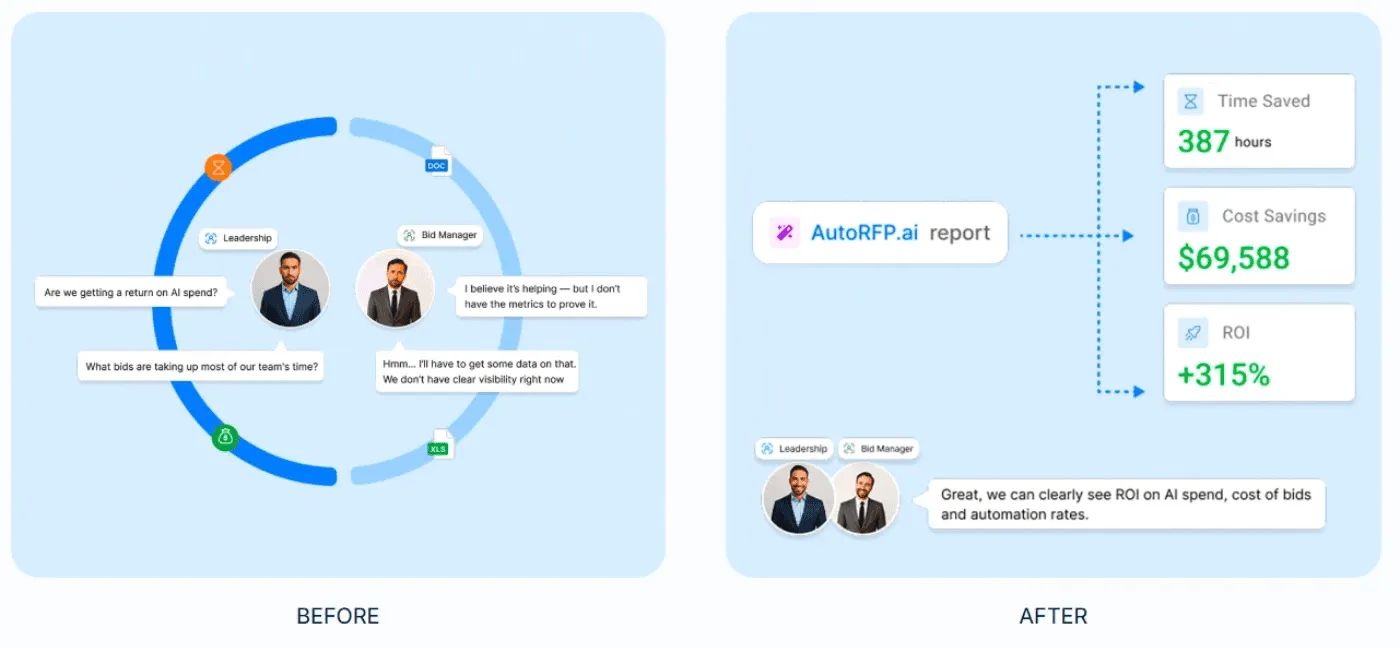
RevOps managers can use it to justify renewals and prove automation is freeing teams to focus on higher-win work.
Pricing
| Plan | Monthly Cost | Key Inclusions |
|---|---|---|
| Scale | $899 | Unlimited AI responses, users, content, and integrations |
| Accelerate | $1,299 | Everything in Scale, plus advanced analytics and priority support |
| Enterprise | Custom | Custom integrations, a dedicated success manager, and tailored security and compliance features with SSO |
AutoRFP.ai offers a 30-day risk-free trial with a full money-back guarantee, personalized onboarding, and tailored training. All plans include unlimited users with no per-seat fees, with setup in as little as 48 hours.
Where AutoRFP.ai Shines
Library growth from live deals: Once a response is approved, it becomes available on the next opportunity. The RevOps or content owner still chooses categories and whether an edit needs another look.
Import any RFP format fast: Drop in ZIPs, PDFs, Excel, or Word files and AutoRFP.ai extracts every requirement, section, and context automatically.
Portal questionnaire automation: Pull questions from web portals, generate answers from your approved content, and automatically export them back (works with Ariba, UpGuard, Jaggaer, and more).
Ask AutoRFP.ai in Slack or Teams: Message @AutoRFP.ai to get sourced answers from your content library in seconds, right inside the thread.
Where AutoRFP.ai Falls Short
- Not ideal for AEC, US GovCon/Defense agencies, custom software developers, and highly bespoke professional services: These segments lack the structured, repeatable response patterns AutoRFP.ai is built to optimize.
Customer Reviews
Pete W., a sales engineer, said, “The use of AI to parse through the zillion questions in our database and find the closest match saves so much time. When it can’t find a good match, it leaves the response blank and provides some close options. Then, when I cobble something together from 5 different sources, it tunes it up and makes it sane with a click of the mouse. Three RFPs in, one with 500 questions, and I’m really happy with it.”
Another verified user at G2 reviewed that, “AutoRFP allows our team to participate in several times more sales opportunities than we would have prior to using AutoRFP. It’s simple to learn, and requires little training for our sales team to be able to turn around high-quality RFP responses in short periods of time.”
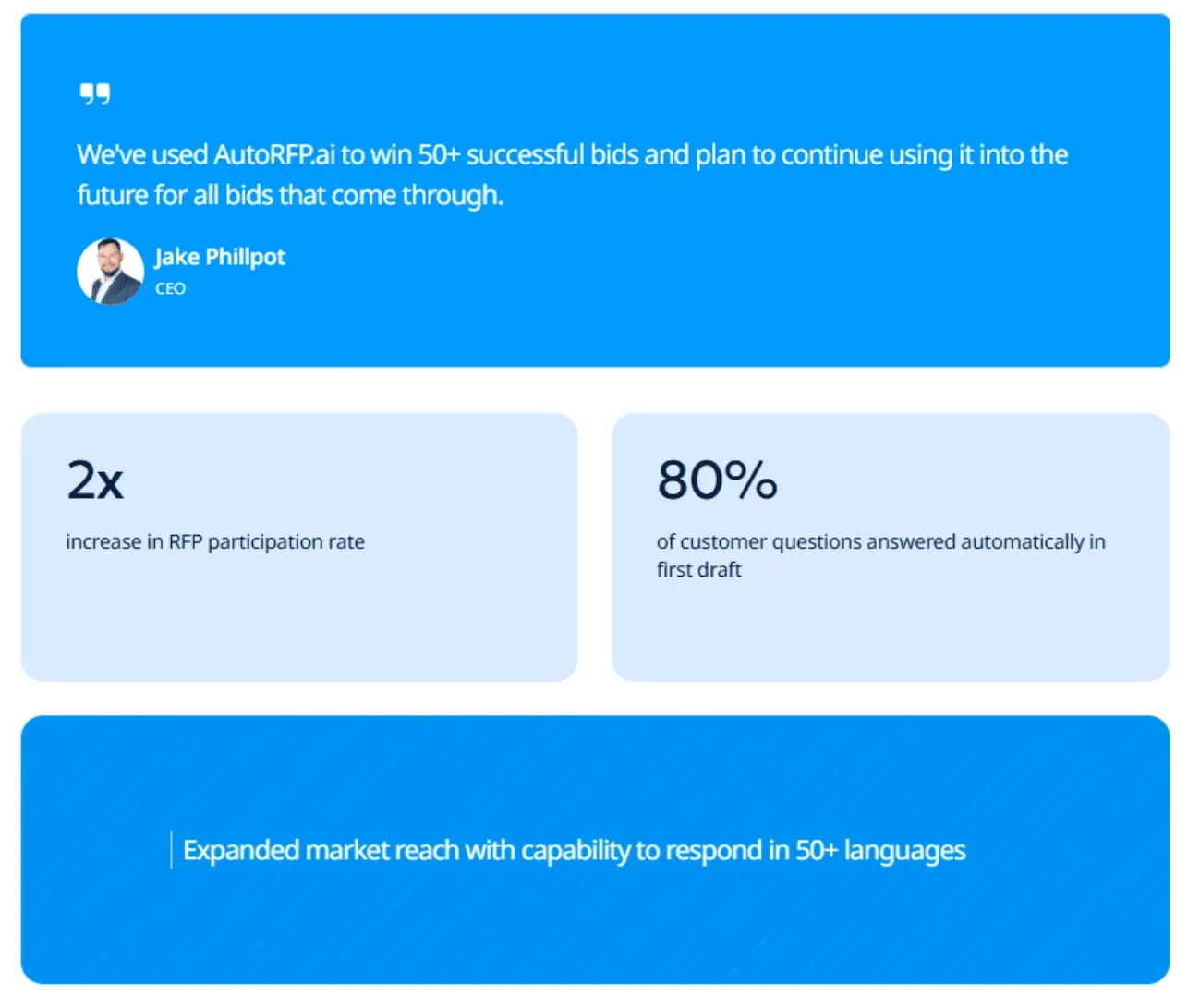
Jake Phillpot, CEO of Workforce, said, “We’ve used AutoRFP.ai to win 50+ successful bids and plan to continue using it into the future for all bids that come through.”
Who AutoRFP.ai Is Best For
Mid-to-large B2B SaaS (100-5,000): Enterprise, RFP-heavy pipeline that needs a repeatable, governed response process to keep deals moving.
RevOps leader (VP/Head of RevOps): Needs visibility into late-stage execution, including RFP status, timelines, blockers, and team capacity.
RFP & deal team owners (Proposal/RFP Managers, Pre-Sales, Enterprise AEs): Own submissions end-to-end and need faster first drafts, governed reuse, and a standard workflow to hit deadlines without chasing SMEs.


Video transcript
Transcript is auto-generated and may contain minor errors.
Hey, I'm Rob from autoRFP.ai. What is autoRFP.ai? Well, autoRFP.ai is an AI software as a service or SaaS application that does AI for proposal or RFP responses. That includes RFIs, like request for informations, includes due diligence questionnaires or DDQs, and includes security questionnaires. So, you can find all about us at autoRFP.ai. So, we're a technology company. We have offices all across the globe including Brisbane, Australia, Vancouver as well. And effectively, our tool allows, whether it be bid managers, sales people, proposal writers, RevOps team members, sales leadership, answer complicated request for proposals. So, what is a request for proposal? You can see one of our other videos below in the description. But effectively, our system
looks something like this. And it lets team members, and you can have unlimited number of people log in to autoRFP.ai, good product, allows people to go in, create projects, which would be for instance an RFP. I can go in here, create my information from my zip file, and that includes, you know, like an Excel spreadsheet, PDF, Word doc. We can run an AI go no go project analysis on the RFP. And then effectively from that, we can bring in all the information in terms of what are the questions, where our AI automatically scans the documents and figures out what is being asked of the RFP, whether it's multiple tabs in an Excel spreadsheet and everything else, whether it's drop-downs. And that all happens automatically through the power of AI. Then, we generate our response, and we can do it in in 40 plus different languages and adding languages all the time. Once you've imported your RFP into order rfp.ai,
you can collaborate with your team members assigning different people to answer the questions, review the questions, looking at an overview of the entire project and project managing due dates. Now AI effectively starts automatically answering those different questions based on your knowledge documentation. So that might be your website, your help docs, your technical documentation, your past RFP answers or security questionnaires, your security policies. But effectively all that different company information you import into order RFP and then our AI leverages that to create an AI first draft of an RFP response. Once we're happy with all those requests, we can approve it. That goes into the model to learn from and add to. So your current responses are automatically used for new responses and then you can export that as well. And then the final cool thing about order RFP is you have a lot of different
integrations that you can pull in, whether it's knowledge documentation from places like Notion, Google Drive and so on. So that's order RFP. We're an AI SaaS app. Uh you can host globally. We do not use customer data for training purposes or to send it back to LLMs. So we're secure and private. We have our ISO 2701 certificate and our SOC 2 certificate and then you can find up-to-date pricing and information on our website. Or if you came to learn more, you can book a demo and schedule time with our team. Thanks.
2. Clay: Best For Data Enrichment And Outbound Workflows
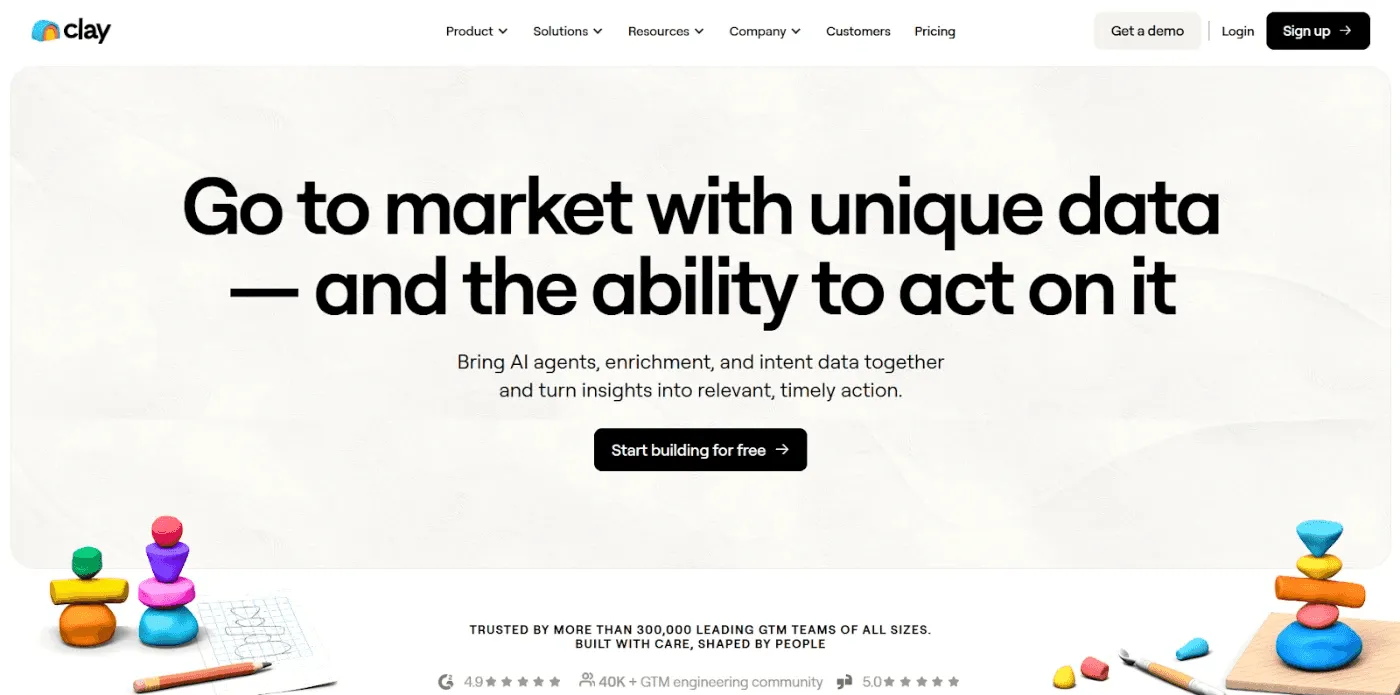
Clay is a GTM data and workflow platform that helps teams enrich leads and accounts using 100+ data sources and automate what happens next.
A standout capability is Waterfall Enrichment, which checks multiple providers to maximize coverage for data points like emails, phones, and firmographics.
Key Features
AI research with Claygent: Automates web research tasks and returns structured outputs into your table.
Integrations: Connects to common GTM tools so enriched data can flow into systems like HubSpot.
Pricing
| Plan | Monthly Cost (Billed Annually) |
|---|---|
| Starter | $134/month |
| Explorer | $314/month |
| Pro | $720/month |
| Enterprise | Contact sales |
Where Clay Shines
Multi-provider coverage: Reduces dependency on a single database by chaining providers for better fill rates.
Ops-first flexibility: Works well for RevOps-style teams building custom enrichment logic and repeatable workflows.
Where Clay Falls Short
Learning curve: Workflow design can feel complex for new teams.
Credit predictability: Spend is harder to forecast without tight governance.
Data quality varies: Accuracy depends on the underlying providers.
Not a full engagement suite: Outbound still requires a separate sequencing or engagement tool.
Customer Reviews
Tommy M., Growth Team, Capterra reviewer wrote, “I was intimidated at first because Clay is so robust and offers a lot, but using the table templates really helped. The team in the app and on Slack is super helpful and even helped me set up tables I was struggling with. You are also not locked into a fixed price point. You can adjust your account credits as needed, which is especially helpful when you need to ramp up or slow down.
Raphael A., Marketing Lead, expressed his frustration on G2, stating that, “I think their credit system is broken, their pricing is broken. They are not fully transparent with the follower limit, and they never helped when I had an issue.”
Who Clay Is Best For
RevOps and Growth Ops teams: Building enrichment, routing, and targeting workflows
SDR and outbound teams: Need flexible enrichment and research at scale
3. Gong: Best for Revenue Intelligence And Deal Coaching
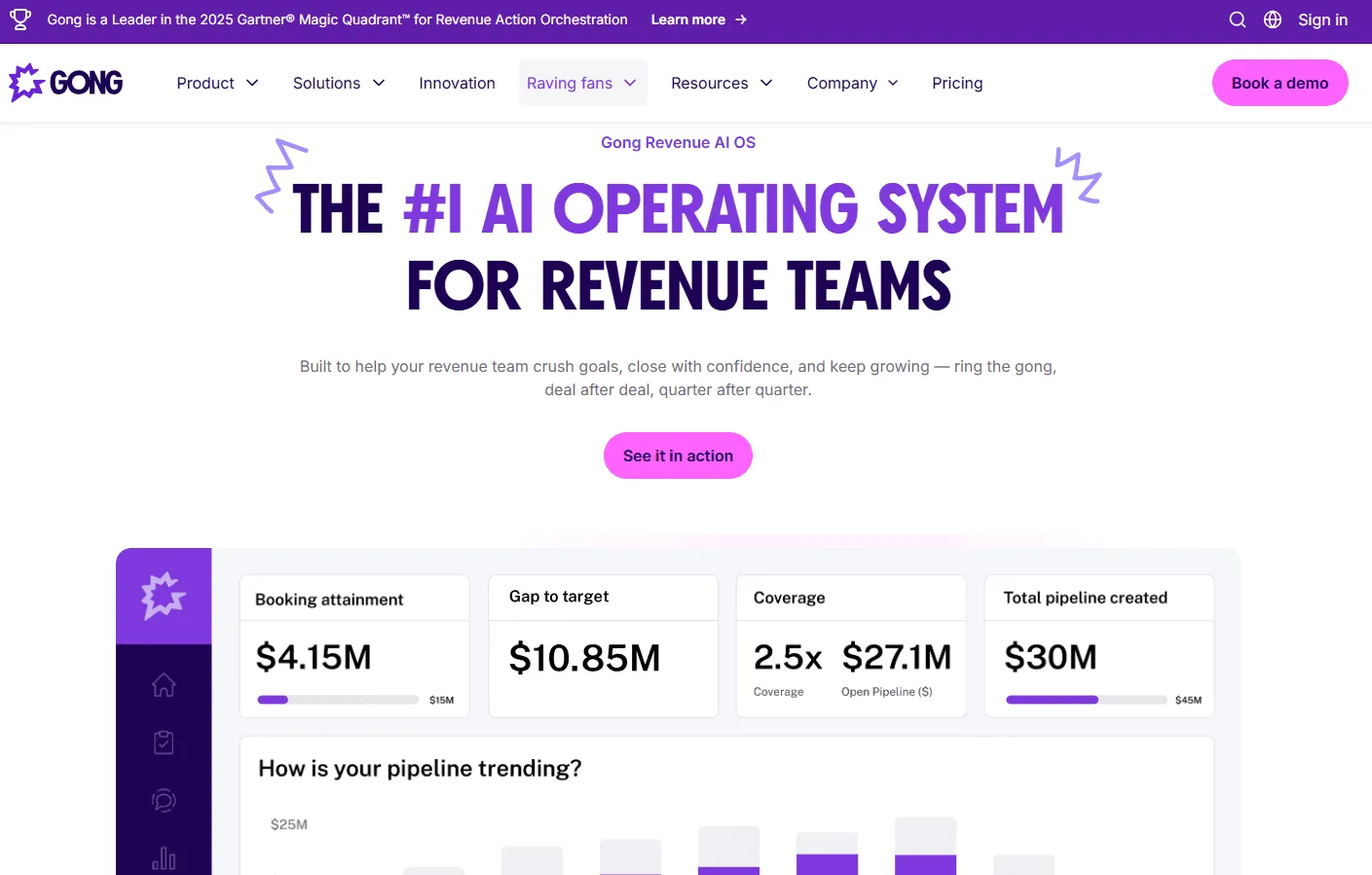
Gong is a revenue intelligence platform that records and analyzes sales calls and web meetings to surface buyer signals, deal risk, and coaching opportunities.
It turns what buyers actually say into structured insights for pipeline inspection, deal reviews, and rep enablement beyond CRM fields and rep updates, which supports stronger AI sales enablement.
Key Features
Conversation capture and transcription: Records calls and creates searchable transcripts.
Deal and pipeline risk signals: Flags risk and gaps using conversation signals, not just CRM stages.
Pricing
Gong pricing isn’t publicly listed, so you’ll need to contact Gong for a custom quote.
Where Gong Shines
Deal inspection at scale: Surfaces buyer engagement, sentiment, and risk to help leaders review deals faster.
Evidence-based rep coaching: Pinpoints key call moments and patterns to make coaching specific.
Where Gong Falls Short
Pricing transparency: Not publicly listed, so budgeting usually requires sales-led scoping.
Adoption effort: Value depends on consistent usage and manager follow-through over time.
Integration setup requirements: Requires CRM connections and configuration for clean reporting and aligned workflows.
Customer Reviews
May L., Sr. Product Designer, noted that, “Gong is incredibly helpful by transcribing and analyzing sales calls that help me extract insights from users and help inform design decisions. The AI summary and insights give me a quick high-level of the call, and the ability to save and share helps seamlessly in our feedback research.”
Neel P, Sales Operations Manager, noted that “While Gong offers valuable insights into call data and sales interactions, our experience has been impacted by significant data access limitations, especially concerning data portability and bulk export capabilities.”
Who Gong Is Best For
- RevOps leaders and sales ops managers: Running pipeline reviews and seeking earlier risk signals
4. HubSpot: Best for an All-in-One CRM Platform
HubSpot is a customer platform powered by a Smart CRM that keeps marketing, sales, and service working from the same data.
For RevOps, the biggest value is running the full lifecycle in one place, with shared reporting, automation, and handoffs instead of piecing together multiple systems.
Key Features
Smart CRM foundation: Centralizes contacts, companies, deals, and activity so teams share one source of truth.
Sales tools: Supports pipelines, meeting scheduling, email tracking, and quotes for day-to-day selling.
Marketing automation: Connects campaigns and lead capture directly to CRM records and lifecycle stages.
Pricing
| Plan | Monthly Cost (Billed Annually) |
|---|---|
| Marketing Hub Professional | $800/month |
| Operations Hub Professional | $720/month |
| Sales Hub Professional | ~$90-$100/user/month |
| Service Hub Professional | ~$90-$100/user/month |
| Content Hub Professional | $450/month |
| Professional Customer Platform Bundle | $1,170/month |
Where HubSpot Shines
Cross-team alignment: Keeps marketing, sales, and service on the same records and reporting definitions.
Fast setup: Strong out-of-the-box workflows for common SMB and mid-market GTM motions.
Where HubSpot Falls Short
Costs can rise with scale: Pricing often increases as marketing contacts and capacity needs grow.
Packaging can feel complex: Seats, credits, and hub tiers can make comparisons harder during procurement.
Advanced ops need may require higher tiers: Deeper automation and governance can be gated behind higher editions.
Customer Reviews
In a review at G2, Sumeet S., Senior Product Manager, said, “HubSpot Marketing Hub stands out for bringing multiple marketing functions into one unified platform. Email marketing, lead capture, automation workflows, CRM integration, analytics, and campaign tracking all work seamlessly together. The UI is intuitive despite the platform’s depth, and the learning resources, documentation, and onboarding are excellent. Automation workflows and lead scoring help streamline marketing operations, while native CRM integration ensures strong alignment between marketing and sales teams.”
Ravi V., Quality Analyst, shared on G2 that “I think HubSpot has started to see itself as a big brand in the market and assumes there are no real alternatives. However, many more affordable options are available, and some are likely to outperform HubSpot soon. Overall, my experience has been below par.”
Who Hubspot Is Best For
- RevOps teams: Want one connected platform for CRM, automation, and lifecycle reporting
5. Apollo.io: Best for Prospecting and Sales Engagement
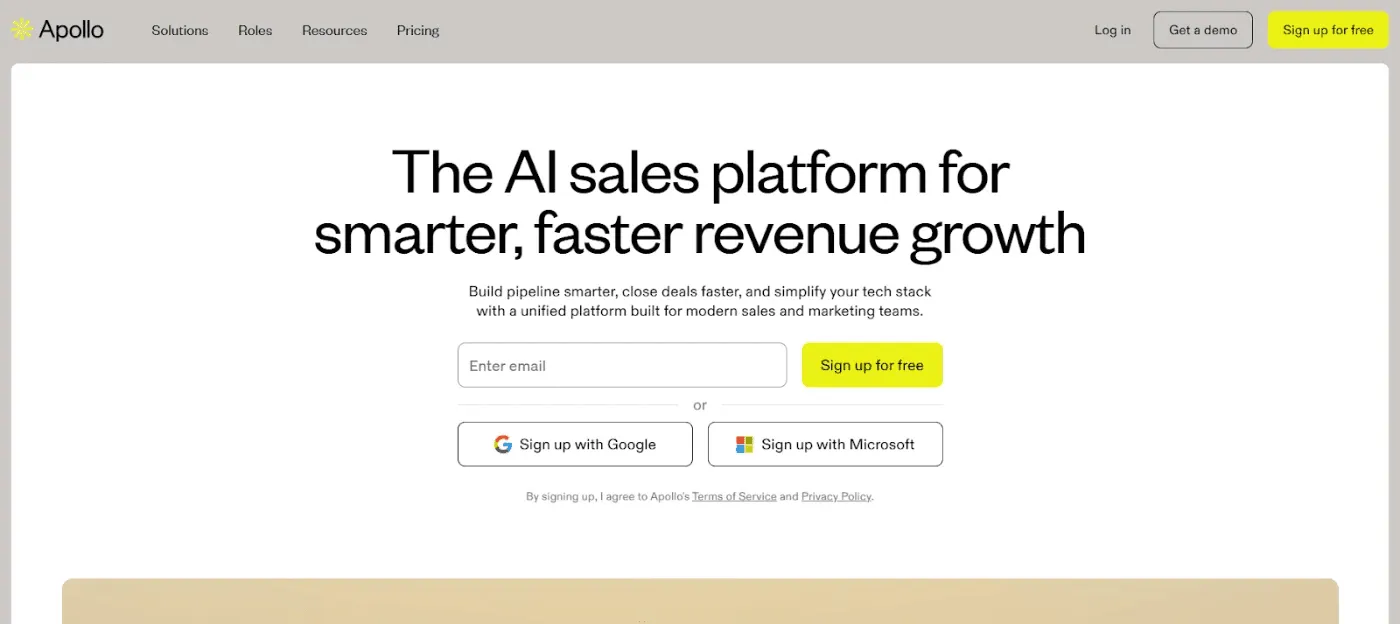
Apollo.io is a sales intelligence and engagement platform for RevOps and outbound teams that need to find prospects, enrich data, and run multichannel outreach.
It combines a large B2B database (210M+ contacts), sequences, and a dialer, plus a Chrome extension (e.g., LinkedIn, Gmail) for faster prospecting and cleaner CRM sync.
Key Features
Lead database and enrichment: Find and enrich prospects with Apollo data.
Dialer and calling workflows: Power through call lists and follow-ups faster.
Where Apollo.io Shines
Fast list building: Makes it easy to move from Ideal Customer Profile (ICP) filters to outreach-ready lists, with built-in enrichment.
All-in-one outbound motion: Combines data, sequences, and calling in one platform, which can simplify the stack.
Where Apollo.io Falls Short
Credit-based pricing: Spend can be less predictable under credit and fair-use limits.
Data accuracy variance: Some records may be outdated or inaccurate, especially outside core regions.
Deliverability and compliance work: High-volume outreach still needs strong deliverability and consent practices.
Scaling and admin effort: Larger teams need tighter rules and CRM governance to keep data and handoffs clean.
Customer Reviews
Naveenkumar S., Senior UX/UI Designer: “Finding the right customer for our product is straightforward and efficient. Reaching out and following up with the right customer at the right time is also easy and saves time. Scheduling the outreach and crafting the personalization message with the help of AI is very helpful for us.”
A user on Capterra said, “After-sales service is extremely poor. Support agents keep passing my query from one agent to another repeatedly.”
Who Apollo.io Is Best For
Sales development representatives (SDRs)/Business development representatives (BDRs) teams: Focused on outbound prospecting and multichannel outreach
RevOps and sales ops teams: Wanting one platform for data, sequences, and basic calling workflows.
6. Qwilr: Best For Interactive Proposals And Quotes
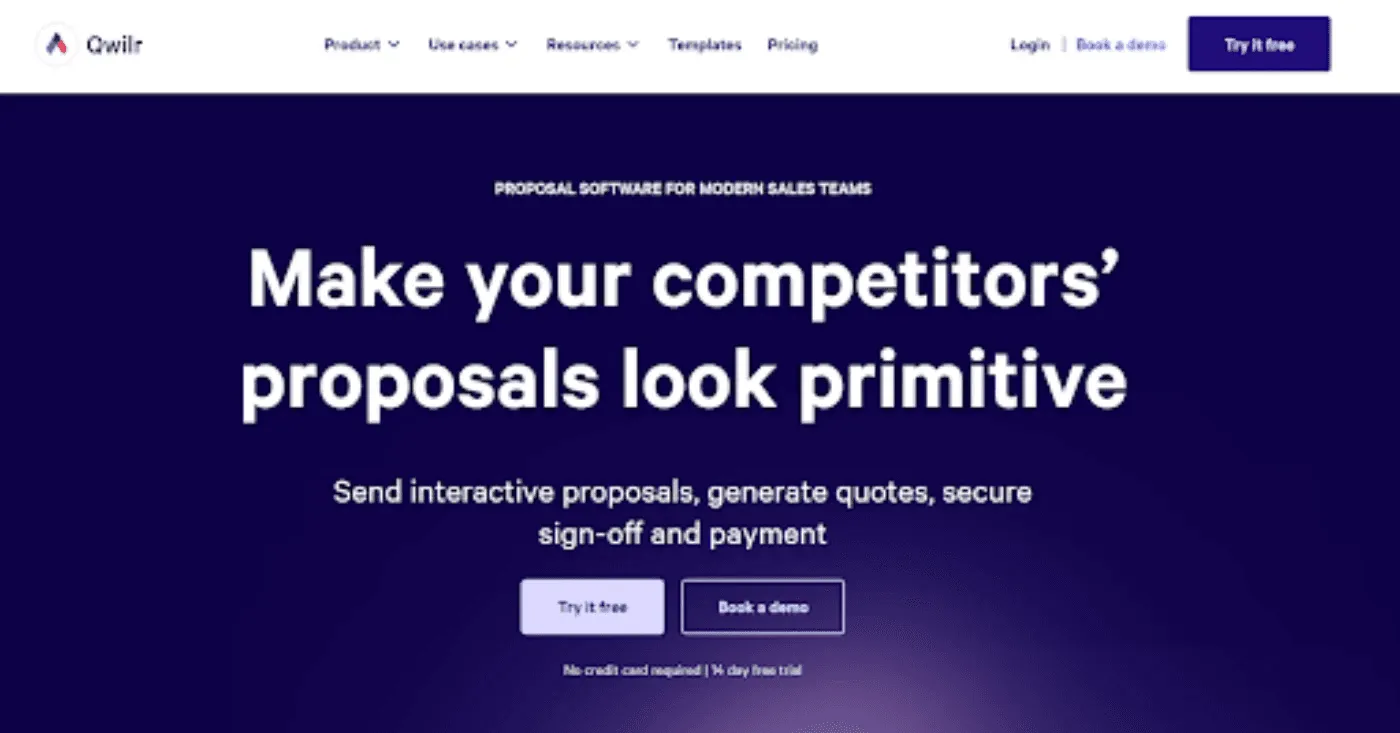
Qwilr turns proposals and quotes into interactive web pages and shows engagement analytics so sellers can track buyer interest.
Built-in e-signature and QwilrPay let buyers accept, sign, and pay directly inside the proposal.
Integrations with HubSpot, Salesforce, and Zapier help keep proposal workflows and deal data in sync.
7. Salesforce: Best For CRM And RevOps Foundation
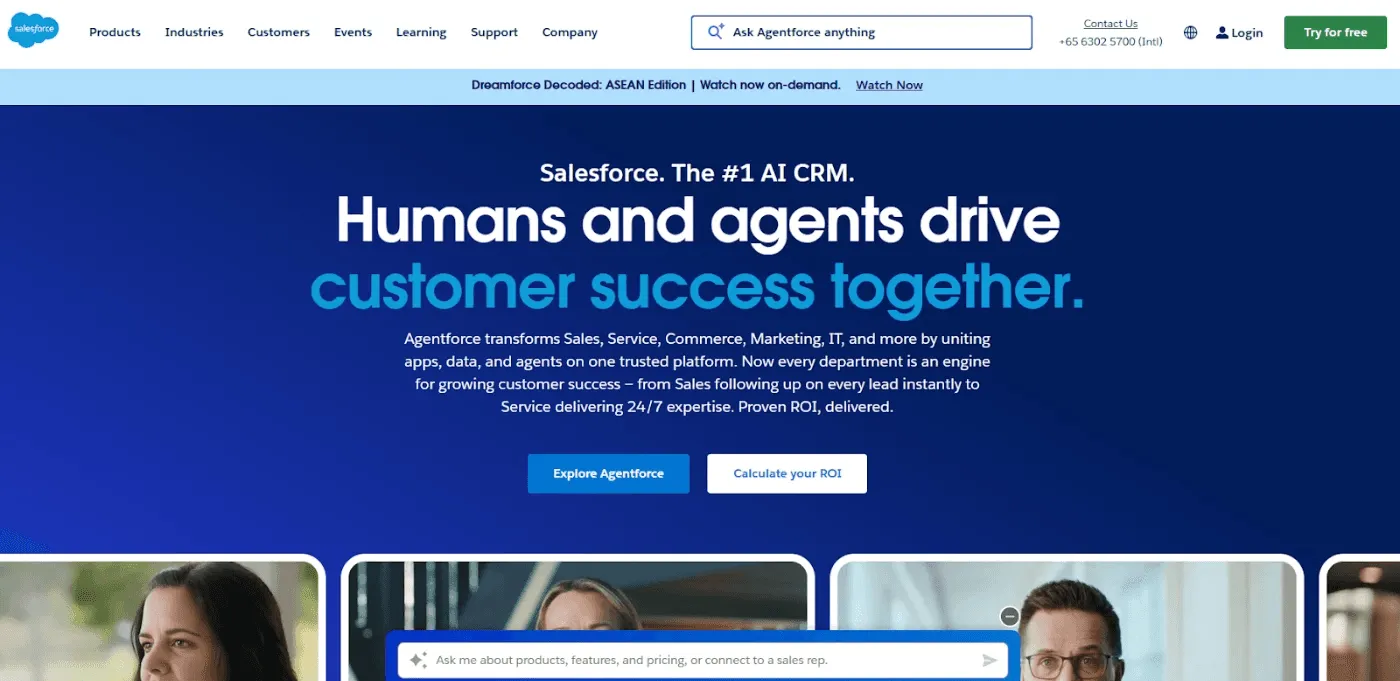
Salesforce is the CRM “system of record” many RevOps teams build on, because it centralizes accounts, contacts, opportunities, activities, and forecasting in a single platform, with robust reporting and workflow controls.
Sales Cloud supports pipeline and forecast management, while reports and dashboards make performance tracking easier to operationalize for weekly reviews.
8. ZoomInfo: The context intelligence layer
ZoomInfo is behind GTM AI, the agentic-native interface for go-to-market. Unlike Inventive.ai, ZoomInfo focuses on proactive discovery and buying committee intelligence.
Key Features
Run agentic workflows: Leverage ZoomInfo’s data in a headless environment across all your key platforms, tools and LLMs.
RFP Signals: Track “new vendor search” mentions in transcripts and news.
Committee Mapping: Identify exact decision-makers for any target account.
Pricing
ZoomInfo’s pricing is consumption-based.
Where ZoomInfo Shines
- Early Access: Win deals by out-preparing competitors before the formal bid process starts.
Where ZoomInfo Falls Short
- It is not a specialized RFP response drafting tool and lacks questionnaire automation.
Who ZoomInfo Is Best For
All go-to-market teams that need data to fuel operations in this agentic era.
How to Choose the Best RevOps Tool
Here’s how to choose the best RevOps tool for your team:
1. Start With the Revenue Bottleneck You’re Trying to Fix
Pick tools based on the one or two workflows that slow revenue down today (lead handoff, pipeline hygiene, forecasting, deal desk, renewals). If enterprise deals stall at RFPs and security questionnaires, an RFP automation layer like AutoRFP.ai can remove late-stage friction fast.
2. Match the Tool to Where It Sits in Your Funnel
RevOps stacks usually cover different ‘moments’: CRM plus lifecycle, engagement, enablement, forecasting, data, and deal execution. Make sure each tool has a clear job and doesn’t overlap heavily with what you already have — our roundup of the best sales enablement tools breaks down which platforms own each part of the rep workflow.
3. Prioritize Data Quality and a Single Source of Truth
Even the best RevOps strategies fall apart on bad data. Check how each tool handles field mapping, deduping, permissions, and reporting consistency so your dashboards don’t become ‘pretty but wrong.
4. Check Workflow Fit Across Teams, Not Just Features
RevOps tools fail when they don’t match how Sales, Pre-Sales, and Ops actually work. Look for ownership, approvals, collaboration, and accountability features that reduce chasing and make handoffs obvious.
AutoRFP.ai supports this by keeping SMEs accountable through clear ownership, routing approvals, sending Slack/Teams reminders, and showing progress and blockers in a single dashboard so submissions don’t stall.
5. Make ROI and Adoption Easy to Prove
Choose tools that show impact without manual reporting: cycle-time reduction, capacity freed, win rate lift, or forecast accuracy. AutoRFP.ai’s ROI reporting is useful when leadership wants proof that automation is paying off.
Optimize Your RevOps With AutoRFP.ai
A strong RevOps tech stack needs predictable execution, not heroic last-minute saves. AutoRFP.ai replaces the scramble with a governed workflow and delivers up to 80% of answers that are accurate enough to send as-is, with no edits needed.
That frees teams to focus on exceptions rather than repetitive rewrites. This results in shorter sales cycles, higher conversion, better planning, less revenue leakage, and higher win rates.
About the author

Ops Lead
Ops Lead at AutoRFP.ai. Designs the pipeline, content, and handoff systems bid teams use to run RFPs end-to-end, and co-hosts live sessions on winning workflows.
LinkedIn