
11 Best AI Agents for Security Questionnaires in 2026: Features And How They Work
The best AI agents for security questionnaires include AutoRFP.ai, Responsive, and Vanta, each automating RFP and compliance responses using your knowledge base.

Technical Account Manager, AutoRFP.ai·Updated ·21 min read
If your team is handling security questionnaires at any volume, the real bottleneck is rarely writing. It’s finding the latest approved answers, aligning with policy, and keeping review cycles tight. It’s not surprising that 65% of top-performing teams now use AI proposal technology. In this article, we break down the best AI agents for security questionnaire automation and explain how they work, from retrieval and drafting to approvals and auditability.
| Tool | Best for | Standout feature | Starting price |
|---|---|---|---|
| AutoRFP.ai | Teams that want an agentic workflow for security questionnaires, DDQs, and related response work, not just a basic answer generator | Project Agent can search approved content, rewrite responses, validate answers, and create client-ready documents inside one workflow | Starts at $899/month with unlimited users and integrations. |
| Conveyor | Security and GRC teams that want end-to-end questionnaire automation plus trust center and portal-completion support | Combines AI answer generation, trust center workflows, gated document sharing, and browser-based portal completion in one platform | Free tier available. Paid plans use annual credit-based pricing instead of a simple flat monthly tier. |
| Vanta Questionnaire Automation | Companies that want questionnaire automation tied directly to a live compliance and trust program | Agentic workflows generate answers from controls, policies, and trust data already living inside Vanta | Custom pricing. Vanta asks teams to request pricing, and questionnaire automation availability depends on plan level or add-ons. |
| Responsive | Enterprise teams with complex security questionnaire workflows that need more structure around intake, analysis, review, and collaboration | AI agents help analyze questionnaires, draft responses, and flag outdated or risky content inside a broader SRM workflow | Custom pricing through sales. Responsive lists editions publicly, but not simple public dollar pricing. |
| Cyberbase AI | Lean security and revenue teams that need cited DDQ and security questionnaire answers without stitching together multiple tools | Evidence-backed DDQ automation with fast-start deployment and adjacent trust-center and contract workflows | Free to start. Cyberbase’s pricing page says its starter motion includes free entry with no credit card, while enterprise access is custom. |
| Drata AI Questionnaire Assistance | Teams that want AI-generated draft answers but still want humans firmly in the review and approval loop | Pulls answers from trusted sources, then routes them through structured human review, edit, and approval workflows | Custom pricing. Drata includes AI Questionnaire Assistance in its plans, but does not publish public dollar pricing. |
| HyperComply | Teams that care most about fast security questionnaire turnaround without building a heavy workflow around the process | Fast response workflow paired with trust-page support and a free pilot to prove value early | Free pilot available. Paid pricing is sales-led rather than shown as a public plan grid. |
| TrustCloud TrustShare | Organizations that want trust portal functionality and AI questionnaire automation in the same system | Dynamic trust portal plus AI-assisted questionnaire completion to reduce inbound review volume over time | Custom pricing. TrustCloud has a pricing page, but public dollar tiers are not shown on the surfaced official pages. |
| Secureframe Questionnaire Automation | Companies already managing compliance inside Secureframe and wanting questionnaire answers grounded in that same source of truth | Uses AI and machine learning to draft answers from your Secureframe knowledge base, controls, policies, and compliance data | Custom pricing. Secureframe promotes the feature publicly, but does not show standalone public dollar pricing for the module. |
| SecurityPal Concierge | Teams that want AI automation plus human analyst support instead of handling every questionnaire fully in-house | Hybrid model that combines AI agents with certified analysts for fast questionnaire completion and stronger review discipline | Custom pricing, with usage-based pricing highlighted in official materials. |
| Loopio | Teams that want governed security questionnaire automation inside a more established response-management platform | Strong content governance, approved-answer reuse, and structured collaboration across higher questionnaire volume | Starts at $20,000/year for 10 seats. Larger packages are custom quoted. |
1. AutoRFP.ai: Best For Agentic Security Questionnaire Workflows
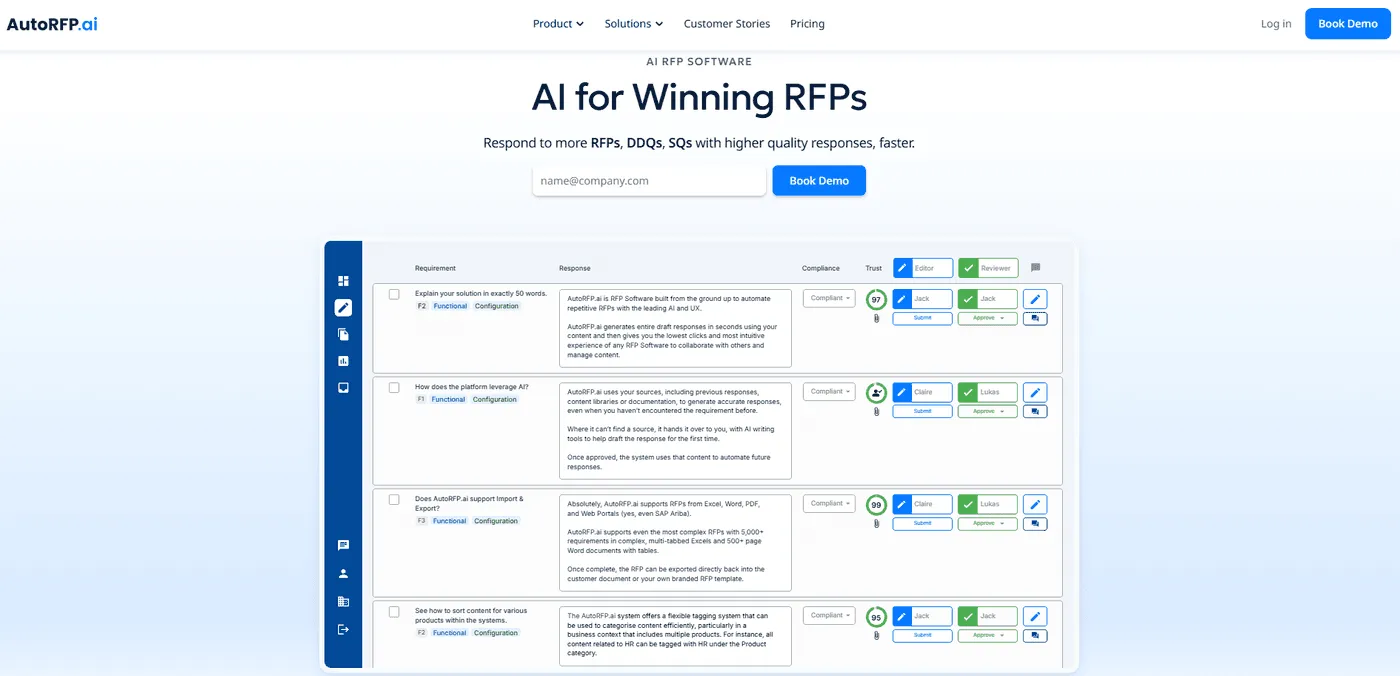
AutoRFP.ai is agentic AI RFP software built to complete a response workflow, not just generate text from a prompt.
For security questionnaires, DDQs, RFIs, and RFPs, it can read the request, search trusted company knowledge, choose relevant content by meaning, draft answers, surface confidence, support refinement, and improve future responses from approved output.
In practice, that means answers auto-generated from your policies, compliance documentation, and past approved responses, with the source passages attached so reviewers can verify each one instead of trusting fluent text.
That makes it closer to a specialized response agent than a generic chatbot, especially for teams that need accurate, on-brand answers across large volumes of compliance and security questions.
Its Project Agent is where that agentic behavior becomes most visible, giving teams one conversational layer to search, validate, rewrite, and package responses using live project context.
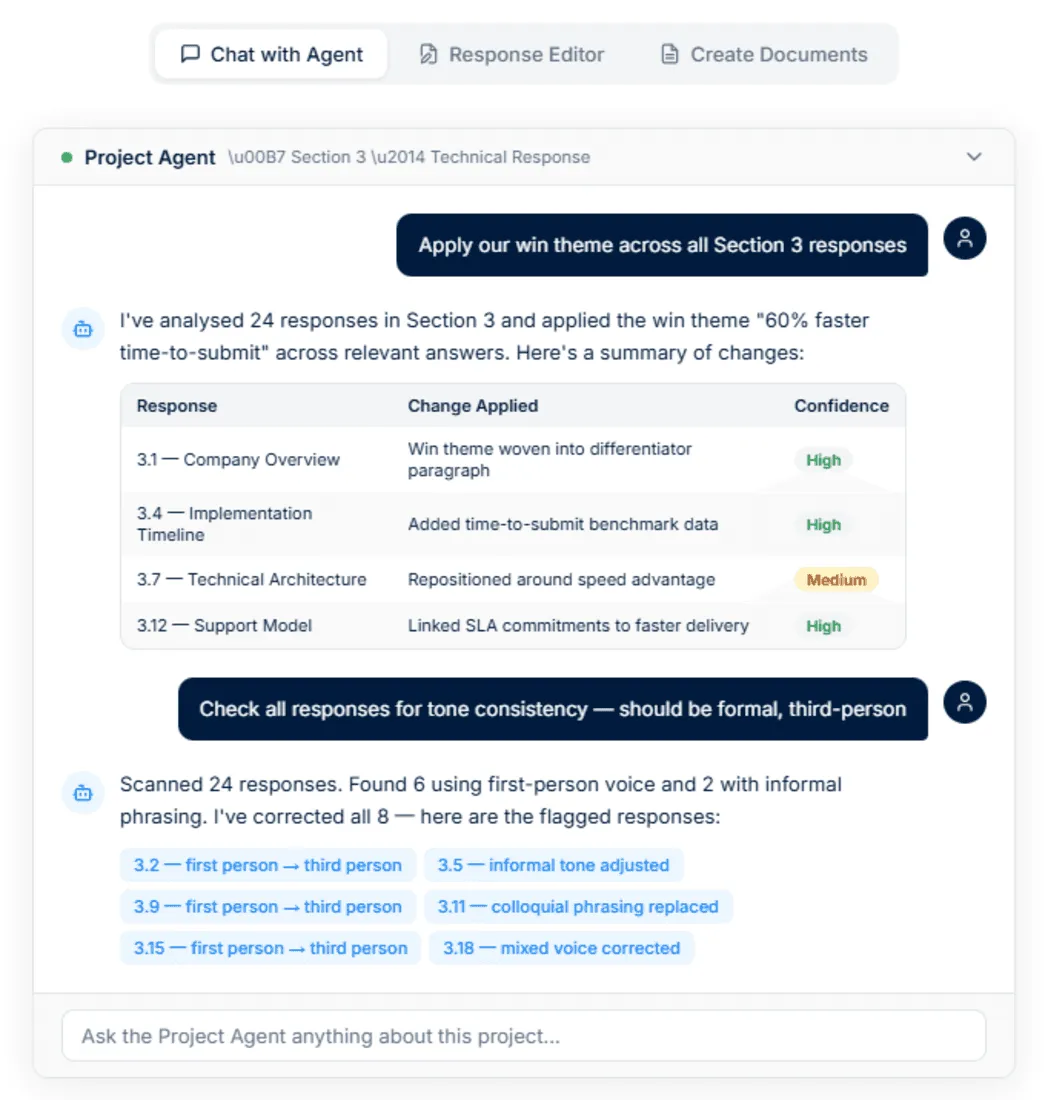
Key Features
These Project Agent features are the clearest way to show how AutoRFP.ai works as an agent for security questionnaires, because they move the team from retrieval to drafting, editing, validation, and final document creation inside one workflow.
1. Content Library Agentic Search
AutoRFP.ai’s Project Agent searches past projects, approved content, and uploaded documentation by meaning instead of forcing teams to rely on exact keyword matches.
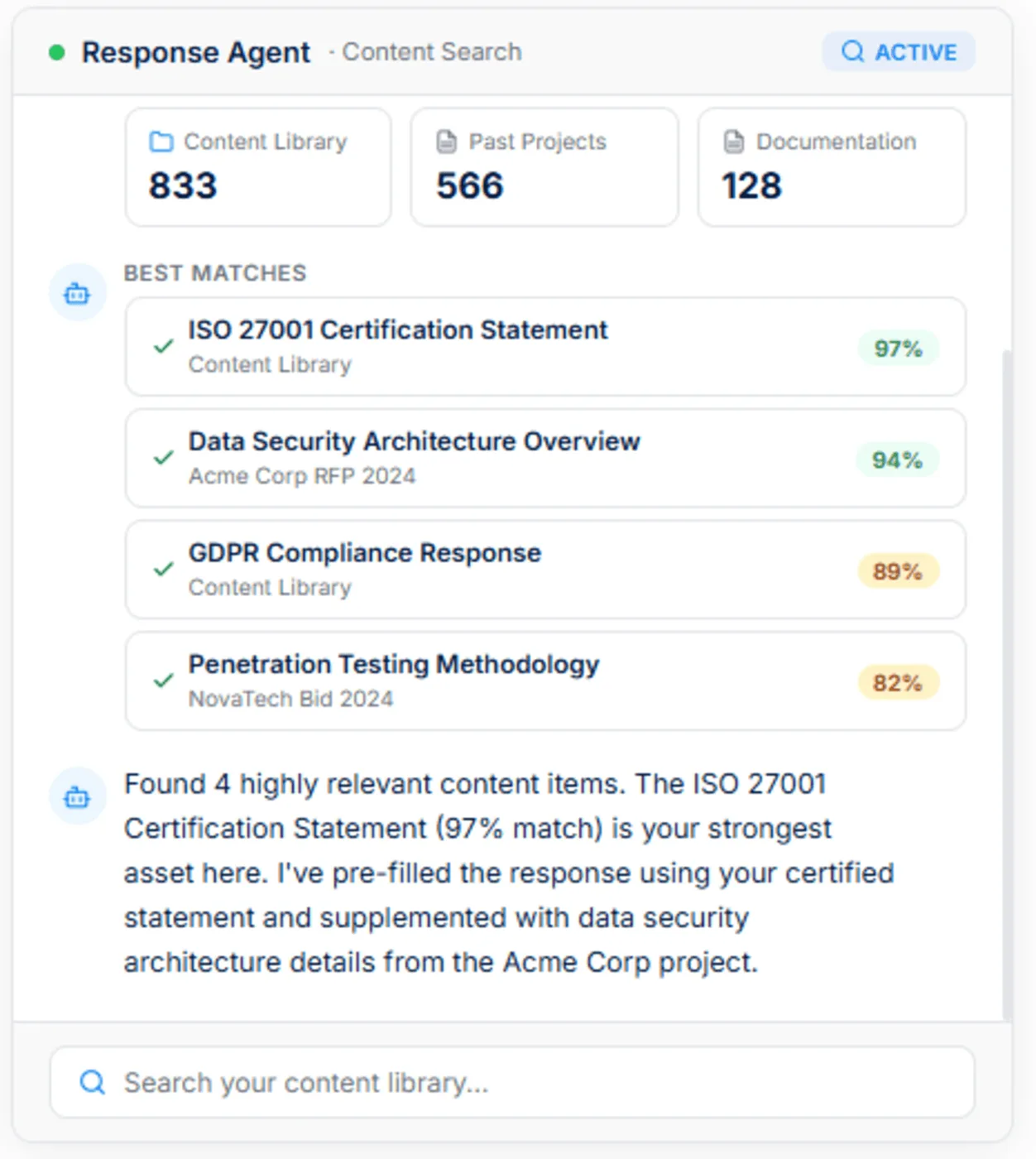
For security questionnaires, that matters because buyers often ask the same compliance question in different languages, so the agent can connect a prompt about data retention with approved GDPR, privacy, or security content already stored elsewhere.
Results are ranked by relevance, which makes it easier to start from the strongest approved material instead of sorting through dozens of partial matches. That gives teams faster, more defensible answers without depending on memory or manual searching.
2. Document Creation
AutoRFP.ai’s Project Agent can turn the full project context into polished outputs such as executive summaries, cover letters, compliance matrices, and implementation plans.
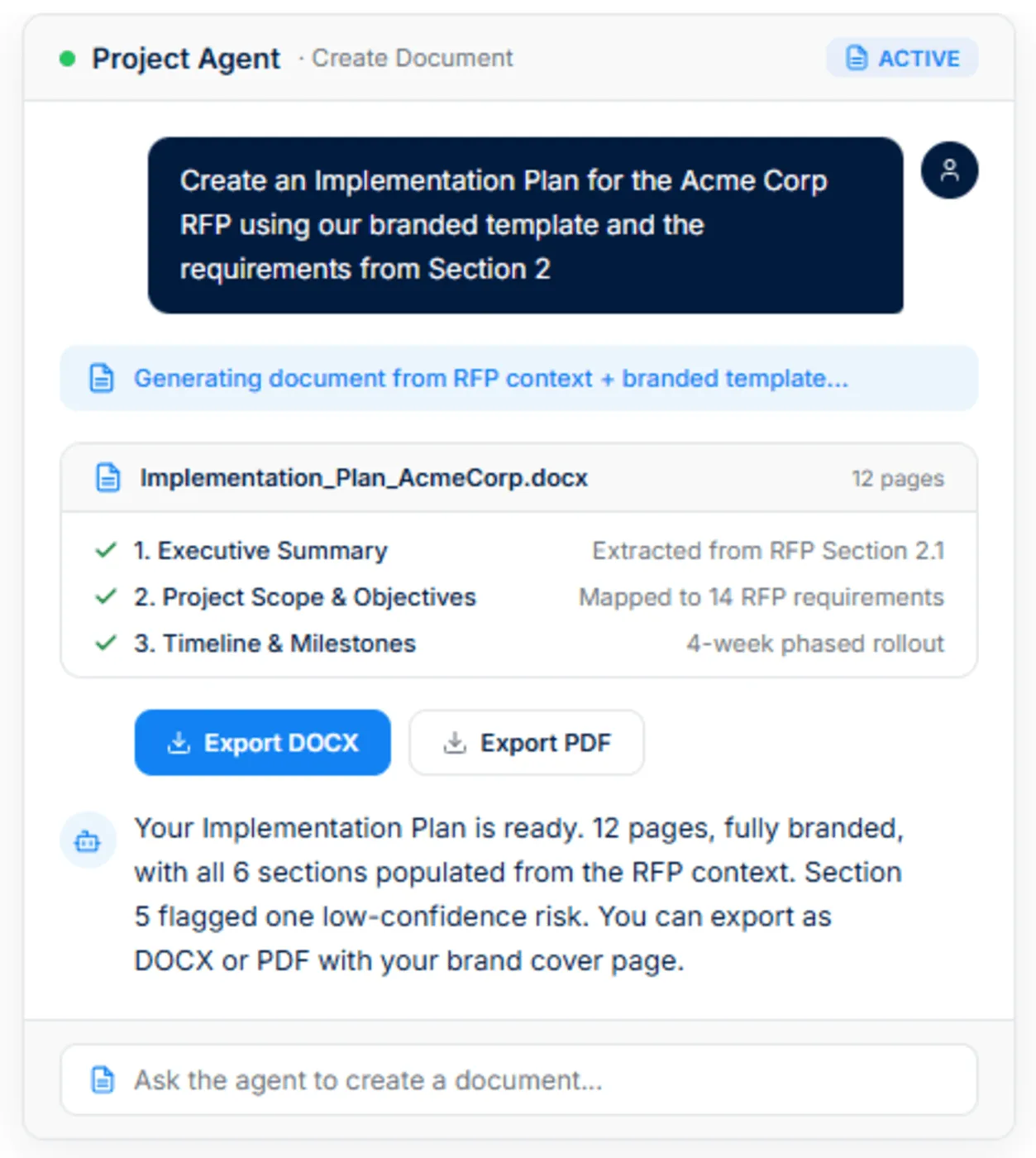
In a security questionnaire workflow, this is useful when teams need more than field-level answers and have to package their responses into client-ready documents that reflect the requirements clearly. Because the content is pulled from approved responses, attachments, and project files, the final document stays grounded in actual company knowledge instead of generic boilerplate. Exporting into branded DOCX or PDF templates also cuts down the manual formatting work that usually slows final submission.
3. RFP Agent Editing
AutoRFP.ai’s Project Agent lets teams rewrite responses in place with precise instructions while keeping the edits tied to approved content.
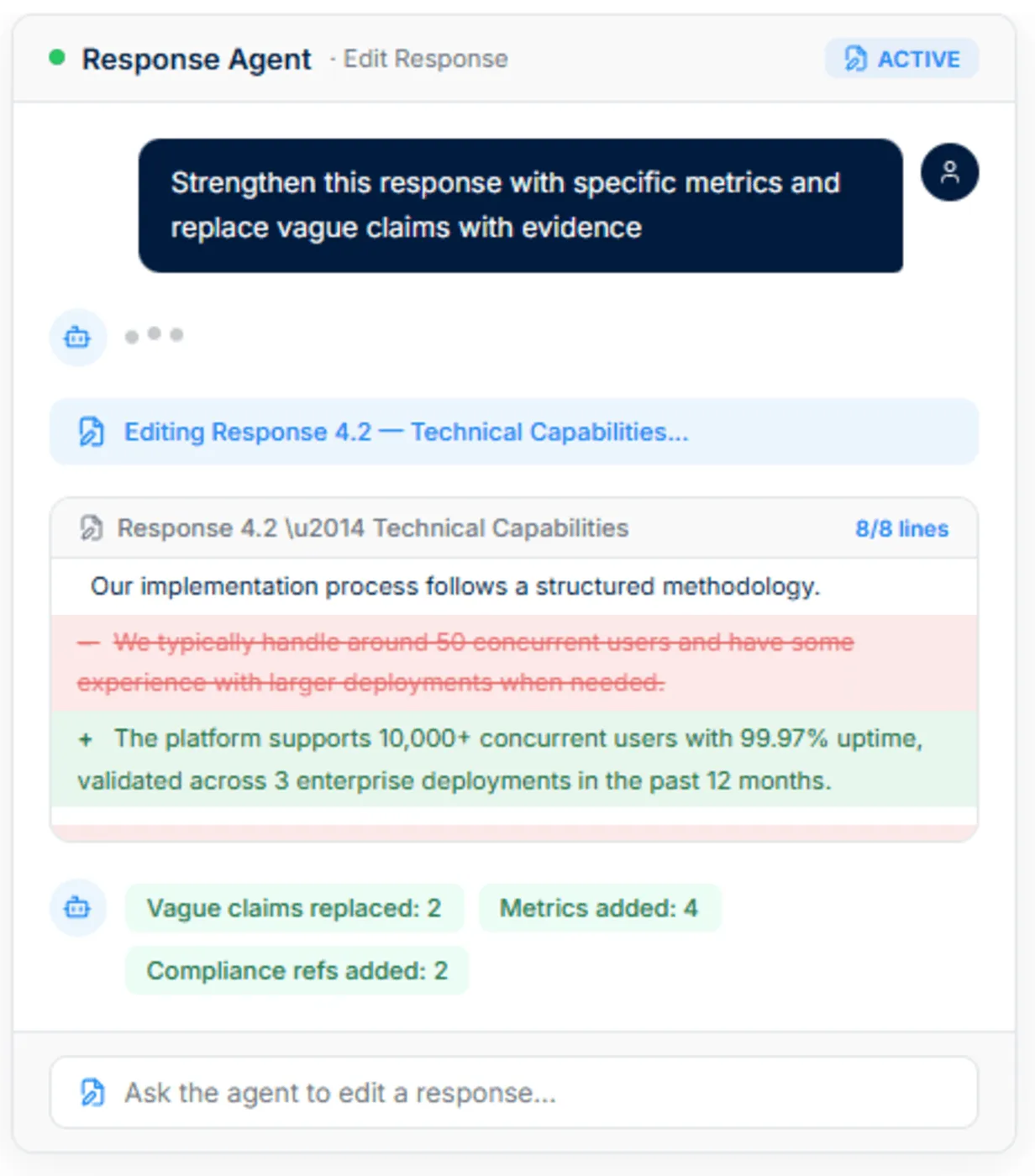
That is especially useful for security questionnaires, where teams often need to tighten language, replace vague claims with hard evidence, shorten overlong responses, or align wording with a prospect’s specific requirement.
Before-and-after diffs make every change easier to review, which helps legal, security, and compliance stakeholders approve edits faster.
Instead of inventing filler, the agent rewrites using validated project files, attachments, and content library sources, which lowers the risk of unsupported claims.
4. Live Web Search
AutoRFP.ai’s Project Agent can pull current external context into a response without forcing teams to jump between browser tabs and the questionnaire itself.
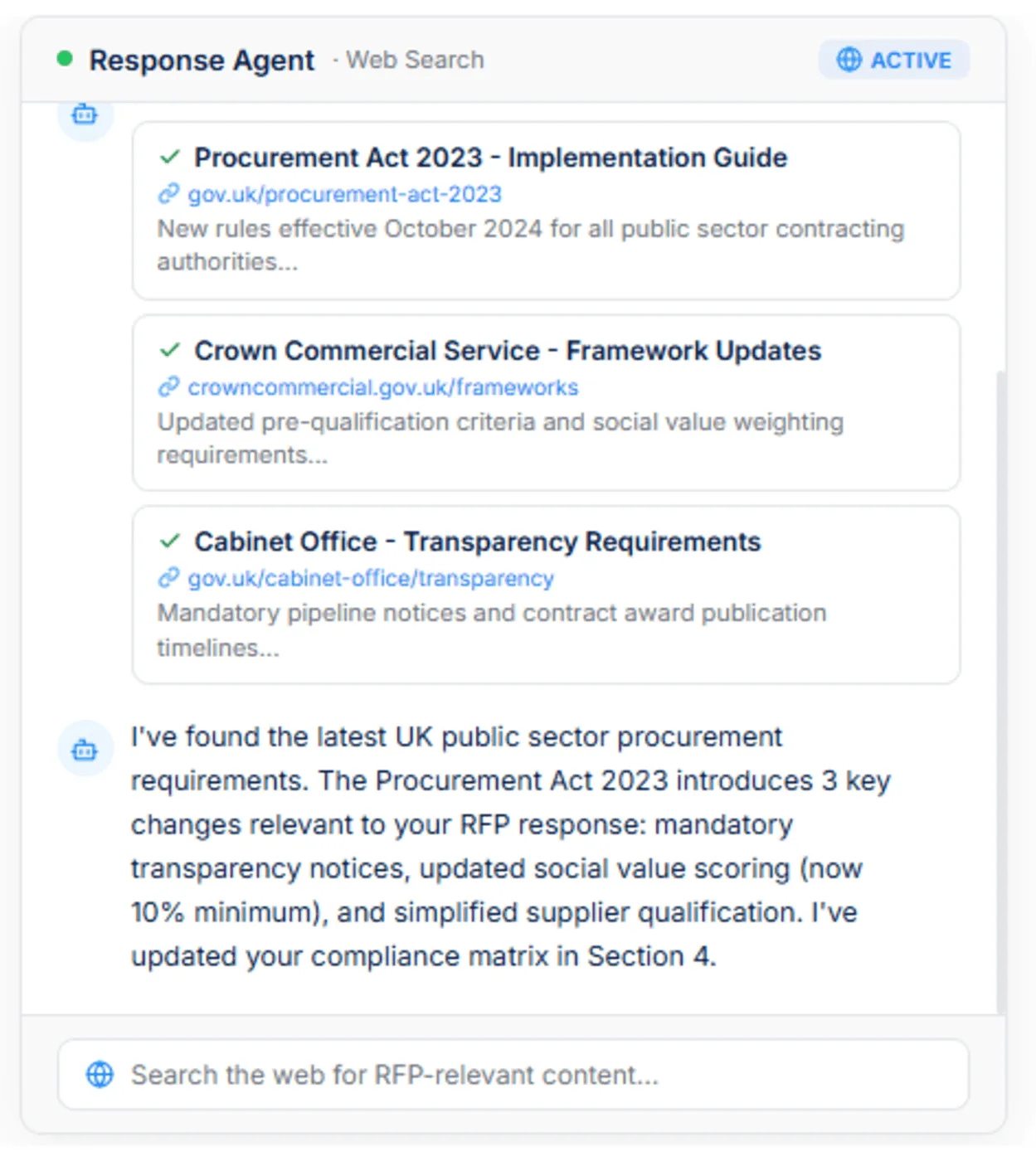
For security questionnaires, that helps when teams need to check updated compliance frameworks, verify procurement rules, confirm regulatory references, or bring in prospect-specific context before finalizing an answer.
The agent returns sourced results that reviewers can inspect before anything is added to the response, which is much more useful than uncited AI writing. This makes AutoRFP.ai more practical for real-world security and compliance workflows, where internal knowledge alone is not always enough.
Pricing
| Plan | Monthly Cost | Key Inclusions |
|---|---|---|
| Scale | $899 | Unlimited AI responses, users, content, and integrations |
| Accelerate | $1,299 | Everything in Scale, plus advanced analytics and priority support |
| Enterprise | Custom | Custom integrations, a dedicated success manager, and tailored security and compliance features with SSO |
Where AutoRFP.ai Shines
AI RFP Q&A chatbot: AutoRFP.ai gives teams a faster way to answer repeated security and technical questions without pulling senior SMEs into the same Slack threads all day. Teams can pull sourced answers from the knowledge base quickly, keep language consistent across reps, and help junior team members respond with more confidence.
AI document importer for RFPs: AutoRFP.ai speeds up the intake stage by extracting requirements, sections, and context from Word files, PDFs, and Excel documents. That means teams can get into the actual security questionnaire work faster instead of losing time to manual cleanup and formatting.
Portal Agent for portal-based questionnaires: AutoRFP.ai’s Portal Agent works inside the portals security questionnaires actually arrive in, recognizing major ones such as OneTrust, UpGuard, and SAP Ariba and running an AI page analysis on portals it has not seen before. Questions import into a linked project, drafted answers stream back into a side panel beside the portal for one-click copy into each field, and approved answers save back into the content library for the next questionnaire.
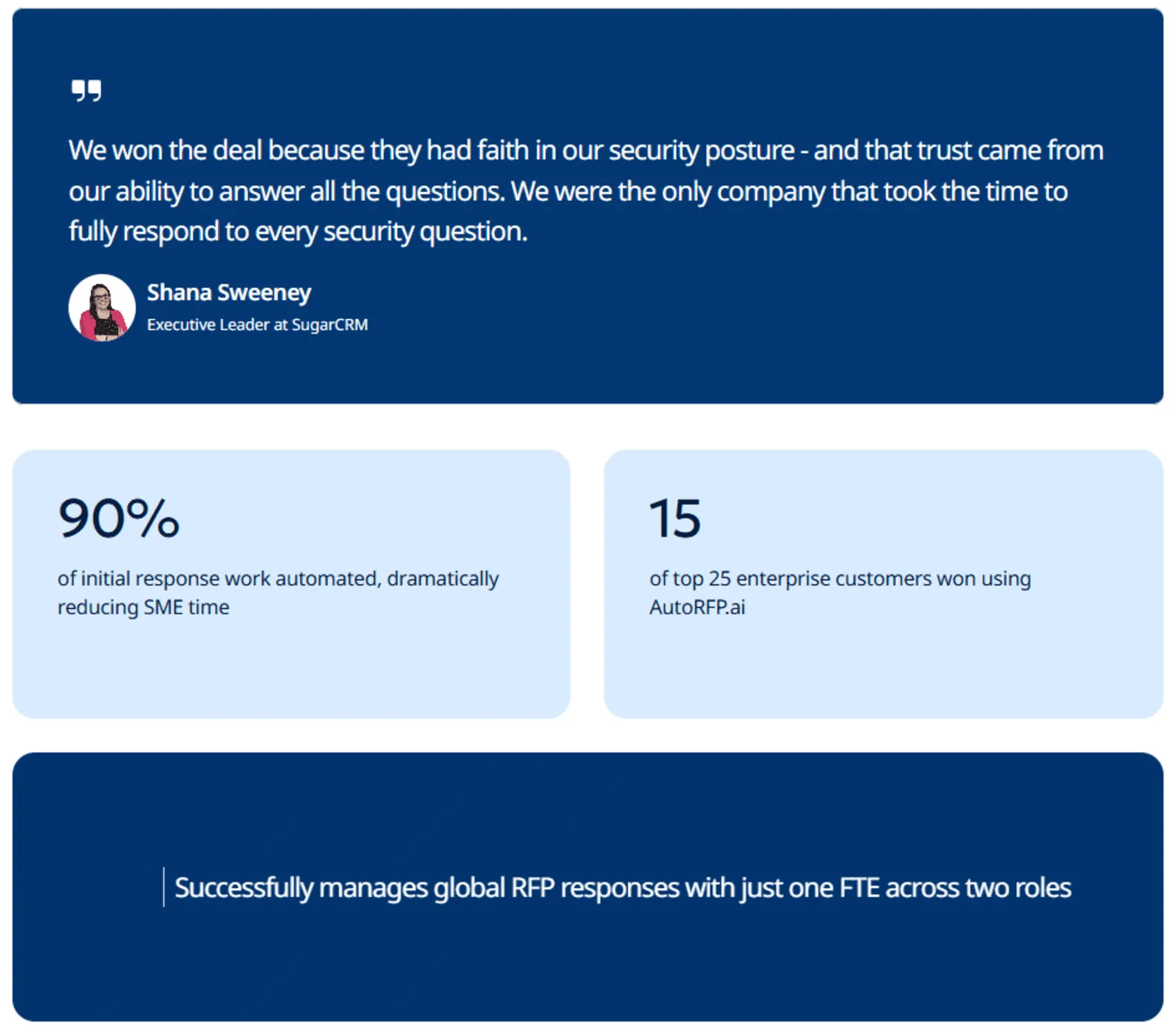
Consistent client-ready responses: AutoRFP.ai helps teams produce answers that are faster to review, more accurate, and more consistent across deals. In one customer example, SugarAI won 60% of its top 25 customers through RFPs managed with AutoRFP.ai, including a $2M+ ARR win where it was the only vendor out of five to fully complete a 2,000-question security questionnaire.
Governance and support: AutoRFP.ai includes white-glove onboarding, training, unlimited support, and a 30-day money-back guarantee. That lowers adoption risk for enterprise teams and makes procurement easier because rollout support is built in from the start.
MCP Server: AutoRFP.ai can plug into Claude, ChatGPT, Microsoft Copilot, and other MCP-compatible clients, which makes project knowledge easier to access inside the tools teams already use. That is especially useful for security questionnaire workflows because users can query projects, requirements, and approved content in plain English without jumping between systems.
Where AutoRFP.ai Falls Short
Not a great fit for highly bespoke sectors: AutoRFP.ai may be less suitable for AEC, US GovCon or defence, custom software development, and highly bespoke professional services. In those environments, responses are often too project-specific, technical, or one-off to benefit as much from repeatable content and agent-driven workflows.
Not built for teams issuing RFPs: AutoRFP.ai is designed for vendors responding to RFPs, DDQs, and security questionnaires, not procurement teams creating and managing them. Organizations that need supplier evaluation, bid collection, and sourcing workflows will need a different category of platform.
Customer Reviews
Sara H. on G2 said, “Our RFP process was highly manual, with no response library, and team members had to painstakingly answer questions for each new RFP, a tedious and time-consuming task. Collaboration was also challenging, as we relied on Excel or Word documents to assign questions, which only added to the complexity.”
Ben D., Product Delivery Lead, said, “This really is a brilliant time-saving tool. It is very clever, and the range of answer types, criteria and scenarios it handles is impressive, as well as highly configurable by RFP.
The initial setup was very easy, and using the platform is straightforward. The more you use it, the better it gets, as the AI learns from prior responses, and you can choose which past RFPs it bases its knowledge on. Assigning answers for review by colleagues is a great feature too.
The support is responsive and personal as well. Only user error on my part so far!”
Shana Sweeney, Executive Leader at SugarAI, said, “We won the deal because they had faith in our security posture, and that trust came from our ability to answer all the questions. We were the only company that took the time to fully respond to every security question.”
Who AutoRFP.ai Is Best For
Security questionnaire teams: Teams handling high volumes of DDQs, CAIQs, SIG questionnaires, and customer security reviews that need faster answers grounded in approved company knowledge.
Cross-functional response teams: Security, compliance, legal, IT, sales, and proposal teams that need one workflow for drafting, validating, refining, and packaging responses without losing version control.
Enterprise B2B vendors: SaaS, fintech, cybersecurity, healthcare, and other B2B companies selling into enterprise or institutional buyers where security questionnaires are a routine part of the deal cycle.
Teams with repeatable compliance content: Organizations that answer similar questions across data privacy, hosting, access control, certifications, retention, and risk management, and want that approved knowledge to improve future responses automatically.
Companies that want agentic AI for response workflows: Teams looking for more than a basic chatbot and need AI that can search trusted content, choose the best source, draft responses, support edits, validate compliance, and create final documents in one workflow.
2. Conveyor: Best For End-To-End Security Questionnaire Automation
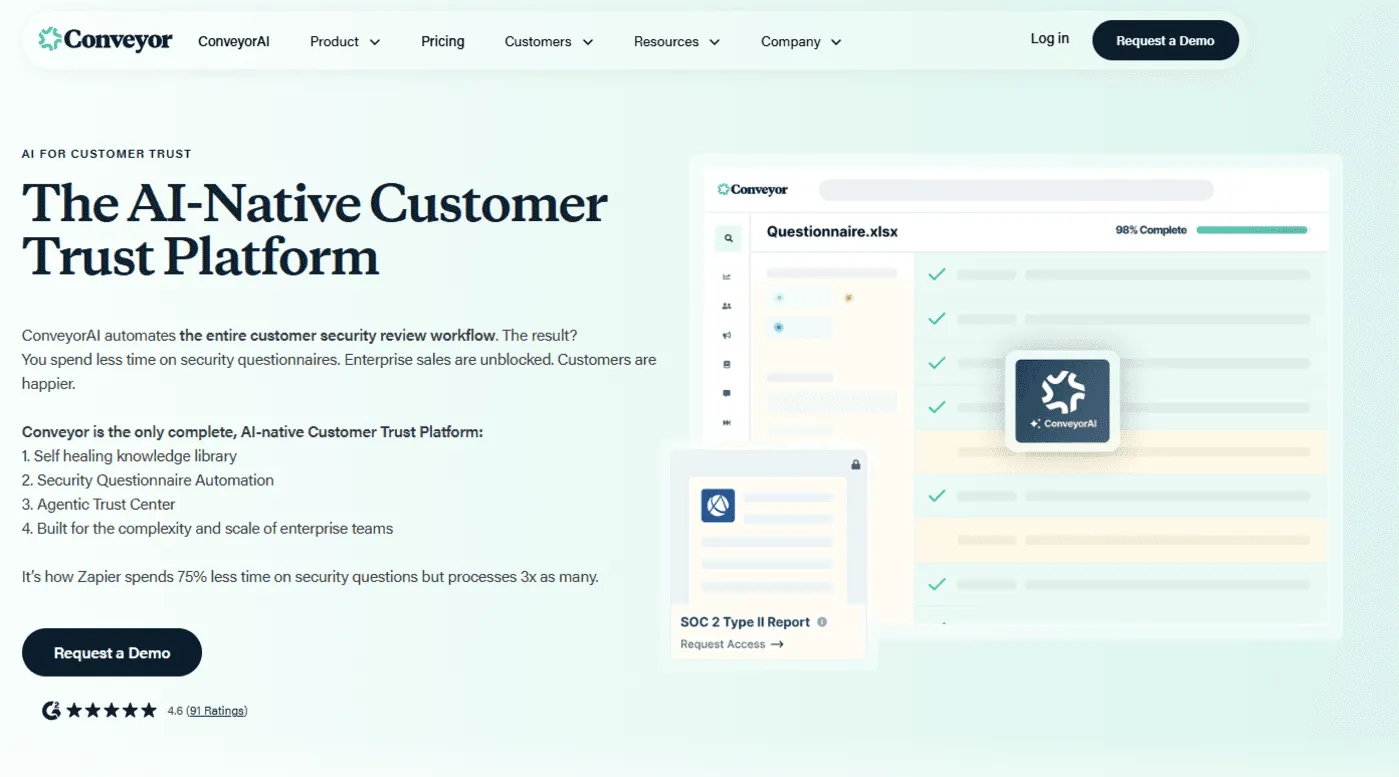
Conveyor is one of the strongest dedicated platforms for automating security questionnaires because it combines AI answer generation, trust center workflows, document sharing, and browser-based portal completion in one system. It is built to reduce questionnaire burnout while keeping responses grounded in approved security content, which makes it especially useful for teams that handle a steady flow of customer security reviews.
Key Features
AI answer generation: Conveyor generates security questionnaire responses from approved security documents and past answers so teams can move faster without drafting from scratch.
Trust center agent: Its trust center agent can answer buyer questions, surface relevant documents, and help complete full questionnaires through self-serve workflows.
Portal completion support: Conveyor includes a browser extension that helps teams complete questionnaires directly inside web portals.
Pricing
- Conveyor publicly shows a free tier, while paid plans use flexible annual credit-based pricing rather than a simple flat monthly plan.
Where Conveyor Shines
Strong security-review focus: It is purpose-built for security reviews, not just general response management.
Useful self-serve motion: The trust center reduces repetitive inbound requests by letting buyers find answers and documents on their own.
Good workflow coverage: Conveyor handles AI answers, trust content, gated document sharing, and questionnaire execution in one place.
Where Conveyor Falls Short
Pricing is not simple to compare: Paid pricing is flexible but not presented as a straightforward plan grid with public dollar tiers.
Best value comes with volume: Teams with only occasional questionnaires may not need its full platform depth.
Trust center motion may be broader than some teams need: Companies that only want answer automation may find the trust-center layer more expansive than necessary.
Customer Reviews
A Reddit user mentioned, “Conveyor is good for lightweight trust centres and integrations with tools like Slack or Salesforce, though complex questionnaires often still require manual work.”
Who Conveyor Is Best For
Security and GRC teams: Best for teams that manage frequent customer security reviews and want one connected workflow.
B2B SaaS companies selling into enterprises: A strong fit when trust centers, document sharing, and questionnaire automation all matter.
If the trust-center layer feels broader than you need, or you also run commercial RFPs and DDQs in the same queue, compare alternatives to Conveyor before you lock in a specialist stack.
3. Vanta Questionnaire Automation: Best For Security Reviews Tied To A Live Compliance Program
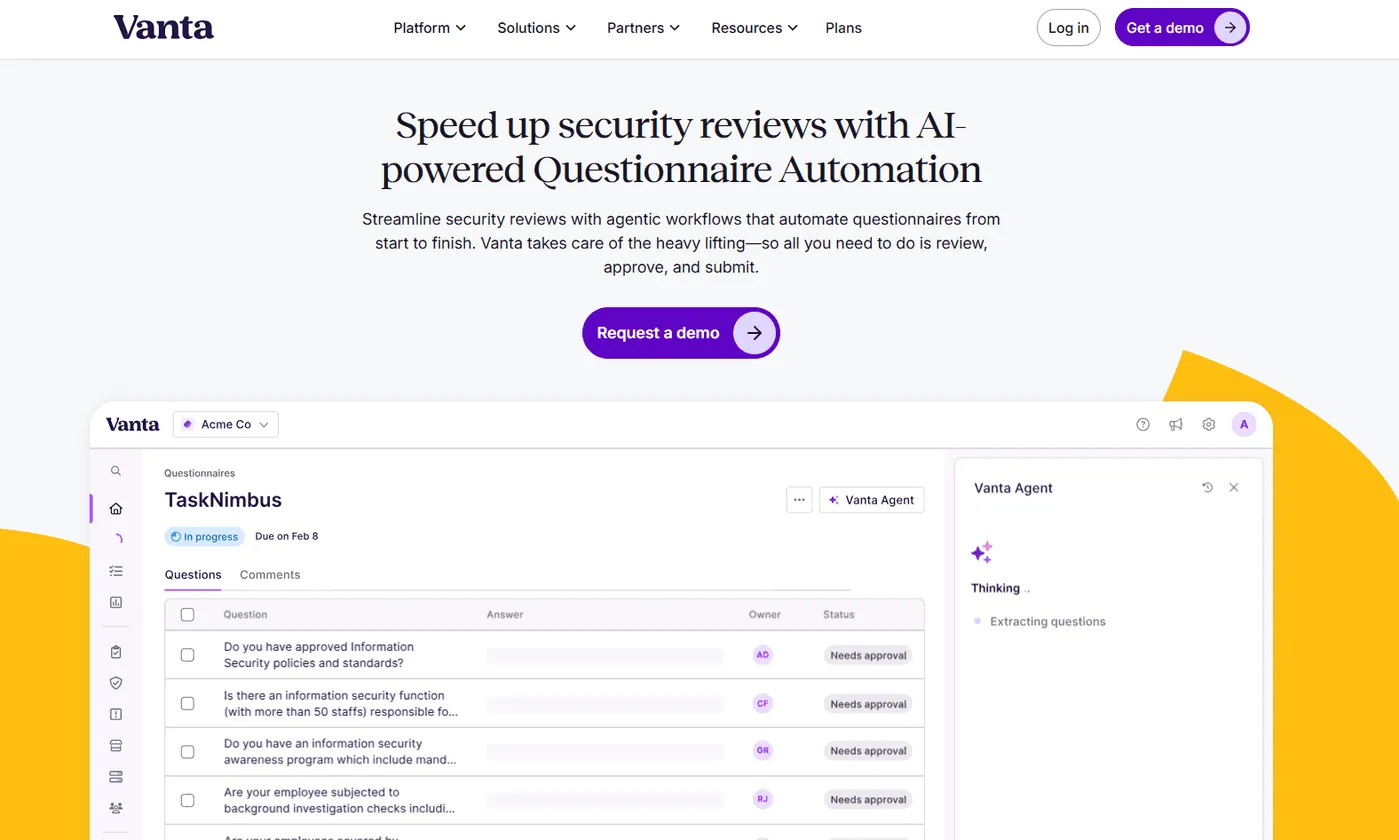
Vanta is a strong option for companies that want security questionnaire automation connected directly to their compliance, trust, and risk programs. Instead of acting like a standalone answer library, Vanta positions questionnaire automation as part of a broader trust platform, which makes it useful for organizations that want answers grounded in live controls, policies, documents, and compliance data.
Key Features
Agentic questionnaire workflows: Vanta automates security reviews from import through review, approval, and submission.
Compliance-linked answers: The platform draws from your policies, controls, documentation, and existing security program so answers stay closer to current reality.
Browser extension support: Vanta can help teams complete web-based questionnaires through its browser extension workflow.
Pricing
- Vanta does not publicly list dollar pricing for its plans. Questionnaire Automation appears in higher-tier packages and may also require an upgrade or add-on depending on the plan.
Where Vanta Shines
Strong system of record: It is especially useful when your compliance program already lives in Vanta and you want questionnaire answers linked to that source of truth.
Good fit for growing trust programs: Vanta connects questionnaires with trust center, compliance, and broader AI agent features.
Useful for structured collaboration: Teams can review, approve, and manage questionnaires in a more controlled workflow.
Where Vanta Falls Short
No public pricing: Budgeting is harder without a direct sales conversation.
Best value depends on broader Vanta usage: Teams that do not already use Vanta for compliance may not get the same advantage from its connected workflow.
Feature access varies by package: Questionnaire volume and feature depth depend on plan level and add-ons.
Customer Reviews
Konstantin S., Head of Information Security, said on Capterra, that, “Policy creation and management. Tons of integrations and automated tests. Very cool integrated vulnerability management.”
Michael L., CEO, said, “Their support team was polite but inflexible, showing little empathy or understanding for small companies.”
Who Vanta Is Best For
Companies already using Vanta: Best for teams that want questionnaire automation tied to a live compliance and trust environment.
Security and compliance leaders: A strong fit when the goal is not only faster answers, but also more defensible ones.
4. Responsive: Best For AI Agents Across Complex Security Questionnaire Workflows
Responsive is a strong fit for teams that want security questionnaire automation with more structure around intake, analysis, collaboration, and response management. Its current positioning is not just AI-assisted drafting. It explicitly frames the product around AI agents that automate repetitive tasks, analyze complex questionnaires, draft responses, and surface outdated or non-compliant content for review.
Key Features
AI agents: Responsive AI agents automate repetitive work, analyze complex questionnaires, draft responses, and flag risky or outdated content.
Profile center: Its Profile Center acts like a dynamic trust center that can reduce inbound questionnaire volume by giving buyers answers before a full review arrives.
Connected workflows: Responsive integrates with CRMs, cloud storage, Microsoft Office, browsers, and other business tools so teams can manage security questionnaire work inside the systems they already use.
Pricing
Responsive does not publicly list simple dollar pricing on its official pricing pages for this workflow. Buyers usually need to book a demo or contact sales for a quote.
Where Responsive Shines
Stronger workflow depth: It is a good fit for teams that need more than answer suggestions and want structured review, analysis, and collaboration.
Clear agentic positioning: Responsive is one of the more defensible picks for an article specifically about AI agents for security questionnaires.
Broad enterprise readiness: It works well when questionnaire work touches InfoSec, sales, legal, and other subject matter experts.
Where Responsive Falls Short
No public pricing clarity: Cost comparison is harder because buyers need a sales conversation before they can benchmark packages.
Can feel process-heavy: Teams that only want lightweight answer reuse may find the broader workflow structure heavier than necessary.
Better for structured programs: It makes more sense for recurring security questionnaire work than for occasional one-off requests.
Customer Reviews
Sofia A., Proposal Writer, said, “I love that it can use our Knowledge Base, Content Library and past projects to draft new answers or recycle past ones. I also love that it can draft and translate content into different languages. I think it is very useful for project tracking, especially if you are working with different team members. If you are working against the clock, it is an incredibly useful and fast tool to answer RFXs. You can finish a large project in just a couple of hours.”
Scott H., Security Engineer, said, “Not flexible enough. Making AI runs seems complicated. Not enough collaborative features. They need to work on custom options. My manager added some custom fields, and it seems like we could not do much with them after creation.”
Who Responsive Is Best For
Security and proposal teams with complex workflows: Best for organizations that need AI agents plus structured review and collaboration.
Enterprise teams with recurring questionnaire volume: A strong fit when many stakeholders touch the process and governance matters as much as speed.
5. Cyberbase AI: Best For Lean Teams That Need Cited DDQ And Security Questionnaire Answers
Cyberbase AI is a strong option for lean security and revenue teams that want fast, sourced answers for due diligence and security questionnaires without stitching together multiple separate tools. Its positioning is especially practical because it focuses on cited answers from a live security program, which helps teams review drafts faster and defend responses more confidently.
Key Features
Cited questionnaire automation: Cyberbase generates draft answers grounded in live security data and supporting evidence.
DDQ and contract workflow support: The platform combines due diligence questionnaire automation with adjacent trust and contract workflows.
Fast-start deployment: Cyberbase emphasizes getting teams running quickly without a heavy setup burden.
Pricing
- Cyberbase publicly shows a Professional plan that is free to start with no credit card required, while Enterprise pricing is custom.
Where Cyberbase AI Shines
Good value for lean teams: The free-to-start motion lowers the barrier for teams that want to test automation before a larger purchase.
Strong evidence-driven positioning: Cyberbase emphasizes sourced answers instead of generic AI drafting.
Helpful adjacent workflow coverage: It is useful when questionnaires sit alongside trust center and contract-review work.
Where Cyberbase AI Falls Short
Enterprise pricing still requires sales: Larger deployments need a custom conversation.
Less established brand recognition: Compared with some larger trust platforms, Cyberbase may feel newer in the category.
May be broader than pure DDQ buyers need: Teams that only want one narrow workflow may not use the adjacent features.
Customer Reviews
- Cyberbase AI does not have many publicly available reviews.
Who Cyberbase AI Is Best For
Lean security and legal-adjacent teams: Best for startups and scaling SaaS companies that need fast, defensible answers.
Teams that want sourced outputs: A strong fit when every answer needs evidence and quick human review.
6. Drata AI Questionnaire Assistance: Best For Human-In-The-Loop Questionnaire Reviews
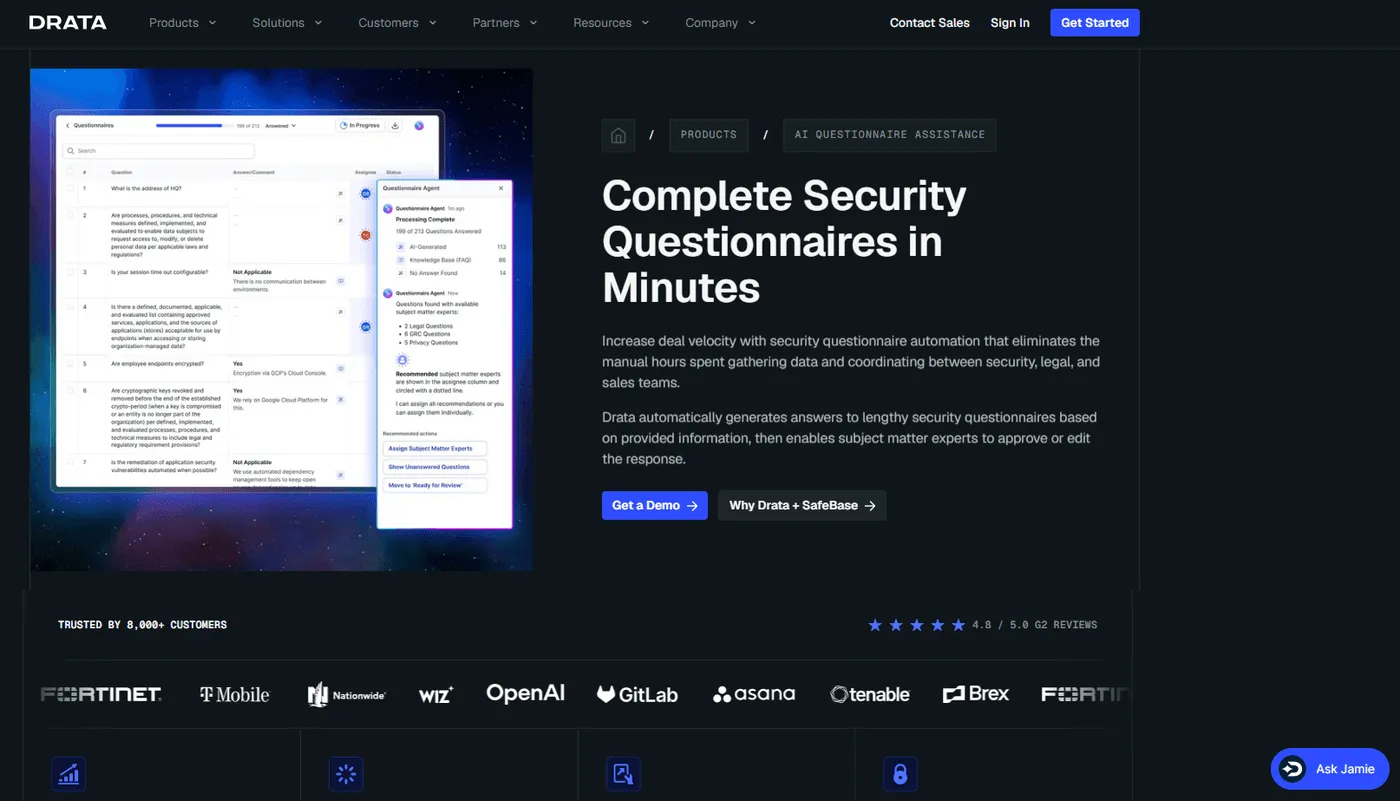
Drata’s AI Questionnaire Assistance is built around a simple idea: generate draft answers from trusted sources, then keep humans in control of the final response. Instead of turning the process into a black box, it pulls from your trust center, knowledge base, and approved documents, then routes answers through structured review and approval.
That makes it a practical fit for teams that care as much about governance as speed. Pricing is not publicly listed as a standalone product, so buyers usually need to talk to sales about how it fits into the broader Drata package.
7. HyperComply: Best For Fast Security Questionnaire Turnaround
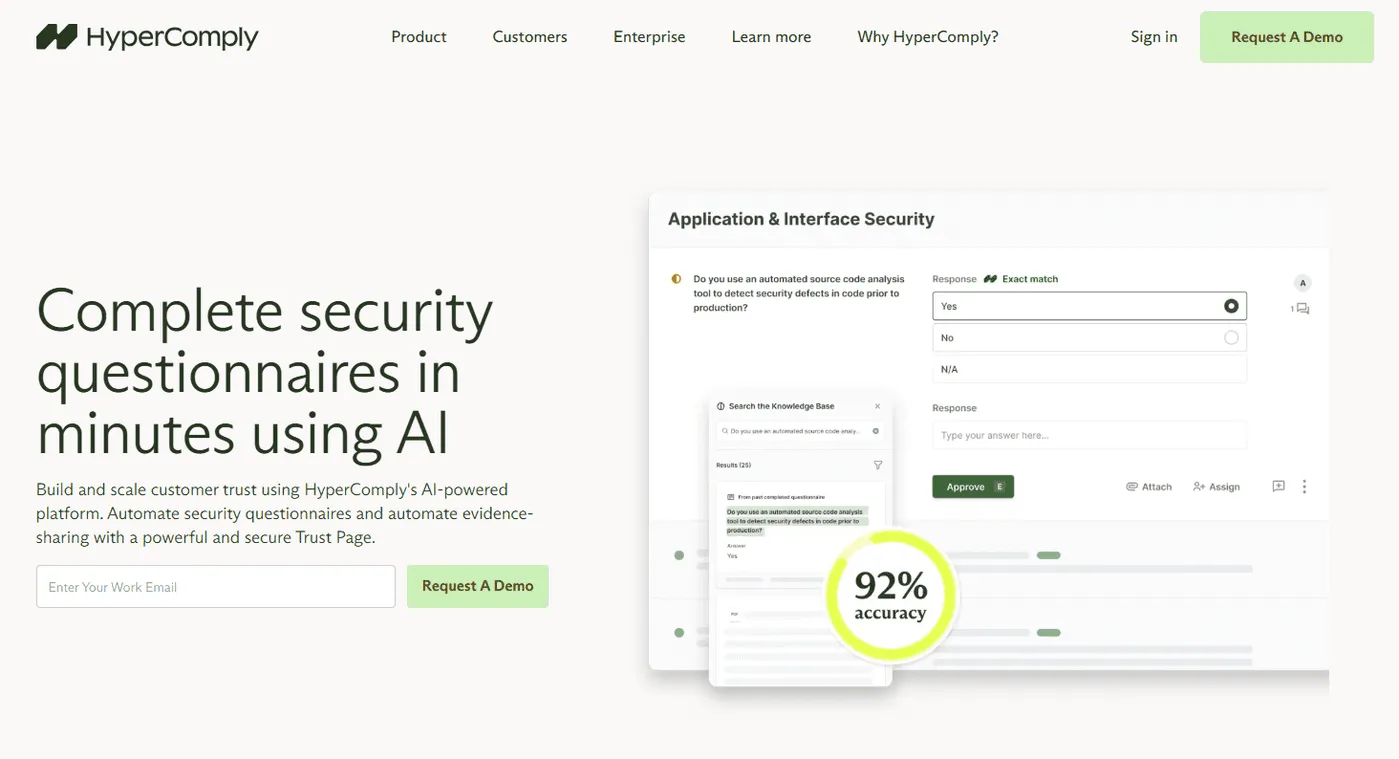
HyperComply is aimed at security and compliance teams that want to answer questionnaires quickly without building a heavy process around them. The platform focuses on automating responses, maintaining a trust page, and helping teams respond in as little as one day, which makes it useful when speed is the main bottleneck in enterprise deals.
Its approach is especially appealing for companies that want security review automation tied to sales acceleration, not just internal efficiency. HyperComply does not publish simple public pricing on the pages surfaced here, so cost details still require a sales conversation.
8. TrustCloud TrustShare: Best For Trust Portal Plus AI Automation
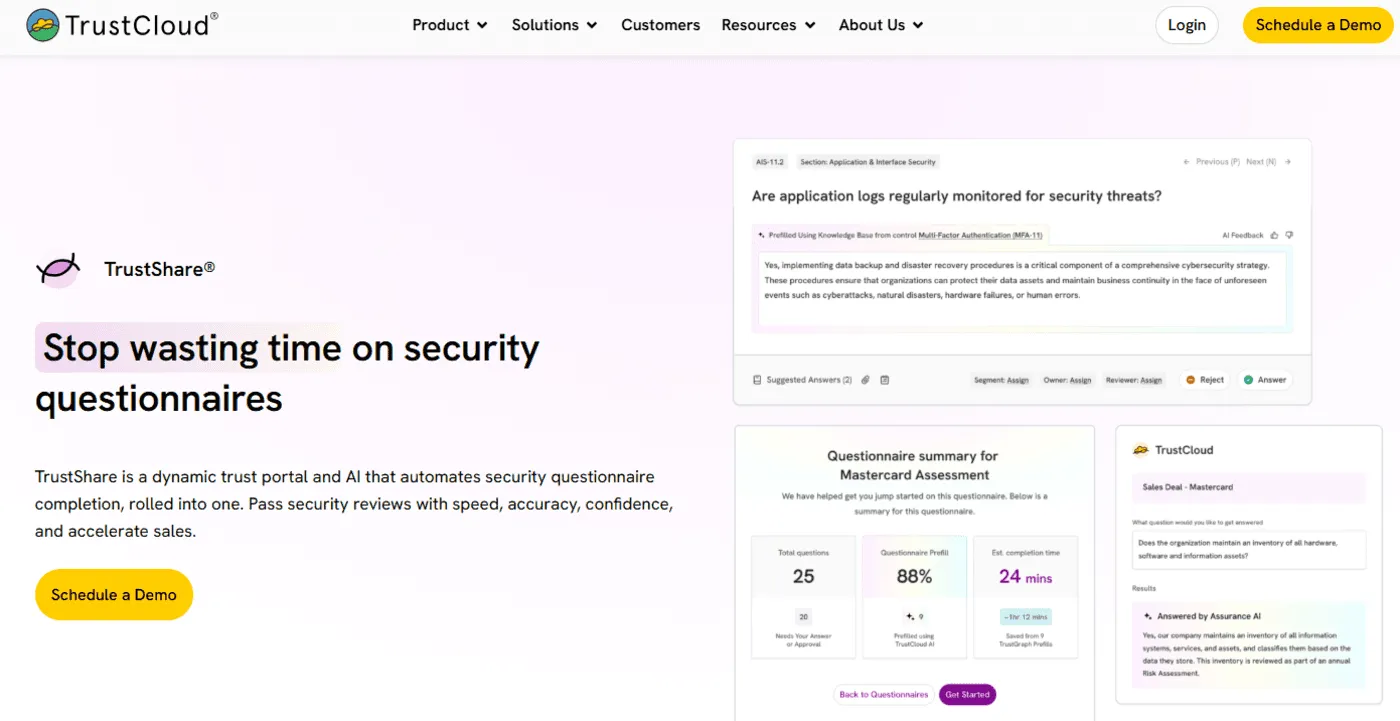
TrustShare is designed for teams that want to combine AI questionnaire automation with a dynamic trust portal, rather than treating those as separate tools. That means it can pre-fill answers from your security and privacy program while also helping buyers self-serve documents and validate your posture through a portal experience.
This makes it especially useful for organizations trying to reduce inbound questionnaire volume over time, not only answer each one faster. TrustCloud does not publish simple plan pricing on the product page, so buyers need to contact sales for commercial details.
9. Secureframe Questionnaire Automation: Best For Compliance-Centric Security Answers
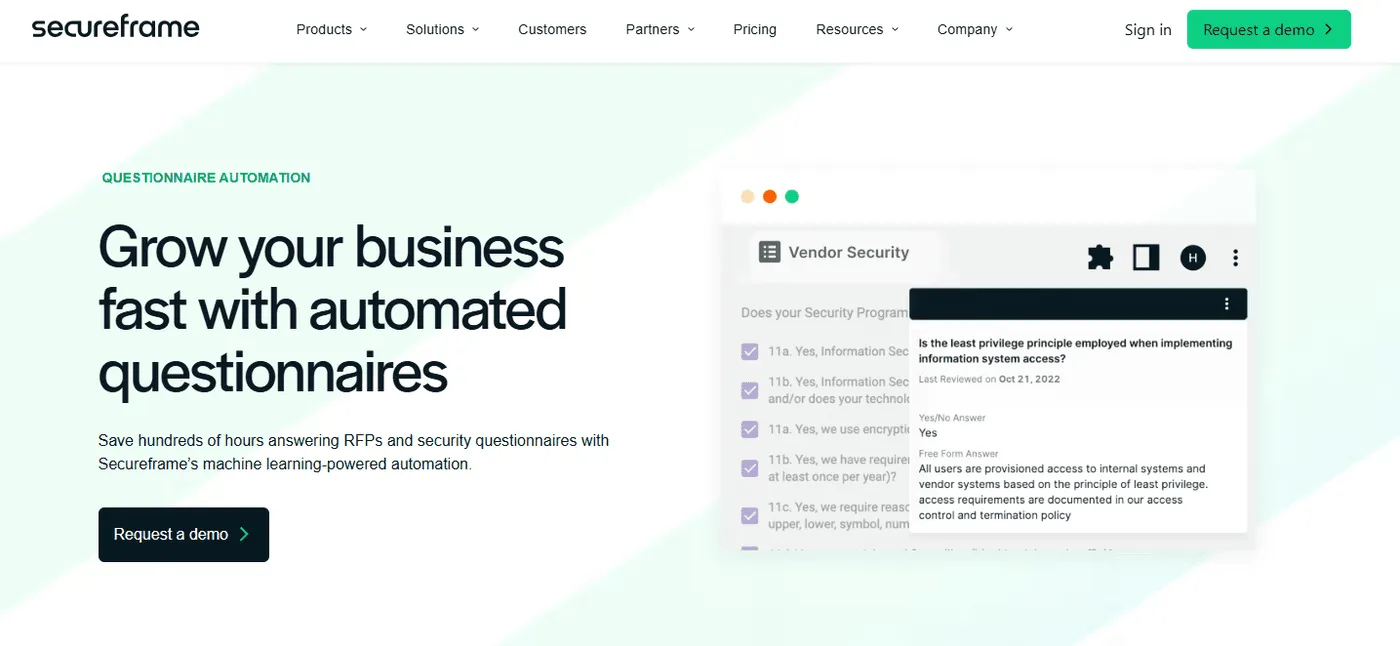
Secureframe is a strong fit for companies that already manage compliance inside its platform and want questionnaire automation connected to that same source of truth. Its automation uses AI and machine learning to generate draft answers from the knowledge base, controls, policies, and other compliance data already stored in the system.
That makes it useful for teams that want responses to stay current as their posture changes, instead of relying on stale spreadsheets. Public pricing is not clearly posted for the questionnaire module alone, so buyers generally need a direct conversation to understand package costs.
10. SecurityPal Concierge: Best For AI Plus Human Analyst Support
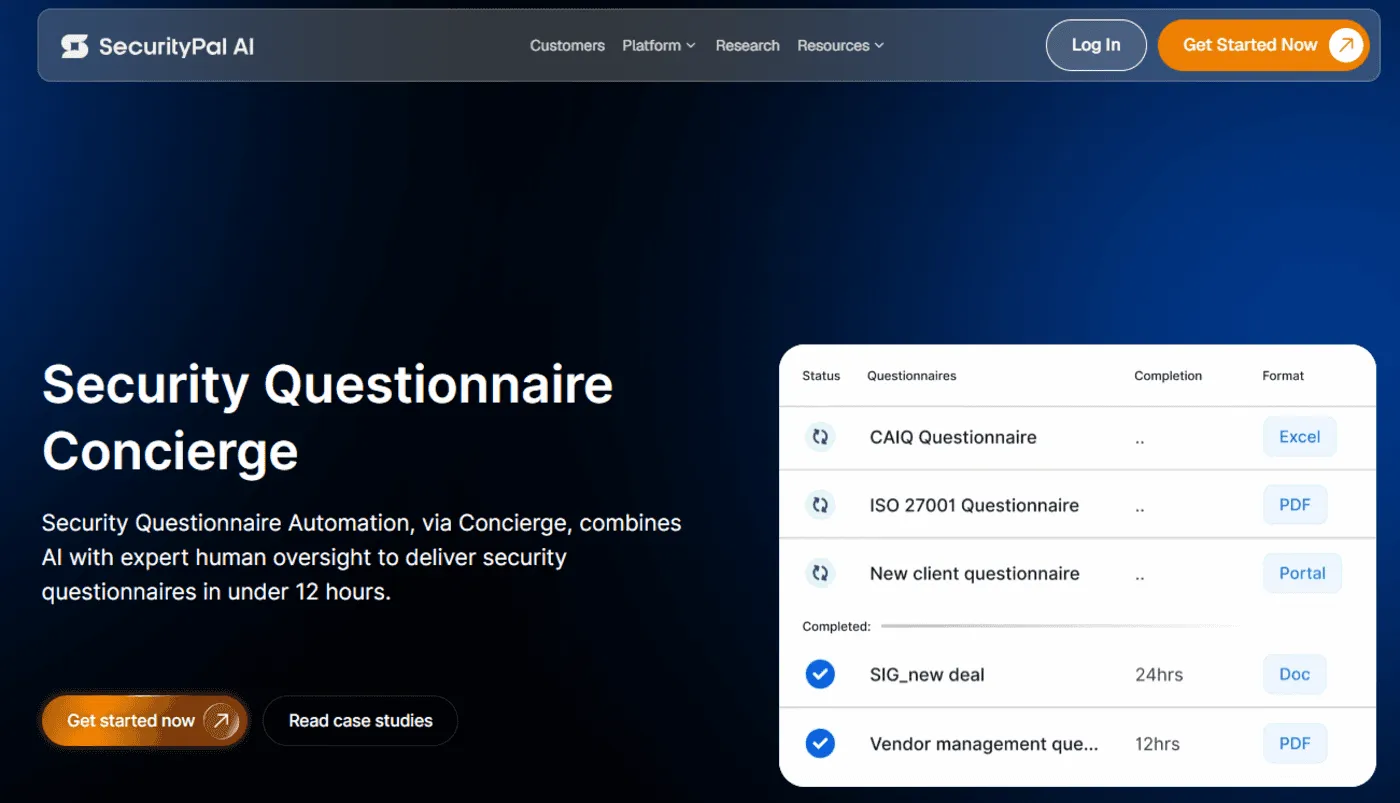
SecurityPal takes a more hybrid approach than most tools in this category. Instead of promising AI-only automation, it combines AI agents with certified human analysts to complete security questionnaires quickly while preserving answer quality and review discipline.
That makes it a strong option for teams that want to reduce internal workload without fully owning every questionnaire internally.
It is especially attractive for companies facing high enterprise volume or complex buyer scrutiny. SecurityPal does not publish a straightforward public pricing grid, but its messaging emphasizes scalable engagement models for growing teams through large enterprises.
11. Loopio: Best For Governed Security Questionnaire Automation
Loopio is a more mainstream addition if you want the list to feel broader and more recognizable. It clearly supports security questionnaire automation with AI-generated answers, verified technical responses, approved content reuse, and workflow support for high questionnaire volume.
The difference is that Loopio’s current positioning leans more toward intelligent automation and governed response management than explicit agentic AI language, so it fits best as an AI-powered security questionnaire platform rather than one of the most purely agent-first picks. Loopio does publish pricing direction, with plans starting at $20,000 per year for 10 seats, while larger packages are custom quoted.
What to Look for in an AI Agent for Security Questionnaires
Here’s how to choose the right AI agent for security questionnaires:
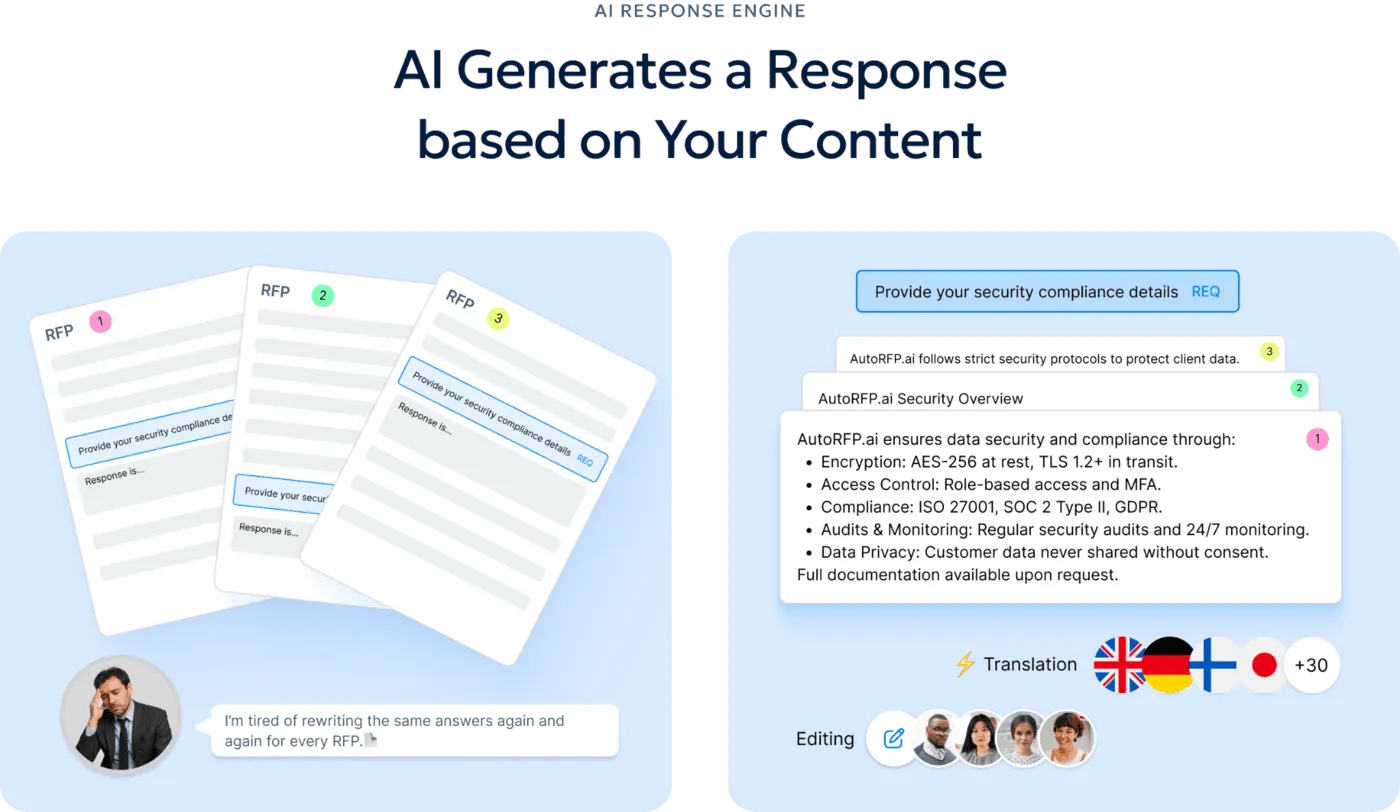
1. Look for an AI Response Engine That Uses Approved Source Material
A strong AI agent should not answer from general knowledge alone. It should generate first drafts from your approved responses, internal documentation, and content library, so answers stay accurate and on-brand. AutoRFP.ai does this well with its AI Response Engine, which generates trusted, cited responses from previous responses, content libraries, and company documentation.
2. Make Sure Answers Are Evidence-Backed and Easy to Review
Security questionnaire answers need to be defensible, not just fluent. Strong tools generate from trusted evidence, preserve human review, and support structured approvals before anything is submitted.
Drata says its automation generates suggested responses from approved sources governed by approval workflows, and Vanta highlights drafting, approvals, and updates as core parts of the process that should be automated.
3. Prioritize a Governed Content Library
The best AI agents get better when your content base is organized and reusable. AutoRFP.ai’s Content Library searches previous responses and stored content to suggest answers, and its documentation says teams can connect sources such as Google Drive, Notion, Confluence, SharePoint, local files, and websites to keep content current.
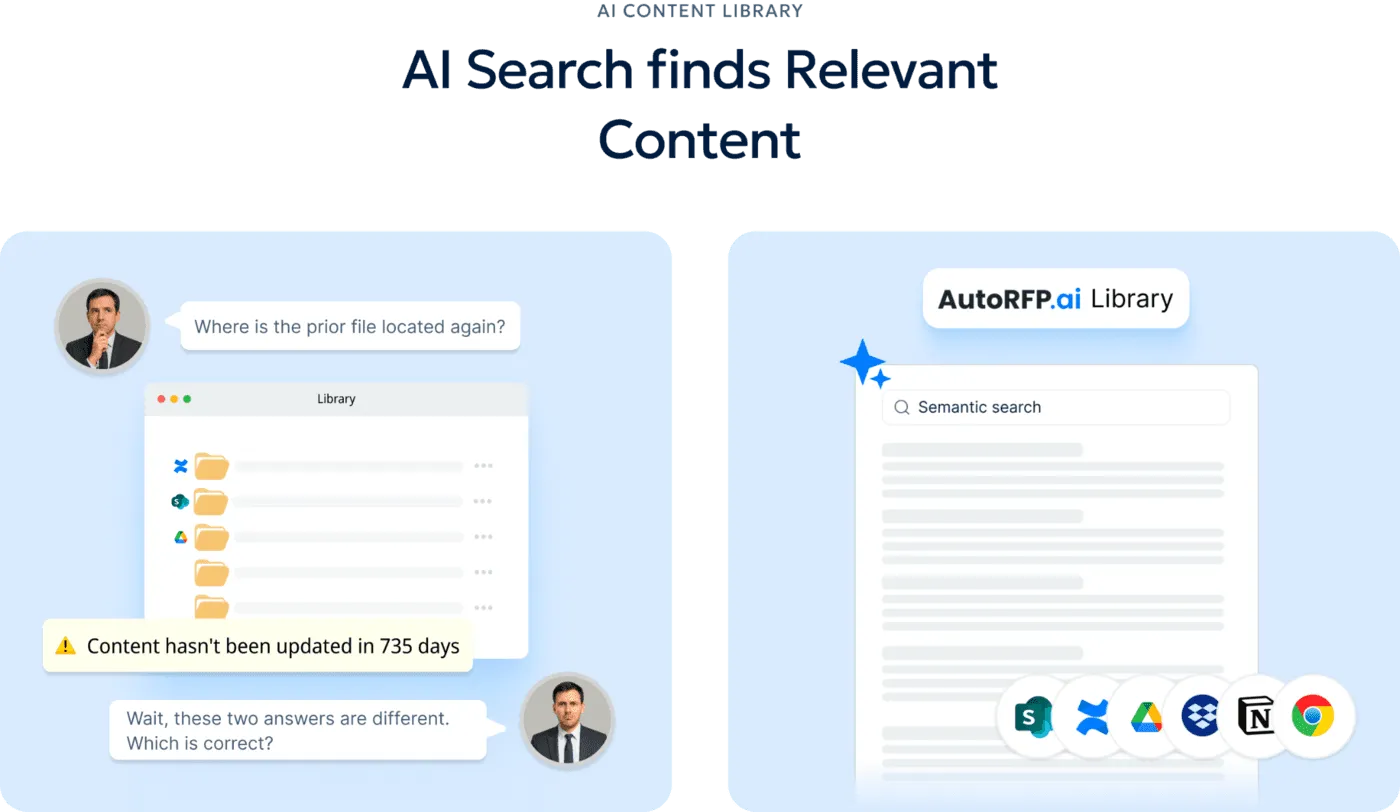
That matters because security answers often live across multiple systems, and a weak library usually leads to slower reviews and more rework.
4. Look for Automated Data Intake That Can Handle Real Files
A useful AI agent should start work the moment a questionnaire arrives, even if the file is messy. AutoRFP.ai’s AI Document Importer supports Word, Excel, PDF, and web portals, and it can automatically identify requirements, extract questions, and recognize complex structures such as nested tables and conditional formatting.
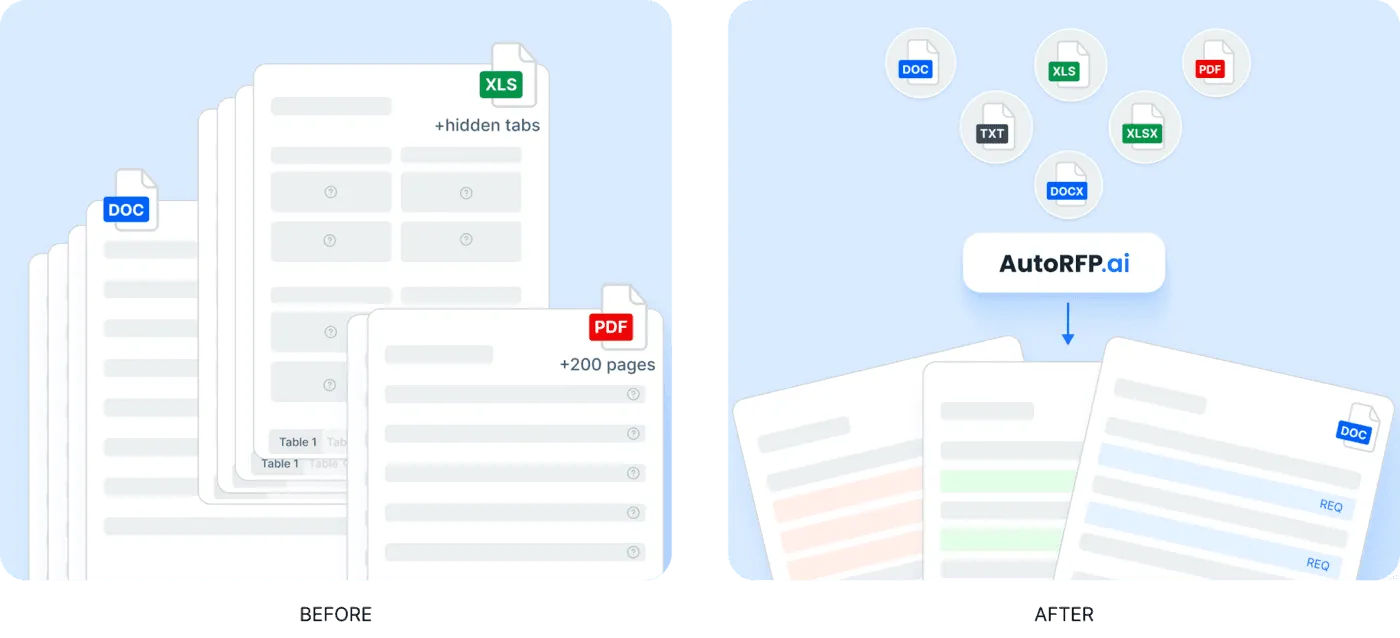
That makes it a strong fit for teams dealing with large spreadsheets, complex PDFs, and customer-specific formats that are painful to process manually.
5. Make Sure It Fits the Rest of Your Security Workflow
The right AI agent should not live in isolation. Look for support for common questionnaire formats and frameworks, plus integrations that connect the tool to the systems your team already uses.
HyperComply highlights Salesforce and Slack connections plus syncs with current security controls, while Vanta and AutoRFP.ai both emphasize broader format coverage and support for custom frameworks and compliance workflows.
Automate Your Security Questionnaire Responses with AutoRFP.ai
The right AI agent should do more than draft answers. It should help your team find approved content, validate responses, reduce review friction, and keep security questionnaires moving without all the manual back-and-forth.
AutoRFP.ai helps teams automate DDQs, CAIQs, SIG questionnaires, and customer security reviews with grounded answers, faster workflows, and stronger consistency across every submission.
We would rather show you than tell you: bring your next customer security review to a two-week proof of concept and judge every claim on this page against your team’s own edit rate.
Explore AutoRFP.ai to see how it can cut repetitive work and help your team respond with more speed and confidence.
About the author

Technical Account Manager
Technical Account Manager at AutoRFP.ai. Writes about DDQs and security questionnaire response.
LinkedInFrequently asked questions
Which security questionnaire solutions auto-generate responses from policies and past answers?
AutoRFP.ai does: first drafts are written from your approved content library, policies and documentation, and past project answers, with sources shown and a Trust Score on each draft. Vanta and Drata generate answers from the compliance data already living in their platforms, and Conveyor pairs answer generation with a buyer-facing trust center.
Which security questionnaire software integrates with portals and handles Excel, Word, and PDF formats?
AutoRFP.ai covers both: its Portal Agent browser extension pulls questions out of portals such as OneTrust, UpGuard, and SAP Ariba, and files import as Word, Excel, PDF, or zip bundles, with finished answers exported back into the original Excel or Word file the issuer sent. Conveyor also offers a browser extension for portal completion.
Which DDQ automation platforms have the strongest security features?
Judge them on certifications (ISO 27001, SOC 2 Type II), tenant isolation, regional hosting, and a clear policy that your content is not used to train AI models. AutoRFP.ai, Vanta, Drata, and Responsive all certify to some combination of these; AutoRFP.ai adds query-level data isolation and separate US, EU, and APAC deployments.
What is the best security questionnaire automation for SaaS companies?
It depends on the bottleneck: response automation for teams answering reviews at volume, the questionnaire features of an existing compliance platform such as Vanta or Drata, or a trust center like Conveyor when deflecting questionnaires matters more than answering them. AutoRFP.ai fits the first case, with unlimited users so sales, solutions, and security share one workflow; our [SaaS buyer's guide](/blog/best-rfp-software-for-saas-companies) covers the wider stack.
What is the best software to handle DDQs and security questionnaires automatically?
Look for a response platform that covers both formats in one workflow: AutoRFP.ai, Responsive, and Loopio handle DDQs alongside security questionnaires, while Conveyor focuses on security reviews specifically. Firms that issue DDQs rather than answer them need allocator-side platforms such as DiligenceVault or Dasseti.
Why is an audit trail critical for compliance-heavy security questionnaires?
Compliance-heavy bids often require proof of who provided and approved specific information. A built-in audit trail offers a defensible record of your internal review process, which is essential for meeting the strict requirements of enterprise and government contracts and demonstrating accountability during vendor security reviews.

