
2026 Qvidian Pricing Guide: Plans, & Features Breakdown
Get the latest details on Qvidian pricing. Learn how plans work, what affects cost, and whether Qvidian is the right fit for your team.

Co-founder & CEO, AutoRFP.ai·Updated ·8 min read
If Qvidian is on your radar, you already know it can help standardize and speed up proposal creation. What is less obvious is how Qvidian pricing works, what is included by default, and what you may pay extra for as you scale. Before you sign a multi-year contract, it helps to see the full picture.
In this guide, we will break down Qvidian’s pricing tiers, core features, and possible hidden costs. You will also find an honest look at Qvidian pros and cons, who it tends to be best for, insights from customer reviews, and a set of alternatives to consider if it is not the right fit.
How much does Qvidian cost?
Qvidian uses quote-based pricing. Upland does not list public pricing plans for Qvidian, so the only way to get an exact cost is to contact sales and ask for a quote. That opacity is the opposite of vendors that publish tiers openly, such as the plans covered in our 1up pricing overview.
Qvidian doesn’t publish official pricing, but third-party procurement data offers a ballpark of what customers typically pay (something we also explore in our Responsive vs Qvidian comparison, where neither vendor lists clear public rates).
| Pricing factor | Details (based on data from Vendr) |
|---|---|
| Monthly cost | Not publicly listed |
| Median annual price | $24,875/year; low-high: $22,800-$190,000 |
| Pricing model | User count, selected modules, integration scope, support level, and any setup/migration services included in the contract |
AutoRFP.ai: An Alternative
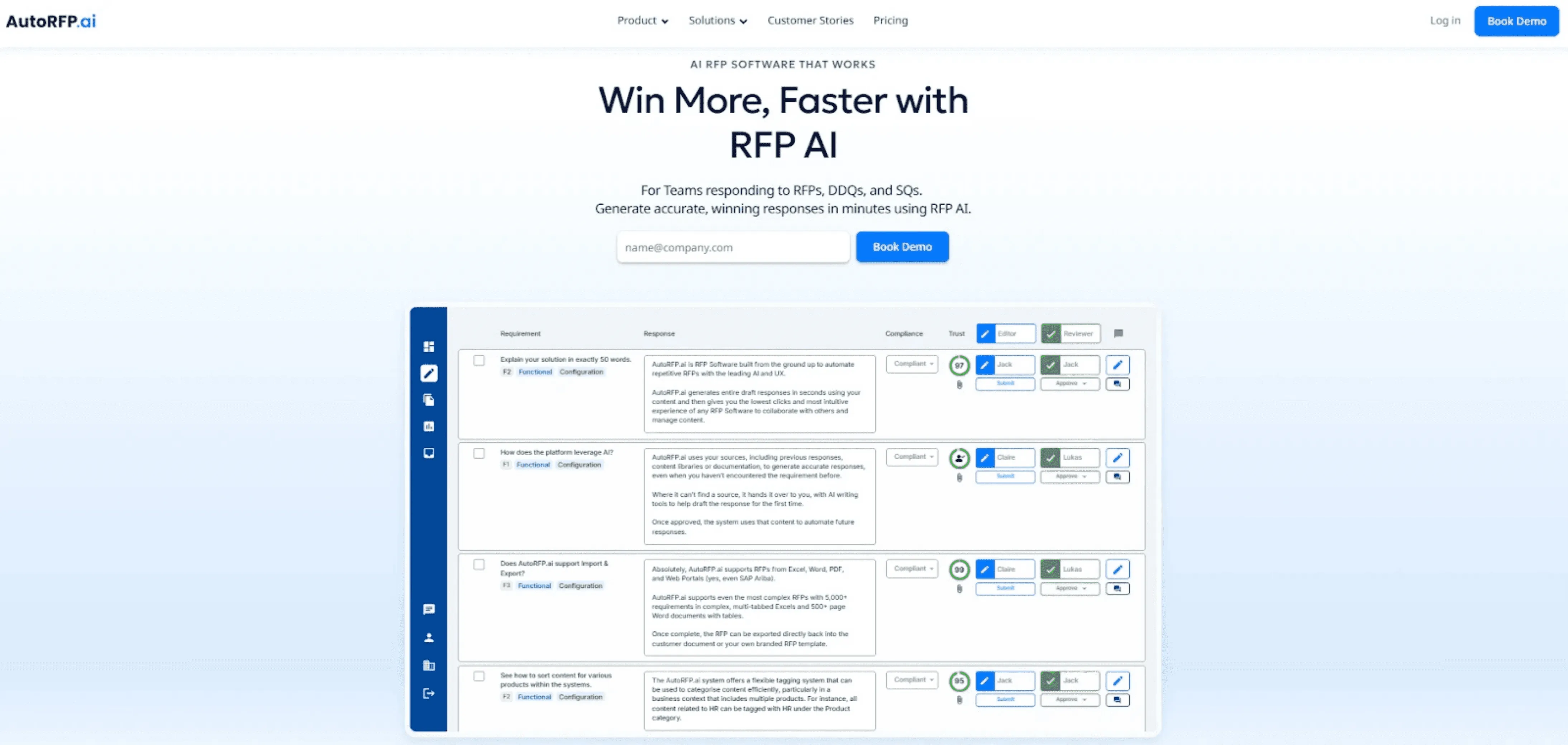
If you want predictable costs, AutoRFP.ai is built very differently from Qvidian’s opaque pricing model.
AutoRFP.ai uses transparent, flat monthly pricing based on how many projects you run each year, not how many users you have. Since every plan is publicly listed, you can see what you’ll pay before you ever talk to sales.
And unlike Qvidian, your cost won’t jump just because you add another teammate or switch on a more advanced feature.
Every public AutoRFP.ai plan includes:
Unlimited users
Unlimited AI usage
Unlimited content library
All features included, with zero paid add-ons
SSO, 18+ integrations, ISO 27001, and SOC 2
Implementation, unlimited support, online training, and a 30-day money-back guarantee
In practice, that means:
No pricing guesswork: Budget fast with published rates, not a sales-led quote.
More predictable total cost: Zero paid add-ons, with implementation and support included.
Less cost creep as teams grow: Unlimited users included, while Qvidian’s quote model is less transparent upfront.
AutoRFP.ai offers its Scale plan at $899/month, with no user limit.
| Plan | Price (Billed Yearly) | Features |
|---|---|---|
| Scale | $899/month | 24 projects, unlimited users, AI, content, all features, SSO, 18+ integrations, ISO 27001 & SOC 2, support & online training |
| Accelerate | $1,299/month | 50 projects, Everything in Scale, with more projects per year (the same unlimited users and features) |
| Enterprise | Custom | Scalable projects, unlimited users, AI & features, plus bespoke implementation and terms |
*A “project” is any request for proposal (RFP), request for quotation (RFQ), tender, or security questionnaire (SQ) you work on, regardless of length or number of documents.
Qvidian Pricing Plans: A Breakdown
With Qvidian’s pricing available only by request, you can still assess value by breaking down the core features the platform is built to deliver.
1. Proposal Response Automation (RFP, RFQ, RFI, SQs, and DDQ)
Qvidian supports structured proposal and questionnaire responses, including requests for RFPs, RFQs, requests for information (RFIs), SQs, and due diligence questionnaires (DDQs), with collaboration features designed to help teams respond faster and stay aligned.
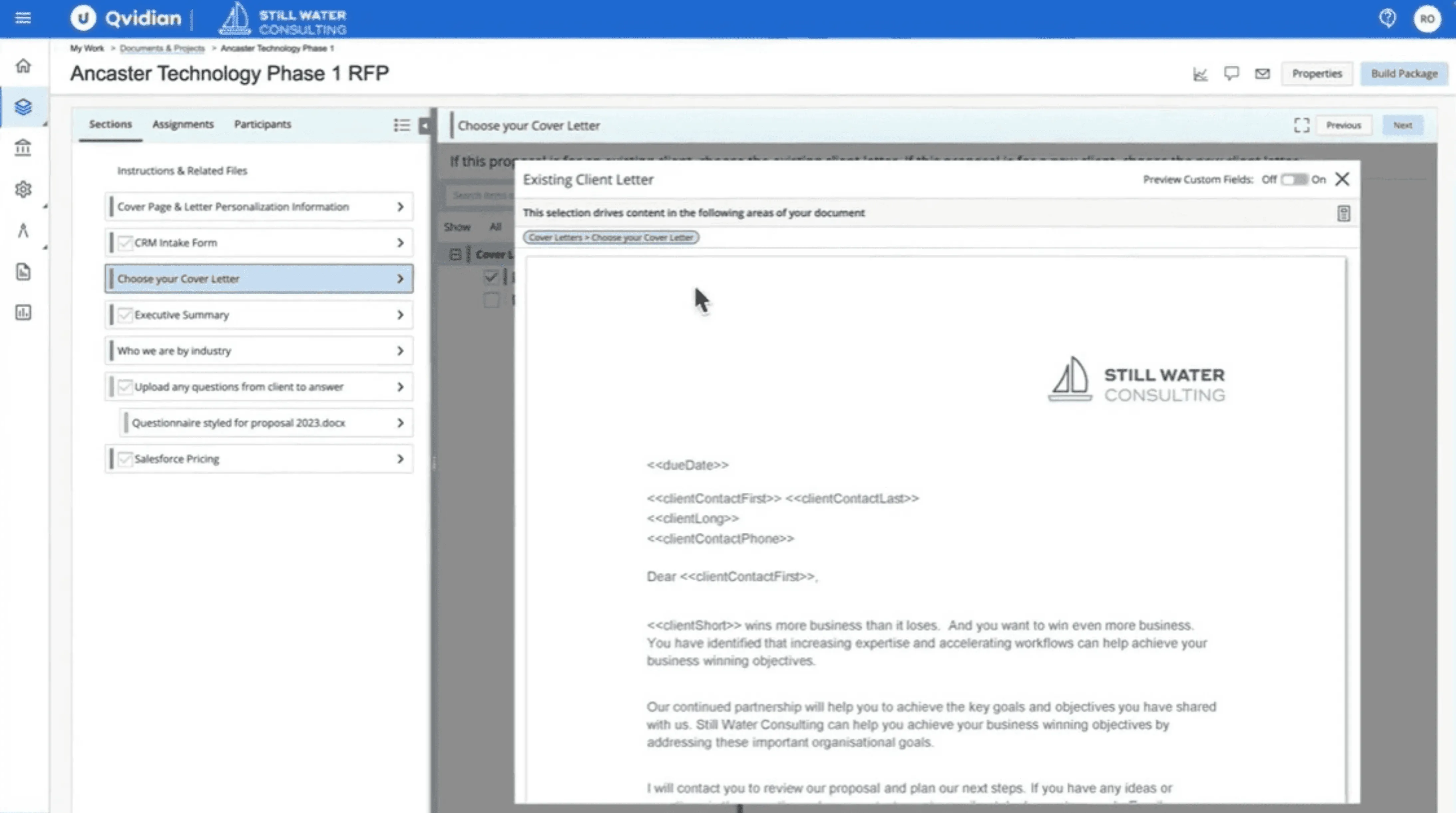
2. Statements of Work (SOWs)
Teams can also use the platform to streamline the creation of SOW, with capabilities that automate and standardize SOW content.
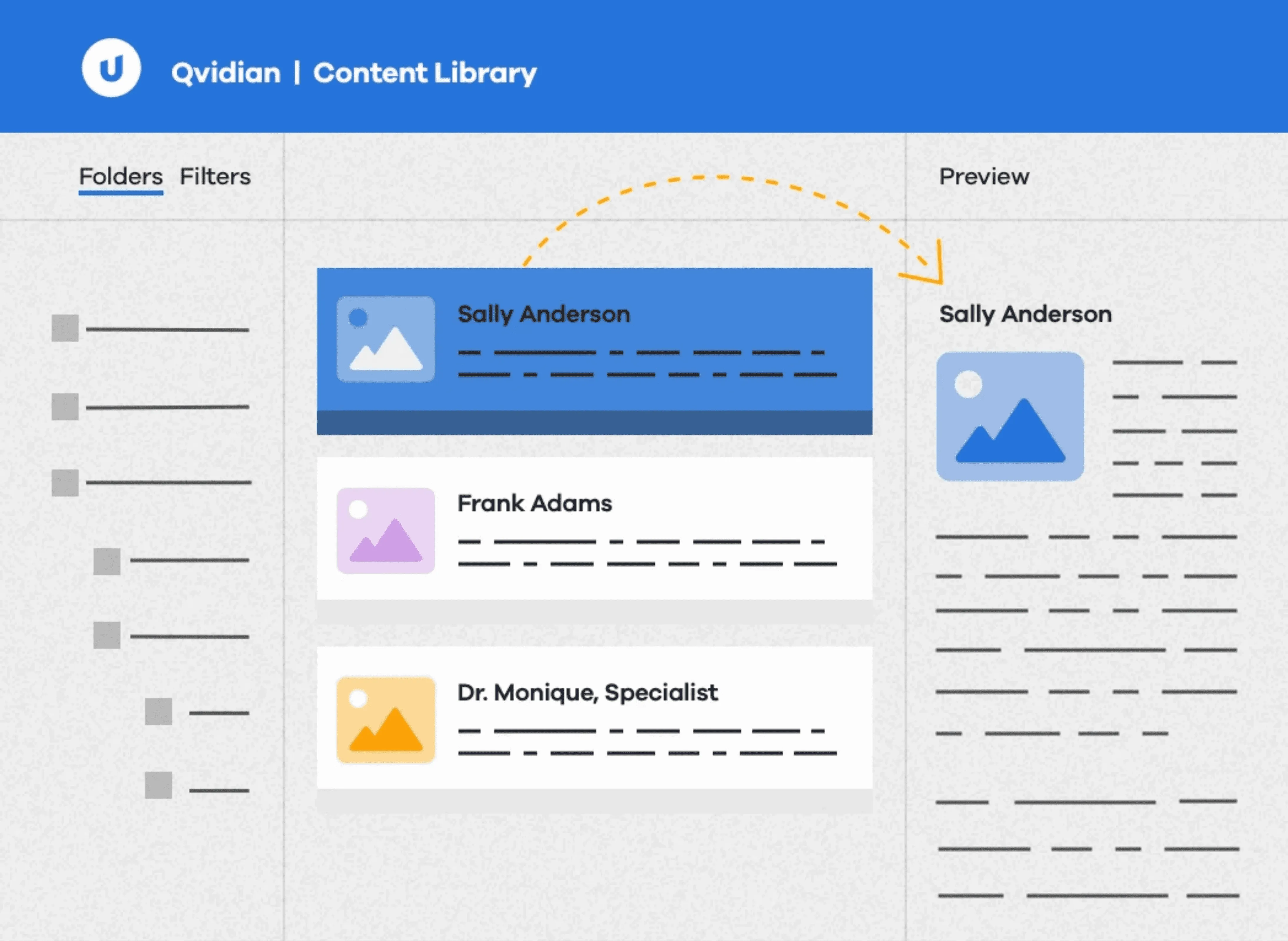
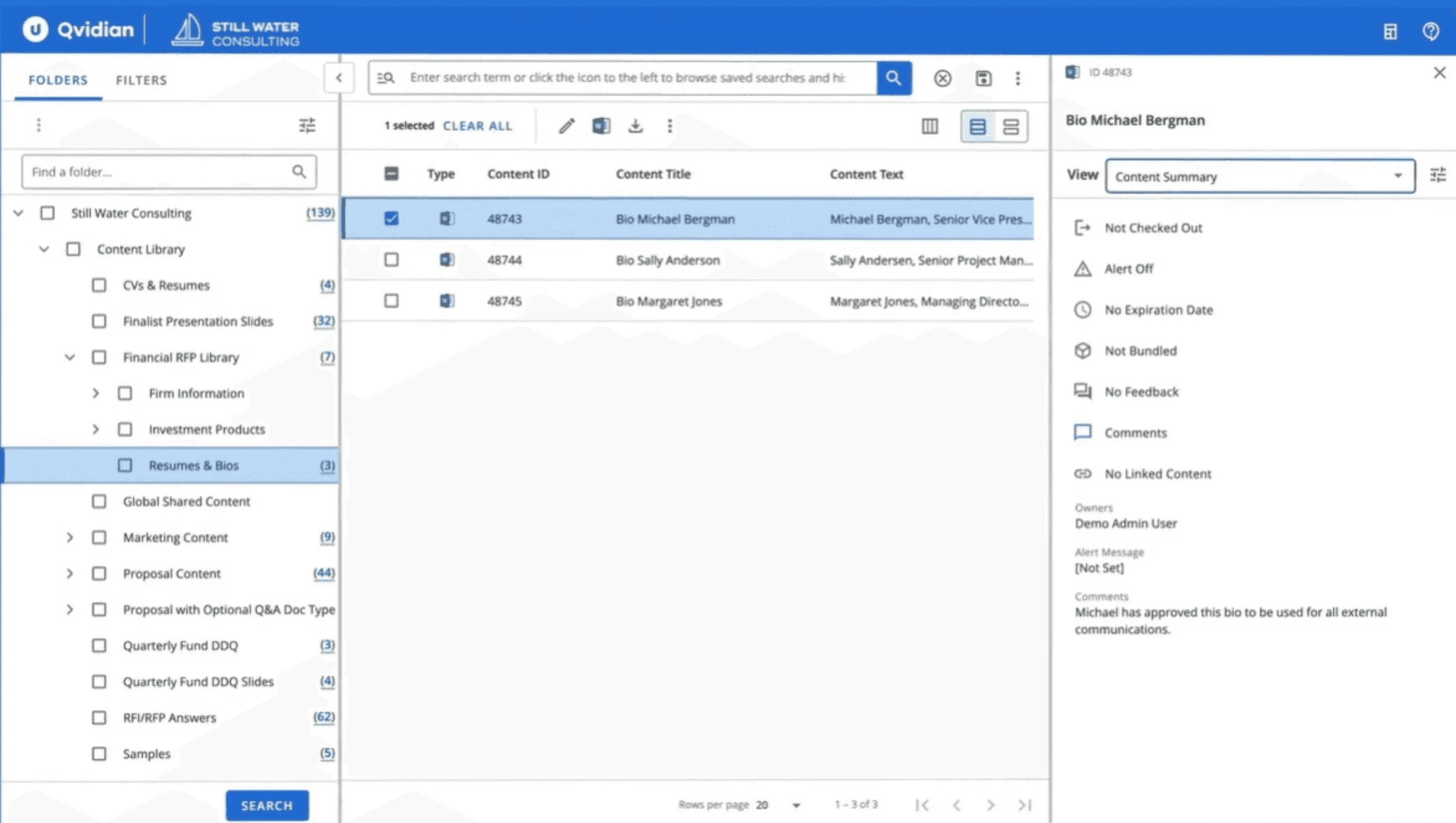
3. Central, Secure Content Library
A centralized content library helps teams store, manage, and reuse approved responses, preventing them from rewriting the same content repeatedly.
4. Workflow Management, Approvals, and Reporting
Qvidian includes workflow tools for routing content through multi-step review and approval processes, enabling you to track progress from draft to submission to maintain consistency across high-stakes RFPs and to help SMEs and proposal teams work in parallel.
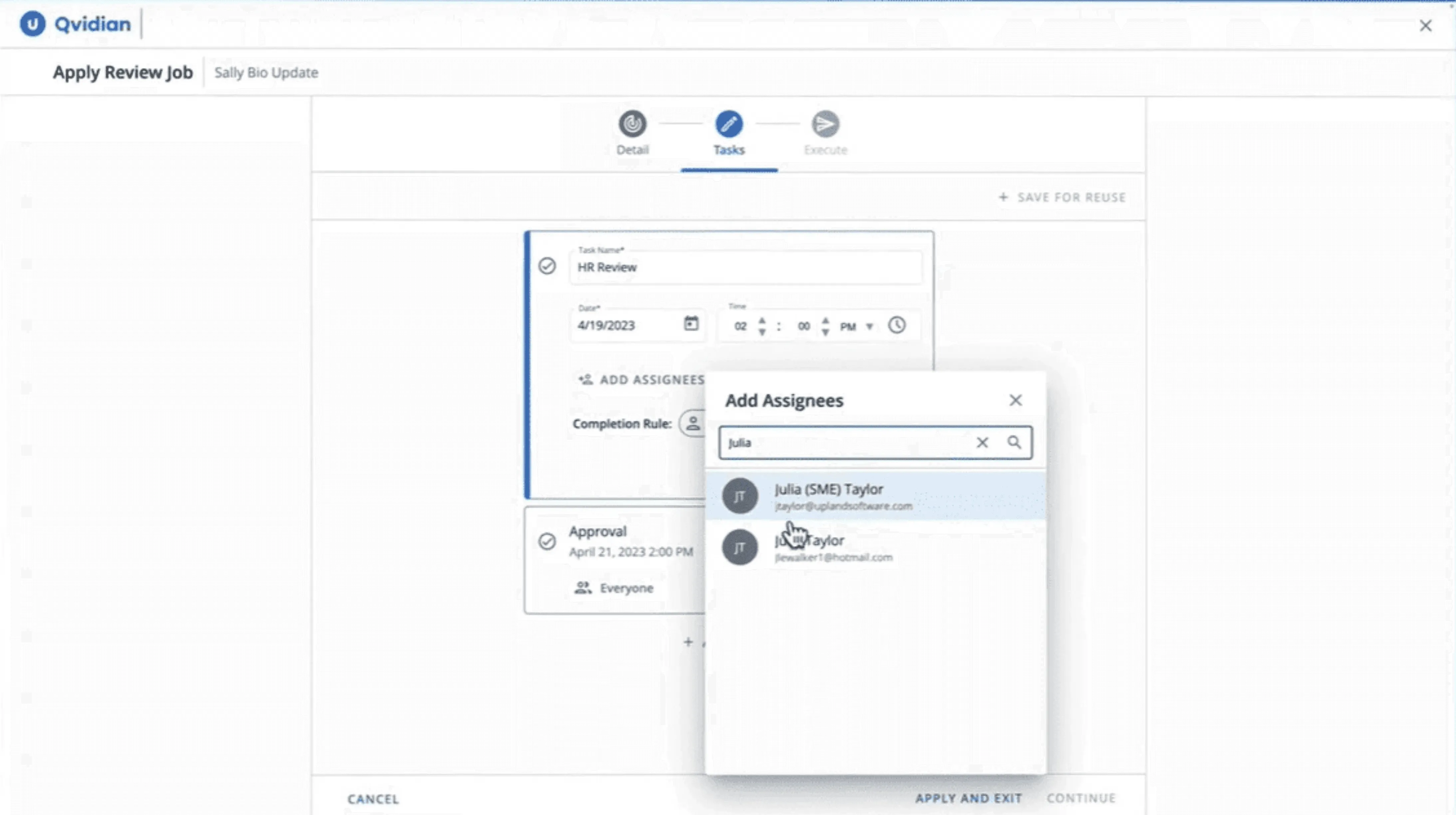
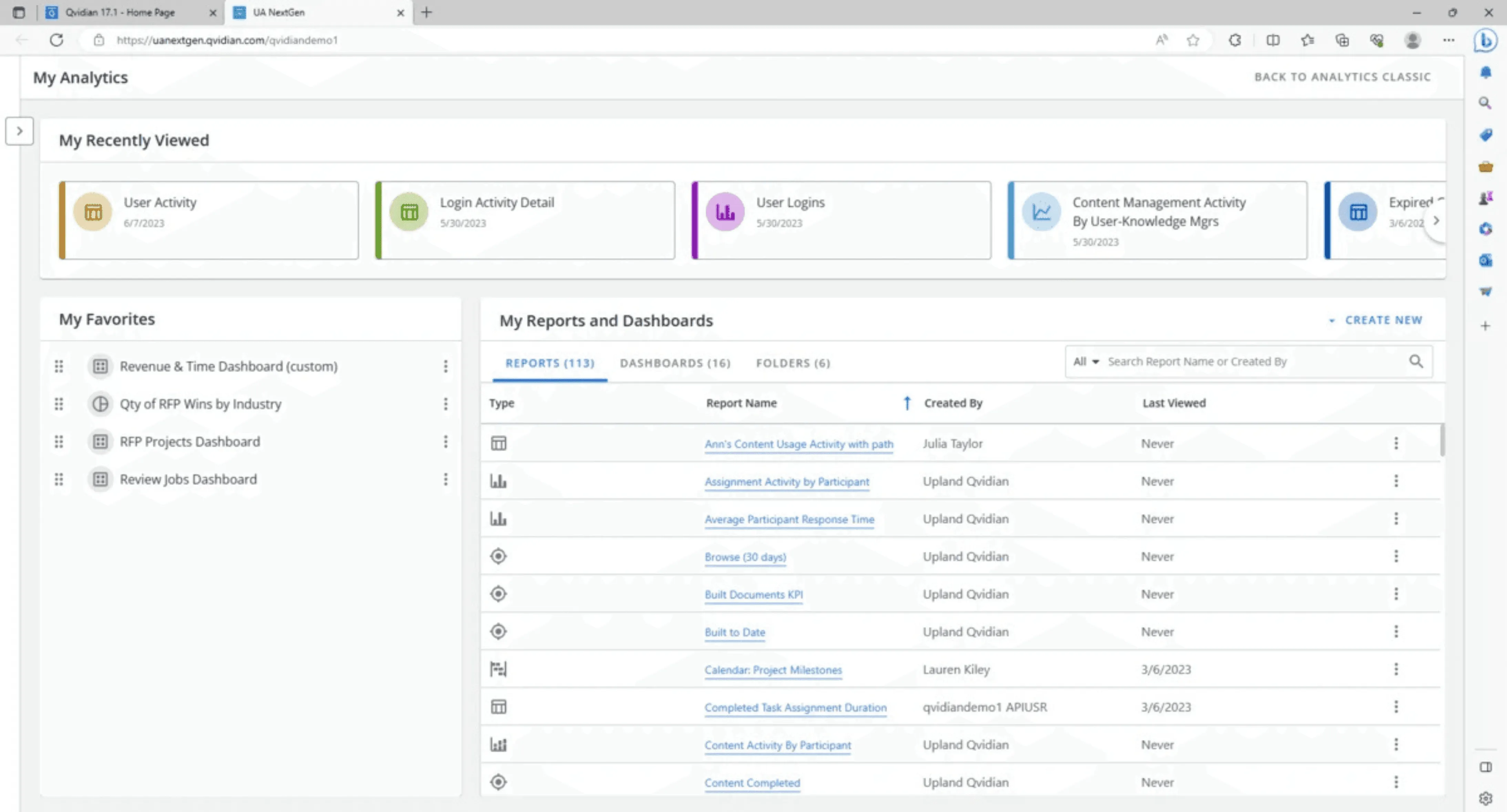
It also positions reporting and analytics as part of the value, supporting visibility into progress and performance.
5. Roles, Permissions, and Governance Controls
Role-based access and permissions support stronger governance, with audit-friendly controls like versioning and change tracking for teams that need tighter oversight.
6. Proactive Proposals and Presentations
Beyond reactive questionnaires, Qvidian supports proactive proposal creation, including proposals and presentations, so teams can reuse content across the wider sales-content workflow.
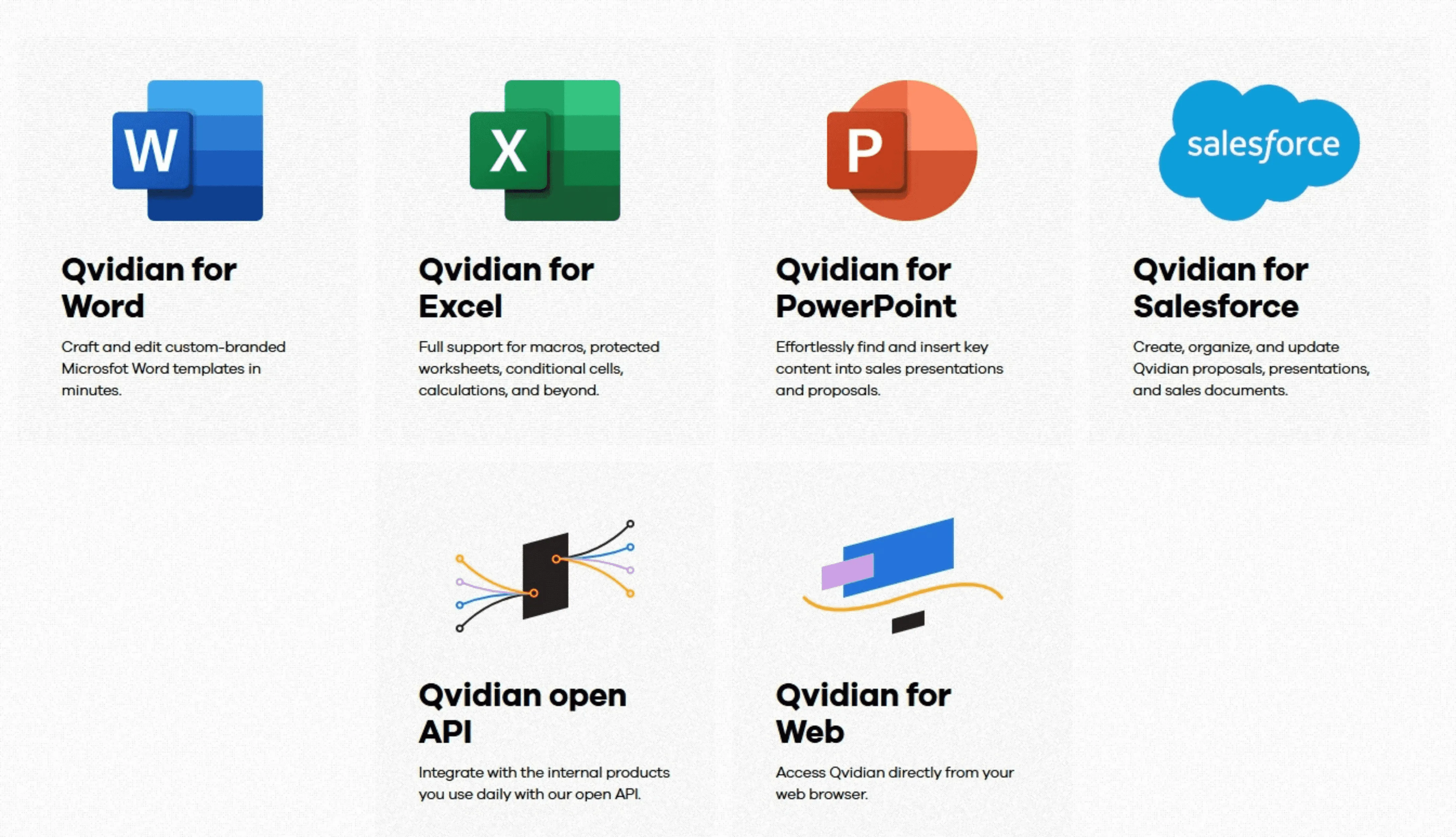
7. Integrations (Microsoft Office, Salesforce, and API)
Integrations are built to fit into existing workflows, including Microsoft Office and Salesforce, plus an API for connecting the platform to other systems.
Qvidian Costs to Watch Out For
Before you sign, budget for the common cost drivers that often show up during quoting, rollout, and renewal.
| Cost area | What it usually covers | What to ask Qvidian sales |
|---|---|---|
| Implementation/onboarding | Set up workflow configuration, integrations, and content migration | Is implementation included? If not, what scope is covered, and what is the estimated range? |
| Training | Per-user training and enablement | What training is included, and what is the per-person cost? |
| Add-ons | Single sign-on (SSO), API access, advanced capabilities | Which features are add-ons, and which are included in the base subscription? |
| Integrations and connectors | Connector setup, integration configuration, and ongoing maintenance | Which integrations are included, and which require paid services or extra fees? |
| Support and SLAs | Premium support tiers, faster response times, dedicated success resources | What support level is included, and what changes with premium support or an SLA? |
| Licenses | User licenses, SME/reviewer access, admin roles | Do subject matter experts need paid licenses to review, approve, or update content? |
| Contract terms | Renewal uplift, multi-year discounts, termination terms | What is the renewal cap, and how flexible are term lengths and exit terms? |
Qvidian Pros & Cons
Here’s a quick overview of where Qvidian excels and where it falls short.
Qvidian Pros
Strong content library for reuse: Reviewers frequently highlight centralized content management that makes it easier to store approved answers and reuse them across proposals.
Good search and “auto-search” style workflows: Users often mention fast searching, autofill/autosearch, and the ability to pull relevant responses into documents, including spreadsheet-style questionnaires.
Helpful support experiences: Some reviewers call out support quality and training-style touchpoints (like regular sessions/webinars).
Qvidian Cons
Not intuitive UI: Some users say the interface feels complex and harder to navigate than expected.
Slow performance and too many clicks: Reviewers mention sluggish workflows that add friction to everyday tasks.
Expensive for smaller teams: Cost is a recurring complaint, especially when individual access costs more than expected.
Auto-search does not always find the best answer: Users report needing to manually search again to find the right content.
Content maintenance is time-consuming: Keeping the library clean, updated, and well-structured can take significant ongoing effort.
Duplicate or similar answers can be hard to resolve: Reviewers call out deduplication as a slow process.
Reporting can feel clunky: Users say it could be more user-friendly.
It also helps reduce duplicate answers, so your team spends less time cleaning the library and more time submitting better responses.
Who Is Qvidian Best For?
If you’re unsure whether Qvidian matches your needs, here’s who it’s best suited for.
1. Bid and Proposal Managers
Proposal teams that juggle multiple deadlines at once need a repeatable way to draft, review, and finalize responses without chasing people across email and spreadsheets.
What they care about
Finishing more RFPs with the same team
Clear review and approval control across SMEs
A clean, reusable content library that stays accurate
How Qvidian fits
Automates review and approval workflows to track progress end-to-end
Enables real-time collaboration with in-product threads and Microsoft 365 integrations
Centralizes approved content with expiration dates, usage tracking, and easier updates
2. Sales Teams
Sales teams responding to buyer requests often need to turn polished proposals around quickly while keeping content accurate, personalized, and tied back to the CRM.
What they care about
Moving deals faster from first call to close
Starting proposals quickly without rebuilding content
Personalizing responses without breaking brand or accuracy
How Qvidian fits
Connects with Salesforce so proposals can start from the CRM and stay in sync
Uses AI Assist to scan RFPs and surface key details for faster go/no-go decisions
Helps personalize existing library content by adjusting length, tone, and voice
3. Marketing Teams
Marketing teams supporting proposals usually care most about keeping messaging consistent, protecting brand standards, and providing approved content that teams can reuse safely.
What they care about
Keeping every proposal on-brand across teams
Scaling content creation without losing consistency
Proving what content and proposals perform best
How Qvidian fits
Creates branded templates teams can reuse for proposals, pitch decks, and presentations
Applies rules for AI-generated content so tone and terminology stay consistent
Offers analytics and reporting to track proposal outcomes and content performance
Qvidian Customer Reviews
Here’s what real users think about Qvidian:
Positives
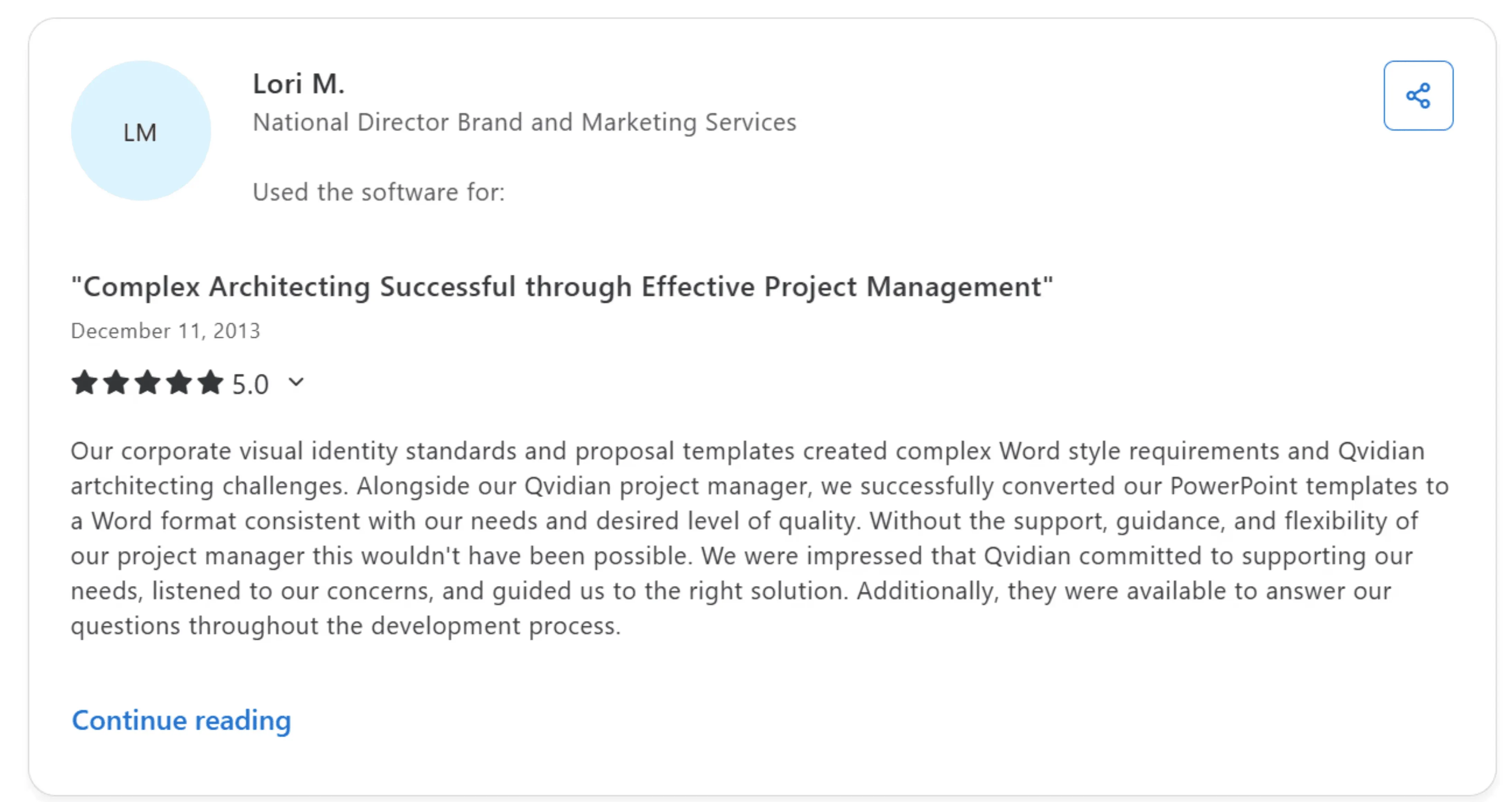
- Lori M., National Director, Brand and Marketing Services, shared that complex Word style requirements challenged Qvidian setup, but a supportive project manager helped convert templates, guide solutions, and answer questions throughout development.
Complaints
- Barry T., Client Solutions Sr. Manager, shared that Qvidian is complicated and unintuitive, search often misses the best answer, and maintaining content plus fixing duplicates is slow and time-consuming.

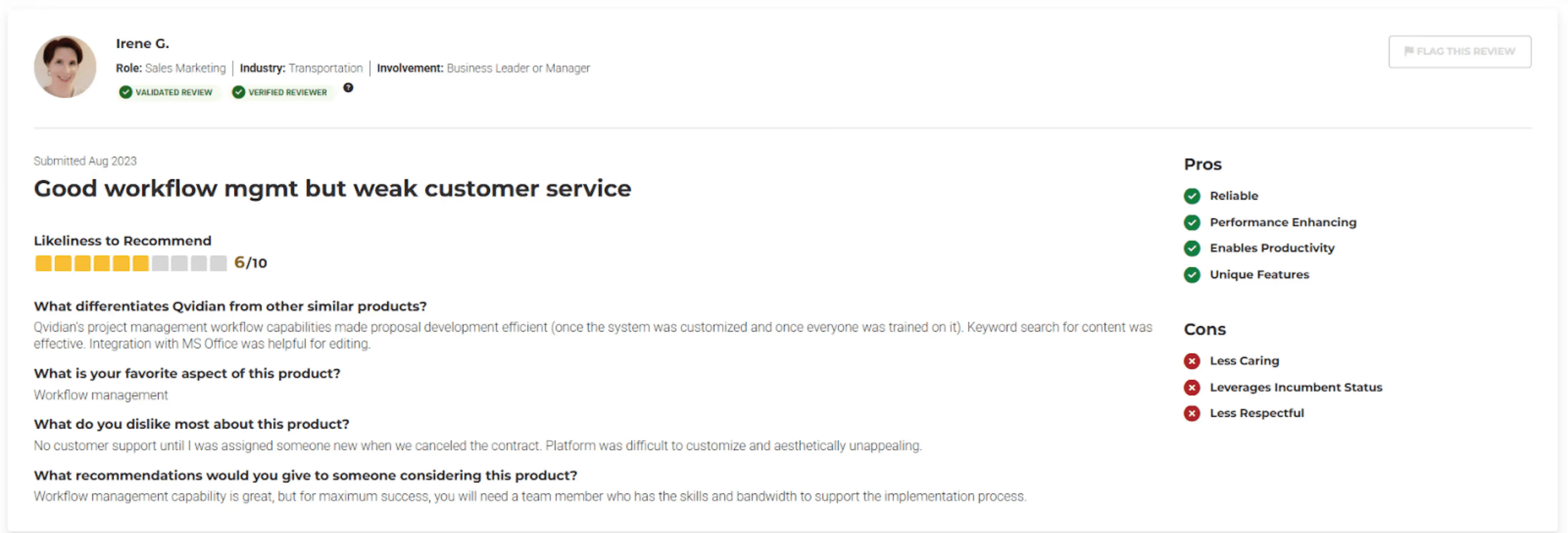
- Irene G (Sales & Marketing) says Qvidian’s customer support felt absent until they canceled, the platform was hard to customize and unattractive, and the experience came across as uncaring and disrespectful.
- Philip L, a Financial Analyst, said on Capterra that the tool has a bit of a learning curve at the start, and unlike competitors, it still doesn’t offer AI features yet.

Alternative to Qvidian: AutoRFP.ai
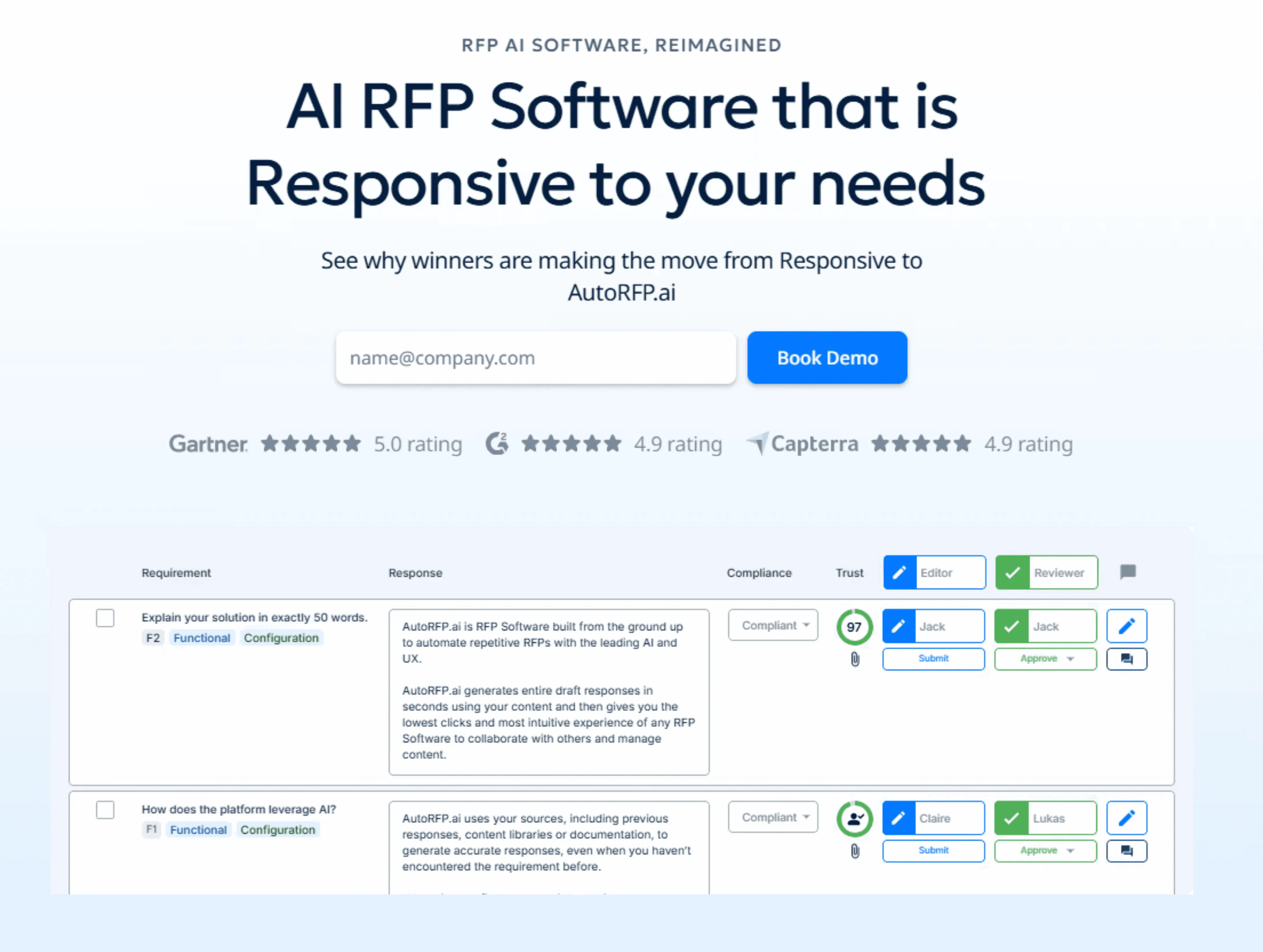
Why AutoRFP.ai Is a Stronger Alternative to Qvidian
AutoRFP.ai gives you predictable costs with transparent, flat monthly pricing, so you can budget upfront without a sales-led quote. Compared with Qvidian, it is typically faster to use, easier to navigate, and more cost-effective for teams that want speed without added licensing complexity.
1. Predictable Pricing vs Quote-Based Pricing
Qvidian pricing is quote-based, so you often need a sales process to understand the total cost. AutoRFP.ai publishes flat monthly pricing based on projects per year, with unlimited users and AI included.
Faster budgeting with published rates
Less cost creep as teams grow
| Plan Name | Plan Cost |
|---|---|
| Scale | $899/month |
| Accelerate | $1,299/month |
| Enterprise | Contact sales |
What you get: Faster budgeting, fewer surprise line items, and less cost creep as your team grows.
2. Semantic Search vs Keyword Search
Qvidian often depends on keywords and tags, which can miss the best answer when wording changes. AutoRFP.ai uses semantic understanding to surface conceptually related content across your approved history.
Finds meaning, not exact phrasing
Reduces tagging and rework
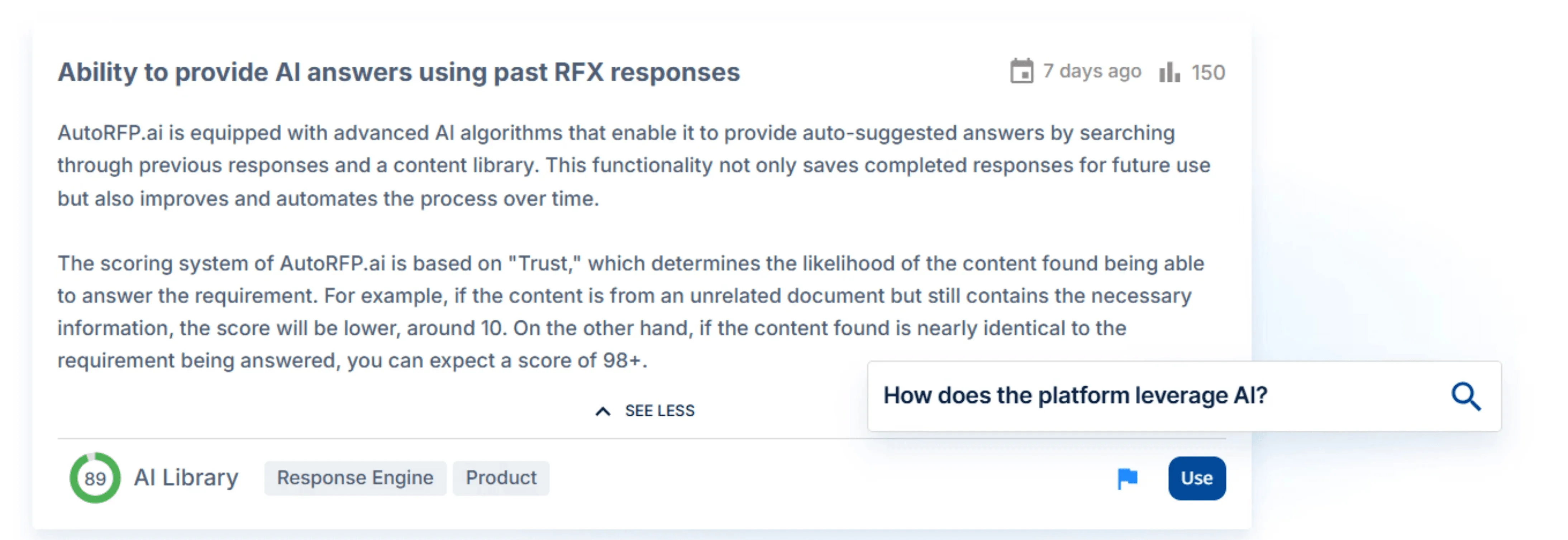
What you get: Faster answer discovery and fewer missed “best-fit” responses.
3. Automatic Library Growth vs Manual Upkeep
Qvidian typically requires ongoing library maintenance to keep content clean and up to date. AutoRFP.ai builds on your existing content library, capturing approved answers for reuse and bringing in connected-source updates as your team works. Content owners retain control of taxonomy, curation, and review.
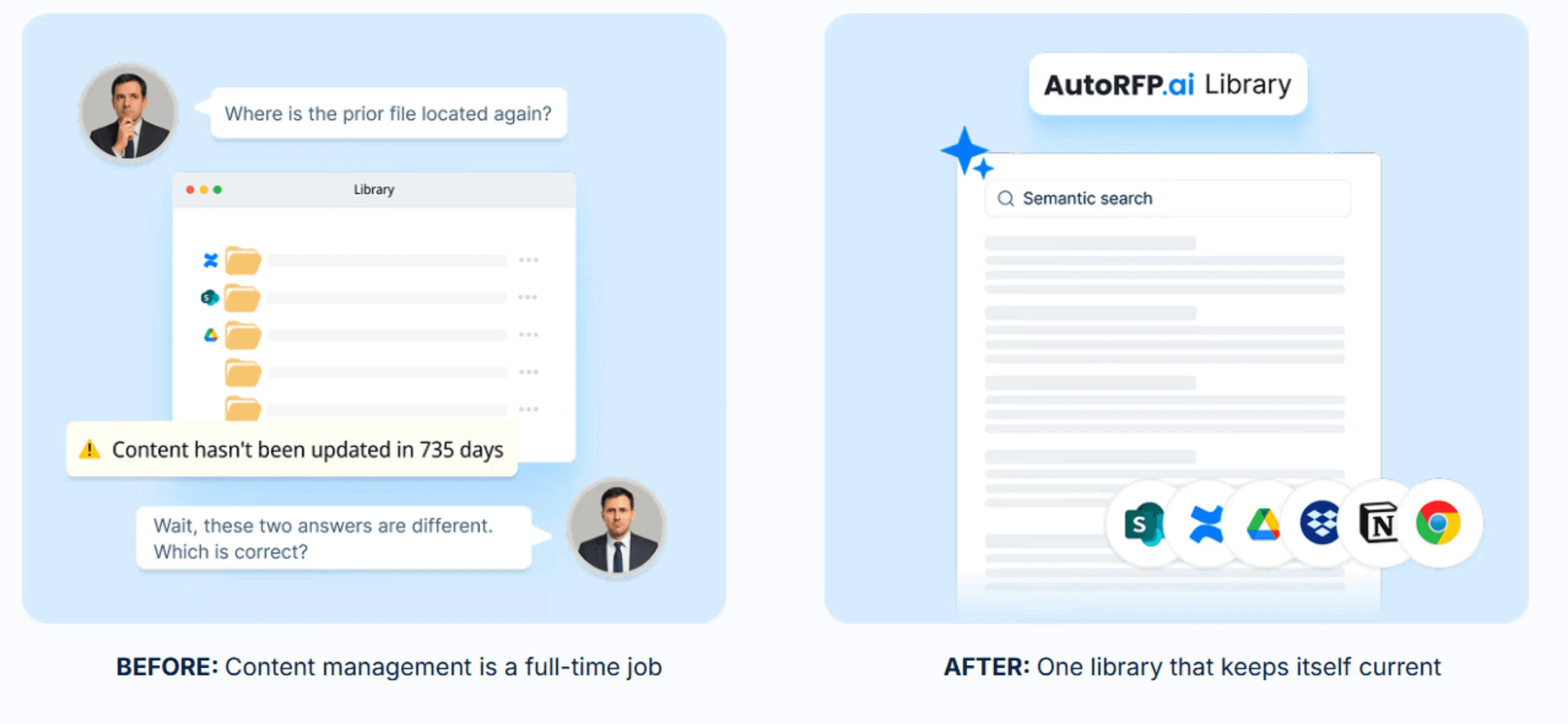
What you get: Less routine admin work and a library that keeps improving under your team’s control.
Key Features of AutoRFP.ai
Here’s a quick breakdown of the features that give AutoRFP.ai an edge over Qvidian.
AI RFP Response Engine
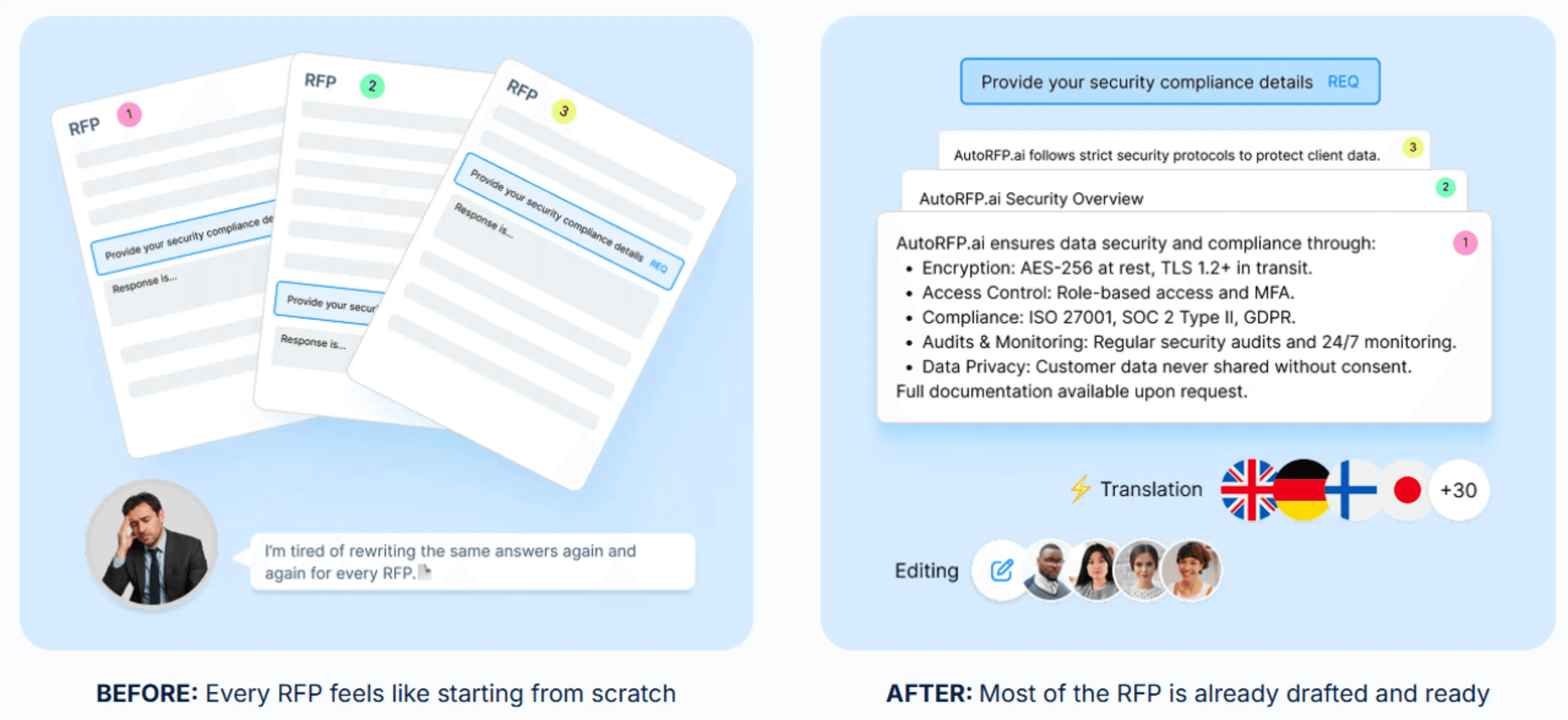
AutoRFP.ai generates first drafts in seconds using AI trained on your approved, winning responses, so you can stop starting from a blank page. It keeps language consistent and on-brand, then lets you refine answers quickly instead of copy-pasting from old files.
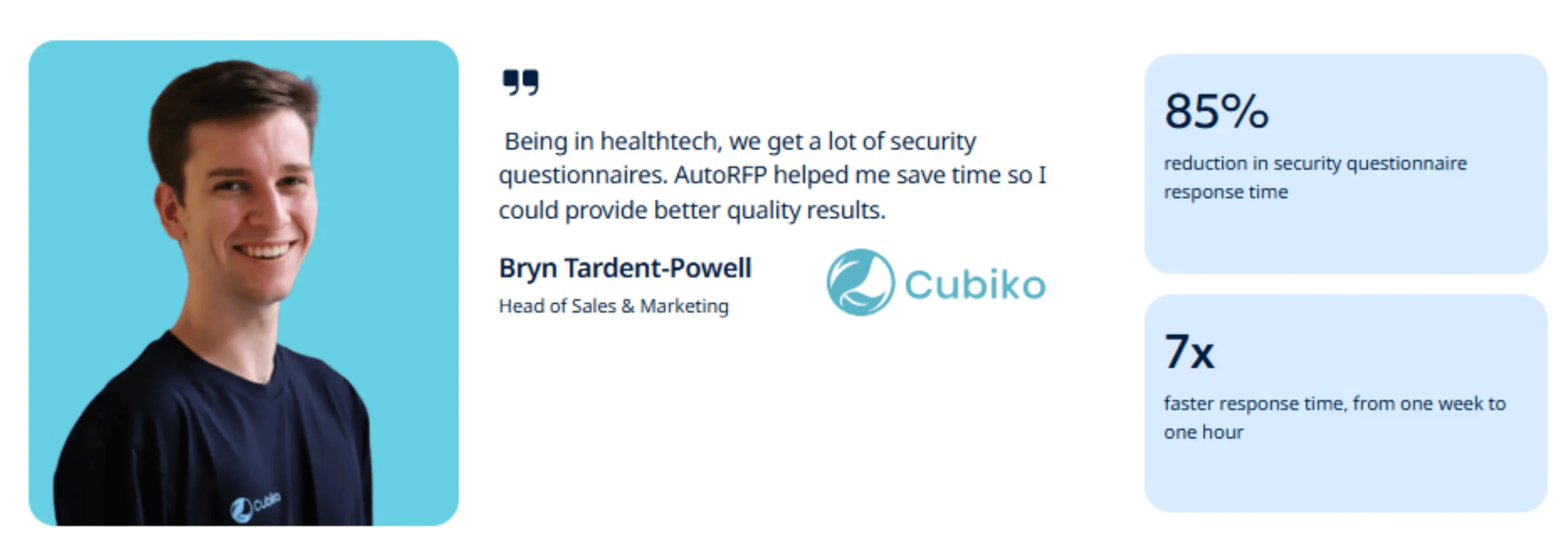
Some teams have cut security questionnaire response time by 85% using AutoRFP.ai.
Format-Safe Import and Export
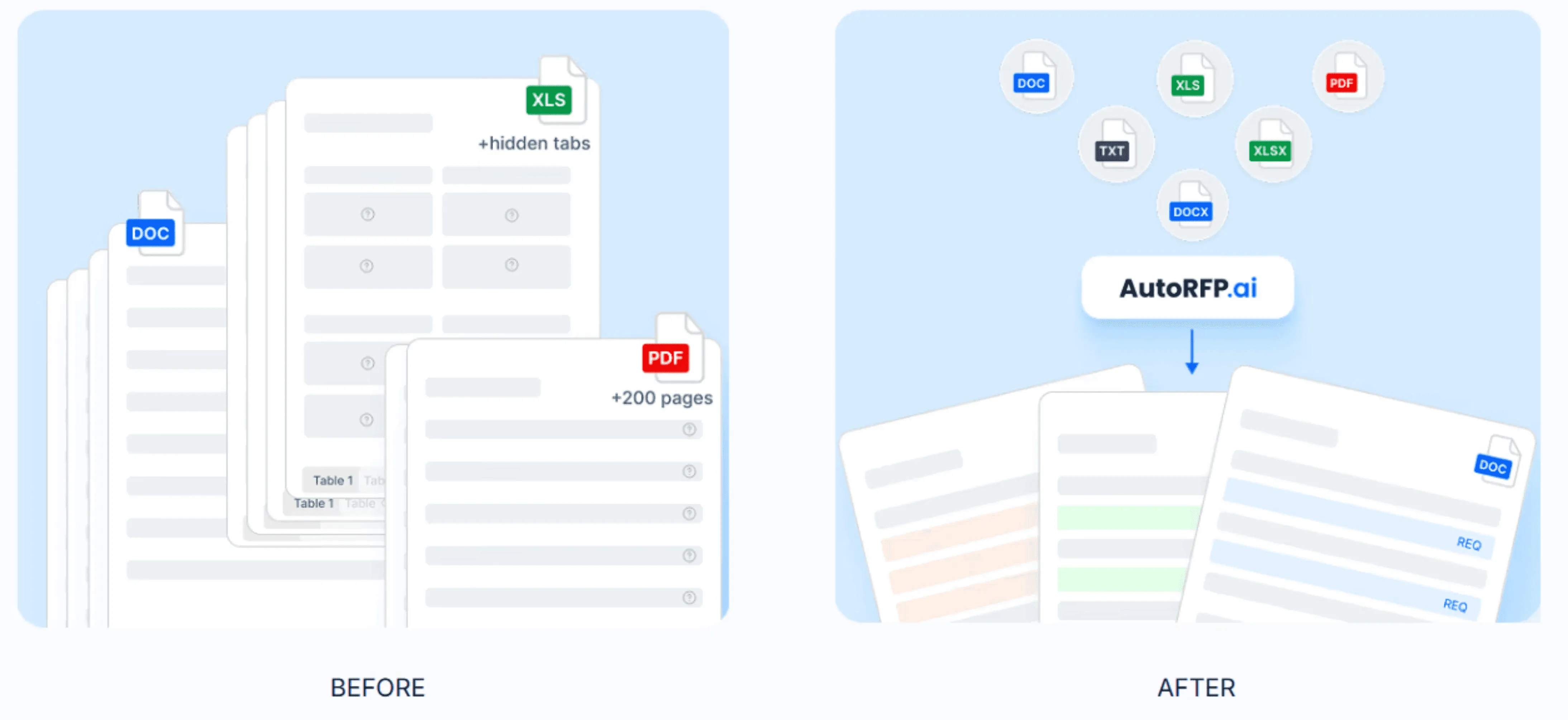
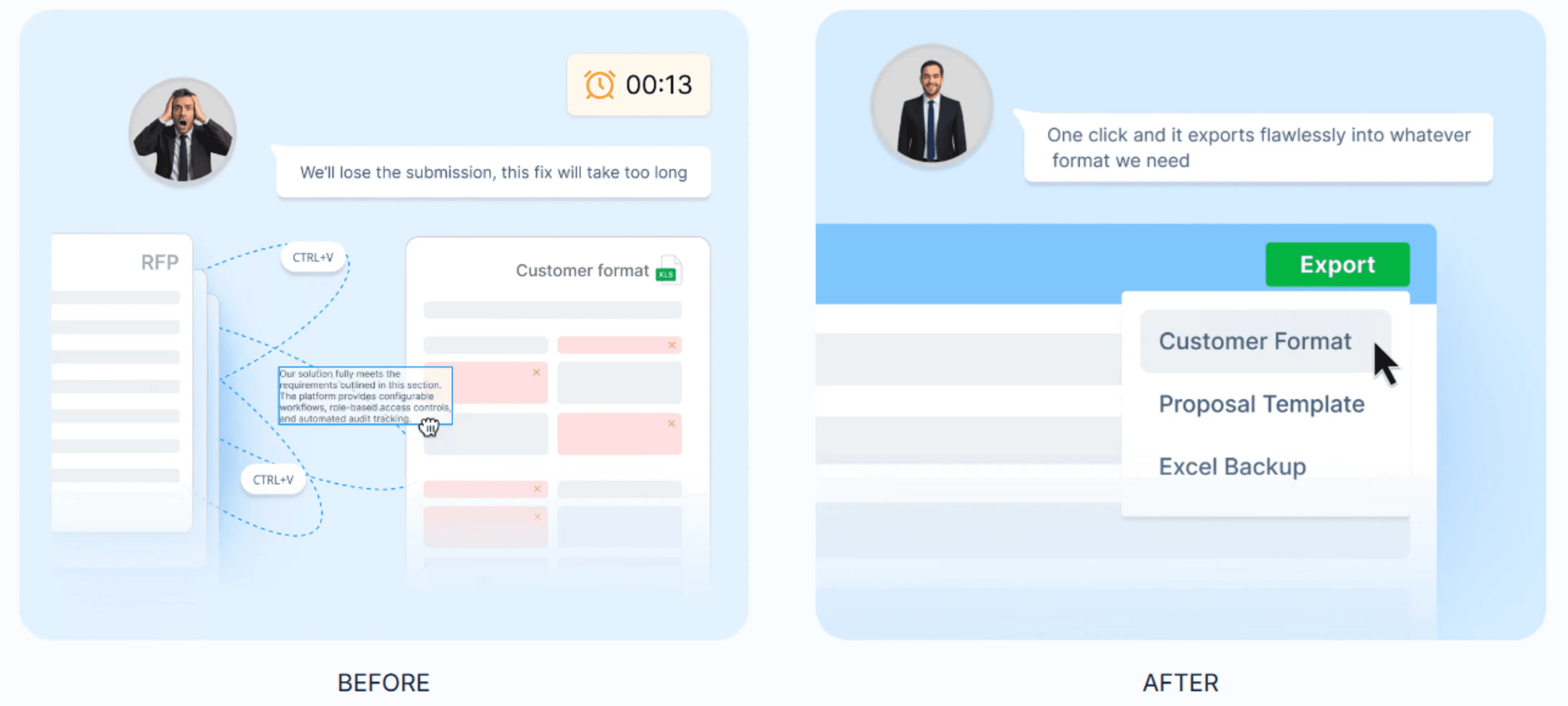
Upload an RFP in Word, Excel, or PDF, and the platform extracts requirements, sections, and context automatically.
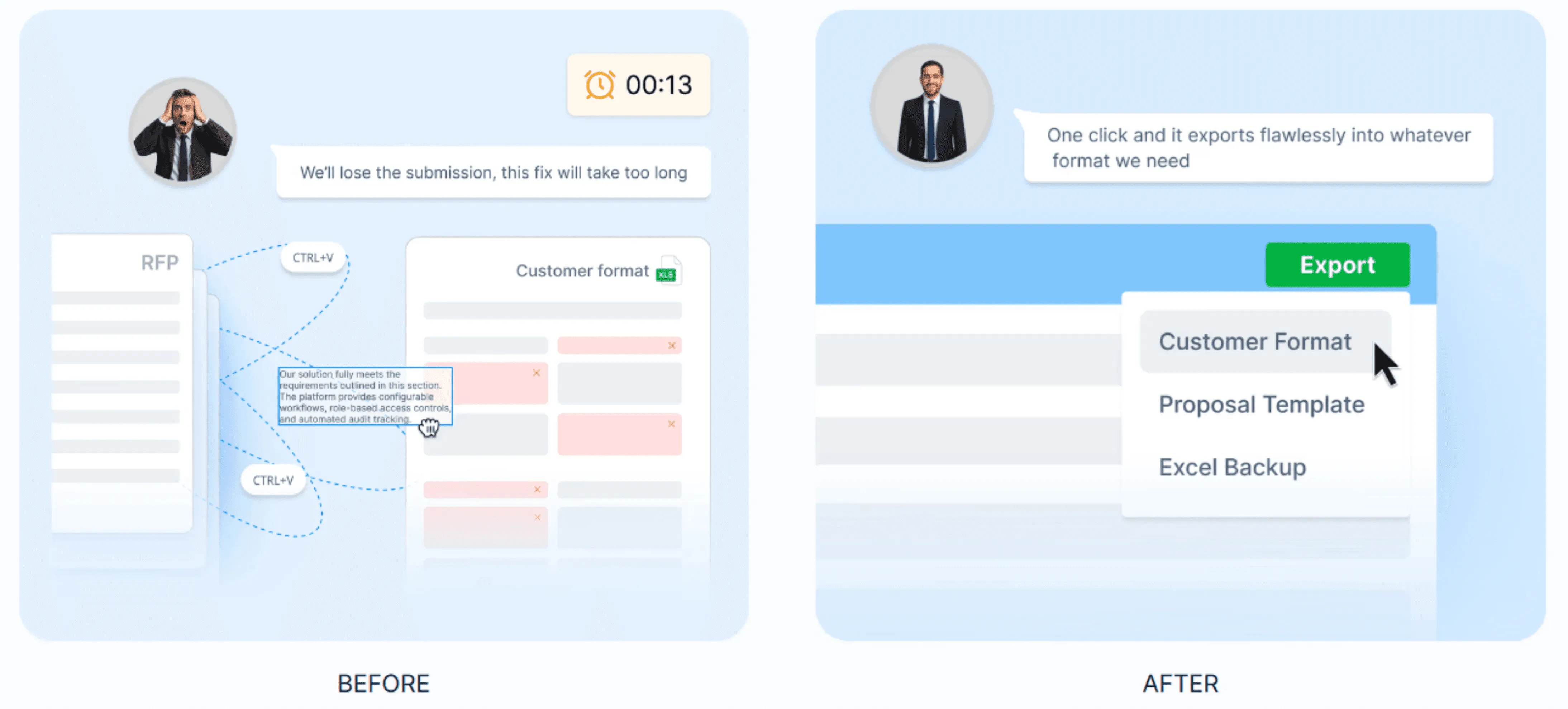
When you export, it preserves the prospect’s original structure so dropdowns and formatting stay intact.
RFP Go/No-Go Analysis
AutoRFP.ai scans documents against your go/no-go criteria early, helping you spot deal-breakers before your team spends days drafting. This reduces wasted effort on bids you cannot realistically win or deliver.
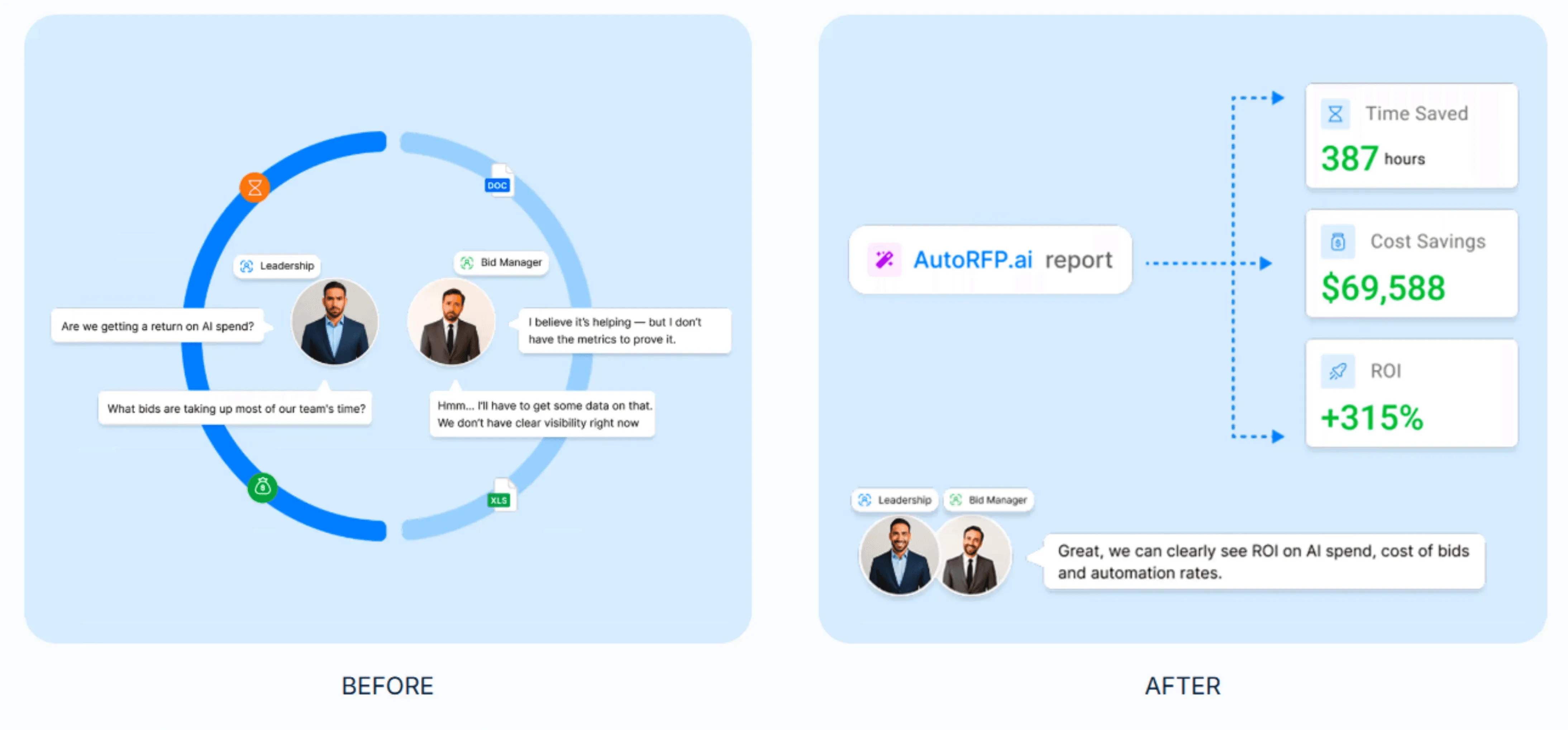
ROI Reporting
The ROI report tracks how each response was completed, whether AI-generated, reused, or manual, so you can quantify automation rates and efficiency gains. It gives leaders a clear view of where AI saves time and where SMEs add value.
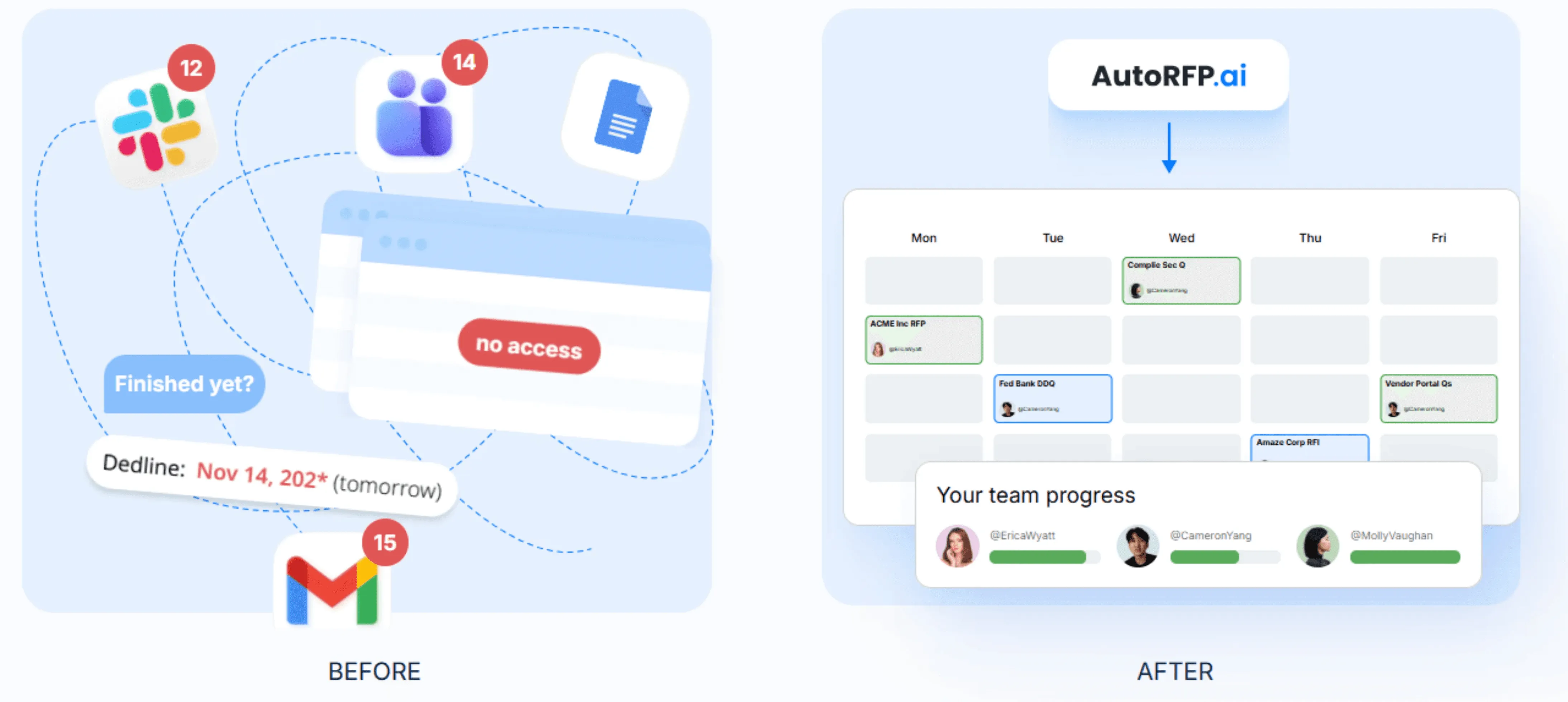
RFP Project Management
A single dashboard shows progress, owners, and blockers across RFPs, RFIs, DDQs, and security questionnaires. Built-in reminders help keep SMEs accountable without spreadsheets, email chains, or status meetings.
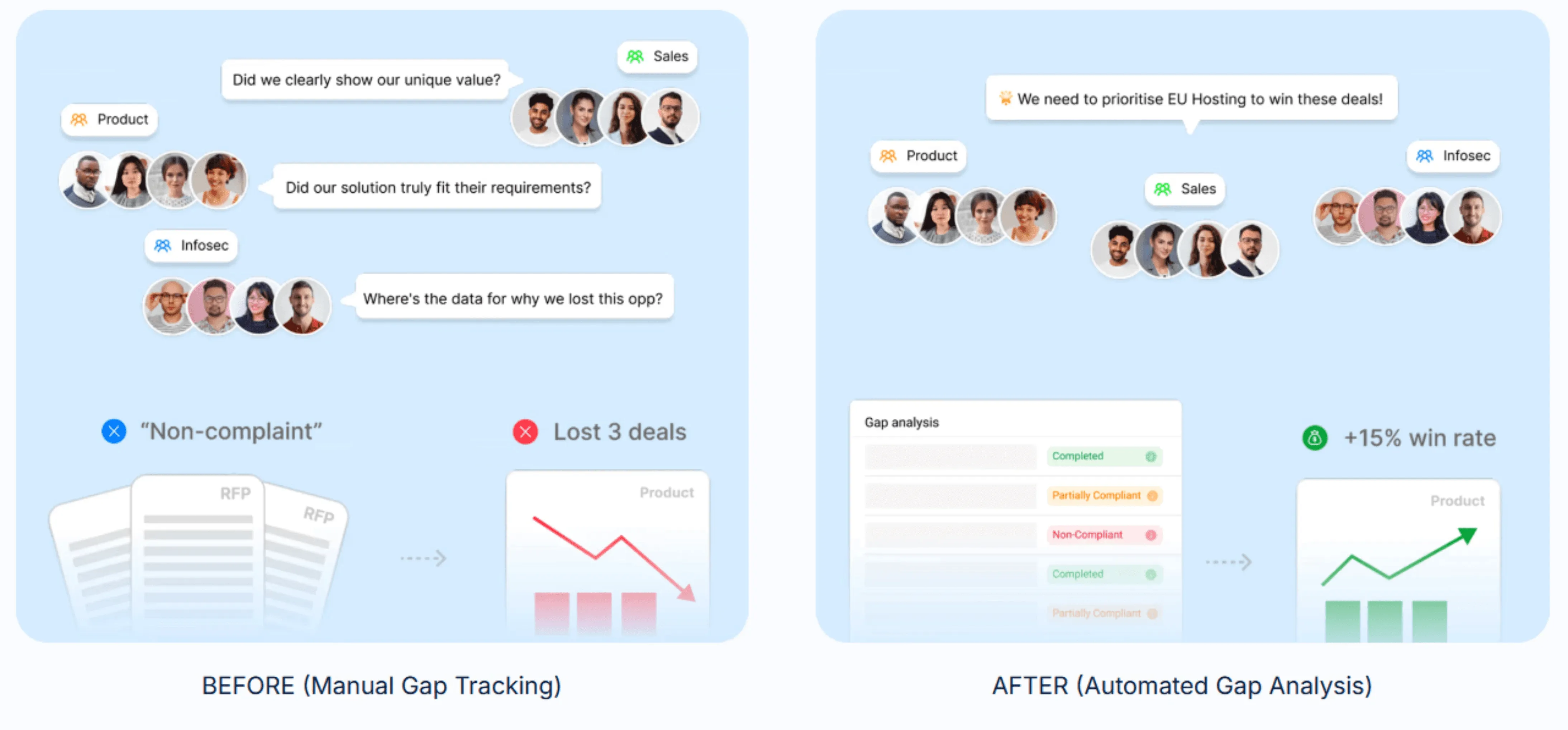
RFP Gap Analysis Report
AutoRFP.ai aggregates compliance and requirement data across completed RFPs to reveal recurring weak spots. You get visibility into deal-blocking patterns as AutoRFP.ai files compliance answers, while owners keep review.
Integrations That Keep Everything in Sync
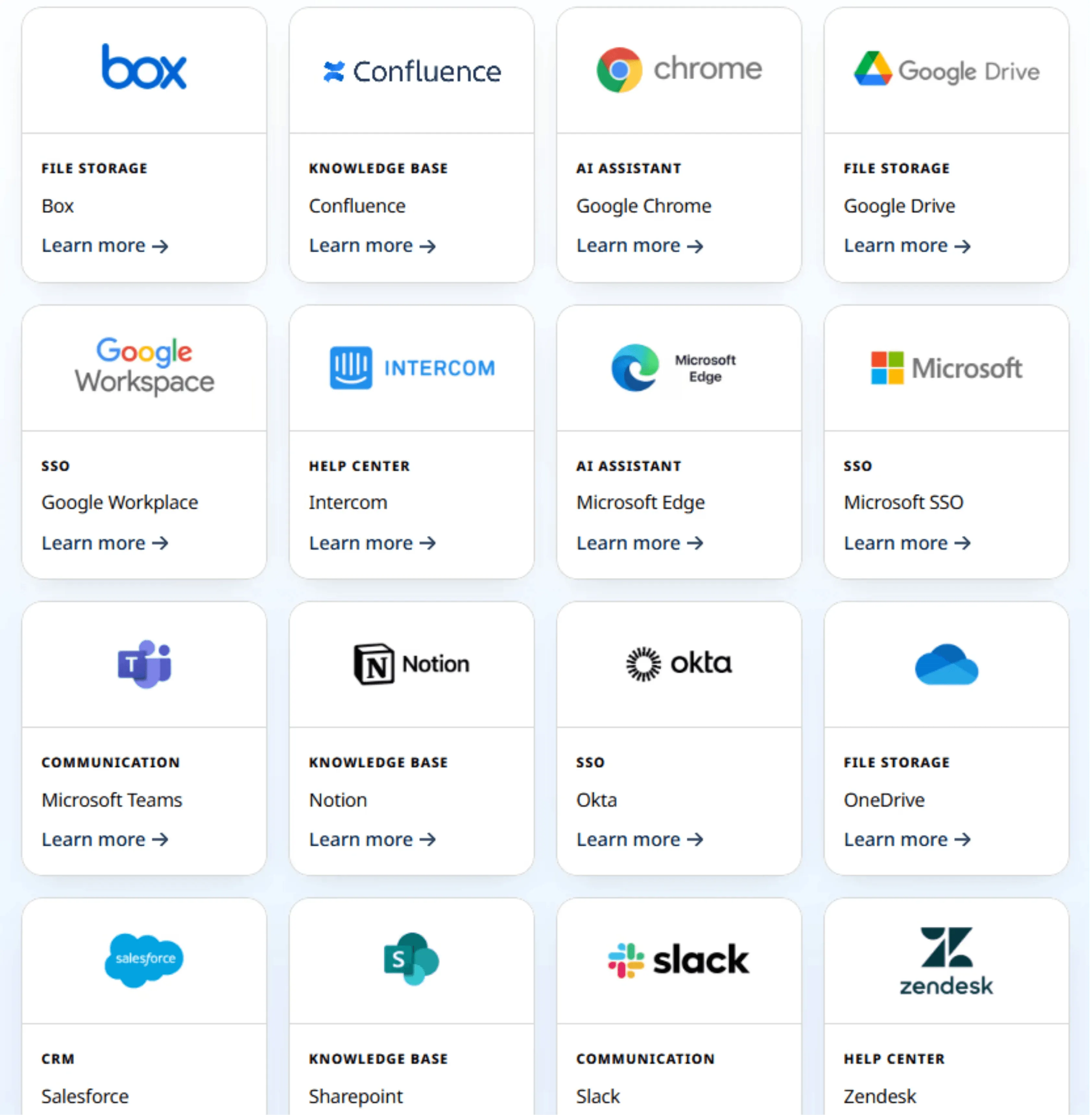
AutoRFP.ai integrates with tools like Salesforce, Slack, and Microsoft Teams so your workflow stays centralized, and updates flow automatically. This helps keep notifications organized and your knowledge base up to date without manual back-and-forth.
Does Qvidian pricing fit your budget?
Qvidian may suit large, governance-heavy teams that can manage quote-based pricing, add-ons, and per-user licenses. If you want predictable costs, faster budgeting, and less cost creep as usage grows, AutoRFP.ai offers transparent flat pricing with unlimited users and no paid add-ons, making spending easier to control.
About the author

Co-founder & CEO
Co-founder and CEO of AutoRFP.ai. Spent 7 years running global RFPs and personally completed 500+ RFPs before founding the company.
LinkedIn
