
RFP Analysis: How to Do It Right and Win More Bids in 2026
RFP analysis is the structured process of reviewing an incoming RFP to extract requirements, assess fit, make a go-no-go decision, and plan your response.

Co-founder & CEO, AutoRFP.ai··10 min read
Before you write a single answer, the RFP needs to be broken down into data points your team can actually work with. Requirements, deadlines, scoring weights, attachments, assumptions, dependencies, and exceptions all need to be captured and assigned. Good RFP analysis creates a clear operating layer between the buyer’s document and your internal response workflow.
This article covers the importance of RFP analysis, a checklist you can use before drafting, and how to analyze an RFP step by step. You’ll also learn where teams usually go wrong and how using an AI RFP tool can make the process faster, more consistent, and easier to manage across stakeholders.
What Is RFP Analysis?
RFP analysis is the process of reviewing a request for proposal to understand exactly what the buyer is asking for before deciding how to respond.
It helps proposal, sales, and subject matter teams break down the document into clear requirements, questions, deadlines, evaluation criteria, submission rules, and response sections.
The goal is to turn a long, complex RFP into a clear action plan before the response work begins.
In simple terms, RFP analysis answers questions like:
What does the buyer need?
What questions must we answer?
What documents or evidence must we provide?
What are the deadlines and submission instructions?
What are the scoring criteria?
Are there any risks, gaps, or deal-breakers?
Which teams need to contribute to the response?
Side note: This process can be done manually, but many winning teams now use AI RFP tools to extract every requirement, section, and context automatically. Some tools can also scan uploaded RFP documents and measure them against templated, custom “deal-breaker” questions, so teams can quickly see whether an opportunity is worth pursuing.
The Importance of RFP Analysis
Here’s why RFP analysis matters before your team starts writing the response:
| Area | Why it matters |
|---|---|
| Protects team capacity | Without proper analysis, teams can waste time on low-fit bids that stretch resources and reduce response quality. A structured review helps proposal teams focus on opportunities they can realistically win. |
| Supports better Go/No-Go decisions | RFP analysis helps teams decide whether an opportunity is worth pursuing before committing time, budget, and subject matter experts. In fact, 71% of high-win teams run a formal Go/No-Go step. |
| Clarifies buyer requirements | RFPs often include detailed technical, legal, pricing, compliance, and formatting requirements. Careful analysis helps teams identify these requirements early, so nothing important is missed. |
| Improves response strategy | Strong RFP analysis turns a long document into a clear response plan. It helps teams understand the buyer’s priorities, decision criteria, risks, and expected outcomes before writing begins. |
| Strengthens win themes | When teams analyze the RFP properly, they can shape win themes around what the buyer actually cares about instead of relying on generic proposal copy. |
| Reduces last-minute rework | A poor RFP review can lead to missed requirements, unclear ownership, and rushed edits near the deadline. Proper analysis helps teams align tasks, timelines, and responsibilities from the start. |
| Makes AI RFP tools more useful | Many winning teams now use AI RFP tools like AutoRFP.ai to extract requirements, scan uploaded RFP documents, compare them against custom deal-breaker questions, and surface key context faster. |
| Creates a more persuasive proposal | RFP analysis helps teams move beyond simply answering questions. It gives them the context needed to write a proposal that is compliant, relevant, and clearly connected to the buyer’s goals. |
RFP Analysis Checklist: What to Review Before You Respond
Before your team starts writing, use this RFP analysis checklist to confirm whether the opportunity is worth pursuing and what the response must include.
| Checklist item | What to review |
|---|---|
| Strategic fit | Check whether the RFP aligns with your company’s products, services, target market, and long-term business goals. |
| Go/No-Go factors | Review whether the opportunity is realistic to pursue based on fit, budget, timeline, competition, relationship strength, and internal capacity. |
| Buyer requirements | Identify all technical, legal, pricing, compliance, formatting, and submission requirements stated in the RFP. |
| Mandatory requirements | Highlight any must-have requirements, certifications, forms, security standards, or documents needed to stay compliant. |
| Deal-breaker questions | Check for non-negotiable issues such as mandatory on-premise hosting, strict data residency rules, unrealistic timelines, or legal terms your team cannot accept. |
| Budget and commercial scope | Review the stated budget, estimated contract value, pricing model, payment terms, and whether the opportunity is commercially viable. |
| Key dates and deadlines | List the submission deadline, Q&A period, clarification dates, decision date, project start date, and any required presentation or demo dates. |
| Technical fit | Review required integrations, hosting needs, APIs, platforms, security standards, implementation scope, and product capabilities needed to deliver the solution. |
| Resource requirements | Confirm which internal teams need to support the response, including sales, proposal, finance, legal, security, product, and subject matter experts. |
| Competitive landscape | Assess whether the RFP seems open, relationship-driven, or already shaped around another vendor. This helps the team understand how competitive the bid really is. |
| Risks and gaps | Identify unclear requirements, missing information, compliance concerns, delivery risks, pricing risks, or areas where the team may need clarification. |
| Response strategy | Use the analysis to define the main win themes, buyer priorities, proof points, case studies, and differentiators before drafting the proposal. |
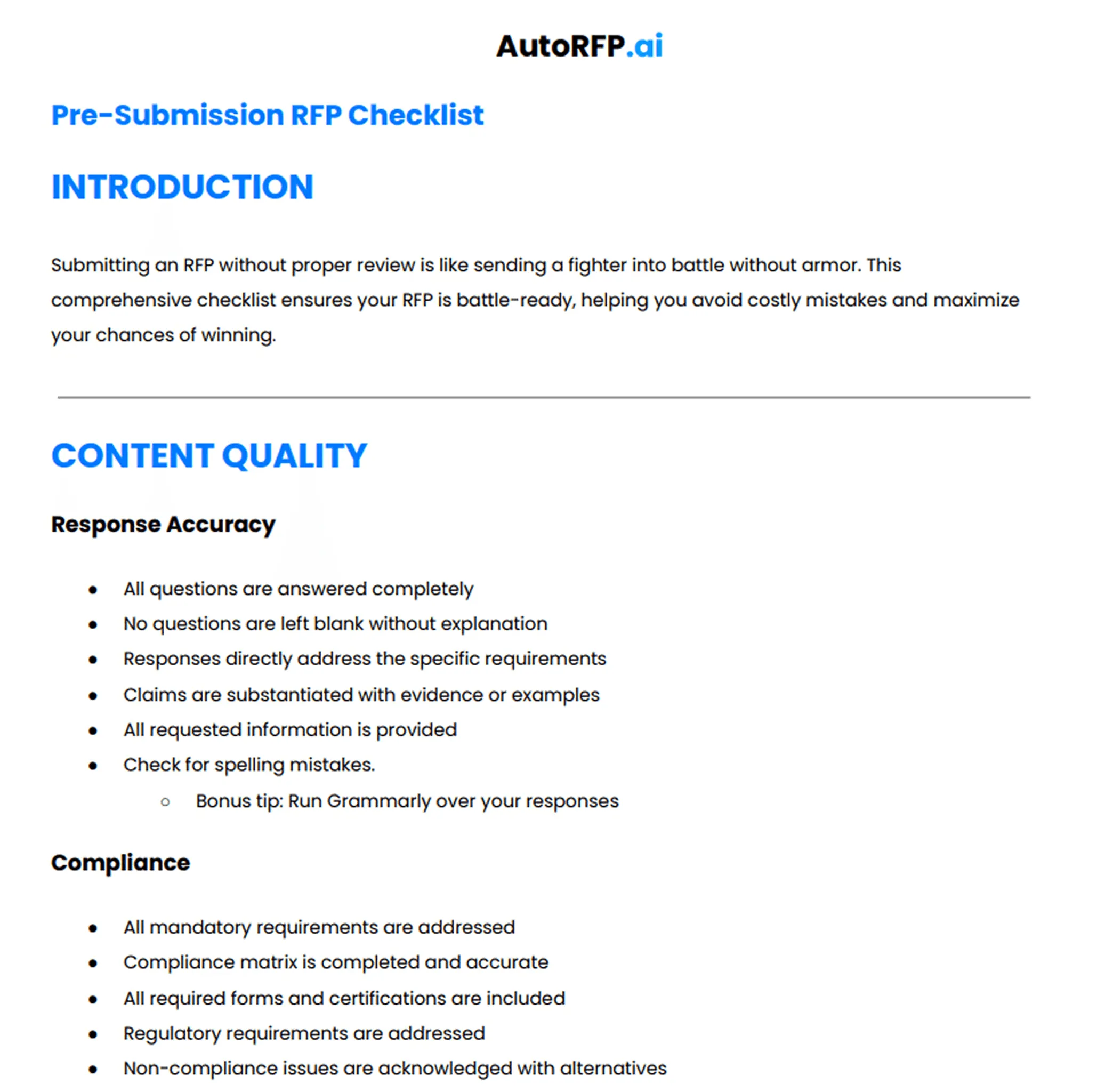
This checklist gives your team a strong starting point, but every RFP has its own risks, requirements, and review steps. To make the process easier, you can download the full RFP submission checklist and use it as a repeatable framework before deciding whether to respond, assign tasks, or start the proposal draft.
Following these review steps also helps establish consistent RFP best practices across every bid.
How to Analyze an RFP: Step-by-Step
When an RFP lands with your sales lead, AE, solution engineer, CFO, or proposal team, the goal is not to start writing immediately. The first step is to understand the opportunity, identify the risks, and decide how your team should respond.
1. Import And Organize The RFP Documents
Start by collecting every document the buyer has shared, including the main RFP, appendices, pricing sheets, compliance matrices, forms, and technical attachments.
Review:
File formats, such as Word, PDF, Excel, ZIP files, or spreadsheets
Separate attachments or supporting documents
Compliance matrices or response templates
Pricing forms and legal documents
Any document that contains mandatory instructions
This is where an AI RFP tool like AutoRFP.ai can help. Instead of manually reading and reformatting long Word documents, PDFs, Excel sheets, or nested tables, teams can upload the files and let AI extract the requirements, sections, and context into a structured project.
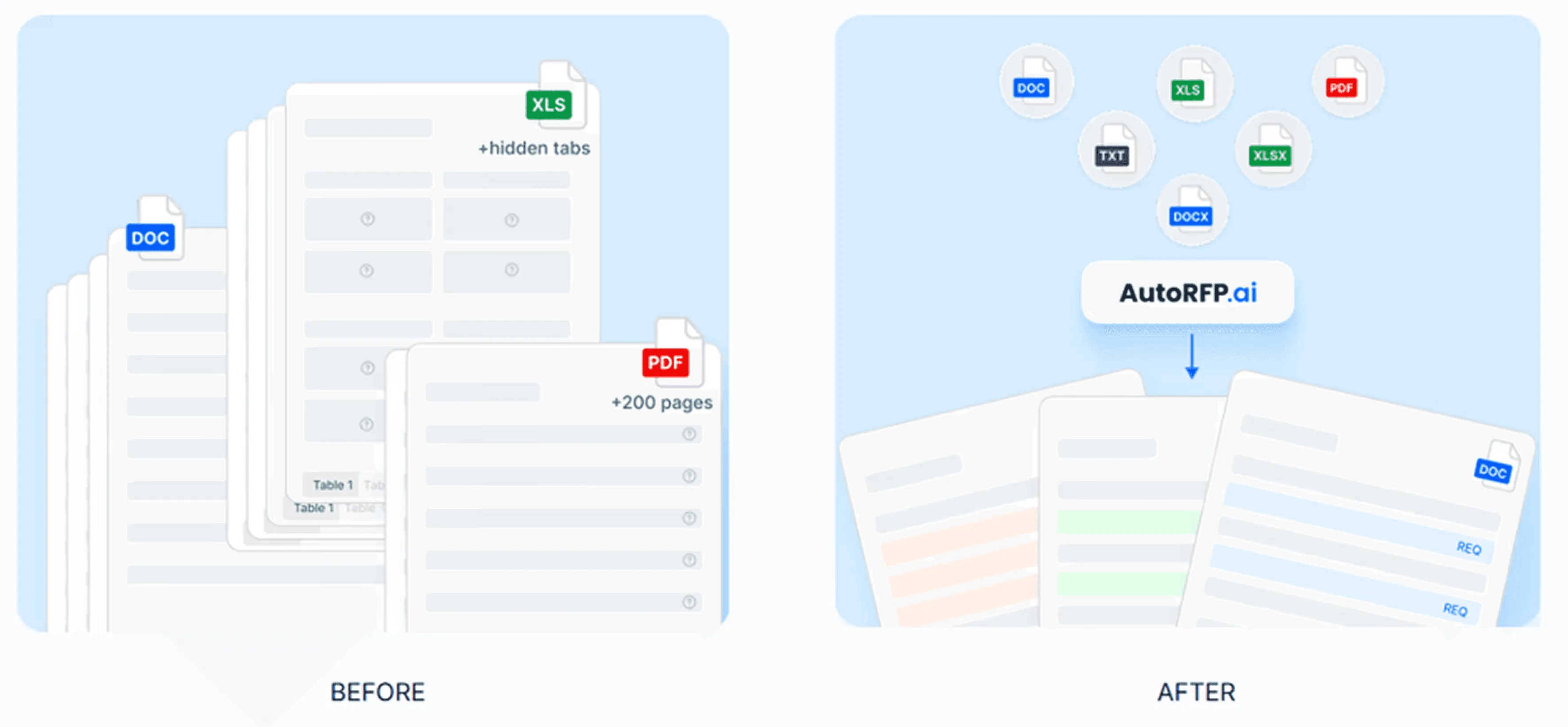
Pro tip: Do not rely only on the main RFP document. Important requirements are often hidden in appendices, pricing sheets, legal terms, and compliance matrices.
2. Identify The Buyer’s Core Requirements
Next, break the RFP into clear requirements so your team knows exactly what must be answered.
Look for:
Technical requirements
Functional requirements
Security requirements
Legal and compliance requirements
Pricing requirements
Implementation requirements
Support and service-level requirements
Formatting and submission rules
The goal is to separate “must-have” requirements from “nice-to-have” preferences.
Pro tip: Mark every requirement as mandatory, preferred, unclear, or optional. This makes the response easier to assign, track, and review later.
3. Review Key Dates And Submission Instructions
Before deciding whether to pursue the RFP, confirm the timeline and submission process.
Check for:
Q&A deadline
Clarification deadline
Proposal due date
Demo or presentation date
Award decision date
Project start date
Submission format
Submission portal, email, or delivery method
This step helps your team understand whether the timeline is realistic.
Pro tip: If the submission deadline is too tight, check whether the buyer allows extensions or clarification questions before committing full team resources.
4. Run A Go/No-Go Analysis
Once the requirements and timeline are clear, decide whether the opportunity is worth pursuing.
Review:
Strategic fit
Existing buyer relationship
Budget and commercial value
Competitive position
Internal capacity
Technical fit
Legal and security risks
Delivery timeline
Deal-breaker requirements
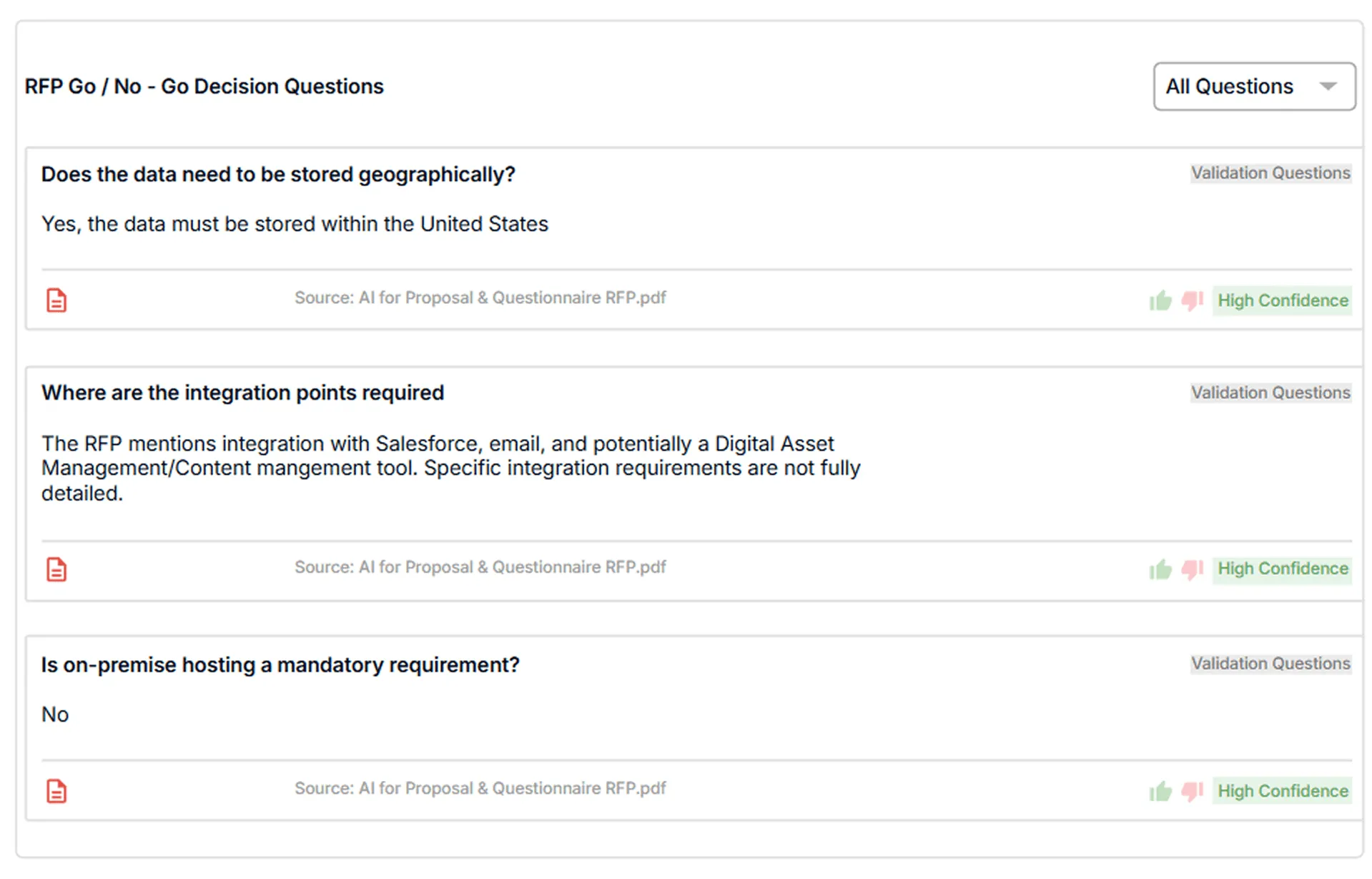
This step helps your team avoid spending hours on bids that are not realistic to win. For a faster review, teams can use AutoRFP.ai to set custom Go/No-Go criteria around hosting, data residency, certifications, integrations, legal terms, and implementation timelines.
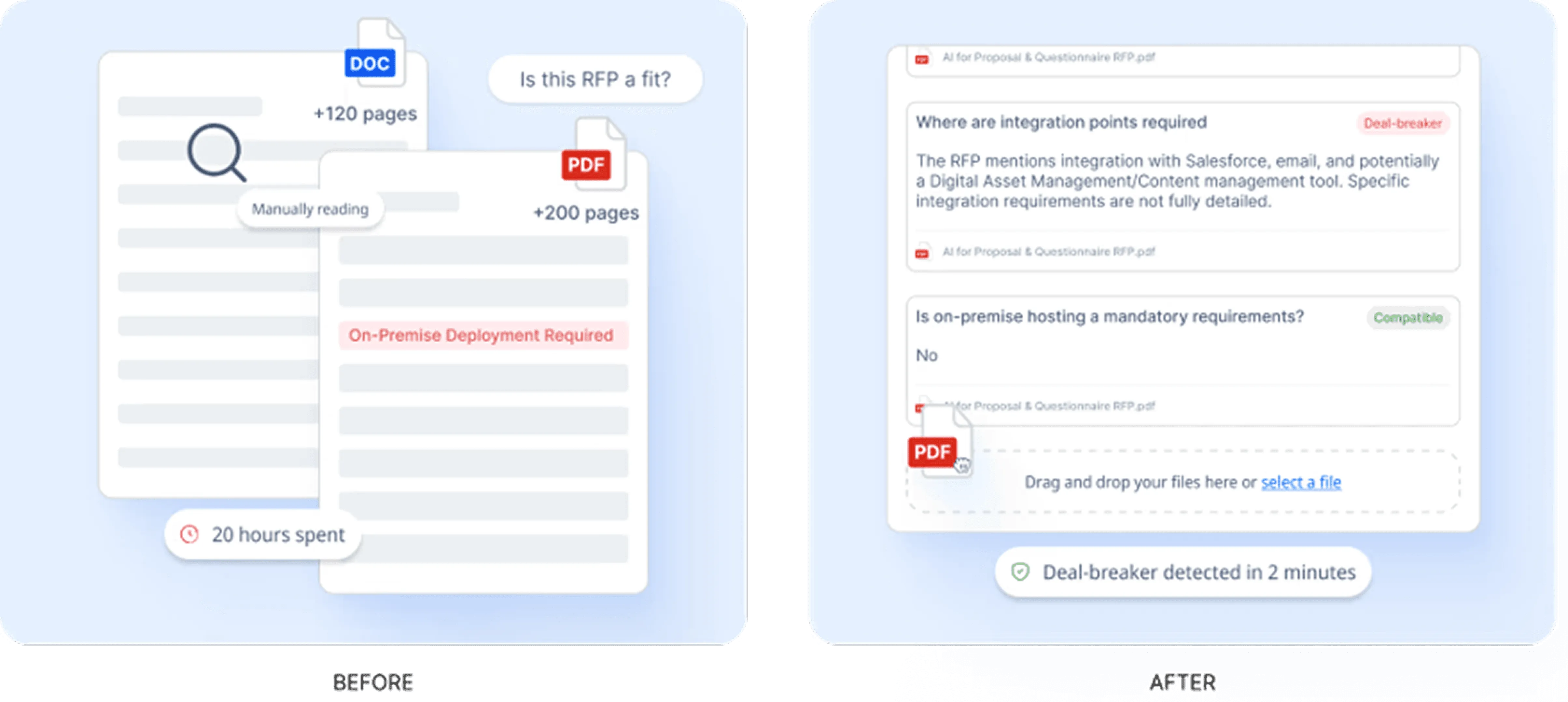
The platform then scans uploaded RFP documents against those criteria and flags potential deal-breakers before the response work begins.
Pro tip: Do not treat Go/No-Go as a quick opinion from sales. Use clear pass/fail criteria so the decision is based on fit, risk, and win potential.
5. Check For Deal-Breakers And Unclear Requirements
After the first review, look for requirements that could stop the bid or require clarification.
Common deal-breakers include:
Mandatory on-premise hosting
Strict data residency requirements
Security certifications your company does not have
Unrealistic implementation timelines
Heavy customization requirements
Unacceptable payment terms
Legal terms your team cannot accept
Integrations your product cannot support
If a requirement is vague, do not assume. Flag it for clarification or ask the buyer during the Q&A period.
Pro tip: Create a separate list of unclear, risky, or non-compliant items. This helps legal, finance, security, and technical teams review the right issues faster.
6. Assign Internal Owners
Once the RFP is broken down, assign each section to the right person or team.
Typical owners include:
Sales lead for opportunity context
Proposal manager for response structure
Solution engineer for technical requirements
Product team for product claims
Security team for InfoSec requirements
Legal team for contract terms
Finance team for pricing and commercial review
Leadership for final approval
Each owner should know what they need to review, what they need to provide, and when their input is due.
In AutoRFP.ai, teams can assign owners at the project level when the RFP is first created, or at the section and task level once the response work is broken down.
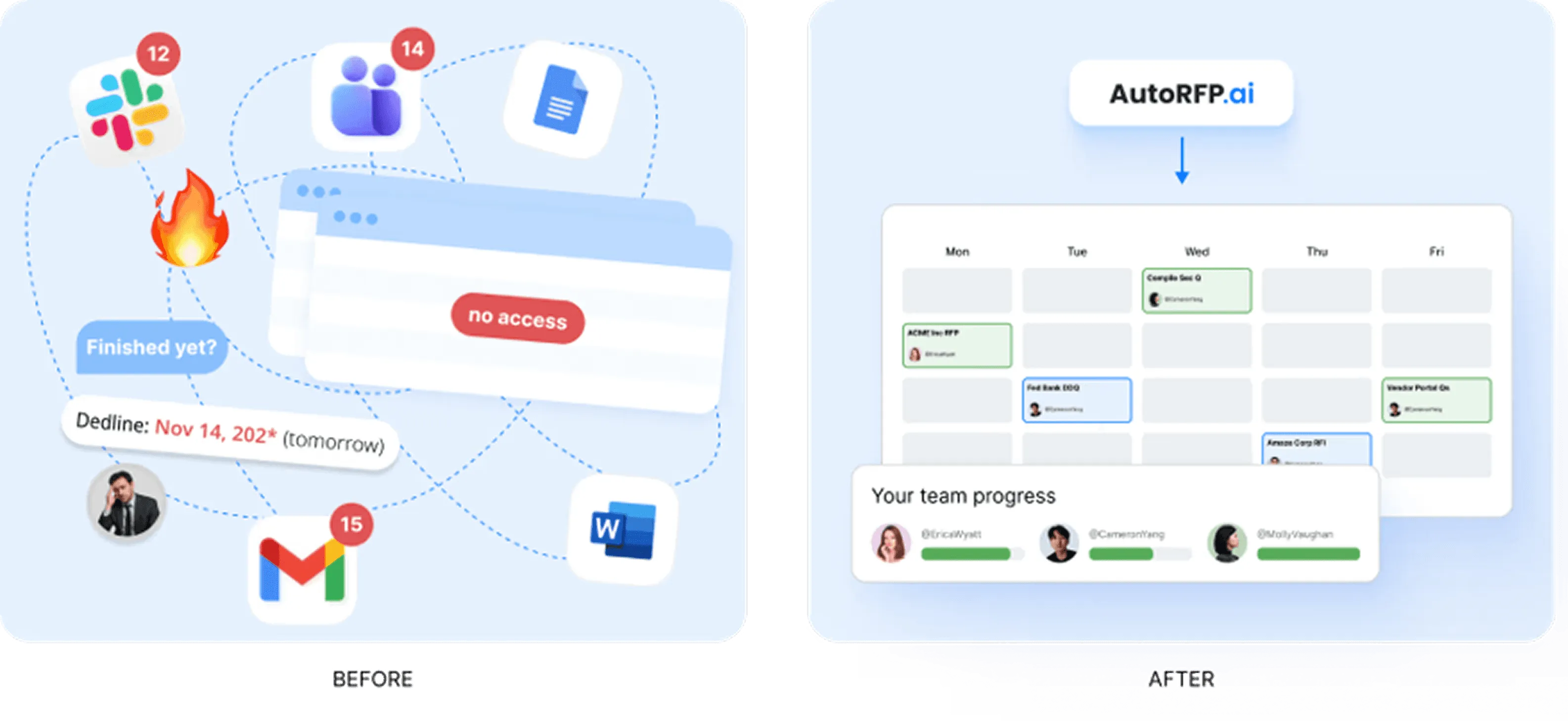
This helps the bid manager track workload, monitor section progress, spot blocked responses, review open comments, and send targeted reminders without chasing every update by email.
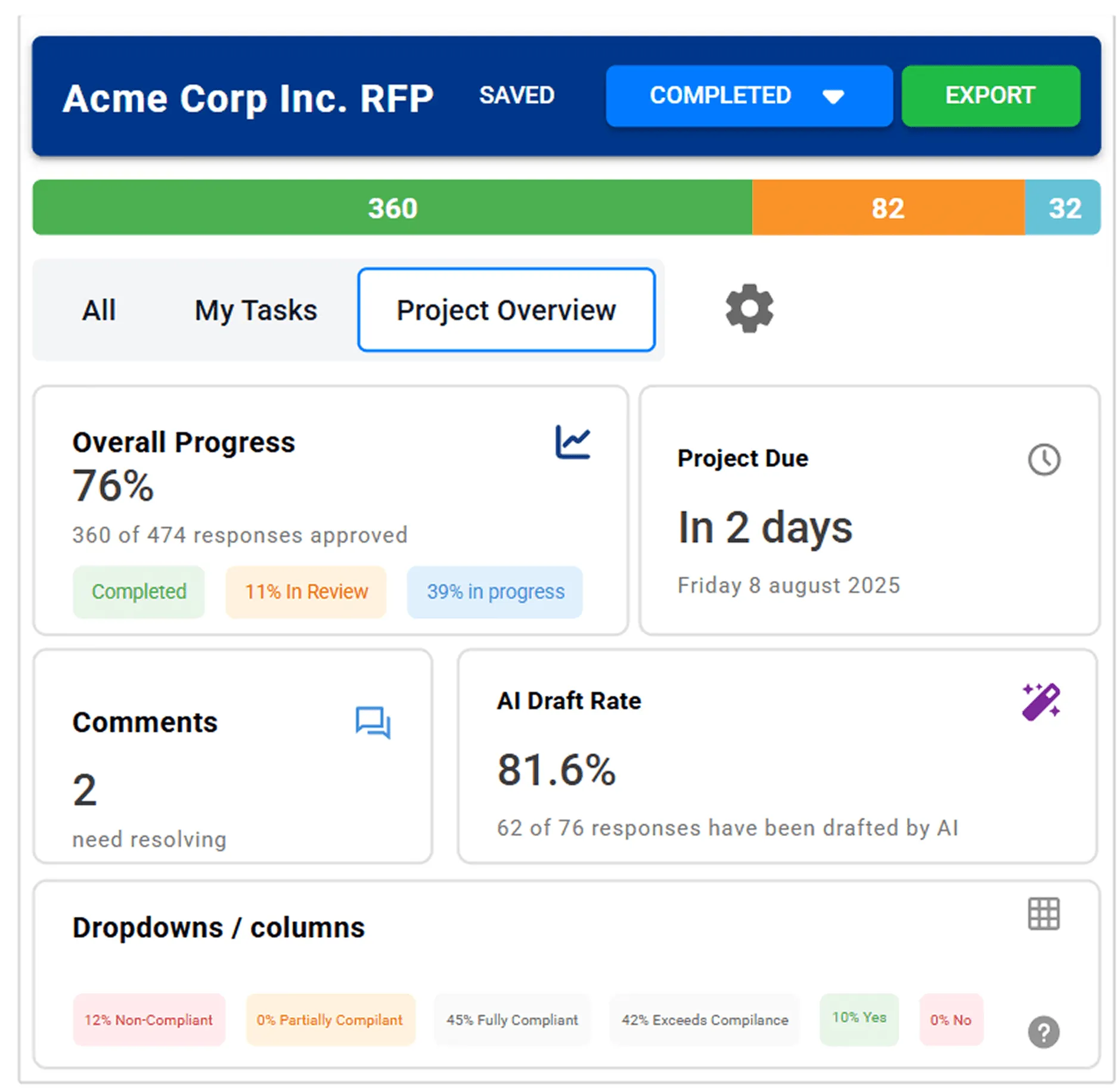
Pro tip: Assign owners before drafting begins. Waiting too long usually leads to rushed SME reviews, unclear accountability, and last-minute edits.
7. Build The Response Strategy
Before writing the proposal, turn the analysis into a clear response plan.
Define:
The buyer’s main priorities
The strongest win themes
Key differentiators
Required proof points
Relevant case studies
Pricing approach
Risks to address
Sections that need executive input
This step helps the team move beyond simply answering questions. It gives the proposal a clear direction, so every section supports the same story, value proposition, and buyer outcome. Teams with defined win themes achieve 37% average win rates versus 29% without, giving them an 8 percentage point advantage.
Pro tip: Your response strategy should be based on the RFP language, not only your standard sales messaging. Use the buyer’s priorities to shape the proposal.
8. Confirm The Final Response Plan
Before the team starts writing, confirm that everyone understands the scope, timeline, and response approach.
Make sure your team has:
A clear Go/No-Go decision
A complete requirement list
A list of risks and clarifications
Assigned section owners
Internal deadlines
Required documents and evidence
Agreed win themes
A review and approval plan
Once the response plan is clear, teams can move into drafting. With AutoRFP.ai, users can upload the RFP and generate first drafts across all questions using past winning responses and company documentation.
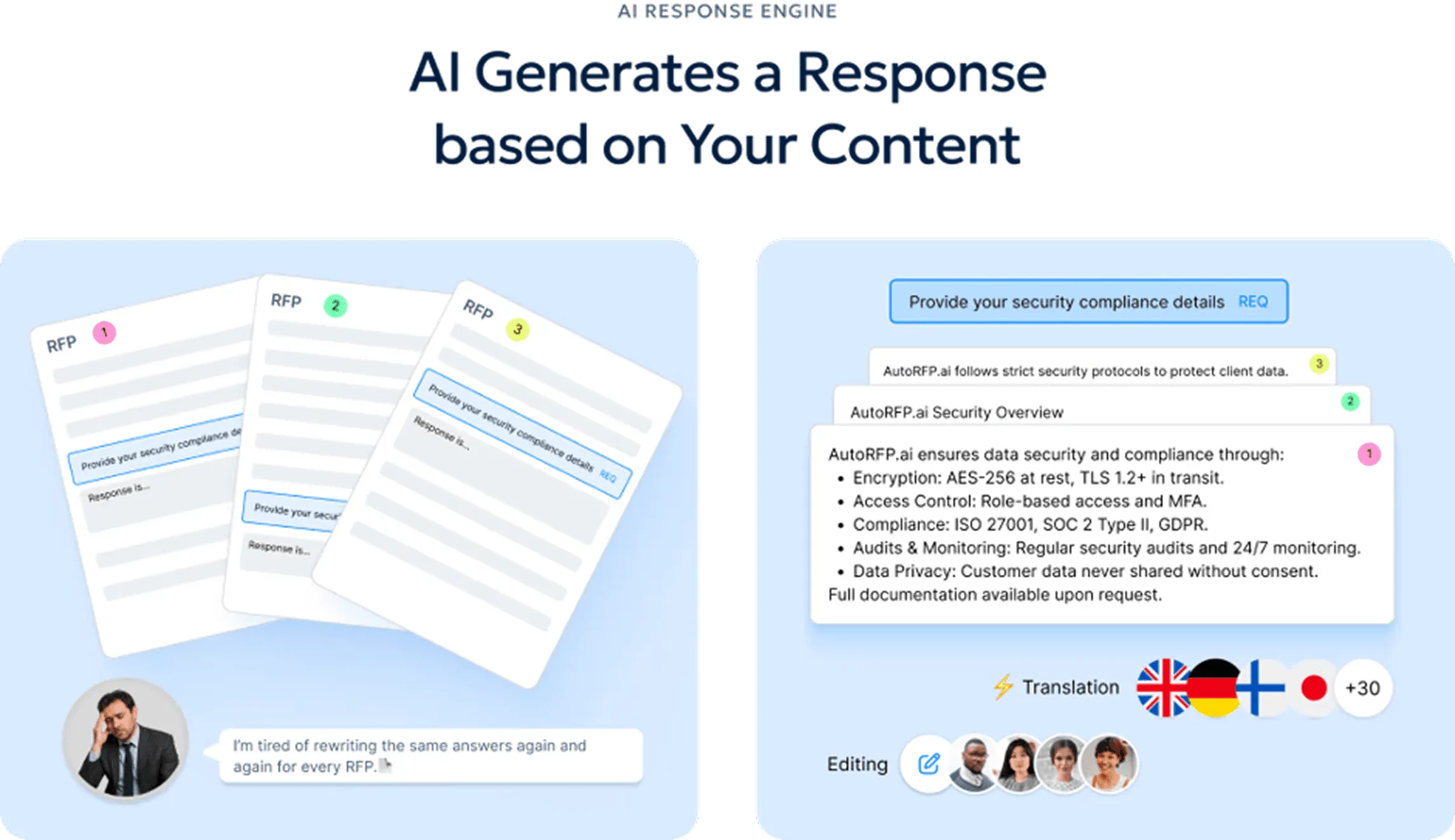
The AI Response Engine helps reduce repeated copy-paste work by creating accurate, on-brand drafts that teams can review, refine, and adjust with one-click actions.
Pro tip: Do not generate drafts before the requirements, owners, risks, and win themes are clear. AI can speed up the first draft, but the response still needs a strong strategy behind it.
How AI Can Help Cut RFP Analysis Time
AI helps teams analyze RFPs faster by reducing manual review, organizing scattered requirements, and turning long documents into a clearer response plan.
Instead of reading every page from scratch, teams can use AI to extract key details, flag risks, assign work, and prepare stronger drafts.
| AI use case | How it helps RFP analysis |
|---|---|
| Import RFP documents faster | AI can process RFPs that arrive as Word documents, PDFs, Excel files, ZIP folders, compliance matrices, or nested tables. AutoRFP.ai, for example, can import these files and turn them into a structured project, so teams spend less time reformatting documents before analysis begins. |
| Extract key requirements | AI can pull out buyer requirements, response sections, deadlines, submission rules, and supporting context from long RFP documents. Tools like Loopio can also help parse complex documents and capture RFP requirements, so teams do not have to manually map every section. |
| Run Go/No-Go checks earlier | AI can compare the RFP against deal-breaker criteria such as hosting requirements, data residency, security certifications, legal terms, integrations, budget, and implementation timeline. AutoRFP.ai can scan uploaded RFP documents against custom criteria and flag risks before the team spends hours on a poor-fit bid. |
| Find reusable answers | AI can search past responses, company documentation, approved content, case studies, security documents, and product information to find relevant answers faster. Platforms like Responsive and Loopio support AI-assisted response workflows that help teams reuse approved content instead of starting from scratch. |
| Generate first drafts | AI can turn the analyzed requirements into first-draft answers based on past winning responses and company documentation. AutoRFP.ai’s AI Response Engine helps teams reduce repetitive copy-paste work by generating accurate, on-brand drafts that reviewers can refine. |
| Check for gaps and risks | AI can flag unclear requirements, missing answers, unsupported claims, non-compliant items, unrealistic timelines, or sections that need legal, finance, security, or technical review. This helps teams catch issues earlier instead of discovering them near the deadline. |
| Track ownership and progress | AI-powered RFP platforms can help bid managers assign owners, monitor section progress, review open comments, and spot blockers. This reduces the need for constant status emails and gives the team a clearer view of what still needs attention. |
| Prepare the final proposal workflow | Once the response is ready, proposal tools can help teams manage approvals, templates, document workflows, and final submission steps. PandaDoc, for example, supports approval workflows that route documents to internal reviewers before they are sent out. |
One example is BDS Solutions, which used AutoRFP.ai to reduce manual RFP work while onboarding 20 new users at short notice. The team was dealing with fragmented workflows and needed to expand access without disrupting the response process. With AutoRFP.ai, they used SSO access, intelligent content management, and dedicated support to onboard the new users smoothly.
As a result, BDS Solutions achieved 70-80% faster AI-generated draft responses while maintaining consistent quality and security across a larger team.
The goal is not to replace proposal strategy. AI helps teams complete the slow, repetitive parts of RFP analysis faster, so sales, proposal, legal, finance, and technical teams can spend more time on fit, risk, win themes, and response quality.
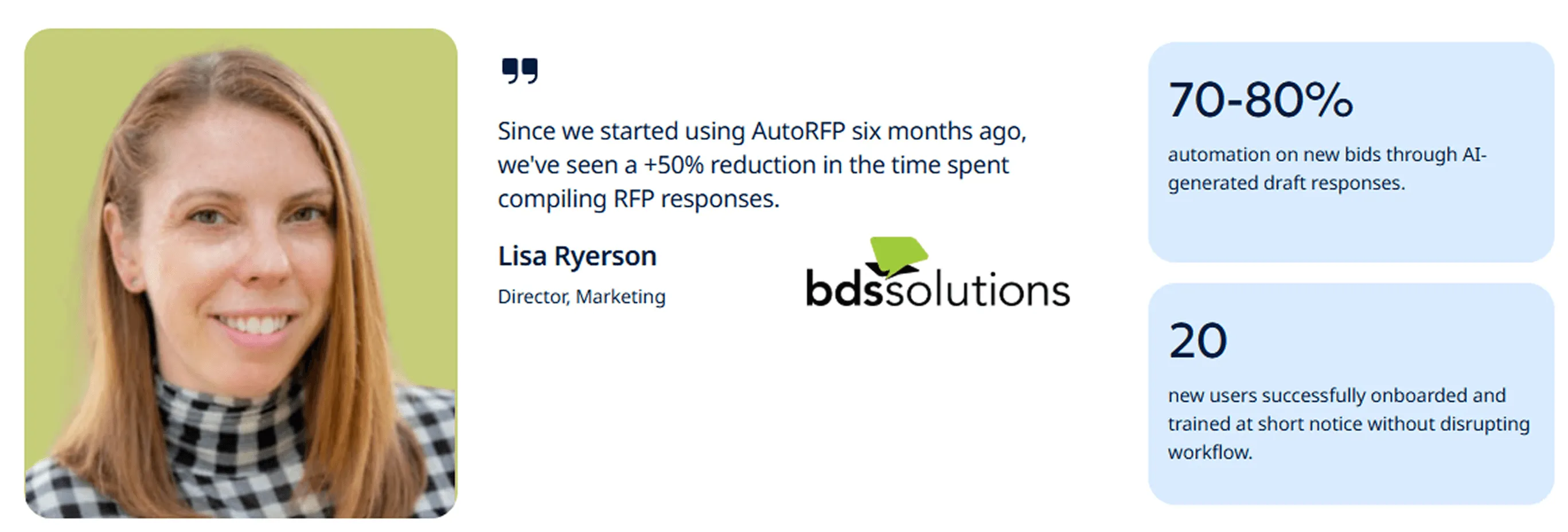
“Before AutoRFP, we spent excessive time compiling RFP responses. That alone had a huge impact on our productivity.” - Lisa Ryerson, Director, Marketing at BDS Solutions
Common RFP Analysis Mistakes to Avoid
Here are the mistakes to avoid if you want your RFP review to lead to a clearer bid decision and a stronger response.
| Mistake | How to avoid it |
|---|---|
| Starting with the draft too early | Do not begin writing as soon as the RFP arrives. Review the full scope, risks, deadlines, and requirements first so the response is based on a clear plan. |
| Reading only the main RFP document | Important details are often placed in attachments, pricing sheets, compliance matrices, legal terms, or technical appendices. Review every file before making a bid decision. |
| Missing the evaluation criteria | Do not focus only on the questions. Look at how the buyer will score the response, then shape your answer around the areas that carry the most weight. |
| Treating every requirement the same | Separate mandatory requirements from preferred, optional, and unclear items. This helps the team focus on what can affect compliance or disqualification. |
| Making assumptions about vague requirements | If a requirement is unclear, flag it for clarification instead of guessing. A small assumption can create pricing, delivery, legal, or technical risk later. |
| Reusing old answers without checking fit | Past responses can save time, but they still need to match the buyer’s exact wording, industry, problem, and evaluation criteria. Do not paste generic content without review. |
| Bringing legal, security, or finance in too late | Some risks are not obvious to sales or proposal teams. Involve legal, security, and finance early when the RFP includes contract terms, data handling, pricing, penalties, or compliance requirements. |
| Ignoring the buyer’s language | Use the buyer’s terminology when building a proposal compliance matrix and writing responses. This makes the proposal easier to evaluate and reduces confusion during review. |
| Not recording why you chose to bid | Document the reason behind the Go/No-Go decision. This helps leadership understand the opportunity and gives the team a reference point if priorities change. |
| Giving SMEs too little context | Do not send subject matter experts isolated questions without background. Give them the requirement, buyer priority, expected outcome, and deadline so they can provide more useful input. |
Analyze RFPs Faster With AutoRFP.ai
AutoRFP.ai helps teams move from RFP review to first draft faster by extracting requirements, surfacing deal-breakers, and generating accurate responses using approved content and past winning answers. Instead of spending hours sorting documents manually, your team can focus on strategy, review, and win themes. Book Demo to see how it works.
About the author

Co-founder & CEO
Co-founder and CEO of AutoRFP.ai. Spent 7 years running global RFPs and personally completed 500+ RFPs before founding the company.
LinkedInFrequently asked questions
Can I Upload Multi-Format RFPs as a Single Project?
Yes. AutoRFP.ai allows users to upload multiple files in different formats, such as Word, Excel, PDF, and ZIP files, into a single project. The AI Document Importer processes each file according to its structure, helping teams manage disconnected RFP files in one place.
How Does The AI Identify Questions Versus Context In Complex RFP Structures?
The AI automatically recognizes document structures, identifies requirements and questions, and separates them from context or instructions. It can handle nested tables, conditional formatting, and multi-level headers, while allowing users to confirm the mapping during import.
Should We Use Go/No-Go Analysis or Just Bid on Everything?
Bidding on every RFP can spread the team too thin across opportunities they are unlikely to win. AutoRFP.ai’s Go/No-Go analysis scans uploaded RFP documents against custom deal-breaker criteria, helping teams identify compliance gaps, risks, and poor-fit bids before committing full resources.
How Does AutoRFP.ai Generate RFP Responses?
AutoRFP.ai’s AI Response Engine searches the content library by meaning rather than keywords. It generates first drafts using relevant past responses, approved content, and company documentation, with trust scores to help reviewers understand how reliable each answer is. AutoRFP’s public product page also describes its response engine as generating cited responses and learning brand voice.
How Does AutoRFP.ai Help Coordinate Multiple SMEs Across an RFP?
AutoRFP.ai gives teams a dashboard showing workload and completion status. Bid managers can assign specific questions to SMEs across security, legal, finance, technical, and compliance teams, set deadlines, and see where blockers are forming.
