Best 11 Sales Engineer Tools & Solutions (2026 Updated)
The best sales engineer tools in 2026 include Consensus, AutoRFP.ai, Hero by Vivun, and Gong to help SEs win more technical deals.

Technical Account Manager, AutoRFP.ai··26 min read
Sales engineers are expected to know the product, understand the buyer, support sales, run demos, answer technical questions, and still keep deals moving. That is a lot to manage without the right stack.
The best sales engineer tools help you work faster, deliver stronger demos, handle technical discovery, and support reps with clearer answers. In this guide, we’ll cover 11 sales engineer tools and solutions that can help you improve productivity, collaboration, and deal execution.
Sales Engineer Tools Comparison by Use Case: Best Options in 2026
| Name | Best for | Stand out feature | Price starting point |
|---|---|---|---|
| Consensus | Buyer-led demo automation for sales engineers who want prospects to explore guided demos, videos, and simulations without needing a live walkthrough every time | On-demand demos with stakeholder insights that show who engaged, what they watched, and which features mattered most | Starts at $600/month |
| AutoRFP.ai | High-stakes technical RFPs, security questionnaires, and DDQs where sales engineers need source-backed, defensible answers instead of generic drafting | AI-first response workflow with approved content, visible trust scores, project agent support, and a self-improving content library | Starts at $899/month, billed annually |
| Hero by Vivun | Live deal support for sales engineers who need better preparation, in-call guidance, and post-call follow-through in complex enterprise conversations | Real-time deal support across pre-call prep, live call assistance, and post-call summaries and CRM updates | Custom pricing, with free trial available |
| Gong | Conversation intelligence and SE coaching for teams that want to improve demos, technical discovery, and objection handling using real call data | Call analysis and coaching insights that turn demos and technical conversations into actionable learning and deal visibility | Custom pricing |
| Navattic | Interactive demos across discovery, live calls, follow-up, and self-serve product exploration for teams that want demos live quickly | Fast no-code interactive demo creation with demo sharing and engagement analytics across multiple funnel stages | Free tier available. Paid plans start at $500/month |
| Reprise | High-fidelity demo environments for enterprise teams that need realistic product experiences, not just simplified click-through tours | Full application cloning and controlled sandbox environments that feel close to the real product in technical evaluations | Custom pricing |
| Saleo | Live demo personalization for enterprise sales engineers who want to tailor demos inside the native product without rebuilding environments | AI-powered live demo personalization that lets teams control data, visuals, and workflows in real time during a demo | Custom pricing |
| TestBox | POC sandboxes and data-rich product evaluation for teams that regularly run proofs of concept and need realistic buyer hands-on access | POC automation and synthetic data generation that help teams launch live product sandboxes without rebuilding each environment manually | Starts at $120/month |
| Demostack | Scalable demo environments and repeatable product storytelling for teams that need stable simulations across multiple reps and use cases | High-fidelity product simulation and demo infrastructure that helps teams standardize and personalize demos without starting from scratch | Annual pricing starts at $55,000 |
| Walnut | Personalized demos and deal progression for teams that want interactive demo experiences to keep influencing the deal after the live session ends | AI-powered personalized demos and deal-room style experiences with engagement visibility across longer sales cycles | Starts at $750/month, billed annually |
| Dock | Buyer collaboration and deal execution for teams that need a shared workspace after the demo to keep complex deals moving | Shared buyer workspace for organizing resources, tracking next steps, and improving coordination across multiple stakeholders | Custom pricing/contact sales |
1. Consensus: Best For Buyer-Led Demo Automation
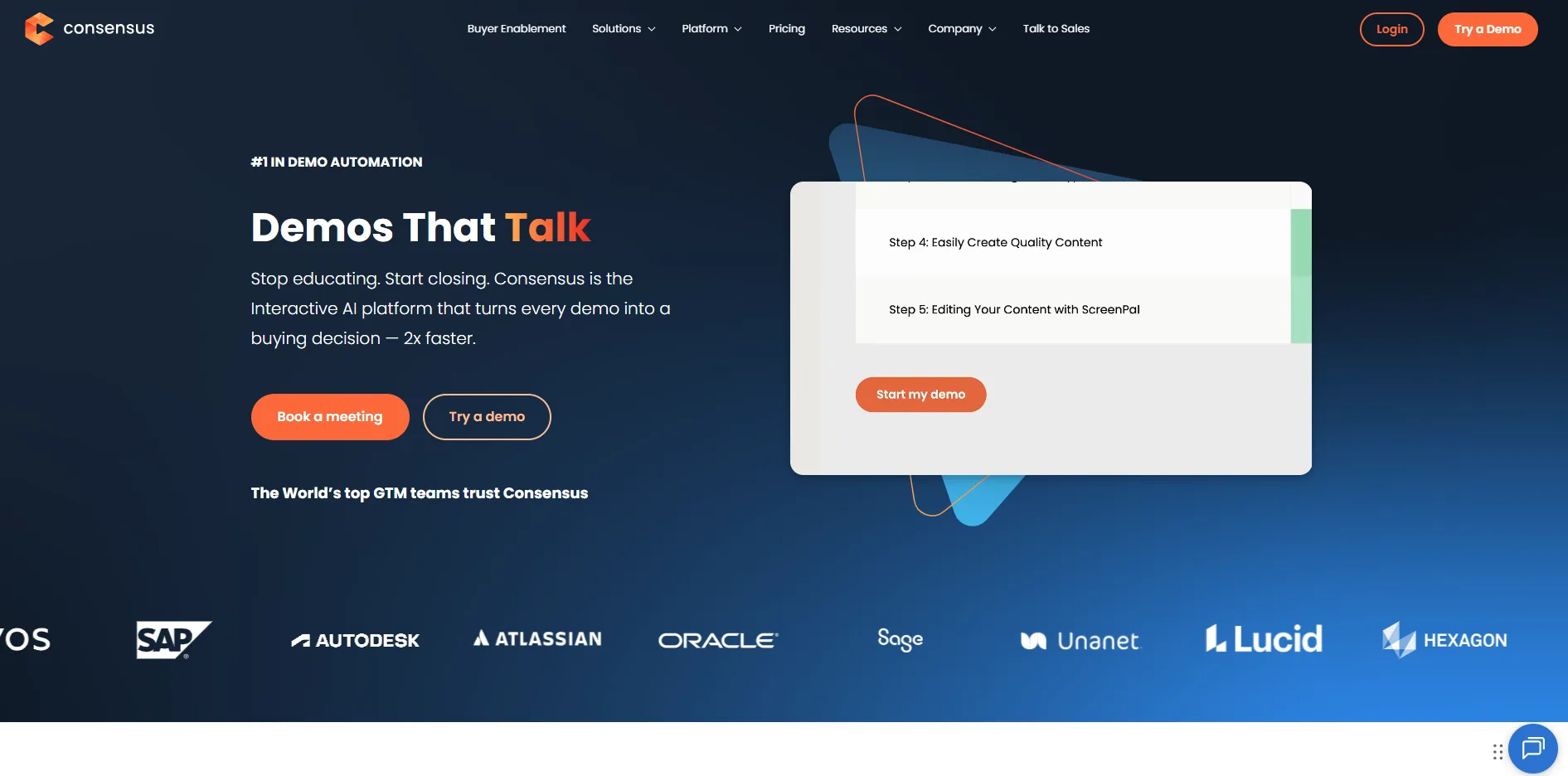
Consensus helps sales engineers stop repeating the same demos by turning them into on-demand experiences buyers can explore on their own. Instead of scheduling every walkthrough, you can share guided demos, videos, and simulations that prospects pass around internally. That makes it much easier to reach multiple stakeholders without adding more calls to your calendar.
Key Features
- On-demand demos: Create product tours and demo videos buyers can watch anytime and share with their team.
- Stakeholder insights: See who engaged with the demo, what they viewed, and which features mattered most.
- Personalized experiences: Tailor demos based on industry, use case, or deal stage without rebuilding everything.
Pricing
| Plan | Monthly Cost |
|---|---|
| Starter | $600/month |
| Pro | $1,250/month |
| Enterprise | Custom |
Where Consensus Shines
- Reduces repetitive demos: Frees up SE time by handling early-stage walkthroughs automatically.
- Strong for multi-threading: Helps one champion sell internally across multiple stakeholders.
- Clear engagement visibility: Gives real signals on what buyers actually care about.
Where Consensus Falls Short
- Setup takes effort: Building and organizing demo content upfront can be time-consuming.
- Less suited for deep product simulation: Works better for guided experiences than full sandbox environments.
- Best for structured demo programs: Occasional demo teams may not use its full value.
Customer Reviews
Duncan W., Sales Executive, said, “The ability to get our product in front of potential customers is valuable. A short video demo allows us to demonstrate the features and functionality we offer. Prospects can watch the video at a time that works for them, without pressure from a sales rep. It also allows us to respond to new leads in a timely manner and ensure our follow-up is valuable.”
Arti S., a solutions engineer, said, “Reporting functionality could be more robust, and the discovery demo feature lacks the ability to link multiple videos to a single question.”
Who Consensus Is Best For
- Sales engineers in enterprise deals: Especially when demos need to reach multiple stakeholders.
- Teams scaling demo delivery: Ideal when demo volume is high and time is limited.
1. AutoRFP.ai: Best For Sales Engineers Handling High-Stakes Technical RFPs
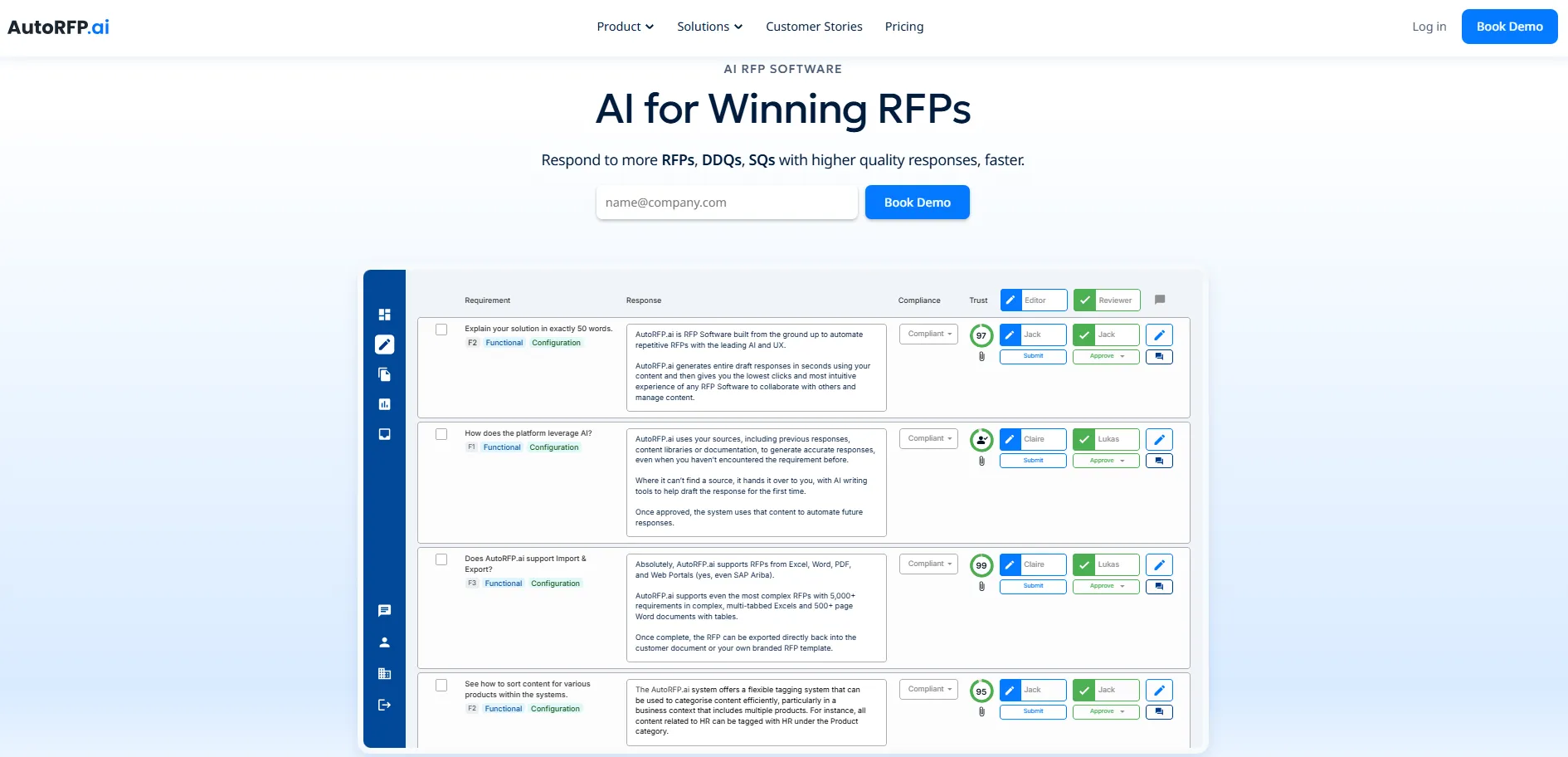
AutoRFP.ai is an AI-native platform for responding to RFPs, security questionnaires and DDQs. For sales engineers, it is purpose-built for high-stakes response work where answers need to be source-backed, source-traceable, and defensible, not just fast.
It only writes from content the team has approved, shows a visible trust score on every answer, and will not make it up when support is missing.
If confidence is too low, it leaves it blank, which makes it a stronger fit for teams that need no-hallucination AI instead of a generic drafting tool. Unlike legacy platforms built before modern AI, it learns from every approved response and builds a self-cleansing library without the heavy manual upkeep older systems usually require.
Key Features
1. AI RFP Response Engine
With AutoRFP.ai, sales engineers can create a strong first draft instead of rebuilding the same technical answers from scratch for every deal. The platform uses approved company knowledge and a multi-step response process to retrieve, re-rank, draft, redraft, and check answers before they reach the reviewer.
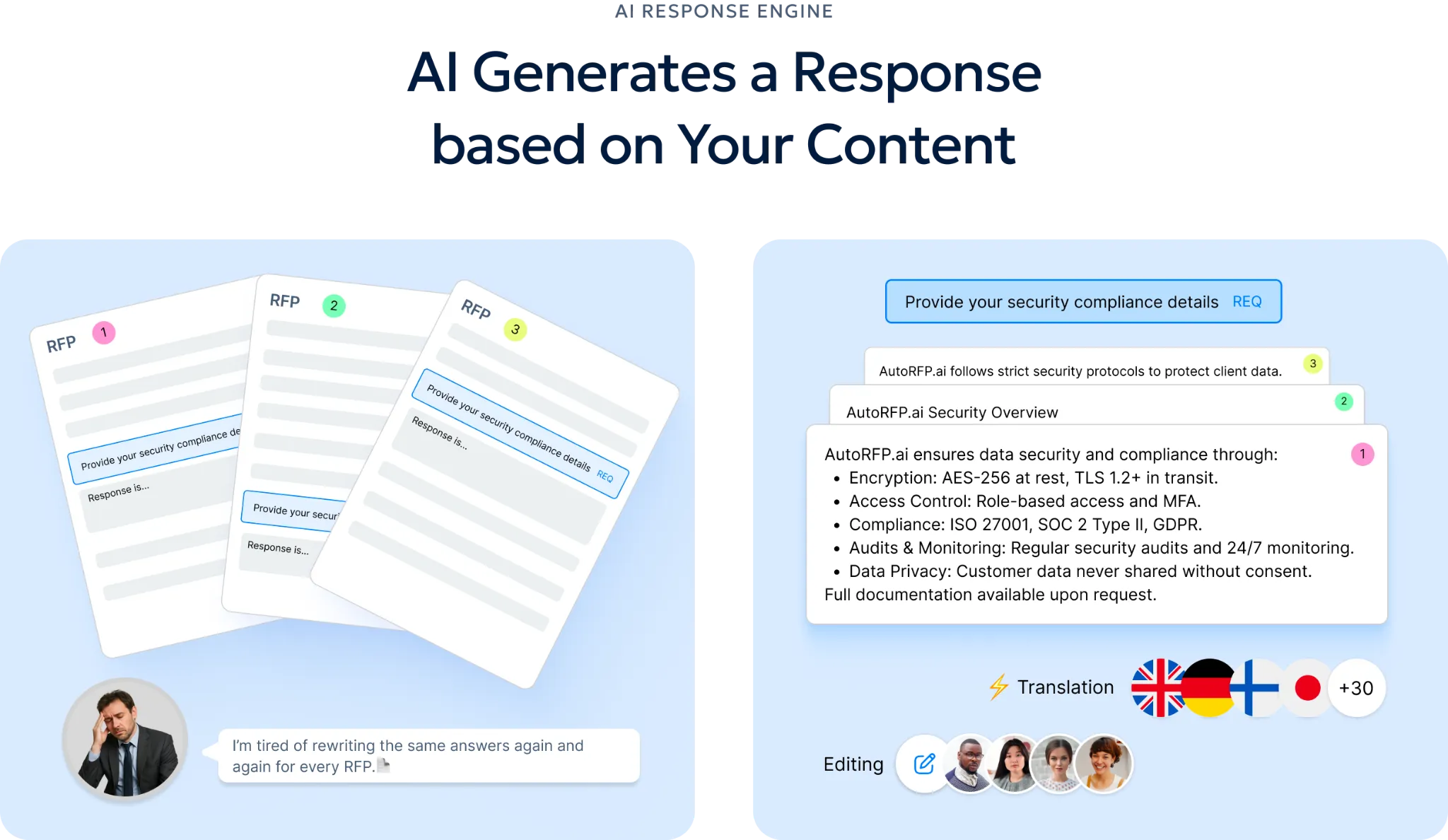
That matters when enterprise questionnaires ask detailed questions about architecture, uptime, integrations, SSO, security controls, and compliance requirements. Instead of burning expert time on repetitive writing, teams can focus on validating and improving answers that are already grounded in approved material.
2. RFP Content Library
The content library gives sales engineers one place to search approved technical answers, architecture diagrams, policy language, and past responses without digging through folders or waiting for another SME to reply.
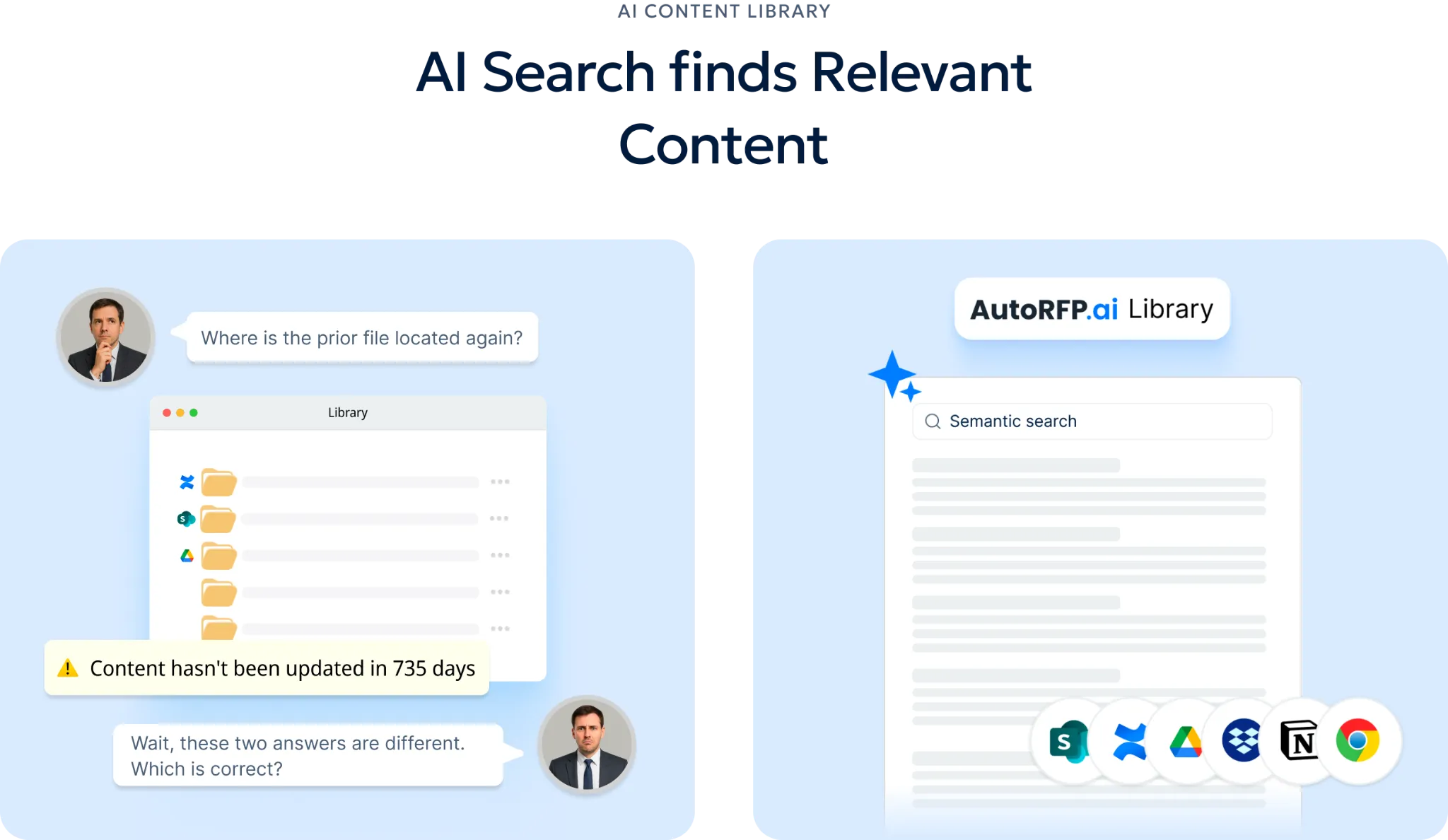
Because AutoRFP.ai retrieves content by meaning, not just exact wording, it can surface relevant answers even when the buyer phrases a familiar requirement differently. Over time, the library improves as approved responses flow back in, so the team spends less effort maintaining content manually.
3. Project Agent
Project Agent gives sales engineers a practical way to go beyond first-draft generation and refine responses with more control.
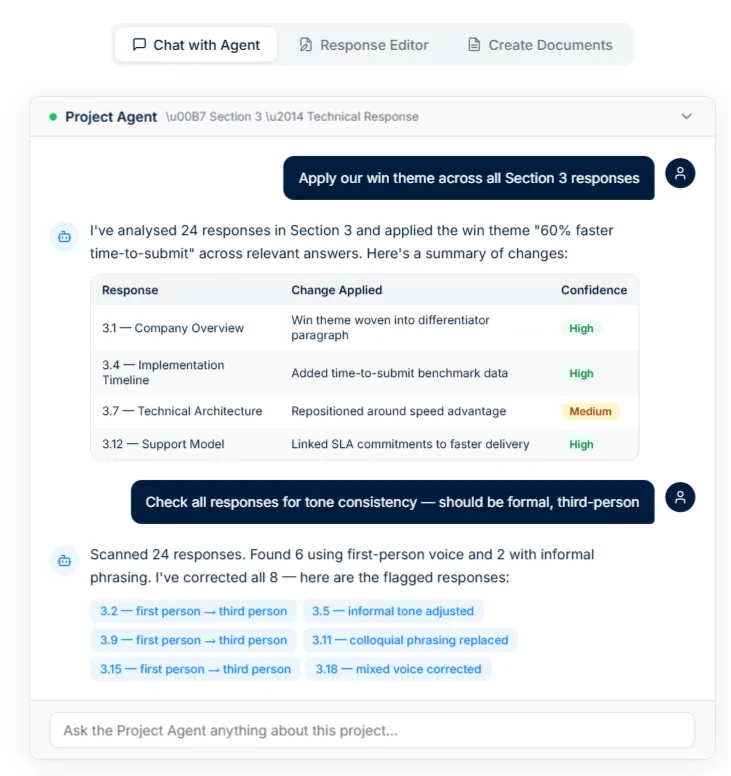
It can help validate compliance against internal policies, align answers to the right tone, inject win themes where appropriate, and support document creation from the same project context.
4. MCP Server
Through its MCP Server, AutoRFP.ai makes approved technical knowledge accessible inside ChatGPT, Claude, Microsoft Copilot, and other MCP-compatible clients. That means account executives, sales engineers, and response teams can ask plain-English questions about approved statements, prior submissions, or project requirements without switching systems or interrupting the same expert every time.
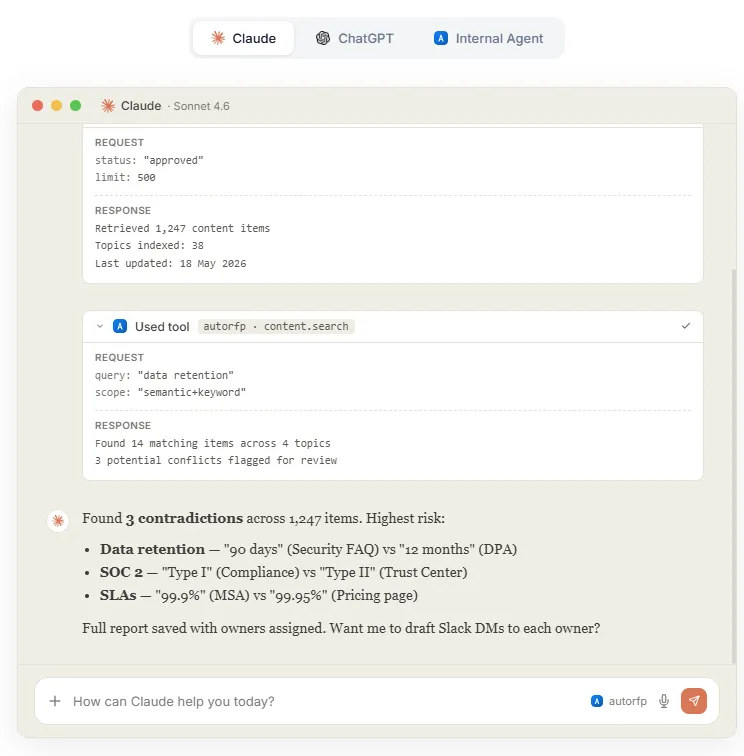
For sales engineering teams, this turns repeated technical questions into a self-serve workflow that still stays tied to approved content. It also makes specialist knowledge easier to scale across the wider revenue team.
5. RFP Reporting
AutoRFP.ai gives leaders visibility into response volume, team capacity, turnaround speed, and win rates in one place. For sales engineering teams, that makes it easier to see which technical response work is worth deeper involvement and which requests are consuming hours without moving the pipeline.
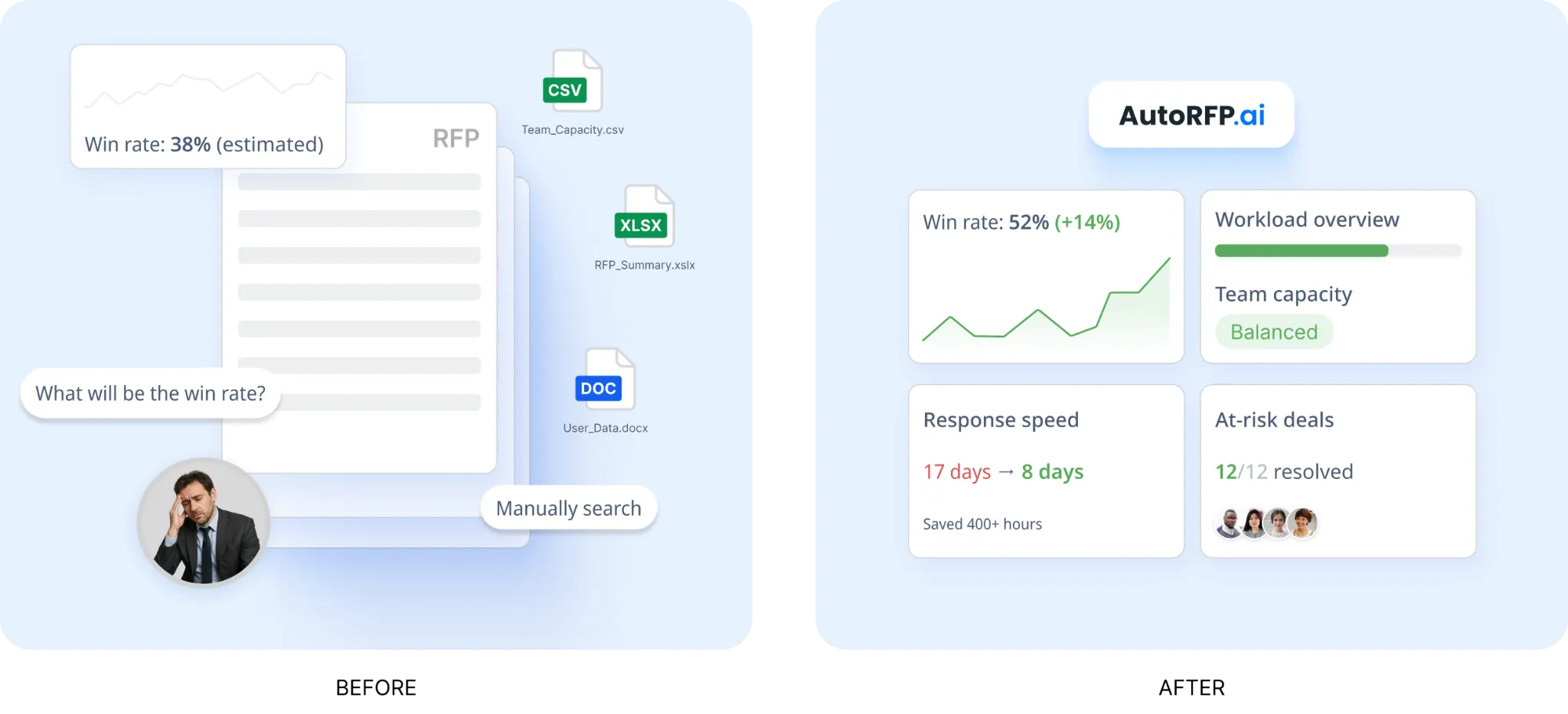
Those insights are useful when deciding where to invest expert time, when to automate, and when additional headcount is justified. Instead of running the function on instinct, teams get a clearer operational view of what is actually happening.
6. RFP Project Management Software
Across active bids, AutoRFP.ai keeps ownership, deadlines, blockers, approvals, and progress visible from one dashboard. Sales engineers can respond directly in context, while bid managers, proposal teams, legal, product, and security reviewers all work from the same workflow instead of chasing updates across email threads and spreadsheets.
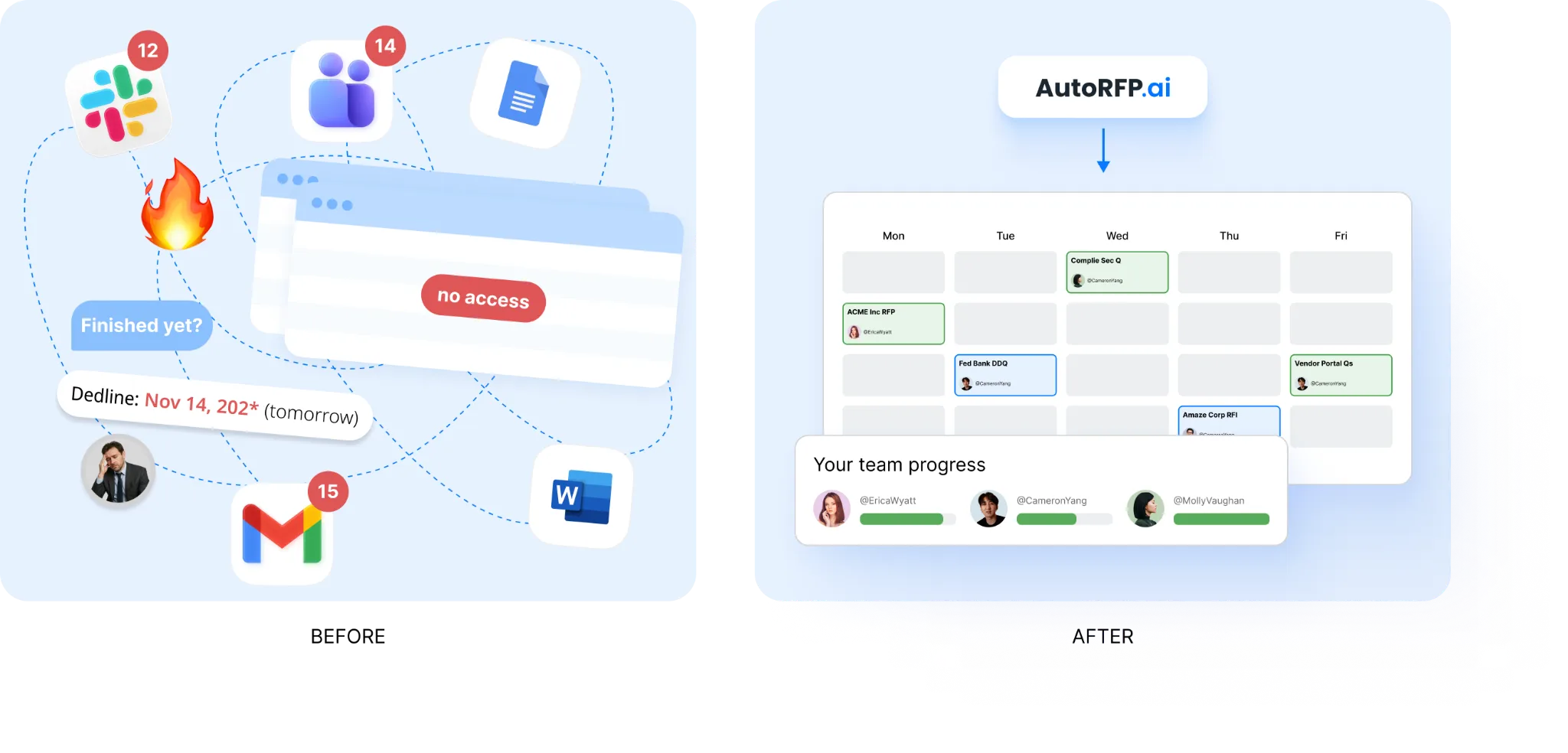
That makes technical input easier to track and much harder to lose. For cross-functional teams, it is a more practical way to replace fragmented admin work with a structured response process.
Pricing
All plans include unlimited users and no per-seat fees, which makes AutoRFP.ai easier to roll out across sales, solutions engineering, proposal, legal, and security teams.
| Plan | Monthly Cost | Key Inclusions |
|---|---|---|
| Scale | $899 | Unlimited AI responses, users, content, and integrations |
| Accelerate | $1,299 | Everything in Scale, plus advanced analytics and priority support |
| Enterprise | Custom | Custom integrations, a dedicated success manager, and tailored security and compliance features with SSO |
Where AutoRFP.ai Shines
- Accuracy and defensibility: AutoRFP.ai is built so teams can defend answers, not just generate drafts quickly. Every answer carries a visible trust rating, links back to approved sources, and gives reviewers a clear signal on where to focus their time.
- Multi-model pipeline: AutoRFP.ai uses a pipeline of retrieval, re-ranking, drafting, redrafting, and checking across multiple frontier models chosen for their strengths. That makes speed useful, but secondary to accuracy, reviewability, and response quality.
- Enterprise trust and governance: AutoRFP.ai supports enterprise trust requirements such as SOC 2 Type II, ISO 27001, no training on your data, regional hosting, single-tenant or private options, sequential approval workflows, version history, and audit trails. That makes it easier for large organisations to adopt the platform without compromising governance.
- Fits existing workflows: AutoRFP.ai connects with Salesforce, Slack, Microsoft Teams, Confluence, SharePoint, Google Drive, and SSO through Okta or Microsoft. It can also support an ask-a-question bot in Slack or Teams that answers from approved content and shows the underlying sources.
- Governance and support: AutoRFP.ai includes white-glove onboarding, training, unlimited support, and a 30-day money-back guarantee. That lowers adoption risk and makes it easier for teams to replace, not pilot alongside, the patchwork of spreadsheets, folders, and disconnected tools they were using before.
Where AutoRFP.ai Falls Short
- Not a great fit for highly bespoke sectors: AutoRFP.ai may be less suitable for AEC, US GovCon or defence, custom software development, and highly bespoke professional services. In those environments, responses are often too project-specific or one-off to benefit as much from repeatable response patterns.
- Not built for teams issuing RFPs: AutoRFP.ai is designed for vendors responding to RFPs, security questionnaires and DDQs, not procurement teams creating and managing them. Organisations that need supplier evaluation, bid collection, and sourcing workflows will need a different category of platform.
Customer Reviews
Scott M., Account Executive, said, “AutoRFP.ai has dramatically reduced the time our team spends responding to RFPs, due diligence questionnaires and security assessments. The AI is fast, accurate and reliably pulls from our approved library of past responses. Where we historically spent hours filling out monotonous questionnaires on repeat, we can now comfortably meet deadlines for these questionnaires and focus on the more important work of getting our product in front of prospects.
Overall, it turned what was once a slow, multi-department process into something we can confidently deliver at speed and scale.”
Kristen C., Marketing Manager, said, “We are new to AutoRFP, but so far, we are really enjoying it and can see the value it will bring to our company. Setting up new projects and working through them is so much easier and more controlled than working from spreadsheet versions. Assigning tasks, adding comments and attaching documentation to each question have been so helpful. I am looking forward to wrapping up our first project.”
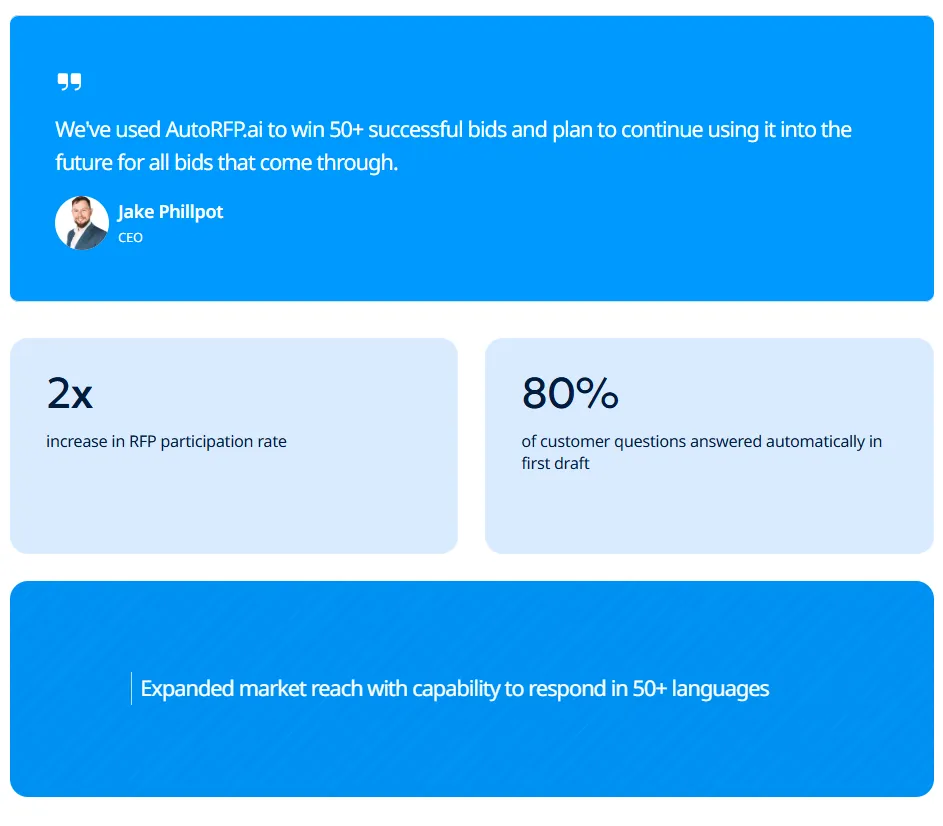
Jake Phillpot, CEO, said, “We have used AutoRFP.ai to win more than 50 successful bids and plan to continue using it for all future bids.”
Who AutoRFP.ai Is Best For
- Sales engineering teams: Teams that are repeatedly pulled into technical RFPs, security reviews, and product capability questions and need a faster way to review, validate, and approve answers without writing them all from scratch.
- Technical bid and proposal teams: Teams coordinating responses across sales engineers, proposal managers, security, legal, and product stakeholders who need stronger traceability and cleaner handoffs.
- B2B vendors selling into enterprise buyers: SaaS, cybersecurity, fintech, healthcare, and other vendors where technical accuracy and compliance answers can directly affect win rates in formal procurement processes.
- Teams with high-volume repeat questions: Organisations answering the same security, integration, hosting, compliance, and architecture questions across multiple deals and wanting that approved knowledge to improve with every submission.
3. Hero By Vivun: Best For Live Deal Support And Presales Intelligence
Hero helps sales engineers show up prepared and confident in every call by giving real-time support before, during, and after conversations. Instead of scrambling for answers or notes, you get context, suggestions, and follow-ups tied directly to the deal.
Key Features
- Live deal support: Get guidance during calls, including talking points, answers, and next steps.
- Pre-call preparation: Quickly understand account context, history, and risks before meetings.
- Post-call follow-up: Automatically generate summaries, actions, and CRM updates.
Pricing
- Hero by Vivun does not publish public pricing on its official site. Vivun promotes a free trial and sales-led enterprise access instead.
Where Hero By Vivun Shines
- Helps in the moment: Supports real conversations, not just prep or analysis.
- Strong for complex deals: Useful when calls involve technical depth and multiple stakeholders.
- Reduces admin work: Handles summaries and CRM updates automatically.
Where Hero By Vivun Falls Short
- New category for some teams: Not everyone knows how to integrate it into their workflow yet.
- Advanced features in higher tiers: Full capabilities sit in enterprise plans.
- Does not replace demo tools: Works alongside demo and product tools, not instead of them.
Customer Reviews
Glenn C., Sales Operations Manager, said, “Significantly increased Salesforce adoption across the organization. Significantly improved how our solution engineers abide by sales processes. Provides great, clean data for reports to management to make data-driven decisions, increasing organizational alignment, particularly between Sales and Product/Engineering. Great training and support.”
A., COO, wrote on Capterra, “This is not a cheap product, which was ultimately why we gave up using it. I think if we had more time to learn all the different functions, we could have made a case that it is not a single-use-case product, but we started using it during our busiest season, and we were building the airplane while we flew, so to speak.”
Who Hero By Vivun Is Best For
- Sales engineers in high-pressure deals: Where preparation and real-time support matter.
- Teams that want execution help: Not just analysis or reporting.
4. Gong: Best For Conversation Intelligence And SE Coaching
Gong helps sales engineers improve how they sell by turning real calls and demos into learnings. Instead of guessing what worked, you can review conversations, spot patterns, and see exactly how top performers handle objections and technical questions.
Key Features
- Call analysis: Record and analyze demos, discovery calls, and technical discussions.
- Coaching insights: Identify what works, what doesn’t, and how to improve performance.
- Deal visibility: Understand risks, objections, and buying signals from real conversations.
Pricing
- Pricing is not publicly listed. You need to contact sales.
Where Gong Shines
- Great for coaching: Uses real conversations instead of assumptions.
- Improves demo quality: Helps teams refine messaging and technical explanations.
- Strong deal visibility: Shows what’s really happening in customer conversations.
Where Gong Falls Short
- Expensive at scale: Pricing can grow quickly for large teams.
- Interface can feel heavy: Some users find it overwhelming at first.
- Needs high call volume: Works best when you have lots of conversations to analyze.
Customer Reviews
A Sr. Solutions Engineer on Capterra said, “Overall, very positive. I wish this solution had been available years ago. It’s a huge time-saver and keeps me productive without having to sort through notes.”
Another reviewer said, “Gong.io is a highly valuable tool. Its ability to record calls and let us revisit conversations helps us better understand customer challenges, track key issues, and identify the best solutions more quickly. With Gong.io, we no longer miss important customer notes, all records are kept in one place, and we can easily distribute the workload across the team.”
Who Gong Is Best For
- SE leaders and managers: Coaching and improving team performance.
- Teams running frequent demos: Where conversation data is valuable.
5. Navattic: Best For Interactive Demos Across The Funnel
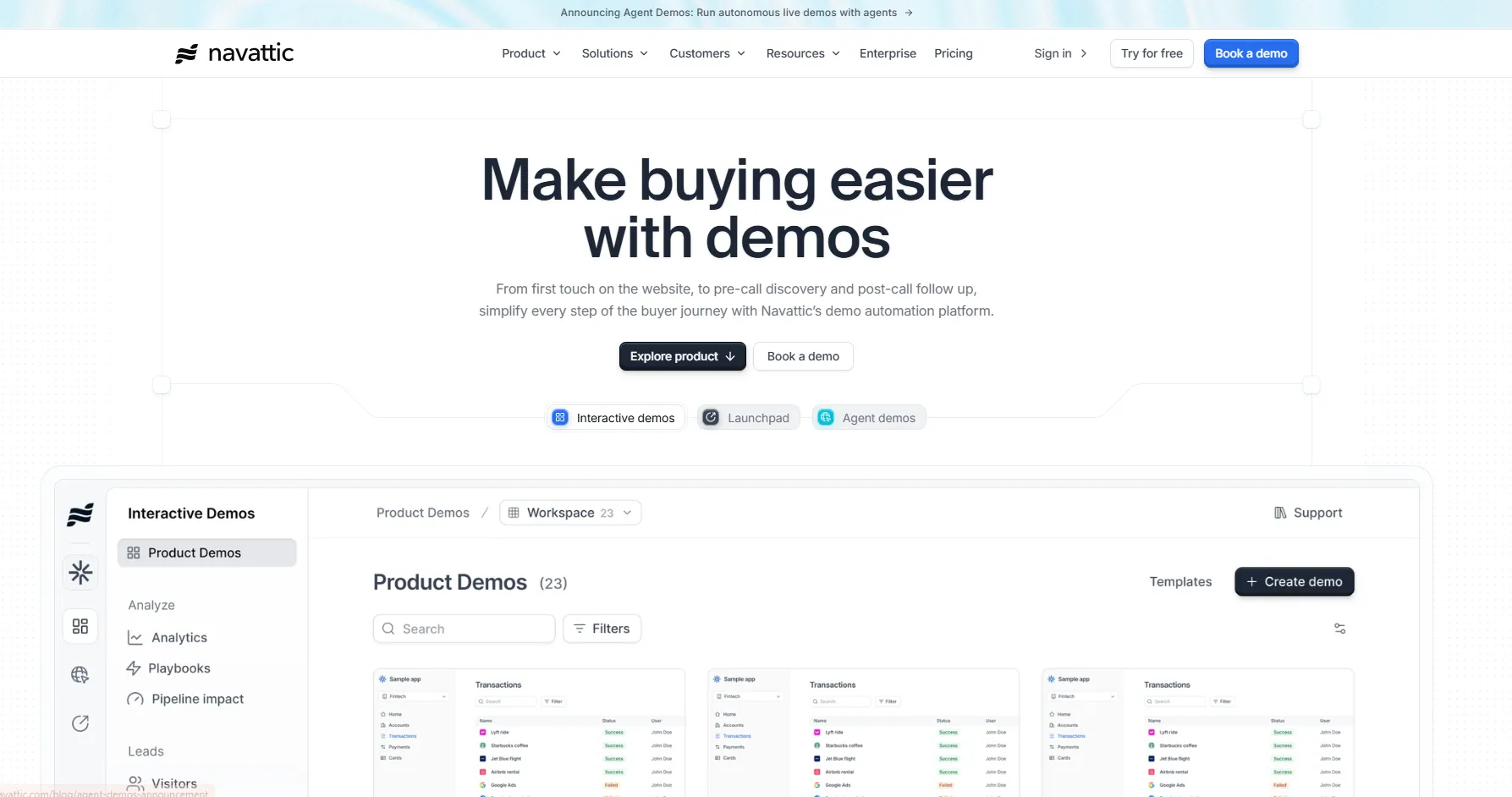
Navattic makes it easy to create interactive demos that buyers can click through themselves. It works well before, during, and after calls, helping sales engineers show value without rebuilding demos every time.
Key Features
- Interactive demos: Build guided walkthroughs buyers can explore on their own.
- Demo sharing: Send demos before or after calls to reinforce value.
- Analytics tracking: See how prospects engage with your demo content.
Pricing
| Plan | Monthly Cost |
|---|---|
| Starter | Free |
| Base | $500/month |
| Growth | $1,000/month |
| Enterprise | Custom |
Where Navattic Shines
- Quick to launch: Easy to get started without heavy setup.
- Flexible across stages: Works for discovery, demos, and follow-ups.
- User-friendly: Simple interface makes adoption easier.
Where Navattic Falls Short
- Limited realism: Not ideal for highly complex product simulations.
- Advanced use cases take effort: Custom scenarios can require more setup.
- *Enterprise features gated:” Best capabilities sit in higher plans.
Customer Reviews
Gary L., Founder, mentioned on Capterra, “Our product usually requires a live demo for prospects to see its true value and differentiation. With Navattic, we can place a controlled, interactive demo front and centre on our landing page to illustrate the value immediately. The UI was intuitive, and we were able to build our first demo in less than 30 minutes. We have also had multiple investors and clients praise the quality of our product demo.”
Anand S., a marketing associate, said, “Tracking user behaviour is a little difficult at the moment, although I’m told they are currently working on it.”
Who Navattic Is Best For
- Teams that want demos fast: Without heavy engineering support.
- SaaS teams scaling demos: Especially in early and mid stages.
6. Reprise: Best For High-Fidelity Demo Environments
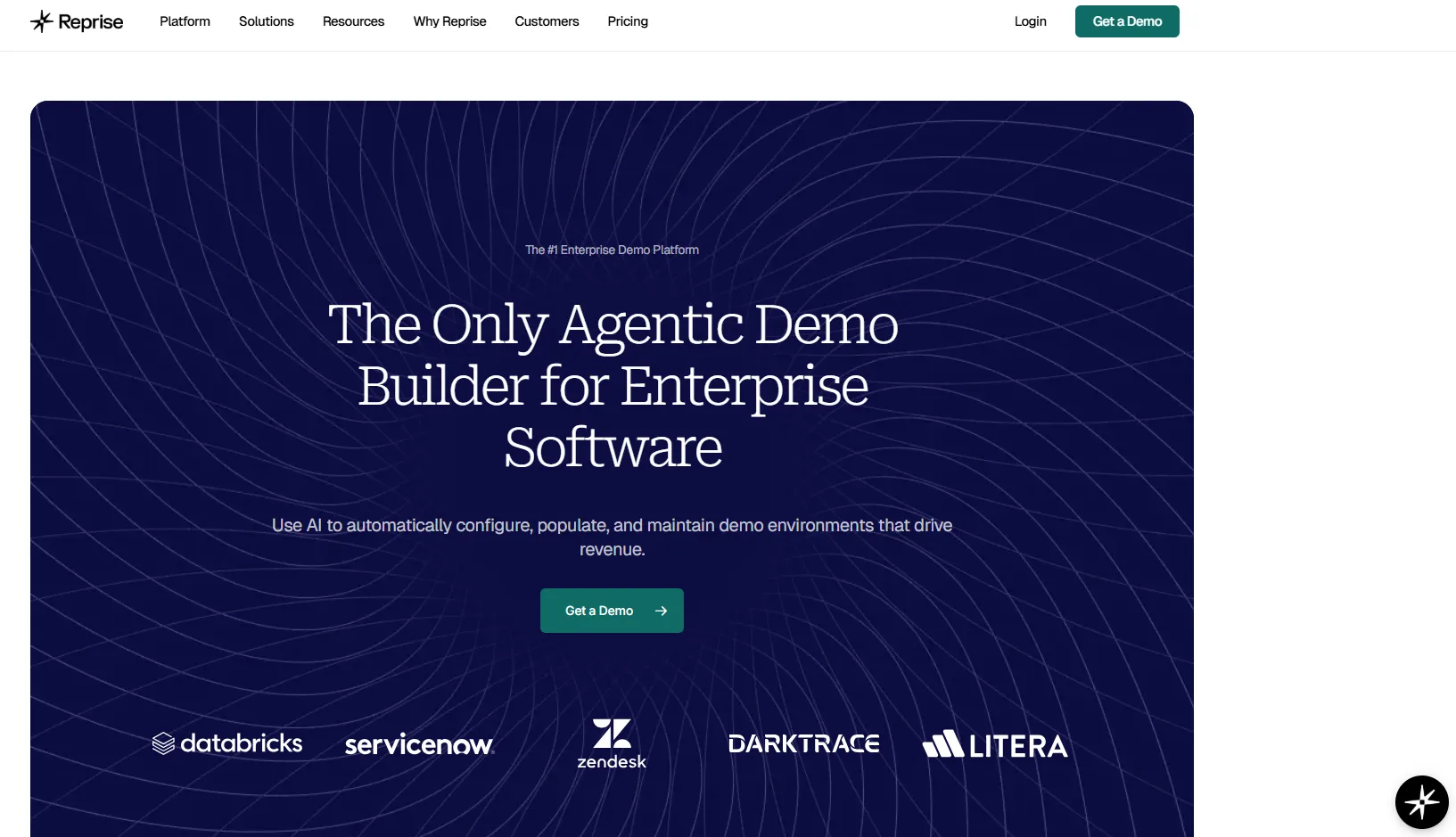
Reprise is built for sales engineers who need demos that behave like the real product, not simplified walkthroughs. It lets teams create controlled demo environments where workflows, data, and interactions feel authentic without touching production systems. That matters in enterprise deals where buyers want to test real use cases, not just watch a guided tour.
You can tailor scenarios for different industries, roles, or technical requirements while keeping everything stable during live demos. It also supports both guided demos and hands-on exploration, making it useful across discovery, technical validation, and late-stage deal proof.
7. Saleo: Best For Live Demo Personalization
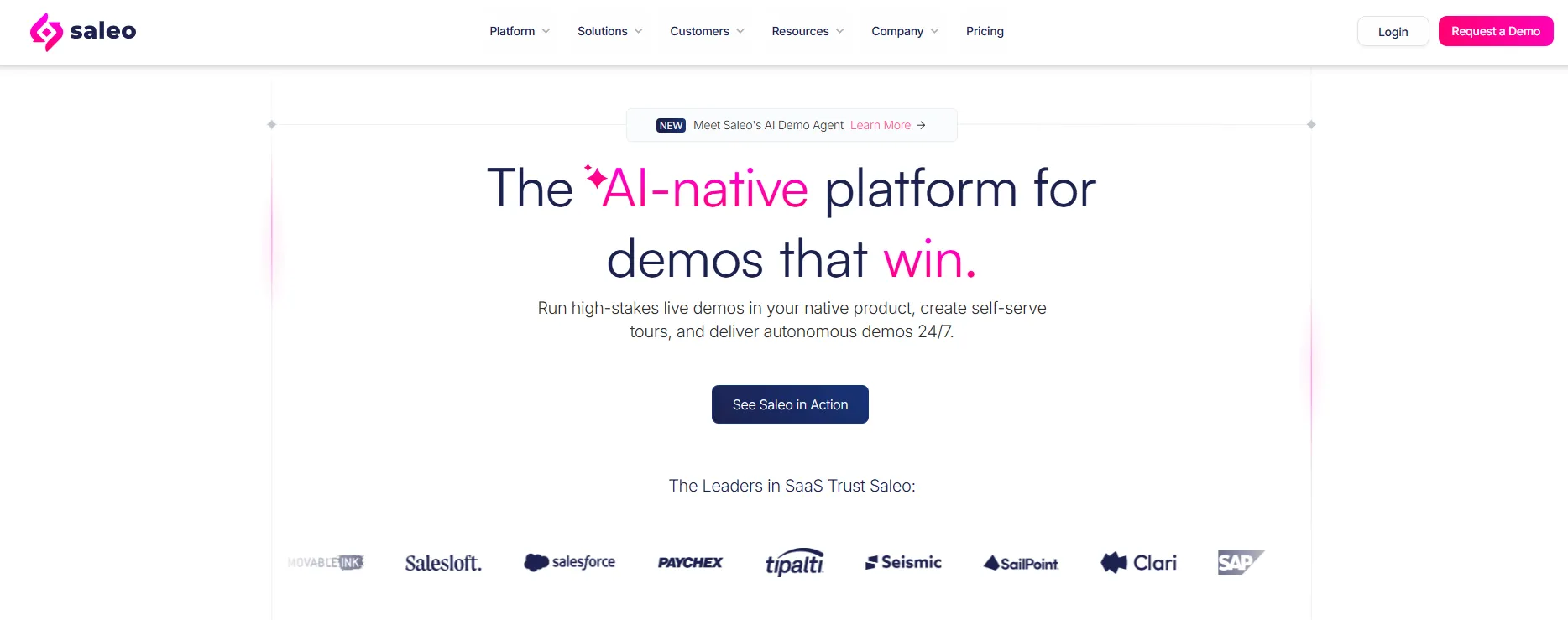
Saleo focuses on making live demos more relevant without forcing sales engineers to switch environments or rebuild setups. It works directly on top of your product, allowing you to control data, visuals, and workflows in real time during a demo.
That means you can adapt instantly to what the buyer asks instead of sticking to a fixed script. This is especially valuable in enterprise sales where every stakeholder has different priorities. By keeping demos inside the real product while still allowing customization, Saleo helps balance realism with flexibility, which is often one of the hardest parts of technical selling.
8. TestBox: Best For POC Sandboxes And Data-Rich Evaluation
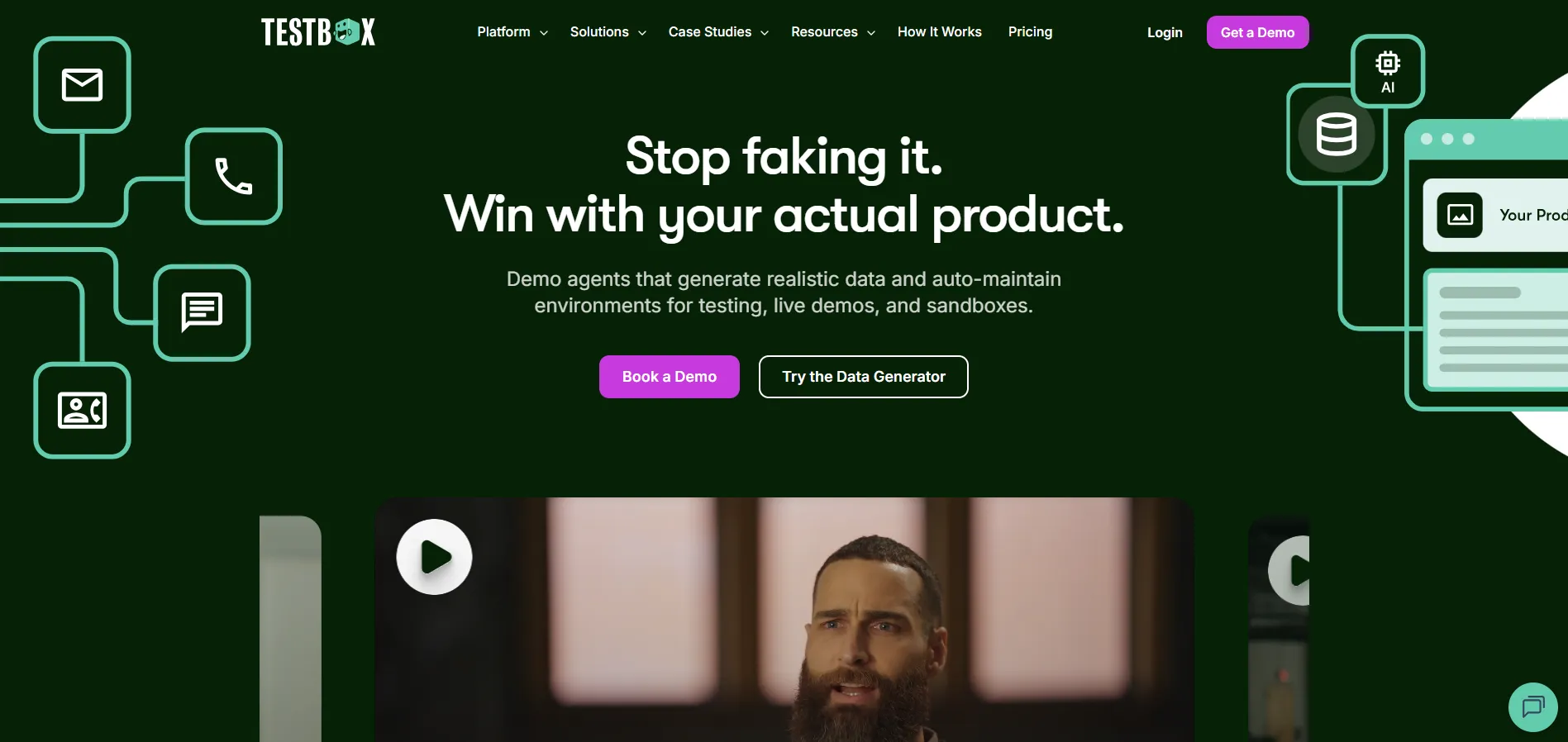
TestBox is designed for sales engineers who regularly run proofs of concept and need buyers to interact with the product in a meaningful way. Instead of manually setting up environments, it provides ready-to-use sandbox instances filled with realistic synthetic data. Buyers can explore workflows, test features, and validate use cases without breaking anything or waiting on engineering support.
This is especially helpful in complex deals where hands-on experience drives decisions. It also reduces the time and effort needed to prepare each POC, allowing teams to run more evaluations in parallel without sacrificing quality or control.
9. Demostack: Best For Scalable Demo Environments And Storytelling
Demostack helps teams create consistent, repeatable demo environments that can be customized for different deals without starting from scratch. It allows sales engineers to replicate product experiences and adjust them for specific industries, personas, or use cases while maintaining a high level of control.
This makes it easier to scale demos across a growing team without losing quality. It is especially useful when multiple SEs need to deliver the same core story but adapt it slightly for each prospect. By standardizing demo creation while still allowing flexibility, it helps teams stay efficient without sounding generic.
10. Walnut: Best For Personalized Demos And Deal Progression
Walnut is built for teams that want demos to continue driving the deal even after the live session ends. It allows sales engineers to create interactive demo experiences that can be shared with buyers and revisited throughout the sales cycle. These demos can be tailored to specific use cases, industries, or stakeholder needs, making them more relevant than generic walkthroughs.
It also gives visibility into how prospects engage with the content, which helps guide follow-ups. This makes it especially useful in longer enterprise deals where multiple stakeholders need to explore the product at their own pace.
11. Dock: Best For Buyer Collaboration And Deal Execution
Dock focuses on what happens after the demo, when deals often become harder to manage across multiple stakeholders. It gives sales engineers and reps a shared workspace where they can organize resources, track progress, and guide buyers through the next steps. Instead of sending scattered emails and documents, everything lives in one place that both sides can access.
This helps keep momentum in complex deals and reduces confusion around responsibilities and timelines. It is particularly useful when selling to larger organizations where alignment and coordination matter just as much as the initial technical evaluation.
How to Choose the Right Sales Engineer Software for Your Needs
Here’s how to choose the right sales engineer software for your team: start with the work your SEs do every day. The best tools should reduce repeat technical work, improve handoffs, and help your team support more deals without lowering quality.
1. Choose Software That Reduces Repetitive Technical Work
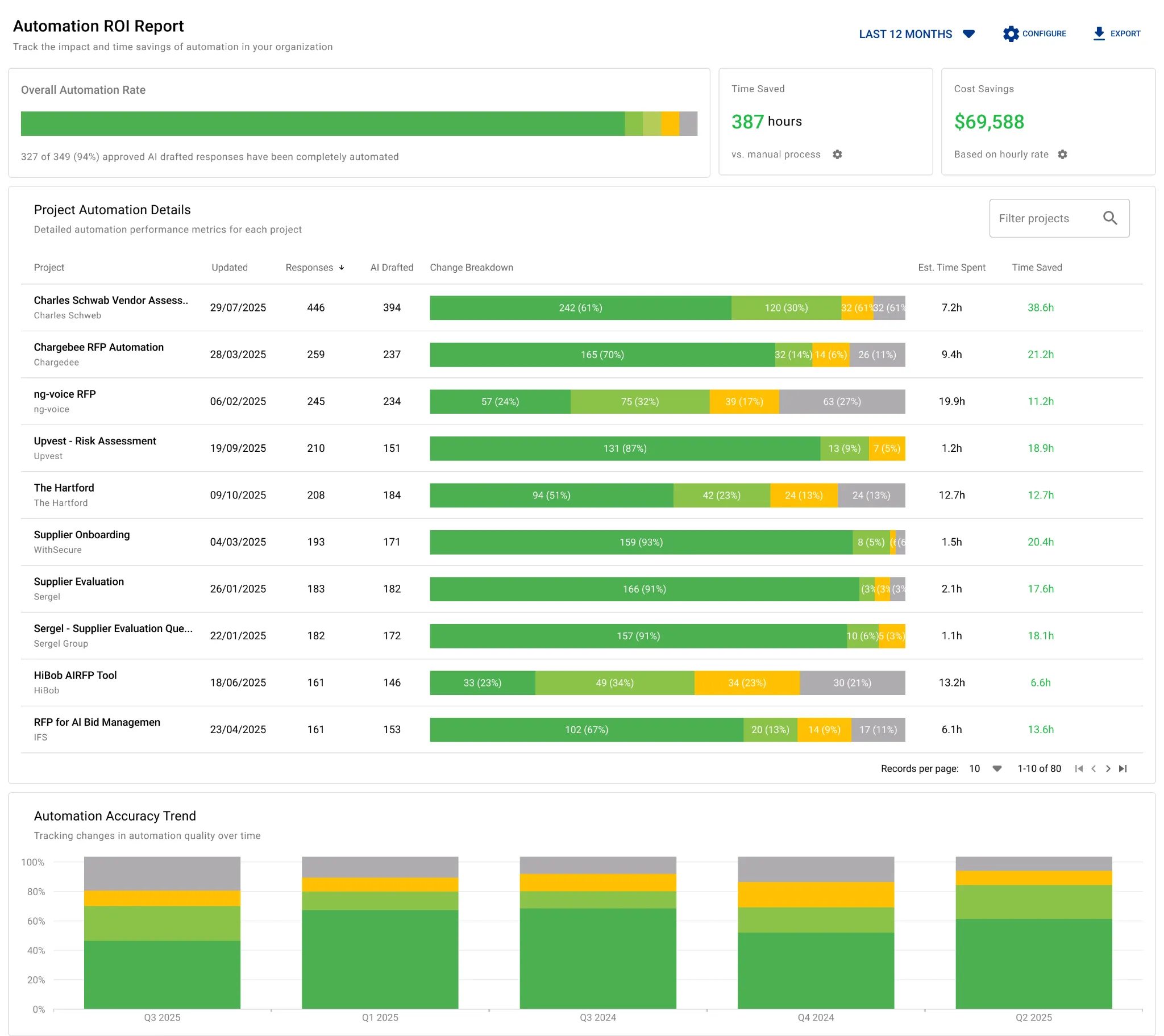
Sales engineers lose time when they keep answering the same technical questions, rebuilding similar materials, or repeating manual response work. A strong platform should automate the repetitive parts so your team can focus on discovery, solution design, and deal strategy. AutoRFP.ai does this well by helping teams automate technical response work and track how much time and effort that automation is saving. That makes it easier to scale output without scaling headcount at the same rate.
2. Look for Visibility Into the Gaps That Keep Slowing Deals Down
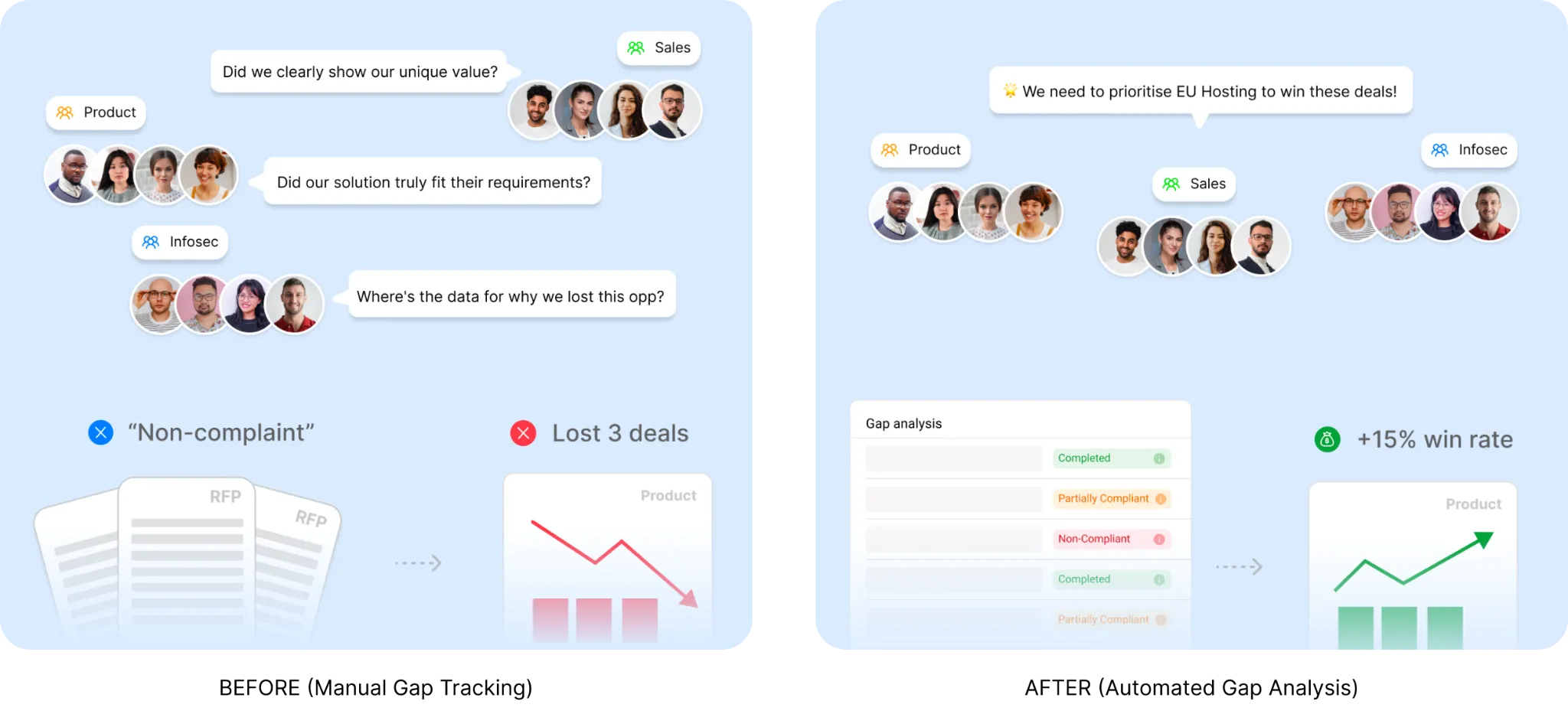
Good sales engineer software should help you see which technical gaps keep showing up across deals. That might be missing compliance coverage, repeated product objections, or requirements your team keeps struggling to answer well. AutoRFP.ai’s Gap Analysis is useful here because it helps teams spot recurring non-compliance and response gaps across completed projects. That gives sales, product, and presales leaders better data on what needs fixing first.
3. Prioritize Tools That Help Buyers Understand the Product Faster
A lot of sales engineer time goes into explaining the same workflows again and again. That is why buyer-led demo tools like Consensus can be valuable: they let prospects explore the product on their own before a live session. This helps your team spend less time on basic walkthroughs and more time on deeper technical conversations. When used well, it can also shorten the path to a more qualified demo.
4. Make Sure Demos Can Be Personalized Without Heavy Rework
Sales engineers often need to tailor the story for different industries, roles, and use cases. The right software like Navattic can make that easier without forcing your team to rebuild every demo from scratch. Look for tools that support reusable demo flows, flexible personalization, and fast updates when priorities change. That gives SE teams a better way to balance customization with speed.
5. Check Whether the Software Supports Realistic Product Experiences
Not every deal can be won with a static walkthrough or lightweight product tour. Enterprise buyers often want to see how the product behaves in a realistic environment with believable data and workflows. Strong sales engineer software like Reprise can help your team deliver that experience without depending on fragile custom setups every time. This is especially important when your product is complex, configurable, or highly technical.
6. Look for a Tool That Helps Your Team Scale Expertise Across More Deals
The best sales engineer software should help your strongest knowledge spread across the team. Instead of keeping answers, assets, and technical know-how locked inside a few people’s heads, the platform should make that expertise easier to reuse. This improves consistency, speeds up handoffs, and helps newer team members contribute faster. For growing teams, that kind of scale matters just as much as individual productivity.
How We Selected These Sales Engineer Platforms
Here’s what we looked for when selecting the best sales engineer platforms for this list:
- Verified user feedback: We reviewed feedback from trusted software review sites such as Capterra, G2, Software Advice, and GetApp.
- Sales engineer relevance: We prioritized tools that clearly support sales engineer workflows, not just general sales or marketing use cases.
- Core capabilities: We looked at features such as demo creation, personalization, technical response support, collaboration, automation, and reporting.
- Ease of adoption: We considered how easy each platform is to use, maintain, and roll out across a team.
- Integration fit: We looked for tools that connect well with existing systems such as CRM, content platforms, and collaboration tools.
- Overall value: We focused on whether each platform helps teams save time, improve consistency, and support more opportunities effectively.
Scale Technical Deal Support with AutoRFP.ai
Sales engineers should be spending more time on demos, discovery, and solution design, not rewriting the same technical answers for every deal. AutoRFP.ai helps teams handle RFPs, DDQs, and security questionnaires with faster first drafts, approved technical content, stronger traceability, and cleaner collaboration across sales, product, legal, and security.
Book a demo to see how AutoRFP.ai can reduce repetitive response work, improve consistency, and help your team support more enterprise deals without adding more manual effort.
About the author

Technical Account Manager
Technical Account Manager at AutoRFP.ai. Background in asset management completing institutional RFPs and DDQs; now implements AutoRFP.ai for some of the company's largest accounts.
LinkedInFrequently asked questions
What Is the Difference Between AI-Native and AI-Bolted-On Sales Engineer Software?
AI-native software is designed around AI workflows from the beginning, while AI-bolted-on platforms add generative features to older keyword-based systems. AI-native tools can usually understand context, connect related information, and improve from approved work without relying as heavily on manually organized content libraries.
How Can Sales Engineer Software Support Regulated Industries?
Teams in finance, healthcare, cybersecurity, and other regulated industries should look for sequential approvals, version histories, audit trails, regional hosting, and private deployment options. They should also confirm that commercially sensitive RFP and DDQ information is not used to train external AI models.
Can One Platform Handle RFPs, Security Questionnaires, and DDQs?
Yes, provided the platform supports different questionnaire structures, approval requirements, and evidence types. Consolidating these workloads helps sales engineers, security teams, legal reviewers, and finance specialists work from the same approved knowledge instead of maintaining separate tools and response libraries.
Why Does Project-Based Pricing Matter for Sales Engineering Teams?
Technical responses often involve contributors from sales, solutions engineering, product, security, legal, and compliance. Project-based pricing or unlimited-user plans make it easier to involve everyone required without limiting collaboration because of additional per-seat costs.
How Can Teams Keep Approved Technical Content Up to Date?
Look for software that learns from newly approved responses and makes them available for future projects. This reduces manual content-library maintenance, but teams should still maintain clear approval ownership and review source dates when policies, product capabilities, or compliance requirements change.

