
11 Best Enterprise Sales Tools That Will Help You Win More Deals In 2026
Explore the best enterprise sales tools in 2026, including CRMs, sales intelligence, RFP automations, and forecasting software for complex B2B teams.

Ops Lead, AutoRFP.ai··10 min read
Enterprise deals rarely get lost because the product is bad. They get lost because follow-ups slip, information lives in too many places, and reps spend more time coordinating than selling. In fact, sales reps spend 70% of their time on non-selling tasks, which is brutal when you’re trying to run complex, multi-stakeholder deals.
In this guide, we’ll break down the best enterprise sales tools that help teams move faster, stay organized, and win more deals, with clear notes on what each tool is best for.
| Tool | Best for | Standout feature | Starting price |
|---|---|---|---|
| AutoRFP.ai | Enterprise B2B teams handling a steady volume of RFPs, DDQs, and security questionnaires across sales, proposal, legal, and IT | AI-first response drafting that uses approved company knowledge, plus workflow visibility and unlimited-user collaboration | Starts at $899/month, billed annually |
| Salesforce Sales Cloud | Enterprise revenue teams that want CRM, forecasting, automation, and AI in one extensible platform | Sales Cloud can be expanded with Revenue Intelligence and Agentforce for deeper analytics, execution support, and pipeline visibility | Enterprise starts at $175/user/month |
| Highspot | Enterprise enablement teams that need content governance, buyer engagement, rep guidance, and analytics in one platform | AI guidance helps reps find the right next step and content while tracking how buyers interact with shared materials | Custom pricing, contact sales |
| Gong | Sales leaders and managers who want coaching and deal inspection based on real customer conversations, not just CRM notes | Conversation intelligence turns calls, meetings, and emails into coaching insights, deal risk signals, and forecasting support | Custom pricing, contact sales |
| Clari | RevOps and revenue leaders who need stronger forecast discipline, pipeline inspection, and revenue execution visibility | AI forecasting, deal scoring, and structured revenue cadences help teams standardize forecast reviews and spot risks earlier | Custom pricing, no public plan grid |
| Mindtickle | Large sales organizations focused on onboarding, readiness, coaching, and AI role play at scale | Combines training, adaptive learning, certifications, coaching, and AI practice in one readiness-focused platform | Custom pricing, request a demo |
| Outreach | Enterprise teams that want prospecting, deal execution, forecasting, and coaching connected in one AI sales workflow | Revenue orchestration platform that unifies sales engagement, deal management, forecasting, and AI agents in one system | Request pricing; per-user pricing with no platform fees |
| Backstory (Formerly People.ai) | Revenue leaders who need relationship context, deal risk signals, and automated activity capture without relying on manual updates | Revenue Answers Platform that captures sales activity and turns it into answers about deal health, forecast risk, and next actions | Custom pricing, request a demo |
| LeanData | Complex GTM teams that need routing, SLA enforcement, buying group coordination, and workflow orchestration across sales and marketing | Intelligent GTM orchestration that connects routing, meeting flows, buying groups, and process automation across teams | Custom pricing, contact sales |
| Walnut | SaaS teams using tailored product demos and digital sales experiences to move complex, multi-stakeholder deals forward | AI-powered interactive demos with personalization and advanced analytics for enterprise selling | Starts at $1,550/month, billed annually |
| Consensus | Teams that want buyers to self-educate through demo automation, product tours, and stakeholder engagement analytics | On-demand demos, product tours, and sales analytics help buyers explore the product without waiting for a live demo | Starts at $600/month, billed annually |
1. AutoRFP.ai: Best For Enterprise B2B Teams Managing High-Volume RFPs, DDQs, And Security Questionnaires
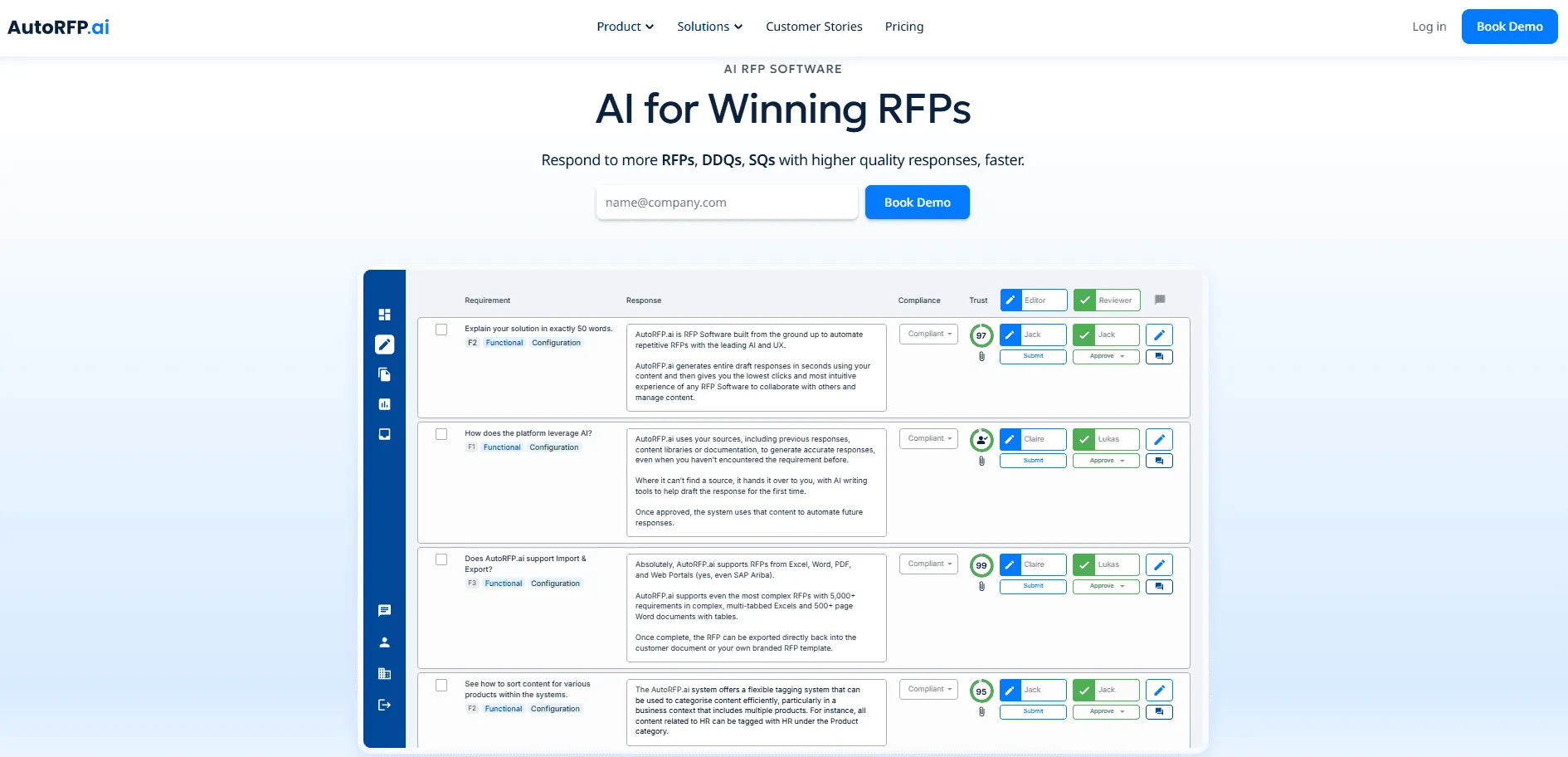
AutoRFP.ai is an AI-first RFP response platform built for enterprise B2B teams that win business through structured, repeatable bids.
It helps sales, proposal, legal, and IT teams automate RFPs, DDQs, and security questionnaires using approved company knowledge and prior responses.
All plans include unlimited users with no per-seat fees, which makes it easier for large cross-functional teams to collaborate without adding budget pressure as usage grows.
For larger organizations, the Enterprise tier also offers bespoke terms and custom implementation, alongside the governance, security, and compliance support needed for enterprise rollout.
Key Features
AI RFP Response Engine
AutoRFP.ai helps enterprise sales teams turn long, complex RFPs into strong first drafts in far less time. Instead of pulling account executives into late-night answer hunting, it uses approved content and past winning responses to generate accurate drafts that match your team’s tone, proof points, and messaging.
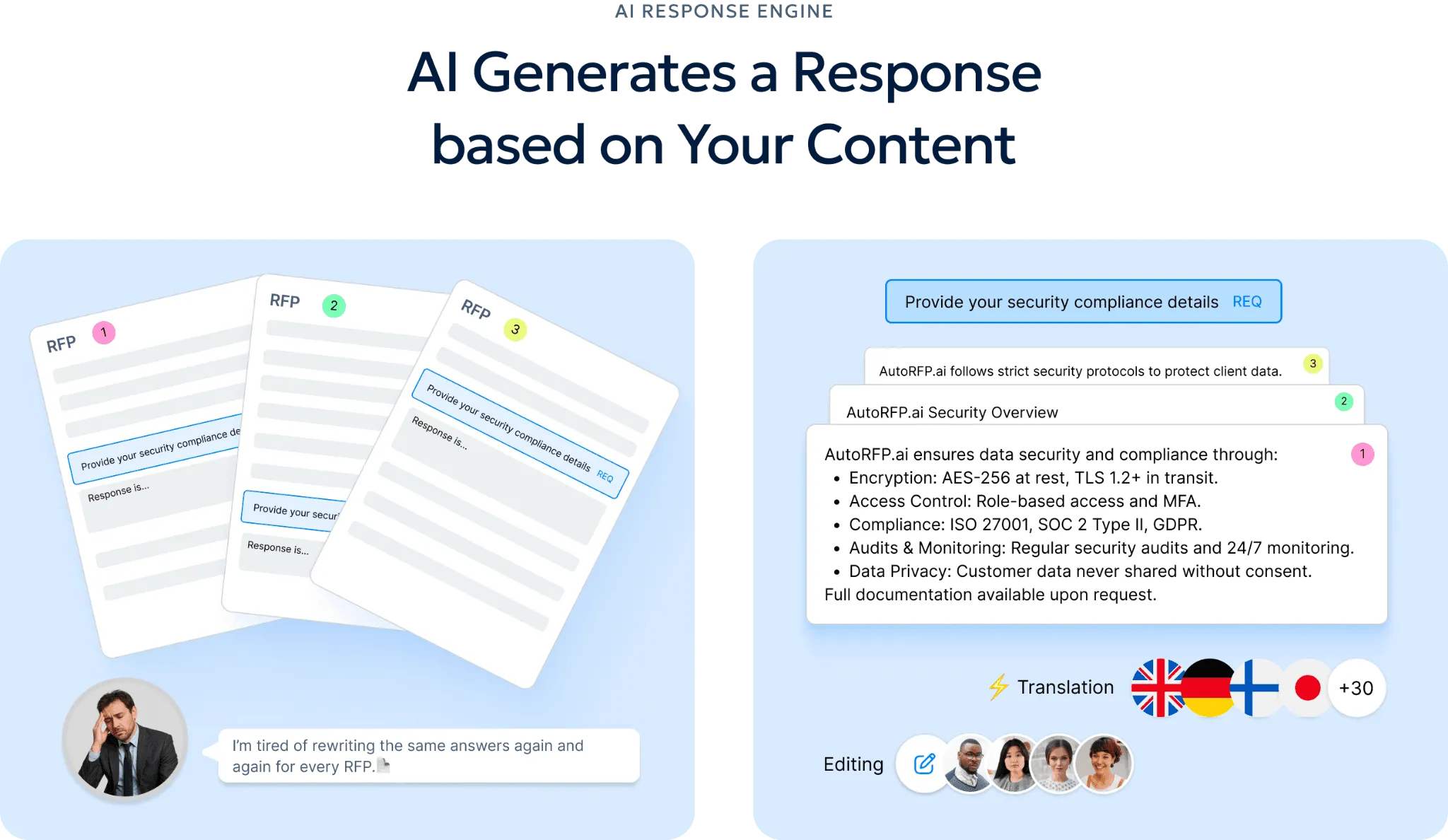
That means sales reps can stay focused on demos, deal strategy, and customer conversations while the bid team moves the response forward. As more answers are approved, the system gets better at producing responses that sound like your team, not a generic AI tool.
Self-Updating RFP Content Library
AutoRFP.ai gives enterprise sales teams a content library that improves through everyday use rather than constant manual upkeep. Approved responses feed back into the system, so product messaging, customer proof points, and standard answers stay aligned with how the business actually sells.
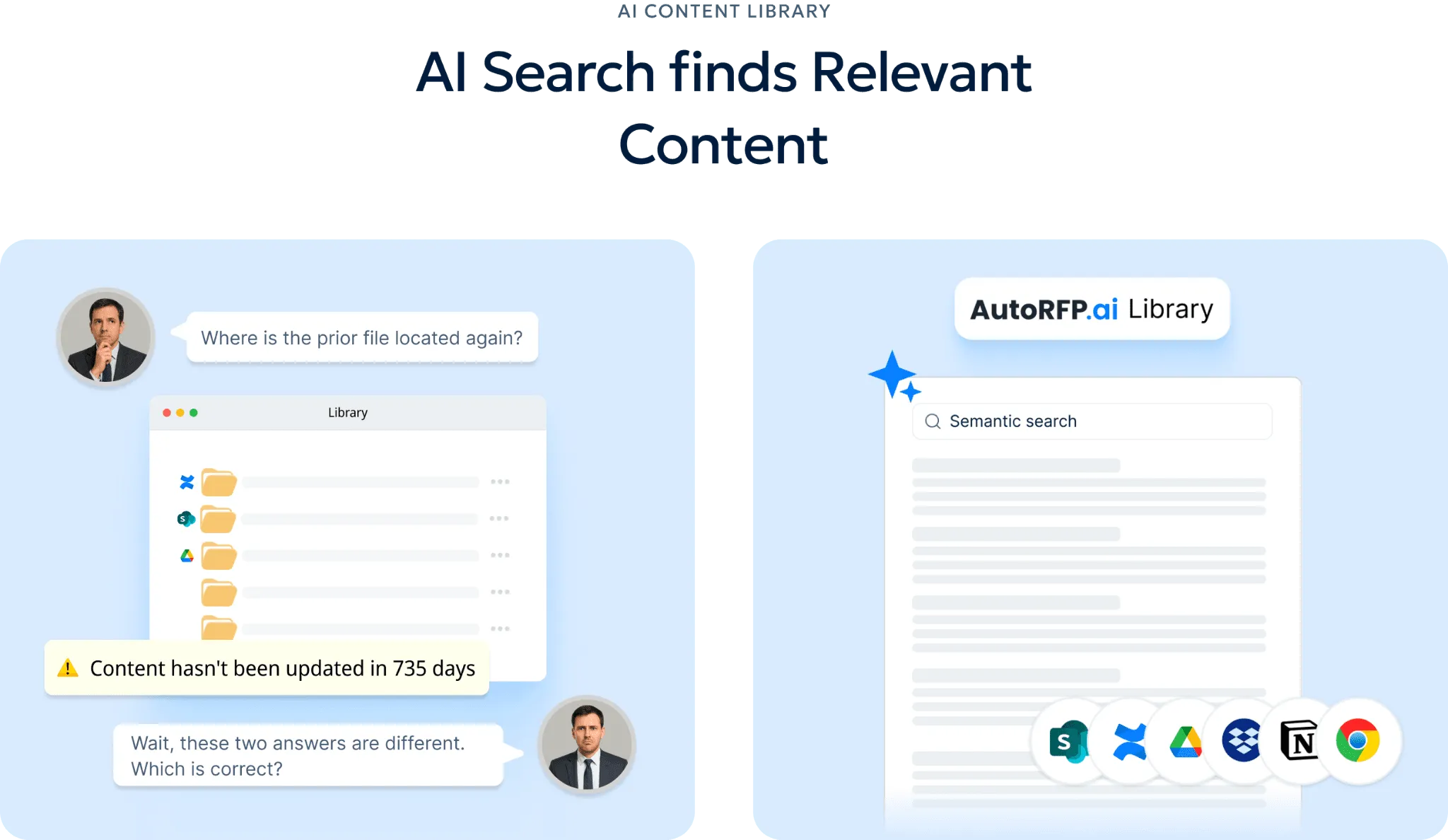
This gives reps and bid teams faster access to approved information without chasing SMEs or digging through old folders. It also helps new team members ramp faster because the right answers are easier to find and easier to trust.
Enterprise Scale, Security, And Governance
AutoRFP.ai is built for enterprise teams that need to manage high volumes of RFPs, DDQs, and security questionnaires without losing control. It supports the security, governance, and operational structure large organizations expect, including SSO, auditability, permission controls, and stronger oversight across cross-functional review cycles.
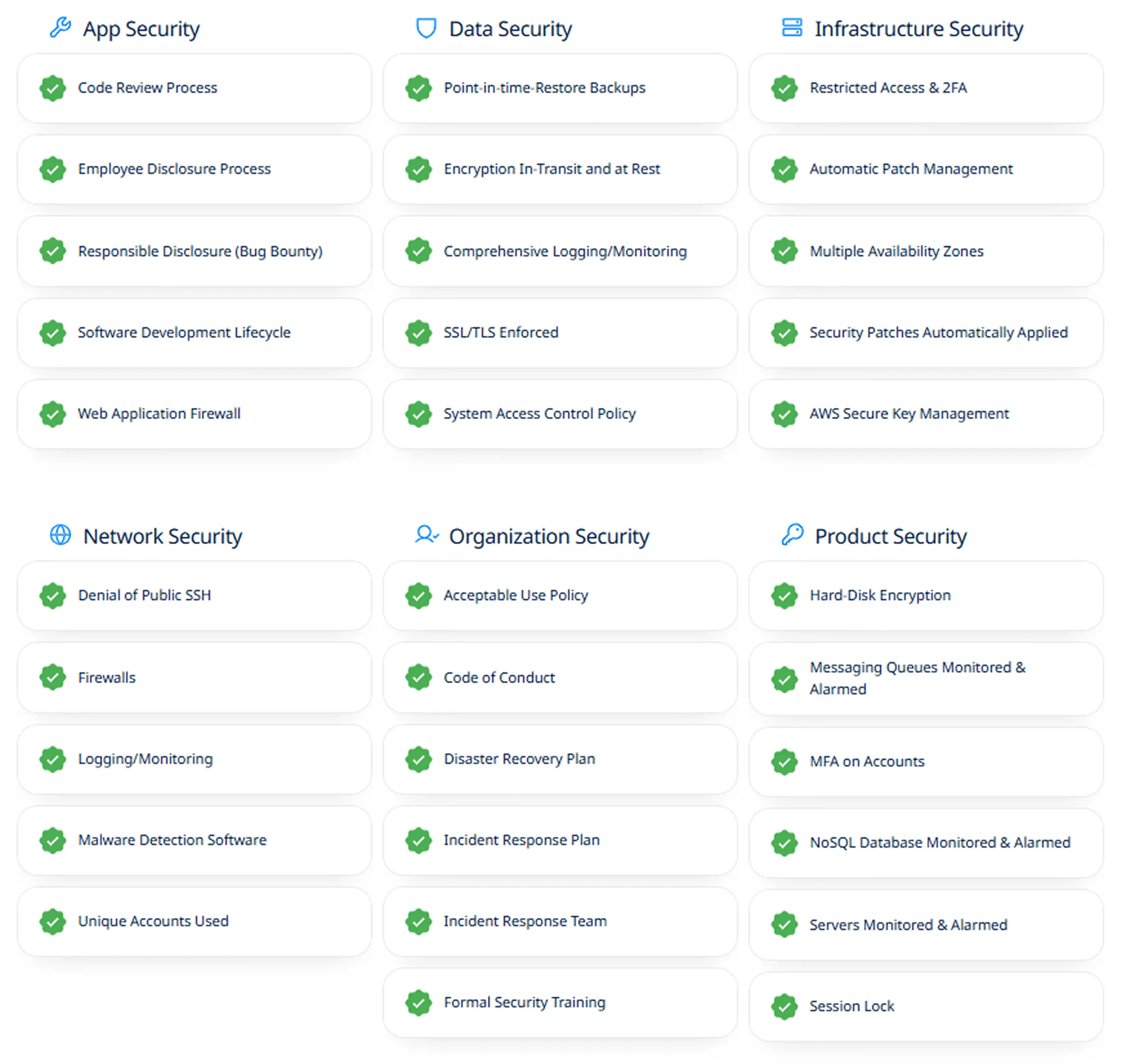
That matters when sales, legal, IT, security, and proposal teams all need to work in the same environment. Instead of relying on fragmented workflows, enterprise teams get a setup that can scale with growing bid volume while still meeting internal security and compliance requirements.
RFP Reporting
AutoRFP.ai gives leaders a clearer view of team capacity, response volume, win rates, and turnaround speed in one place. For enterprise sales teams, that makes it easier to see whether the current team can support pipeline growth before more deals, deadlines, and requests start piling up.
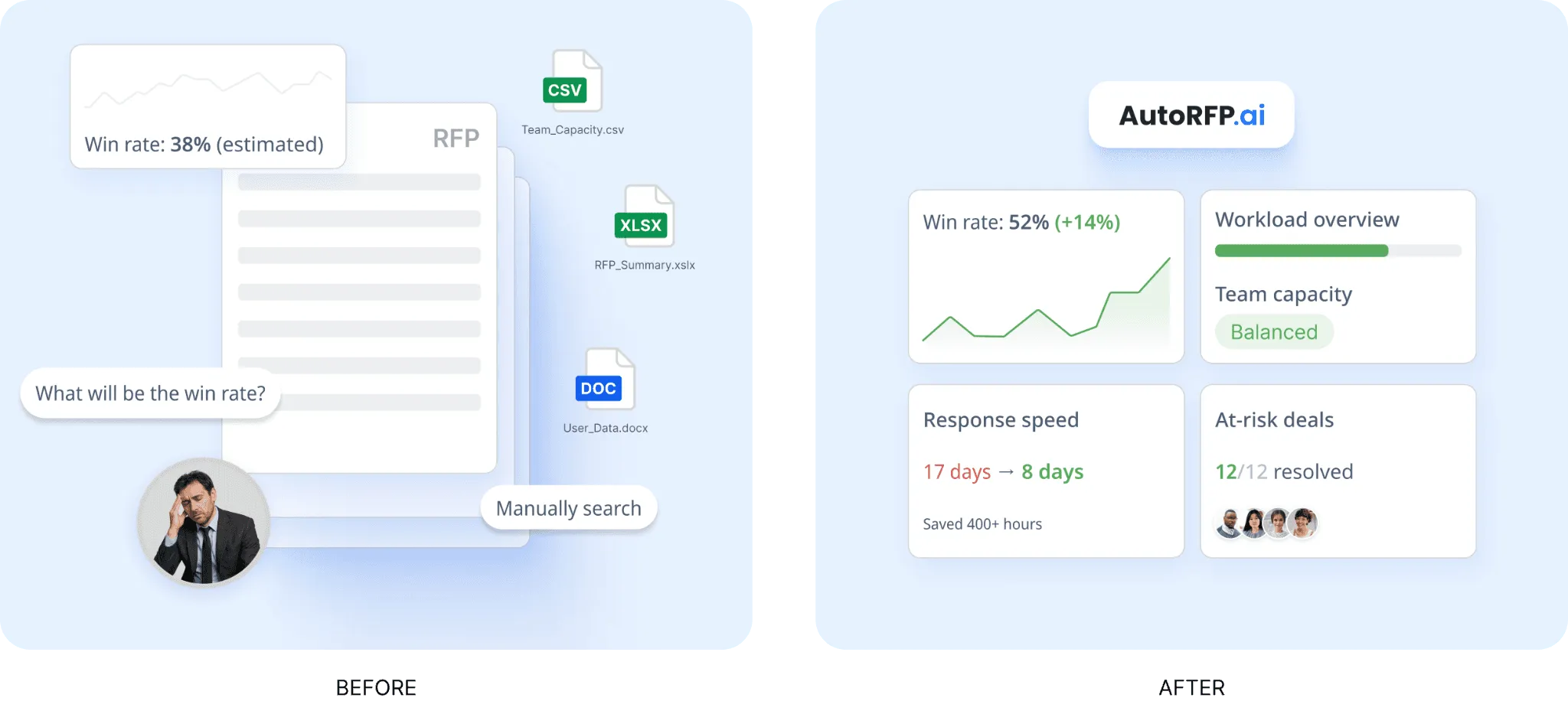
This is especially useful in budget planning and headcount discussions because it replaces guesswork with actual workload data. Leaders can show how many RFPs the team can realistically handle, where bottlenecks are forming, and when more support is needed to avoid missed opportunities.
Extensive Integrations
AutoRFP.ai connects with more than 18 tools across CRM, file storage, collaboration, identity, and knowledge systems, which helps enterprise teams work from the platforms they already use. It can pull knowledge from existing systems and make approved answers easier to access without forcing sales teams into another disconnected workflow.
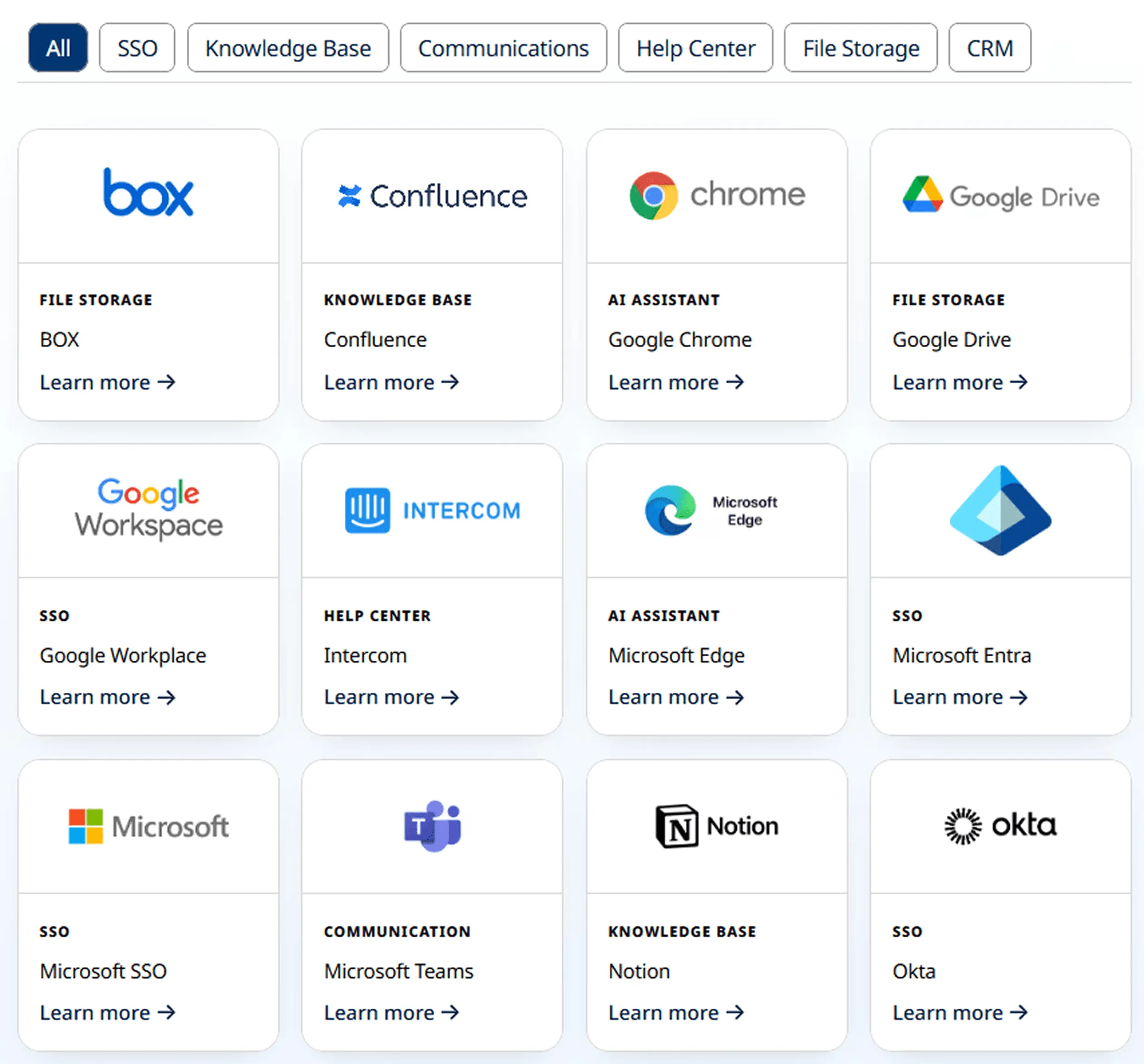
Its Slack and Microsoft Teams chatbot is especially useful for enterprise sales reps who need fast, approved answers during active deals. Native SSO integrations with Microsoft Entra, Google Workspace, and Okta, including SCIM provisioning, also help IT teams maintain tighter access control and user management.
RFP Project Management
AutoRFP.ai gives sales, proposal, legal, product, and security teams shared visibility into active RFPs, owners, deadlines, blockers, and completion status. Instead of chasing updates through emails and meetings, teams can see what is moving, what is delayed, and where action is needed next.
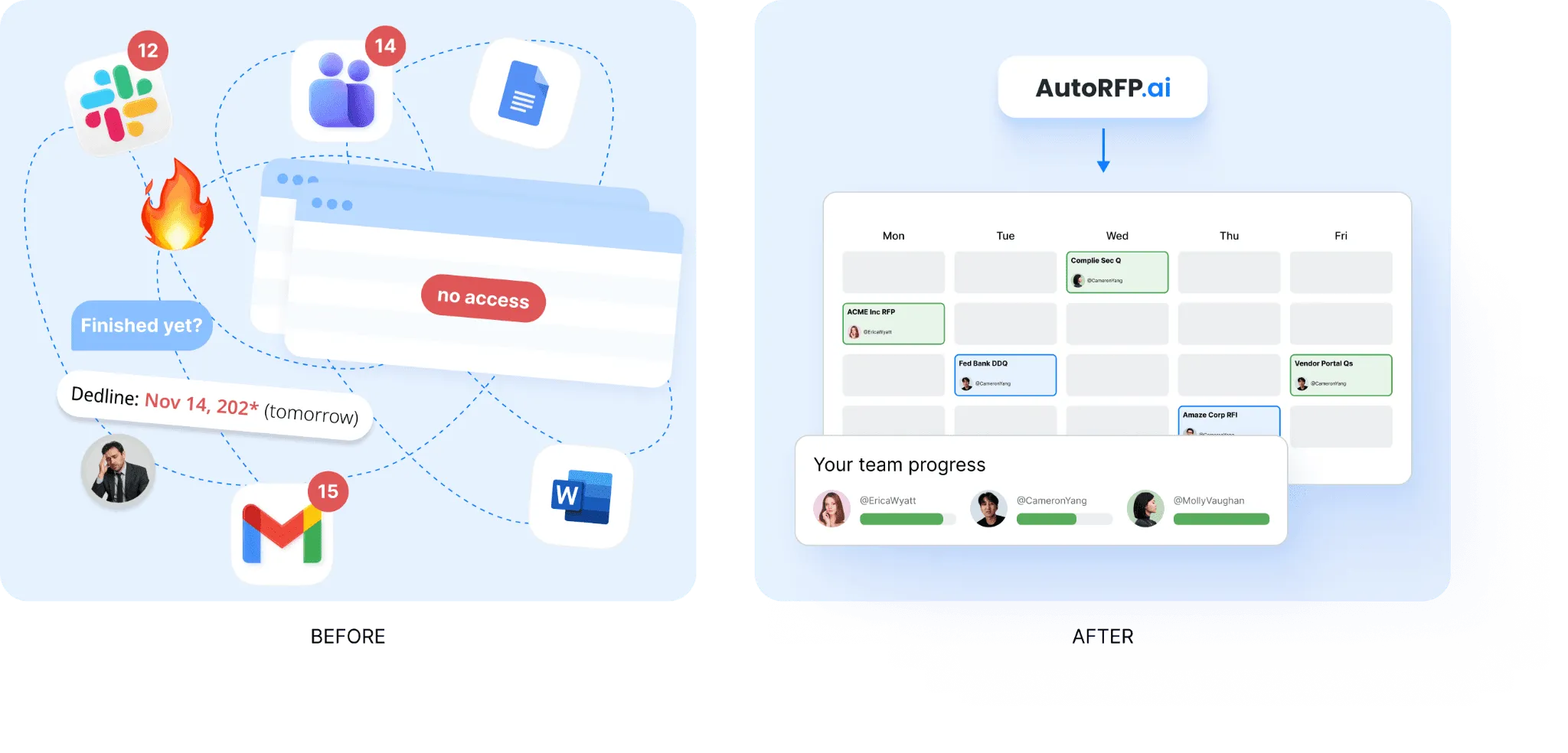
That makes the handoff between teams much cleaner during high-value enterprise deals. Sales reps spend less time managing admin work and more time keeping the opportunity on track while the right people review the right sections at the right stage.
Pricing
| Plan | Monthly Cost | Key Inclusions |
|---|---|---|
| Scale | $899 | Unlimited AI responses, users, content, and integrations |
| Accelerate | $1,299 | Everything in Scale, plus advanced analytics and priority support |
| Enterprise | Custom | Custom integrations, a dedicated success manager, and tailored security and compliance features with SSO |
AutoRFP.ai comes with a 30-day money-back guarantee, personalized onboarding, and tailored training to help teams get started quickly. Every plan includes unlimited users with no per-seat fees, and teams can be up and running in as little as 48 hours.
Where AutoRFP.ai Shines
Portal questionnaire automation: AutoRFP.ai helps teams manage portal-based RFPs by pulling questions from external platforms, preparing answers, and exporting them back into the required format. This is especially useful for teams working across systems such as Ariba, UpGuard, and Jaggaer.
Ask-a-bot answers: Teams can ask a question and get a sourced answer quickly without searching through folders, decks, or past responses. Because it works inside Slack and Microsoft Teams, users can access approved information without leaving their usual workflow.
AI document importer for RFPs: AutoRFP.ai can process RFP files in Word, Excel, and PDF formats, then extract requirements, sections, and supporting context automatically. That gives teams a faster starting point and reduces the manual work needed before drafting can begin.
Consistent client-ready responses: AutoRFP.ai helps teams produce responses that are faster to review, more accurate, and more consistent across deals. In one customer example, Fiddler reduced response time by 87%, improved accuracy, and eliminated weekend work for its leadership team.
Governance and support: AutoRFP.ai includes white-glove onboarding, training, unlimited support, and a 30-day money-back guarantee. That lowers adoption risk for enterprise teams and makes procurement feel easier because support is built in from the start.
Where AutoRFP.ai Falls Short
Not a great fit for highly bespoke sectors: AutoRFP.ai may be less suitable for AEC, US GovCon or defense, custom software development, and highly bespoke professional services. Responses in these sectors are often too technical, project-specific, or unique to follow repeatable response patterns.
Not built for teams issuing RFPs: AutoRFP.ai is designed for vendors responding to RFPs, not procurement teams creating and managing them. Organizations that need supplier evaluation, bid collection, and sourcing workflows will need a different type of platform.
Customer Reviews
Pete W., Sales Engineer, said on G2:
“The use of AI to parse through the zillion questions in our database and find the closest match saves so much time. When it can’t find a good match, it leaves the response blank and provides some close options. Then, when I cobble something together from five different sources, it tunes it up and makes it sane with a click of the mouse. Three RFPs in, including one with 500 questions, and I’m really happy with it.”
Lisa R., Director of Marketing, also praised AutoRFP.ai on G2, saying:
“I cannot speak highly enough about the AutoRFP platform and the outstanding support I’ve received, especially from Tom, who has been incredibly responsive, patient, and knowledgeable.
We recently needed to train 20 new users at the last minute, and Tom went above and beyond to accommodate us with a timely and effective training session. His clear communication and deep understanding of the platform made the onboarding process seamless for our team.
In a nutshell, AutoRFP has been a game-changer for us. Whether you’re a seasoned pro or a new user, the platform is intuitive, efficient, and supported by an amazing team. I strongly recommend making it a core part of your RFP response process.”
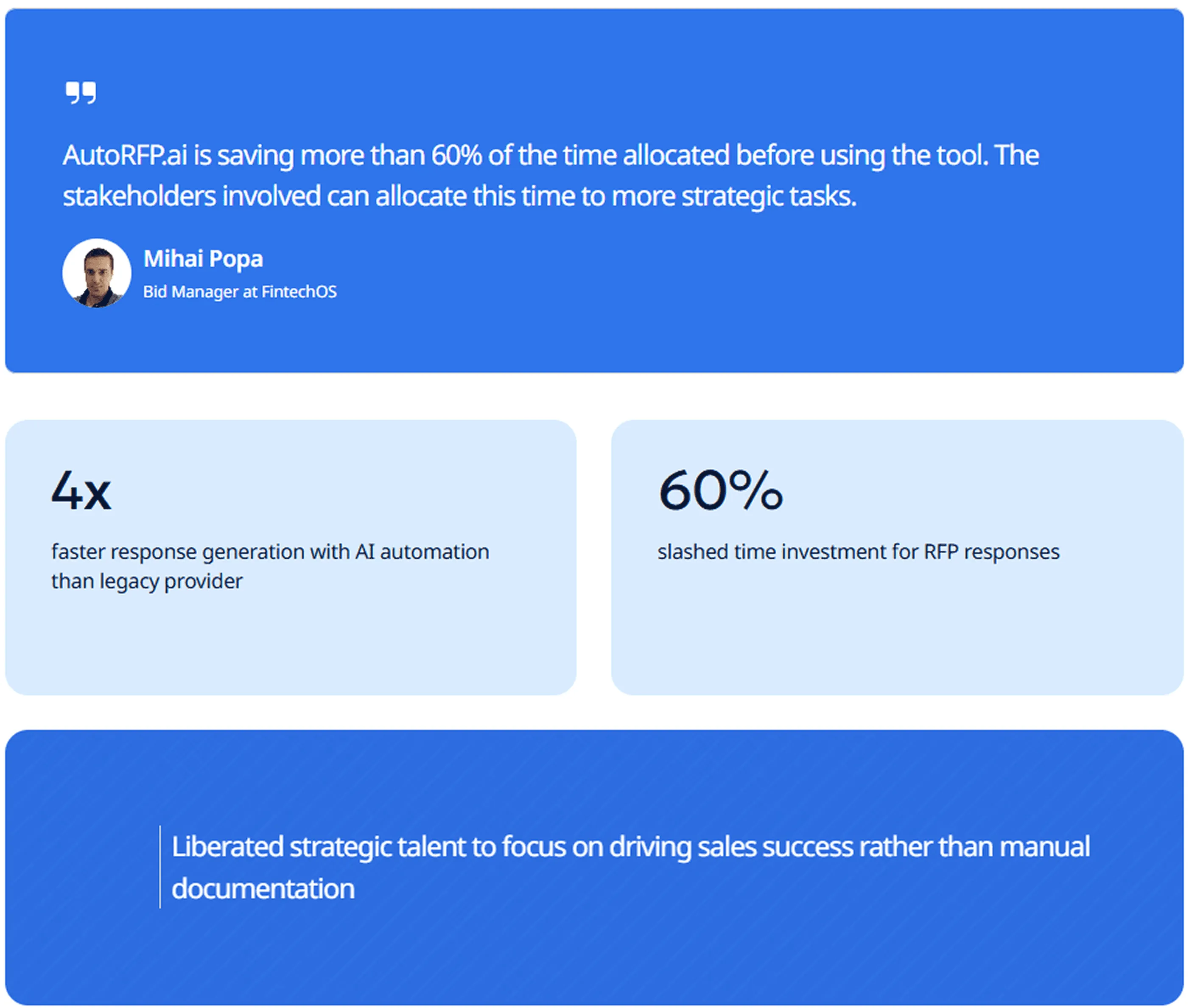
Mihai Popa, Bid Manager at FintechOS, said “AutoRFP.ai is saving more than 60% of the time allocated before using the tool. The stakeholders involved can allocate this time to more strategic tasks.”
Who AutoRFP.ai Is Best For:
Enterprise B2B sales teams: Teams managing high volumes of RFPs, RFIs, DDQs, and security questionnaires that need faster first drafts, stronger requirement extraction, and more consistent responses across deals.
Cross-functional enterprise deal teams: RFP managers, bid writers, pre-sales engineers, enterprise AEs, legal, IT, and security stakeholders working together on complex bids with tight timelines and multiple reviewers.
Financial services organizations: Managed funds, insurance firms, asset managers, and other regulated financial teams handling high-stakes DDQs and security reviews that need accurate answers, tighter approvals, and stronger reporting.
Regulated enterprise teams: Healthcare, fintech, cybersecurity, and similar organizations responding to compliance-heavy buyer questionnaires that need better governance, go/no-go screening, and customer-ready exports in the right format.
2. Salesforce Sales Cloud: Best For Enterprise AI Revenue Operations
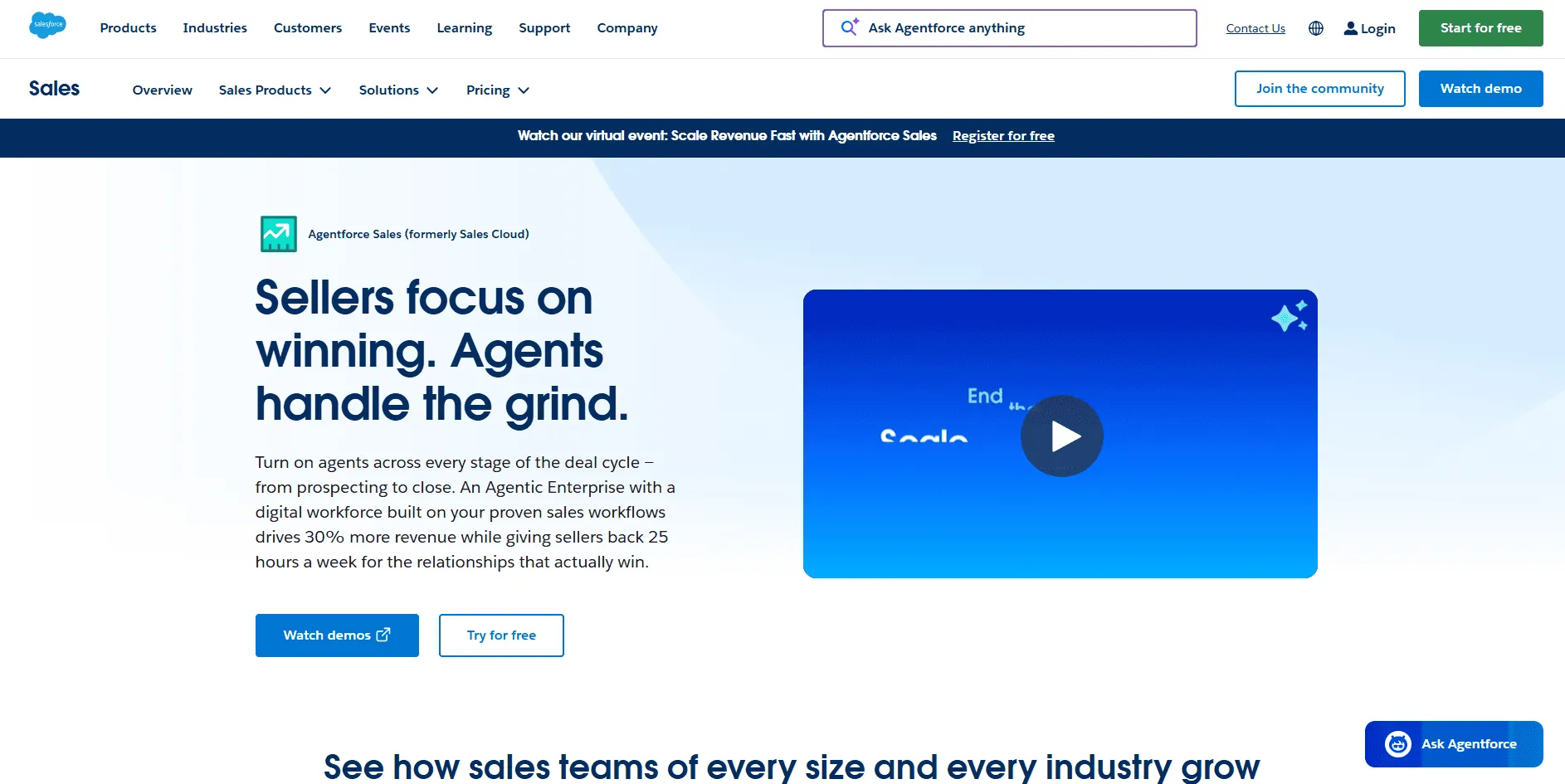
Salesforce Sales Cloud is a strong fit for enterprise teams that already have CRM basics covered and now want a higher-level revenue operating layer with AI, forecasting, automation, and deeper pipeline visibility.
Its Enterprise edition is positioned around built-in AI and automation, while Revenue Intelligence adds analytics and actionable insights across the sales cycle.
Key Features
Enterprise edition capabilities: Salesforce Enterprise includes advanced pipeline management and forecasting, opportunity scoring, conversation intelligence, APIs, and Agentforce through the Salesforce Foundations add-on.
Revenue Intelligence layer: Revenue Intelligence adds purpose-built dashboards, AI-powered insights, and a full analytics layer designed to help teams spot risks and opportunities across the pipeline.
Advanced add-ons: Salesforce also offers add-ons like Agentforce for Sales from $125 per user per month and Revenue Intelligence from $220 per user per month, which makes it easier to build a more advanced enterprise sales stack on top of Sales Cloud.
Pricing
| Plan | Monthly Cost |
|---|---|
| Enterprise | $175/user/month |
| Unlimited | $350/user/month |
| Agentforce for Sales | $550/user/month |
Where Salesforce Shines
Enterprise revenue coverage: It works well for enterprise teams that want forecasting, AI, automation, and pipeline inspection inside the same ecosystem.
Broader than a standard CRM: It is broader than a standard CRM because Salesforce now layers Revenue Intelligence, Agentforce, and performance-focused analytics on top of core sales workflows.
Clearer public packaging: Its public packaging makes it easier than many enterprise tools to show a real starting price for higher-tier editions.
Where Salesforce Falls Short
Add-on costs can grow: Enterprise value usually depends on add-ons, which can raise total cost beyond the base Sales Cloud license.
Broader implementation needs: It can still feel broad and implementation-heavy compared with more focused point solutions.
Not always the simplest fit: Teams that only want one specialized outcome, like enablement or conversation intelligence, may find a dedicated tool easier to adopt.
Customer Reviews
Miguel J. D., Director of Sales, said that, “Overall, I like the ability to access all my customer data and sales rep information from my PC or phone to track opportunities and lead progress.”
Daniel R. S., Founder, Computer Software, said that,“Salesforce is very pricey, and its software is full of bugs. It made me look unprofessional and frustrated my business processes.”
Who Salesforce Is Best For
Enterprise revenue teams: Enterprise revenue teams that want AI, forecasting, analytics, and sales execution inside one extensible platform.
Existing Salesforce organizations: Organizations that already use Salesforce and want to expand upward into Agentforce and Revenue Intelligence instead of adding another disconnected system.
3. Highspot: Best For AI Sales Enablement And Buyer Engagement
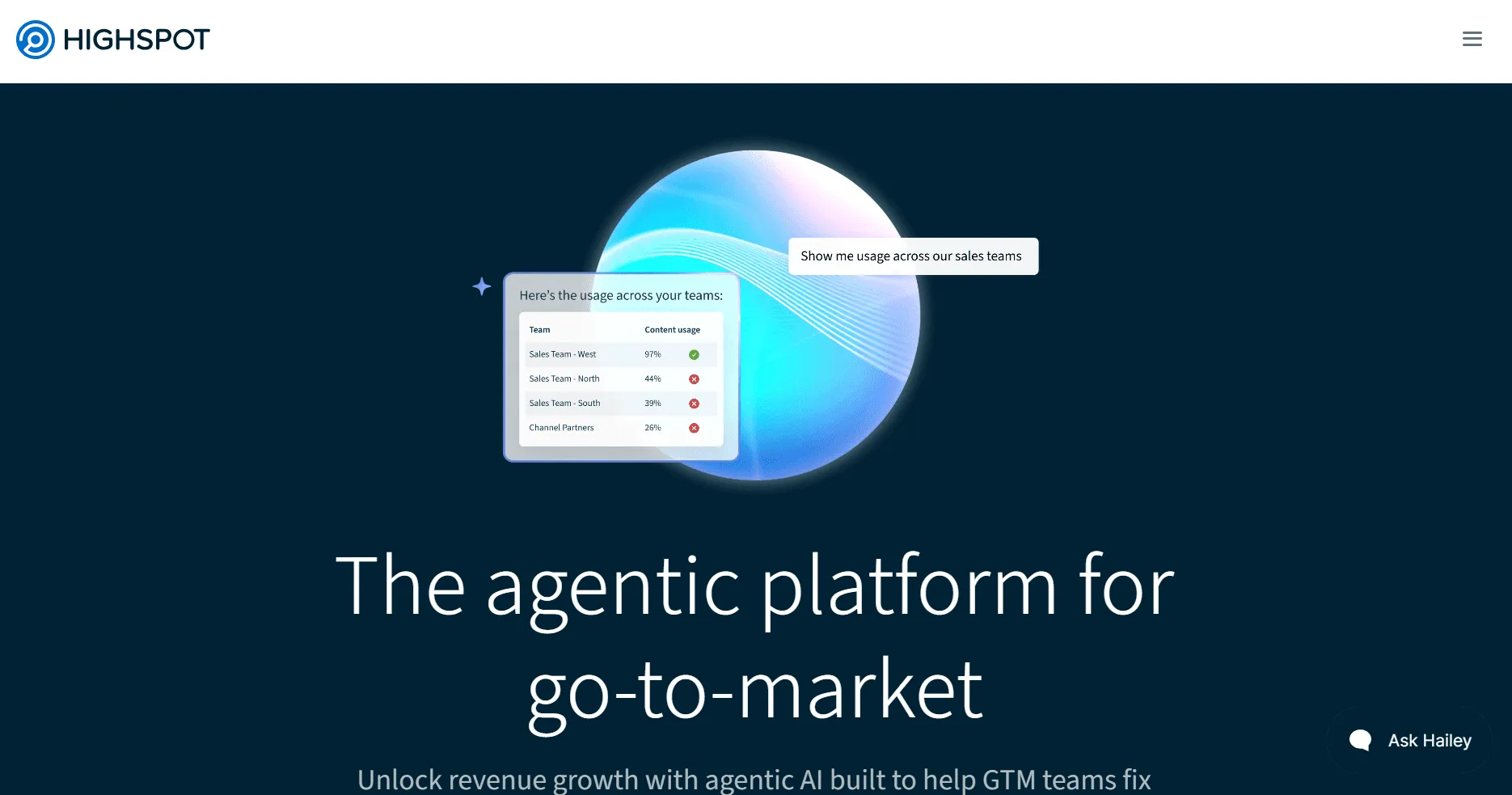
Highspot is one of the strongest enterprise sales enablement platforms for teams that need to connect content, guidance, buyer engagement, coaching, and analytics in one system.
Highspot’s positioning is broader than a simple content hub because it focuses on guiding reps on what to do next, what content to use, and how to personalize buyer-facing experiences.
Key Features
AI guidance: Highspot gives reps deal-specific AI guidance, including recommended next steps and content that fits the stage of the deal.
Connected enablement: It combines content governance with training, coaching, analytics, and buyer engagement instead of treating enablement as a separate set of disconnected tools.
Buyer engagement layer: Its buyer engagement layer helps sellers create secure digital experiences where stakeholders can access relevant resources and stay aligned during the buying journey.
Pricing
- Highspot does not publish fixed public pricing. Its pricing is tailored based on capabilities, use cases, services, team size, and organizational complexity.
Where Highspot Shines
Enterprise enablement depth: It is strong for enterprise teams that need governed content, AI guidance, and measurable enablement in one platform.
More than content management: It does more than content management by tying enablement to buyer engagement and deal execution.
Strong usability reputation: Review summaries consistently highlight ease of use, organized content, and strong visibility into how collateral performs.
Where Highspot Falls Short
Custom pricing only: Pricing is custom, so it is harder to budget quickly than tools with public plan tiers.
Search and filtering friction: Some reviewers say search, filtering, and platform complexity could still be better in day-to-day use.
Broader platform scope: Teams that only need a lightweight content repository may find the platform broader than necessary.
Customer Reviews
Scott B., Director of Sales Development, wrote, “Highspot is great for sales teams. My experience with Highspot has been very positive overall. The platform makes it easy to organize, find, and share sales content, which has streamlined how I prepare for calls and follow-ups. The search functionality is strong, and I like how it surfaces relevant content based on the deal stage or account type.”
Elizabeth G. said on Capterra, “Not intuitive, bad UX/UI. It has been horribly challenging to use, and we have never received training. I would never recommend this software to anyone.”
Who Highspot Is Best For
Enterprise enablement teams: Enterprise sales enablement teams that need AI guidance, content governance, and buyer engagement in one place.
Mature revenue organizations: Revenue organizations that already have core CRM systems in place and want a higher-level enablement layer on top.
4. Gong: Best For Conversation Intelligence And Revenue Coaching
Gong is one of the strongest conversation intelligence platforms for enterprise revenue teams because it turns calls, meetings, and customer interactions into coaching insights, deal visibility, and revenue guidance. It is especially useful when sales leaders want to move beyond anecdotal pipeline reviews and coach from real customer conversations.
Key Features
Conversation analysis: Gong records, transcribes, and analyzes customer conversations so teams can identify patterns, objections, and coaching opportunities at scale.
Deal inspection: It helps teams inspect deals using conversation data instead of relying only on CRM notes and rep updates.
Revenue team positioning: Its positioning is built around revenue teams, not just call recording, so the product ties conversation data to forecasting, coaching, and pipeline decisions.
Pricing
- Gong does not publish flat public package pricing. Its pricing structure includes per-user licenses and a platform fee based on the number of supported users.
Where Gong Shines
Coaching value: It is excellent for coaching managers who want to review real conversations instead of secondhand summaries.
Deal visibility: It gives revenue teams a stronger view into deal health and forecast risk through conversation data.
Actionable insights: Reviews frequently praise its actionable insights, automatic recording, and productivity gains from transcripts and summaries.
Where Gong Falls Short
Higher cost structure: Pricing is custom and can become expensive for larger organizations because it combines per-user licenses with a platform fee.
Some workflow friction: Some reviewers mention recording issues, interface overload, and AI output that still needs deeper refinement.
Best with strong call volume: It is less useful for teams that do not generate enough call volume to make conversation intelligence central to the workflow.
Customer Reviews
Marissa W., Senior Account Executive, said, “Gong has been crucial in helping with sales strategy and closing deals faster. Selling is a team sport, and having access to Gong’s analytics, not just from my calls but from calls across the company, with active feedback, is helpful.”
Angie P., VP, Revenue, said, “It’s fine at what it does, and it likely was the best choice for call recording a few years ago, but it doesn’t seem like that anymore.”
Who Gong Is Best For
Enterprise sales leaders and managers: Enterprise sales leaders and managers that want conversation intelligence tied directly to coaching and pipeline reviews.
High-activity B2B teams: B2B teams with frequent calls, demos, and complex stakeholder conversations across the sales cycle.
5. Clari: Best For Forecasting, Pipeline Inspection, And Revenue Execution
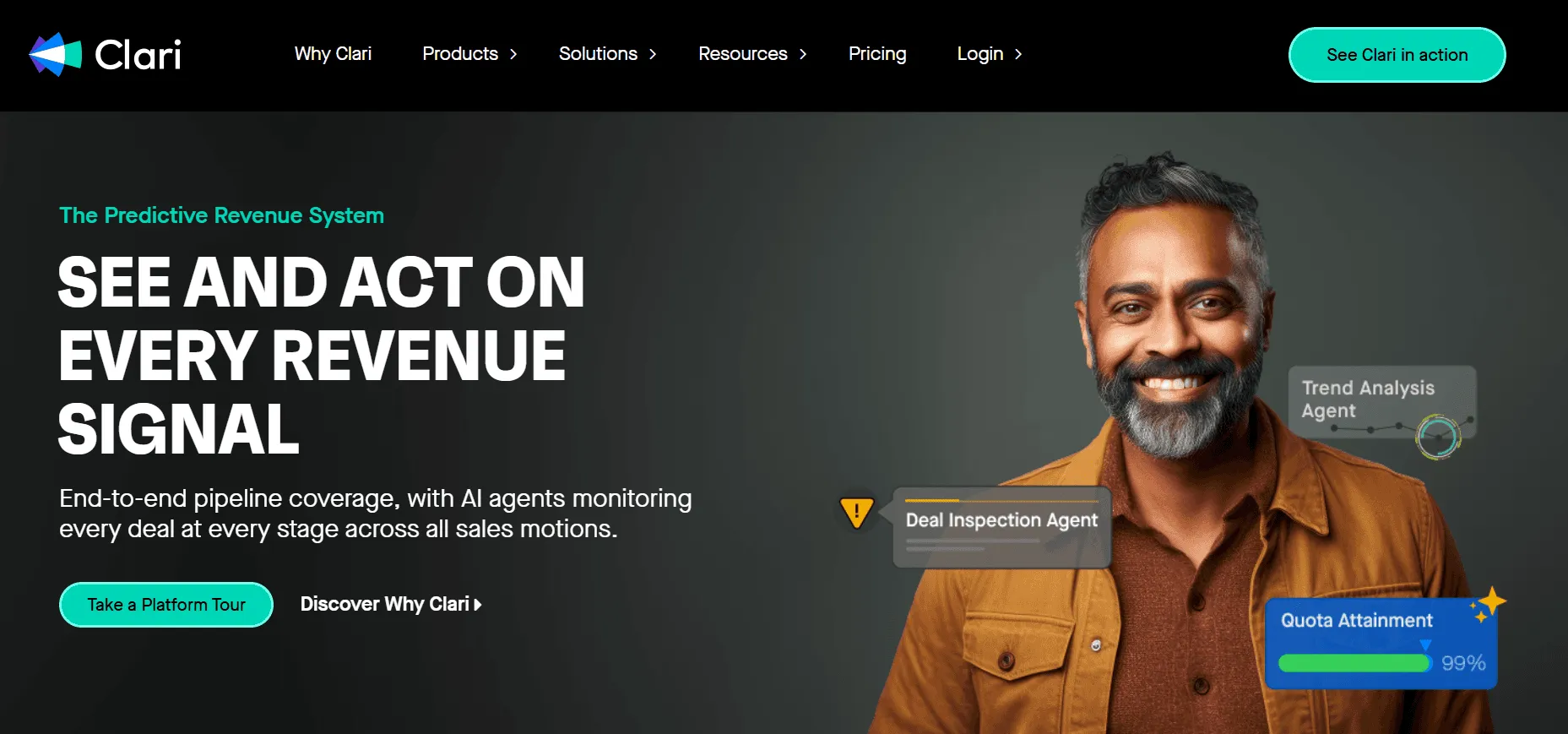
Clari is one of the strongest enterprise tools for revenue forecasting and pipeline inspection because it is built around making forecast calls, pipeline reviews, and deal execution more consistent. It is a better fit for revenue leaders and RevOps teams than for reps looking for a basic CRM add-on.
Key Features
AI forecasting and scoring: Clari includes AI-driven forecasting and AI deal scoring to help teams assess revenue risk and confidence across different revenue models.
Structured revenue cadences: It supports structured revenue cadences so forecasting, QBRs, and pipeline reviews follow a repeatable rhythm instead of ad hoc updates.
Enterprise operating layer: Its platform also emphasizes deep integrations, unlimited customizations, and out-of-the-box deployment without extra platform fees for integrations or support.
Pricing
- Clari does not publish public plan pricing. Its platform is tailored to each use case and does not charge extra platform fees for integrations or continuous support.
Where Clari Shines
Forecast discipline: It is strong for revenue leaders who need more disciplined forecasting and pipeline inspection.
Operational consistency: It helps standardize revenue operations through cadences, forecast rollups, and AI-driven inspection.
Strong forecasting reputation: Review summaries frequently describe it as helpful for forecasting, dashboards, and revenue management.
Where Clari Falls Short
No public pricing: Pricing is not transparent, so buyers need a sales conversation before they can compare costs clearly.
Learning curve: Some users find advanced forecasting and analytics more complex to learn at first.
Less frontline-focused: It is more of a revenue operating layer than a frontline seller tool, so smaller or less structured teams may not use its full depth.
Customer Reviews
Anonymous User, BDM, wrote on Capterra, “Clari: Sales Rep Review. Clari is a great tool for providing specific feedback, helping with call summaries for prospects, and supporting forecasts. It could do a better job with entering calls, spelling, and providing best-practice insights. It is easy to collaborate with multiple team members. The system does have a tough initial learning curve, but it has improved enough to be sufficient. Pros: Conversation summaries and breakdowns, great advice for improving key areas, and buy signals for sales professionals. Great prompts can lead to great information.”
Chethan B., Sales Development Executive, said, “The AI that converts voice to text needs improvement. Speech identification also gets messy sometimes.”
Who Clari Is Best For
Revenue leaders and RevOps teams: Enterprise revenue leaders, RevOps teams, and sales leaders that need forecast discipline and pipeline inspection.
Mature sales organizations: Organizations with mature sales motions that want revenue execution software above the CRM layer.
6. Mindtickle: Best For Sales Readiness, Training, And AI Role Play
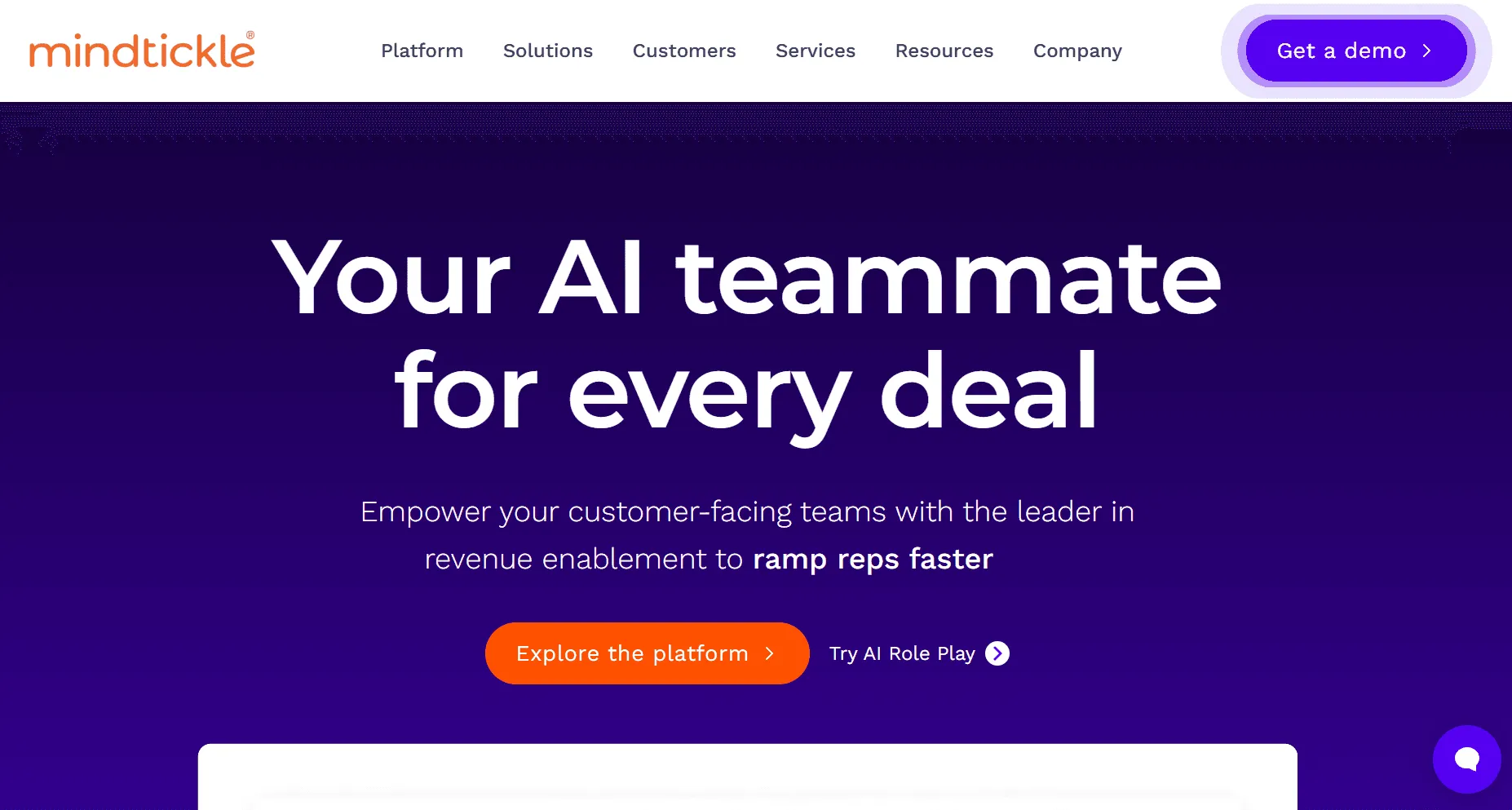
For enterprise teams that treat enablement as an ongoing performance system, Mindtickle is a strong option. The platform focuses on sales readiness through training, adaptive learning, AI-powered role plays, coaching, analytics, and certifications, which makes it useful for large organizations that need consistent seller performance across regions, products, and teams.
It works especially well when onboarding is only one part of the job and the bigger goal is continuous improvement. Pricing is not publicly listed, so buyers need to contact sales for details.
7. Outreach: Best For AI Sales Execution And Revenue Orchestration
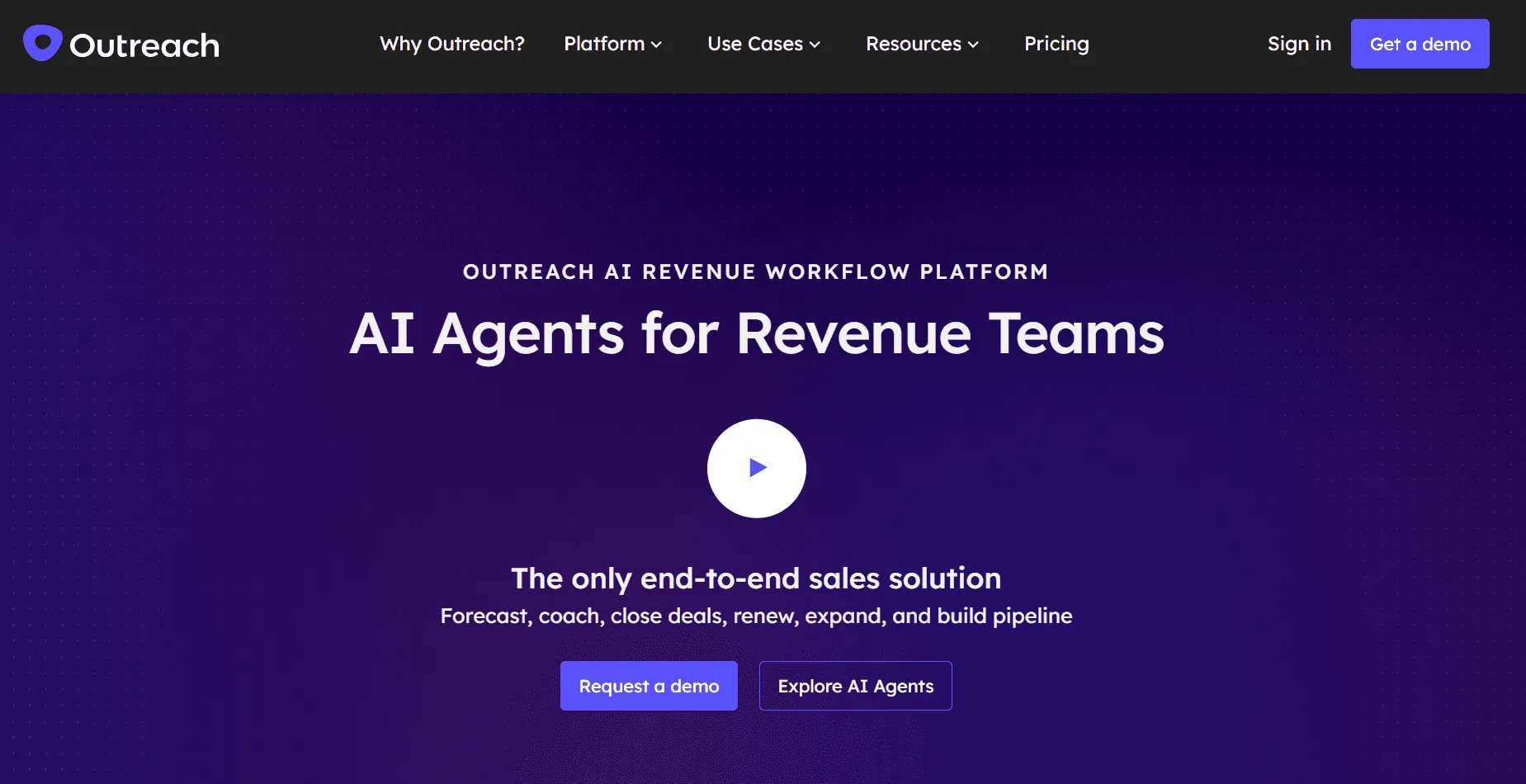
Outreach has moved well beyond basic sales engagement and now positions itself as a broader AI execution platform for revenue teams.
Rather than focusing only on sequences, it supports prospecting, deal management, forecasting, coaching, account expansion, and AI agents that help teams act faster across the sales workflow.
That makes it a better fit for enterprise organizations that want execution and guidance connected in one system, not just another outreach tool. Pricing is not presented as a simple public plan grid, so buyers need to request a demo or speak with sales.
8. Backstory (Formerly People.ai): Best For Deal Intelligence And Relationship Context
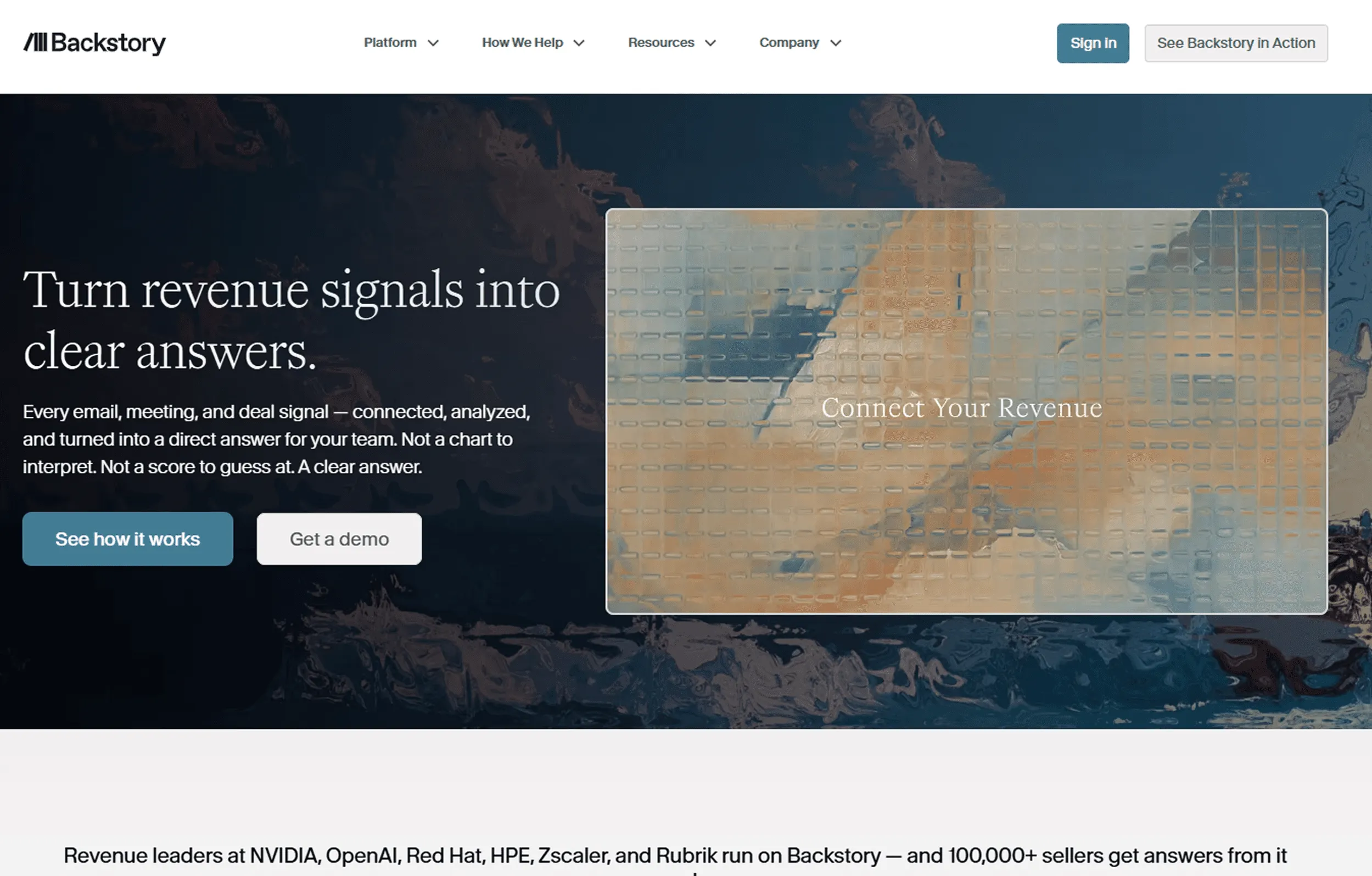
Backstory is designed for revenue teams that want to understand what is happening inside deals before opportunities stall or go quiet. Instead of acting like a basic activity tracker, it captures meetings, emails, and touchpoints automatically, then turns that data into relationship context, deal risk signals, and next-step guidance based on the company’s own selling patterns.
This makes it especially useful for enterprise sales leaders who need more visibility into deal health without relying on manual rep updates. Pricing is sales-led and not publicly available online.
9. LeanData: Best For GTM Orchestration, Routing, And Buying Group Workflows
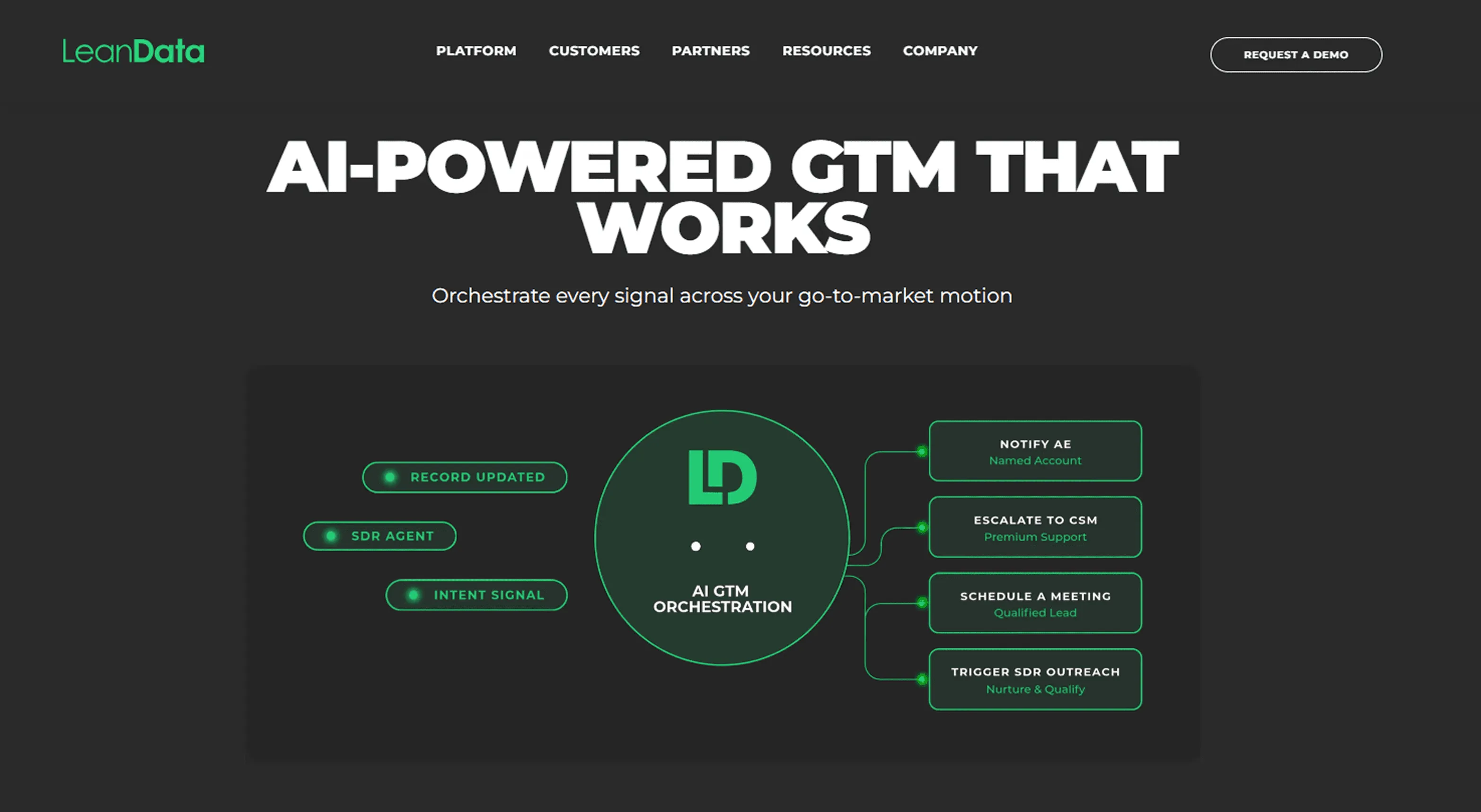
When enterprise teams struggle with routing, handoffs, and buying group coordination, LeanData becomes much more valuable than a simple operations tool.
Its platform focuses on lead and account routing, SLA enforcement, workflow automation, meeting scheduling, account hierarchies, and buying group orchestration across sales, marketing, and RevOps.
That makes it a strong fit for complex go-to-market environments where speed and accuracy depend on the right action happening at the right time. LeanData publicly lists editions, but it does not publish dollar pricing, so buyers need to contact sales.
10. Walnut: Best For Interactive Demos And Digital Sales Rooms
Product demos often become a major part of enterprise selling, and Walnut is built to make that motion more scalable and more personalized. The platform centers on AI-powered demo creation, interactive product tours, digital sales rooms, CRM integrations, and demo engagement analytics that can feed deal intelligence and forecasting.
It is especially useful for enterprise SaaS teams with complex products and long evaluation cycles, where tailored demo experiences can influence multiple stakeholders. Walnut does publish pricing, with an Accelerate plan starting at $1,550 per month billed annually.
11. Consensus: Best For Buyer Enablement And Demo Automation
Consensus is built for enterprise teams that want buyers to explore the product on their own time instead of waiting for every live demo. Its platform focuses on demo automation, interactive product tours, on-demand video demos, stakeholder discovery, and engagement analytics that show which people interacted with the product and what captured their attention.
That makes it useful for multi-stakeholder deals where buyer education needs to keep moving even when sellers are not in the room. For a deeper SE-focused shortlist that also covers RFP, POC, and live-deal support platforms, see the best sales engineer tools comparison. Consensus does publish starting prices, with Starter from $600 per month and Pro from $1,250 per month, billed annually.
How to Choose the Best Enterprise Sales Tool
Here’s how you can choose the best enterprise sales tool for your business:
1. Measure Whether AI and Automation Are Actually Paying Off
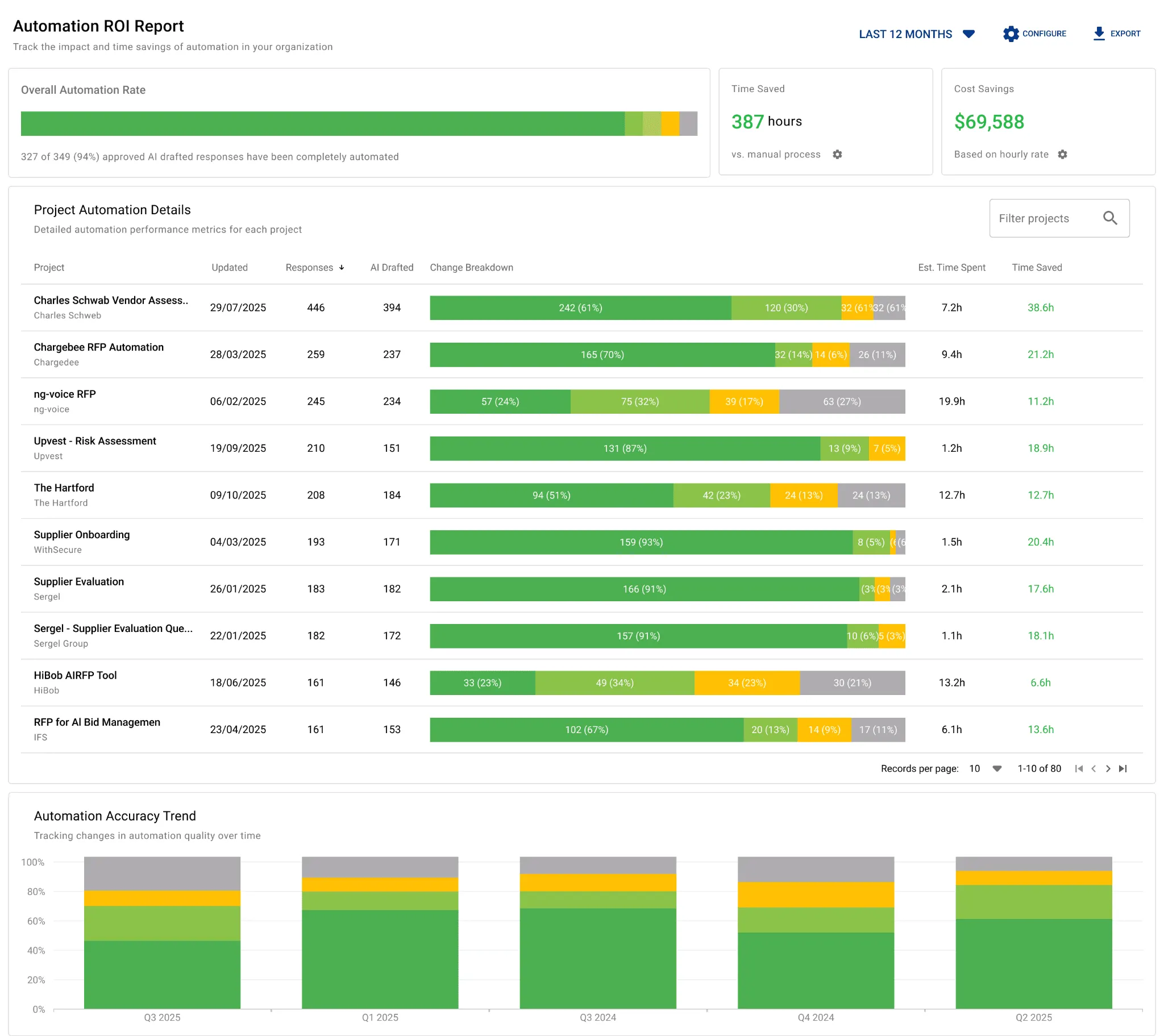
If a tool uses AI or automation, it should show you the value clearly. Look for reporting on automation rate, time saved, cost savings, and efficiency across completed work.
AutoRFP.ai does this well with ROI reporting that helps teams prove whether automation is reducing manual work and improving productivity. That matters because enterprise buyers need more than speed claims. They need evidence.
2. Look for Gap Analysis That Shows What Is Costing You Deals
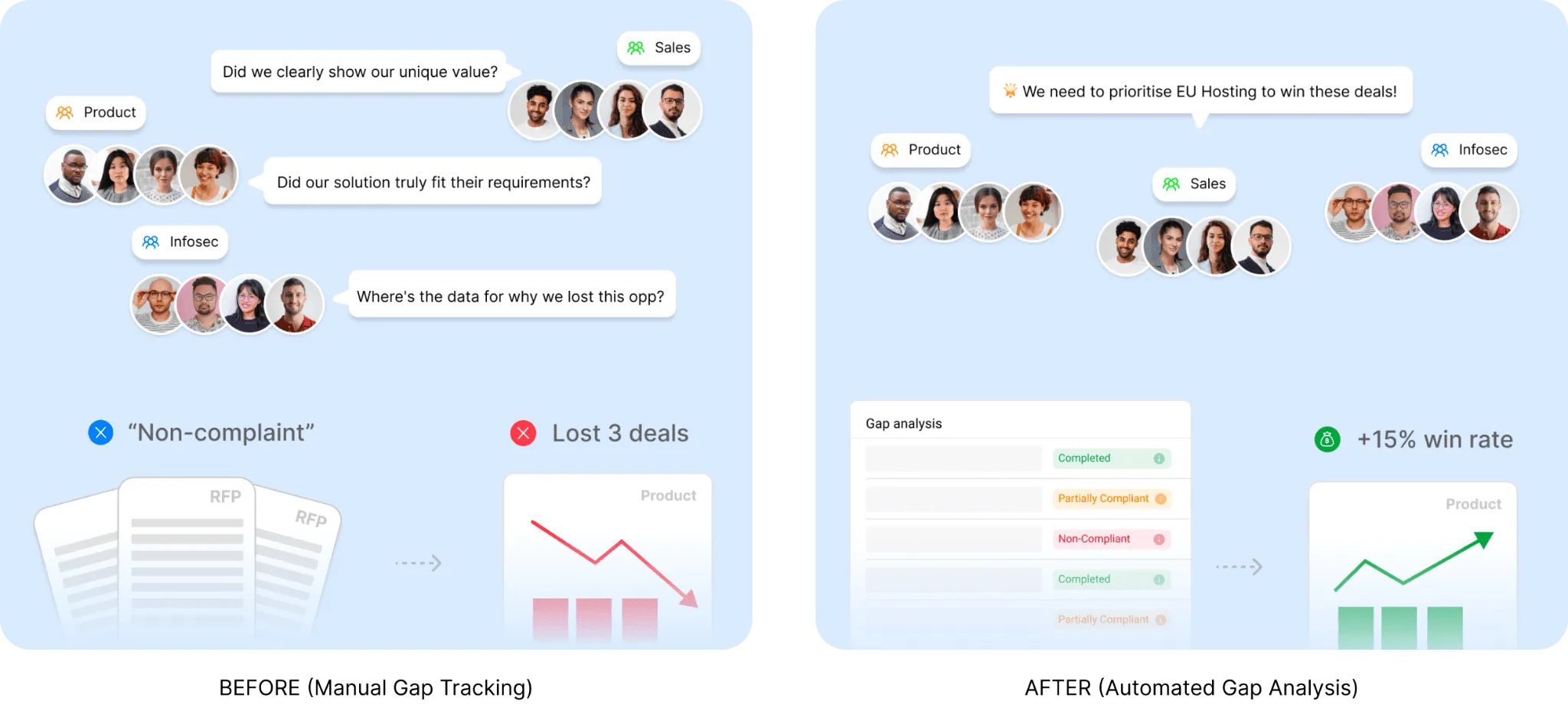
A strong enterprise sales tool should help you see where deals are getting stuck or lost. That could mean repeated compliance gaps, weak answers, missing capabilities, or recurring objections that keep showing up across enterprise opportunities.
AutoRFP.ai’s RFP Gap Analysis is a good example because it helps teams spot patterns in non-compliance and understand which gaps are affecting pipeline and revenue. Even if your process is broader than RFPs, this kind of visibility helps sales, product, and leadership prioritize the right fixes.
3. Choose a Tool That Helps Your Team Act, Not Just Draft
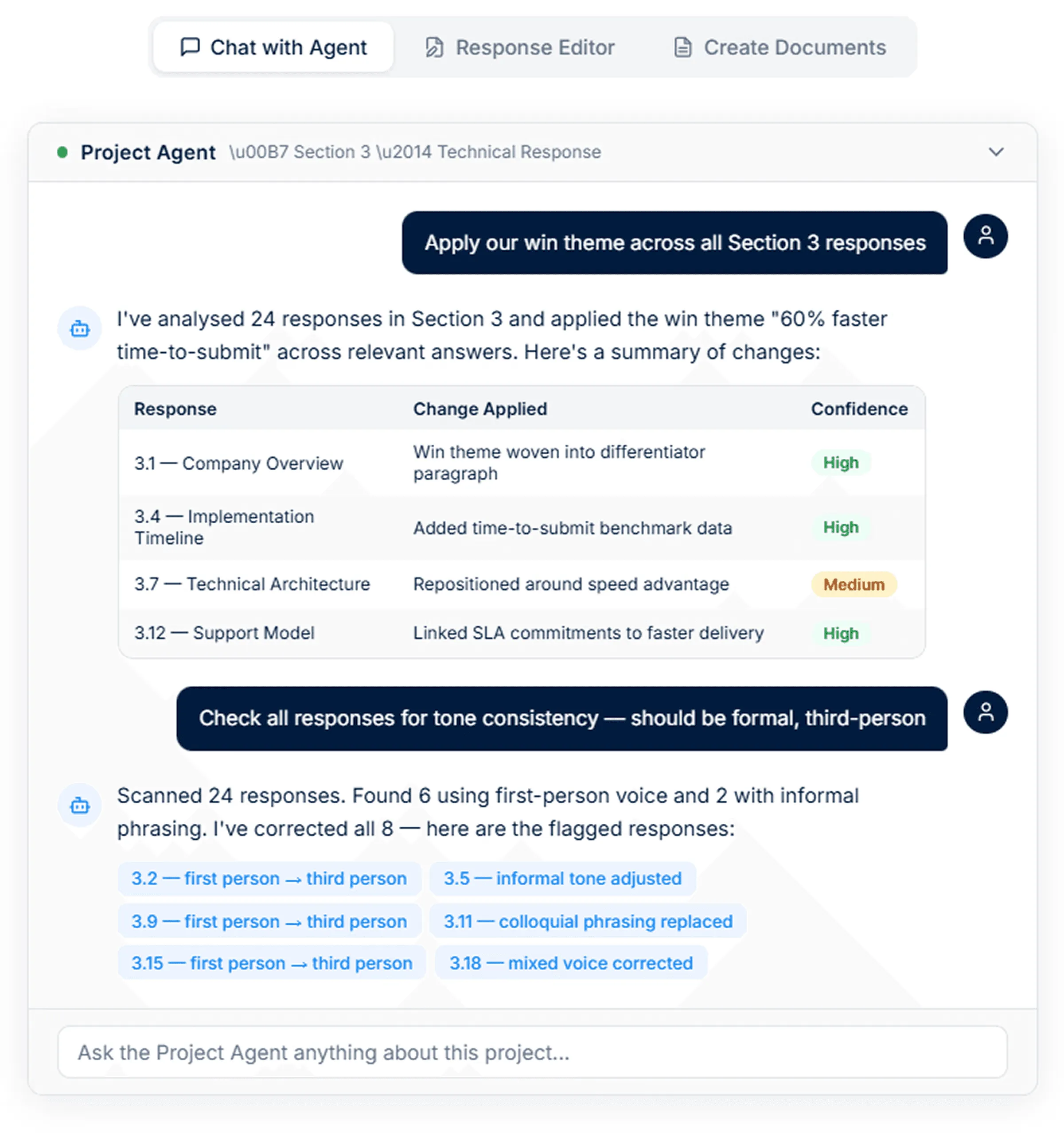
Generating a first draft is useful, but enterprise teams usually need more than that. The right tool should help refine content, apply messaging consistently, search trusted sources, create supporting documents, and keep work aligned across a live deal cycle.
AutoRFP.ai’s Project Agent does this by helping teams edit responses, create documents, search the web, and pull from approved content in one workflow. That makes the tool more practical for real enterprise execution, not just one-step automation.
4. Match the Tool to Your Actual Enterprise Sales Motion
Not every enterprise sales tool solves the same problem. Some focus on enablement content, some on pipeline visibility, some on sales engagement, and others on proposal or knowledge workflows.
Before choosing a platform, map it to how your team actually sells, who is involved, and where deals slow down. A tool is only valuable if it fits the way your sales, bid teams, and specialized presales software solutions already work together.
5. Check How Well It Fits Into Your Existing Systems
Enterprise sales teams already work across CRM, email, Slack, Teams, content systems, call tools, and document workflows.
A new tool should connect with that stack instead of forcing people to switch between disconnected systems.
Look for integrations that reduce copying, rework, and context loss across teams. Evaluating your complete sales enablement tech stack helps ensure that any new tool fits your workflow naturally and delivers value quickly.
6. Prioritize Adoption Across Everyone Involved in the Deal
A tool does not help if only one team knows how to use it. In enterprise sales, adoption matters across account executives, pre-sales, proposal managers, security teams, and other contributors.
Look for software that is easy to navigate, easy to search, and easy to use under deadline pressure. The best enterprise sales tools reduce friction so teams can spend more time moving deals forward.
7. Look for Visibility That Helps You Make Better Decisions at Scale
Enterprise tools should not just show activity. They should help leaders understand workload, performance, bottlenecks, and where teams may be overcommitting.
Look for reporting that gives you a clearer view of capacity, velocity, win rate, and operational risk across active work.
That kind of visibility helps teams make better decisions before problems affect the pipeline.
Build a Smarter Sales Stack with AutoRFP.ai
A smarter enterprise sales stack does more than track pipeline. It helps your team find the right answers faster, stay aligned across stakeholders, and keep complex deals moving without adding more manual work.
AutoRFP.ai strengthens that stack by helping sales, proposal, legal, IT, and security teams respond to RFPs, DDQs, and security questionnaires with faster drafts, approved content, and clearer workflow visibility.
Book Demo today to see how AutoRFP.ai can help your team reduce admin, improve response consistency, and win more enterprise deals.
About the author

Ops Lead
Ops Lead at AutoRFP.ai. Designs the pipeline, content, and handoff systems bid teams use to run RFPs end-to-end, and co-hosts live sessions on winning workflows.
LinkedIn