Claude Connectors and MCP for Bid Teams: What to Connect First
What Claude connectors are, how MCP works, what Claude can see in SharePoint and your CRM, and which connectors a bid team should set up first.
Written by

Ops Lead, AutoRFP.ai
- Published
- Reading time
- 11 min
Claude connectors link Claude to the apps a bid team already uses, such as SharePoint, Google Drive, Salesforce, Slack and an RFP answer library, so Claude can search and read them in a chat and, where you allow it, act there. Every connector runs on an MCP server, built on the Model Context Protocol that Anthropic introduced as an open standard in 2024.
Claude reaches only what each person could already open in the connected app. So decide which source holds your approved answers before you connect everything.
This guide is part of a series on how bid teams use Claude for RFPs. Each rule below carries the date of its Anthropic page, as read on November 9, 2026.
What Are Claude Connectors?
A Claude connector is a link between Claude and another app that lets Claude search, read and, if allowed, take actions in that app from inside a chat.
Anthropic’s connectors help article, updated November 6, 2026, names two kinds:
- Directory connectors: listed in Anthropic’s Connectors Directory and built by Anthropic or the app’s developer.
- Custom connectors: ones you add yourself with a remote MCP server URL.
Connectors work in Claude on the web, Claude Desktop, Claude Code and the API (through the MCP connector), and web connectors also work in Cowork and the mobile apps. Each one has its own toggle in a chat’s ”+” menu.
ChatGPT and other assistants can also connect to MCP servers, so one MCP server can serve several assistants.
What Is MCP in Simple Terms?
MCP, the Model Context Protocol, is an open standard that lets an AI assistant such as Claude call tools in another system, like “search the content library” or “read this file”, in the same way, whoever built the tool.
Anthropic announced MCP on November 25, 2024, as “a new standard for connecting AI assistants to the systems where data lives.”
Claude is the client: it works out which tool a task needs and asks for it. The connector is an MCP server that offers a short list of named tools, and each tool either reads (search, list, fetch) or writes (create, update, send).
Every request then passes through the app’s own sign-in and permissions.
“MCP server” is the developer’s word, and “connector” is how the same server appears inside Claude.
For a proposal team, MCP puts the answer library, CRM and document store underneath Claude with no exporting or re-uploading, each behind its own sign-in.
A skill teaches Claude how to do a task, a connector decides what Claude can reach, and most bid teams need both. The skills guide explains how Claude skills compare with MCP connectors.
What Data Can Claude Access Through Connectors?
Claude can access only what the signed-in person can already open in the connected app, plus whatever a shared credential reaches when a custom connector uses one.
Anthropic’s connectors article (November 6, 2026) says “Claude inherits each person’s permissions from the connected service,” and custom connectors on a shared credential “reach whatever that credential can access.” Four more rules apply:
- Owners can only narrow access. On Team and Enterprise, an owner sets each tool to Always allow, Needs approval or Blocked, which “never grants more access than the source system permits.”
- Some connectors start read-only. Microsoft 365 writes only if an admin enables write tools (Anthropic, November 4, 2026).
- Owners can stop sharing. With “Share chats that use connectors” off, members can’t share chats that drew on connectors or synced content. Check it before a live tender.
- Connected apps keep their own rules. They process data “on their own infrastructure, under their own terms.”
The Microsoft 365 Connector Searches the Whole SharePoint Tenant
Anthropic’s Microsoft 365 connector admin article, updated November 4, 2026, says the connector “searches SharePoint across the entire tenant using the permissions of the user. Site-specific search restriction isn’t supported.”
So anything a bid writer can open is in reach: draft proposals, superseded policies, pricing in a shared folder and other clients’ past submissions.
Admins can restrict which users may use the connector in Microsoft Entra, revoke individual Microsoft Graph permissions, or remove the connector for the organization. The control that matters most comes first: tidy who can open which SharePoint folders, then connect.
Verified, Community and Custom Connectors
Each connector carries one of three labels, which show how much Anthropic has checked it.
| Label | Who checked it | What Anthropic says | What to check before connecting |
|---|---|---|---|
| Verified | Anthropic tested its tools for quality and compatibility | Verification “isn’t a security audit or a guarantee of how the connector will perform” | Scopes requested at sign-in; tools can change after review |
| Community | Anthropic screened it but hasn’t reviewed it in depth | Claude shows a reminder before you connect one | Whether you trust the developer; the scopes requested |
| Custom | Nobody at Anthropic; you added it yourself | Anthropic hasn’t reviewed it | Who runs the server and what its credential can reach |
Anthropic’s connector verification page, read November 9, 2026, adds two rules for every label: connect only to developers you trust, and stay aware of prompt injection.
Training, retention, prompt injection and what to send IT are covered in the guide on what to clear with security before connecting Claude.
How to Set Up Claude Connectors for a Bid Team
To connect Claude to SharePoint or a content library on a Team or Enterprise plan, an owner adds the connector and sets what each tool may do, then each member signs in and turns it on in a chat.
- [01]
The owner adds the connector for the organization
Members can request one from its directory page.
- [02]
The owner sets each tool to allow, approve or block
Members can't override it, so block write tools at first.
- [03]
Each member signs in to the app
Claude then works with that person's permissions.
- [04]
Members turn it on per conversation
From the + menu in each chat.
Anthropic’s connectors article (November 6, 2026) names the three tool settings, Always allow, Needs approval and Blocked, and members can’t override them. Its example suits bid work: Claude may read Google Drive files but not edit them. Requests for new connectors are on by default on Team plans.
On an individual plan, open Customize > Connectors and select Connect to Claude. For a custom connector, select Add, then Custom > Web, and enter the remote MCP server URL. On November 6, 2026, Anthropic listed custom connectors on Free, Pro, Max, Ultra, Team and Enterprise, with Free limited to one.
Pro tip: Start read-only. Keep write tools at Blocked or Needs approval until the team has used the connector on one live bid, and disconnect any connector you stop using.
The Connectors a Bid Team Actually Uses
Most bid teams get the most from three or four connectors: the document store, the CRM, the chat tool where SMEs answer questions, and the approved answer library. Each row is described as listed in Anthropic’s Connectors Directory on November 9, 2026.
| Connector | What the bid team gets | Access, as listed | Watch-out |
|---|---|---|---|
| Microsoft 365 (SharePoint, OneDrive, Outlook, Teams), by Anthropic | Past bids, policies, SME emails | Search and read; writes only if an admin enables it | Searches the whole SharePoint tenant |
| Google Drive, by Google | Answer documents, security packs | Search and read; also create, update, share and trash | Block write tools until needed |
| Notion, by Notion | Wiki and product notes | Search; also creates and updates pages | An old page reads as current |
| Atlassian (Confluence, Jira), by Atlassian | Technical documentation | Search, read and update | Drafts sit beside published pages |
| Salesforce (beta) or HubSpot, by each vendor | Account and opportunity history | Read and update CRM records | Salesforce’s listing is a beta |
| Slack, by Slack | Threads where SMEs answer questions | Search; also sends messages | A thread answer isn’t approved content |
| Call recording (Fireflies and Granola are listed) | The buyer’s own words | Transcripts the person can open | Keep speaker and date with quotes |
| Your RFP answer library, if it has an MCP server | Approved answers with sources | Depends on each person’s scopes | Check which scopes write |
Start with the document store and the answer library, which cover most drafting. Add the CRM and call recordings when the team starts buyer research.
Decide Where Approved Answers Live Before You Connect
Once Claude can read SharePoint, Drive and an answer library in one chat, pick which source holds the approved answer. Stargazy’s 2026 Proposal and Bid Software Report, which AutoRFP.ai sponsored, names three system-of-record models for proposal content: platform-stored truth, upstream-stored truth and hybrid truth.
| Model | Where the approved answer lives | What Claude reads | Who keeps it current | Watch-out |
|---|---|---|---|---|
| Upstream files | Documents in SharePoint or Google Drive | The files, through their connectors | Document owners | Current and superseded versions sit side by side |
| Governed library | One approved answer per question, with an owner and review date | The library, through its connector | Content owners | Gaps stay missing until someone adds them |
| Hybrid | The library, plus folders an admin syncs into it | The library | Library and document owners | The sync selection decides what gets in |
Two things usually settle it:
- Freshness. A file uploaded to a Claude project holds whatever was true that day, while a connector reads the source at the moment of asking.
- Ownership. A governed library needs named owners, review dates and a way to retire old answers, the habits behind running RFP content management.
The same choice sits underneath the debate about Claude on its own versus purpose-built RFP software: upstream files keep answers in documents, and the other two models keep them in a library with owners.
Content library automation is also more common among the high-win teams in AutoRFP.ai’s 2026 survey of proposal teams, as the win-rate statistics behind it show.
Source: Proposal Win Rate Report 2026,
AutoRFP.ai as the Approved Library Inside Claude
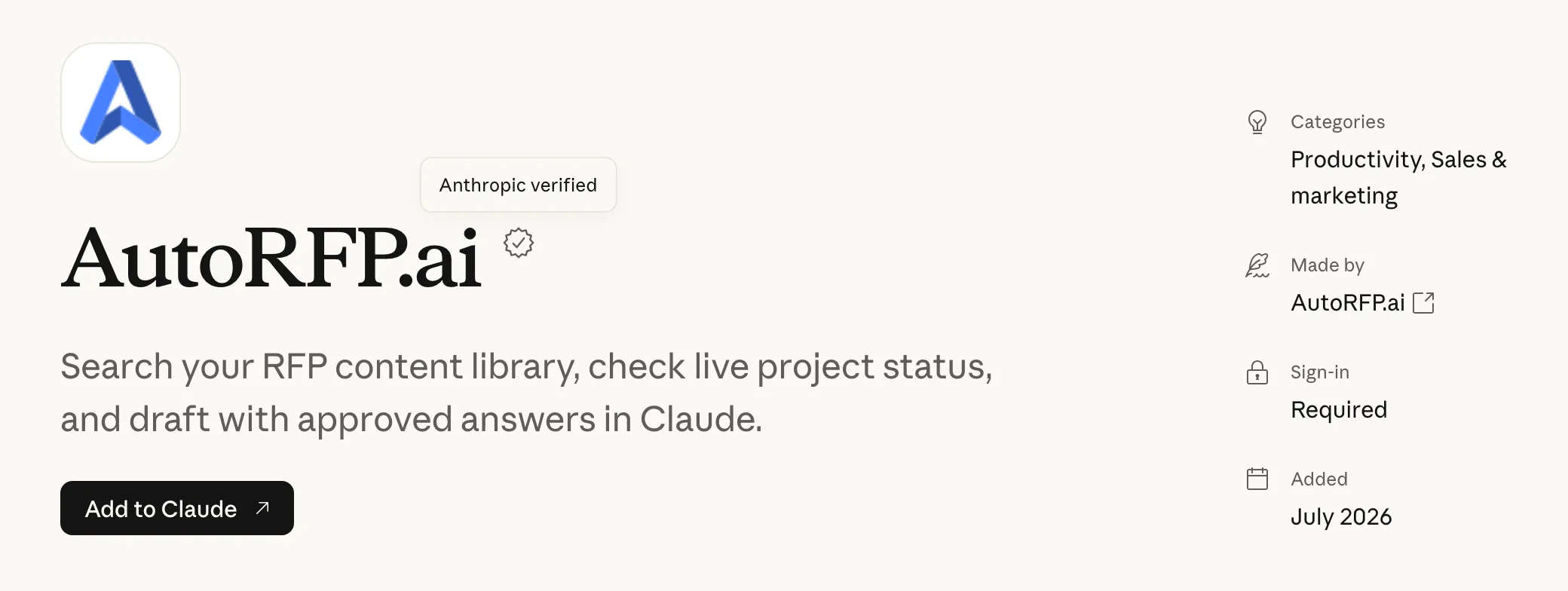
Among Claude connectors, AutoRFP.ai’s connector gives Claude the answers a bid team has approved, each returned with a link to its source in the library, so Claude drafts from governed content instead of searching every file in SharePoint.
Anthropic’s Connectors Directory lists the AutoRFP.ai connector as “Anthropic verified”, added July 2026 (directory listing, read November 9, 2026).
Through the AutoRFP.ai MCP server, Claude works at one of two levels:
| Level | Scopes | What Claude can do | Suits |
|---|---|---|---|
| Read | tags:read, projects:read, content:read | Search and read projects, their requirements and approved content | Most people |
| Full | projects, content, tags | Also write to projects and content | Named roles that update projects or content |
Which people get which scope is the team’s choice. Either way, Claude acts as the signed-in person, reads or changes only what that person’s AutoRFP.ai role allows, and approvals stay inside AutoRFP.ai’s own workflow.
Inside AutoRFP.ai, drafting follows the same rule: answers are written only from content the team has approved, each cites the sources behind it, and any question the content can’t support is routed to a person.
AutoRFP.ai can also sync SharePoint, Google Drive, Confluence or Notion content into its library, limited to folders an admin selects, which keeps AutoRFP.ai’s drafting to a chosen set of sources, narrower than a tenant-wide SharePoint search.
To set it up, add the connector from the Connectors Directory; the steps are on the page that explains how to connect AutoRFP.ai to Claude.
Three Bid Workflows That Run Across Connectors
The useful bid workflows read from several connectors at once and stop at a person before anything changes. Two below use free skills, unlocked with an email address.
Back for revision
- Step
- End state
- Back for revision
A Coverage Check Before the Go/No-Go Call
A coverage check shows, before the go/no-go meeting, which requirements already have approved answers and which need new writing. Switch the library connector on, attach the RFP and paste this prompt:
The output is a gap list for the go/no-go discussion. Claude only reads here, so read scopes are enough.
Review Routing With the Assign Owners Skill
The Assign Owners skill proposes an editor, an accuracy reviewer and a narrative reviewer for every requirement, using evidence from whatever connectors the session can reach.
- Step 0 finds the sources: the library connector, Google Drive, SharePoint and uploaded files, then, with the user’s go-ahead, Slack, Teams, email and the CRM.
- It builds an expertise map from that evidence and suggests three people per requirement.
- Step 3 is a write-back gate. The skill shows exactly what will change, asks for explicit approval of that change set, then writes in the approved batches only and reports what succeeded and what failed.
It writes to the library only when the connection has the full projects and content scopes; with read-only tools, it hands over the approved plan as a spreadsheet. Its rule keeps a person in charge: “Propose, don’t write.”
Buyer Research From the CRM, Email and Call Recordings
The Internal Research skill builds the internal half of a customer-insight brief from records the team already holds. Its source order: “Use the CRM connector first. Then email, meetings, notes, and call recordings.”
Claude returns the stakeholders on record, the buyer’s own phrases with speaker and date, and gaps marked Missing. The skill puts government procurement out of scope, so use it on private-sector deals.
Where to Start With Connectors on a Live Bid
Start with one read-only connector to the source that holds approved answers, use it on one live bid, and add the Microsoft 365 connector only after SharePoint permissions have been checked.
- Choose where approved answers live: upstream files, a governed library or a hybrid.
- Connect that one source with read access only.
- Set write tools to Blocked or Needs approval for everyone.
- Run the coverage check on the next tender before the go/no-go meeting.
- Add the next connector after that bid is submitted.
If the team picks a governed library, compare AI proposal software that drafts only from approved content before choosing where it lives.
About the author

Ops Lead at AutoRFP.ai. Designs the pipeline, content, and handoff systems bid teams use to run RFPs end-to-end, and co-hosts live sessions on winning workflows.
LinkedIn