
2026 Sales Proposal Automation: Process, Tools & Benefits
Learn what sales proposal automation is, why it matters, and how it works to streamline proposal creation, reduce errors, and speed up your sales process.

Technical Account Manager, AutoRFP.ai·Updated ·9 min read
Proposal friction kills momentum. Not in one dramatic moment, but across dozens of small delays: outdated content, duplicate work, slow approvals, and last-minute fixes from teams already stretched thin. With 51% of teams without content automation in the low-win cohort, the cost of staying manual shows up in both speed and win rate.
The bigger question is what to automate, what should stay human-led, and which tools actually help teams move faster without losing quality.
What Is Sales Proposal Automation
Sales proposal automation is the use of software to speed up and standardize how proposals are created, customized, reviewed, and sent during the sales process. It helps sales teams replace repetitive manual work with faster, more consistent workflows. As part of a broader stack of enterprise sales tools, its core purpose is to help teams produce accurate, tailored proposals without slowing down deals.
What it addresses: Proposal drafting, content reuse, approvals, pricing, formatting, and version control
Why it matters: It saves time, reduces errors, and helps teams respond faster with higher-quality proposals
The Positive Business Impacts of Sales Proposal Automation Implementation
Sales proposal automation can improve speed, consistency, collaboration, and win potential, helping teams produce better proposals faster while freeing up time for higher-value sales work.
| Positive impact | Business outcome |
|---|---|
| Faster turnaround without sacrificing quality | Teams can complete more proposals in less time. In one case, automation helped increase a company’s completed RFPs by 107%, from 14 to 29 annually, without increasing team size. |
| Increased revenue and win rates | Faster, more polished, and more tailored proposals can improve competitiveness. Studies show companies using automation can see win rate improvements of up to 53%. |
| More time for customer-specific value | Automation reduces rebuild-from-scratch work, giving teams more time to research buyer needs and tailor responses. |
| Streamlined approvals | Automated routing to legal, finance, or management reduces approval delays and helps remove internal bottlenecks before submission. |
| Real-time collaboration | Multiple contributors can work on the same proposal at once, reducing version confusion and making cross-functional input easier to manage. |
| Improved focus on selling | Sales reps spend less time on admin and more time on relationship-building, strategic planning, and delivering a stronger pitch. |
| Compounding gains across the process | The impact is even stronger when automation is combined with content reuse and systematic insight. Teams using this kind of stacked approach are much less likely to fall into low-win bands, at 16% versus 47%. |
“In working with over 200 companies moving to an AI First Approach, we’ve learned that the real advantage isn’t simply automating content. It’s what teams do with the time they get back. The winners use it to invest in their processes and provide more insightful responses.” - Jasper Cooper, Co-Founder and CEO of AutoRFP.ai
Real Business Case Studies
Here’s how real businesses have used proposal and RFP automation to reduce manual work, speed up turnaround, and improve the quality and scale of their responses.
1. Red Rover Reduced RFP Response Time by 80%
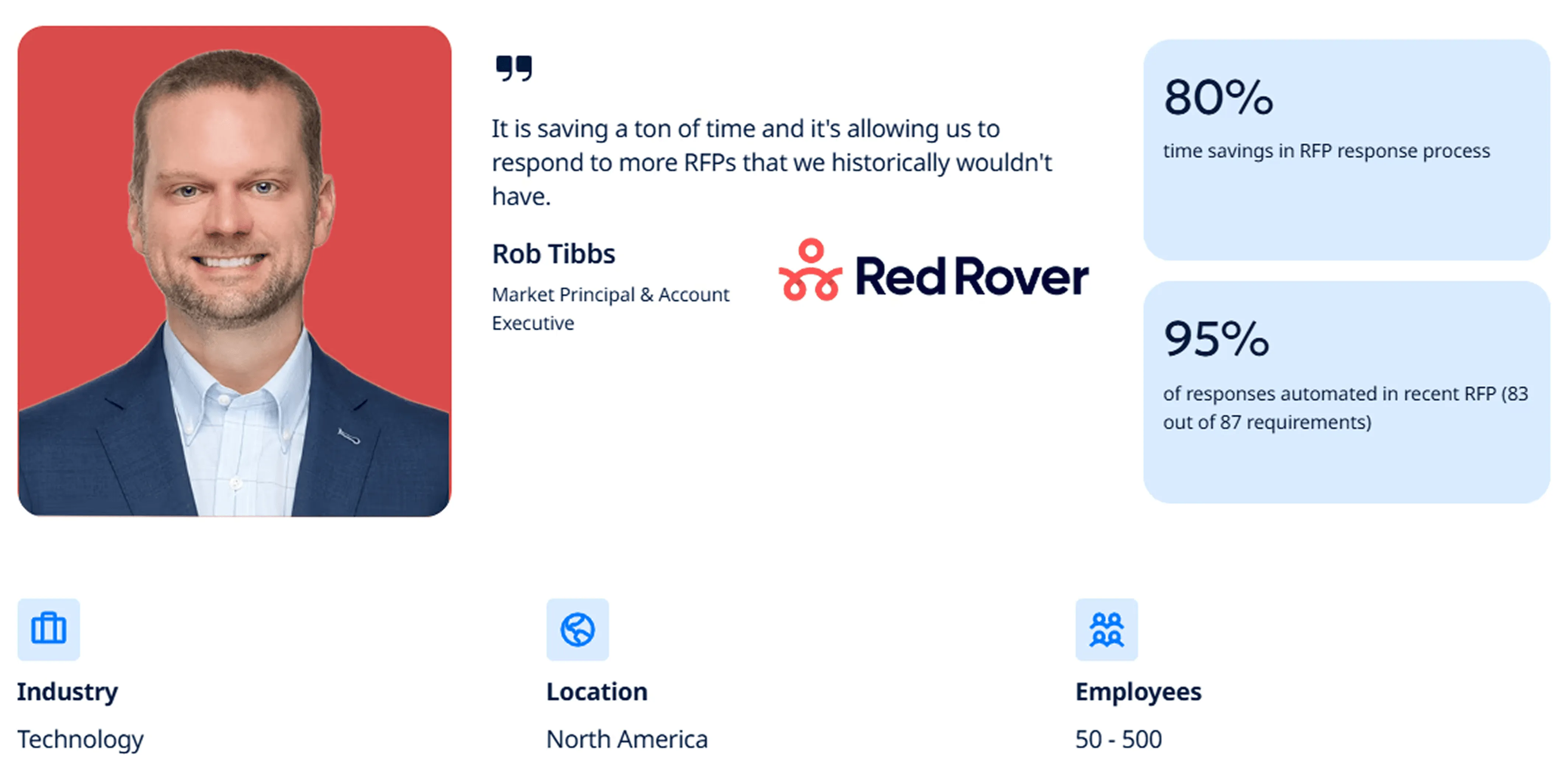
Challenge: Red Rover’s manual RFP process was slowing growth. Responses were time-heavy, sometimes with 200+ requirements, and pulled security staff away from core work. That limited the team’s ability to pursue more opportunities.
Solution: Red Rover implemented AutoRFP.ai to automate responses using existing documentation and approved content. It also reduced back-and-forth between teams, especially on technical and security questions.
Results: Red Rover cut RFP response time by 80%. In one recent RFP, AutoRFP.ai answered 83 of 87 requirements automatically, covering about 95% of the response. The team could also go after opportunities they would have previously skipped.
“Our security team is loving it too. Previously, whenever they came in, our team had to ping them on Slack, and they were constantly going back and forth, manually answering questions. Now, questions are answered with AutoRFP.ai in Slack. The security team thinks it’s awesome.”- Rob Tibbs, Market Principal & Account Executive at Red Rover
2. Workforce.com Doubled RFP Participation and Expanded Into New Markets
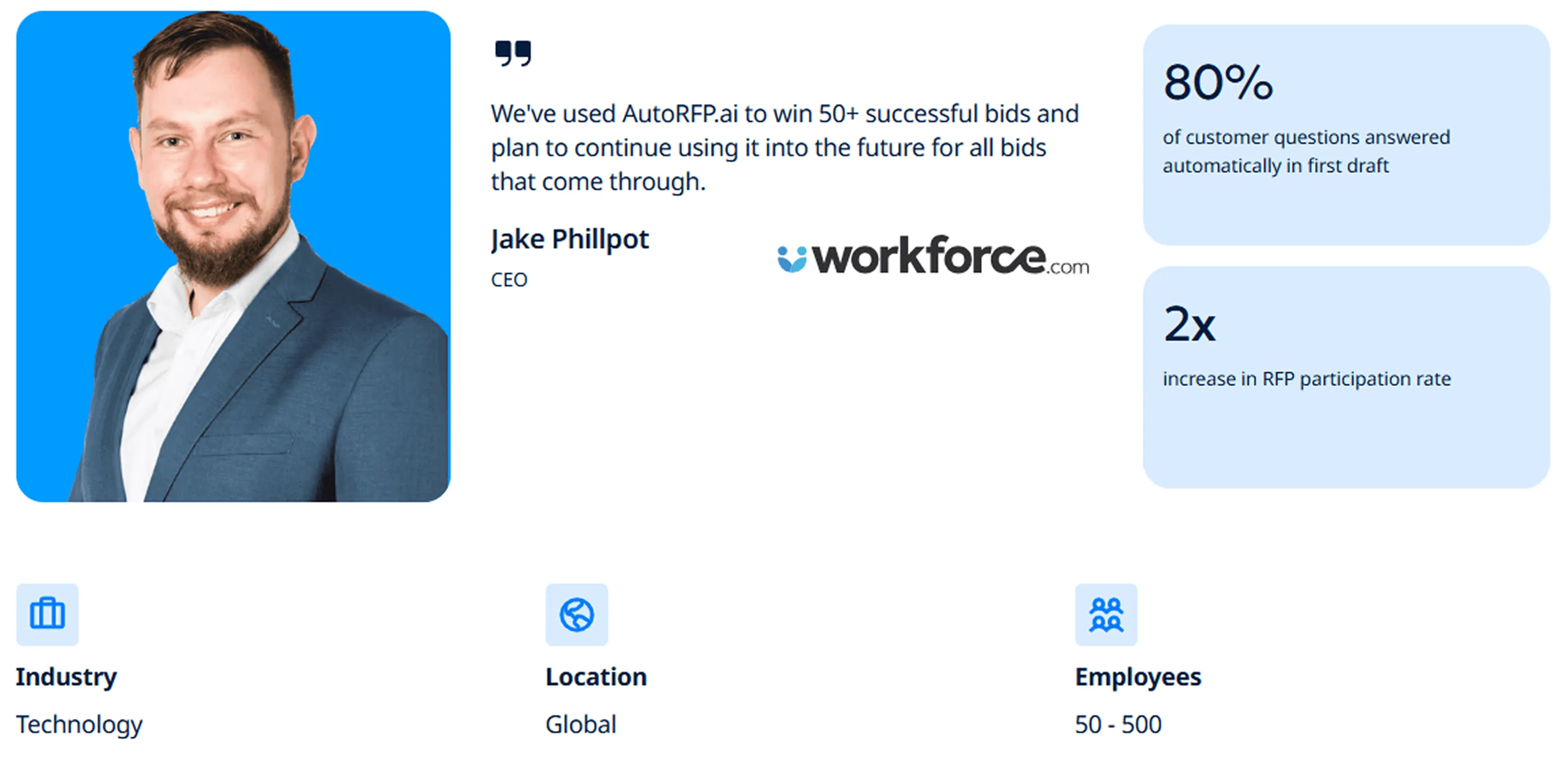
Challenge: Workforce.com was managing complex RFPs across multiple product lines while expanding globally. Repetitive drafting reduced capacity and made it harder to tailor responses by product and region.
Solution: The company adopted AI RFP software to automate first drafts, organize product-specific content, and support multilingual responses. This sped up response creation without starting from scratch each time.
Results: Workforce.com doubled its RFP participation rate. The platform answered 80% of customer questions in the first draft and enabled responses in 50+ languages, helping open new markets.
“I’m really impressed that when we go and bid with AutoRFP.ai, in most cases 80% of the questions the customers have are answered with the first instance.”- Jake Phillpot, CEO at Workforce.com
3. MedeAnalytics Automated 75% of a 1,000+ Question Security Questionnaire
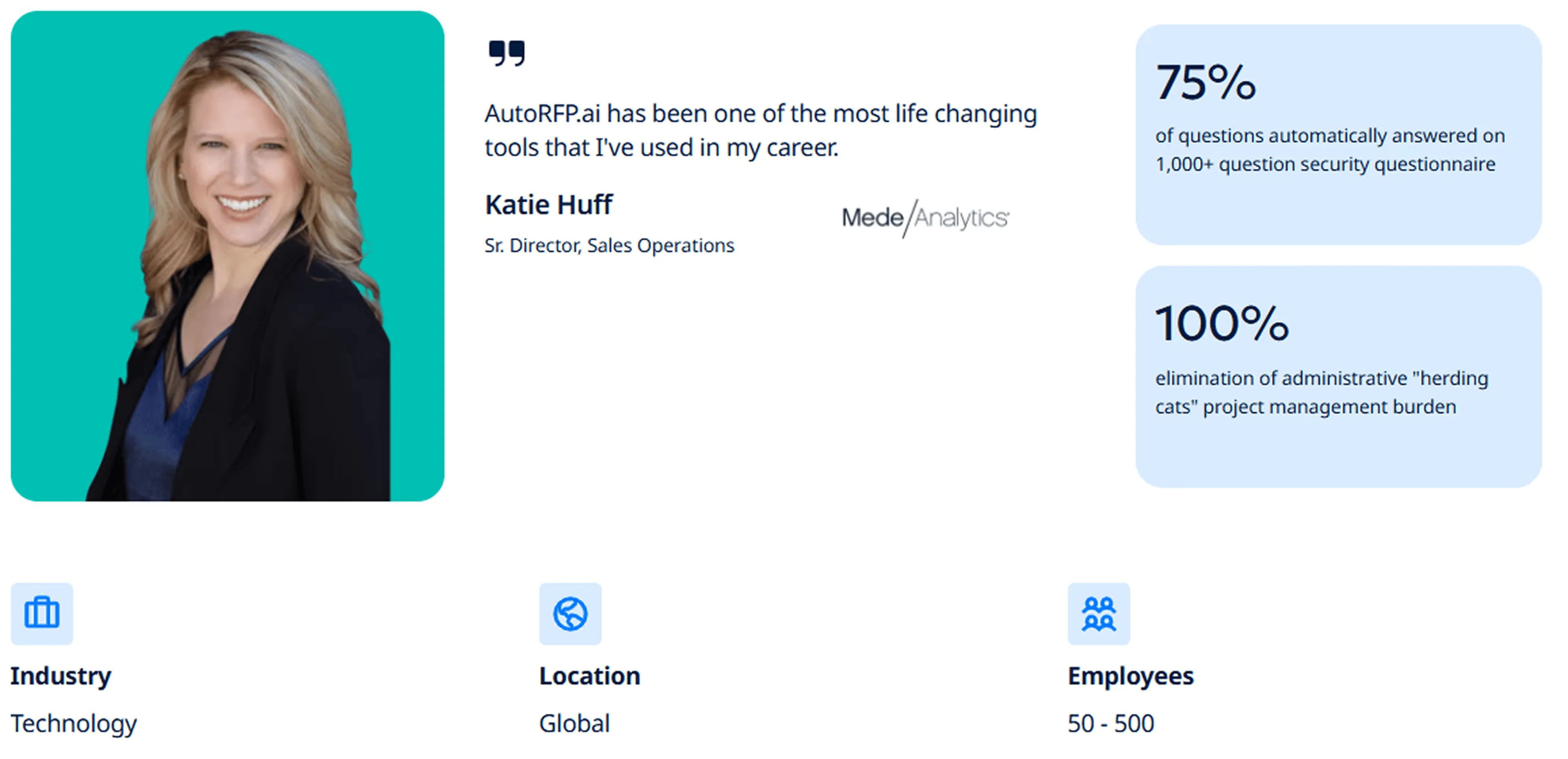
Challenge: MedeAnalytics had a fragmented manual RFP process across teams. Different file formats, repetitive questions, weak tracking, and heavy admin work made collaboration harder and turned large healthcare questionnaires into a major resource drain.
Solution: MedeAnalytics implemented AutoRFP.ai to automate responses, improve project management, and segment content for providers and payers. It also reduced manual follow-ups and status chasing.
Results: In a recent 1,000+ question security questionnaire, the platform automatically answered 75% of requirements. It also reduced admin burden and gave the team more confidence handling tight deadlines and complex submissions.
“It was a mess. We would receive these RFP or RFI requests in a bunch of different formats. Sometimes Excel, sometimes a Word document and we found that when they were Word documents, it was really hard for us to collaborate as a team.”- Katie Huff, Sr. Director, Sales Operations at MedeAnalytics
4. ecoPortal Reduced First-Draft Time by 60% and Increased Team Engagement by 30%
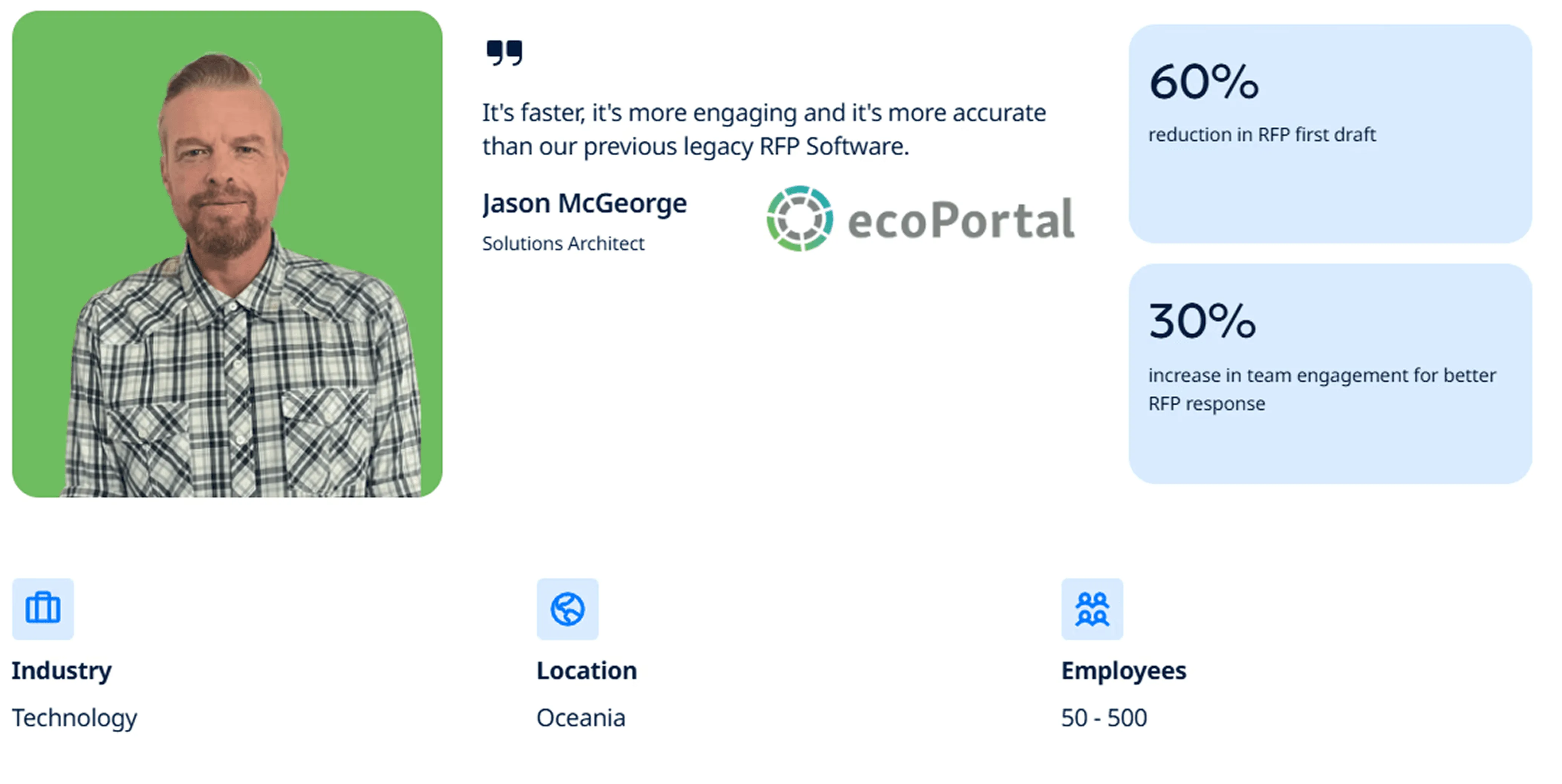
Challenge: ecoPortal was handling 30 to 40 large RFPs a year, many with 300 to 900 requirements, through a manual process and outdated software. The workflow was slow, frustrating, and difficult for less technical team members to use effectively.
Solution: The company moved to AutoRFP.ai, using its side-by-side editor, automation capabilities, and conversational editing features to speed up drafting and make collaboration easier. The improved content library also made it easier to retrieve and refine relevant answers.
Results: ecoPortal reduced first-draft time by 60% and increased team engagement by 30%. It also cut end-to-end RFP completion time by 15% and achieved full implementation, adoption, and completed RFPs in under six weeks.
“The joy that all of my team feel when they chuck in an RFP. This wasn’t the feeling in our previous RFP Software. Now, RFPs get mapped out and it just starts answering the questions straight away without any work.”- Jason McGeorge, Solutions Architect at ecoPortal
What to Automate & What You Shouldn’t
Here’s a clear way to frame it: sales proposal automation works best when it removes repetitive, low-risk work, but the strategic, commercial, and customer-critical decisions should still stay with humans.
What to Automate
| What to automate | Why it makes sense |
|---|---|
| Requirement extraction and compliance checklists | Turns PDFs, spreadsheets, and attachments into structured requirements, saving time and reducing missed items. |
| First-draft responses for standard questions | Drafts repeatable sections like security basics, company overviews, support models, and stable product details faster. |
| Content retrieval | Pulls approved policies, case studies, certificates, and supporting documents without manual folder searching. |
| Workflow and routing | Automates owner assignment, review reminders, status tracking, and version control across the process. |
| Digital signing and payment | Connects e-signature and payment tools to speed up signatures and deposits with less follow-up. |
| Formatting and packaging | Exports proposals in the buyer’s required format, reducing manual rework and speeding up submission. |
| Proposal tracking | Shows proposal engagement, including opens andsection-level interest, to guide sales follow-up |
What You Should Not Automate
| What you should not automate | Why it makes sense |
|---|---|
| Go/no-go decisions | AI can summarize risk, effort, and fit, but bid decisions should stay human because they affect pipeline, resourcing, and commercial priorities. |
| The executive summary | This should never be generic. It needs to reflect the client’s specific goals, pain points, and priorities in a way that feels tailored and commercially sharp. |
| Customer insight and positioning | Automation can gather inputs, but humans should decide what to emphasize and how to position the response. |
| Differentiation and win themes | AI should not invent claims or rely on generic value statements. Strong differentiation needs human judgment and proof. |
| Commercials and assumptions | Pricing logic, exclusions, assumptions, and delivery constraints carry risk, so they need human control, review, and approval. |
| Final review and quality control | No automated or AI-drafted proposal should go out without a final human check for tone, accuracy, completeness, and alignment. |
| Relationship management | Follow-up, negotiation, and handling deal nuance should remain people-led. |
How to Automate Your Proposal Workflows
The best proposal automation setups remove repetitive admin, improve consistency, and help your team move faster without losing control over quality, strategy, or customer context.
Method 1: Use a Dedicated Software
The most complete way to automate proposal workflows is to use dedicated proposal or RFP software.
These platforms bring drafting, content retrieval, collaboration, approvals, and export into one system, so your team is not stitching the process together across email, shared drives, and scattered documents.
AutoRFP.ai is one example. It helps teams centralize proposal knowledge, generate first drafts, manage reviews, and track how much value comes from AI, reused content, and manual work.
Here’s how a typical software automates the proposal workflow:
Step 1: Centralize Your Knowledge Base
Upload past RFP responses, company documents, policies, case studies, certificates, and supporting materials into one searchable system. This creates a reliable source of truth the platform can pull from when drafting responses.
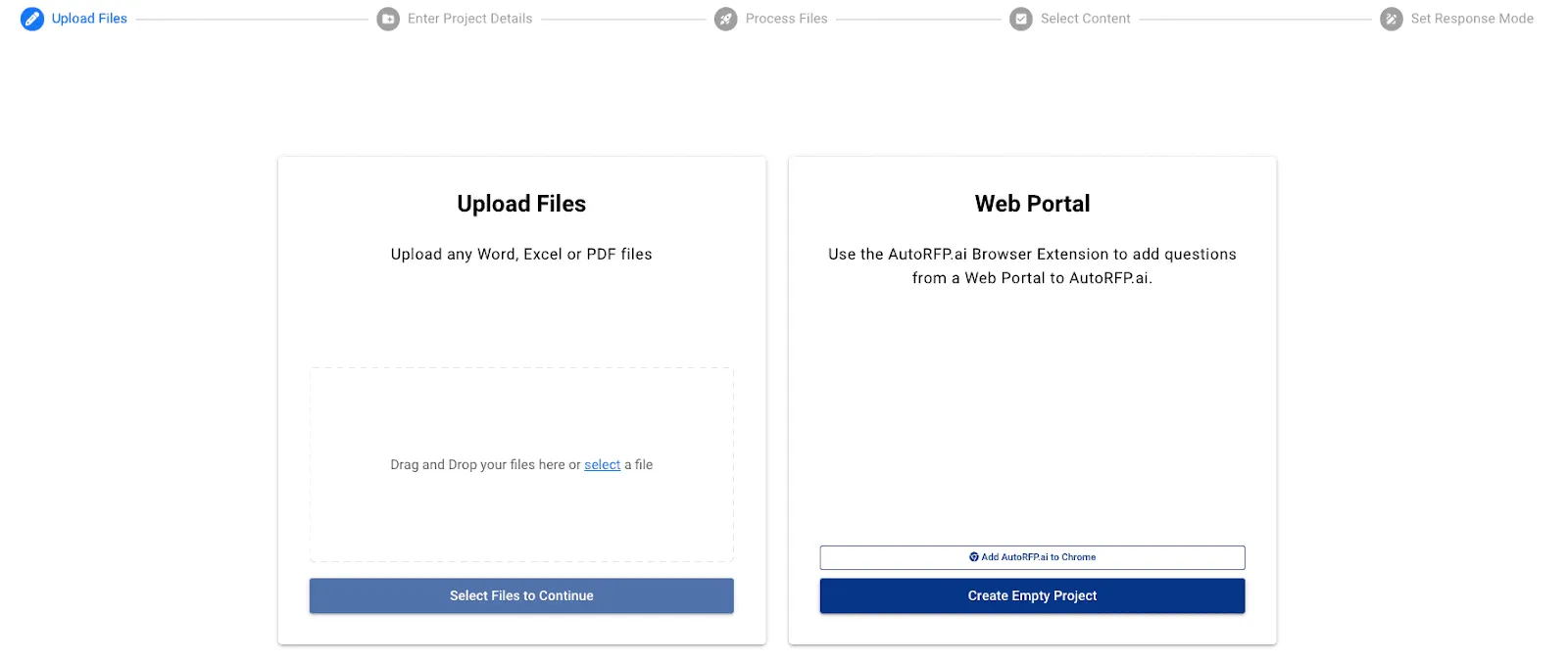
Step 2: Create a Project and Parse the Documents
Start a new project and upload the proposal or RFP files. The software breaks the documents into individual questions, sections, and requirements so the team can work from a structured workflow instead of messy attachments.
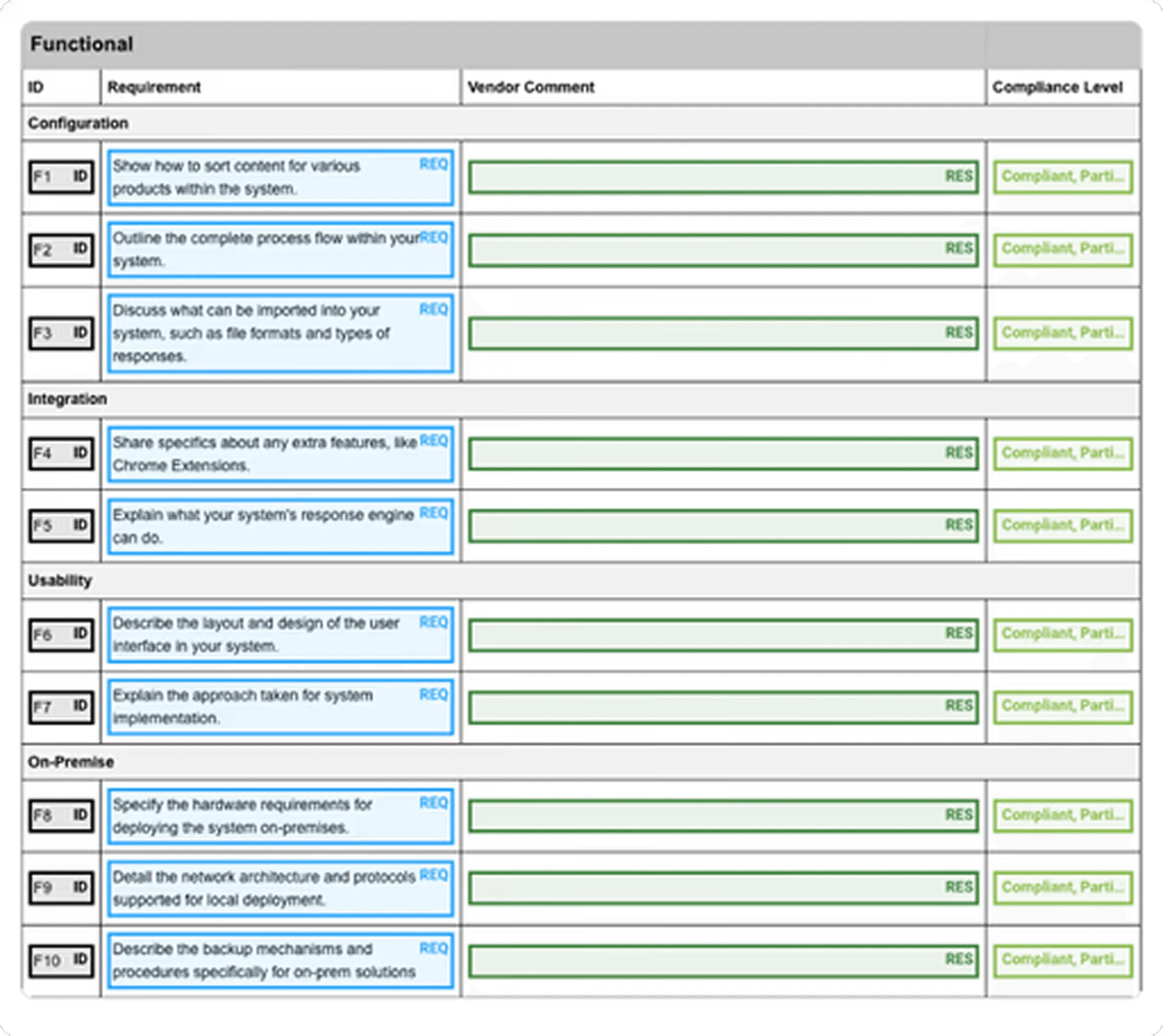
Step 3: Generate AI-Powered Draft Responses
The system suggests answers by searching past responses and approved content. Over time, it becomes more useful because completed responses and refinements can be saved for future reuse.
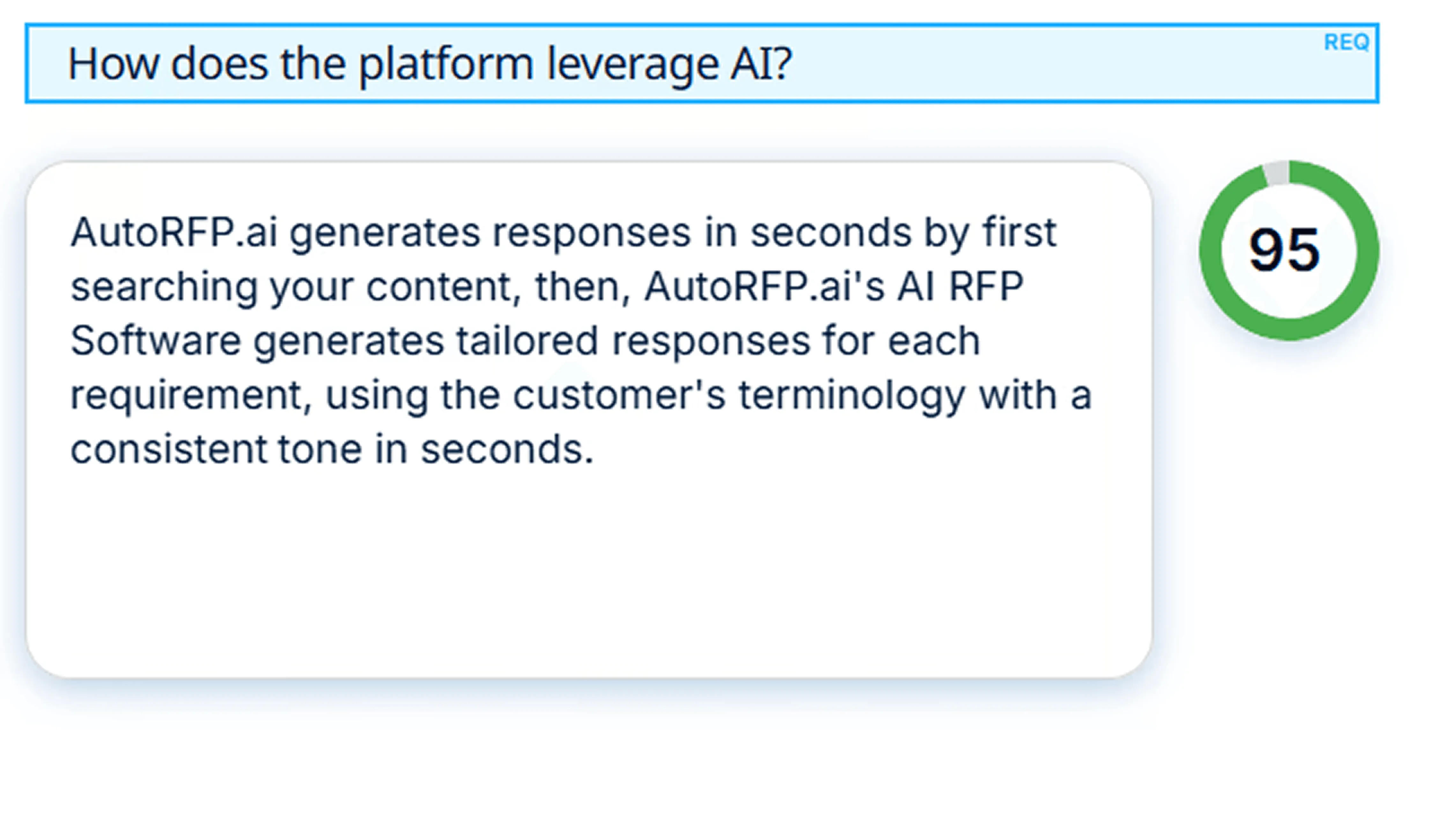
Step 4: Collaborate and Review
Assign reviewers and subject matter experts to the right sections, then manage edits in one place. Notifications through tools like Slack or Teams can help keep reviews moving without long email chains.
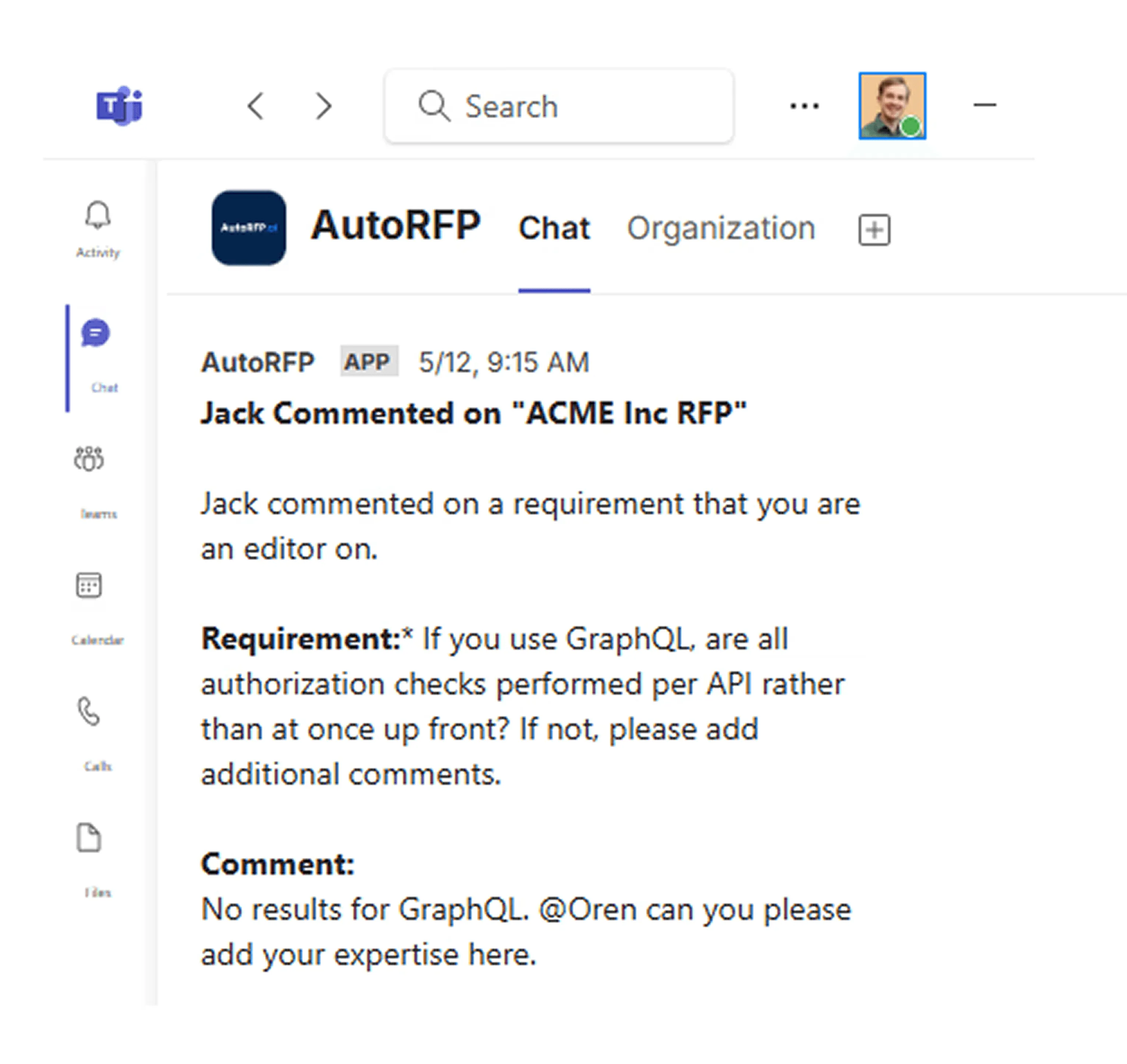
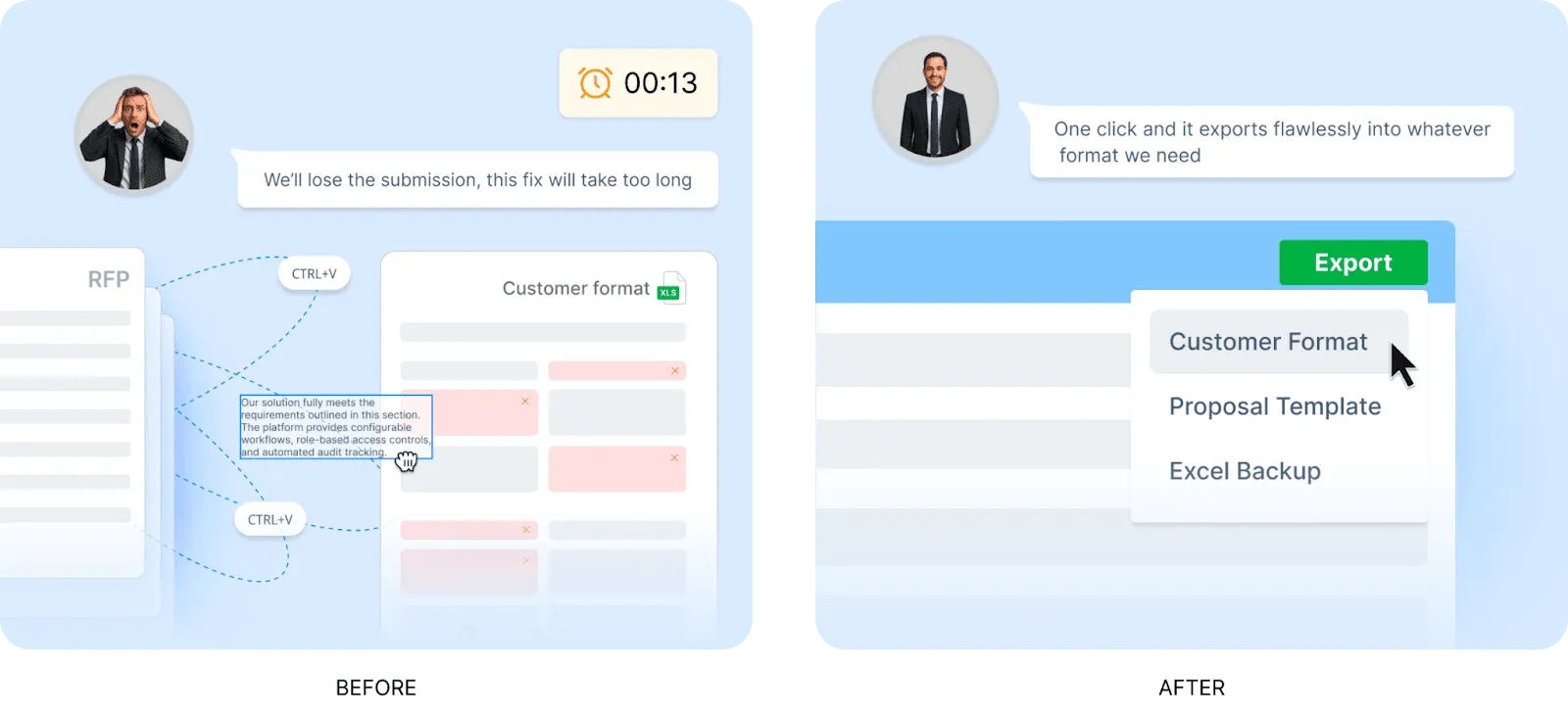
Step 5: Export and Finalize
Once the proposal is approved, export it in the buyer’s required format while retaining the original structure, including tables, images, and key formatting elements where needed.
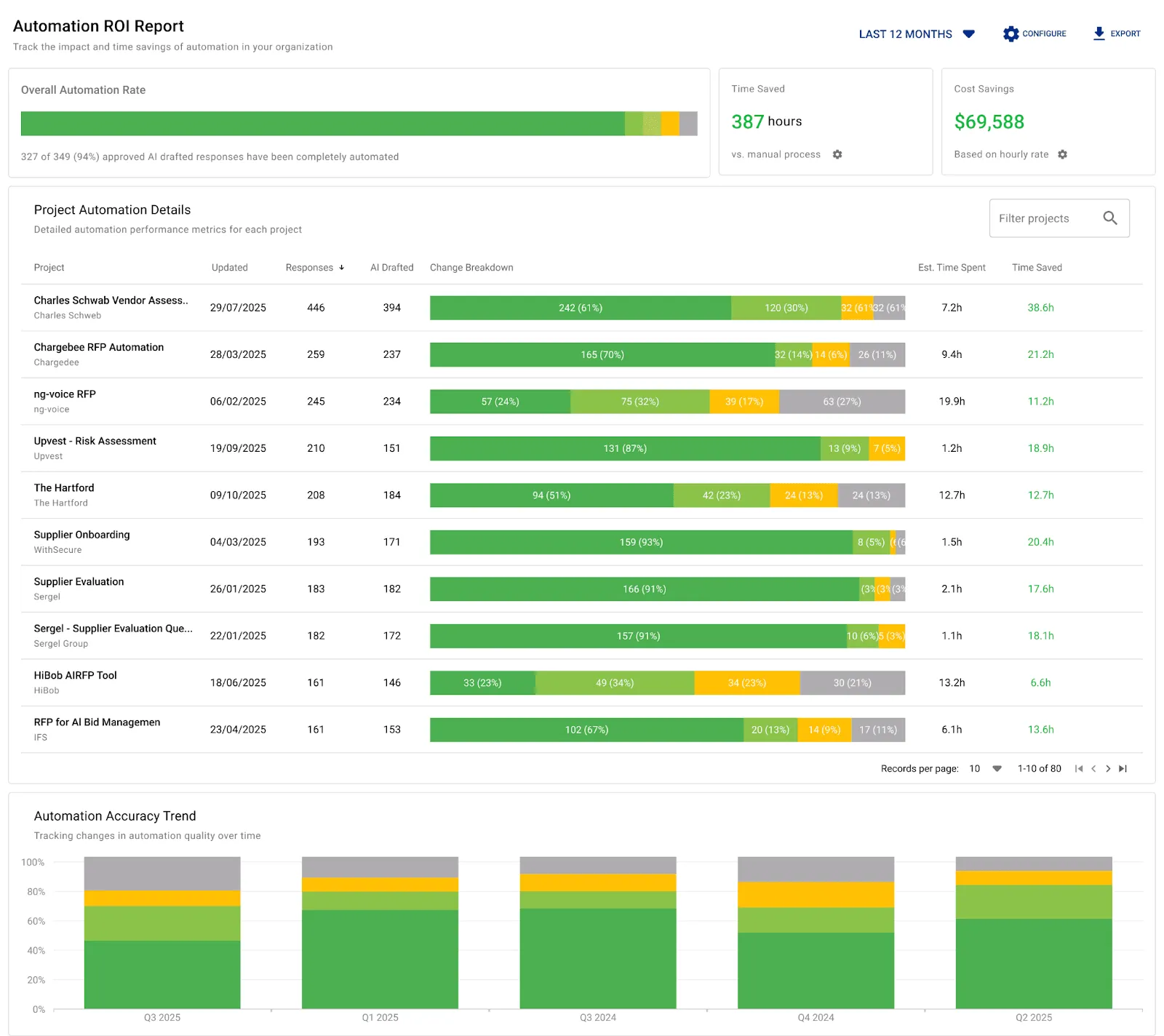
Step 6: Track Return on Investment
After proposals are completed, the system can show which responses came from AI, reused content, or manual work. That makes it easier to prove where automation is saving time and where your team is adding the most value.
See how AutoRFP.ai helps teams search past proposals, generate draft responses, and automate repetitive RFP work faster.


Video transcript
Transcript is auto-generated and may contain minor errors.
Have you ever wanted to know how AI can answer RFPs? That's what I'm going to show you today using the power of AutoRFP.AI and how you can use AI to automate up to 80% of your RFPs. My name is Rob from AutoRFP.AI. Let's jump into it. AutoRFP.AI, we're a software product leveraging the latest models from OpenAI, Anthropic, and Google to automate our customers, whether that's technology companies, finance companies, healthcare businesses in 44 plus countries across the globe automating their RFPs. But, our goal is not just to automate, but to help them win. So, let's look at the RFP response market in 2025. We have our legacy RFP software players.
That's your Responsive.AIs, your Loopios, Qvidians, have been around for, you know, 10 plus years and really brought software to the RFP process in managing your subject matter experts and team members, project management, in having a question and answer bank, and using keyword search to automatically copy and paste answers from your content. Then, you have a lot of really new Silicon Valley based AI RFP software. It seems like every week there's a new AI RFP software. Probably no surprise to you watching this video. AI is a great use case for RFPs. There's a lot of new startups in the space. AutoRFP, we're actually in a nice position having launched 3 years ago before chat GPT released and building
our product since then with hundreds of customers all across the globe from Fortune 500 companies to Silicon Valley tech unicorns using our software every day to automate the mundane. That is what an RFP is, isn't it? It's a bit mundane. What kind of challenges do businesses and team members have when they search for an RFP software? You might be spending like Amanda here, who is one of our customers before she picked up Order RFP, spending a lot of time just answering RFPs. That raw horsepower needed to complete thousands of questions across these large documents, whether it's Word documents, PDFs, Excel spreadsheets, supplier portals like SAP Ariba. Amanda, actually their COO at that company, would spend an entire weekend
just answering an RFP. We've all been there. I have as well. Or you might be like one of our customers, Jason, before he picked up Order RFP, using a lot of time to maintain his legacy RFP software. He had this big content library of questions and answers and constantly was having to spend time just maintaining that, where he was now spending more time stuck in content nightmare land than actually answering RFPs. It was really challenging. Or you might be like one of our customers, Katie, before she picked up Order RFP, was spending a lot of time just trying to version control, wrangle subject matter experts to answer questions, and just the speed of collaboration and project management deadlines was really tough.
So, what AI workflow then automates this entire RFP process? First, people would upload their requirements, those RFP tender documents that you receive from your prospects in any format they come, whether that's PDF, Word, Excel, zip file. Upload all that relevant information into the system, and then it'll begin answering with AI those different responses in 40 plus different languages, whether you receive an RFP in German but write answers in English and have it translate back. It uses your data lake of content and AI to find the relevant information to then automate an RFP response to every single requirement and every single question. Then, once that's done, you have that
highly automated AI first draft, you get your team in there, project manage deadlines, ensure that there's proper oversight on responses from legal, security, pricing, commercials, whoever it is, they're engaging in the product and using it to collaborate and get that winning RFP response. You don't want to just automate, you want to win. And that's where Auto RFP really shines, because as you're writing those winning responses, it just gets better and better over time, constantly learning from your work. Awesome. Let's jump into the product. This is AutoRFP.ai. You can see I have all my different projects. I'm going to create a project. And here is my blank RFP documents. I've got a zip folder that contains three different documents in here. Really interesting what's happening right now is we're using Gemini Flash
2.5 to automatically answer any questions in relation to that document. So for instance, I want to know if data needs to be stored in specific geography and provided my answer there. So it's doing an AI go no go analysis. Then here we have our document. It's got multiple tabs in Excel spreadsheet. Automatically the AI has scanned the entire document and picked up every functional and non-functional requirement, everything that's relevant for my cover letter that I'm going to produce in my PDF. And then this appendix B has some information as well. Then we have our data lake of content in AutoRFP.ai. That might be your web pages, your integrations, 15 plus integrations that AutoRFP can pull in and sync automatically. And the AI is going to use specialized re-ranker models to then ensure that there's the
most relevant answer for that specific question. It's much better than just creating something in ChatGPT. I'm not going to do a translation today, but here I would translate if needed and I create my project. This is where we see the magic really happen. So we have our data lake of information, which is all our content from our business, the context, past RFP responses, and then we have the AI sourcing the relevant information, then the AI from that information drafts relevant answers, and we have multiple LLMs that then ensure that answer is the best it can be for that response in the entire context of our business and the entire context of the RFP. You can see that it's quickly answering those different RFPs. We can jump to different sections and see cool, RFP workflow, it's answered. Oh, there's a
few questions there that have a lower trust score. Let's jump into to understand why. So, that content there is relevant to the search query, but it's 7 months old. I want to make sure that a person reviews and actually submits a new answer for that. So, everything in my RFP workflow, I'm going to then assign George to be the editor for that response. George will be at receive a notification in Slack, in Microsoft Teams, or via email. George will be able to jump in, answer those, and then submit them for my review. So, that's how I collaborate seamlessly across OrderRFP.ai. Then, across my trust scores, I want to look down and find those that are still generating and any that are at lower trust scores, and again, further answer those questions and assign to different team members as relevant. We've got our drop-downs that are in the RFP were automatically assigned by the AI depending on the answer. Our
responses automatically generate and bring across tables, so I have my service level agreement, my SLA here, answered in a table and generated into the response. Images that you might have in your RFP response will also come through automatically with your content with the AI generating as well. I want to jump over to my project overview. I understand when this project is due, what the AI draft rate was, what my compliance levels are, who is involved in this RFP process, how many do they have to review, do I need to send any reminders? If I want to add any attachments to include in my submission. So, I'm going to uh include my ROI report, my integrating with Notion doc, and all the different information that I want to include in that submission, I can do so. Then I have my AI assistant. So, in
answering these responses, I can prompt and write custom prompts to improve that response. I can use my quick writing actions to fix up any spelling or grammar, check for inconsistencies, and so on. I can find and search with my AI semantic search to find any relevant content and use those answers as well. Then I can improve that response. Then in my comments, I can discuss with my team. Please review this specific part. So, then I can comment and collaborate with my team. Once I have my edited response from the AI, I can accept and see where those revisions are, and quickly accept that new response. I have a full audit trail of any AI actions as well as people actions over my responses. I can restore to previous versions. So, you never have a collaboration and versioning issue.
Everyone, multiple people at once, are working in OrderRFP. And then what I think's one of the coolest things is the AI assistant. With the relevant content and context, I can just chat to the AI regarding my business, regarding this RFP, regarding these requirements, and it can provide answers to help me improve my responses as I work through the RFP. Next, I'm going to approve all my responses because this one is ready to submit. So, now all I have to do is export that RFP. Now, all I have to do is export that RFP. So, I click export all and the power of AutoRFP and the AI involved here, I'm not fiddling around with those original source documents, inserting or copy and pasting answers. Instead, it is
automatically populating those answers in there. We've downloaded our files in those original format with AI having answered and automated our RFP process. I'm going to jump into We have two things here. We've got our customer files, which are the original documents that required answers, and we can jump in here and see all those answers and where they've gone. So, across my multiple tabs, we have all of my responses and the drop-down that's come through for every one of those responses with me not having to do a single thing, and then I'm ready to submit that Excel spreadsheet with those requirements. I've got my docx as well with the relevant information filled out, and one of the coolest thing is I have my cover letter or my proposal that I can include in that pro- process, and this includes all
relevant information and additional information on my RFP response. So, my export template that I created in Word doc and uploaded to AutoRFP as a template, the AI has then automatically generated answers and responses for my executive summary, for my transmittal letter, and for everything that I want to upload additionally, whether it's a solution overview, whether it's more information about our AI security and privacy, and all that information has come through, and the AI has filled this out. For instance, there's my SLA table that we saw the AI generate earlier, and it's filled that information out ready for me to then submit and add, includes any images like reviews across Gartner, and all that information has come through ready to export to the customer. And that's the end-to-end workflow of
AutoRFP.ai, from uploading my blank RFP, leveraging my data lake of organizational context and past RFP answers, for the AI then to automatically generate and respond to and automate the RFP process, to collaborating with team members across the entire RFP process, and then exporting to the original customer format and submitting my RFP. There's one really important thing I want to make sure to convey when you're thinking about AI and RFP software. And that is what might be the boring, but incredibly important security, privacy, and transparency. At AutoRFP.ai, we pride ourselves on getting security, privacy, and transparency right from day one.
Our customers, as I mentioned, in over 44 plus countries, hundreds of businesses from Fortune 500 to Silicon Valley unicorns using AutoRFP daily, have global hosting options across the US, across Europe in Germany, and in Australia for APAC. Everywhere we have global offices, an office in Vancouver, in Stockholm in Sweden, in Brisbane, Australia, providing 24 six support across the globe. There is zero training, and I want to make sure this is absolutely clear, zero training on customer data for models. We are not sending any customer data back to the OpenAIs, the Anthropic's, or the Google's of the world. Your data, customer data, is your data. The outputs that the AI generates is clearly stated
in our service agreement that those are your outputs. You control this data. It's not AutoRFP. We're not secretly building some sort of AI model ourselves for based off customer data. We're not secretly trying to hurt our customers in the long term. We build for our customers. AutoRFP is a bootstrap company, profitable, growing 15% month-on-month, headcount doubling every six months across the demand we have for our solution, and we build it for you, for our for our customers. We don't build it for venture capital to one day uh try to sell the company. We don't build it for private equity that are trying to lay off and you know, squeeze every penny from the business. We do it for our customers. That's why we built. And you can find out all that
information in our trust center and our legal center as well. If you're interested in jumping on long and learning more about AutoRFP.ai, head over to our website. We've got a lot of information there about the business, uh the product, about our pricing as well. Uh you've got our annual plans across scale, accelerate, and enterprise. We have customers with as little as 24 projects a year, so 24 RFPs a year, to as much as over 1,000 RFPs done every year. The scale uh all the way in between. You can book a demo and spend time with our team, and they can provide a much more uh You can spend time with our team, and they can provide You can spend with time with our team, and they can provide a much more detailed breakdown and a customized demo for you and your business about AutoRFP. So, head over to AutoRFP.ai today and learn more about it. Thanks. See you.
So, head over to AutoRFP today. That I'm Rob from AutoRFP.ai, and we just covered off AI and how to automate your RFP process with AutoRFP.ai.
Method 2: CRM-Driven Proposal Automation
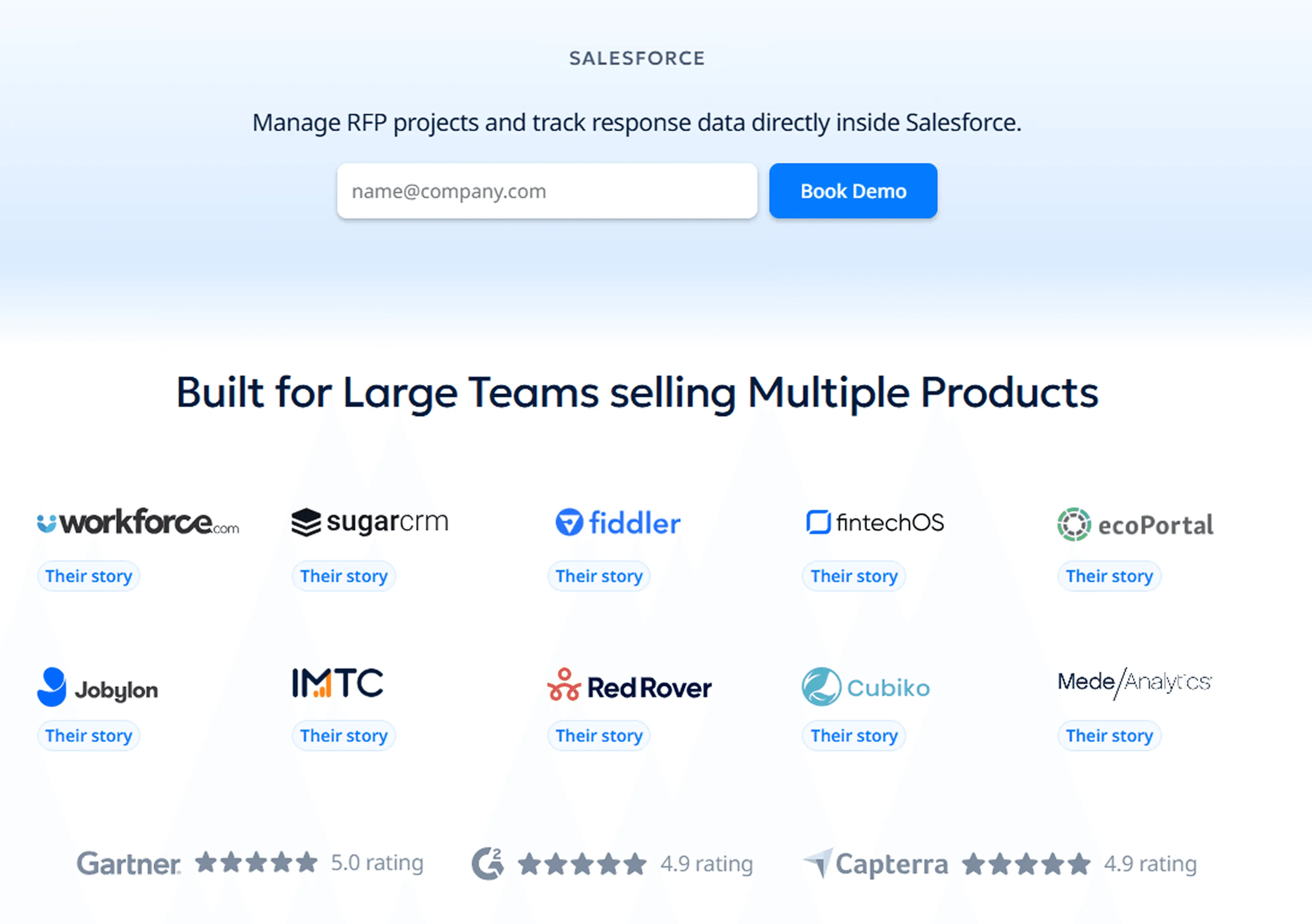
If your sales process already runs through a CRM, connecting it to your proposal workflow can remove a lot of manual admin. This works well for teams that want proposals to be triggered by pipeline stages instead of being created from scratch every time.
You can use this approach to:
Auto-fill lead, account, pricing, and deal data from tools like Salesforce, HubSpot, or Pipedrive
Trigger proposal creation automatically when a deal reaches the proposal stage
Sync proposal engagement data, such as opens or section views, back into the CRM for follow-up timing
Method 3: No-Code Workflow Automation
For businesses with tighter budgets or more custom processes, no-code tools like Zapier or Make can automate proposal tasks without requiring heavy implementation.
A simple workflow might look like this:
A lead submits a form through Jotform
Make or Zapier triggers an AI-assisted proposal draft
The proposal is saved to Google Drive
The draft is emailed to the right internal owner or sent to the prospect
This method works best when you need flexibility and want to connect several lightweight tools into one flow.
For teams experimenting with a lighter setup, this example shows how Claude can connect with CRM and call-recording tools to generate personalized sales proposals without using a dedicated proposal platform.


Video transcript
Transcript is auto-generated and may contain minor errors.
Have you ever wanted to use Claude to create your own custom word documents for sales proposals, RFIs, or other documents that you want to send to your prospects? I want to show you exactly how you can achieve this using Claude's brand new Claude skills. We're going to be creating a proposal just like this, completely AI generated, formatted to how exactly we want it, all based on the prospect's customer insights, so in relation to what they've told you in the sales proposal, their website, your website, and everything else you may want to include in this custom proposal for your prospect using AI. Let's jump into it. First, you can download this prompt and find it from the link in the description below, but this prompt is what we're going to be putting into our Claude project instructions to then be the basis of our document. So, you can see in this document in this prompt it has
the purpose, provides Claude with a role, and then a workflow to identify things like data sources. Here, if you've plugged in various MCPs, which are model contact protocol, or effectively integrations for AI into your other software, you can then have it talk to those tools to get relevant data. So, we use Grain for all our call recordings internally, but if you use something like Gong or other call recording software like Fathom, if they have an MCP available, you can connect it to Claude and have it then talk to that software for relevant discussions you've already had with your prospect for the sales proposal. So, first it identifies data sources. It also could be information from your CRM like HubSpot or Salesforce, and then it's going to research the prospect company. So, it might ask you for the prospect's website if it can't find it in the relevant information you've already provided, and it's going to look for relevant information about that prospect. It's then going to look at relevant case studies. A great proposal always talks about your customers and what they can achieve with your tool or
solution for the prospect that is relevant to that prospect. So, it's going to look for relevant case studies on your website. You can obviously provide it other information if you want if you It's not on your website, but it's going to look for case studies to understand your solution better. Then it'll look for current state information. So, this might be going through the call recordings and effectively looking for information about how the prospect currently works on there It's going to look for information on current state. So, that is how the prospect already solves the problem themselves. They might be an incumbent software or other solution they're using like an agency or something like that as well. Might be or they might be doing something a lot more manual. But effectively, hopefully through discovery and demonstrations and discussions you've had with the prospect, you would have a really solid understanding of their current state and that's what you're going to have here. So, that's step four. Step five, generate the proposal document. This is really cool. So, effectively skills you can either create your own custom skills or Anthropic have uploaded kind of base
skills to everyone's desktop instances. This is going to use the create skill that would already be in your instance especially on a paid plan. And then it's going to use that to create a which you can see here I've uploaded to Google Docs the finished thing, but you can upload it to Microsoft Word or any other kind of document editor as you see fit. It's going to look for consistent styling. Now, of course, you can go in and customize this prompt and or get AI I customize this prompt and have the styling be more specific to how you might do proposals. I've done it to how which is where I'm from does proposals. Then it's going to break that down and kind of present the finished document all AI generated to me that is really relevant to my company and relevant to the prospect and our solution for the prospect in the proposal. Then it will ask you additional questions have that if it can't find that information through the tooling and it will ask itself those questions to help kind of base it off of the document. Now, this is really cool. So, what kind of document is it actually going to create? So, we've looked at the steps that Claude will do to create the
document, but what is the document? And here, of course, you can go through and customize this prompt to make them all relevant for your proposals, but I've done something where it creates a cover page with relevant information, so that's what you can see here. I prepared by Where Software. It then does an executive summary. It creates a more information about understanding the prospect's business. You can see here, I've done Meridian Infrastructure Partners, which is just a made-up company for the example, but of course, this would be relevant for your prospect. Then it looks at current challenges. So, this is really cool. So, this would look at, for instance, call recordings or notes in your CRM or anything that you provided about the prospect's current challenges, and will weave that into the proposal to make it really relevant to the prospect. So, proposal cycle times and all these other kind of things that are relevant for this prospect in terms of their current challenges. And then here, you can see it's mentioned a number of stakeholders. So, Claude also then identifies and I've So, then Claude identifies some decision-makers and
mentions them in the proposal because they're who could be decision-maker, champion, economic buyer, exact sponsor, kind of different people in the sales process that you've talked to, and it's going to mention from those discussions and make that proposal very personalized and relevant for that prospect and whoever might be reading it. We also use in the prompt a good prompting technique, which is kind of Also, in our prompt, we use some prompt engineering skills. For instance, examples of good and bad, which the LM then understands better context around what kind of output it's trying to produce. So, here we have example of some bad framing, which might come across as like condescending to the prospect. You want to avoid that in our sales proposal. And then what good framing is. So, you can again update this prompt to make more relevant for your company, but it's a really good kind of starting point. Then you have challenge. Now we go to solution overview. So this is really cool. Based on your company and what Claude understands from your business and your solution, of course you can provide it more details, it's going to build out a solution overview and how your solution
is addressing those challenges for the prospect. And then finally kind of finish off with why why your company. What it's going to do there in the why company is it's going to look at kind of what your what the prospect is currently doing verse your solution and where the difference is and where the benefits are. Really powerful stuff. Then any relevant success stories and then look at implementation methodology, timeline, the team that'll be working with them. Then you kind of see it goes through and generates all these things in again in really nice formatting to my brand voice, colors, tone, and then generates that and provides a final output as well with the commercials and pricing. Of course you can provide things like a uh Notion or Google Drive link or PDF in your project that includes your pricing table and then kind of stand better in pricing. Or you can ask it to skip pricing and leave that for the rep to fill out. And then you can see there ROI and further information. So next step from here is you grab the prompt
then go to Claude desktop and this this is web browser we can do it in Claude desktop. Jump into your instructions and then paste the prompt in there. Also make any changes to the prompt that you would like. I've called out a couple of different things that you can make different I've called out a couple of ways you can customize this to make it more relevant for your business. First, you can add additional files. So I called out a pricing schedule. You could upload your case studies here as a PDF if you want and just add additional files as you would like that are relevant to what you would expect an AI to use to generate proposals. Could be a solution overview. It could be common pain points. Could be information about personas, industry analysis on the certain prospects industries that you sell to. So that's all going to be in your files. Then in your instructions, you can have Claude edit this prompt for you or you can edit it yourself and say, "Hey, when looking at case studies, look at this file." And so that way when the LLM goes to use these project instructions, it's going to know exactly what context it has to use from your project files for the relevant parts of
its output, its response, in this case the sales proposal. Then you can see here in instructions we can add tools. So I mentioned your MCP integrations or other integrations you might have with Claude. You can click here and add additional connectors. You can see we have a lot in our account, but you can add additional connectors here or have it to you can use recent web web search. I always use extended thinking. It uses more tokens, but it's very valuable. And then you can click there and say and turn on other tools. So if you use Gong for your sales recordings and transcriptions and you have the MCP enabled in Claude and you want it to use the relevant calls that you have with that prospect to generate the proposal, great. Connect the MCP tool, talk call it out in the prompt, use to do this X and Y, and then it's going to use that really efficiently and productively. So when you go into then create a Word doc, I've I've done one here and you really don't have to use too much. You can be like, "Hey, can you create me a sales proposal for this custom for this prospect?" That might be if you if you have Claude connected to your CRM, it could be of the deal opportunity. It could be an email if it
has connections to your calendar or emails and figure out those people or you can provide a longer prompt with a lot more information. And then effectively goes through, uses the project instruction prompt, uses the relevant skill for creating the document, and then it's going to output and present you with a file that you can then download or add or open in Google Drive. And that will download as you can see it's a file and this is what you're going to have left. So I just covered off how you can use Claude desktop or Claude to create a sales proposal with a lot of different ways you can do this. If not just for your sales proposals, but if you're constantly doing RFIs that are pretty stock standard, you could use it to help with that. It really thrives where either you're expecting a lot of the same responses and you can give it past context or you want really customized proposals or RFIs where you have the data available to give it to Claude. It's not going to do well if you can't give it any context, it's going to be very bland, a very basic proposal. Whereas if you can give it
information that is relevant to that prospect, then that will make the proposal just that much better. And of course, you can go through in a Word Doc or Google Google Doc and update it as you see fit. Thing I will mention, I've of course spoken about how you can use MTPs. Make sure you're on a paid plan with Claude and make sure you you have training turned off. Make sure you're working in line with your IT governance, that you're not accidentally sharing a bunch of prospect information and your customer data with an LLM and it's going into the model for training. So make sure that's all turned off and you're talking to your IT team if you have any questions about your specific use case. Awesome. Thanks. That's how you can use Claude skills to create sales proposals.
Method 4: Standardize With Templates and Content Libraries
Templates and content libraries are the foundation of scalable proposal automation. Even strong automation will struggle if your team relies on inconsistent content or outdated files.
A stronger setup usually includes:
Templates by product, buyer type, industry, or region
Approved boilerplate for common sections
Current case studies, product details, pricing tables, and proof points
This helps teams move faster without creating off-brand or inaccurate proposals.
Pro tip: Build templates around common sales scenarios, not just document formats. A template for enterprise renewals or multi-region deals is often more useful than one generic master template.
Method 5: E-Signature Automation
Once internal approvals are complete, the next step is often getting the proposal signed. Automating e-signature routing shortens the gap between agreement and execution.
This usually involves:
Sending proposals for signature automatically after final approval
Routing the document to the right signer in the correct order
Tracking signature status without separate follow-up
Reducing delays caused by manual handoffs between teams
This is especially useful for teams that want a smoother transition from approved proposal to closed deal.
Pro tip: Pair e-signature automation with approval logic first. You do not want a proposal going out for signature before pricing, terms, or legal language have been fully cleared.
Method 6: Automate Follow-Ups and Expirations
Proposal automation should not stop once the document is sent. Automating the after-send stage helps keep momentum up and reduces the chances of deals going quiet.
Common automations include:
Sending reminder emails if the prospect has not opened the proposal after a set number of days
Triggering nudges when a proposal has been viewed but not acted on
Setting proposals to expire automatically after a fixed timeframe so outdated pricing or terms cannot be accepted later
These automations help sales reps stay responsive without chasing every update manually.
Pro tip: Keep follow-ups helpful, not pushy. A reminder tied to a clear next step or deadline tends to work better than generic “just checking in” automation.
Best 6 Sales Proposal Automation Tools in 2026
Choosing a sales proposal automation tool is about picking a platform that fits how your team writes, reviews, manages, and submits proposals. Here are five strong options to look at in 2026.
1. AutoRFP.ai
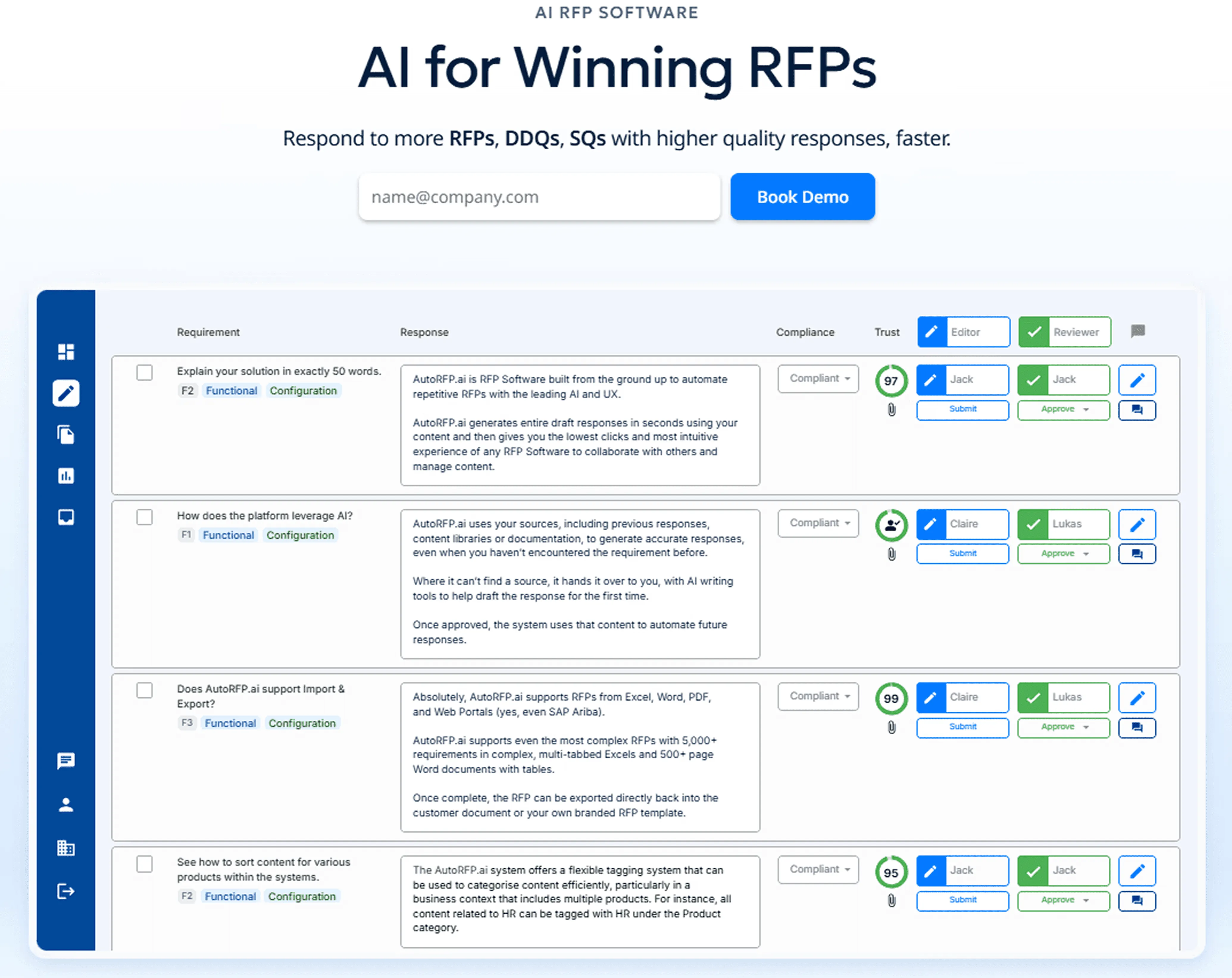
AutoRFP.ai is an AI-native sales proposal and RFP automation platform built to help B2B teams respond faster, improve consistency, and win more deals.
Instead of relying on keyword matching and static answer banks, it uses AI-generated drafting, semantic retrieval, and continuous learning from approved responses while supporting enterprise-grade security and privacy.
Key Features
1. AI Proposal Response Engine
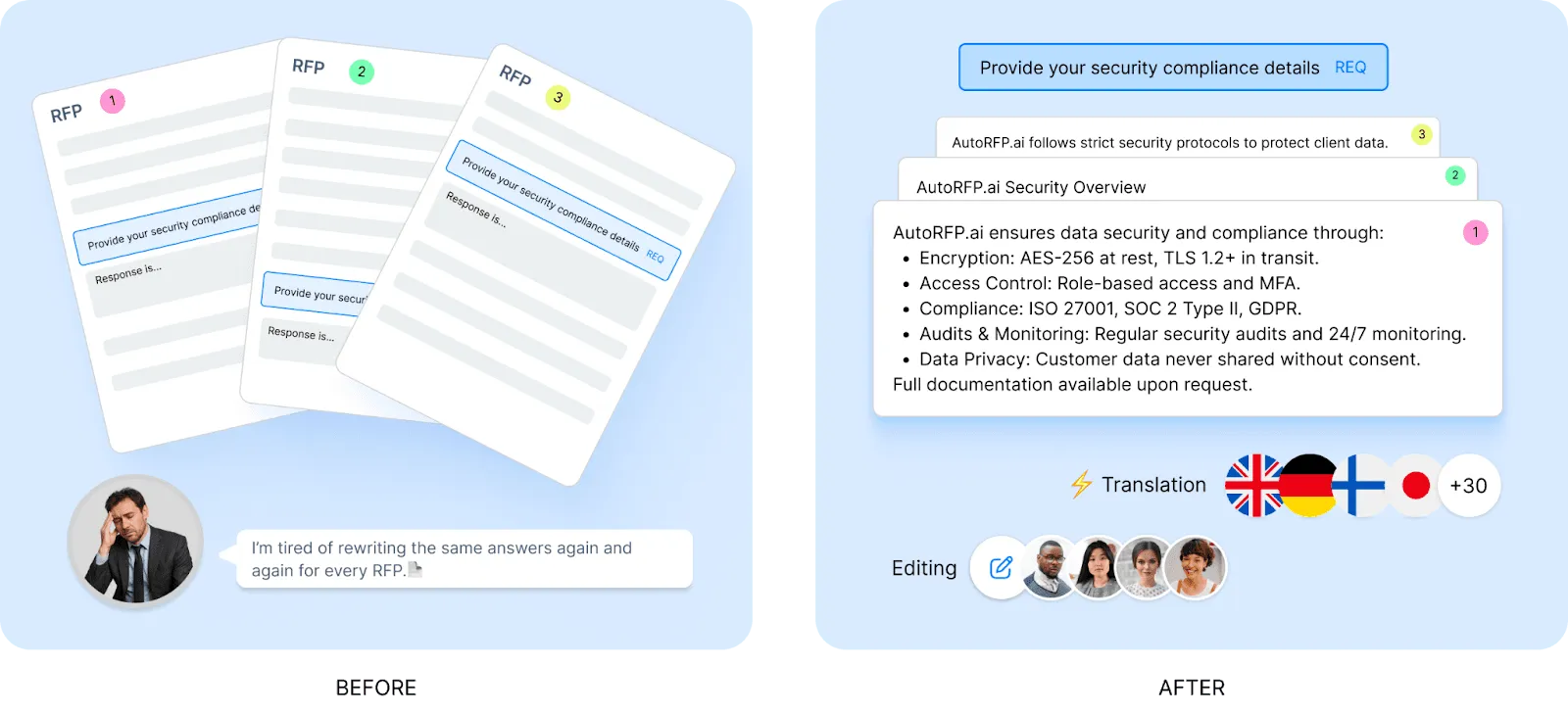
AutoRFP.ai generates first drafts in seconds using your past winning responses, internal documents, and company context.
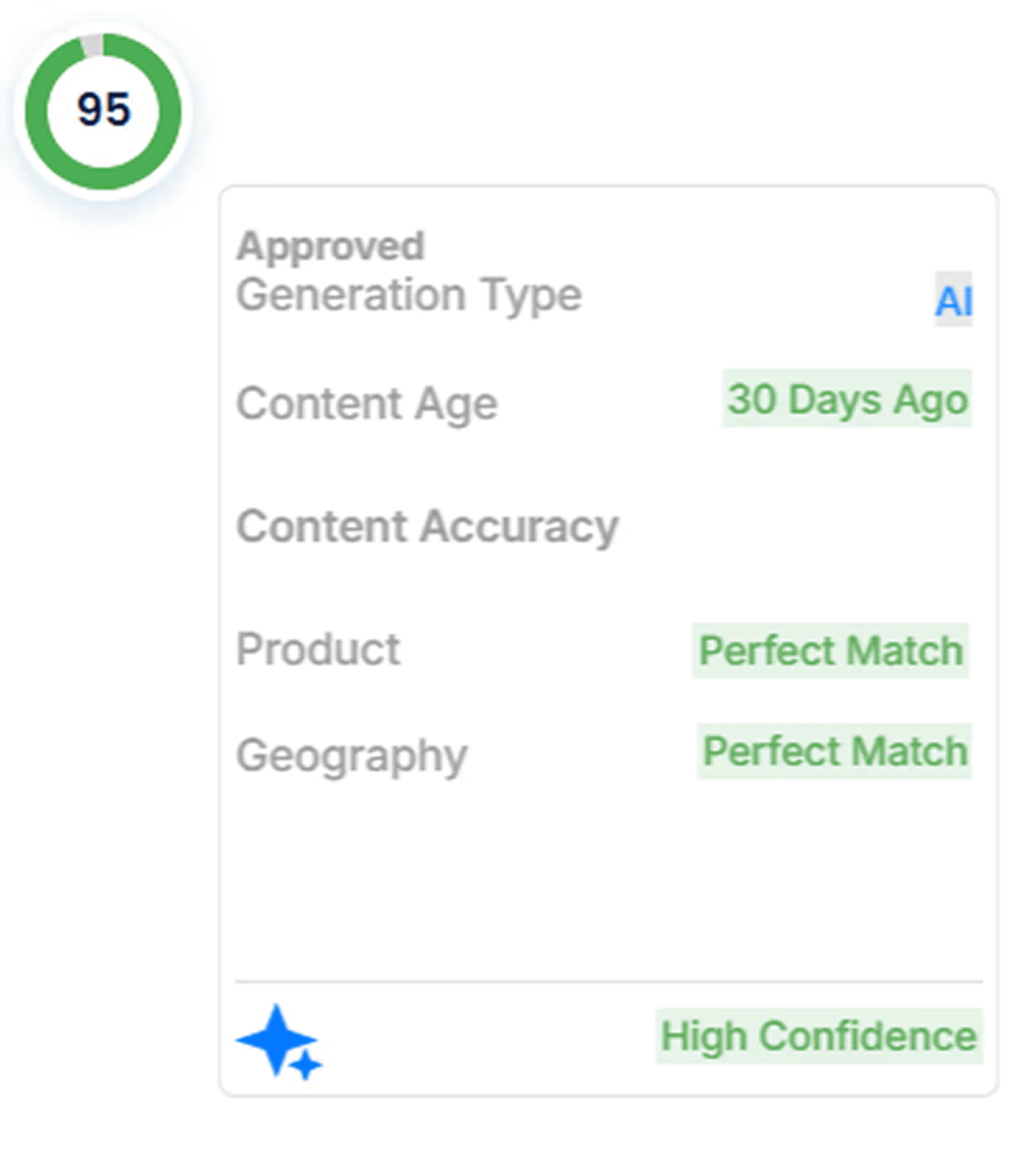
It also shows the source behind each answer, along with content age and confidence signals, so teams can review AI output with more trust and control.
2. Self-Updating Learning System
The platform learns from approved responses automatically, so your knowledge base improves over time without needing constant manual maintenance.
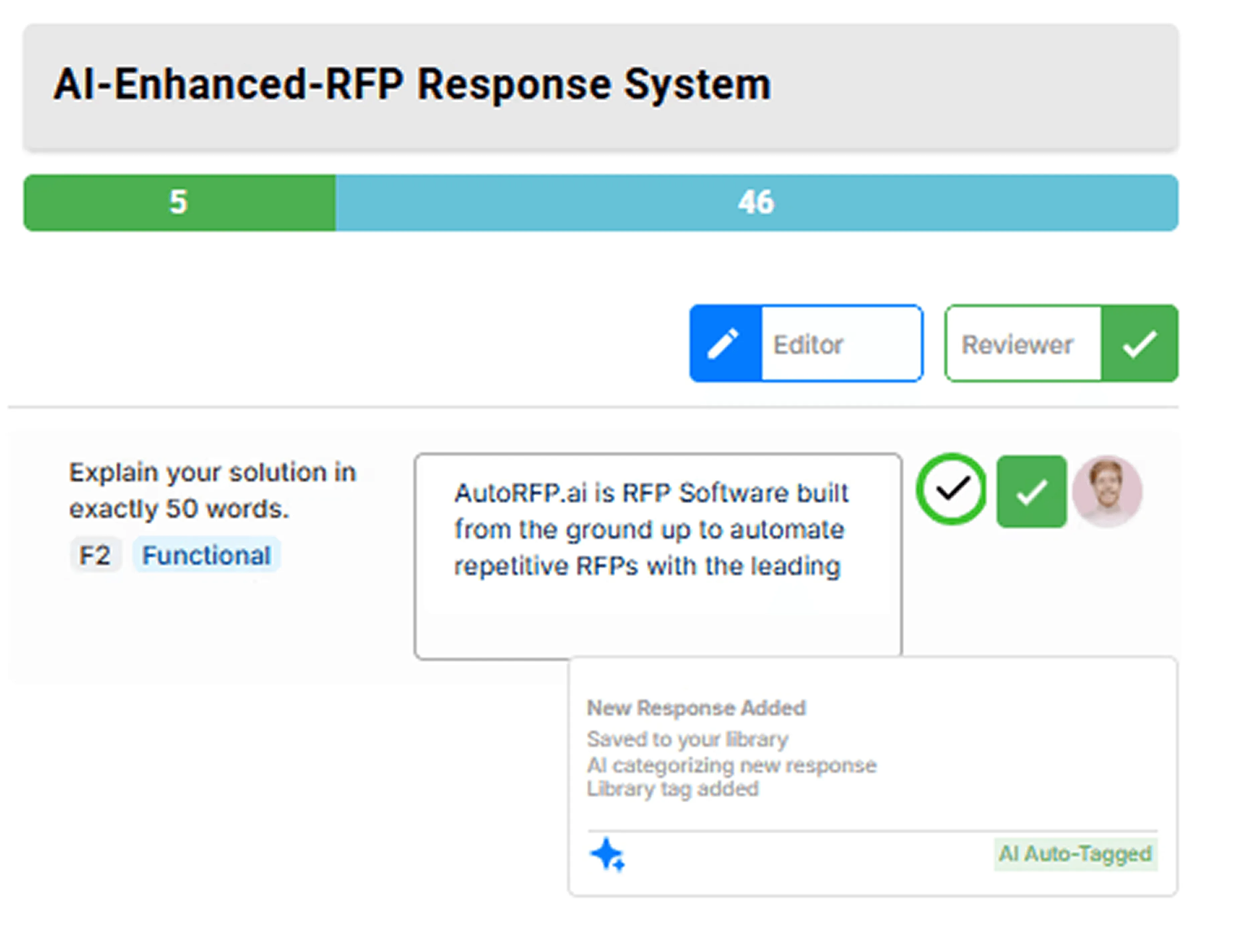
This helps teams keep answers aligned with how the business actually sells, delivers, and handles compliance today.
3. Go/No-Go Analysis
AutoRFP.ai helps teams assess opportunities early by scanning proposal documents against go/no-go criteria and highlighting potential blockers before too much time is spent.
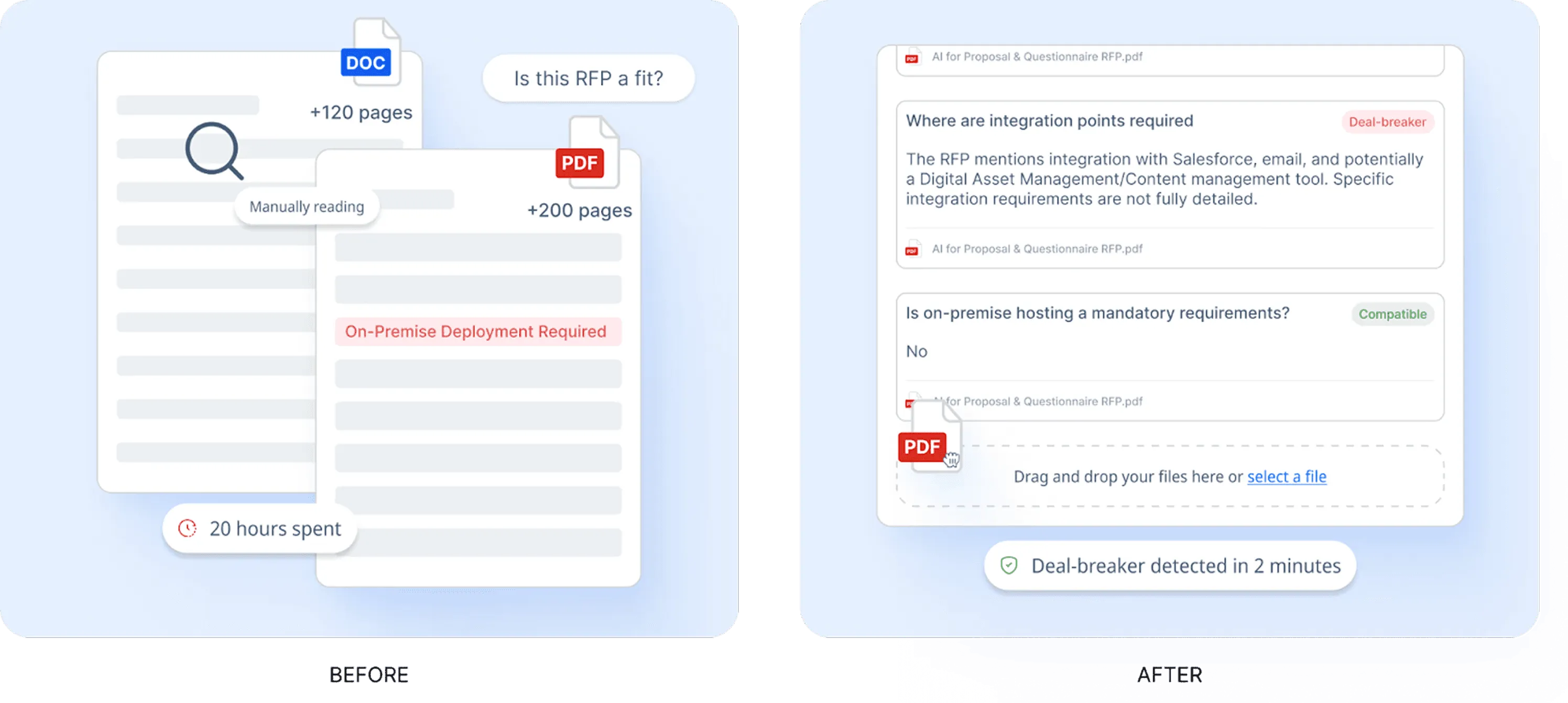
It can also help teams investigate vague or unclear requirements faster, which supports better bid qualification decisions.
4. AI Sales Proposal Q&A Chatbot
The AI chatbot lets teams ask questions in natural language and get fast, sourced answers from company content.
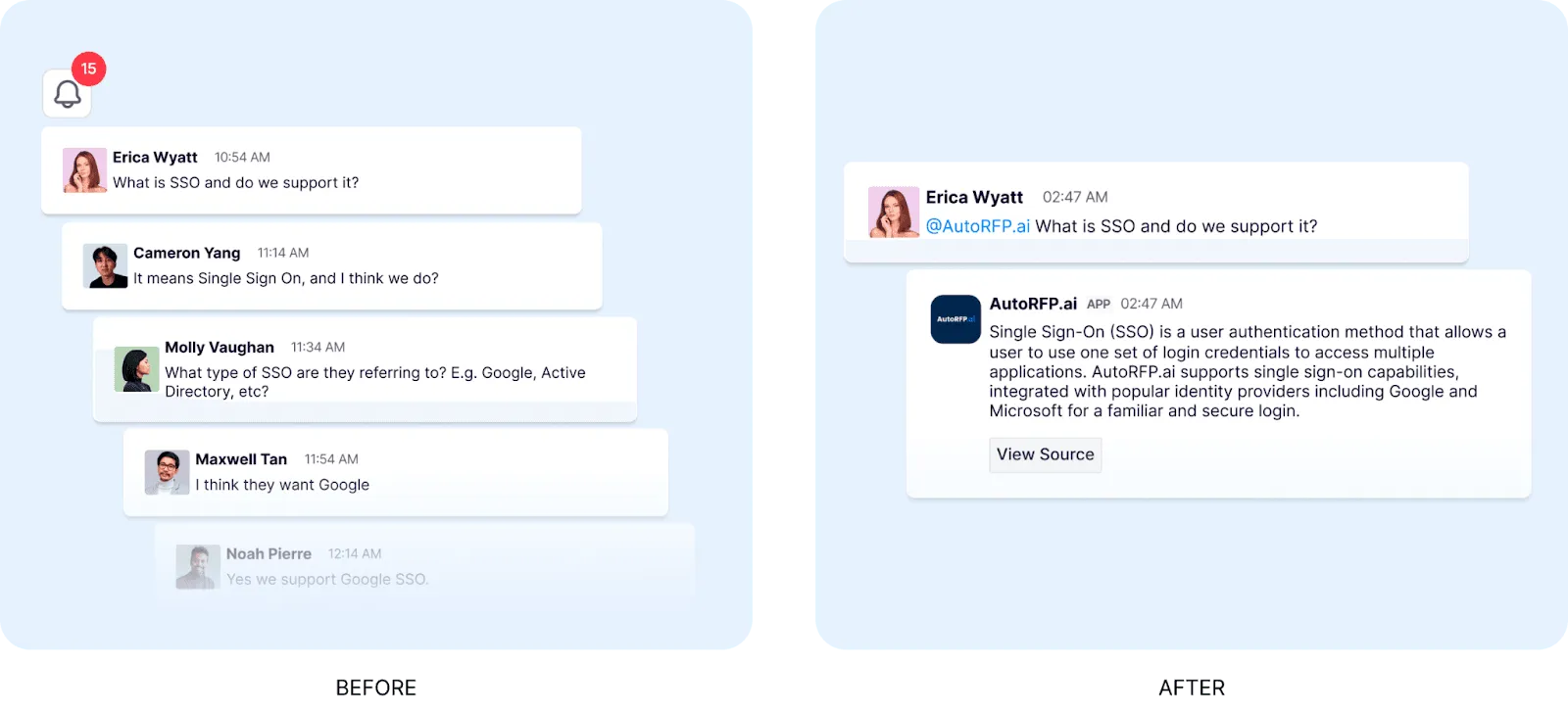
This is useful when sales, security, or proposal teams need quick answers without digging through folders, documents, or past submissions.
5. AI Proposal Chrome Extension
The Chrome extension helps teams respond to portal-based questionnaires without manually retyping every question and answer.
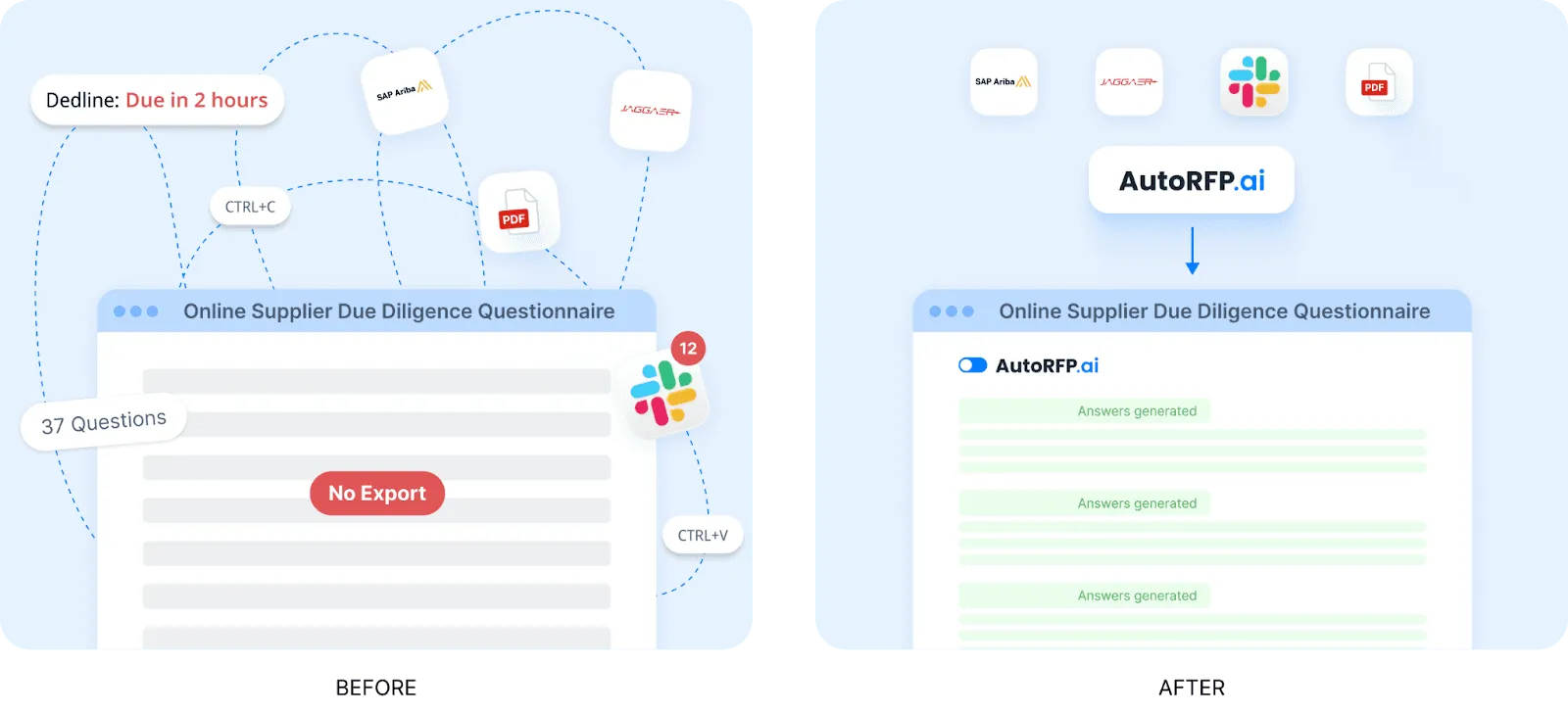
It can pull questions from portals, generate draft responses, and support faster completion across systems such as Ariba, UpGuard, Jaggaer, and similar platforms.
Pros
Strong AI drafting: Generates usable first drafts instead of only surfacing old answers.
More transparent output: Shows why answers were chosen, which helps with review and trust.
Lower maintenance burden: Learns from approved content, so teams do not need to manage a large static library manually.
Useful for qualification: Go/no-go analysis can save time by spotting poor-fit opportunities early.
Good workflow coverage: Supports drafting, Q&A, portal completion, and knowledge retrieval in one platform.
Enterprise credibility: Suitable for larger B2B and regulated teams that need security, privacy, and process control.
Cons
Less ideal for highly bespoke bids: Sectors with very custom responses may get less value from automation.
Adoption depends on source quality: Results are stronger when past responses and internal content are already reasonably good.
Best For
Mid-to-large B2B SaaS teams: Companies handling a high volume of RFPs, RFIs, and security questionnaires.
Financial services firms: Teams that need sourced, reusable answers for due diligence and compliance-heavy submissions.
Regulated industries: Healthcare, fintech, and cybersecurity organizations that need speed without losing control.
Revenue and proposal teams: Businesses that want faster first drafts, better collaboration, and clearer visibility into automation impact.


Video transcript
Transcript is auto-generated and may contain minor errors.
Hey, I'm Rob from autoRFP.ai. What is autoRFP.ai? Well, autoRFP.ai is an AI software as a service or SaaS application that does AI for proposal or RFP responses. That includes RFIs, like request for informations, includes due diligence questionnaires or DDQs, and includes security questionnaires. So, you can find all about us at autoRFP.ai. So, we're a technology company. We have offices all across the globe including Brisbane, Australia, Vancouver as well. And effectively, our tool allows, whether it be bid managers, sales people, proposal writers, RevOps team members, sales leadership, answer complicated request for proposals. So, what is a request for proposal? You can see one of our other videos below in the description. But effectively, our system
looks something like this. And it lets team members, and you can have unlimited number of people log in to autoRFP.ai, good product, allows people to go in, create projects, which would be for instance an RFP. I can go in here, create my information from my zip file, and that includes, you know, like an Excel spreadsheet, PDF, Word doc. We can run an AI go no go project analysis on the RFP. And then effectively from that, we can bring in all the information in terms of what are the questions, where our AI automatically scans the documents and figures out what is being asked of the RFP, whether it's multiple tabs in an Excel spreadsheet and everything else, whether it's drop-downs. And that all happens automatically through the power of AI. Then, we generate our response, and we can do it in in 40 plus different languages and adding languages all the time. Once you've imported your RFP into order rfp.ai,
you can collaborate with your team members assigning different people to answer the questions, review the questions, looking at an overview of the entire project and project managing due dates. Now AI effectively starts automatically answering those different questions based on your knowledge documentation. So that might be your website, your help docs, your technical documentation, your past RFP answers or security questionnaires, your security policies. But effectively all that different company information you import into order RFP and then our AI leverages that to create an AI first draft of an RFP response. Once we're happy with all those requests, we can approve it. That goes into the model to learn from and add to. So your current responses are automatically used for new responses and then you can export that as well. And then the final cool thing about order RFP is you have a lot of different
integrations that you can pull in, whether it's knowledge documentation from places like Notion, Google Drive and so on. So that's order RFP. We're an AI SaaS app. Uh you can host globally. We do not use customer data for training purposes or to send it back to LLMs. So we're secure and private. We have our ISO 2701 certificate and our SOC 2 certificate and then you can find up-to-date pricing and information on our website. Or if you came to learn more, you can book a demo and schedule time with our team. Thanks.
2. cobl
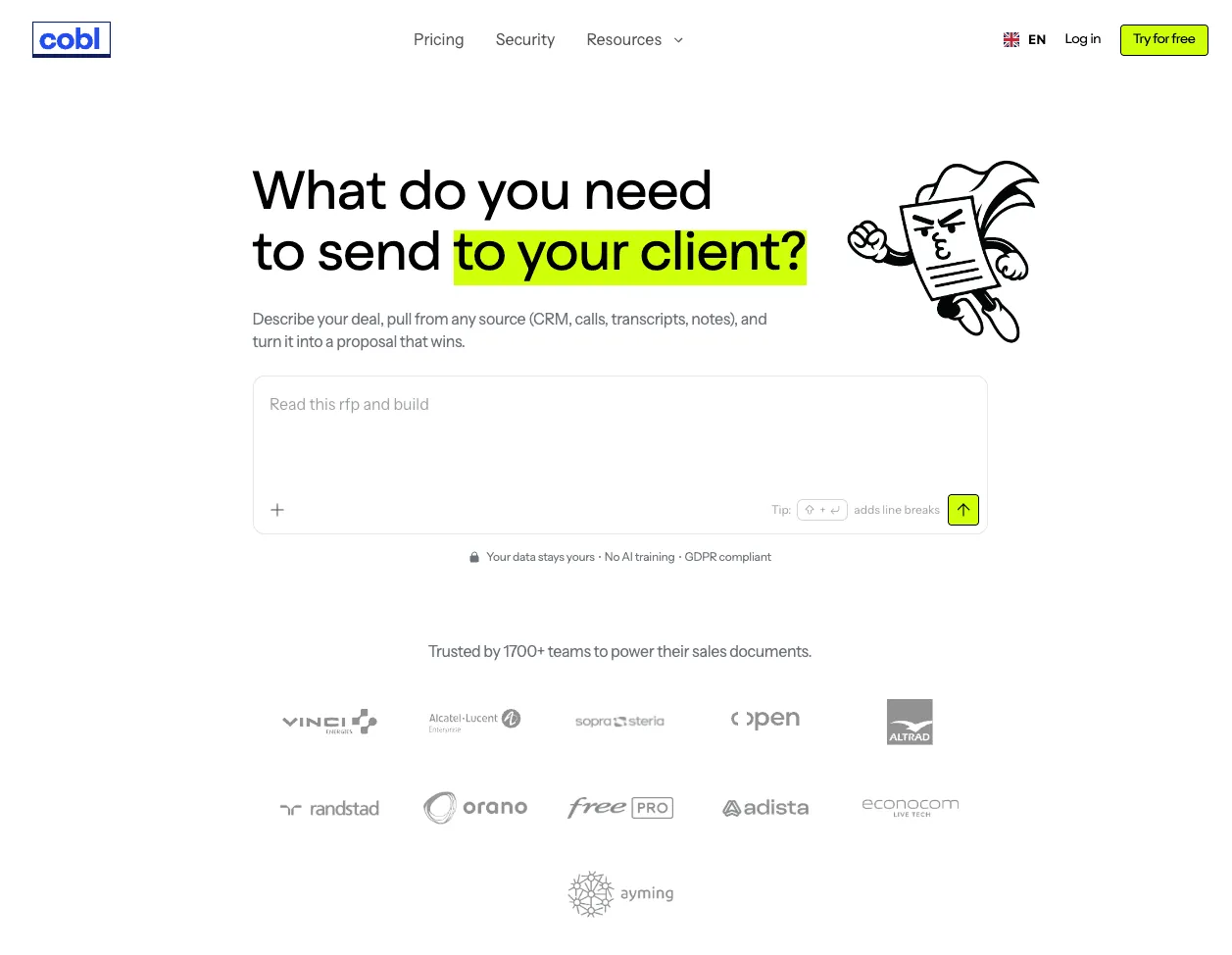
Cobl is an AI Proposal platform built for teams handling ad-hoc sales proposals that want AI automation for routine and manual sales proposals.
Key Features
AI Proposal Agents: Tweak content, adjust tone, match company branding. cobl works with you while keeping structure and accuracy locked.
Easy-to-use for all team sizes: Modern interface that makes creating proposals a breeze
Pull from your tools: cobl connects to your CRM, workspace & files to auto-gather everything needed for a complete sales proposal.
Pros
Start from a single prompt: Uses natural language to easily create proposals with AI.
Integrations: Integrates seamlessly across your technology stack
Cons
RFP Workflow: Doesn’t have workflow features that are necessary for complex RFPs.
Less Social Proof: Smaller start-up and may not have relevant customers in your industry
Pricing is seat-based: May be more expensive for larger teams with a per-user seat pricing.
Best For
Sales teams with ad-hoc proposals: If your sales teams do daily proposals to varying prospects, this tool is useful.
Teams that don’t do RFPs: If you don’t do large questionnaire-based repsonses, then this is the proposal automation tool for you.
3. Loopio
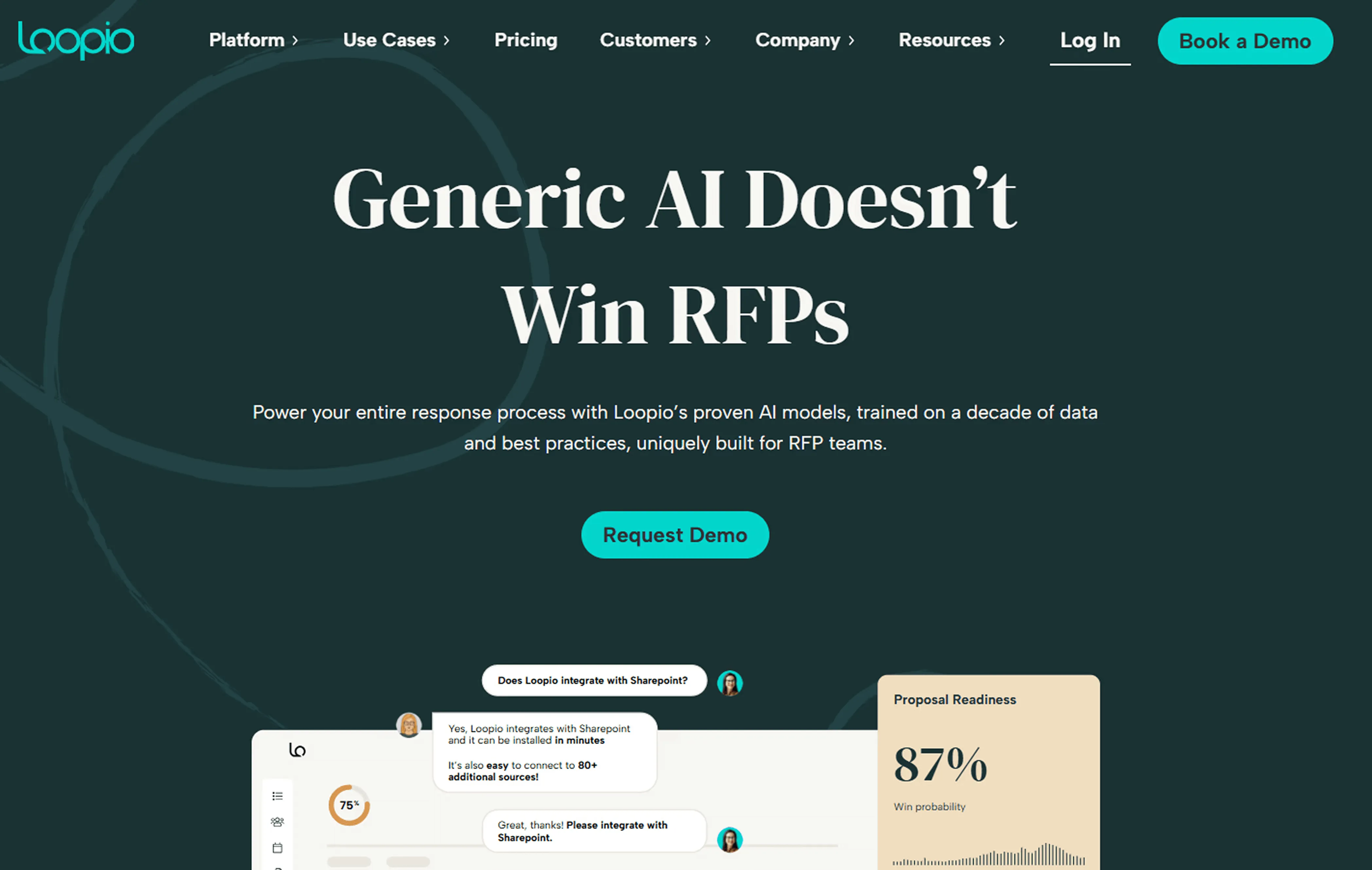
Loopio is an RFP response management platform built for teams handling RFPs, RFIs, DDQs, and security questionnaires, combining a collaborative content library with AI-powered search, drafting, and project oversight.
Key Features
Collaborative content library: Stores approved answers in a searchable library for easier access and upkeep.
AI-powered response support: Suggests, summarizes, and tailors answers with AI.
Project workflow and insights: Supports assignments, approvals, timelines, integrations, and workload insights.
Pros
Strong collaboration: Well suited to shared content and SME workflows.
Efficient for repeat work: Helps teams answer recurring questions faster.
Cons
Export and template issues: Some reviewers report friction here.
PDF import issues: Formatting can break during uploads.
Setup is time-intensive: Libraries and tags take work upfront.
No public pricing: Cost evaluation is less straightforward.
Best For
Proposal and bid teams: Especially teams that want a central answer library, smoother collaboration, and faster response cycles.
Sales, security, and cross-functional enterprise teams: Best when multiple stakeholders need to contribute to questionnaires, DDQs, and security responses in one workflow.
3. Responsive (Previously RFPIO)
Responsive is a strategic response management platform for teams handling RFPs, RFIs, DDQs, security questionnaires, and proposals, with AI-assisted drafting, a central answer library, and collaboration workflows built for complex response processes.
Key Features
AI-assisted response drafting: Helps teams generate and refine draft answers faster within response projects.
Centralized answer library and search: Gives teams a shared repository of approved content for reuse across RFPs and questionnaires.
Workflow and stakeholder collaboration: Supports task assignment, review flows, and cross-functional input across proposal and security work.
Pros
Well suited to complex, high-volume work: Handles RFPs, DDQs, security questionnaires, and broader response workflows.
Strong productivity and usability feedback: Reviews often highlight time savings, ease of use, and helpful AI suggestions.
Cons
Search can be limiting: Some users say it is hard to find very specific information quickly.
Library quality depends on upkeep: The platform works best when teams keep content clean and current.
Some editing gaps remain: Users mention copy-paste issues and limited visibility into where Q&A pairs sit.
Pricing is not transparent: Buyers need to request a demo or contact sales for pricing.
Best For
Enterprise and mid-market teams with complex questionnaires: Best for organizations managing recurring RFPs, DDQs, and security responses across multiple stakeholders.
Teams that need structured workflows: A stronger fit when process control and collaboration matter more than lightweight simplicity.
4. Qwilr
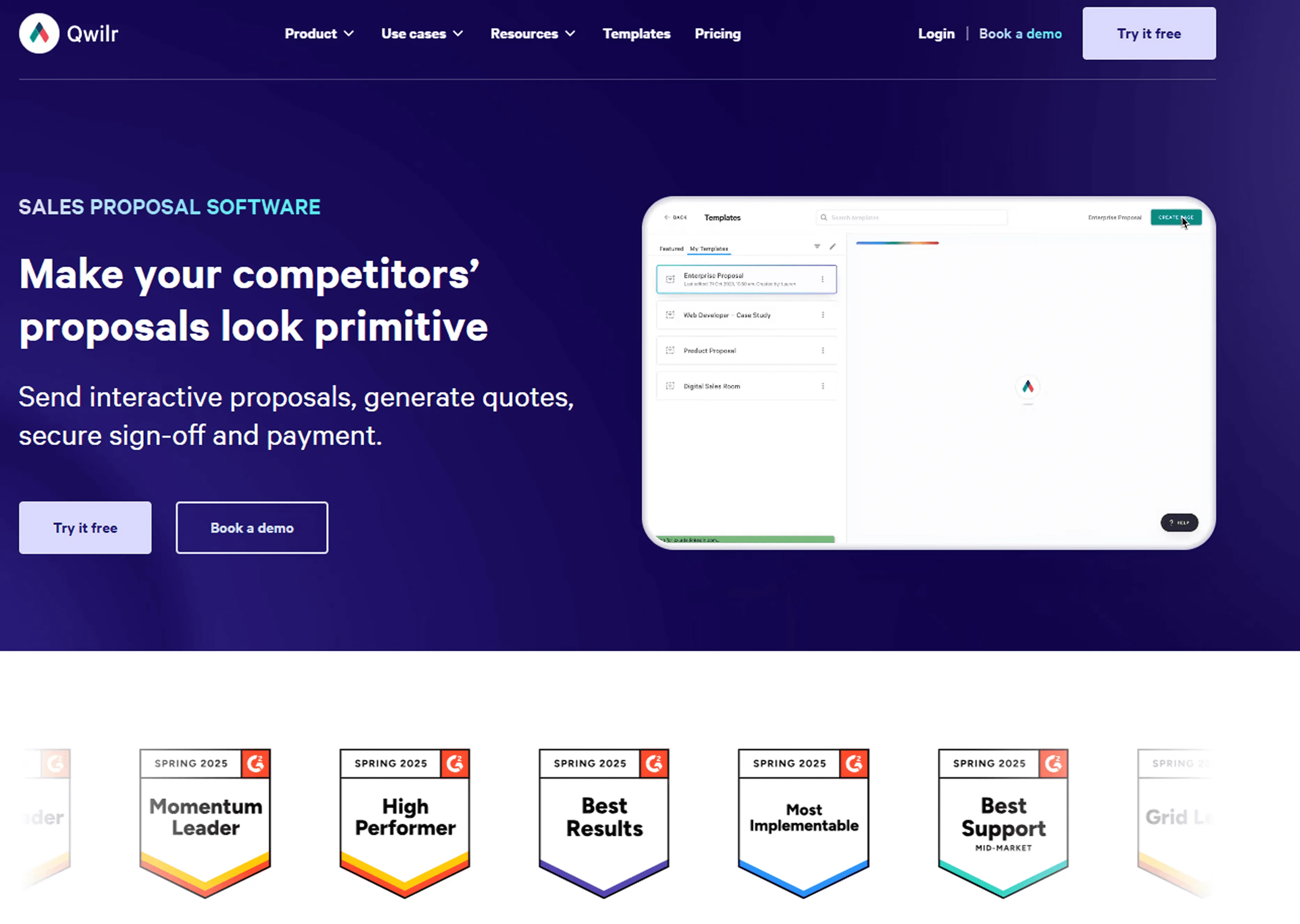
Qwilr is proposal software that helps sales teams create interactive web-based proposals and quotes, collect e-signatures and payments, and track buyer engagement from one platform.
Key Features:
Interactive proposals, quotes, and pricing: Builds web-based proposals and quotes with interactive pricing, reusable content, and a drag-and-drop editor.
Built-in e-signatures and payments: Supports compliant e-signatures, audit trails, and built-in payment collection.
Pros
- Easy to use: Reviews consistently highlight quick setup and a smooth drag-and-drop experience.
Creates polished proposals: Users often praise the visual quality and modern feel of Qwilr pages.
Cons
Customization can feel limited: Some reviewers want more flexibility in templates, branding, and design control.
Editing depth is limited: Some teams want stronger formatting, editing, and dynamic content options.
Some integrations are inconsistent: Reviews mention issues with tools like HubSpot and Pipedrive.
Best For
Sales-led teams that want better-looking proposals: A strong fit for teams that value presentation, interactive pricing, e-signatures, and buyer experience.
Small to mid-sized teams with CRM-driven workflows: Better for proposal creation and sales engagement than deep RFP content management.
5. Proposify
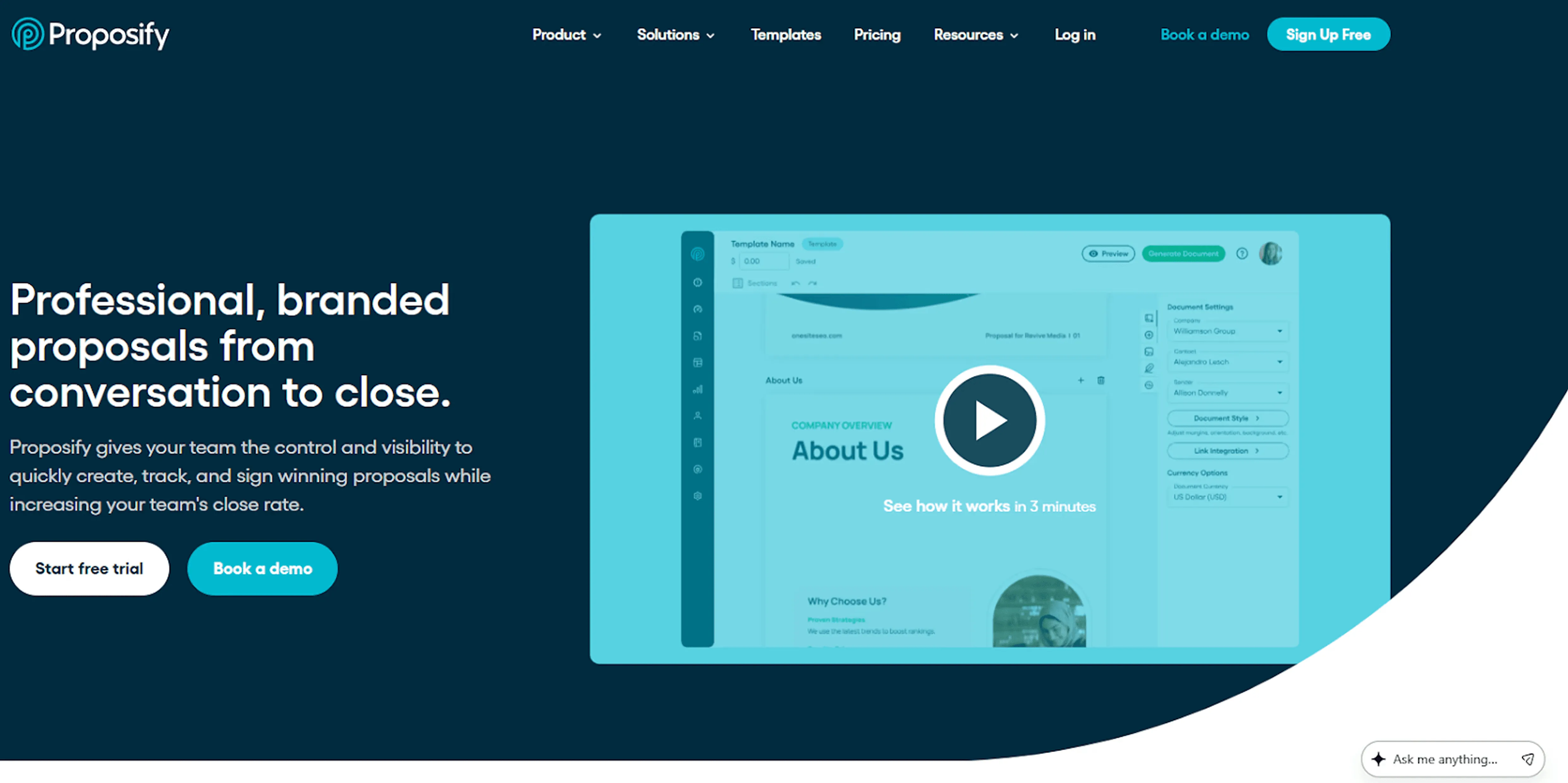
Proposify is proposal software for sales teams that want to create, send, track, and sign proposals in one place, with reusable content, templates, e-signatures, and buyer engagement analytics.
Key Features
Templates and content library: Gives teams reusable templates, shared content, and branding controls for faster, more consistent proposals.
E-signatures and deal closing tools: Includes built-in e-signatures and workflows that help teams move from draft to signed deal in one tool.
Pros
- Strong for polished sales proposals: Users often like the professional look of client-facing proposals and quotes.
Cons
Editing can feel clunky: Reviews often mention friction when editing templates and content blocks.
Formatting issues come up: Some users report layout problems during template changes or detailed edits.
Bugs can interrupt editing: Reviews mention crashes, inconsistent behavior, or needing to refresh.
Best For
Sales teams focused on proposals and quotes: Better for polished proposals, e-signatures, and engagement tracking than deep RFP response work.
Small to mid-sized businesses with repeatable sales workflows: A stronger fit for proposal-heavy teams than complex enterprise bid environments.
For a broader view across CRM, content, and coaching categories, see our roundup of the best sales enablement tools.
What to Look For When Choosing a Sales Proposal Automation Tool
A strong sales proposal automation tool should do more than speed up drafting. It should protect sensitive data, reduce manual work, improve collaboration, and help your team scale output without losing quality or control. Here’s what to look for.
1. Security and Privacy
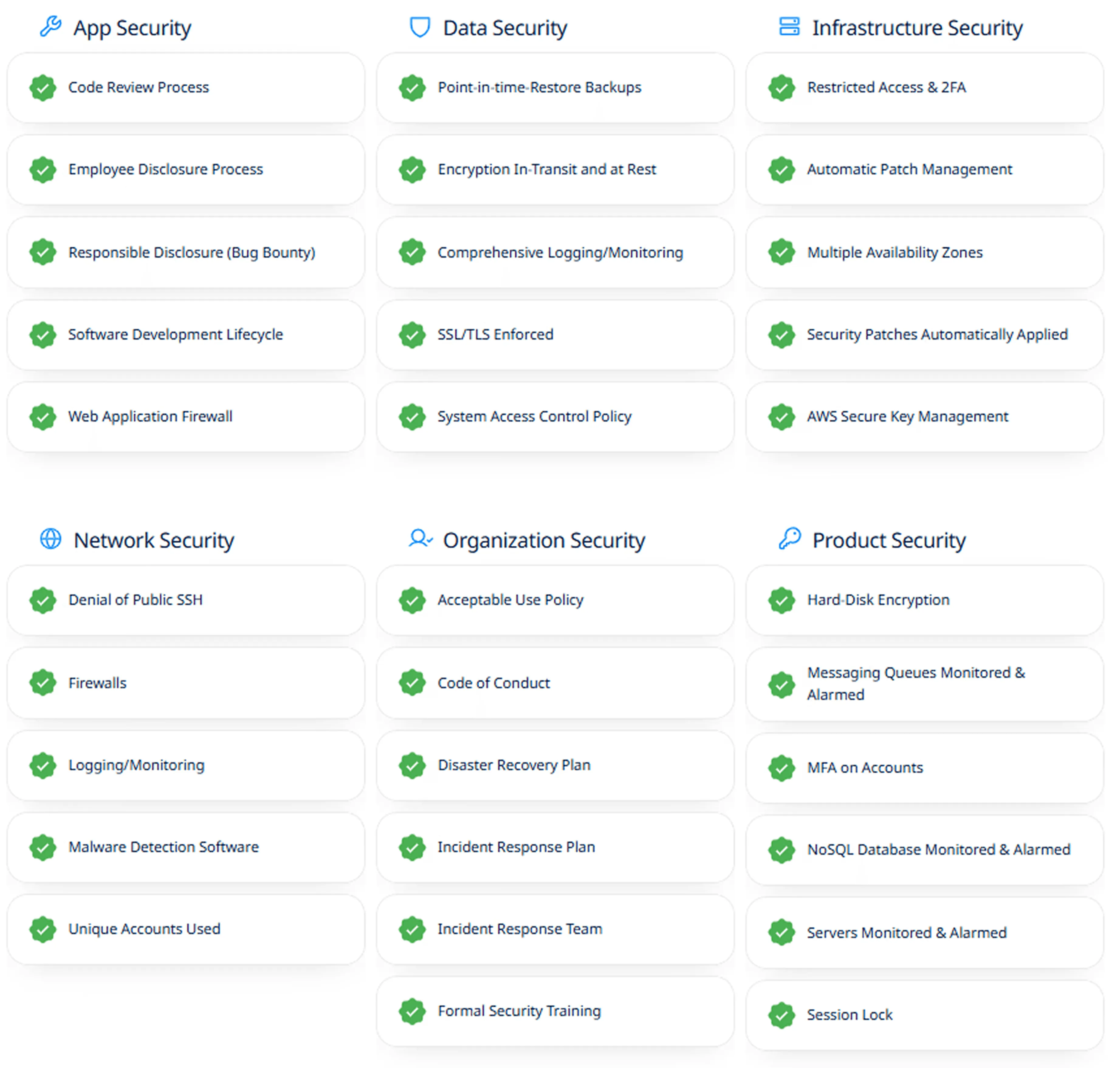
Security should be one of the first things you assess. Proposal tools often handle pricing, legal terms, customer details, and technical documentation, so a weak setup can create serious risk.
AutoRFP.ai takes this seriously. It does not train LLMs on customer data, which matters because some providers do use customer data to improve their models.

That means your proposal content is not reused for someone else’s benefit. AutoRFP.ai is also ISO 27001 and SOC 2 certified, showing that security and data protection are built into the platform.
2. Self-Learning Library
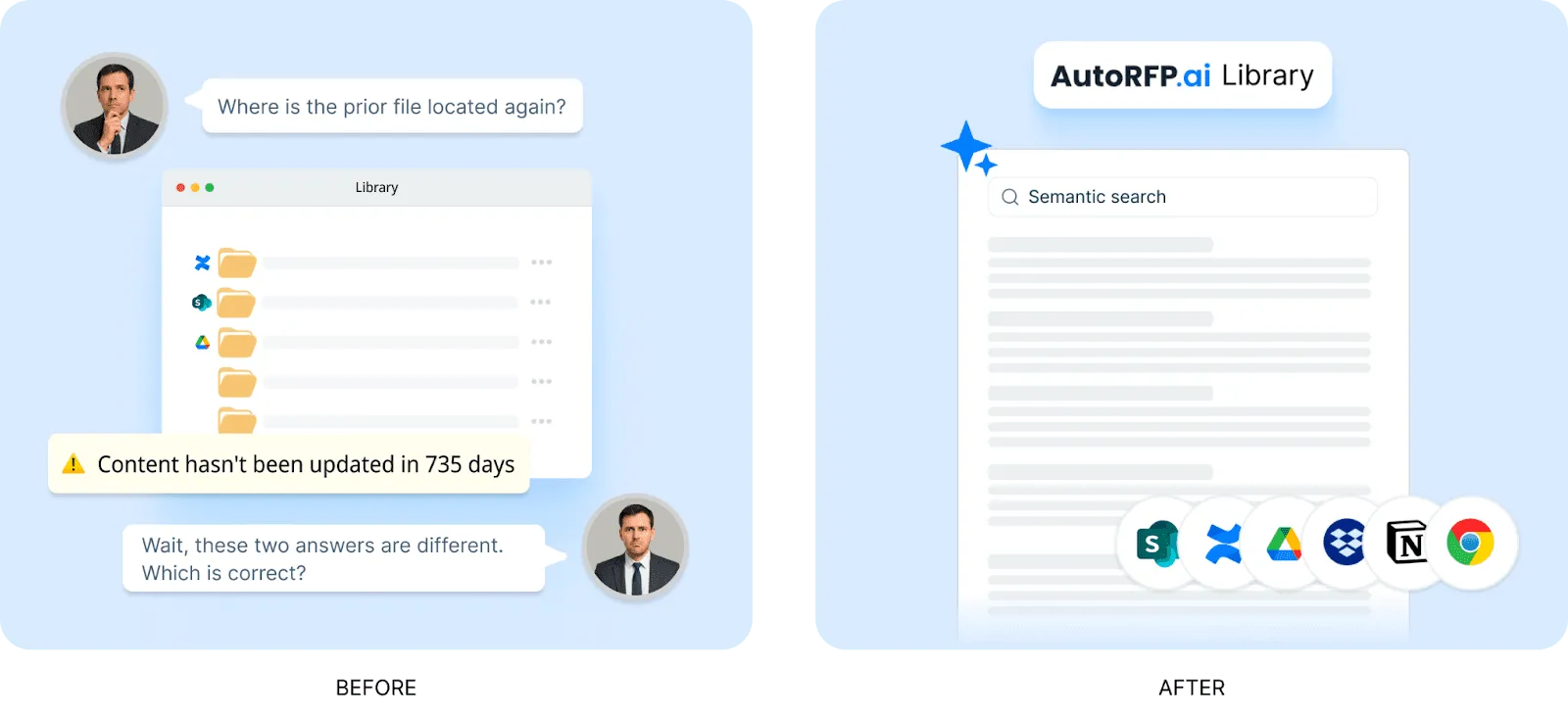
A strong proposal automation tool should not make your team spend more time maintaining a content library than responding to proposals.
That is a common frustration with legacy RFP software, where library management becomes so heavy that teams either get stuck or stop maintaining it.
A better approach is a self-learning library. In AutoRFP.ai, submitted RFP responses automatically become context for future work.
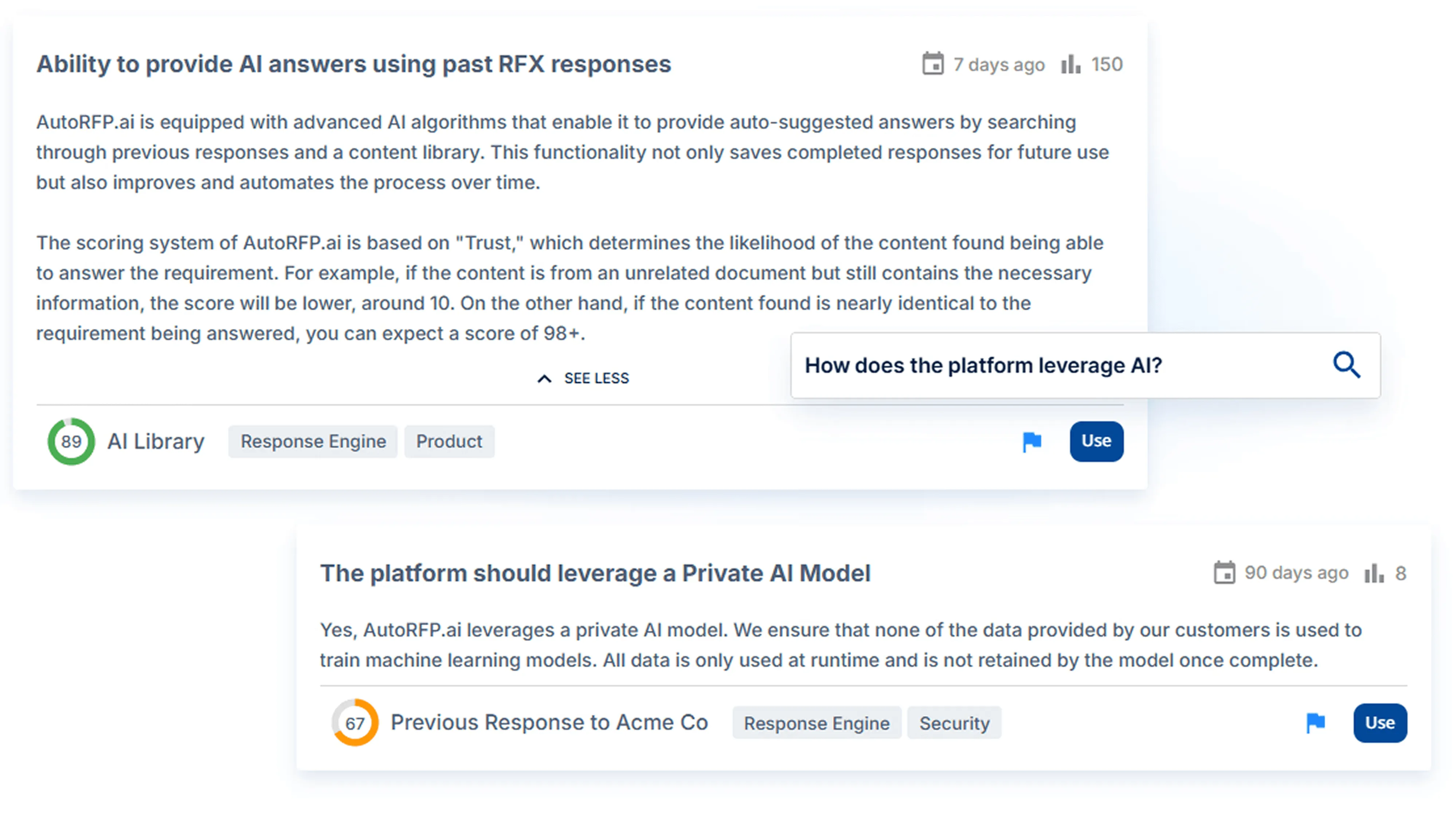
Over time, that creates a useful cycle: better automation creates more capacity, more completed proposals improve saved responses, and better saved responses strengthen future automation. The system becomes more useful as your team uses it.
3. Integration and Compatibility
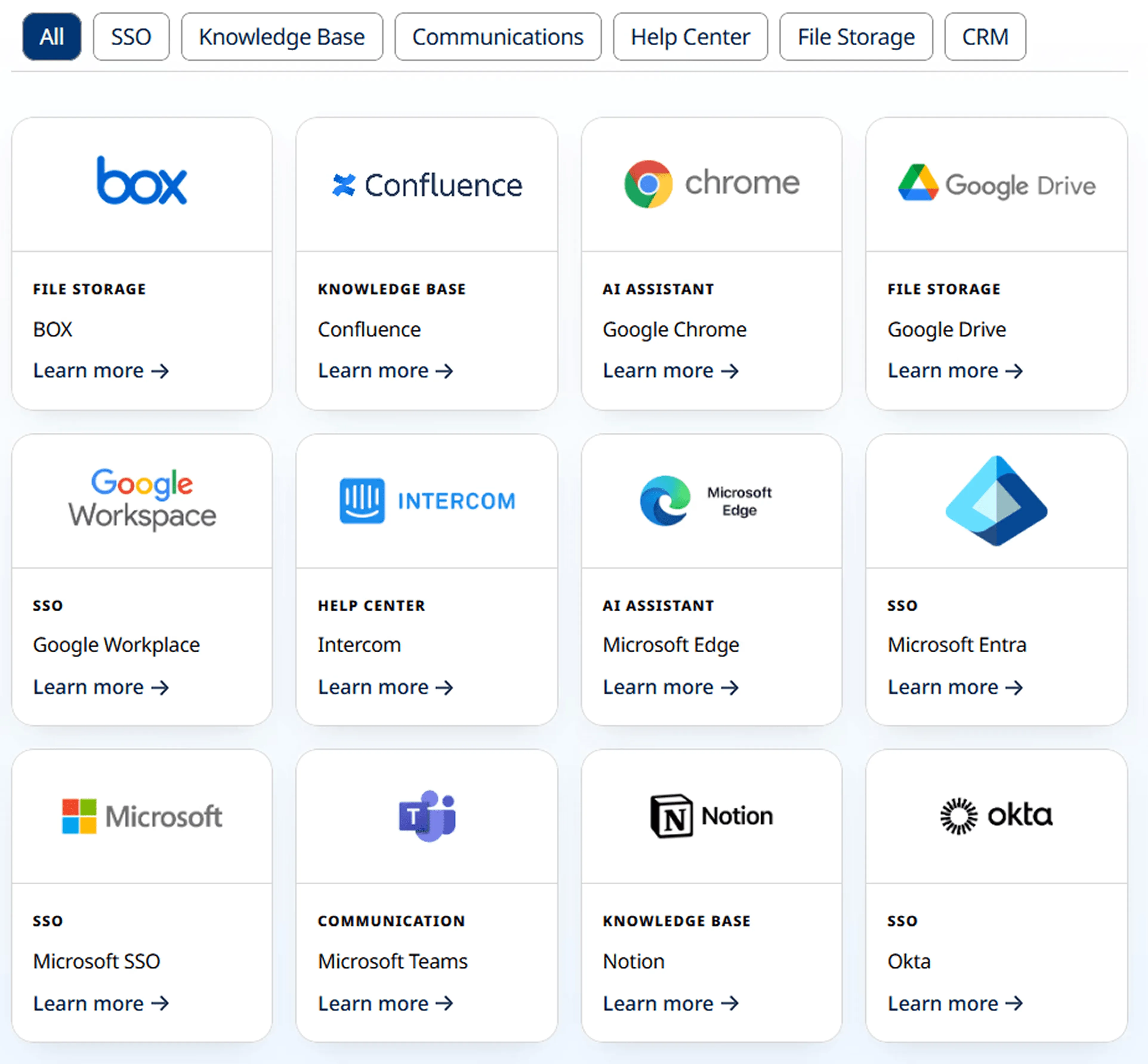
Your proposal tool should fit into the systems your team already uses. If it cannot connect well with your CRM, document storage, communication tools, or approval workflows, your team will end up doing manual admin that the software was supposed to eliminate.
4. Workflow and Collaboration
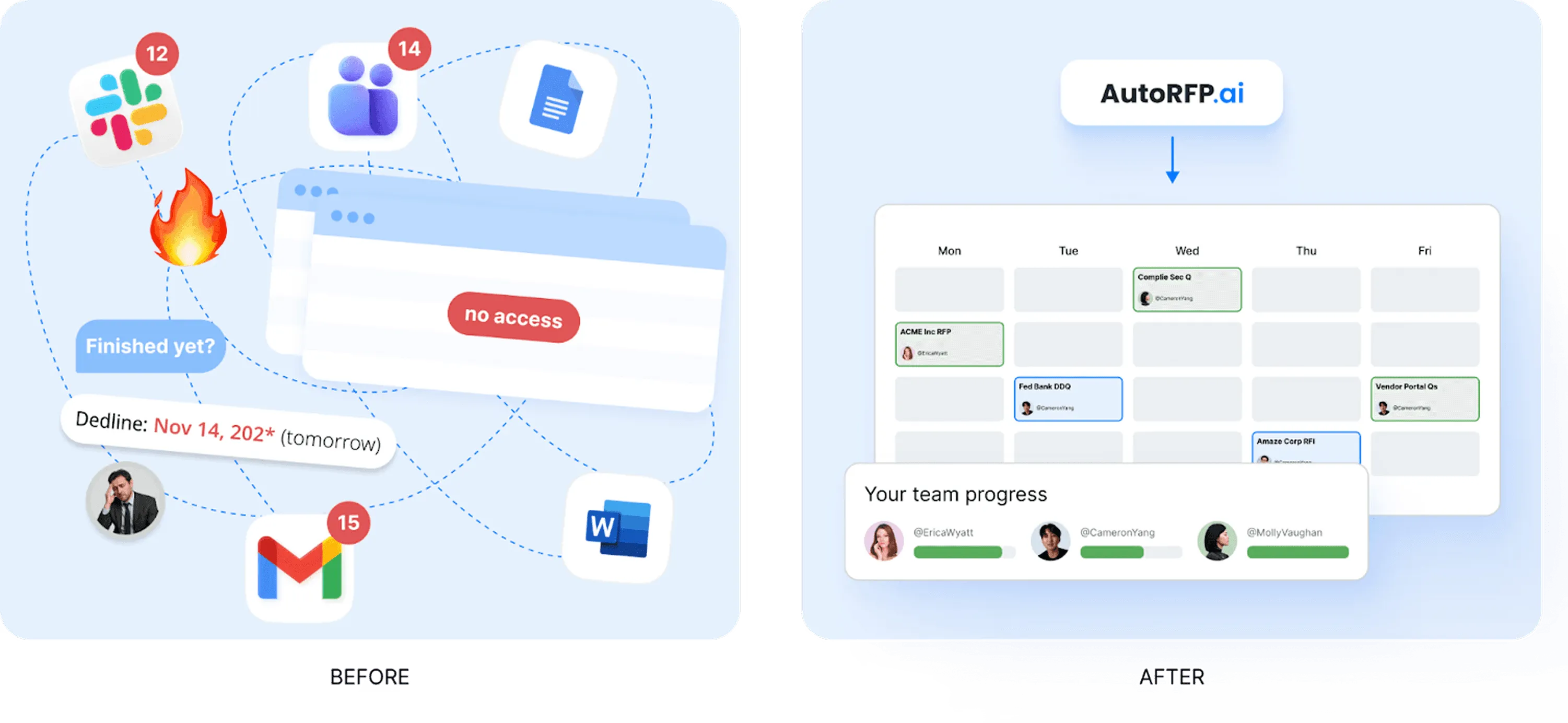
Proposal work is rarely done by one person alone. Sales, legal, finance, security, product, and subject matter experts often all need to contribute, so the platform should make collaboration easier rather than creating more coordination work.
Prioritize tools with built-in approval workflows, clear ownership assignment, review tracking, and real-time collaboration features.
5. Ease of Use and Scalability
A proposal platform only adds value if people use it. If it is hard to learn or frustrating to navigate, teams will slip back into manual work. Choose a tool that feels intuitive now and can still handle more users, content, and proposal volume as your business grows.
6. Reporting Features
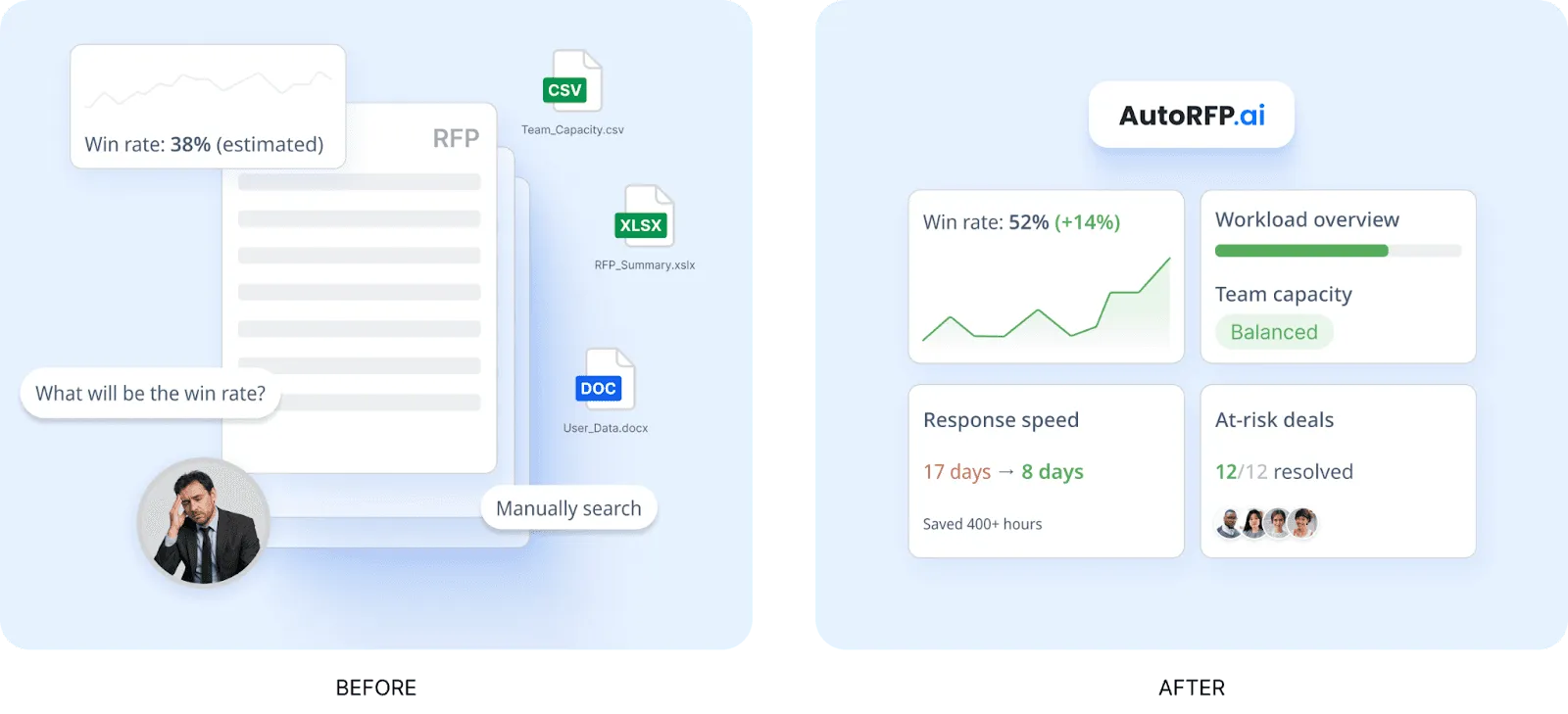
Reporting matters because automation should not be a black box. You need visibility into output, capacity, and quality. The best proposal automation tools, such as AutoRFP.ai, bring win rate, workload, proposal volume, and workflow speed into one view, so teams can plan growth and take on more work with more confidence.
7. Template and Content Management
Templates and content management still matter, even with strong AI. Teams need a reliable way to store approved pricing, legal clauses, case studies, and product details without risking outdated or off-brand content.
Look for centralized libraries and branded templates that support consistency while still allowing useful customization.
8. Gap Analysis and Compliance Insights
This feature is not always mandatory at the start, but it becomes very valuable over time. Tools with gap analysis and compliance reporting can show where your team is repeatedly falling short, which requirements create the most friction, and what patterns may be affecting win rates.
AutoRFP.ai’s Gap Analysis Report is useful here because it tracks compliance answers across the team’s response history without a separate tagging project before the first report.
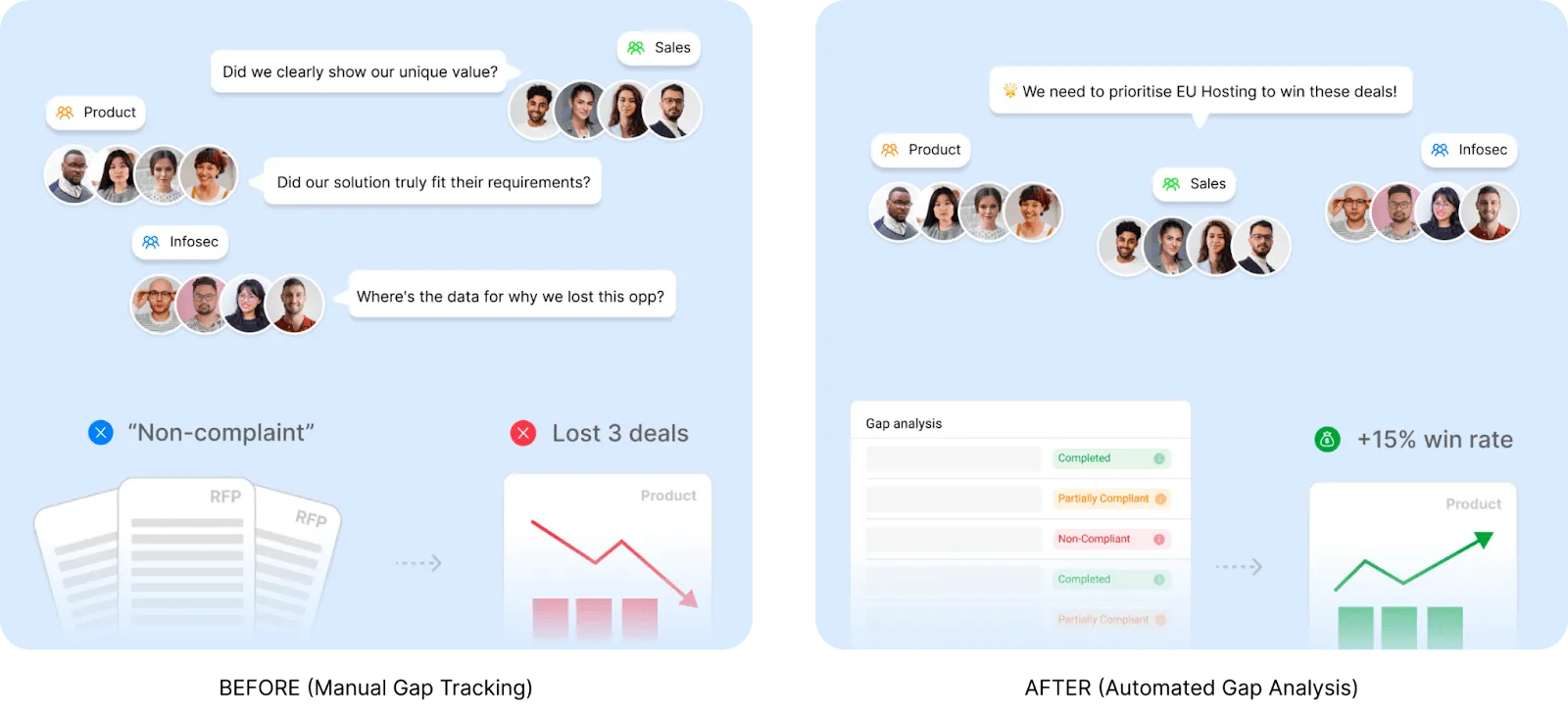
That gives teams a clearer view of what is blocking deals and where they may need stronger proof, better content, or earlier internal alignment.
Win More Deals With AutoRFP.ai
Manual proposal work creates drag at every stage, from searching for answers to chasing reviews and fixing last-minute gaps.
AutoRFP.ai helps remove that friction by giving teams faster drafting, smarter knowledge retrieval, and a system that learns from approved responses over time.
That means less admin, fewer bottlenecks, and more time spent strengthening the parts of the proposal that actually win deals.
About the author

Technical Account Manager
Technical Account Manager at AutoRFP.ai. Background in asset management completing institutional RFPs and DDQs; now implements AutoRFP.ai for some of the company's largest accounts.
LinkedInFrequently asked questions
How long does it take to implement sales proposal automation?
Implementation time depends on your process, content quality, and number of stakeholders. Some teams can get value in a few weeks by starting with one workflow, a small content set, and a clear review process. The fastest rollouts usually focus on quick wins first, then expand later.
Can small sales teams benefit from proposal automation?
Yes. Smaller teams often feel the impact faster because they have less time to waste on admin, formatting, and repeated drafting. Proposal automation helps them respond more consistently, handle more opportunities, and reduce the pressure that comes from relying on a few people to do everything manually.
Does proposal automation replace proposal writers or sales teams?
No. It removes repetitive work, but it does not replace judgment, positioning, or customer insight. Teams still need people to shape the story, tailor the message, review quality, and decide what matters most to the buyer. The goal is better use of human time, not removing humans.
What is the difference between proposal automation and CPQ software?
Proposal automation focuses on creating, managing, and improving proposal content and workflows. CPQ software is built for configuring products, setting prices, and generating quotes accurately.
How do you measure whether proposal automation is working?
Look beyond time saved alone. Track proposal turnaround time, volume handled per team member, response quality, approval speed, reuse of approved content, and win rate trends. The best measurement shows whether automation is increasing capacity while still improving consistency and helping teams spend more time on deal strategy.
